@gene-8240 - the development team is working on this as we speak. Will tag you here once the patch released!
We are working on a fix for the login issue and errors with Raw Denoise. We are also investigating a Remove issue causing a black output.
@gene-8240 - the development team is working on this as we speak. Will tag you here once the patch released!
We are working on a fix for the login issue and errors with Raw Denoise. We are also investigating a Remove issue causing a black output.
I’m not being notified of the update (Mac) in-app.

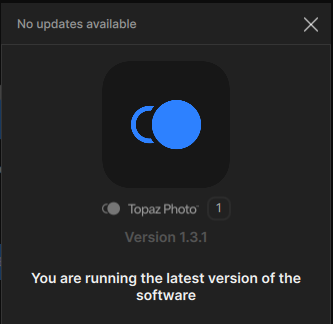
Manual check:
Manual download from the links in this thread works, I did not try to install yet. Maybe I better wait 
This is the first I have heard of this sort of thing. If each model for upsize is designed to work best at a particular size then that info should be widely documented, and even a message shown if an inferior size is selected. Please provide a list here of the best sizes for each model. Thank you.
No need to update, we unpublished the in-app notice until the patch with some fixes for it is fixed.
If anyone has updated to v1.3.2 and has issues, you can see if it is referenced here in the recent additions of Bugs & issues. If not, send us your app’s Logs and we can troubleshoot (In app Help Menu > Contact Support > Attach Logs).
You can also revert back to this version while we work on a patch:
Topaz Photo v1.2.1
Windows: Download
Mac: Download
Snapdragon: Download
Thanks, you’re pulling an Apple here, ha! macOS 15.7.5 appeared under the hood before it disappeared…
I did not run the downloaded updater yet, I will delete it.
Interesting that the Nvidia App still doesn’t recognize Topaz Photo, but it does recognize the legacy Topaz Photo AI…
It would be for all Generative models, trained and optimized for better results at 4x. I will let @Lingyu give more insight as well.
I also added an item to update our Web Docs with this information.
Thank you for this info. In the past I have, naturally, selected the size based on what I wanted and often chose 2x or even some custom size. I now realize I should have chosen 4x and if I wanted smaller then I could have resized it smaller in Photoshop.
The 4x size applies to Gigapixel also?
yes for their generative models it will be same in Gigapixel, optimized for better results at 4x! I will let Lingyu chime in tomorrow with more tehcnical details on the why and such.
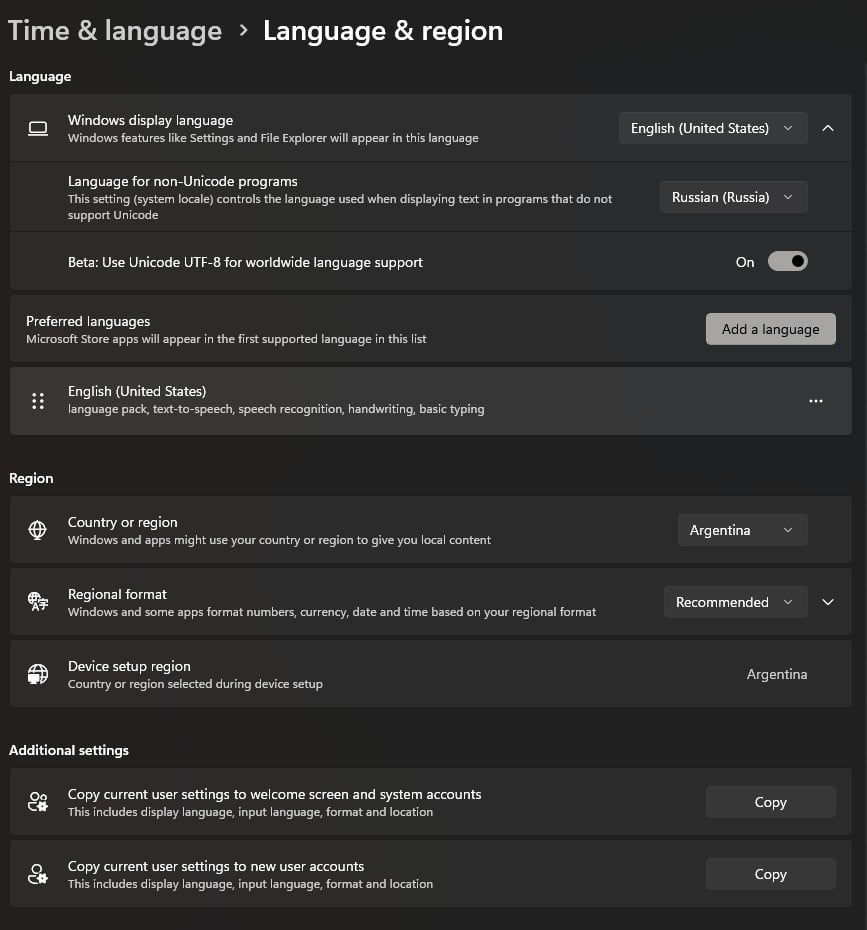
Hey guys, sorry for my language (I’m using a translator). I stumbled upon this by accident. I’m using the Russian interface in Windows. When I uninstalled the Russian language pack, then left the system and interface language set to English, after rebooting the system, the Uninstall tool started working on my video card again. To test this, I reinstalled the Russian language pack and set the system language to Russian, but everything broke again. I uninstalled the Russian language pack again, leaving only English, and everything worked again. Can anyone verify this?
Yeah, I thought that was weird too
Hello Lingyu
Thank you for the quick update.
I was able to activate it.
Topaz Photo is now working properly.
Best regards from Vienna
Robert
So for the Recover V3 model, it will be a regional issue? I’m from Belgium myself.
Yes, we are tracking a few issues happening if the machine is not set to English. Make sure to be on latest v1.3.3 and send to help@topazlabs.com details on what issues remain, to make sure it’s an issue we are tracking and working on. Or you can be on English and won’t have any of those issues, and revert back to Russian once we contact you that the issues fixed. However, we would need to know what remains in v1.3.3.
depends on your Windows Regional setting. You can set it to English to test.
Hotfix v1.3.3 is released. This fixes login, errors with Raw Denoise, bad output with Remove and Spot Healing.
Topaz Photo v1.3.3
Released March 11th, 2026
Windows : Download
Snapdragon : Download
Apple Silicon Mac : Download
Intel Mac : Download
Successful update-in-place, Mac.


Just started with wonder 2.0 on an older macbook M1X. Local processing takes me about 15-20 minutes. I have been taking the default of upscale by 2.0. To my eye, the images are quite good after processing. In the past with standard upscale my images generally looked poor with artifacts. In the past the only topaz module that worked for me was denoise as sharpening also created artifacts. I’d say the general direction is favorable compared to past releases.
Hi guys, I went back to 1.2.1 on Mac.
The Wonder 1 bug I have is not fixed. When I tried to process a picture online, I got an error running model message.
And something strange, I wanted to retouch a picture from my girlfriend, a funny one, and while analyzing the image, when it comes to face recognition, it crashes instantly, every time.
I attached the picture below.
I’m on a Mac mini M2 Pro on macOS Tahoe 26.3.1 @Lingyu