I thought he had downloaded all the templates. Apparently, for RAW formats like CR3, as in your example image, he still needs to download some template files.
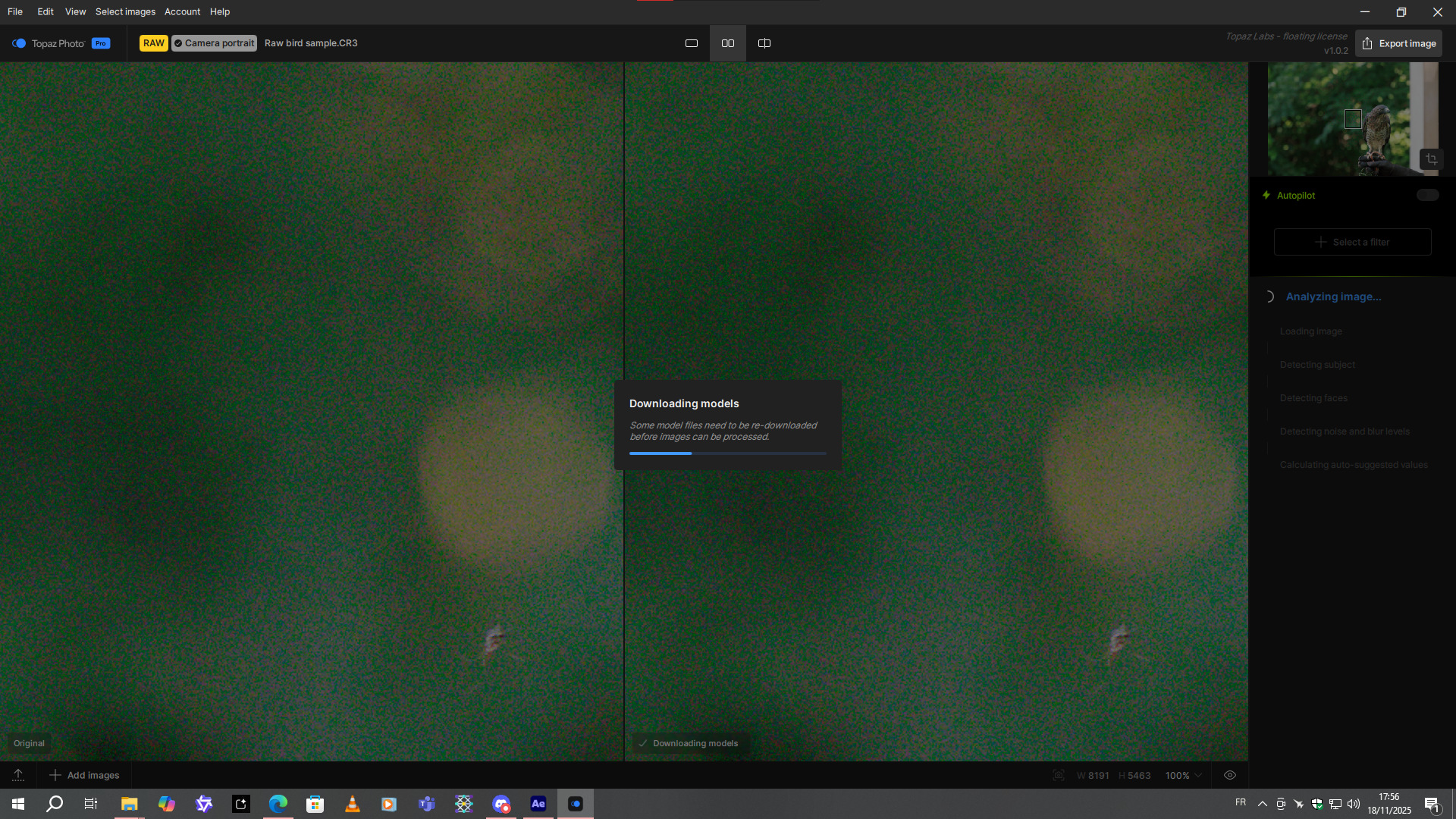
It looks pretty good in your test photo
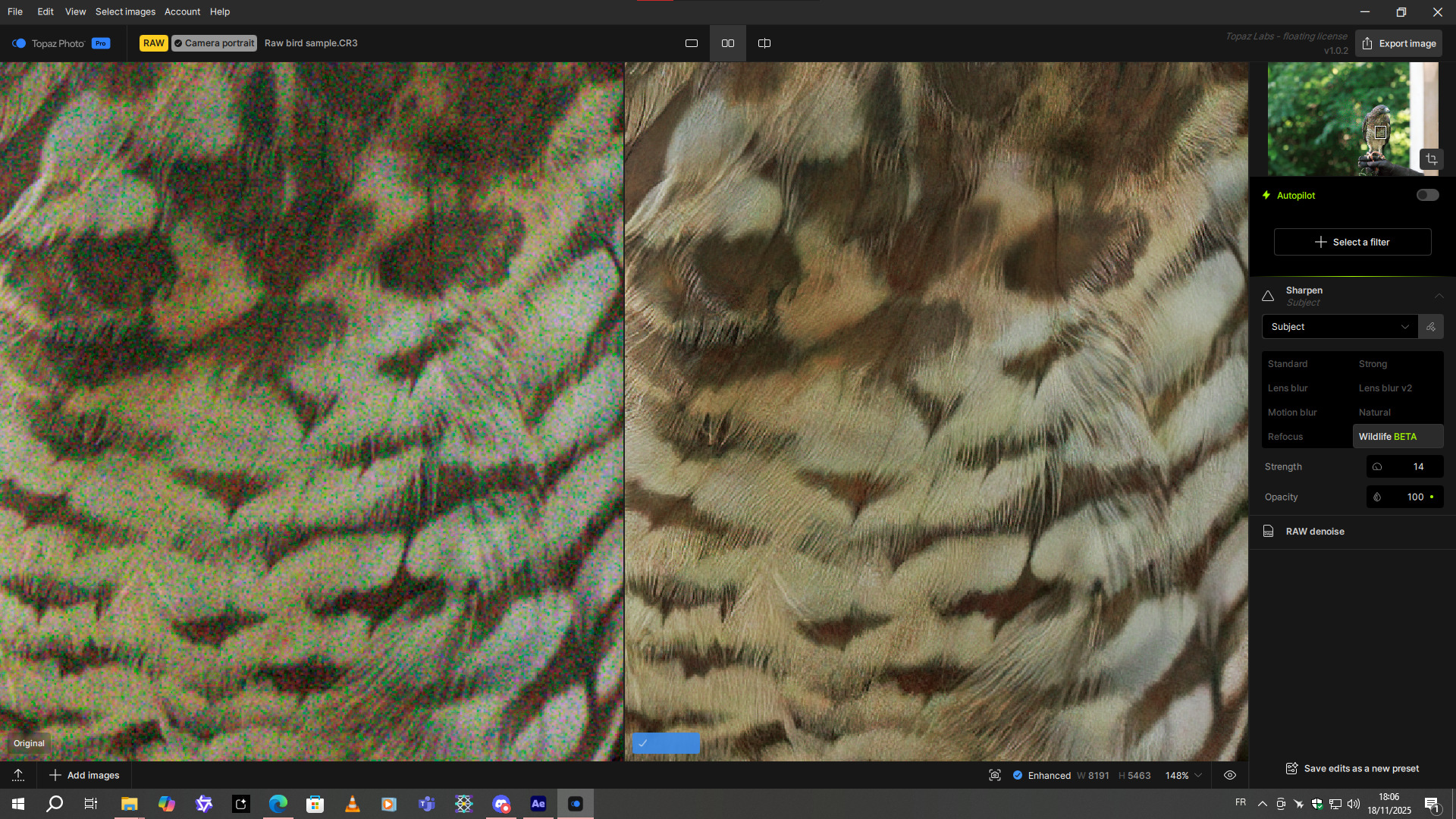
I don’t have any unretouched examples in my photos at the moment, but I’ll post some tests when I have new ones  .
.
1 Like
Looks like your connection to the model server failed. Could be Cloudflare still, or a security setting blocking the model download. If you have downloaded models on your current internet without issue previously, I’d recommend trying again. Otherwise, reach out to support@topazlabs.com and they can help troubleshoot further.
2 Likes
Intel Mac support does not change Apple Silicon functioning at all. It’s only affecting the model download and disabling local processing for some models.
Looking forward to it!
2 Likes
@Fotodrops - We added your contact information on the development team ticket for this. It will occur on some TIFF files. You can use the original out of camera files and it will not have this issue and also give better results then using the app on edited TIFF files. You can also revert to v4.0.1 if TIFF files are the only files you have access to. This v4.0.1 version, which you own, will not have the display thumbnails issue.
1 Like
Ok thanks! Still must be a painful local experience on Intel…
Download and installation has been worked.
2 Likes
Ja ich arbeite ausschließlich mit Tif, dafür hab ich die Topaz Software gekauft. Aktuell bin ich bei PhotoAI 4.01, das kann aber nicht die Lösung sein. Es gibt eine wichtige Fehlerkorrektur in Version 4.02 ! In 4.01 funktionieren die Modelle “Sharpen-Standard und Denoise-Strong” nicht mehr mit meiner neuen NVIDIA50 Grafikkarte. Es wurde in Vers. 4.02 korrigiert aber ab da funktionieren die Thumbnails nicht. Ich hoffe endlich auf ein Update für Photo und PhotoAI, so ist die Software für mich nicht zu gebrauchen. Sollte das nicht bald behoben werden, werde ich Topaz nicht mehr verlängern. Sorry !
v4.0.2
Released June 12th, 2025
Changelog
-
Fix for NVIDIA 50 series Sharpen - Standard model
-
Fix for NVIDIA 50 series Denoise - Strong model
1 Like
@Fotodrops - Great! We will keep you updated once that TIFF issue resolved. If you have a RTX 5000 card, you can force Sharpen Strong and Denoise Standard as well in v4.0.1’s Preferences.
There is a long delay of several seconds when I start the standalone app. It just seems to stall. I have an M2 Pro 12/19 Mac 32gb/1tb, MacOS 15.7.2.
Mac? PC?
did you try a clean install?
About how many seconds? You can send a screen recording to support@topazlabs.com showing how many seconds and we can compare to our M2 behavior!
I’m working on some fine art street photography images. They started out quite low res (color converted to BW). So, I’ve had to sharpen them and recover faces in Phot (1.0.2 - W11 Ps 2026 beta Plugin) as well as scale in Giga.
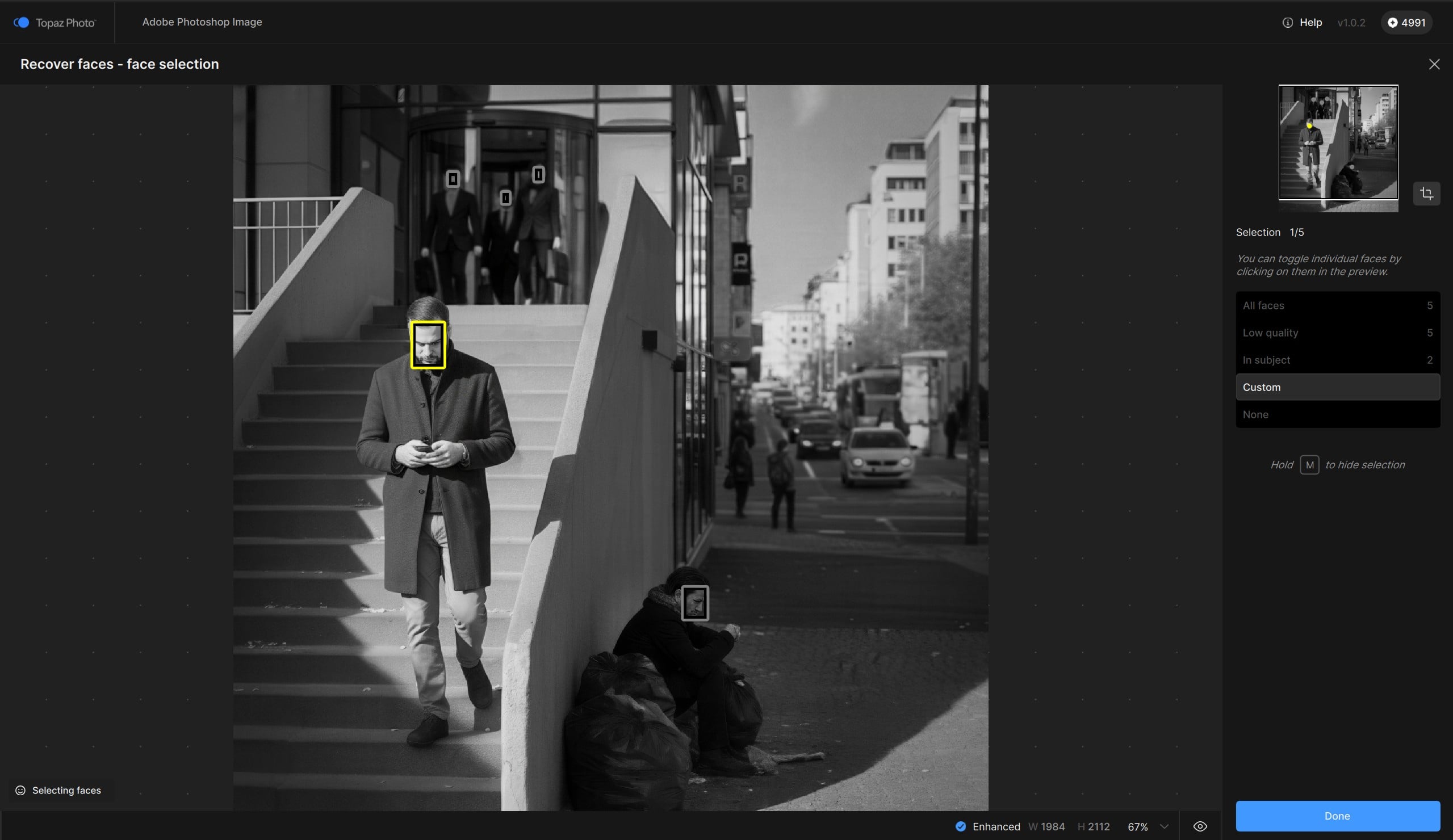
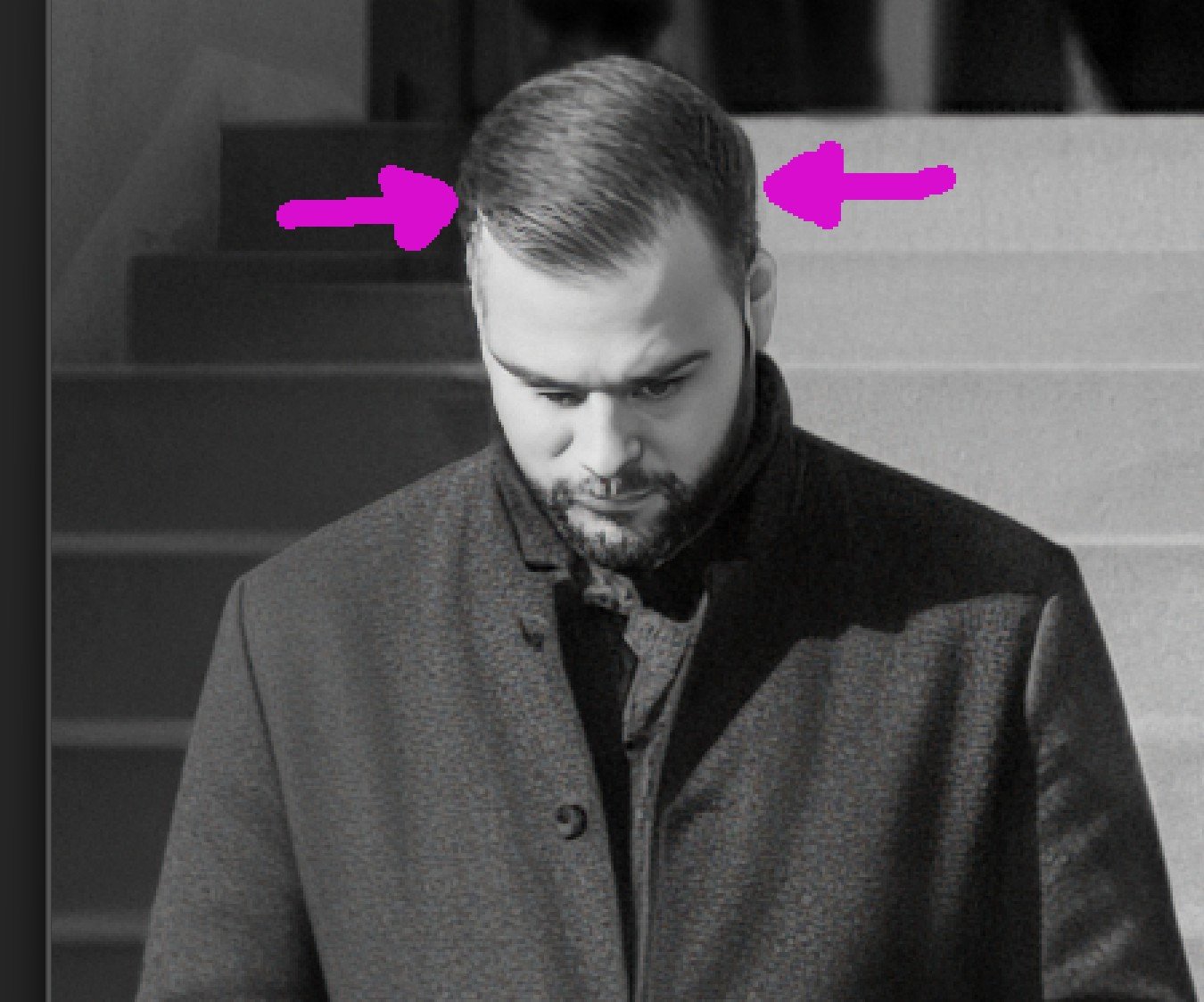
It diminishes the quality of my photos when Face Recovery is constrained to a box around chosen faces. I keep seeing the “box lines” in the subjects’ hair and between their necks and clothing. It’s a very distinct line that detracts & can pull unwanted attention. See snips below. 1st shows where the Face Recovery I desired is located (yellow box). 2nd shows arrows on either side of the distinctive line of cutoff b/wn the face recovery box and the subject’s hair.
Question: I believe it’s been proposed in past as a feature Idea. But now that subs are funding more development, can the dev team pls explore ways for users to do (at least) two additional things related to Face Recovery:
1- First & foremost, make the area to be recovered more flexible and featherable so we don’t end up with limited working area boxes in subjects’ hair and clothing. What’s desired is something like a freeform crop in which there are handles and the Face Recovery area can be expanded to suit indiv images on a custom basis by dragging the handles. The goal is to eliminate obvious lines where the face recovery box ends.
2- Add the ability to custom select faces the app doesn’t ID as faces and paint or click on them to ID them for face recovery too. #1 is the priority. But #2 is needed after #1.
Thx!
4 Likes
Thanks for this!
For your Point #1 - The square box is solely for face selection and in no way related to the affected area. For the hair, make sure to go to the Controls of Face Recovery and unselect the hair toggle. If you DM me the original out of camera image and specific printing size you are upscaling this in Giga (can upscale in TP to avoid compression) I can show here the possible results. It would also give better results if grain removal was made to avoid a “line” anywhere between the Face Recovery edit and the rest of the image. I can show the results if you send me the original.
Point #2 would indeed be a feature request to force a face to be processed that isn’t detected.
3 Likes
Thx Ange. I’ll send the pic.
I thought the reason the hair and neck options were added was b/c there’d be such a radical cutoff between sharpness of faces in Face Recovery and adjacent hair, necks, & clothing. I set my Pref to include Hair and Necks to avoid that sharp face blurry Hair and/or Neck syndrome. It sounds as if there’s no way to extend the sharpness of the face up into the surrounding hair if the hair toggle is turned off and there’s no way to designate a zone that should be comparable sharpness around a head.
I guess I’m looking for (w/out realizing it at first) the moral equivalent of the latest selection features in Ps that let users pick which elements of a subject they want worked on (hair, face, eyebrows, upper body clothes, upper body skin, etc.).
Thx for checking it out. I’ll send the pic!
2 Likes
In this case hair would need to be off to help the blend! I can test more on the image too 
4 Likes
download the dmg or pkg and update that way
I just sent a couple images. See DM, pls. Good luck!!!
2 Likes
