Can you send the original untouched file to support@topazlabs.com and we can replicate this? Can you confirm if its: file opens fully when Import in standalone, use Wonder or Standard Max, then it crops it?
Will do. At first I thought it might be because I was sending the file from On1 PhotoRaw, but it happens when using Photo as a standalone as well. It always appends “crop” to the file name if it is saved.
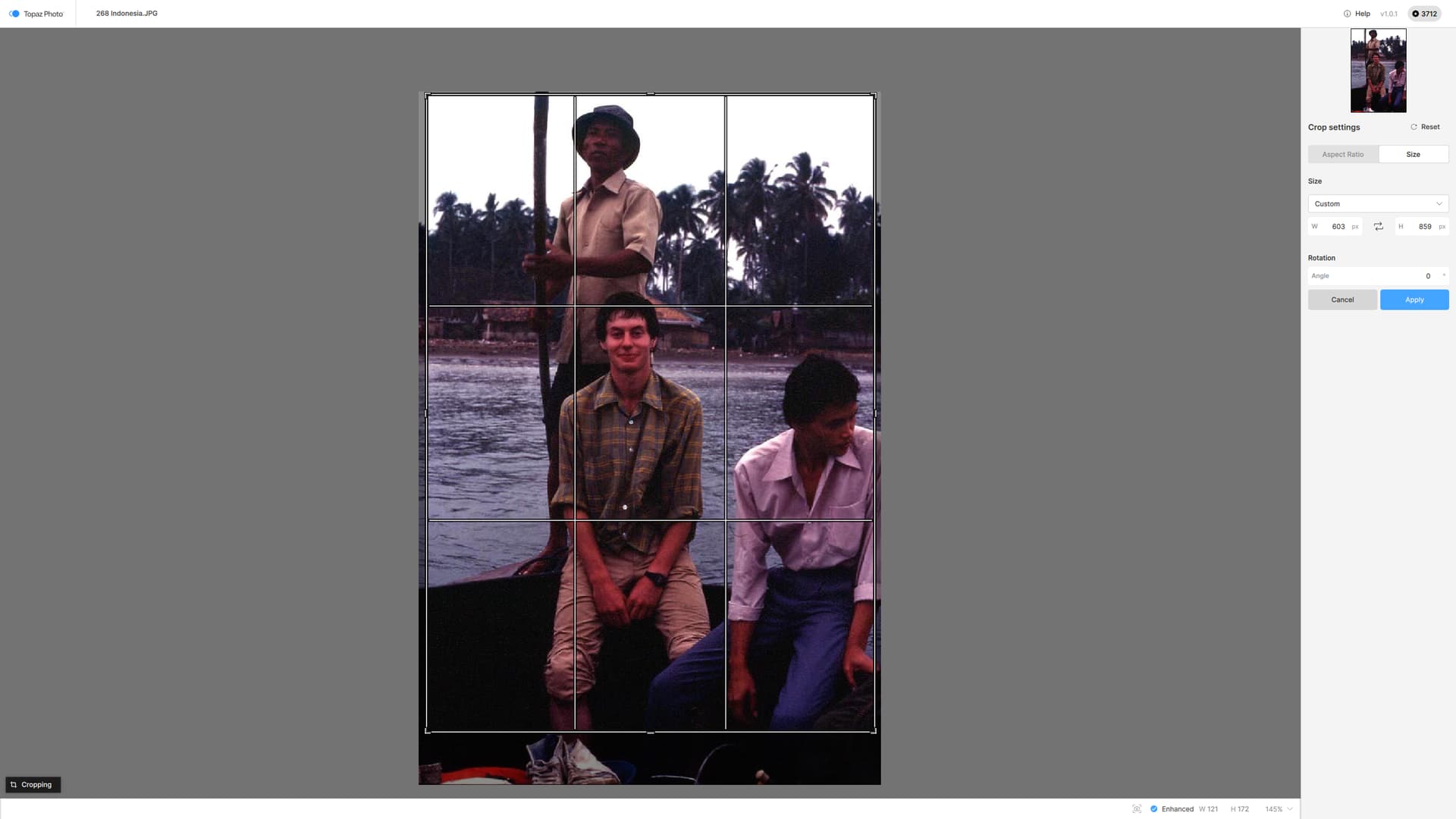
The ratio of the crop is different every time, like it is trying to second-guess what a good crop should be!
I have not tested this on raw files.
Ah yes - Release Notes… oops. My very bad, Ange, my sincere apologies!
Thank you - all sorted - PS not in the list which surprised me somewhat. I will say that TP is so much faster than Photo AI.
Glad to hear you confirm it is faster and glad PS works too now! Happy (faster) editing! 
ok strange, let me know when you can send a screen recording of this behavior and I can show the development team.
I have made a screen recording. and will, send it by email if it’s not too big.
It only seems to happen with JPG scans of my old colour slides, not to JPGs shot on digital cameras way back!
1 Like
I’ve had to send mp4’s like that via their Dropbox if your email cannot handle it.
Unable to use Topaz Photo Studio as a plugin for lightroom. I get an error; “Error running model”. The link takes me to a page for Topaz Photo AI; Fixing Error LOADING Model in Topaz Photo AI - Topaz Labs
I’m able to use TPS as a standalone for RAW processing. TIFF/JPG, via Lightroom results in the error.
Error Identifying installer wont load on Windows 11 pro. Everything is up todate on the computer in windows.
Same here
1 Like
LR or LRC? Mac or Win? Can you send logs to support@topazlabs.com and we can sort it out!
test with the direct link, it could be something blocking the in app installer: Windows : Download
@paul.roberts5020 - this means you have a blocker. Fotomaker was able to install by turning off firewall and rerunning the installer.
1 Like
Microsoft may or may not have a blocker but it installed on the fourth try. I found I had Photoshop on in the background and when I turned it off the installer ran without an error code.
Paul
2 Likes
But, the installed Phot (Studio) still had a bug conflict that prevented PAI (perpetual) from being used with Phot (Studio) installed…(eg, PAI is unlaunchable in Ps as plugin with current Phot 1.0.1 release on my Win 11 system).
Q: Is there a way to avoid turning off firewall protection and just add a TL exception to the firewall (Msft Defender) so it recognizes TL software as safe & passes it through without firewall shutoff vulnerability? Possibly after a scan to ensure integrity & certificate.
The firewall is not related to the plugin issue. Once all your models installed you can turn back on the firewall. For the plugin with both TP and TPAI, there is an open ticket for this and can contact you once resolved! Workaround is to uninstall the old TPAI or use TP as a standalone.
For next updates, if you don’t wanna turn off the firewall if models are blocked, you can go in your firewall settings and change the settings to Ask instead of block. Again, that is not related to the Photoshop issue you have, that was for the missing models issue you had, which you have resolved turning off firewall and running a repair!
1 Like
That’s what I was wondering. If there’s a way not to turn off firewall & still let picky software through. Thx!!!
Yeah, I realize no correlation (at 1st I wondered if something causal b/c of the other initial install issues, but then seemed separate) to the PAI plugin not launching. But seems as if correlation to something not liking something b/wn the two versions of PAI & Photo.
Take care. Have nice weekend. Monday is ntl coffee day if you are a coffee person. 
1 Like
NOTE: To Topaz Photo (and, prior Photo AI) Users.
Here is a link for users to vote to Return the “Export to Photoshop” button to the lower right of the UI. It had been returned there after users were unhappy with it being moved. But it has since been put at upper right, where not intuitive. See below:
5 Likes
A post was merged into an existing topic: Topaz Studio | Transition Questions
Hello! I had/have Photo AI 4.0 installed but when I “upgraded” by clicking on the button, I now have Topaz Photo v1.0.1 installed. What’s with the change in version numbers?
