@roberto.avanzi - glad that putting Preserve Text after fixes the issue. I will flag to the development team the issue when used before. Thanks for letting us know!
@ghemry - There is no quick export button in Topaz Photo. Make sure to add your vote here as a request to get it back: Ideas - Topaz Community
1 Like
@Editman - The transition may still be in progress on your account. Can you confirm what it says when you check here? If transition is done on that link and you still cannot log in, can you send an email to support@topazlabs.com with your app’s logs and we can have a look (From v1.0.0 > Help menu, Open logs folder).
Why not? Some of these design decisions…I just can’t…
3 Likes
There was outrage by the users when the export button was moved, so it was moved back.
“Due to the massive amount of negative feedback we’ve moved the export button back to the bottom”
Next beta “We have moved the export button back to the top”

Photo v1.0 - “The quick export button is also gone”
I think I know why the new model is called WONDER…
6 Likes
It says its still in progress. Since I already had TVAI 7 installed and the new Topaz Video 1.0 signed in with no problem, I decided to replicate the same process with Topaz Photo. I did not have the old TPAI installed at the time, so I downloaded it again. Once I installed the old app and signed in there, I went back to the new Photo app and it signed in just fine! Weird quirk.
@Editman - good to hear its back! Reach out if any other issues arise and happy editing!
Yes, I have, but always without success. After some time, a yellow notification “Error running model” always pops up in the bottom right (the red arrow I added points to it in the attached picture) and then nothing happens, only the white wheel in the “Preparing mode…” window spins endlessly. But the model is probably running in Topaz Lab, so I don’t know what’s wrong on my side. Thanks in advance for any help.
2025-09-22-20-59-29.tzlog (262.2 KB)
DxDiag.txt (157.4 KB)
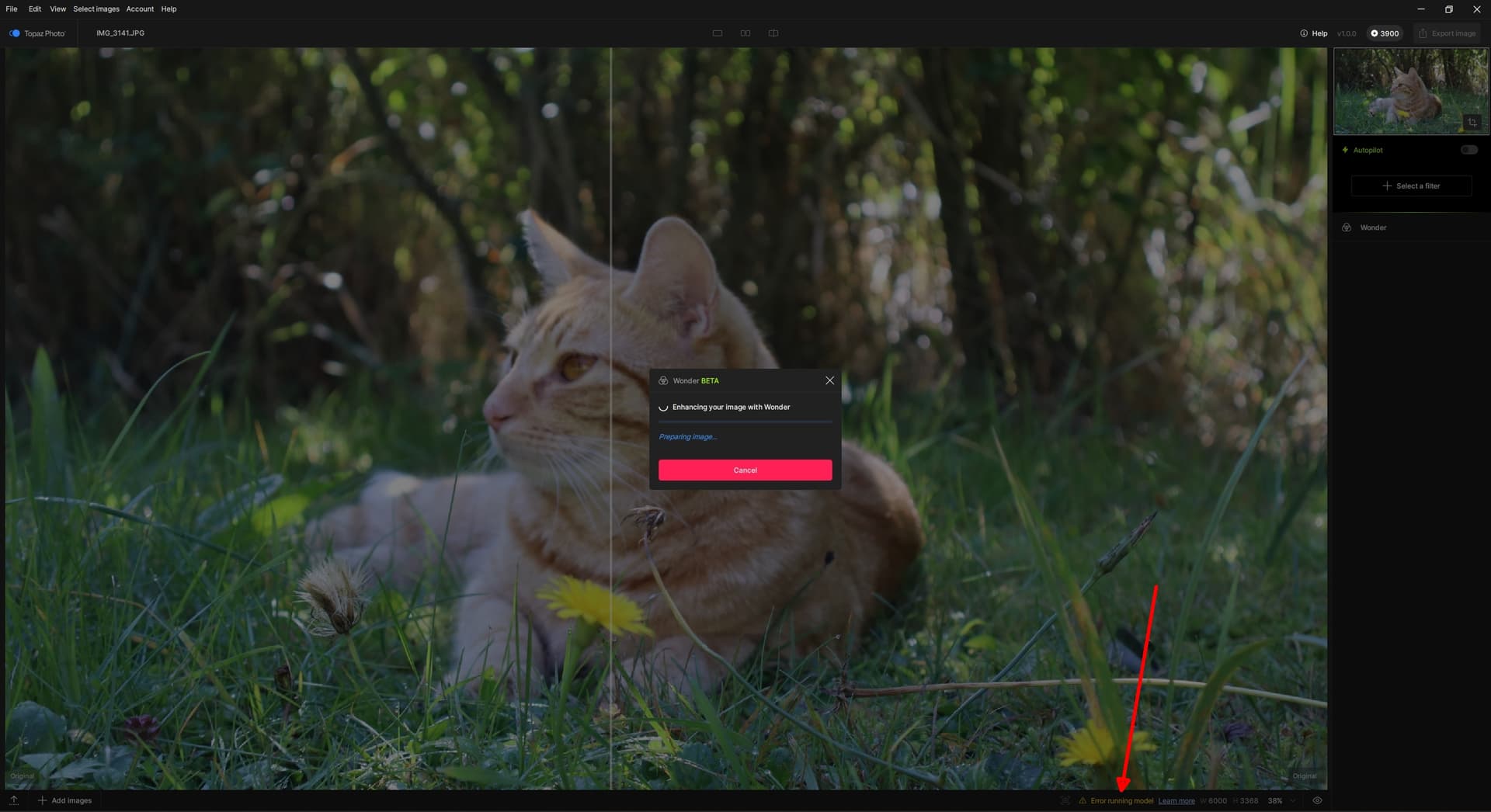
@unrelent thanks! I added your logs to a development team ticket for cloud issues!
1 Like
Hello,
This new version of Photo AI is pretty good with the new templates. That said, I find it odd that there is still no option to have the interface in multiple languages, knowing that all the language files are available in the installation folder. I also find it confusing that the export button is now in the top right corner, whereas before it was always in the bottom right corner.
2 Likes
@Harald.De.Luca - we are working on supporting languages for the interface, it is possible in Gigapixel and we are looking to implement in Topaz Photo.
For the export button, it was a choice made in Topaz Photo, per Lingyu: with the accordion style right panel we want to give the controls more space. It felt less cramped without the export button especially as multiple enhancements can be used together.
1 Like
Closing Thread as Topaz Photo v1.0.1 was released! You can update to the latest version in app or with the direct link from the thread here.
1 Like
Good news we have a fix for this incoming in a patch. Not the most recent v1.0.1 patch, will be in the next one hopefully.
5 Likes
Very Good.
This will significantly accelerate the model if it is calculated entirely on the GPU.
2 Likes
