Hello! Today we have a patch release with a fix for NVIDIA RTX 50 series graphics cards which had artifacts when using Sharpen - Standard and Denoise - Strong models.
If you have a Mac or Windows with non-NVIDIA 50 series graphic card, you can skip this update.
You can find the installer links and the full changelog below for this version of Photo AI. For any issues, make sure to send us an email to support@topazlabs.com
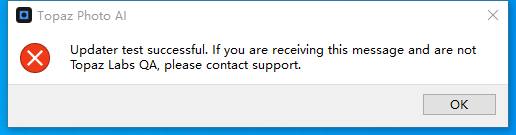
@Uchpa and @wonew - Can you confirm you used the in-app updater to get this error? Lingyu and the development team are looking in to this but when we use the in-app installer on various Windows machines or the direct link, we cannot reproduce on our side. If you have more info let us know! Also test these direct links and let us know what happens:
I was not able to reproduce it. Most likely if you try again it will update you to 4.0.2, although if you don’t have a NVIDIA 50 series device this patch is not needed for you.
I previously tried that but did so again just now as requested. Same result. Checked event viewer this time but there weren’t any relevant log items (aside from the installer completing successfully).
if you have time, can you send to support@topazlabs.com a screen recording of the behavior updating? I can share it to the development team and Lingyu. If you want to wait until 4.1.0, you can, but if we have not seen the issue or gathered more information, it may still occur.
I believe there is a bug where if you conduct batch proccesing of images on 5070 ti then processing stops at random intervals and does not continue on to the next image
Seeing that your AI Processor settings are forced to NVIDIA in Edit > Preferences > General > AI Processor. Make sure to put this back to the default Auto. It will use both RAM+VRAM, whereas nby being on NVIDIA you are limiting Photo AI from using your RAM. Photo AI will need your full machine capabilities. Keep in mind if you did not change it yourself in Preferences to NVIDIA, it may be the NVIDIA app that did it, if you use “optimization” option in the NVIDIA app or when you install a NVIDIA driver. Do not use these “optimization” option for Photo AI in the NVIDIA options, it only changes that AI Processor and limits access to all your machine’s power. To be on Auto, redo a batch and contact support@topazlabs.com if any issues remain!
In-app install of 4.02 completes, Photo AI launches to show in Task Manaager but the app UI never appears. Downloaded the 4.02 .msi file and did a repair and reboot but the app still wouldn’t launch. Using Windows 11 with 64GB RAM and Nvidia Quadro T1000 with 4GB of VRAM. Reverting to 4.01.
@John_smith - can you write to support@topazlabs.com and send us your app’s logs? You can do this from in-app → Get help button. Make sure to attach your Logs and System Profile in that in-app Support Pop-up and we can troubleshoot with you once we get them!
@mbennett60657-779012 - 4GB of VRAM means this computer is under requirements for Photo AI. Send in your System Profile and Logs from here C:\ProgramData\Topaz Labs LLC\Topaz Photo AI\Logs - and we can see if anything possible, however, you may have to stay on a prior version of Photo AI for this underpowered machine. We can know more once we see the logs and driver information.