Even better! Thanks Paul. @JakSpoon Make sure to test the original native files in the app and send in your RAW file only if issues occur!
1 Like
I’ll try this tomorrow and report back. Thanks!
1 Like
Sure you can, Photoshop>Healing Brush (or GF) the results. Shouldn’t have to, but it’s quick and easy.
1 Like
A few minutes ago I installed 3.6.2 on my M2 Pro 12/19/16 32gb Mac running MacOS 15.4. The Super Focus 2 preview is still blurred. Seems about the same as 3.6.0 and 3.6.1. Super Focus 1 still works as it did in 3.6.0 and 3.6.1. As you probably know, I have a current open bug report about this from a couple of weeks ago. I also have one for Recover 2 in Gigapixel AI 8.3.3 which I have been told is a related problem. And, in addition, I have another open bug report about Redefine, but it may not be related to the other 2 bug reports.
In the next update, can you add the Samsung Expert Raw 16-bit DNG profile? Because as it stands, it’s impossible to send from Lightroom to photo AI using the Extra plugin module.
I always get this error:
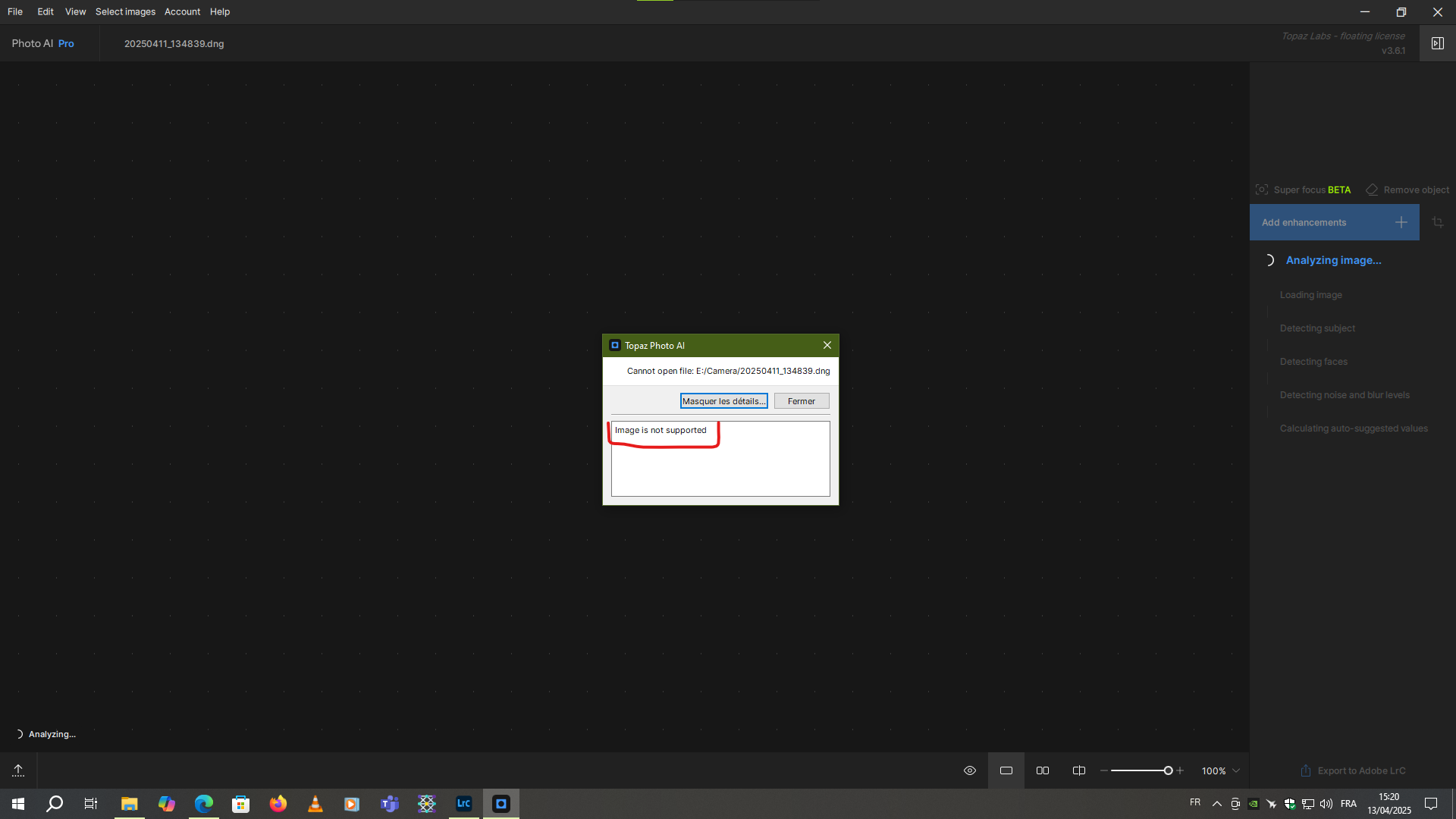
After the upgrade to 3.6.2 (MacBook Pro M2) PhotoAI crashes when opening image(s) (all file types fails).
Downgrade to 3.6.1 doesn’t help, this version cashes now also.
after editing, being satisfied with the changes, and exporting the image, when i then go to close it i’m asked if i’m sure i want to close it and warned that any unsaved changes won’t be kept. But i just exported it and it’s the only image i was working on. Shouldn’t Photo know that i don’t have any changes that might be lost?
One thing i have noticed in superFocus that if you select subject it only render subject unlike before it renders the whole image,its a big step forward .also is fast on my M1 Mac studio.
Seems this one is still a problem (at least for me):
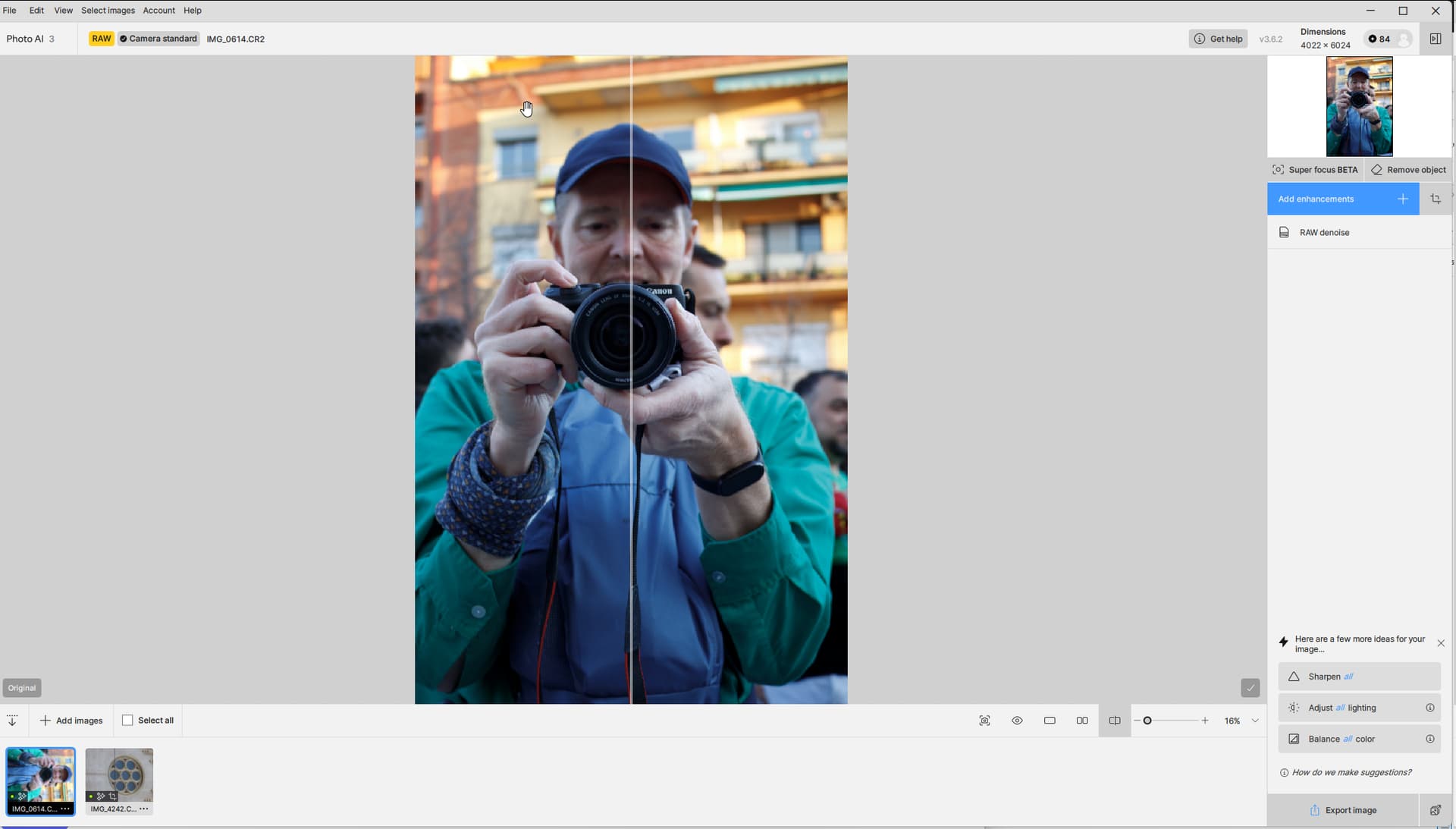
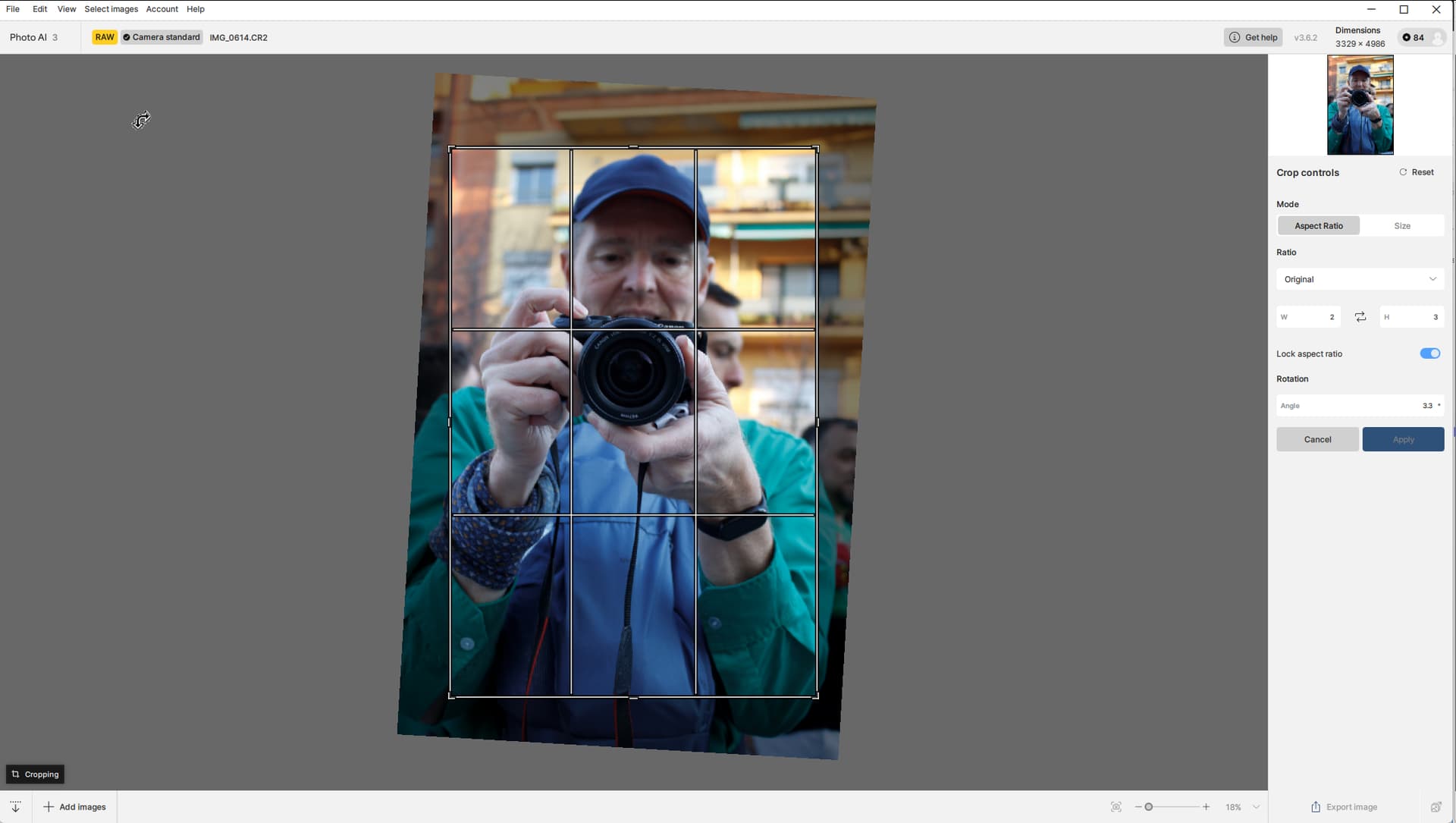
Last night I ran a batch of photos, some of them being cropped & rotated a bit (I’m a very poor straight-shooter) and every one of the photos that were shot in portrait that I then applied a crop to and rotated a couple of degrees turned out all squashed.
I can’t offer anything from yesterday’s shoot, but I went back and picked up two photos - one from a EOS M3 (CR2) and one from an EOS M6mk2 (CR3) that I’ve used as examples. The first one is shot with the EOS M3:
Preview before cropping & rotating:
Crop window:
Preview after cropping & rotating:
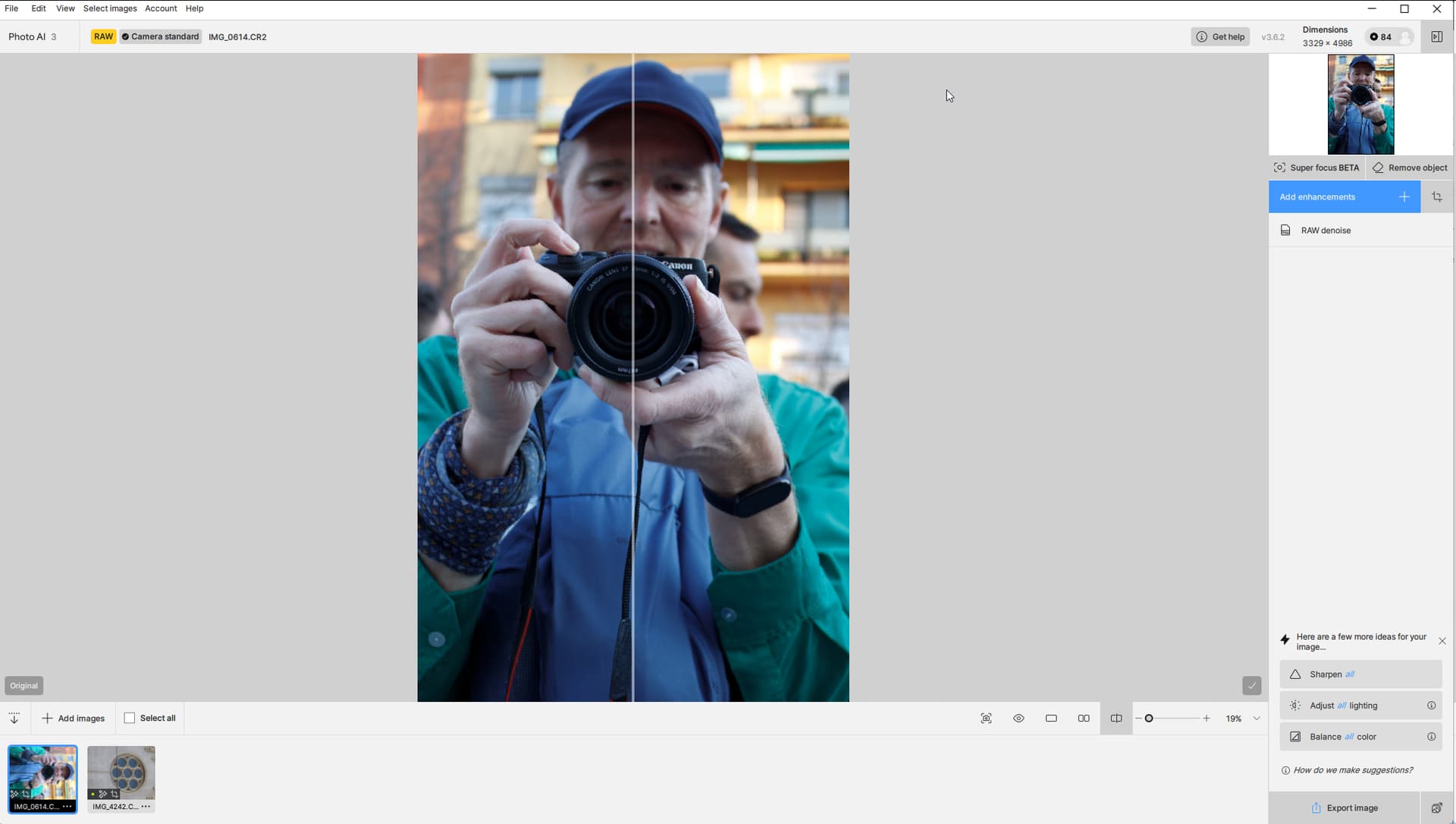
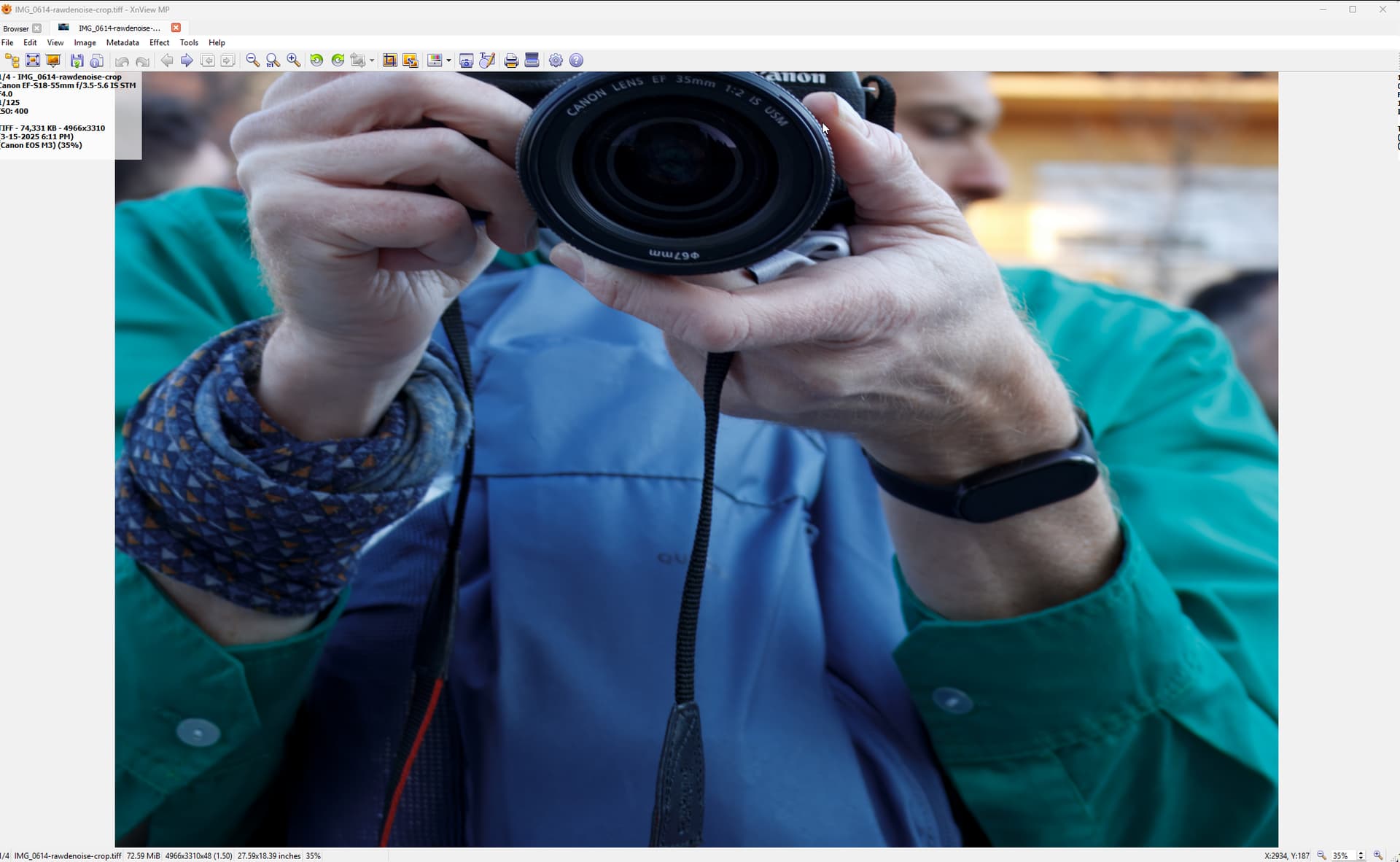
Result as viewed in XNView (doesn’t matter where I view it - the mangling happens in PAI). Notice the perspective goes wrong and the Head gets cropped away:
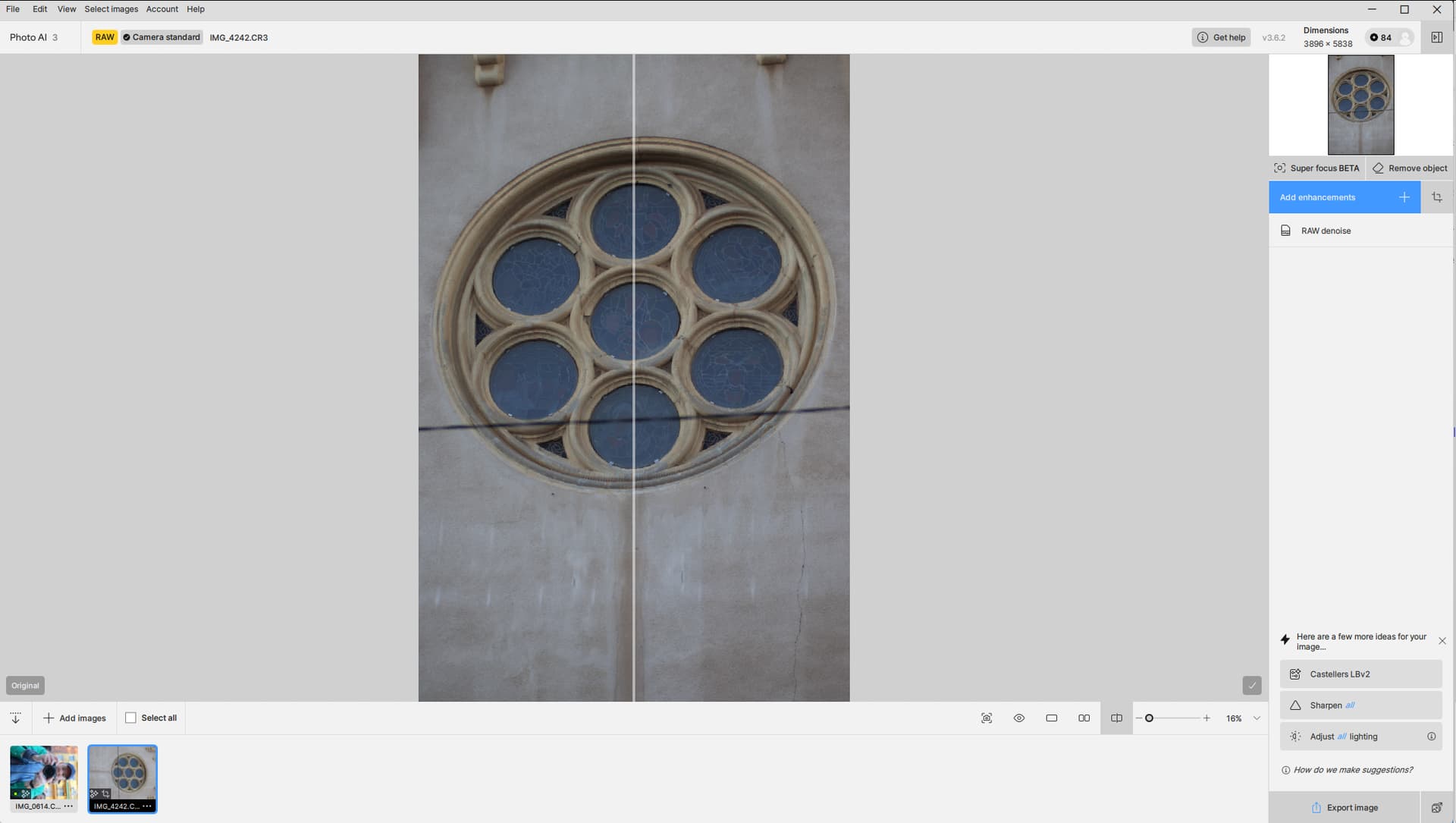
And the second one EOS M6mk2:
Preview before cropping & rotating:
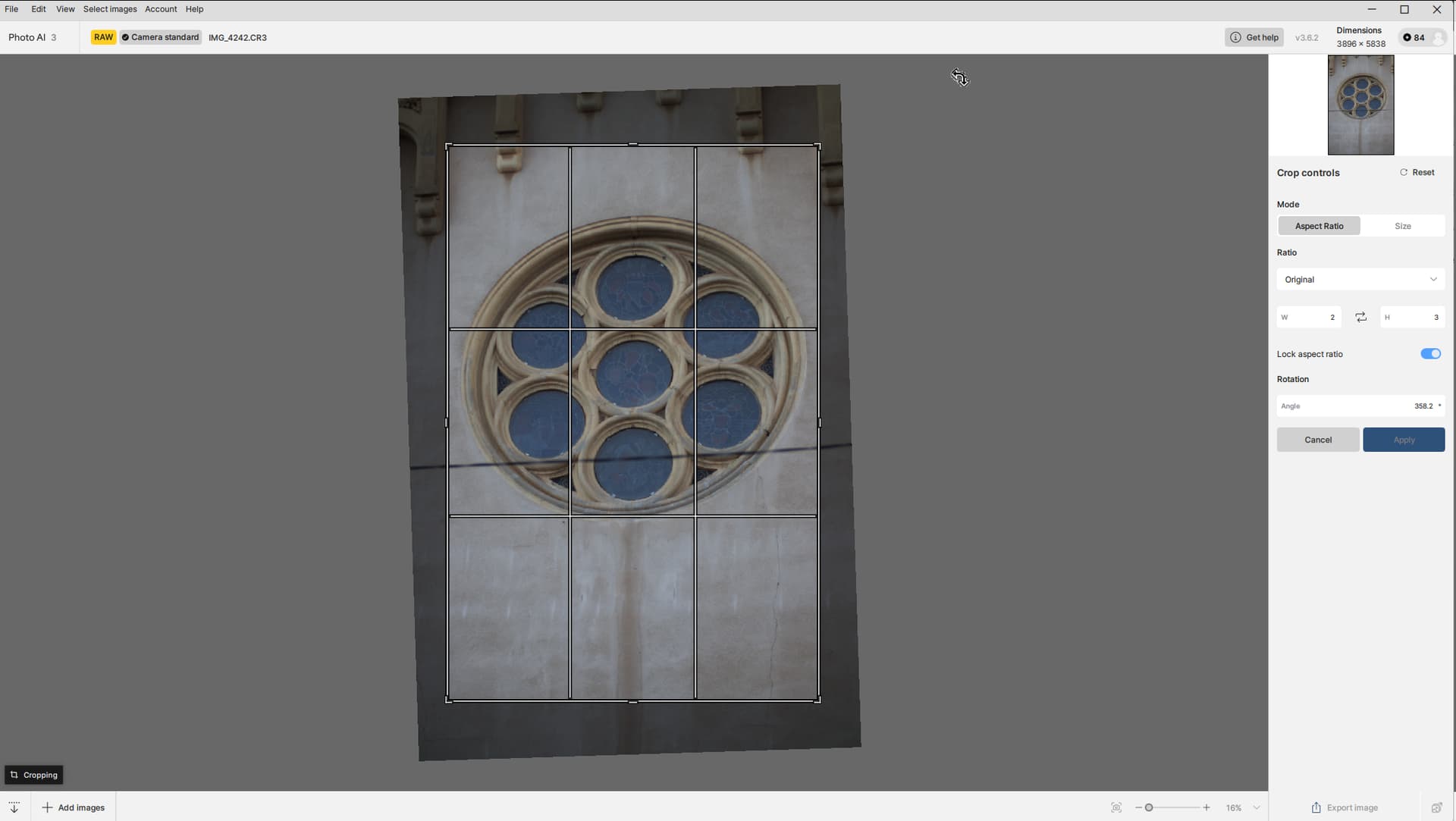
Crop windows:
Preview after cropping & rotating):
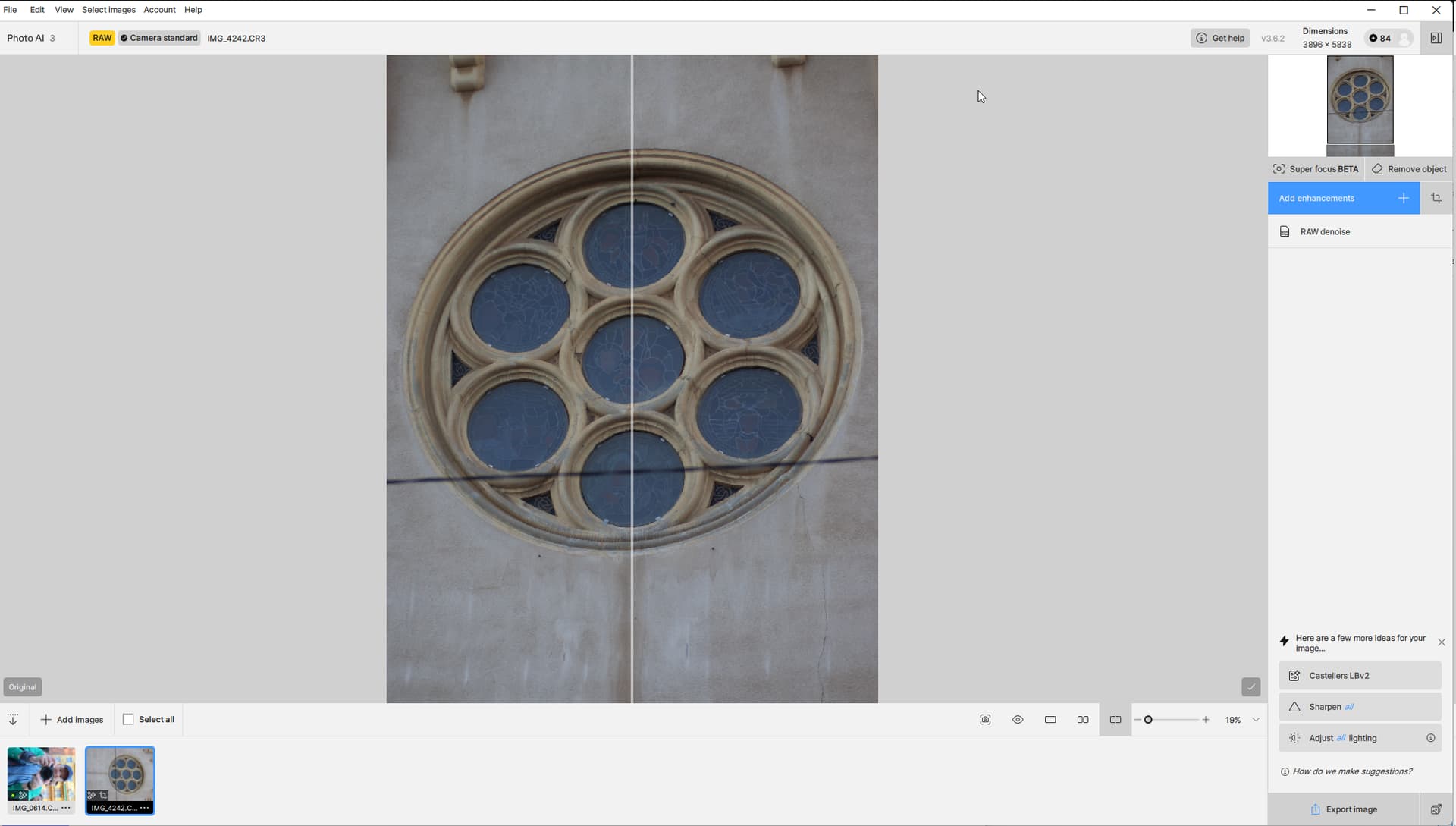
Result as viewed in XNView (doesn’t matter where I view it - the mangling happens in PAI). Notice the perspective goes wrong and I lose half of the “subject”:
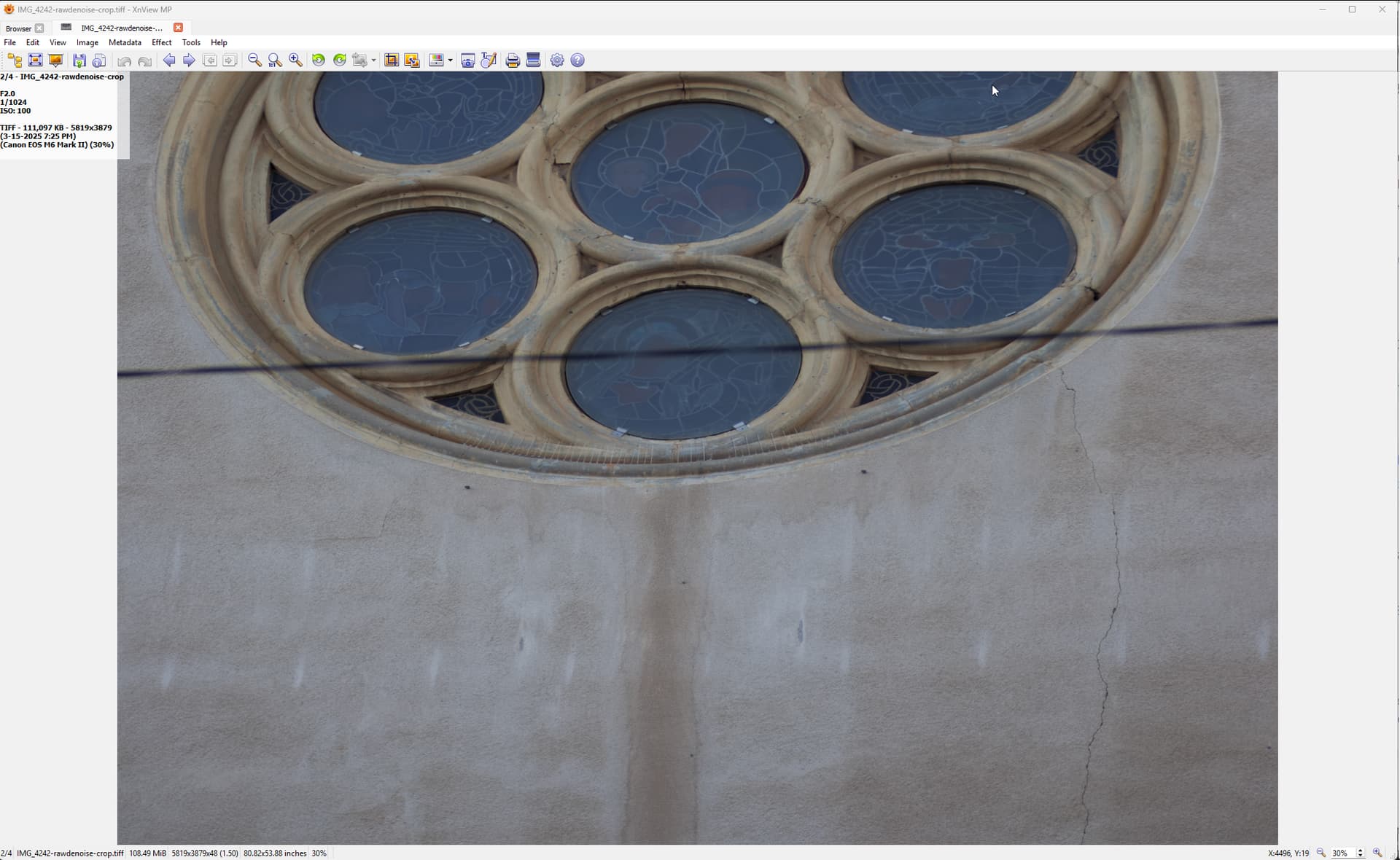
Notice that both thumbnails in the film strip are rotated 90 degrees… I don’t know if this is the normal behavior. Would be nice though to see the thumbnails correctly.
IMG_0614.CR2 (28.6 MB)
IMG_4242.CR3 (38.5 MB)
Could anyone with a minute or two perhaps give it a go and see if you can reproduce with my photos, and perhaps with one of your own? From what I understand the source need to be shot in portrait mode, but that’s it. And all I have to do is - without any other adjustments applied - open the crop & rotate window and crop away a bit of the photo and rotate it at the same time.
@Lingyu It seems you replied to my post back then, but I don’t know if it ever got anywhere beyond that…
Edit: This also happens if I just export the uncropped photo to tiff, open the tiff in PAI and apply the crop & rotate:
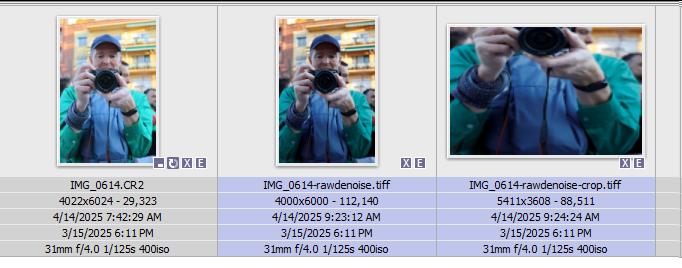
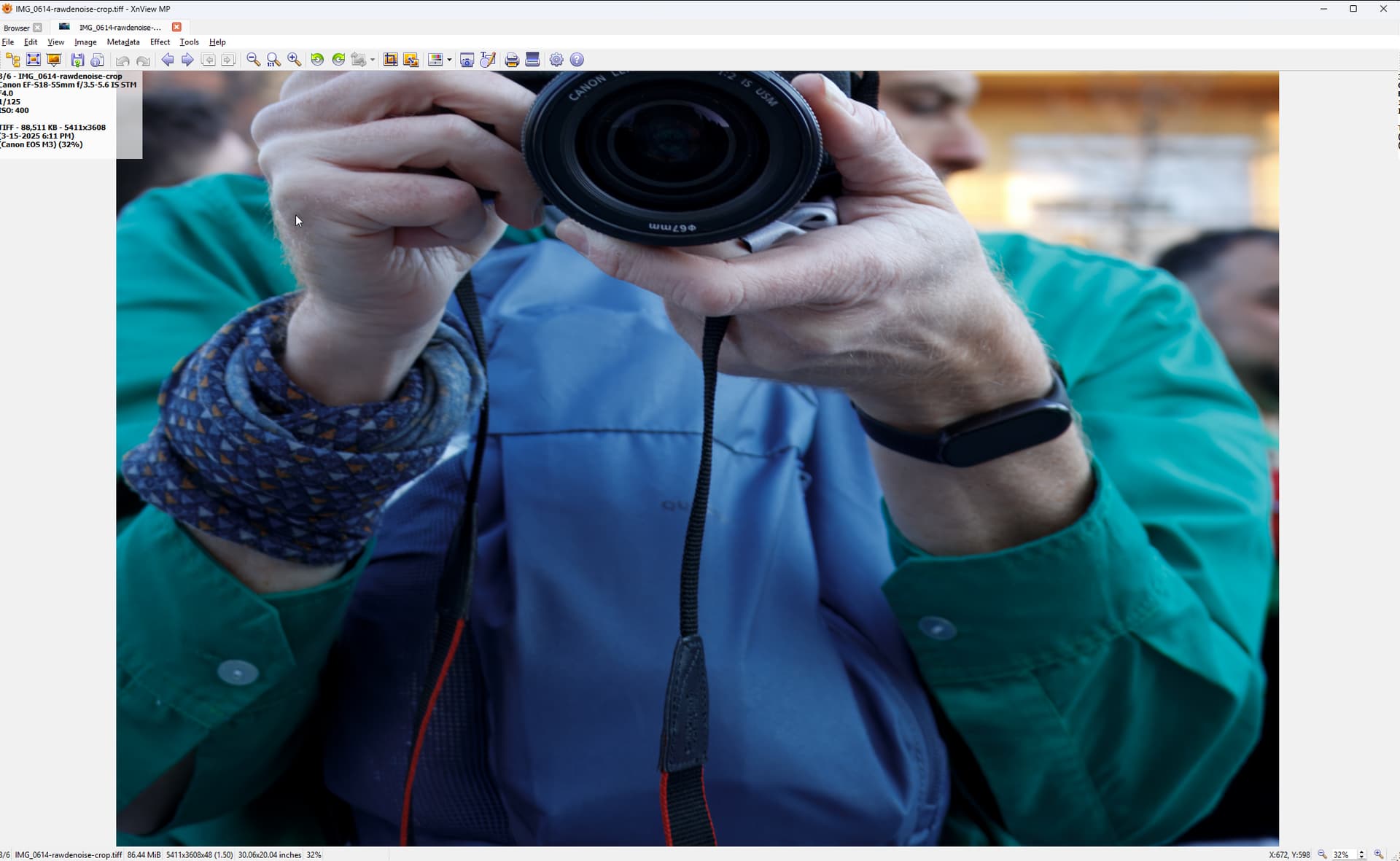
Regards,
1 Like
@Tostanica-fezanamu - the M2 Pro issue for the preview is still being looked into. We will reply on the email threads we have when those specific issues are resolved!
@Harald.De.Luca - can you send one of those files to support@topazlabs.com and we can open a development team ticket to see about this support of this file!
@Left_The_Building - yes this will occur when rotation + crop is done in Photo AI on portrait pictures. This seems to be attributed with a conflict on some camera models when the auto-rotate feature is on. If you need to crop and rotate in app, check about turning off the auto-rotate feature in camera, or do the cropérotate into another program later in your workflow after Photo AI for now. your contact info is on the open development team ticket for this to look into avoiding this crop+rotate conflict on the portrait oriented pictures with that auto rotate on. If you just crop it should not occur, it is with the combination of rotation! We will circle back with you once resolved!
2 Likes
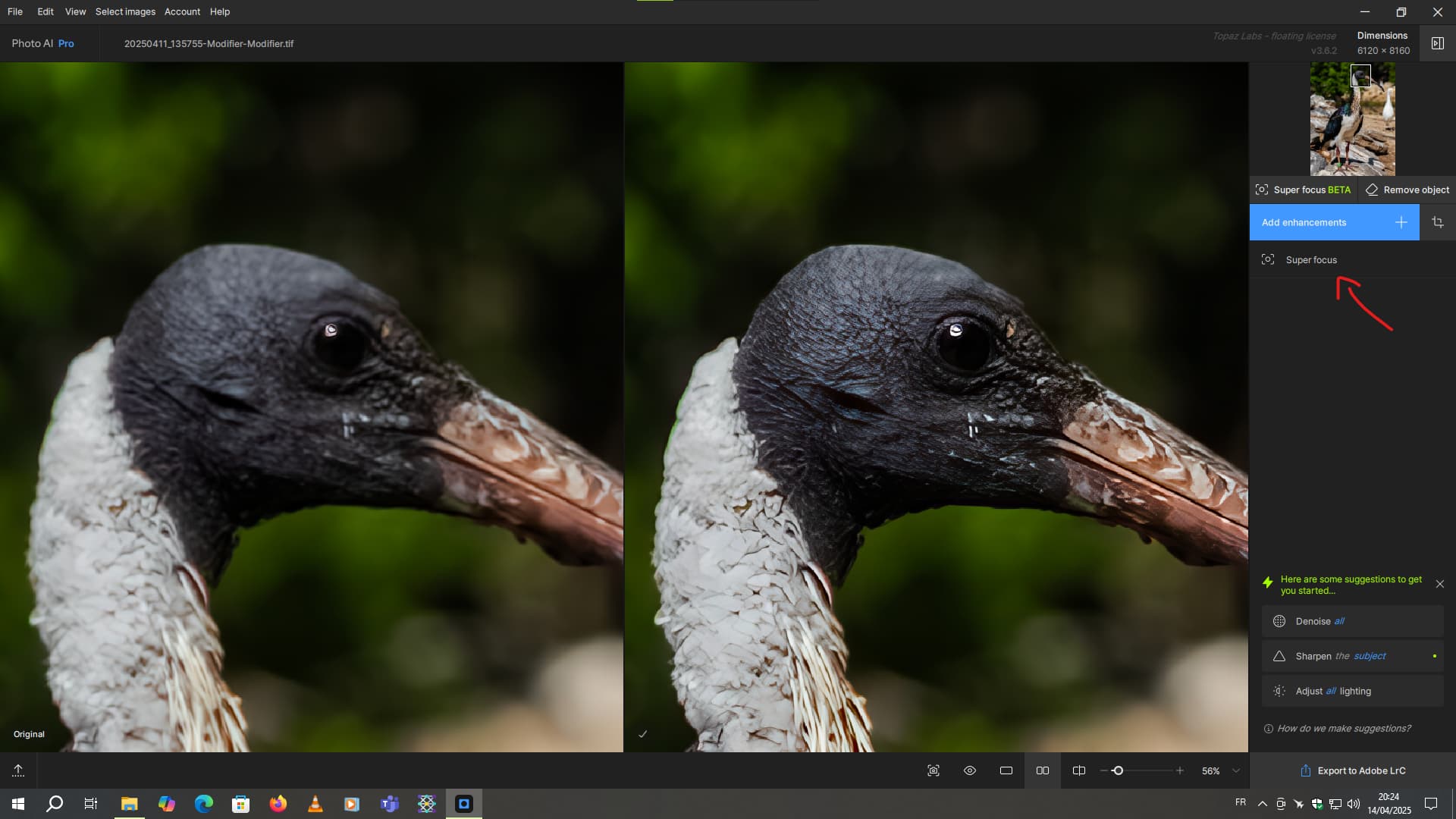
Um, is it normal for the preview not to match the color of the image on a TIFF file?
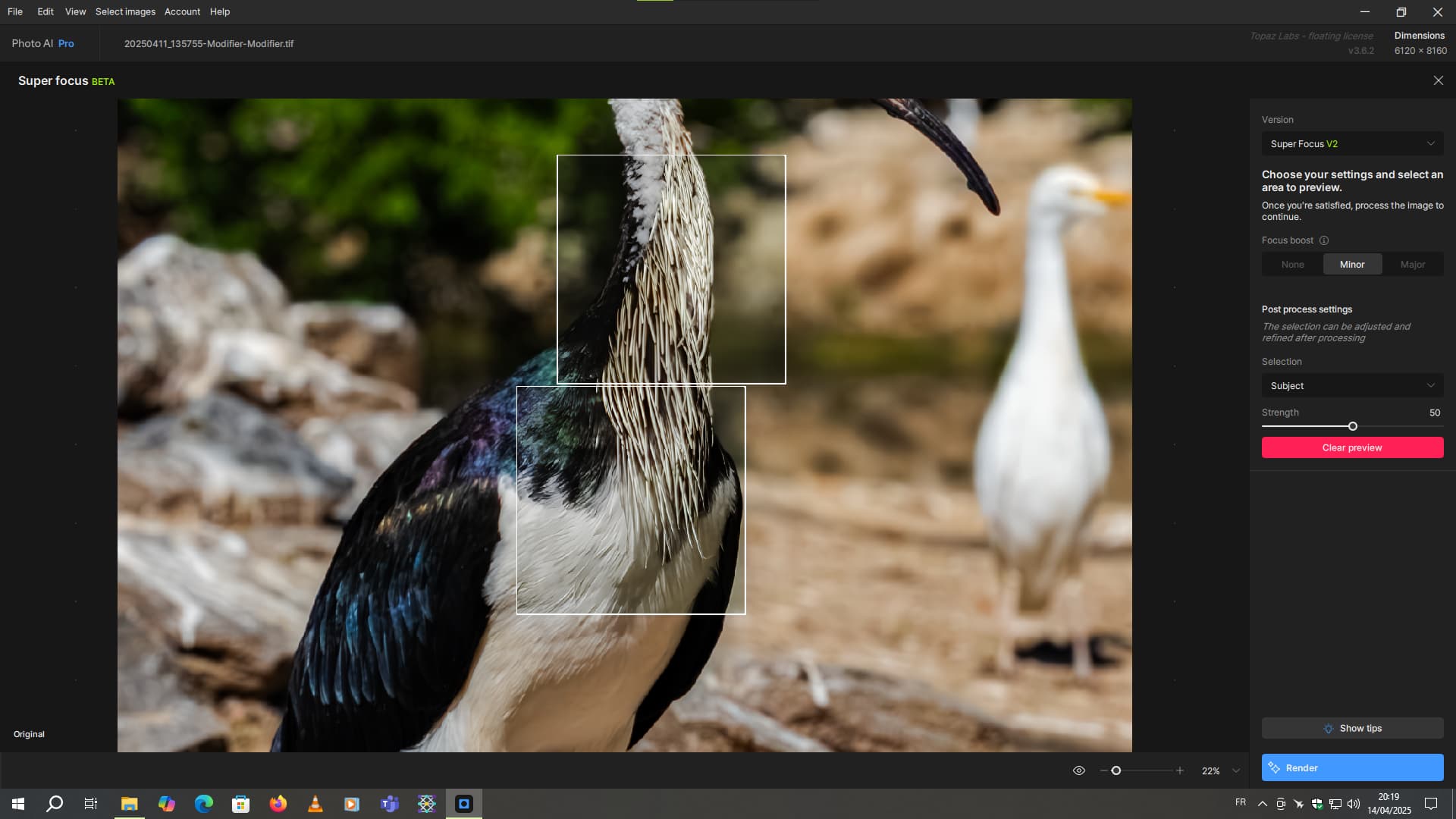
Photo AI v3.6.2 update
Fortunately, the final rendering is correct
1 Like
@Harald.De.Luca - We have a community forum user that has flagged this here, and we have opened a development team ticket for this. Can you send an email to support@topazlabs.com with your file and we can have a look? I can confirm it won’t affect the output. I can add your file once we receive it to the development team ticket!
That It’s done
That It’s done.
1 Like
@Ange.topazlabs @Lingyu
Not sure if it’s my system or it’s a common glitch… But the values that should be shown on the sliders are not working on my PC:
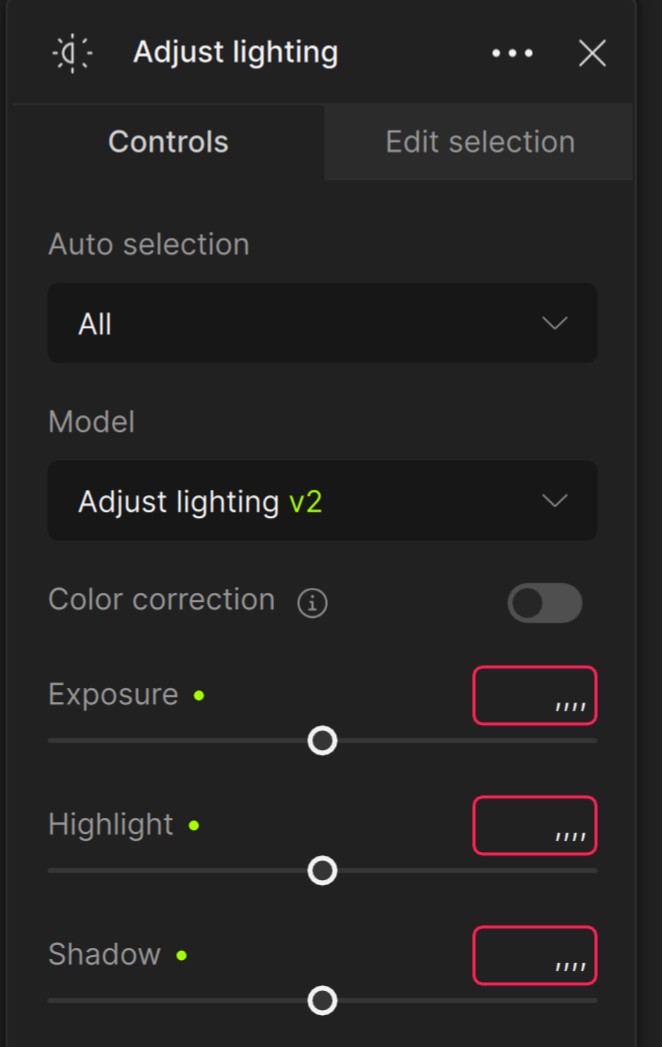
W11 Home,
AMD Ryzen 7 5700X3D 8-Core Processor 3.00 GHz
64GB Ram
NVidia GeForce RTX 4070
Any clues? It happened with the previous versions as well…
I’ve checked the Super Focus v2 with version 3.6.1/3.6.2. The performance is faster than verson 1 and the results are generally good to very good.
However, I still miss the ability to individually mask with a brush as in the Sharpen and Denoise enhancement. The predefined masks as Sky, Landscape, Subject and so on doesn’t useful for me.
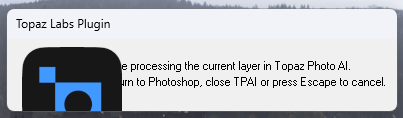
I’ve also found an displav error when starting PhotoAI as a plugin from Photoshop. The logo is too big for the message window. This error I see in many versions before.
1 Like
I’ve also found an displav error when starting PhotoAI as a plugin from Photoshop. The logo is too big for the message window. This error I see in many versions before.
This is a known bug. It’s been around for at least 1 year. It’s the same with Gigapixel AI.
I know, but it’s important to keep bringing it up. Only then can there be hope that it will be resolved (at some point).
There’s a saying in Germany:
“Constant dripping wears away the stone.” (“Steter Tropfen höhlt den Stein”  )
)
1 Like
