Nightmare- downloaded update in the middle of editing a gallery an d now program crashes and unusable. I’ve downloaded the proviso 4 versions and now they all crash.
I know. That’s why I made it clear that what I was saying had nothing to do with the basic topic. Just a technical clarification when photographing in a poorly lit environment  .
.
It’s true that it’s difficult. But I’ve already succeeded. The hardest thing is not to move. But it’s easier with a smartphone with excellent photo sensors.
My hands aren’t as steady as they used to be. But at least I am not like most people, who hold the camera or phone at arm’s length when taking a photo. I have the latest in the Sony A series so will give bracketing another try when I am in Italy in the spring: I am bound to be visiting churches!
1 Like
Photoshop allows you to align layers if that helps any.
1 Like
Thanks. Not a PS user, but ON1 PR has an align layers function. And TPAI can rectify a certain amount of camera shake. I must give it a try: I’ll be in Oaxaca soon: plenty of churches there!
1 Like
Seeing you had wrote a email a few days ago, to which I sent steps to download your missing models. Make sure to reply to this email with what works. Is it still the missing models error you get? Make sure to send a reply to our conversation with the Logs and we can have a look. To get logs, open Photo AI and do not import any files, then go to Help > Open Logs folder and send all the logs in that file to our email conversation as attachments!
What I also do is activate the grid in the camera settings of my smartphone. It’s a great help when adjusting from a reference point, and helps you reposition if you move around a bit.
I can’t believe I’ve spent nearly 60 minutes waiting for one single photo to complete ‘Super Focus’ and I accidentally hit the esc key on my keyboard thinking I was in a webpage and the 60 minutes of completed ‘Super Focus’ has gone!!!
I’m sorry to say but you’ve some SERIOUS issues with this programme if hitting esc on the keyboard reverts back 60 minutes of ‘Super Focus’ without a single warning!!!
I’m getting sick of this programme and wish I’d never bought it!!!
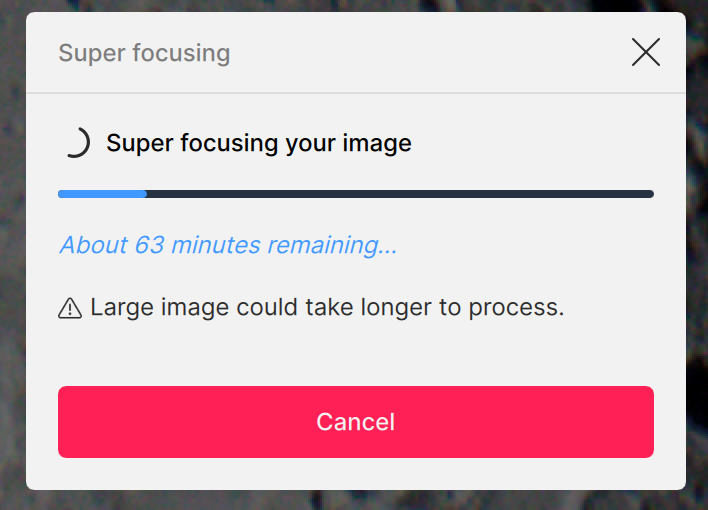
That it the shortcut to cancel edits. I can add a feature request for the development team to have ability to change shortcuts or disable them. You are still in your 30 days, if you want a refund let me know and I can issue it!
Maybe that shortcut should be change to Command+Esc or some such, so that it can’t be hit unintentionally.
6 Likes
Nearly 60 minutes of editing gone with one single key press and no one in Topaz thought it might be a good idea to include a warning before the cancel edit is processed.
I’m sorry but the proposed remedy for the ability to disable shortcuts is not going to help in the future if another person accidentally hits esc on their keyboard and another 60 minutes of editing is just wiped out without one single warning.
Why not include a pop up warning box to appear prior to any edits being cancelled, and only then after a 2nd time the shortcut key is pressed the edit cancel is processed.
Edit - good suggestion above from Ray to also include an additional key prior to initiation of shortcut. There should be a sequence of keys to be pressed prior to initiation of an edit cancellation.
5 Likes
That’s also a good idea about the warning. However, do be aware that superFocus is still in beta, so you have to expect things to go wrong. And, but the way, it is really only intend for use when you can’t get results with any of the standard models. In my limited experience, that’s not often (and on my Mac M4, SuperFocus takes about 30 minutes on average on a 24Mpxl image.)
It doesn’t matter what the process is, Super Focus, normal sharpen, lighting change, colour balance, denoise, etc. Any major unedit should have a safety factor included, and has nothing to do with Super Focus but with the errors of edit cancellation shortcuts without a warning.
An accidental key press should not unedit processes already completed without warning, or as you suggest multiple keys so no chance of it being an accident.
1 Like
Added the suggestion and the development team is aware! Thanks for flagging.
2 Likes
The development team will look into all the options and possibilities, the feature request has been addeed!
2 Likes
I wish those face detection squares had a “Transform” function.
I’d love to be able to drag down to include more neck or up to get more of the top of the head. So no weird sharp to blur transitions occur.
It would be more of a Head & Neck model vs a Face only model. I know we can (theoretically) indicate in Prefs that we want neck covered too, but in practice/reality it doesn’t seem to work that way.
Thanks - this is great feedback. We can definitely make this change.
2 Likes
A lot of users experience absolutely no issues and are perfectly happy with the app 
For your ghost face, does it happen when you do not overwrite the file? Send an email to support@topazlabs.com and I can link your email and open a development team ticket for this, for the development team to look into.
For the red circle, unfortunately, it is not a case for the Remove Tool, but I have added your example to the development team ticket working on that tool!
Yes! That’s exactly what I would like to have available too. The rectangle is not enough, the neck and the top of the forehead are also needed. So that it can be improved “synchronously” with the face. For example, using an automatic “paint brush” (Add/Remove), such as in Gigapixel, for possible adjustments to the object selection.
1 Like
