Excellent, thank you.
@golder-50350 - Lingyu discussed with the development team and this is in the plans for the near-future, yes. Will be in Releases notes when available!
2 Likes
@spike_mike-93427 - the development team confirmed the Camera ID addition and mention is in preparation for its full support, which will come soon. They have added the DCP (Digital camera profile) and are working on other elements that will fully support this camera (metadata handling, lens correction, etc).
Dakota updated the change log above as well!
Thanks - that’s great news!
1 Like
I want to process average size images (not medium format) from my mirrorless cameras. Which are generally in the 22xx x 54xx px dimensions range without having to do a step of reducing the longest edge of every image to under 1K px first. My experience (after lots of tests) is that the fastest ETA, for a single image of mine in that size range, to render is 25 minutes (with my 16GB VRAM, etc specs cited above). Often, it is > 35 minutes.
I just cannot wait that long on a per image basis. Especially if this is the “pre-processing” step (which I think it is positioned to be…) in my total image workflow.
Each user certainly should decide if that’s acceptable to them. And, also whether they’re willing to let their computer run overnight (again, I’m not because if it’s overheating I’d like to be aware of what’s going on). And, how frequently they would like to employ the 3 super demanding models (which is what I’m quoting times for).
I’m glad your processing time is fast with 6GB VRAM! You’re lucky. I’m jealous.
Is that in Super Focus or in Gigapixel’s Generative Models? Since this is a Photo AI thread, can you edit your post and mention all these render times are for Gigapixel? I can also move Harald and your post to Gigapixel’s thread if you prefer.
1 Like
All of the above. Super Focus (in PAI) & the 2 in GAI (Recovery & Redefine) behave as I mentioned above.
The “normal” models in PAI (& GAI) run acceptably fast with my typically-sized images. And, they save back to Photoshop (I use all the products as Ps plugins) rapidly too.
But in some cases those earlier models (even if updated to newer generations) don’t help with sharpening (moreso than the denoising models - which usually work fine for my images!) and I’d like to use the newer models when needed. Duration of the newest model(s) rendering isn’t feasible, for me, with them. Sadly.
It also would help to know how effective the “normal” models (vs high test) will be for my images if there was a sharpening models Comparison View.
Thx for asking!
2 Likes
Version 3.4.3 - Still crashes for me every time on “Some models need to be re-downoaded …” (can’t use the program at all, regardless of whether launched as a stand-alone or through Lightroom). Loading CR2 or TIF files.
Windows 10, 16 GB RAM, NVIDIA GeForce GTX 1060 Ti.
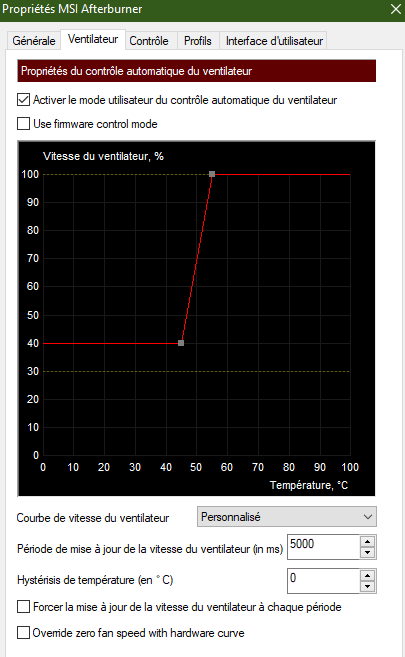
8 Go de VRam. Pas 6 hahaha. For overheating problems, I have set my MSI After Burner not to exceed 49-50°.
Here is my basic setting curve
I also have 5 settings in the interface here. The one shown here is the one I use the most.
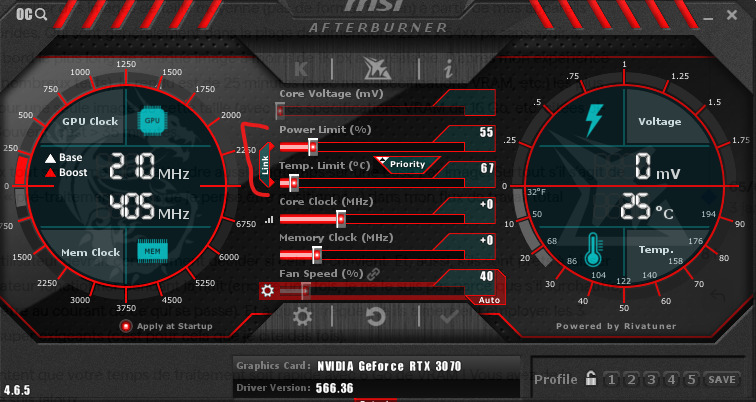
With my 4th setting, the temperature can rise to 51-52°.
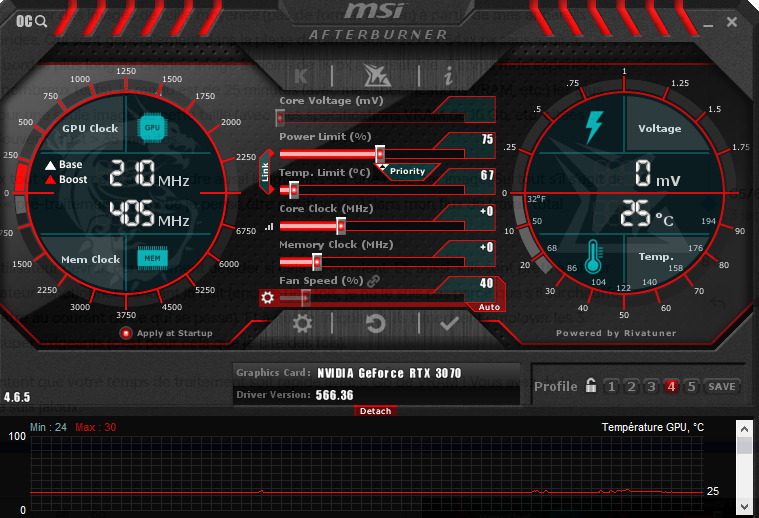
But thanks to my curve shown earlier, it doesn’t go any higher. Obviously, the fans make more noise as they spin faster to cool down properly.
1 Like
That’s so cool-looking (get it!) as well as useful. Thx!
Topaz products fried the motherboard on my last PC a couple years ago. So now I’m ultra cautious about my new computers & how they run.
MSI’s are supposed to be terrific systems.
A motherboard altogether? 
For my part, I burnt out my first graphics card with Video AI v2.x.x because the temperature exceeded 70° and I was often at 79-80°. It was an MSI Aero RTX 2080.
A single, small fan. Exactly the same fan as the PNY NVIDIA RTX A series Professional boards.
And at that time, my MSI after burner was poorly tuned. And the card was so noisy that I let the temperature rise rather than make the fan run faster.
As a result, the card held up for +/- 3 years before giving out.
2 months later, I bought an RTX 3070 MSI Ventus. In addition to being a little more powerful than the MSI Aero RTX 2080, it has 2 x 100 mm fans. And it’s quieter. Zero decibels at rest. Whereas the other one was already a bit noisy at rest. At full speed, it’s largely bearable, whereas the other was unbearable.
I think the MSI Aero is better suited to servers far from the work area. But that’s all I had when I bought my tower at the time.
My 3070 is still in good shape. Towards the end of the year, give or take a few months, she’ll reach her 3-year service life. She’ll last longer than her predecessor for 2 reasons: first, she’s better cooled. And secondly, my MSI after Burner is better adjusted so as not to exceed 49-50°.
Because a card that heats up too much will get damaged faster, and give up the ghost sooner.
1 Like
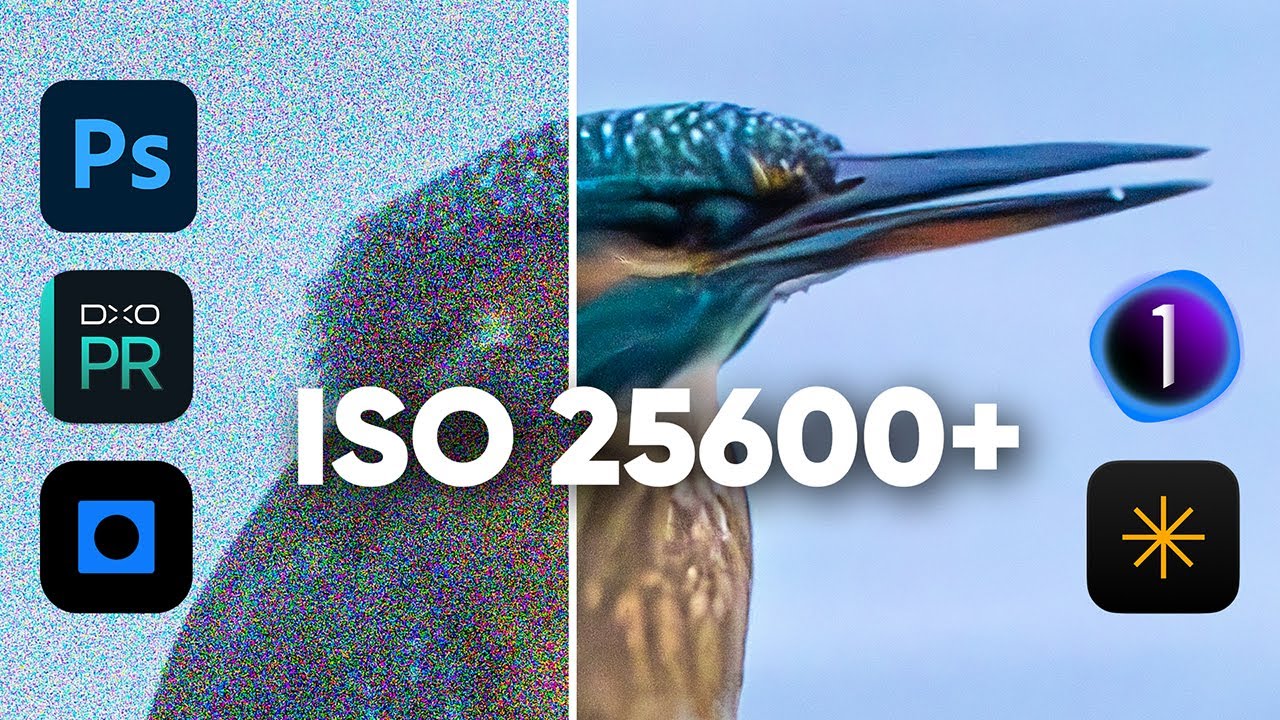
Topaz Photo AI does a good job with RAW files (in general it easily surpasses in quality of the final end both Capture One and Luminar Neo), but it is way behind DxO PureRAW and even behind Adobe’s Camera RAW: at one time the Denoise in TPAI’s RAW photos was superior to Adobe’s, not anymore!
I would say that we need to go back to improving the noise reduction of RAW files in TPAI! 
5 Likes
These results of these 2 photos are interesting. With 2 other photos the results may be different. All the other programs don’t do sharpening or up-scaling or …
I only looked at digital noise reduction of RAW files… in this aspect, TPAI definitely needs to improve!
2 Likes
But he applied other post-processing in PAI. For example face recovery, sharpening, and … In other apps he did that too, sometime via PS or? At one point he mentioned that face of the woman in the Photo from PAI looked lighter. Well that’s because he allowed PAI via AI to adjust the exposure. Again -The testing was done on just 2 photos that he picked. Bottom line, I take the results of this “testing” with a grain of salt.
Agree! Getting to be for sharpening too. I typically try both (ACR & PAI/GAI - since I use them as Ps plugins) in my workflow (to optimize image quality) so am seeing the directions things are going.
2 Likes
My instance of photo AI v3.4.3 on MacOS (on an M1 pro) is crashing consistently. This happens when I open a photo directly or through Lightroom. It crashes during the image processing. I removed all files and re-installed v3.4.2. It is working fine.
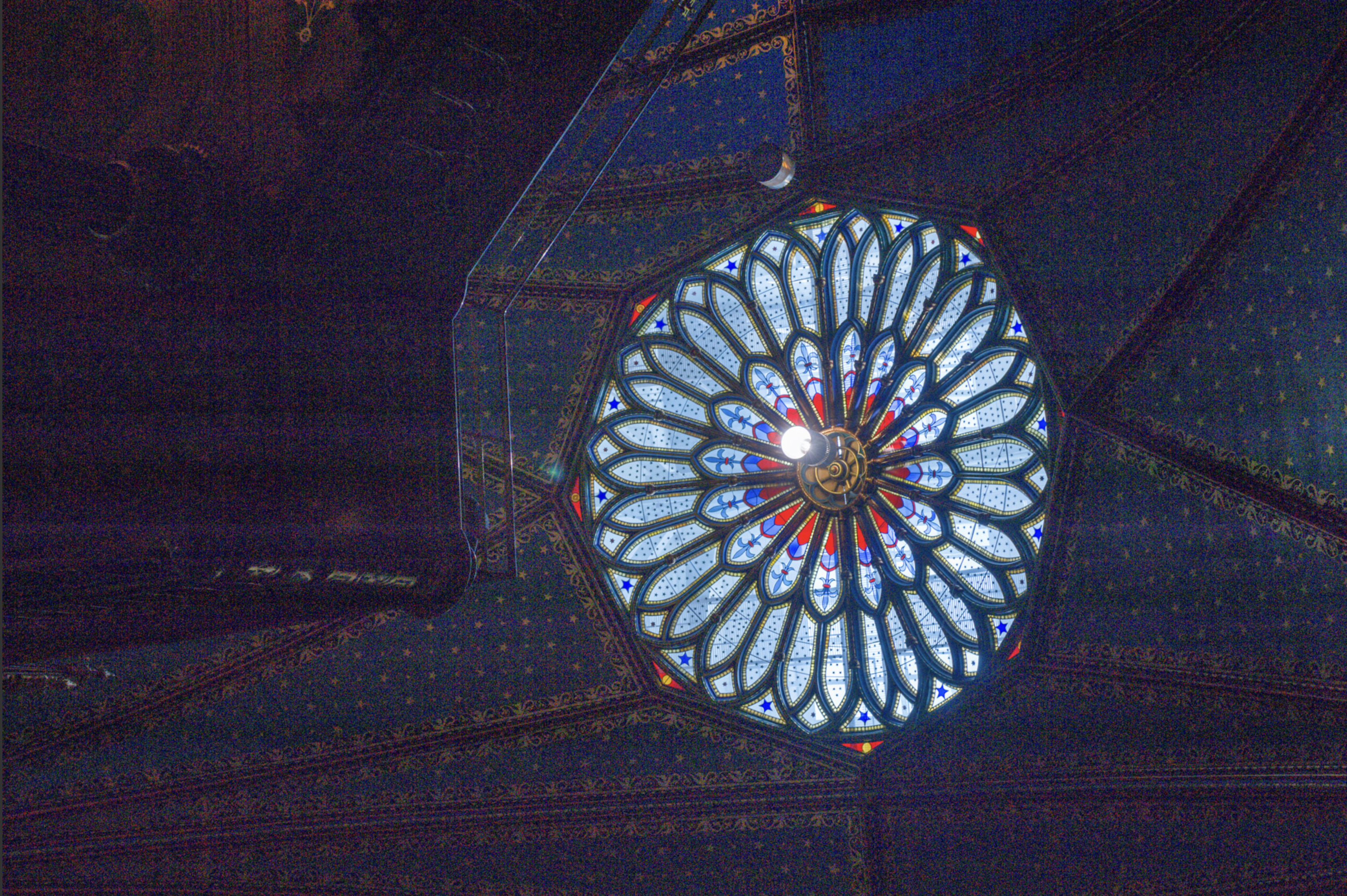
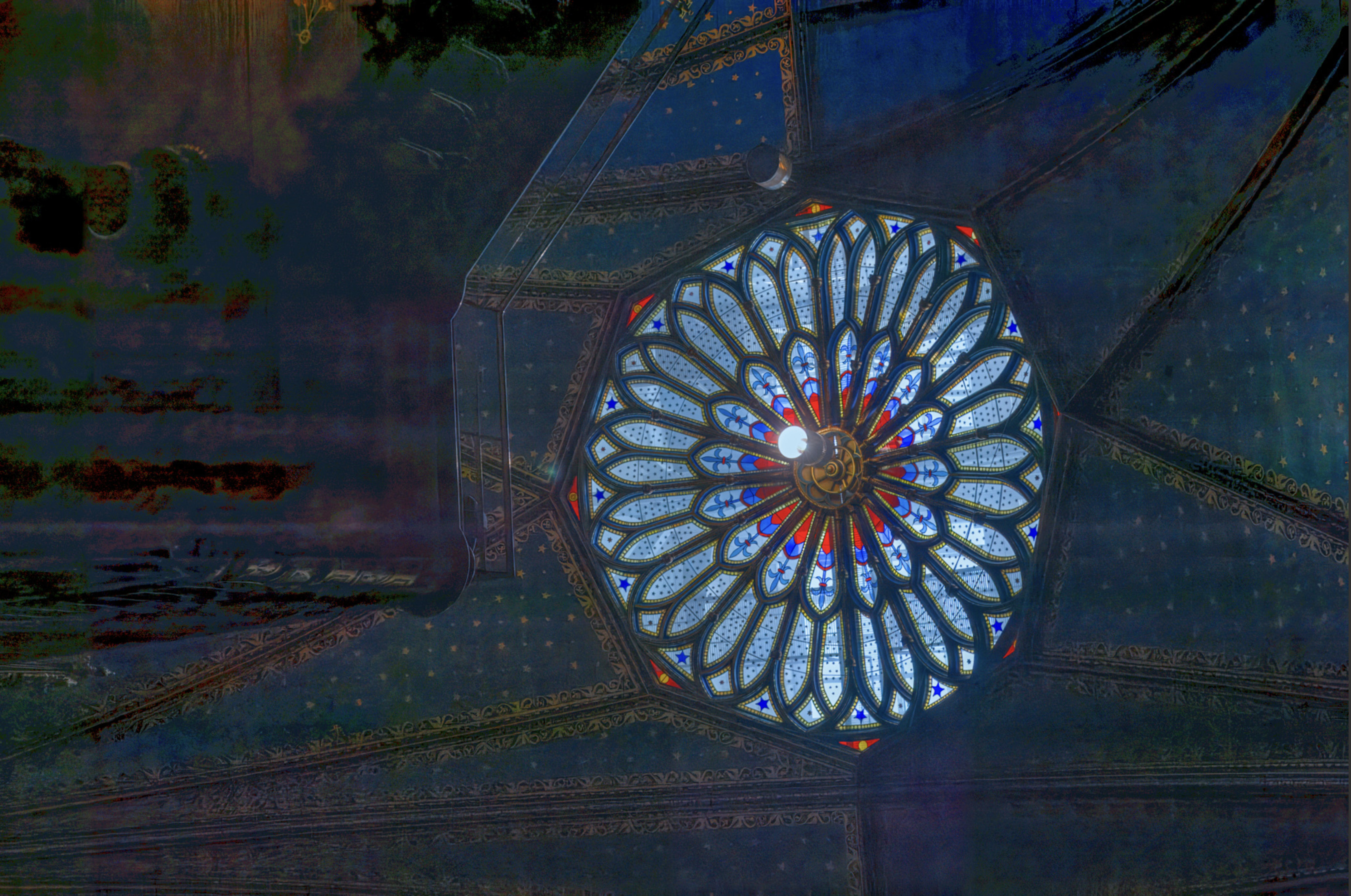
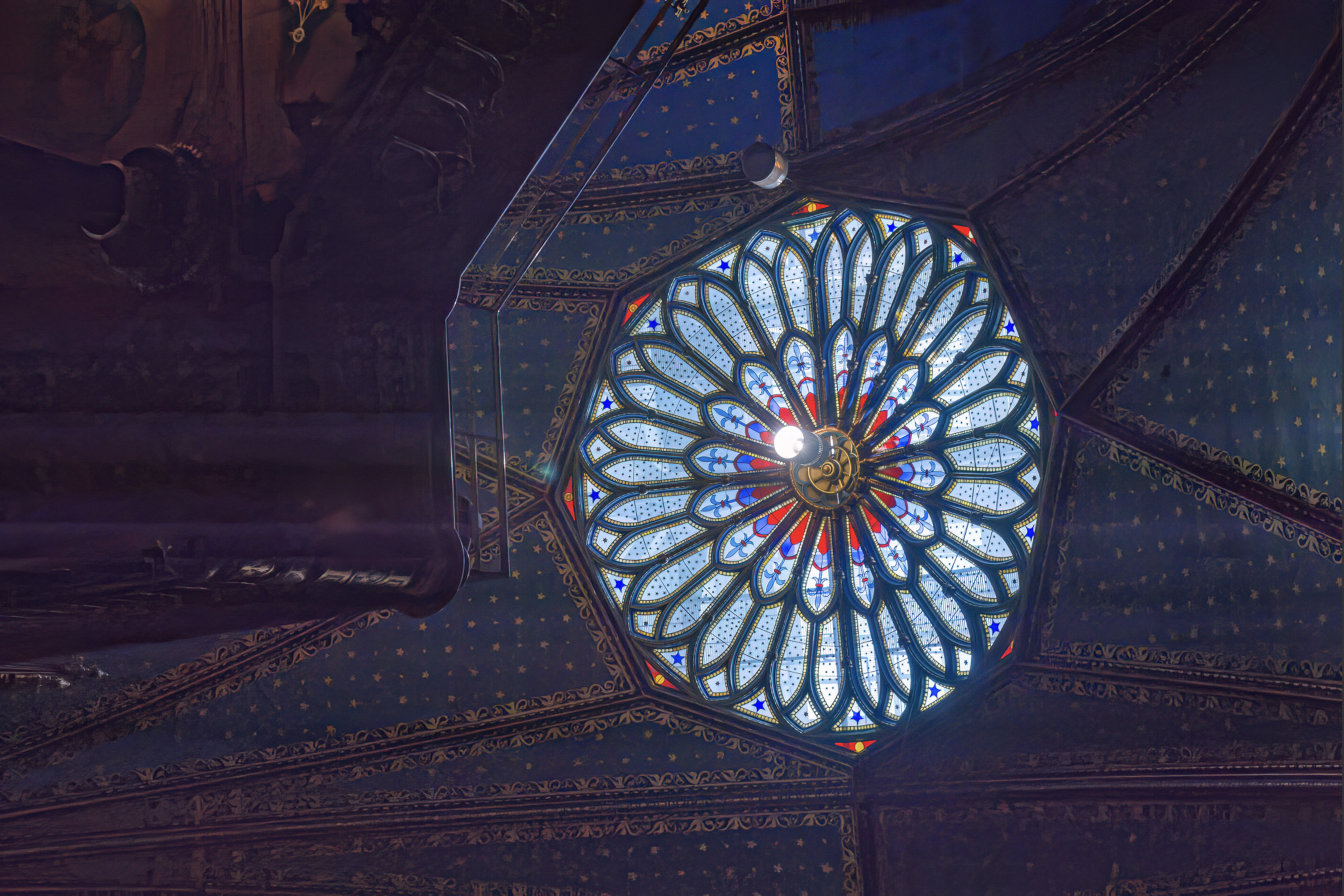
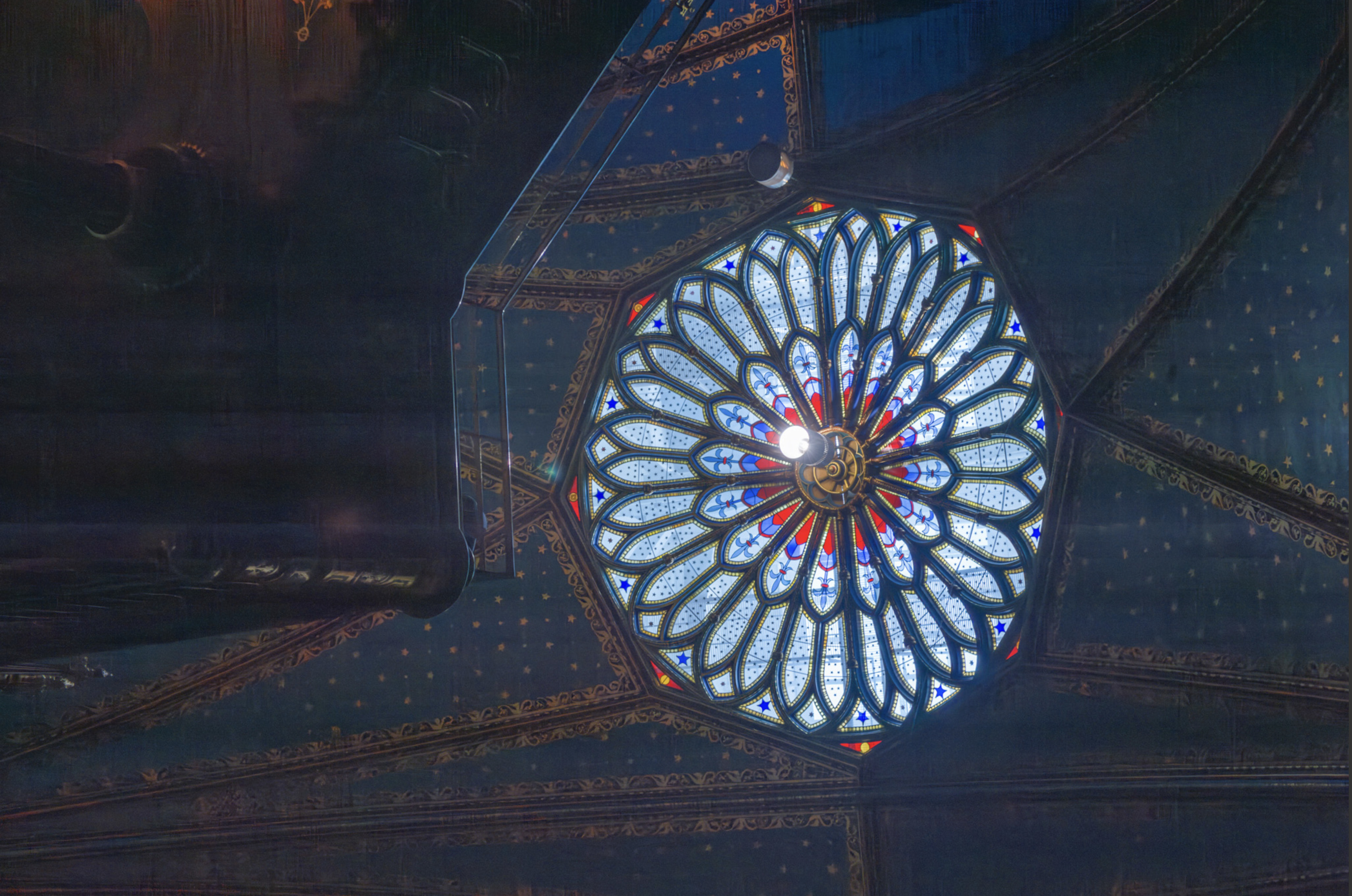
Illustration of deficiency of TPAI Denoise
its a step back! please fix this
Original image:
TPAI RAW Denoise:
Denoise AI:
Camera Raw AI denoise:
1 Like
Here is the original NEF file
2010_MONTR_125.NEF (12.5 MB)
If you are interested I processed it with DxO PureRAW 4 and XD2s. Maybe you can you can apply your settings for comparison.
20100802-2010_MONTR_125.dng (20.1 MB)
