That is a very nice speedup.
I’m surprised, and disappointed, that when I’m in Lightroom Classic and use Photo AI to edit a copy of a DNG, the resulting DNG has the edit date on it instead of the creation date. This means every image I edit with Photo AI is out of order with the actual photos shot that day. Then I need to go into an EXIF editor and muck around with metadata and file time stamps to put them back into the correct order.
Is this problem that’s impossible to fix, or an oversight by the Photo AI team? I sure hope it’s the latter and it can be addressed in a future update because it’s a huge PITA.
I have a similar problem with files sent from On1 PhotoRaw. And sometimes it just shifts the time by six hours (maybe a timezone thing). I have also had date and time issues with files sent to DxO Pure Raw.
However, it is not happening as far as I can tell so far when I use TPAI in standalone mode. So maybe in my case it’s On1 PR that’s the problem. Could be a LR issue for you. But best submit a bug report.
Specifically which metadata fields change (exiftool tags)? Creation/modification date of the dng itself will be when it’s created (not sure whether in this case the dng is created by LR or TPAI; if I’m using edit with in Capture 1, I think C1, and not TPAI, actually creates the dng).
So far for my files, DateTimeOriginal is the same in the arw and (post-TPAI) dng, while things lke FileCreateDate and FileModifyDate differ.
Interestingly, OffsetTime differs by 1 hr between the dng and arw; I’m not sure whether that reflects camera/laptop/desktop/DST or something else.
In Windows explorer, I’ll get different orders sorting on Date/Date created/Date modified/Date taken, and tbh, I’m not sure which of those correspond to which exif/metadata tags.
When I go to PAI from LrC via “plug in extras”, the “date time original”, “date time digitized” and “date time” are the same in the meta data in LrC.
I have taken another look at images shot in different parts of the world this year.
DNGs created by TPAI of images I shot in India are showing a time difference of minus 5 1/2 hours from the original. This is in both standalone and when sent from On1 Photo Raw. It is definitely a Topaz issue, since the DNG shows the modified time when opened in both PR and Apple Photos.
5 1/2 hours is the time difference between India and GMT/UTC.
Strangely, DNGs of images from Mexico (where I live) show no time discrepancy, although there is a plus 6 hours time difference from GMT/UTC.
All very strange.
Did you set the time zone when you were in India on your camera, or process any raws on a laptop that had local time set?
When I went out west last month (-3h) I didn’t change the camera settings and didn’t wifi it to any time servers, and my laptop time is locked by IT so it was off 3h; still, I see an offset difference of 1h between dng and arw. But DateTimeOriginal doesn’t get changed through any processing I’ve done that I can tell.
Yes the camera was set to the India timezone. Prior to that I had been in the UK: I had set the camera to the appropriate timezone but did not use it. I am now back in Mexico and it is working as it should. I guess it was some sort of temporary bug, since Indian images exported via DxO are showing as minus 5 hours! And some are just 30 minutes out.
I’m using Photo AI on a set of JPEGs, and interestingly, with JPEGs it maintains the Capture Date as the original value. With DNGs, it changes the Capture Date. So different behaviour with different file types, which must be a bug.
Hi Topaz and Community,
sorry, I am a little annoyed. For several versions now, the DNG Export to DNG doesn’t work properly anymore. As I work with other apps afterwards, it is very unfortunate that you may not open the created DNGs further, once opened in ACDSee for instance, the pfoto is lost!
Sorry, but something is wrong again, that worked earlier. What is a catastrophy to me is that alle Metadata are lost. Sorry guys, a no-brainer.
I like the app for single photos. But I really would appreciate it to work for batches too, however, with a personalized setting applied to each photo. The options to set up the autopilot are much too limited. You may specify a distinct value for RAW Strong ca 50… not strong only… but each photo has to be handeled separately for itself… that is what I wished for batch development.
Hope for a fast solution.
Georg
you’re not exporting grayscale dng’s by chance, are you?
(edit-never mind, I was thinking about grayscale tiffs.)
There is some problem with Super Focus and custom mask selection . When you custom select small area of large photo with the brush tool and hit Render it took too much time like it renders the whole photo but not only the small selected area . Can you please check this and fix it ?
Topaz says it’s not a bug, it is by design!
Illogical to me without ability to choose mask or full but it is like that for now.
1 Like
of all versions of Topaz Photo AI that have been released. which version is the most stable?
At present, the ETA for rendering is the same for “All” as it is for “Subject” or “Custom”. If you care to read through this thread, you will see that a suggestion has been made for only tiles that contain part of the image to be rendered. This should speed up the process. Remember that SF is still in beta so all suggestions are presumably being examined by the devs.
Depends on so many factors (RAM, GPU, OS etc). On my M4 Mac I have encountered no major issues so far with the latest version. Ditto with its predecessors for the past few years on an M1.
I’m still curious how the M4 compares to the NVIDIA 4090 for Gigapixel Redefine if you want to do some tests.
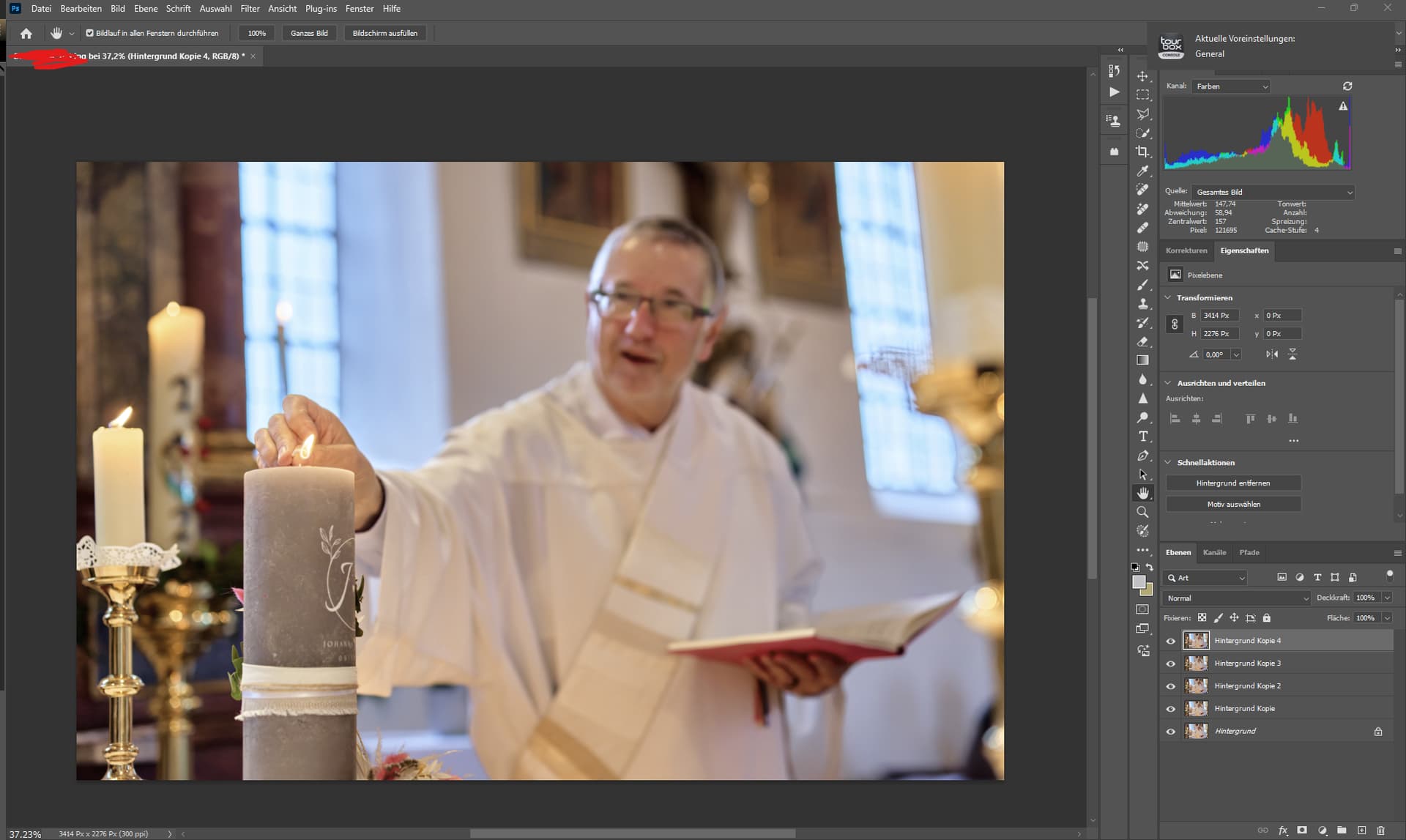
Changed his identity using remove, cool thing.
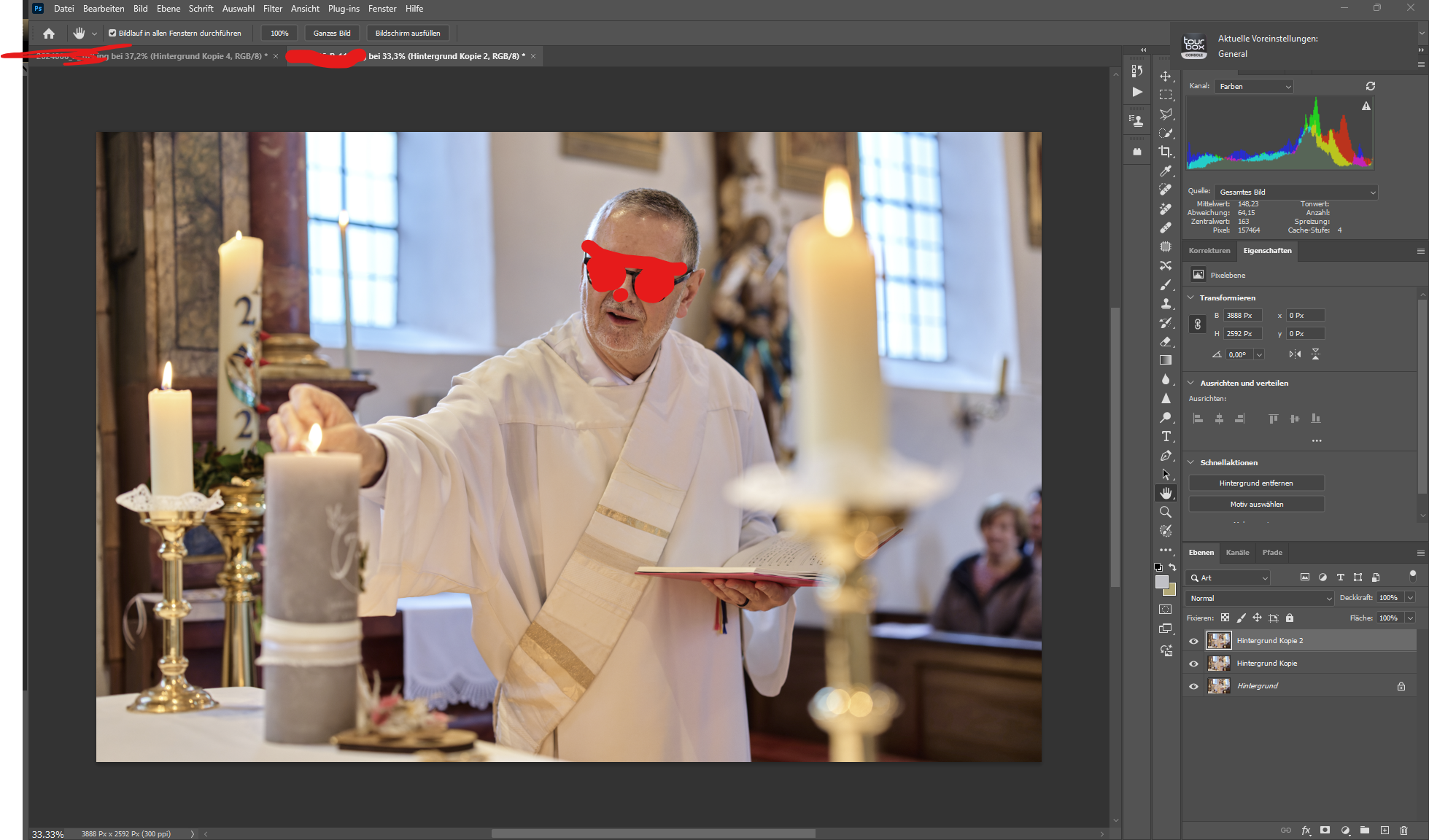
This is a shot I took during a wedding reportage.
The shot would not have been possible without canon’s eye focus, i.e. the one I control with my eye and not the one for the faces of the subjects.
In the next picture, the focus is on the priest, and that one was two seconds later.
I no longer subscribe to Gigapixel as I am pretty happy with all the upscales of old slides that I did on earlier versions. I don’t really see much point in going back and re-doing them just for the sake of it.
I believe I can download a trial of the latest version so, when I have time, I’ll take a look at Redefine. Not sure if it will enable me to save images though, or if it’s a fully working version.
OK thanks, whatever you can do. I don’t have access to anything better than M3s and even those not quite yet 
