Great - we wanted to verify the fix first here. Coming soon for GP along with a few other fixes!
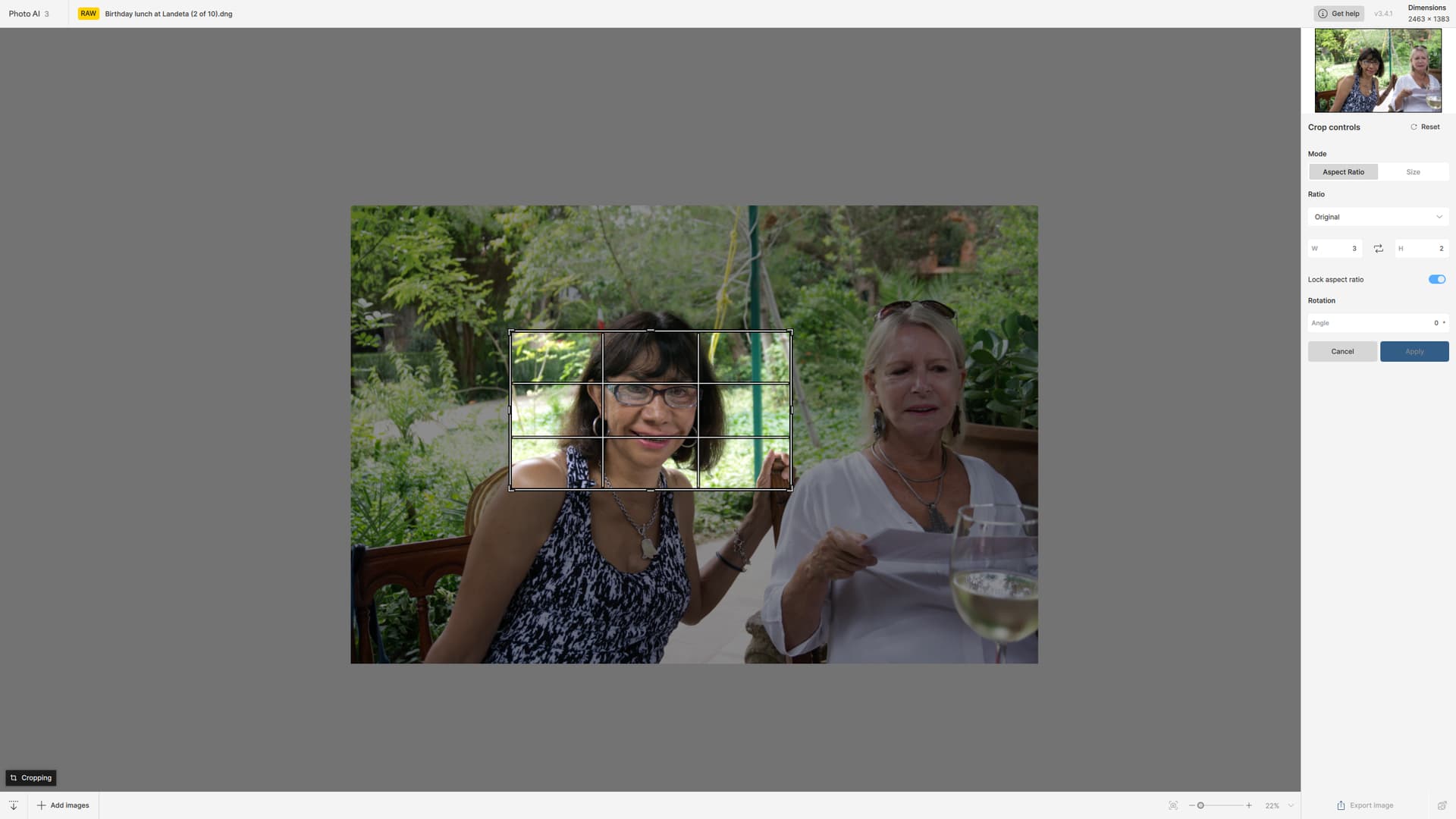
Hello - yeah it appears that this is the result of cropping being applied to the RAW image differently for certain cameras and aspect ratios. Which camera was this shot on?
When I 1st installed, only the sample images appeared. The 2nd day when I launched PAI (standalone or plugin) then the video splash screen was there too.
I believe Dakota mentioned in the Changelog that the videos, at minimum, would be pushed out on a rolling basis. And, that’s why he provided the direct links to them there for anyone interested.
Don’t get me wrong. They are nicely produced, easy to follow and a handy bite size for short attention spans and/or newbie users (not to mention that y’all growl!).
But I reviewed them during the beta for clarity, accuracy, etc. and don’t want to ‘mess’ with them every time I launch the product… And the robot is insisting on sharing them. No matter what I do.
2 Likes
The tutorials preference doesn’t affect the welcome modal appearing - it affects the top suggestion in the right panel including a video tutorial on that suggestion.
Photoshop filters cannot change the size of images, so that functionality is disabled in that mode. If you use the Photoshop Automate plugin it will be able to upscale your image.
Further details at Photoshop & Photoshop Elements | Topaz Photo AI
1 Like
Okay, now I’m confused.
There are 2 new Prefs options - one related to sample images that populate the upper right panel (if not turned off) & another that relates to video tutorials on various topics (which - on my system- can be played by scrolling through the Welcome screen in the center of the workspace).
Are you saying, Anthony, that the 2nd Pref doesn’t relate to those overview Welcome videos?
If so, how do we permanently close that Welcome screen that contains overview videos?
There is no “Don’t Show This Welcome Box With Intro Videos Again” option to click. At least I don’t see it. The video pref seemed to map to those vids as a new pref. (And no one clarified when several testers mentioned the bhvr during beta…).
I have noticed this as well. It is especially noticeable when sharpening people doing sports and they have writing on their shirts. I have found that using the low resolution option instead of the Noisy option works much better. The downside is it seems to take a lot longer to process. Basically the blurr you are seeing is the masking effect. It does not always do it, but it does it more often than not, which is annoying.
It was a Sony A6000 and I had bought it not long before. I found a file from another folder but shot soon after I got the camera and it also exhibited this issue. Again the crop was totally random, and different from previous examples. this time it was as if AI was telling me how to crop it. Although not very well!
3.4.0 and 3.4.1 crash reliably after some time. Unusable. 
1 Like
Sorry to hear that! On both versions? Can you provide crash logs?
You may also try doing a clean install.
I have Photo AI 3.4.1. In my image project I upscale all images to 1000px width.
- This example image has original dimensions 484x800px.
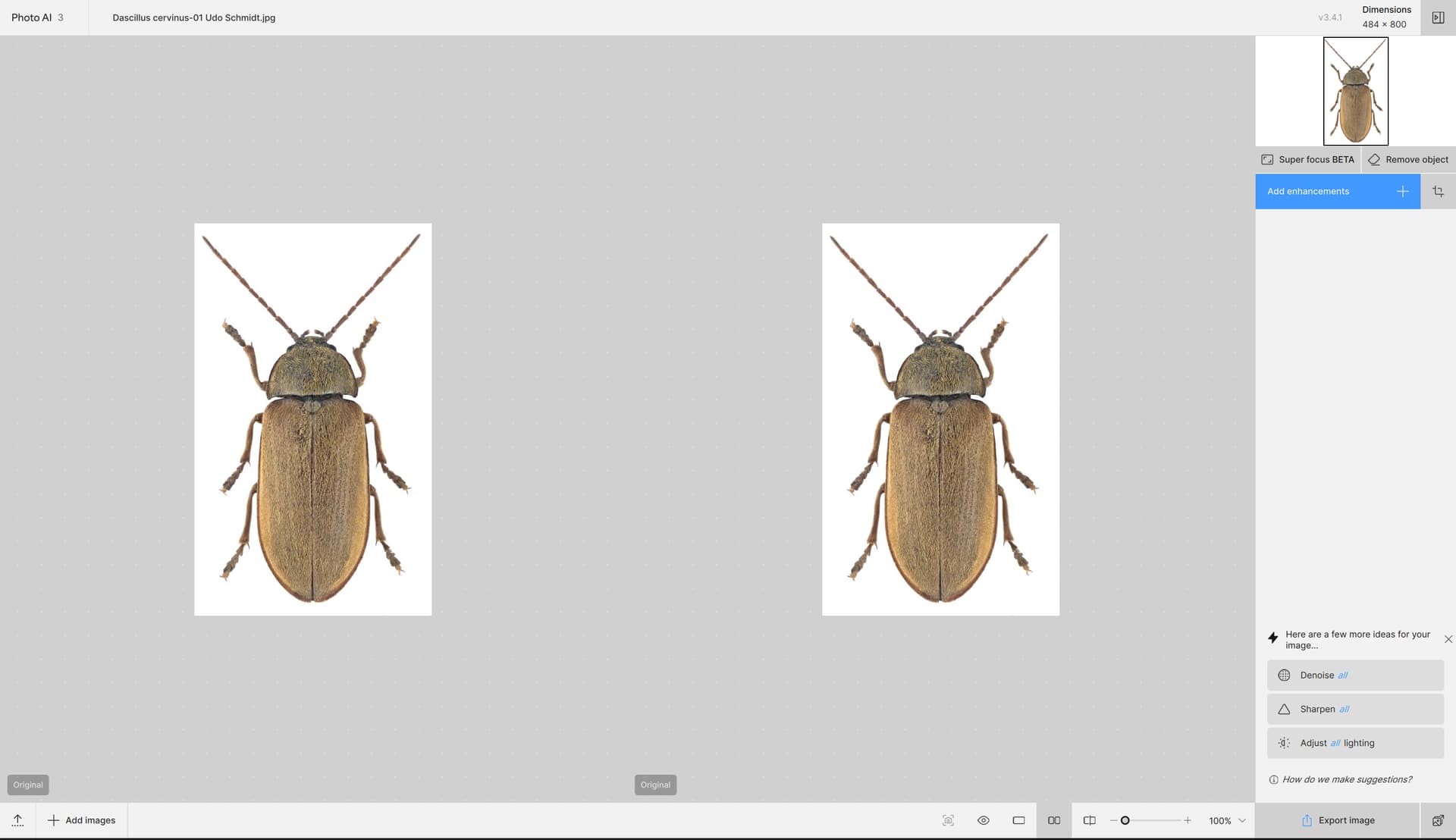
- I then apply Autopilot:
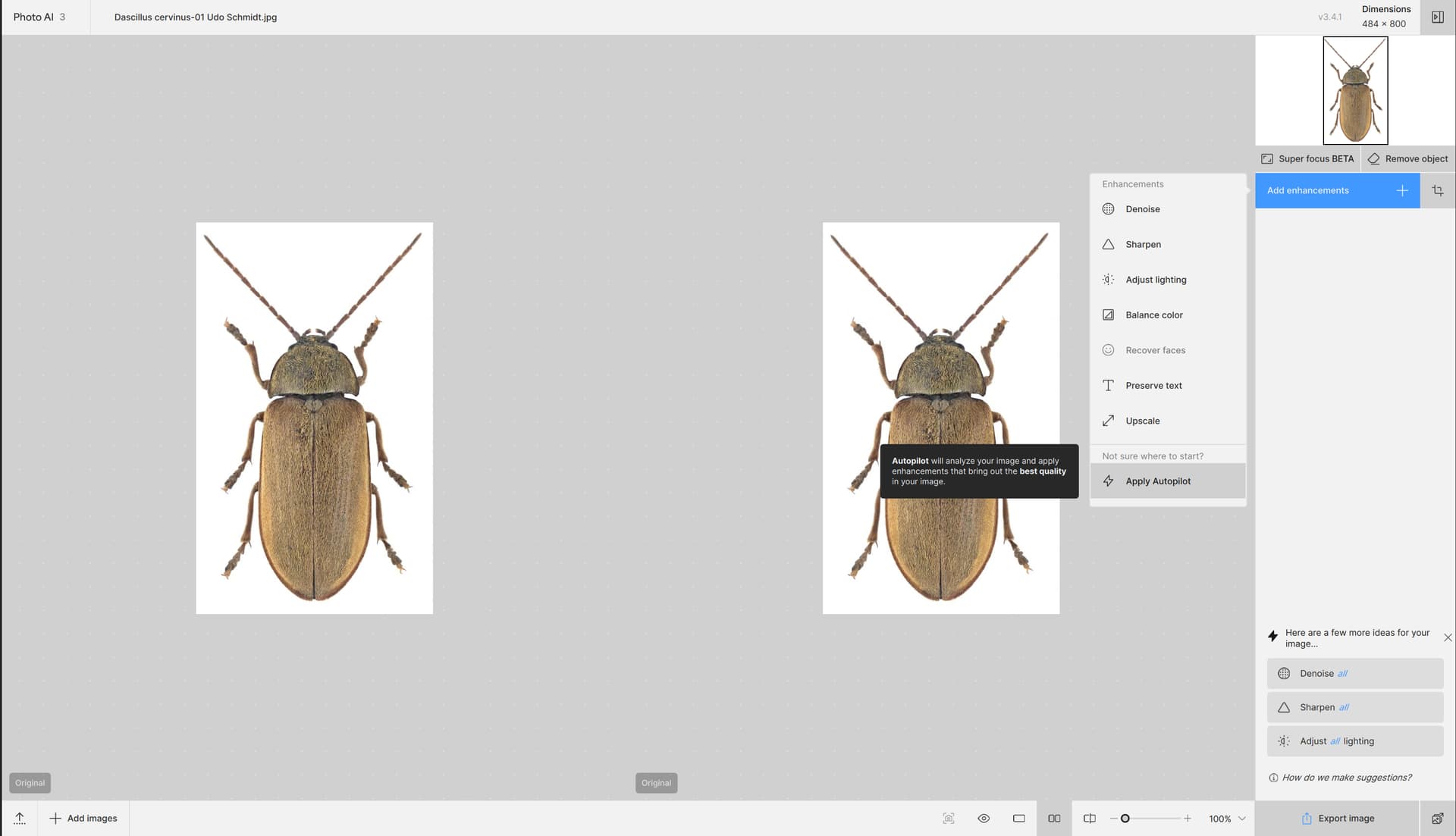
- The result image has then the size 2904x4800px:
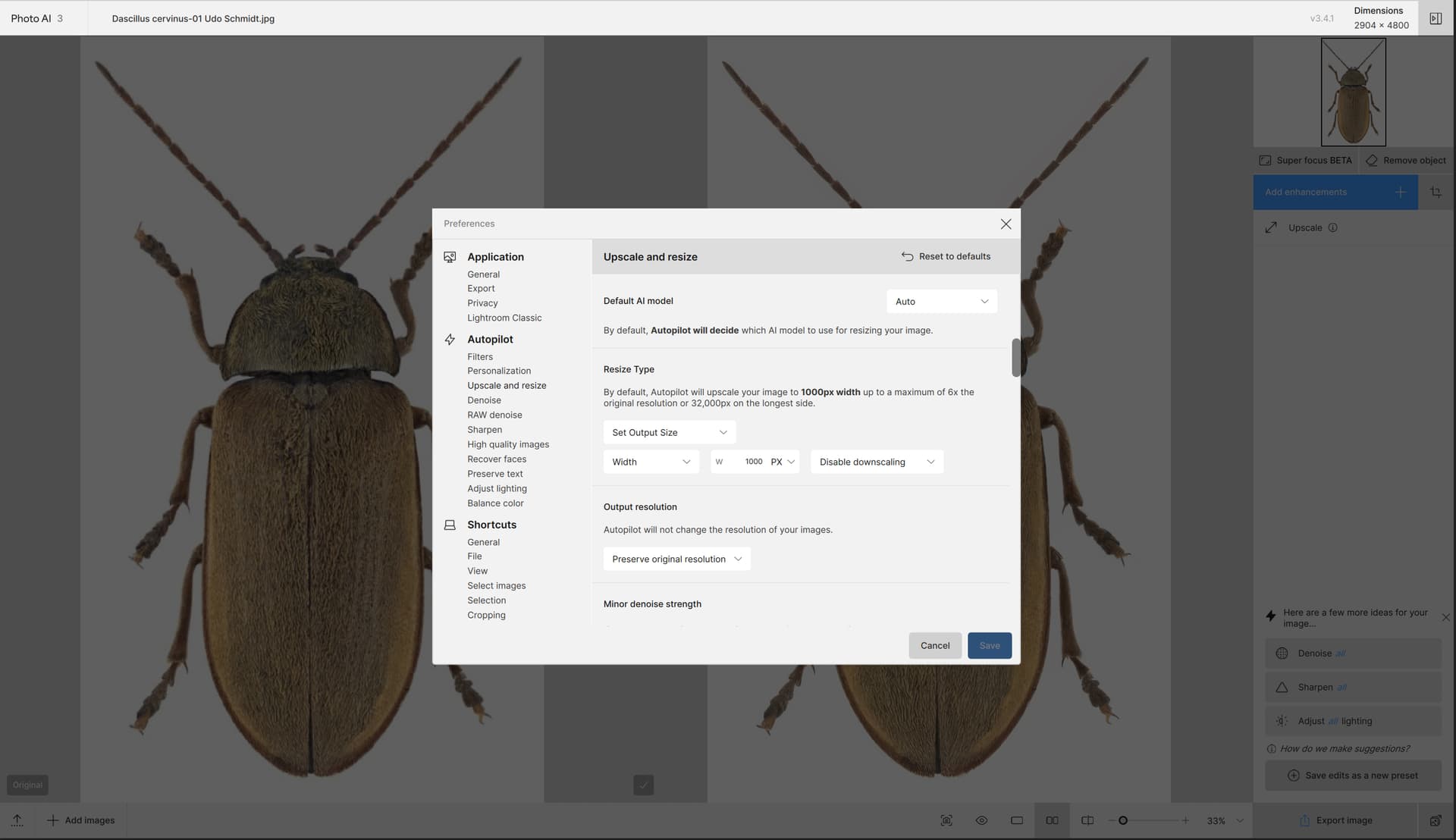
- However, in the Preferences I have told Autopilot to upscale to 1000px width. Why has the result image the size 2904x4800px?
1 Like
When are you going to correct the issue with iPhone 16 heir phots where Photo AI either can’t open the files or is unable to save the changes back to Photos. This is when Photo AI is used as an extension in Apple Photos on a Mac mini M4 Pro running the lastest version of 15 (15.2)
1 Like
I requested this during beta, but would like to mention it again.
Please change the suffix for SuperFocus from “Focus” to “SuperFocus”. I don’t think there is a way I can do this myself. I may be wrong.
The reason I ask is that Topaz Sharpen AI has “Focus” as one of its suffix options. It’s an app I still use from time to time, and the use of “Focus” in both apps can be confusing when identifying photos.
Thanks
1 Like
I don’t get a crash reporter window. But both versions crash after a short time on both of my Macs (Macbook Air M1, Mac Studio M1; macOS 15.2). And Gigapixel’s redefine also doesn’t work anymore on both devices. I completely removed the apps and reinstalled with a newly downloaded install-file. Same outcome: Crashes.
For me, even “SF” would be okay since the file names can get pretty long with all the filters used. Thx for that idea.
Mind you, I have yet to see results that are significantly better then the older models, let alone TSAI.
By the way, the latter now requires me to sign in every time I open it and the multi-image option no longer works. One of the penalties of not supporting an app, whilst machines and OSs are updated.
2 Likes
For example, when I export photos (batch processing), after 30-40% the output stops. I tried several times. Nothing changed. I took version 3.2.2 and everything went great there.
Second this.
And, as it apparently is a known and still standing bug: why isn’t this listed in the “known issues” list?
P.S.: Not only iPhone 16 is affected but as it seems all devices running iOS 18.
