I think so, seems to give people flexibility.
Do you have a link?
Sorry!
Meine letzten Antwort war falsch. In der Version 3.2.2 funktioniert das Stapeln von sharpen. Ich hatte mich in der Version geirrt.
Thank you for this Update and the Support of Canon R5 Mark II and Nikon Z6 III !
2 Likes
See the link a few rows above by plugsnpixels.
2 Likes
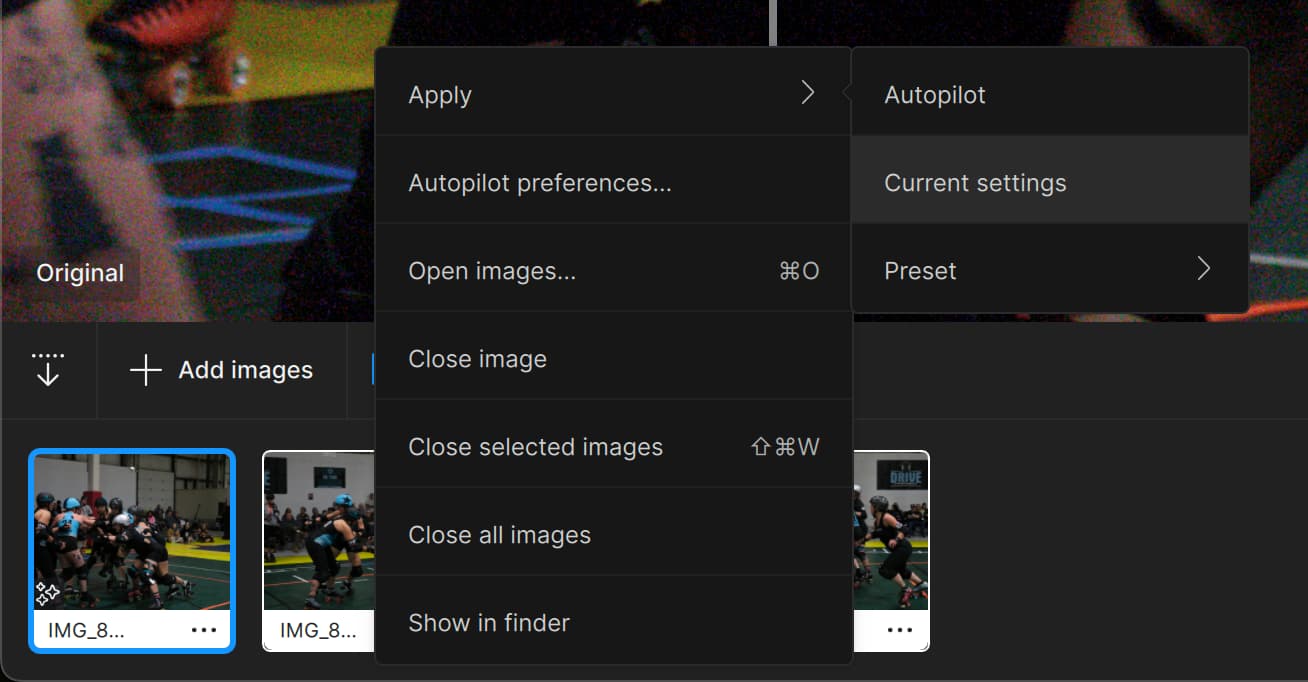
Cannot use presets nor current settings to apply denoise to all selected images.
Version → I noticed this when I upgraded to v3.3.2. I’m not too sure which version I was on previously. I then upgraded to v3.3.3 and the problem persisted
Steps:
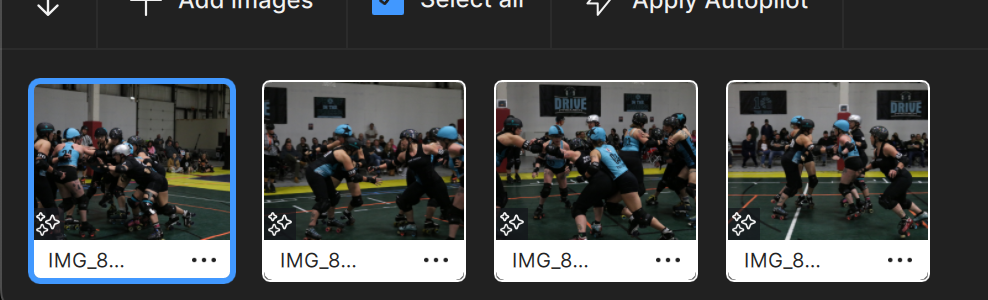
- Load 5 images
- Select one and wait for analyzing…
- Denoise is automatically applied
- Add sharpen all
- Select all images
- Apply current to all images
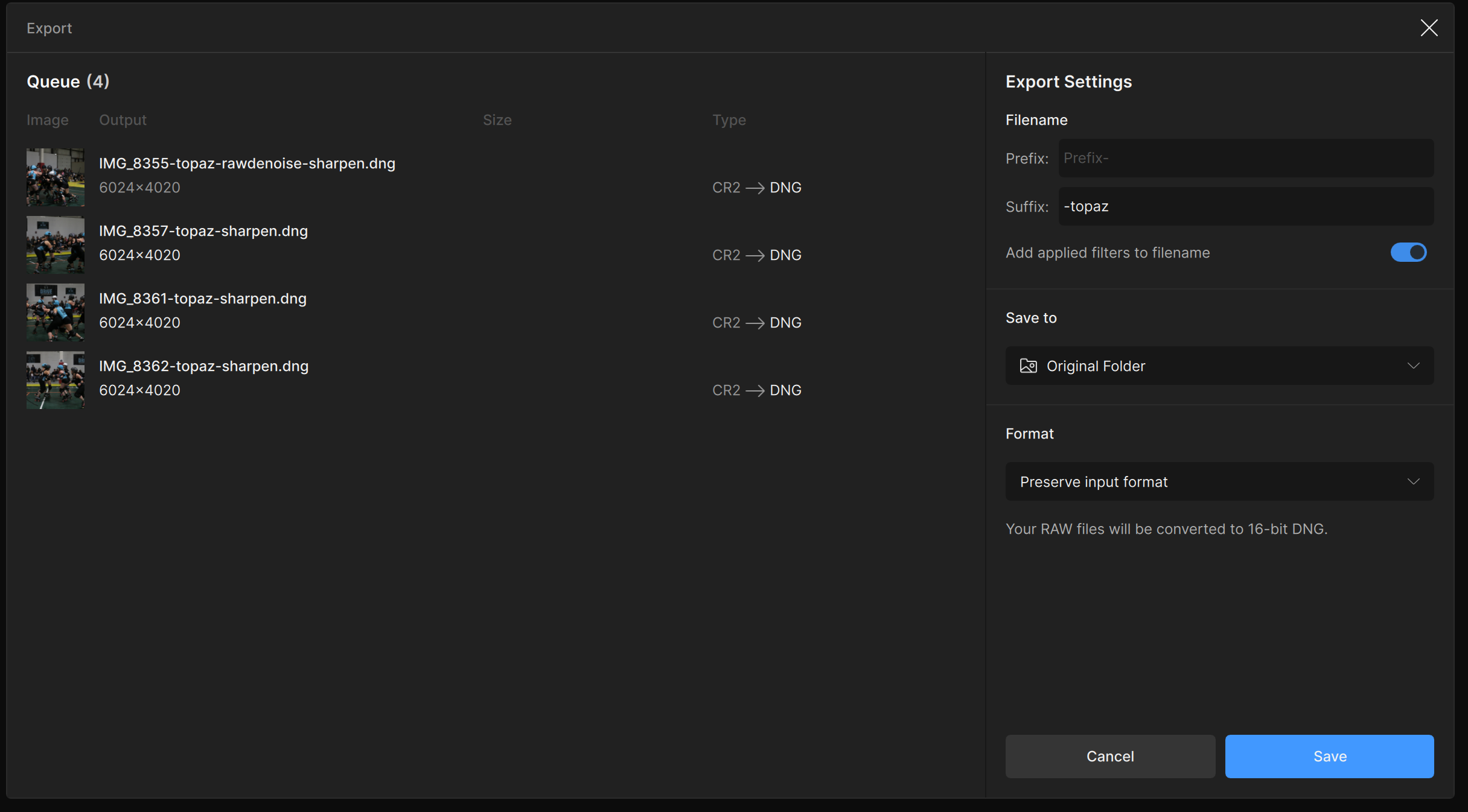
- Export images
- Save as image name does not include “denoise”
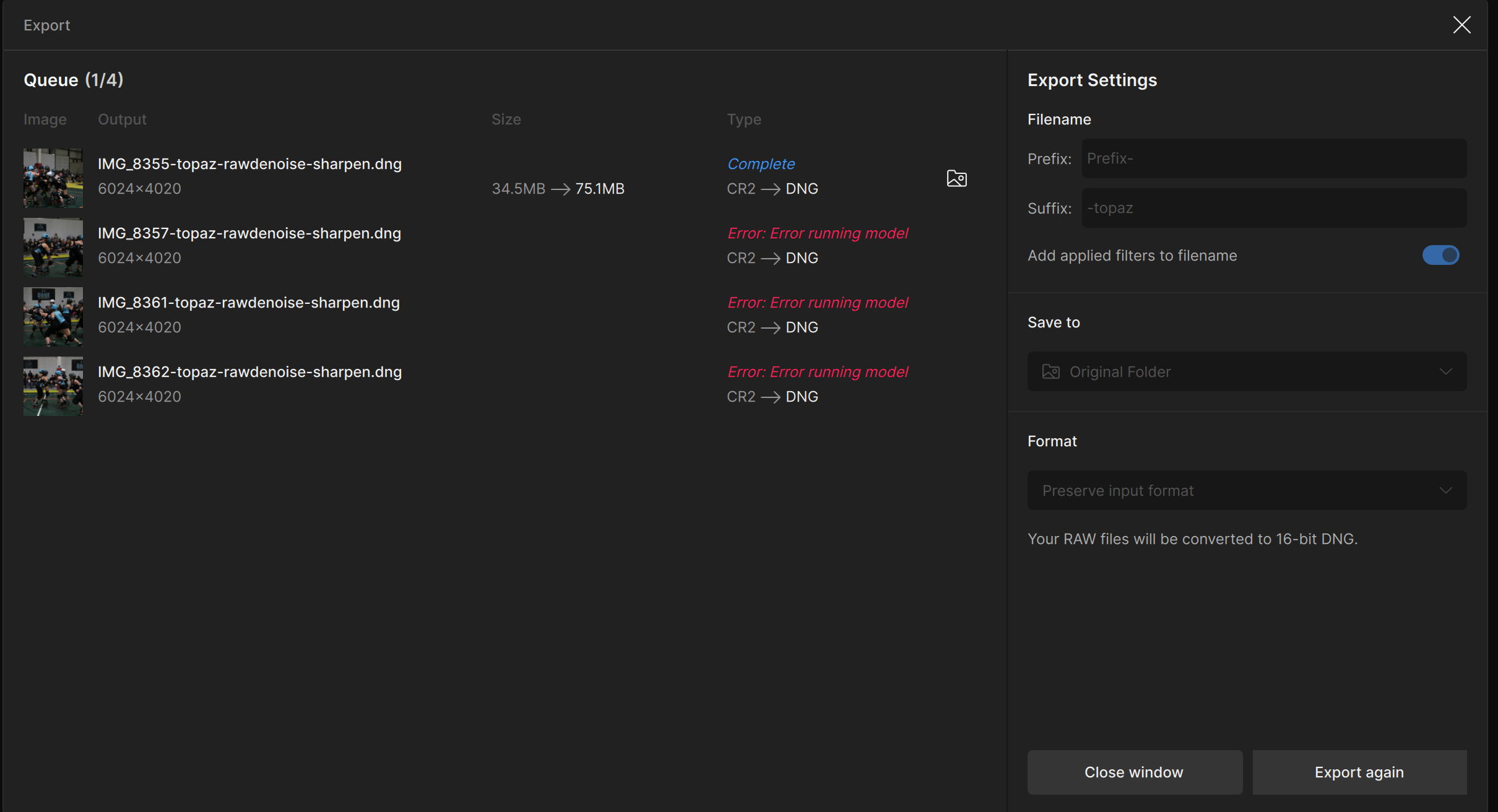
- First image saves
- Second image starts to save and the name changes to include “denoise”
- Image fails to save with message “Error: Error running model”
- All remaining images fail to save with the same error.
Expected result: Denoise and sharpen are applied to all images.
Actual result: Denoise and sharpen are applied only to the first image. Denoise is not applied to the rest of the images.
Notes:
This issue slows down my process. To get denoise to work I have to click on each image and wait for the analysis to complete. What used to take a minute now takes 10 minutes for 5 images. Multiply that across 100s of images and now Topaz AI is not a viable option anymore.
Logs
2024-11-20-08-01-41.tzlog (1.5 MB)
2024-11-20-00-23-11.tzlog (604.3 KB)
System Profile:
Hardware Overview:
Model Name: MacBook Pro
Model Identifier: MacBookPro15,1
Processor Name: 6-Core Intel Core i7
Processor Speed: 2.6 GHz
Number of Processors: 1
Total Number of Cores: 6
L2 Cache (per Core): 256 KB
L3 Cache: 9 MB
Hyper-Threading Technology: Enabled
Memory: 16 GB
System Firmware Version: 2020.0.1.0.0 (iBridge: 21.16.365.0.0,0)
OS Loader Version: 580~439
Serial Number (system): C02XM1GDJG5J
Hardware UUID: 87C79CCA-B2C2-5707-8F5E-C5DAA7CD4886
Provisioning UDID: 87C79CCA-B2C2-5707-8F5E-C5DAA7CD4886
Activation Lock Status: Enabled
For those who may think of using all three apps Video, Photo and Gigapixel the offer could be interesting. For those who need only one product the offer seems insignificant to me. In particular for Photo AI the price seems the usual with the gift of a certain number of Cloud Credits, among other things not yet usable in Photo AI. And for those who think they will never use the Cloud Credits, what kind of Black Friday offer is this? 
Hello @scott.k and thanks for the logs.
Unfortunately your Intel Mac machine only has 4GB of VRAM and the minimum to meet the requirements for Photo AI is 6GB. This can cause the Error loading model and processing errors, especially when doing batches. A workaround, go in Edit > Preferences > General > AI Processor and set it to CPU, then Save. Then import and export your batch. CPU will not replace a proper card with 6GB of VRAM but it can help until you update machines. Since you would be using CPU, make sure no other sturdy program is open on your computer when doing this, to leave as much CPU to Photo AI as possible.
P.S: Nice derby shots, I played myself, in Montreal, aka Purr Evil here 
Let me know how that goes!
M1 Max, latest MacOS.
ISSUE: Super focus is barely using CPU/GPU:
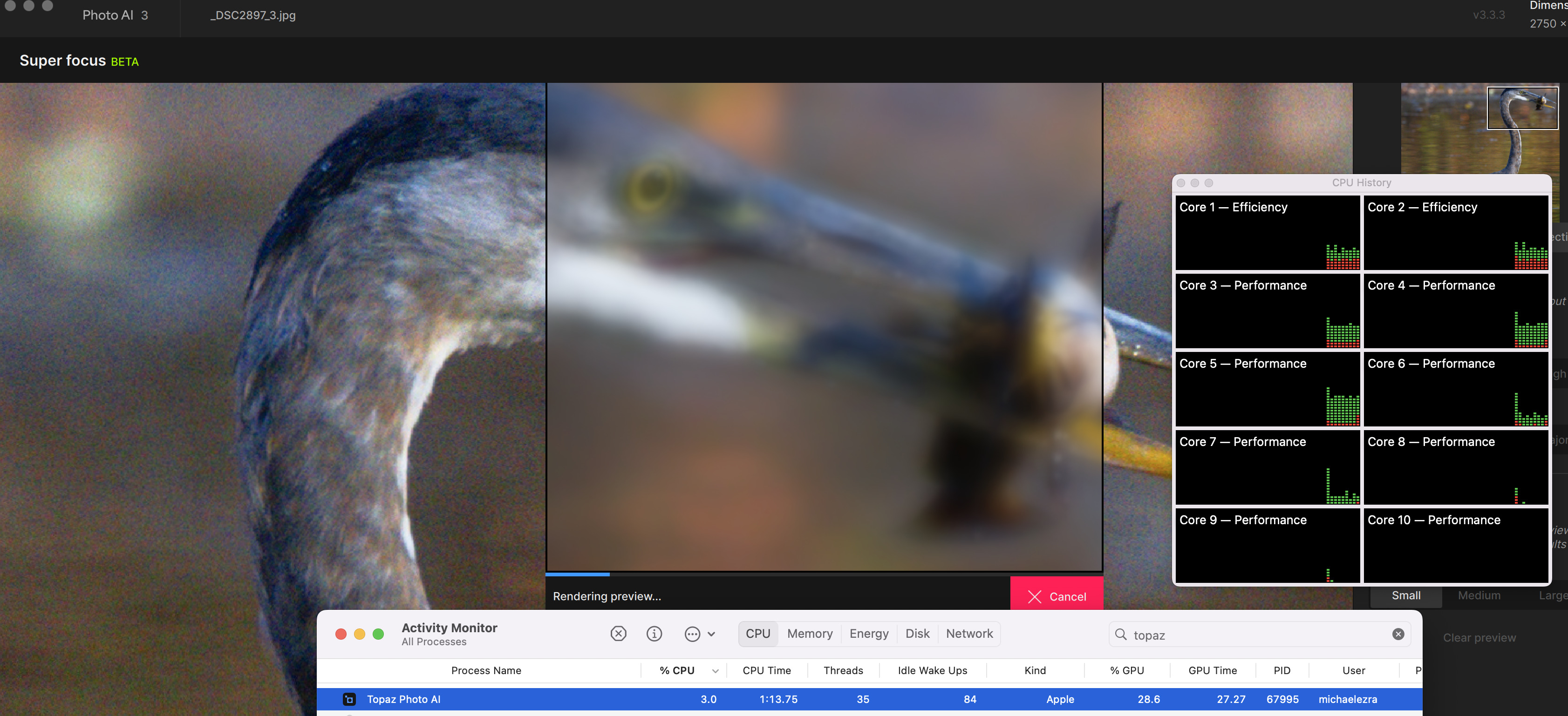
EDIT: I also had the latest GAI open. After closing GAI, Super focus started working in TPAI
2 Likes
i updated my photo ai on 23-8-2024.i have downloaded and installed a number of updates since.what has been added to photo ai in these updates that will help me better edit sport action images which is what i mainly require pai for
THE NEW RELEASE DOES NOT WORK. STILL CRASHING. NOW WHAT
Did you contact Topaz tech support?
They’ll ask for your system specs and work with you on a personalized level (vs this user-user forum…).
Go to the main Topaz Labs website and click on Support or send an email to: support@topazlabs.com
Good luck.
1 Like
Hello @lamellphoto - Yes, make sure to send us an email at support@topazlabs.com with your specs, and we can troubleshoot. Looking at 2023 messages you sent in, if you are still on your Mac computer, and you updated to Mac OS 15, you can have the issue of Face Gen 2 happening on this new Mac OS. If that’s the case you can either turn it off, or of you need Face recovery, you can revert to v3.2.0 until this OS 15 is fully supported: Photo AI v3.2.0 - Mac: Download
This face issue is mentioned above in the Known Issues for this version.
Let me know if you send in an email and if reverting works!
Hello,
What version did you upgrade from? You can check here all the versions since and see the Releases notes of what was added: Releases - Topaz Community
For Sports photography, the RAW Denoise will be crucial if you shoot in RAW as a first enhancement, then I would turn Auto-Pilot on in Edit > Preferences > Auto-Pilot, and import your batches of photos. For any missed focus cases, you can test the new Super Focus too 
Hello @GinTonic, the Black Friday deals are geared towards bundles and upgrades with the cloud render tokens, yes. We will have our individual apps on sale for our Holiday sales starting in mid to late December.
If you’re on our mailing list, you’ll be notified. If not, you can sign up at the bottom of our Topaz Labs Shop Page.
1 Like
The last several releases have caused many issues for me, when coming from Adobe Lightroom.
I am using this on my Mac running the latest version of Sonoma on an M1 chip. Essentially about 40% of the time, Topaz and Lightroom will both hang when I attempt to use it as a plugin. Has anyone else had this issue?
thanks for your reply.all of the things that are in your reply were in photoai before august and i have been using them.so there is nothing of use to me in the last three months of updates so why would i join the auto renew.
it seems to me that anything new is going to require credits and cloud rendering which is extra expense.any of the new things will not render on my computer.my computer does work photoshop and dxo pureraw
Hi… I’ve been reading through the various threads regarding the current Photo Ai issues. I am now running version 3.20 on a Windows 11 PC without any oberved issues. I am not lacking anythuing in terms of needs, etc and have held off on paying for another year of upgrades.
My question, after all that, is actually simple. Are the numerous problems listed in these threads mostly a MAC thing, or are windows users having issues as well. if I am to consider upgrading, I do not want to upgrade from stability to instability. Thx
@christine.antoniuk - can you send me the logs (Help > Open Logs folder, zip all the logs) to support@topazlabs.com when that reoccurs? I can have a look at what is causing this. If saving on a harddrive, make sure to test the batch locally to rule out any issues with the drive (from desktop folder for example).
Hello @Jdavis37 - We have open tickets for any ongoing issues, that our development team is constantly working on. I have a Windows and do not have any issue son the new versions.
You can always update, and if any issues make sure to write in to support@topazlabs.com and we can troubleshoot. If it’s a known issue we can add you to the appropriate ticket and circle back with you once the issue is resolved!
