Apple Silcon mac do not use AMD stuff. And the issue I am speaking about is OS Sequoia 15.1
That’s similar to the alterations I posted about from last night. Only mine occurred on the face (after only using SuperFocus).
It was very noticeable when I turned the (Standalone’s) PAI SuperFocus layer eye off then on. The mouth area of the image jumped just like a bad pixel hop. Except, it wasn’t a subtle diagonal pixel shift like I’ve experienced in past. Instead, the shape of the mouth was changed in the movement that was visible. It was more like if someone’s expression changed from completely rested to a slight snarl and the teeth and where the lip formed around them changed (which certainly was apropos for Halloween…).
When I subsequently used Face Recovery, it restored the model’s face/mouth to it’s original shape.
I’ve reported this and am actually seeing it more often now in both apps. You need to cancel and export again, then it works.
I’ve been testing a bit more, but I was a bit too soon to state that the images are generated ok.
With the subject sharpening set to “Strong” it goes wild. The other settings behave normally.

The result is the same with the GUI and the CLI.
I ran this image again with the verbose option and attached is the result:
topazlog.txt (48.2 KB)
I got a AMD Ryzen 5 8500G w/ Radeon 740M Graphics (internal video Radeon 740M is disabled) with a GTX3050 and 32GB memory
1 Like
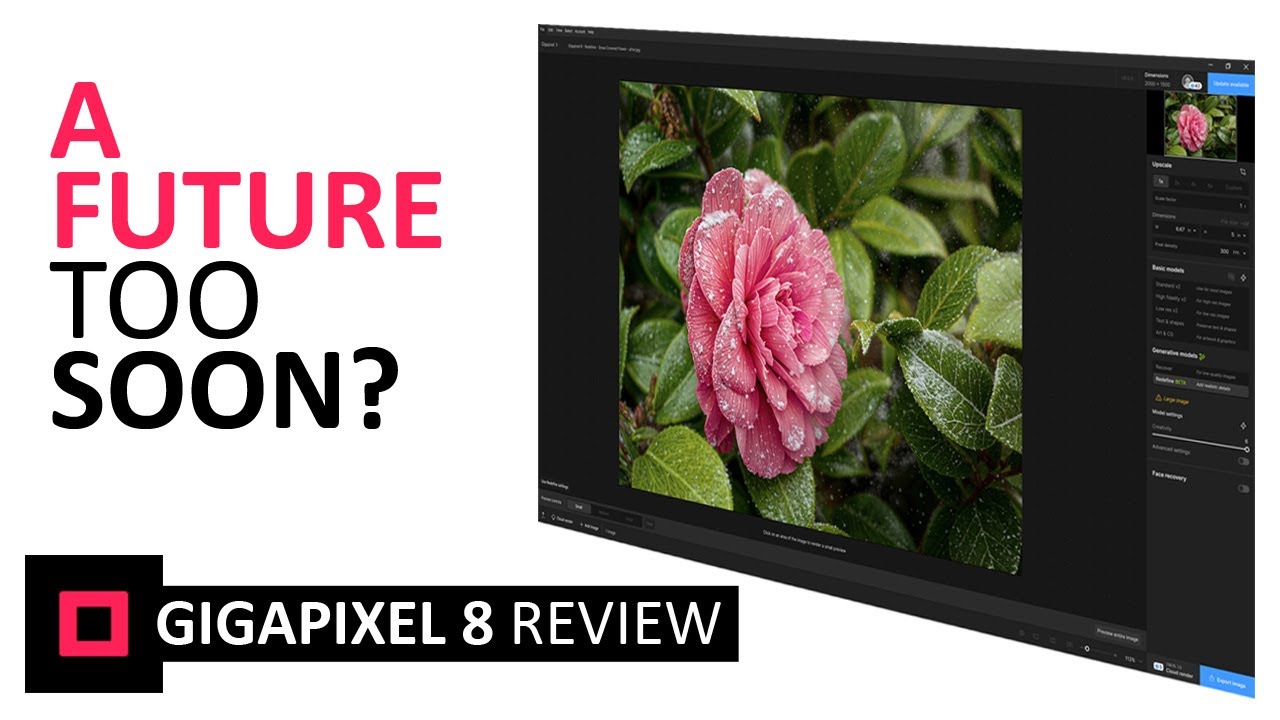
I just watched this Gigapixel AI 8 review and I have it cued up a section where he is talking about the new Generative AI, Recover upscale option. He notices the same sort of thing I noticed above with the 3.3.1 Super Focus with AI Focus boost. He talks about the issues/problems he discovered with it and I have it cued up to that section of the video:
3 Likes
Thanks Henry, that is a good summary of where we’re at now.
In regards to PAI, I’ve proven to myself as shown above that Super focus/Focus boost does indeed work and works well.
With GPAI I’ve also shown that you can get slightly better results than Face recovery using the bottom end settings of Creativity/etc. (I need to test this more).
Anything above the low settings and you can expect to be in Creative AI territory for sure, which is great if you’re doing art.
The only “problem” I see at that level (beyond the crushing processing times for most users) is the very limited people models. After each render I feel as if I’ve already met the person before… 
Here’s another PAI Super focus example (film scan source from the earlier set posted above):

1 Like
Thank you for posting. I’ll be curious to see what he says. He is a Topaz Affiliate (which means he gets comp’d for sales he instigates via his vids or other content influencing).
Topaz Photo AI v3.3.1 - Text Recover Issues within Photoshop 26.0.0
Windows 10 on PC
New issue for me. When I attempt to add a text area to recover using the brush tool, it applies the typical red overlay, but as soon as I lift the mouse button after brushing the area, the red overlay disappears and nothing is selected. When I opened one of my RAW images in the standalone version of Photo AI, I was able to use the text recovery tool normally.
Yesterday I went back to a photo I processed with 3.3.0. The original was a bit out of focus. 3.3.0 Super Focus did a somewhat better job than the regular Photo AI sharpen models. Then I used AI Focus boost with it and it did a much better job. I was pretty satisfied. It was a man on the street in a rather busy environment, busy background.
Then I tried it again with 3.3.1 and the results were much worse than 3.3.0. And it was very inconsistent also. With the new AI Focus boost change that uses Generative AI, every time I would try things the image would change. For example, one time a portion of the man’s face changed to a leather satchel with stitching and, I think, a zipper. The man was holding a leather satchel with stitching and zipper near his face and suddenly the Generative AI decided to make a portion of his face part of the leather satchel. That didn’t happen with 3.3.0. Then I exited 3.3.1 and ran it again. This time I got a different result. I kept playing around with the Super Focus settings with AI Focus boost and each time I would get different results. Totally unpredictable and I couldn’t reproduce things. Imagine you have a result you like and then you make a small adjustment and suddenly the results are totally different and you can’t go back to the earlier result.
With Gigapixel AI 8 this Generative AI is an option that you can select (Recover). With Photo AI Super Focus with AI Focus boost it is not optional. At the very least it seems that in Photo AI it should also be an option you can select. And even if you use the Generative AI it needs to get much better and be reproducible, not random results that you can’t control.
And areas outside the mask often get sharpened. That is another problem.
1 Like
Yes, it seems to be very tricky. Photoshop handles this by allowing you to regenerate results over and over again while retaining previous attempts (perhaps you’ve seen this). And to remove OR replace via text prompt.
For Gigapixel, Topaz says,
"Seed Regeneration
Anytime you render an image fully and are not satisfied with the results, you can click on the Preview entire image to generate varied results.
No result will be exactly the same."
Of course right now we’re finding this process and workflow really tough, at least on Macs.
Superfocus, Faces, Upscale … Still the bad dentist and optician (three eyes should be cured, two enough – but maybe three eyes compensate that created cock-eye?). What to advise? Definitely not to smile (teeth) and prefer to wear dark glasses.

1 Like
Wow!
Now, GP and PAi share the same… uhm… features (monster faces)  … with TVAi. SMH!
1 Like
Is this only for Apple Silicon Macs?
I tried the same image in Gigapixel 8.01 (with Redefine Beta, Face Recovery on, and Mode Creative). It’s kind of OK. However, with Mode Realistic, only the popular, already somewhat worn-out monsters return. The reality has disappeared somewhere. I put something in the Releases Gigapixel 8.01 category (I can’t give a direct link to it).
I can’t answer that specifically but on my M2 Mini I just tried a few random Super focus examples (Medium). The speed was actually fine but the results are debatable ;-). I will try other images next.


OK this is fun, doing this stuff on my own computer instead of the Dell w/4090! Now let’s see if GPAI Redefine gets the same optimization, that would be sweet.
Previews are pretty quick on this scan of a film-based image that I took one morning in Texas (not a political commentary, merely a photo op! I also saw Bush Sr. in Palm Springs several years earlier):

(I think he was saying “I did not have…” but I couldn’t hear the rest, ha!)

Full image render only took a few minutes:

Face recovery:

Final export was instantaneous!
Crop at 100%:

Preview of 4X Upscale:

I got 2 “fart eggs” (small egg with no yolk) before the third try actually exported the 4X:

100% view of 4X:

Not perfect but pretty close!
The pic of Bush was scanned from a print, I do not have the neg as with Clinton:

Again, preview was freakishly quick compared to what I had been used to-! Full render is estimated at 6 mins (instead of 6 hours) but dropping faster…

Before Face recovery:

Final:

The Japanese Prime Minister in this same frame (circa-1989):

Why are the developers and everyone here silent about the fact that after applying the Recover face filter, a lot of freckles or red pimples appear on the faces of the photos? Does everyone here really like this?
2 Likes
Are you seeing that in my examples? Please post some of yours if you have them.
Here on the face these spots are clearly visible.

1 Like
Hi I’ve just updated to v3.3.1, but now whenever I open an image, the app just closes a few seconds after selecting the image.
Update: The Preserve Text issue described above appears to be related to some kind of a resource management issue. My typical workflow is to open a series of 8 or 9 images in Photoshop and work on each one individually (not using batch processing). I found that the Preserve Text brush issue only happens when I have 7 or more images open at once, or another process like my music playing in the background.
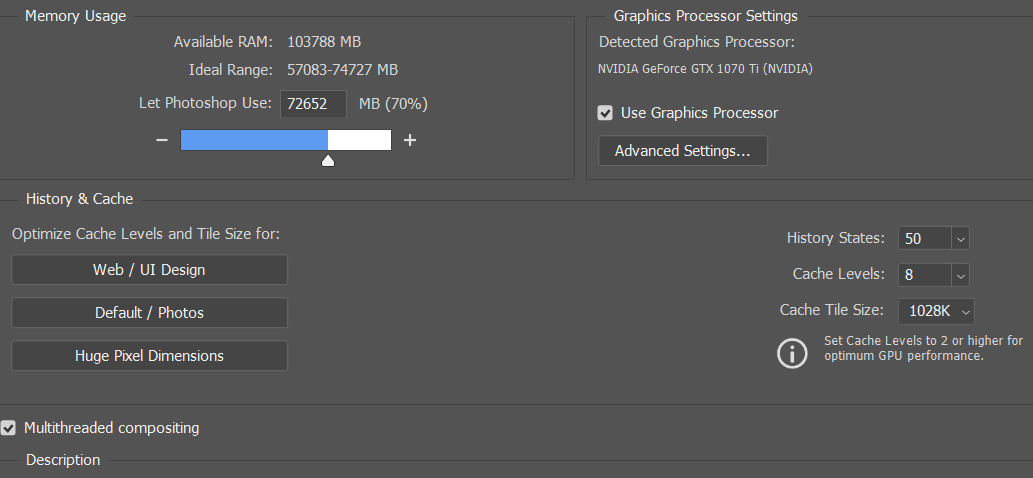
Processor - AMD Ryzen 7 3700X 8-Core Processor 3.60 GHz
Installed RAM 128 GB
System type 64-bit operating system, x64-based processor
Pen and touch - Pen support
NVIDIA GeForce GTX 1070i
Driver Verstion 32.0.15.6094
Edition - Windows 10 Pro
Version 22H2
Installed on 11/8/2020
OS build 19045.5011
Experience - Windows Feature Experience Pack 1000.19060.1000.0
Photoshop Performance settings: