Yes! The facial enhancement, that’s a big win for me as well. Prior to that I had only seen it online (MyHeritage). Other devs also offer it but it’s not as good as Topaz.
1 Like
I can see some use cases for the stacking functions but in my experience I would use stacking on myabe one image out of 50. Adding all of the poor usability and extra clicks on the other 49 out of 50 images is a big step backwards and is the source of a lot of the complaints on this forum. Which is a better user experience: extra steps and a new session of PAI for the 2% or a gajillion extra clicks for the 98%? The answer is obvious.
But there is an obvious solution to this conflict. Keep the interface in version 2.3.2 but add an option to add another layer on demand. Why this hasn’t occurred to the developers is beyond me.
I agree that all of the photo editing functions that have been added, such as brightness or color balance, are useless. I never use them and never will.
3 Likes
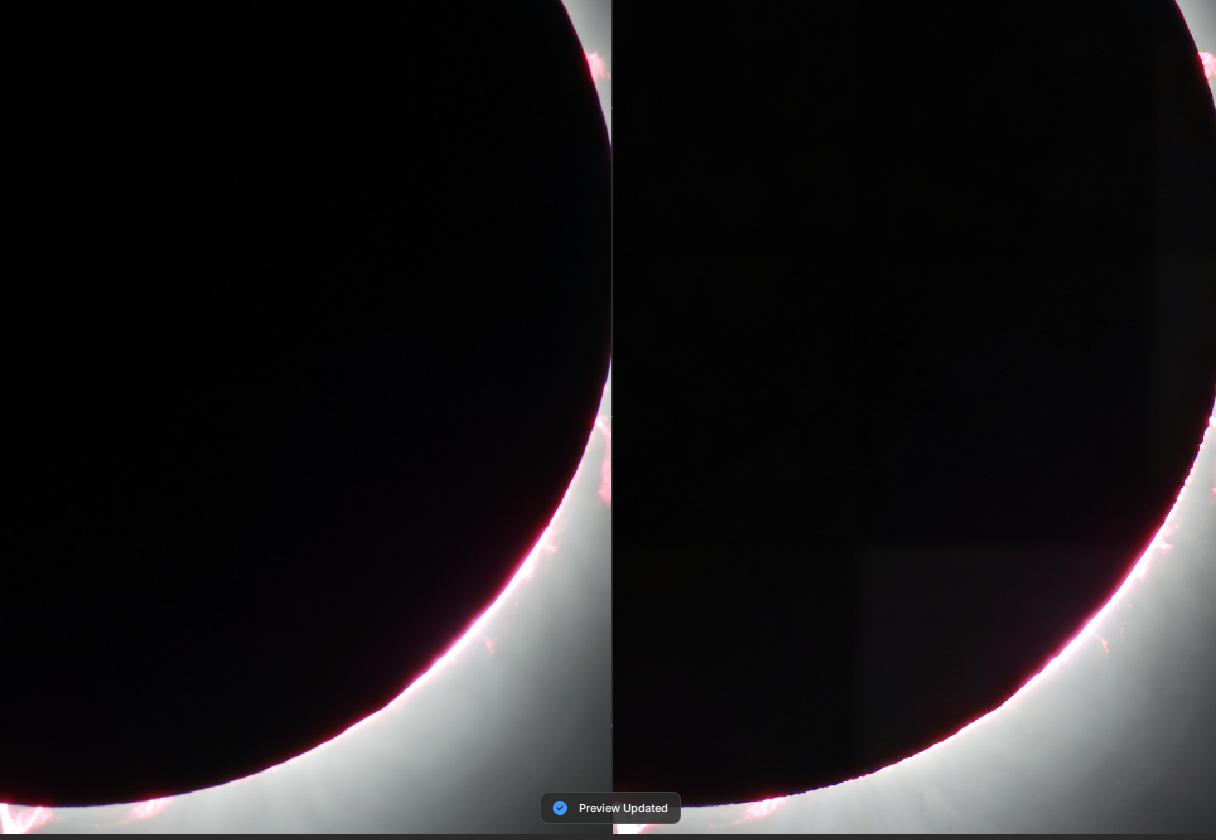
I know it is hard to see… but I took this shot of the eclipse on Monday and when I use 2.42 I get these squares everywhere on the preview, and naturally on the final photo as well. The model the system wanted to use was strong. I tried it on Standard and had the same results. If I choose lens blur I do no have that problem.
I brought this problem up in an earlier thread with the white fox. Very annoying and I cannot seem to figure out what is causing this. I have v1.3.6 on another machine that ends up being the version i use 90% of the time because these square show up ALL the time. This has been happening for MANY versions of this program and is not being addressed.
How am I supposed to upgrade when this problem is always present. I cannot use it reliably.
Granted the machine I am using this on has no real GPU… so editing the photos takes forever, but i can deal with that on this machine as I use it to test out new releases of the app. Keeping v1.3.6 on my production machine. While I often prefer 2.42 when it works, it is too unreliable to use all the time And it is not like I can have both versions installed at the same time on the same machine.
When will this problem be addressed?

I’m not trying to be sarcastic or glib Steve but if that’s the case why not just stick with 2.3.2 if it meets your needs and you get the desired results.
If Topaz is accurate they state have over one million licensed users, over one billion images processed. While several in the community have given a less then positive review of the new UI only Topaz knows the true relationship to satisfied verses unsatisfied licensed clients.
It really comes down to how their clients process images. Are 500 clients in the community upset? Are the balance of the 1,000,000, the 999,500 clients satisfied? Only Topaz knows and we will most likely find out as they move forward.
I also do a significant amount of work volume wise in an attempt to get the best quality. I view most if not all images in LR and mark the images I want to improve and move them into PS RAW. I don’t make wholesale adjustments I fine tune using the brush functionality in areas that are weak. The new release of PAI gives me the opportunity to produce the highest quality image with less clicks, I can achieve my goal in one attempt in TPAI. I used to have to export back to PS and then come back into TPAI for additional adjustments.
My workflow in PS (keystrokes/clicks) doesn’t present an issue for me because of the end product. I’m not saying anyone is right or wrong but I like the direction of the new version.
I just don’t like that the core application is not stable and working as Topaz designed.
If they were to go back to the old UI but maintain the stacking capabilities it wouldn’t impact me either way. It’s just another perspective.
1 Like
I am using version 2.3.2 as it meets my needs without all the cockamamie extra clicks.
Of course, sticking with an “older” version of any software has risks. The day will come where the models won’t update or there will be some sort of problem with compatibility with the operating system or whatever. So keeping with 2.3.2 is not a long term solution. At that point I may well need to change to DXO.
5 Likes
Wow!
Well said!
Topaz has lost sight of its core customers… those that use Topaz as a plugin. We don’t need anything other than Denoise, Sharpen, Upscale. I have Lightroom for everything else.
Topaz can satisfy existing and new customers by giving them a choice: TPAI Lite - denoise, sharpen, upscale. TPAI Pro Editing Suite - every editing tool under the sun to compete with Adobe (good luck with that). Update the AI models for both as time goes on. And they could charge more for the “pro” version.
7 Likes
As was said a few replies ago, I’m another user that does 2 things most of the time - denoise and sharpen, and very rarely upsizing. Looking back to ancient times - maybe 2 years ago, that’s what Topaz WAS - Denoise, Sharpen AI, Gigapixel. PAI put them in one place, which was nice.
I don’t shoot people, but if I did, why would I NOT want to use my fer-real editing software to do whatever I was going to do to the faces? Not being disagreeable, I just have no idea what PAI can do for faces (other than removing noise and sharpening) that I can’t do a lot better in Lightroom or Photoshop or Neo or other. Same for cropping. If I know how the image is going to be cropped, why would I NOT crop it before it ever GETS to Topaz? And if I DON’T know how it’s going to be cropped, why would I CROP it in Topaz?
Personally, I’d much rather see a best-in-class denoise and sharpening (currently it appears that DxO or somebody is still rated better than PAI for denoise), than a dozen ancillary tools and good-but-not-best core tools.
As for complaints, I figure every person is here that has an issue with the software represents 1000 or 10,000 or some huge number of people that don’t say anything, but some of them just quietly don’t renew.
Unfortunately, I’ve had 2.4.2 on my editing system again for the last week, and it looks like I’m going back to 2.3.2. So far, I haven’t found ANY significant improvement in the capability or quality of the denoise or sharpening functions, and the more cumbersome workflow is unproductive.
5 Likes
It’s against the law - I think? You’d be a dummy to do it!
1 Like
I agree with you about only using TAI for sharpening and de noising. I just disable the other features. Yes it would nice if they had 2 versions.
1 Like
And there’s all the paperwork… Even when they deserve it!
The same for me. With no fix in sight, unfortunately I must go back to 2.3.2 given that 2.4.2 is unusable on M2 Pro due to the memory leak during batch processing. These roll-backs and fowards are becoming more work that what I signed up for.
I was getting the tiling pre-2.4.x, but not any more that I can see. Why not upload your original to see if others can reproduce the issue you are seeing!
With the new UI in the Beta, you can save presets and get all the filters you need in two klicks.
You can hide the controll panel fully and use the controlls from icons only, once activated.
I really like it that way, really.
Thomas, Is this something you use because you do batch processing and don’t need to customize the settings & look for each image you process?
No, i use it that way, instead of adding each filter with a klick i add a preset with the filters i need right now.
Like: Resize + Denoise & Sharpen
Or: 2x denoise and 1x sharpen
Or: 2x Denoise with selection (fore and Background) and Sharpen with selection.
1 Like
When i do batches i use the Autopilot with very low settings for denoise normal.
And did start at ISO 1600 for denoising to eleminate the noise that DxO deep prime XD/2 did left.
Now with the new beta i will try something different.
1 Like
Got it. So I assume you label (name) each preset with the functions it performs to know which one to use on any given image.
Ghost in the machine…
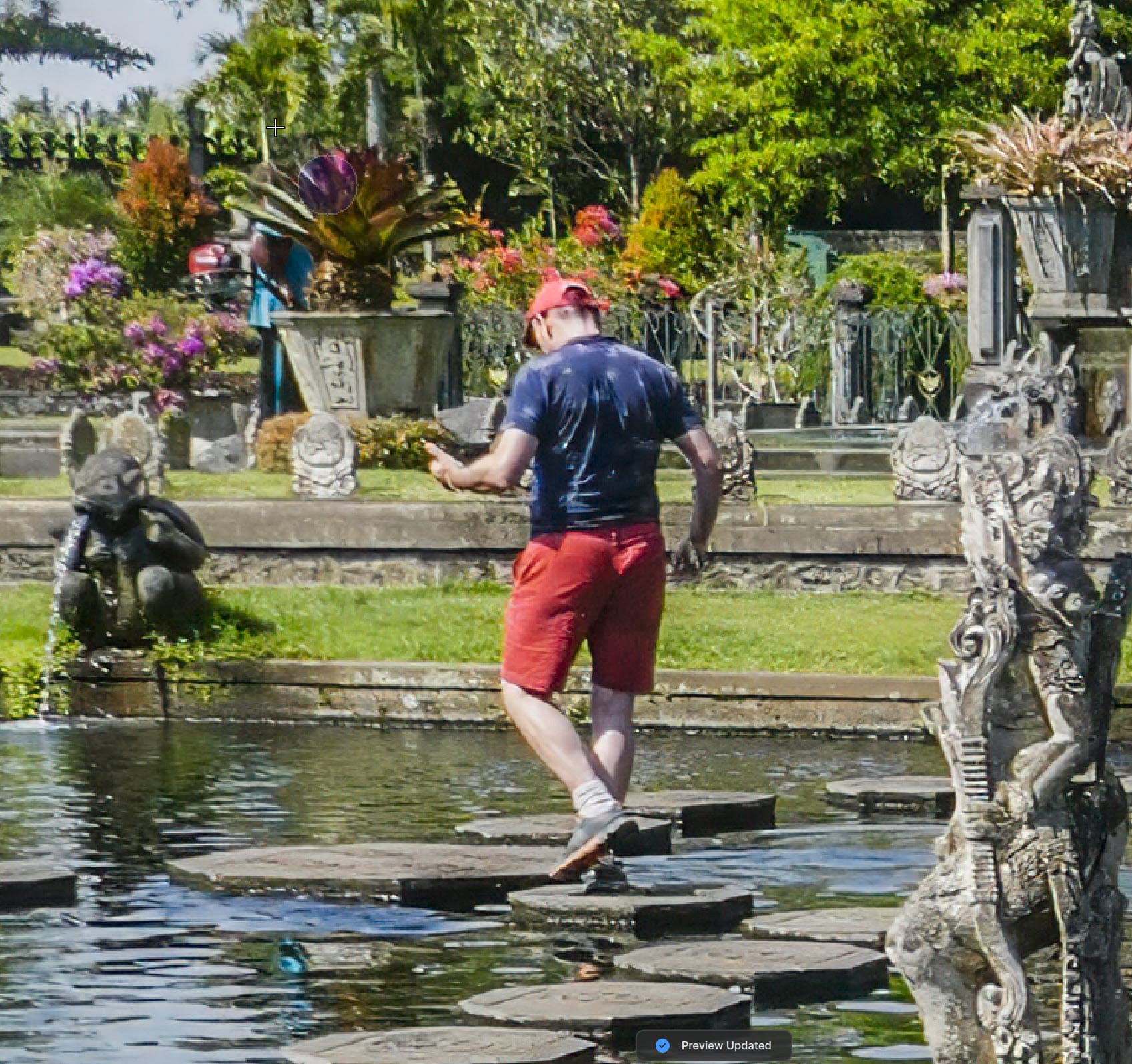
I’ve been going through some old holiday photos, mainly JPGs from a Panasonic Lumix compact. Not the best photos, but nice memories. This was from a water garden in Bali, Indonesia, and I wanted to remove someone in the background
This is what PhotoAI came up with…
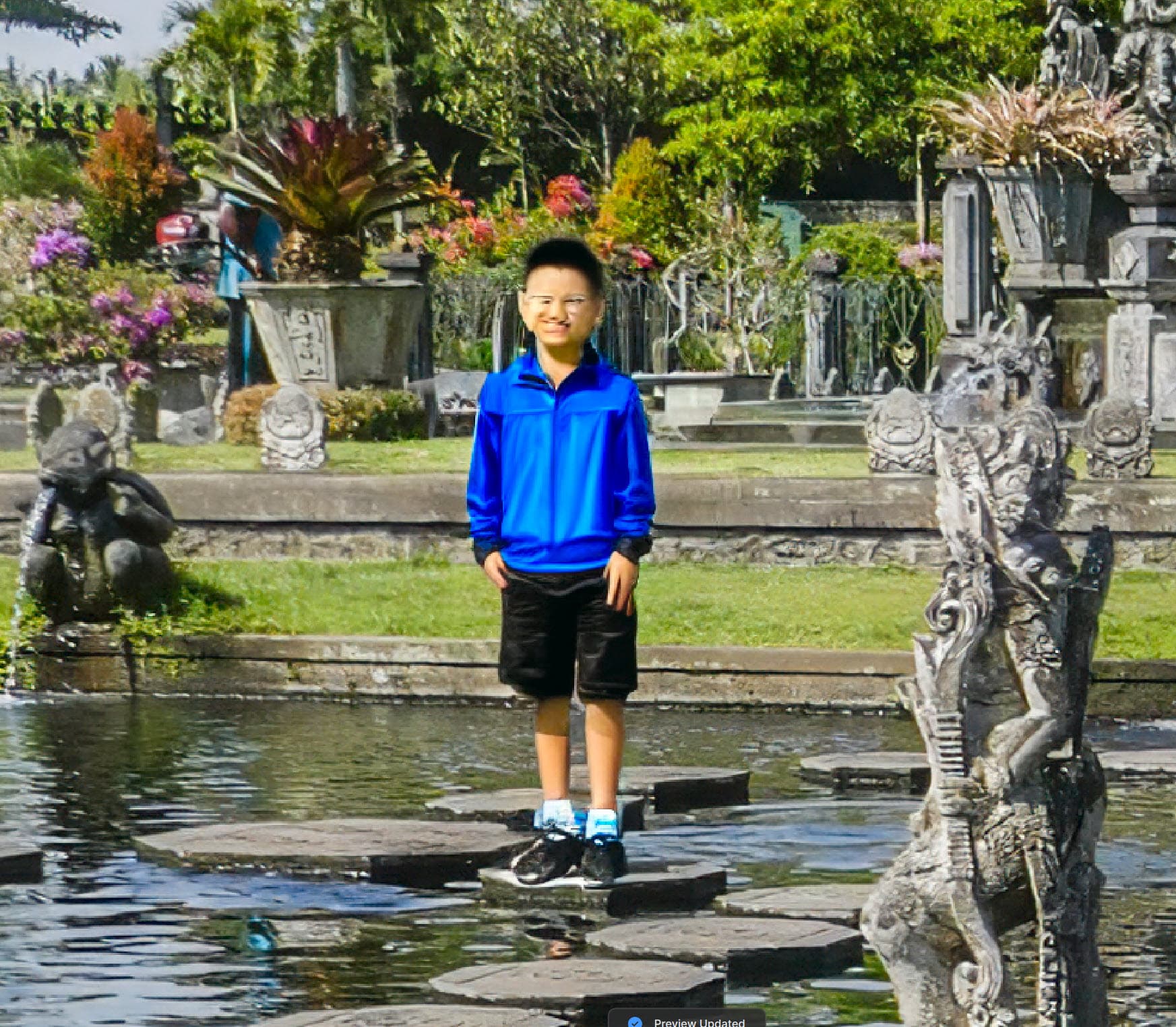
There was no one like this boy in the rest of the image, so not sure where he came from. I have had the occasional issue in the past where the Remove tool seems to get confused, and admittedly this isn’t the easiest background to fill in. I tried clearing the mask and repeated the remove with a broader object selection, but ended up with the boy’s father…
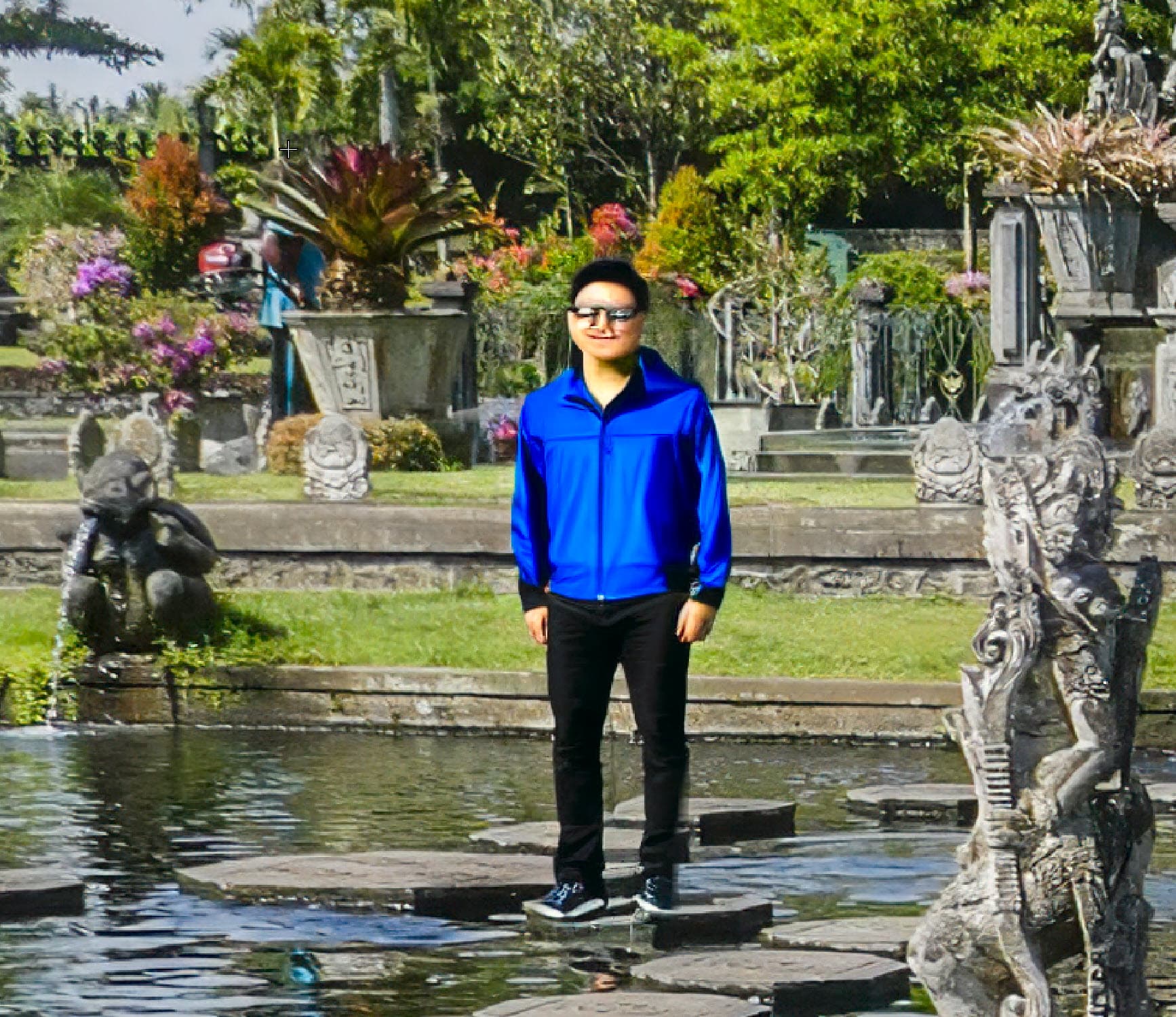
Has anyone else seen this family appearing in their photos?
2 Likes
Since you mentioned the Background, I assumed you wanted to get rid of the partial person behind the planter. Not the full foreground guy.
Where did you paint the Remove overlay? Can you grab a screenshot showing the overlay you paint with the Remove Brush before you click go to have the remove process?
Position can impact what’s generated.
For example - I just downloaded your 1st image, brushed a Remove overlay on the background figure, made a snip of the image with the overlay, then ran a Remove. Here’s the sequence of my screen snips below. It removed the background figure and didn’t touch the foreground figure. I use PAI as a Ps plugin, BTW:
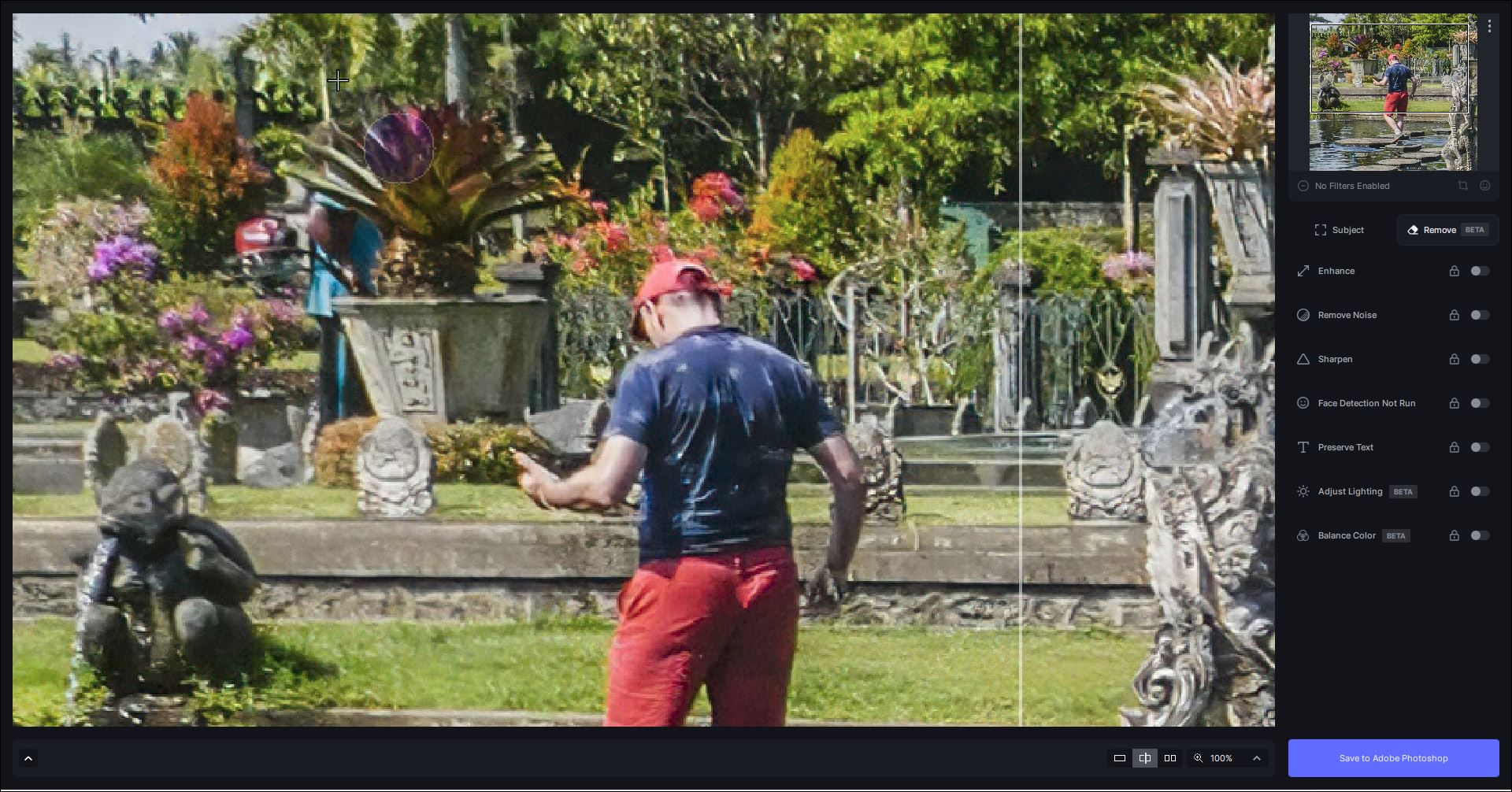
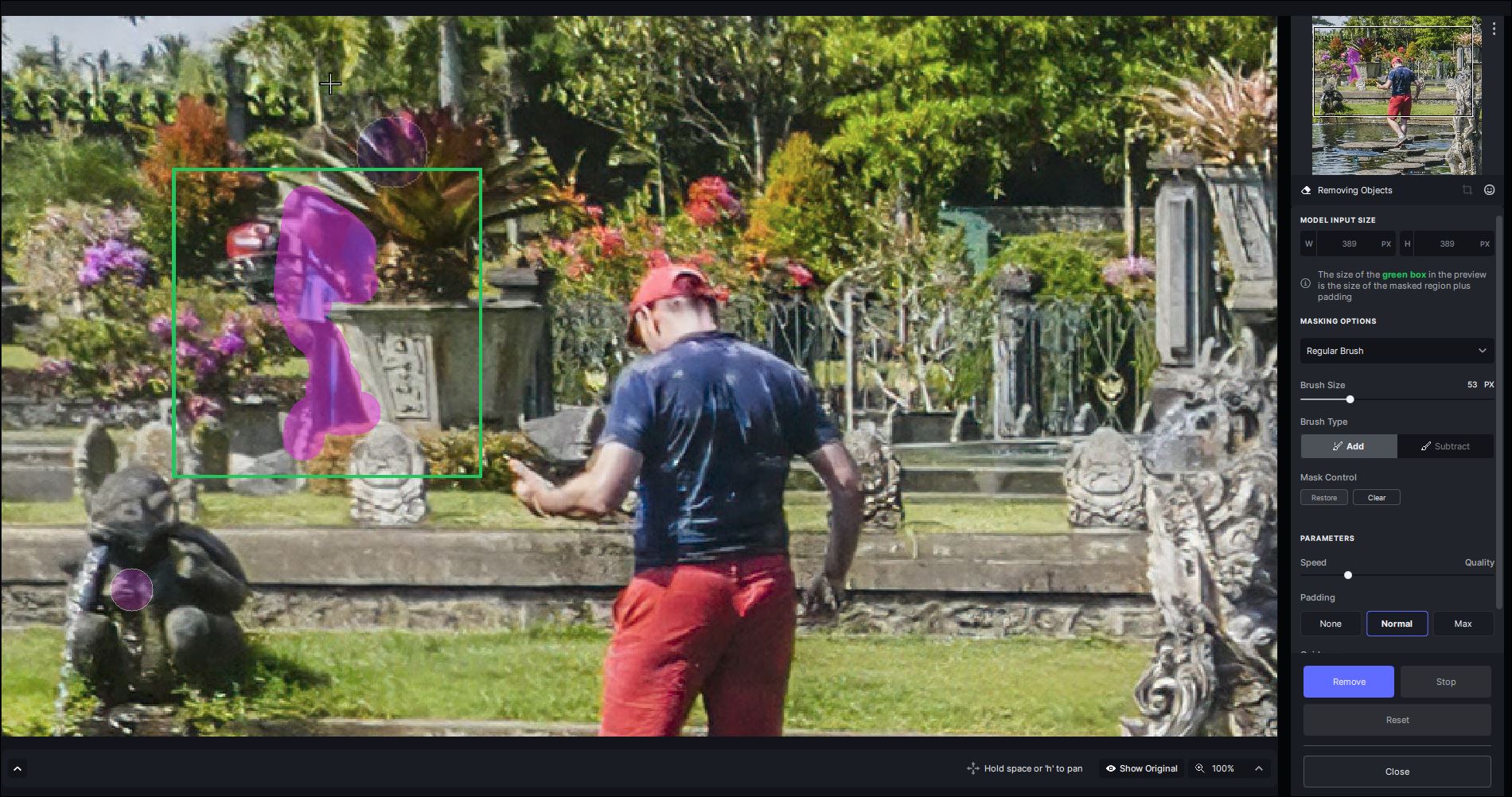
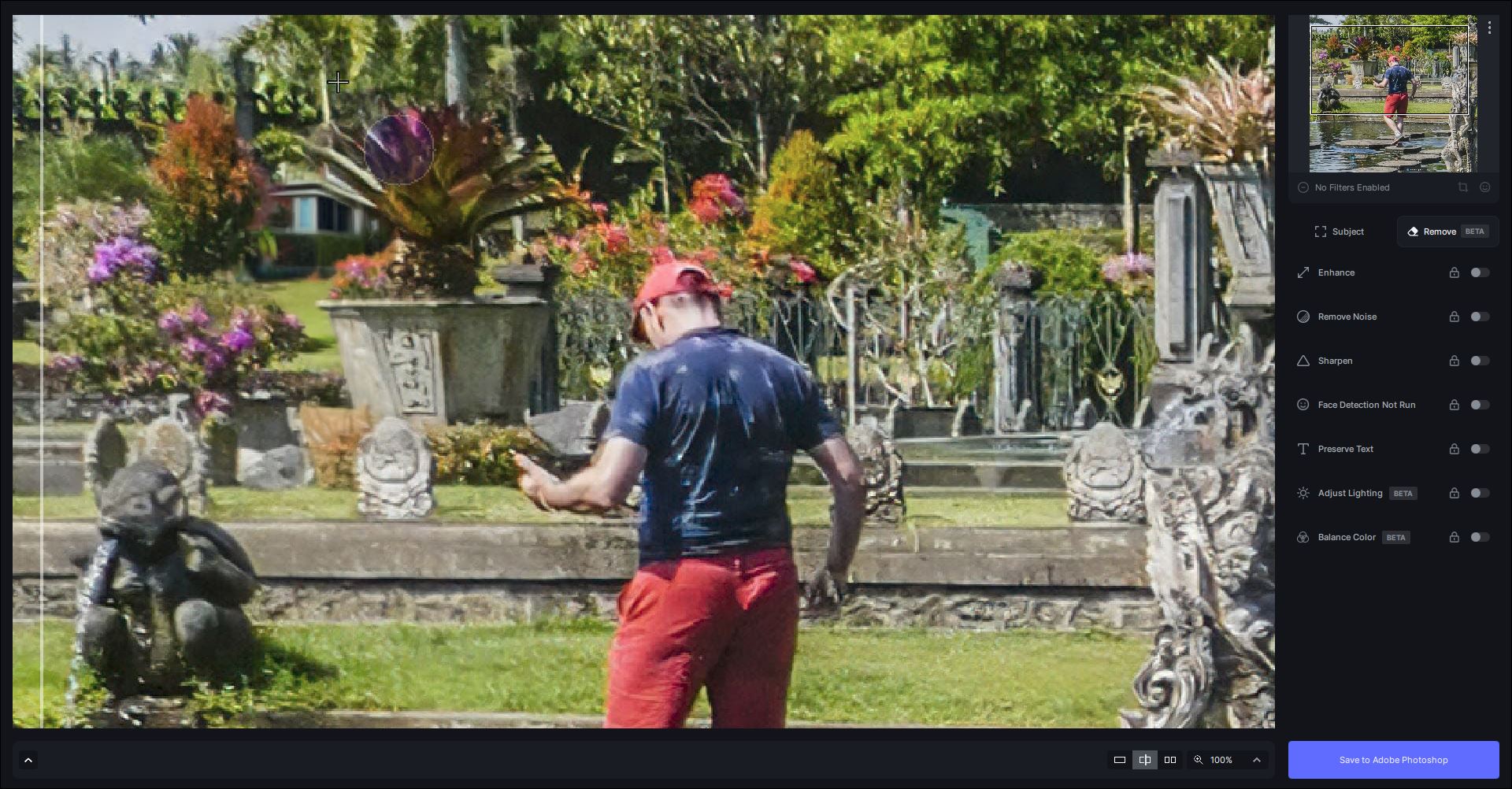
If you want to lose the foreground subject also I’d suggest you do 2 separate Remove processes. Don’t try to do too much in one run. And, I tend to pull the slider for Quality to at least the 75% range (typically) in the righthand panel Remove settings.
1 Like
