Nice work but I think this is very off topic for this section, would be more appropriate for the showoff section:
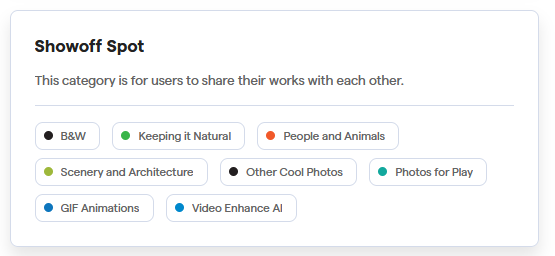
Suggest you move it there instead.
Nice work but I think this is very off topic for this section, would be more appropriate for the showoff section:
Suggest you move it there instead.
How does this relate to Topaz 2.4.2? Why is this in this conversation thread? Vs a General Discussions thread?
Why did NBC News “intervene” with the org’s founder? Was she doing something out of order?
I must go back to the last 2.3 Version. The 2.4 Versions are so slow, I Can’t use them one a Mac M1. No chance. The start from Apple Photos need over 1 Minute. Please fix it!
Why not? It can all be based on the same interface - one complete workspace and some cut down alternatives offered for users not needing or wanting to use all the bells and whistles. Easy peasy.
Most commercial video or photo software offers this, even Paint Shop Pro (Photography, Essentials, Complete for example). Topaz are WAY behind the curve on this and there’s no excuse for it other than “can’t be bothered because we want to work on even more bells and whistles that many or most users won’t ever use and will contain bugs that will take ages to fix”.
Topaz should first Get. The. Basics. Right.
I tried 2.4.0, but after a few dozen images I went back to 2.3.2. I just put 2.4.2 on to see what’s changed.
On my desktop, 2.4.x processes perceptibly faster than 2.3, so it would be nice to use.
As it is, though it processes faster, everything else is slower because there’s so much more messing around…
When PAI opens from Lightroom with an image, I USUALLY have a “Sharpen” tab but nothing else. Why I only have a Sharpen tab I’m not sure. I then have to click “Add Enhancement” to get the Reduce Noise tab, and it opens below Sharpen.
Is there a way for me to default PAI to start with Reduce Noise and Sharpen open, and the floating window IN the right column so it’s not sitting in front of my image?
It seems like I’m having to open tabs every time I start PAI, and push the floating window out of the way pretty much every time I send an image from LRC.
AGREE, 1 million percent!
If you go into settings there’s an option to adjust when/if Denoise/Sharpen are applied by “autopilot.” However, there are still too many bugs/issues with 2.4.+, I’m sticking with 2.3.2 for now.
I agree with you. 2.3.2 works very well. Versions 2.4.0 and higher are too buggy. So much so that I can’t even install from 2.4.1. Supposedly because it doesn’t recognize that I have the AVX instruction.
I’m trying to like 2.4.X, but so far the unproductive part is worse than the small improvement in processing speed. I’ll see if I can get the preferences to make it a little more user friendly.
does it do something? Recover faces seems to be default on even if i set it to low quality images only. And only there does it make sense/is it an improvement) .
Photoshop uses the same AI for literal decades. There is no shame in doing it the boring standard way (options untegrated in the bottom of the sidebar!!) instead of always trying to re-invent the UI wheel, making it a triangle then crash into a wall!
You should look at a new UI idea and ask yourself: is it BETTER? Does it have any objective advantages? Does something need MORE clicks now (spoiler: OH YES!!!) and is there any justification, any benefit for it? Also "is it worth our time or should we focus on other things?
Also ask the users that question. If you do a picture now and then, and completely rely on autopilot, it doesn’t matter (still not “better”) . Feels dramatically slower though.
Adding/changing from that automatic should be the main focus of the UI.
Instead a active effort to make manual changes as cumbersome as possible. Discourgaement to do things manually and use autopilot? Which isn’t good enough for that btw.
The adding of filters and popout options are already pointless and irritating, splitting it THEN into two tabs is madness! What is the point of this? You need 4-5 times as many clicks to doe something like that…
Hallo,
ich habe Topaz Photo AI 2.4.2 mit alten RAW-Fotos aus dem Jahr 2011 einer Panasonic FZ100 und Lightroom-PlugIn probiert.
Nach dem Rück-Export nach Lightroom fehlten in den Landschaftsaufnahmen die feinen Wolkenstrukturen des Himmels.
Gleiches Verhalten beobachte ich bei der Stand-Alone Version von Topaz.
Bei einer vergleichenden Entwicklung ohne Topaz blieben diese erhalten.
Verändert Topaz die Dateistruktur unzulässig trotz Ausgabe im DNG-Format ?
Viele Grüße und Vielen Dank !
Ulrich
I have been testing for several releases it seems that upgrades are same in my account since first one.
I’m trying to like 2.4.x… but, I just can’t for two reasons.
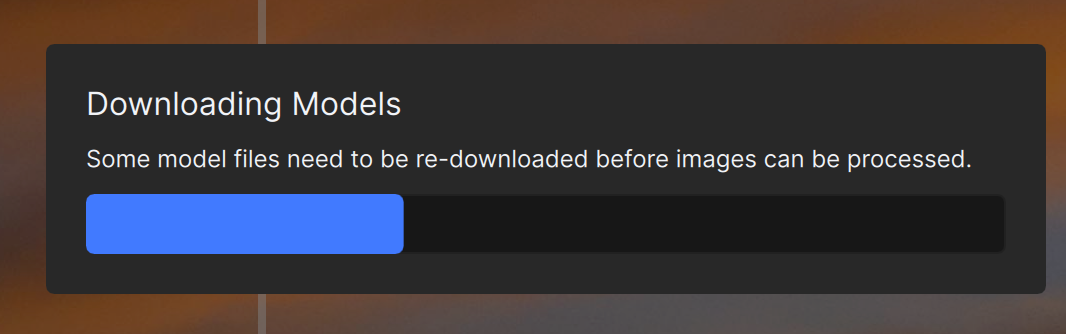
Why does it need to re-download EVERY time I restart it?
Oh, and TPAI Beta 3.0 is out and if you didn’t think it was possible, the UI is even worse!
The app incorrectly reports the file size when saving the image. That file size is important to meet the max size requirement of some apps where the image will be used so it is critical that the number be accurate. There is a significant difference between what is reported there and the final size AFTER it is saved.
I understand engineering and developers ALWAYS want “new” stuff. AND to change the UI so it LOOKS like something amazing and new has been done. I agree with the previous comment about the UI in Photoshop and I’ll add Lightroom. They stay the same. Yes, Adobe screws with things underneath and add new bits and pieces - usually breaking something that’s worked perfectly for a decade - but they DON’T change the overall workflow.
I’m sure it SOUNDS like a great idea when you don’t have to USE the product for doing actual WORK, but it’s unproductive to have the UI changing significantly with minor OR MAJOR releases.
And I’m sure it sounds like fun to keep adding new “features”, but for me, and I suspect, MOST users, WE HAVE EDITING TOOLS - Lightroom, Photoshop, Neo, WHATEVER for doing the EDITING. I don’t WANT to change the color or the brightness or crop or any of the other unnecessary stuff in my noise reduction and sharpening tool. I just want to take my image with the initial processing, reduce the noise, sharpen it, and get it BACK into Photoshop or Lightroom for final adjustments. Maybe MORE effort on making the sharpening better and faster and LESS effort on changing the buttons and making cute floating windows and other unnecessary “stuff”…
If the UI on V3 is as bad as some are saying, I’ll wind up with 2.3.2 and Topaz won’t get any more money. 'Cause SO FAR, 2.4.X ISN’T improving my output and the workflow isn’t improved.
All along, I only use TAI for denoise and sharpening, sometimes upsize. All the color correction, temperature correction, CA/PF removal, photo edits, etc etc are done in my other favorite photo editing software.
My laptop won’t install due to lack of AVX support by the N5100 processor. Any way around this?
exactly the same here
This is a good point. While I’ve also had occasion to wish PAI had this or that “extra” bit of help (cropping, Levels, etc.), it is true we can do that editing either before or after the Topaz Magic occurs.
Once Topaz starts adding in bits of this type of additional generic functionality, it becomes a slippery slope, and where does it then end? Either they match the competition feature-for-feature or stick to the core Sharpening/Denoising/Upsizing – which I am not seeing matched for quality elsewhere, so Topaz is still ahead there.
Too much time spent on monkeying with the GUI is going to be time lost maintaining that lead. Same with offering “useless” options such as the current Balance Color (which it does not, in my experience).
The presence of a Remove option is also debatable but this AI is the “New Big Thing” everywhere. Seemingly, the Topaz version is just not anywhere near what Adobe is offering (or maybe even Stable Diffusion or shareware apps), so I don’t know if it is actually useful here.
So for now I vote for:
BEST OF CLASS Sharpening/Denoising/Upsizing
Cropping/Levels/rotation, just the very basics (for convenience) to get the image ready for further Topaz-specific work
And an industry standard right panel that does not hide settings or even parts of the image from the user
Another topic of discussion is the whole concept of Photo AI. Two years ago the brief was to combine the main Topaz apps into one (not a bad idea; there were getting to be too many separate products). But a second goal was to add auto-pilot, and I think both of these goals together may have been too much to swallow at once. I think even to this day as users we are fighting the jumbled interaction of the main adjustments as well as unwanted “help” from the AI.
An app with fully manual controls but with the power of integration and AI under the hood only when wanted might be preferable.
Both UI’s work for me, I definitely believe that the stacking of functions was a huge step forward. I used to have to export back into LRC/PS and then open a new session of PAI to do some selective fine tuning which was a terrible workflow. I have used the stacking feature frequently to tweak a small portion of an image that selecting subject just didn’t do the image justice. 2.3.2 or 2.4.2 UI doesn’t really matter as long as the stacking feature remains.
I agree with others, I only use the sharpen, denoise, recover faces and upscale functions with the functionality currently nested in each of those functions. Color, brightness and remove occur in PS/LRC. Occasionally I will tweak a crop but that can occur elsewhere, it’s there, why not use it if you don’t like the framing of the image.
And for what it’s worth, preserve test should simply be part of the core application and it should work.
I’ll say it again, the focus should be on the core application, it should be bug free, plugins working on host applications and fast including batch processing. It should operate on any computer that meets the minimum requirements as stated on the Topaz System Requirements page. If the minimum requirements are changing update the Topaz System Requirements page.
There should be no additional options until the core is solid!