Please add an eyeball icon to each process that turns that process on/off so we can see what effect each process has on the over-all image… I’m liking the ability to add multiple enhancements to the image… A tip in another thread… Don’t add Sharpening, but add two Denoise instances… I’m finding this workflow to be a bit better than Denoise and then a Sharpen…
6 Likes
Feature request: please allow the upscale box to remain open when batch processing. I don’t like having to open it for every image in a 50-image batch.
Generally in the Topaz (& most other post-processing) programs I find that it’s always best to do Denoising 1st, then Sharpening (if I’m going to do a bunch of “creative” processing after those 1st 2 steps, then I only do a light capture sharpening - knowing I may have to do a light denoise and an output sharpening after the creative tinkering). Creative processing could include color/wht balance, exposure, tonal adjustments/luminosity masking, other art filters or ‘looks’, conversion to BW, etc.
A motivation for me to do the denoising 1st is so I don’t sharpen and enhance bad noise in the image.
After I get the image processing all ‘baked’ (aka, processed to look the way I like) then I’d do any upscaling at that stage of the workflow. I don’t upscale every image I process, but that’s where I would do it. At the end - b/c then it’s Good In, Good Out GiGo (vs. Garbage In, Garbage Out GiGo).
Anyway, that’s what I do and recommend. Hope it helps! 

2 Likes
Thx for your msg! Additionally,
Users consistently don’t want any panels, processing indicators, etc. overlaid on whatever image is in the workspace and being processed unless they specifically move & ‘stickily’ dock (put it there permanently until they change it) them there.
~ Personal choice ‘Docking’ of panels, buttons, indicators to where desired by the user was another consistent requirement/response in the rel. comments (& b4), Lingyu.
1 Like
This is an excellent response, and much appreciated. Thanks for taking the feedback on board.
2 Likes
While I am disappointed in this newest release for similar reasons to other users, I do very much appreciate the responsiveness of the Topaz development team and willingness to adjust their software in response to our suggestions. I’m thinking we wouldn’t see this attention to customer comments from the big software vendors.
I look forward to seeing the reworked version - Thanks Lingyu and the rest of the Dev team!
4 Likes
Maybe give people the option to dock or not dock different ones. When docked option to have them all opened or just the selected one open. Look how PS and LrC do it.
Also you might just turn off uploads of 2.4 at this site and updates via the app,
2 Likes
Agree. That provides flexibility for different users’ processing styles. Just like Ps. Which is what I was suggesting (and had suggested prior) too. The extra endorsement for that approach is great.
3 Likes
When using the Crop tool, continue pressing Swap and you get this … until no more crop.
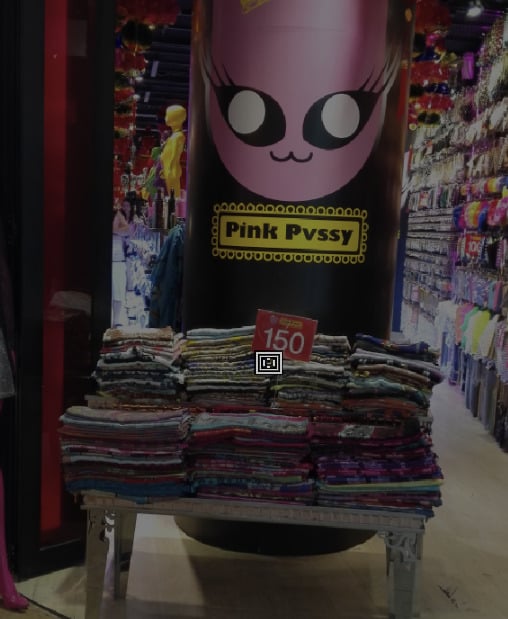
The preview keeps jumping to things like 137% and 214%, etc. I want it to always be 100% unless I manually change it. I don’t see any place to set that. It is really annoying to have it jump up to these crazy zoom levels.
Also, it sure would be nice if the preview window automatically positioned to show the subject after a resize, since you already took the time to find it.
Thanks.
Not sure if this was mentioned, but “Restore Selection” function is missing from the Remove enhancement in version 2.4.0. Now we can’t restore our selection when we undo a Remove operation. Can you kindly bring this feature back? To be honest, I’m left with somewhat bad impression of 2.4.0 and due to the abovementioned and the other issues I reported here, I will be reverting back to the previous version. Hopefully the next update will be smoother.
Default Zoom is still Broken, after adding videos it remains zoomed, please fix this, without seeing the borders comparisons are different to understand as well as cropping.
Reverting until they fix some things makes a lot of sense. I will probably do the same.
Overall, until now, they have been making Photo AI better and better with each update. Topaz has shown its capability many time to make an incredible product, so I have confidence they will do it again. It just didn’t happen on this one.
2 Likes
I have been a big fan of Topaz for a long time, and have loved Photo AI especially. Unfortunately, you have released something unusable and unfinished this time. There is a reason why the posts with the most “likes” are those lambasting this UI or promising to revert. However, it’s not all bad, and can be fixed.
It should be noted that I have not had the basic performance issues that some report. It is not crashing, no individual feature outright fails to function. What it does, works.
Many have mentioned that the UI is frustrating or slow to use. These are true, and here are the reasons that I have found this to be the case, in order of urgency…
- Each adjustment can only be previewed with those before it in the stack, and not on the upscaled and otherwise-corrected picture. This makes preview useless and adjustments impossible to tweak. To see the real effect of a change, one must completely exit the specific section, wait for it reprocessing everything again, and then go back in. It is not feasible to use the software if it has this limitation.
Note that even if some changes are being made before others, the preview still needs to always reflect the actual resulting effect on the image. Without this, we should all stay at 2.3.2 and not buy updates. It is not a suggestion, but an absolute requirement. (and something it was doing right until now)
- The ability to stack adjustments is useless if you can’t change the order. For example, if a lighting adjustment brightens an image, it is often desirable to put noise reduction, and possibly sharpening after this has been done. This is not currently possible without redoing most of the work.
It is fine to let everyone know that noting can later be moved or changed before a “remove”.
-
Within each adjustment, one does not even know whether it has a “selection” unless going to a separate tab. Whether on a tab label, button, or some other format, the “controls” section should clearly tell you whether it is selected to “all”, “subject”, etc. or “custom” if user-edited. Additionally, “controls” needs to always come up when one clicks to open the adjustment. Presently it comes back up on “selection” if that is the last thing that was done.
-
The ability to turn each adjustment on and off with a single button (like it had) is also needed. It is frequently useful to do this as a means of seeing what needs further adjustment.
-
The remove tool should have a default preference. Even on the superior previous version, I wasted a lot time by forgetting to set it for maximum quality. I have a Mac, which handles it quite quickly for the amount work its doing, and would never want to use any lesser quality setting.
The complaints about the new UI are not because of a learning curve, or because people “aren’t used to it yet”. I’ve been in business long enough to know that often while few complain, many others just quietly walk away. Please get this product back on track.
…Sam Brown
15 Likes
Sharpen doesn’t work, the only thing this update did was hide stuff behind the need for more clicks.
Back to 2.3.1
1 Like
^ THIS. 100% what Sam said. The new update is awful.
1 Like
This update sucks I hate it. March 3rd. How can I get the previous version reinstalled?
Please go to product releases on the the top of this page and download whatever version you want .
1 Like
This time I made a video of the problem for batch processing. This version of the software is very bad. It no longer retains settings from one image to the next. It systematically recalculates and loses the setting I gave it in favor of the automatic autopilot setting, which I deactivated in the preferences. I’m going back to 2.3.2.
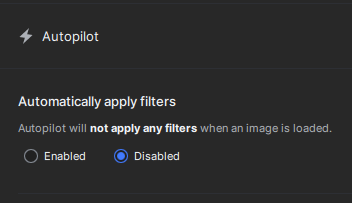
Supporting video:
2 Likes
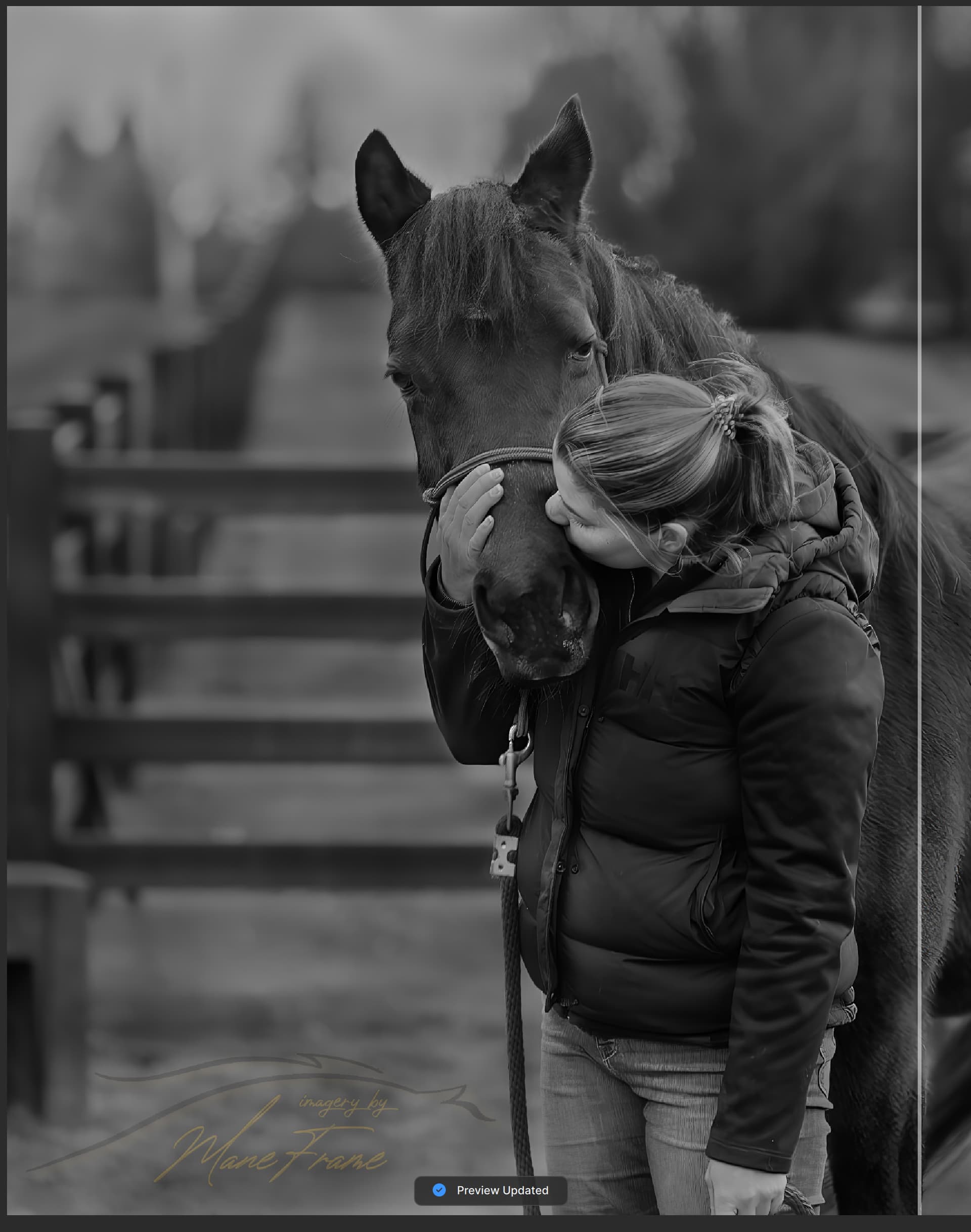
Absolute disaster! Sharpening distorts image so badly it becomes unusable, noise reduction creates unnatural striations in hair/fur.
Whatever you did, you need to undo it or give us instructions how to roll back to previous versions
Screenshots shown were with noise reduction set at 10% of autopilot recommendations, sharpening set at 1% of recommendations

1 Like
