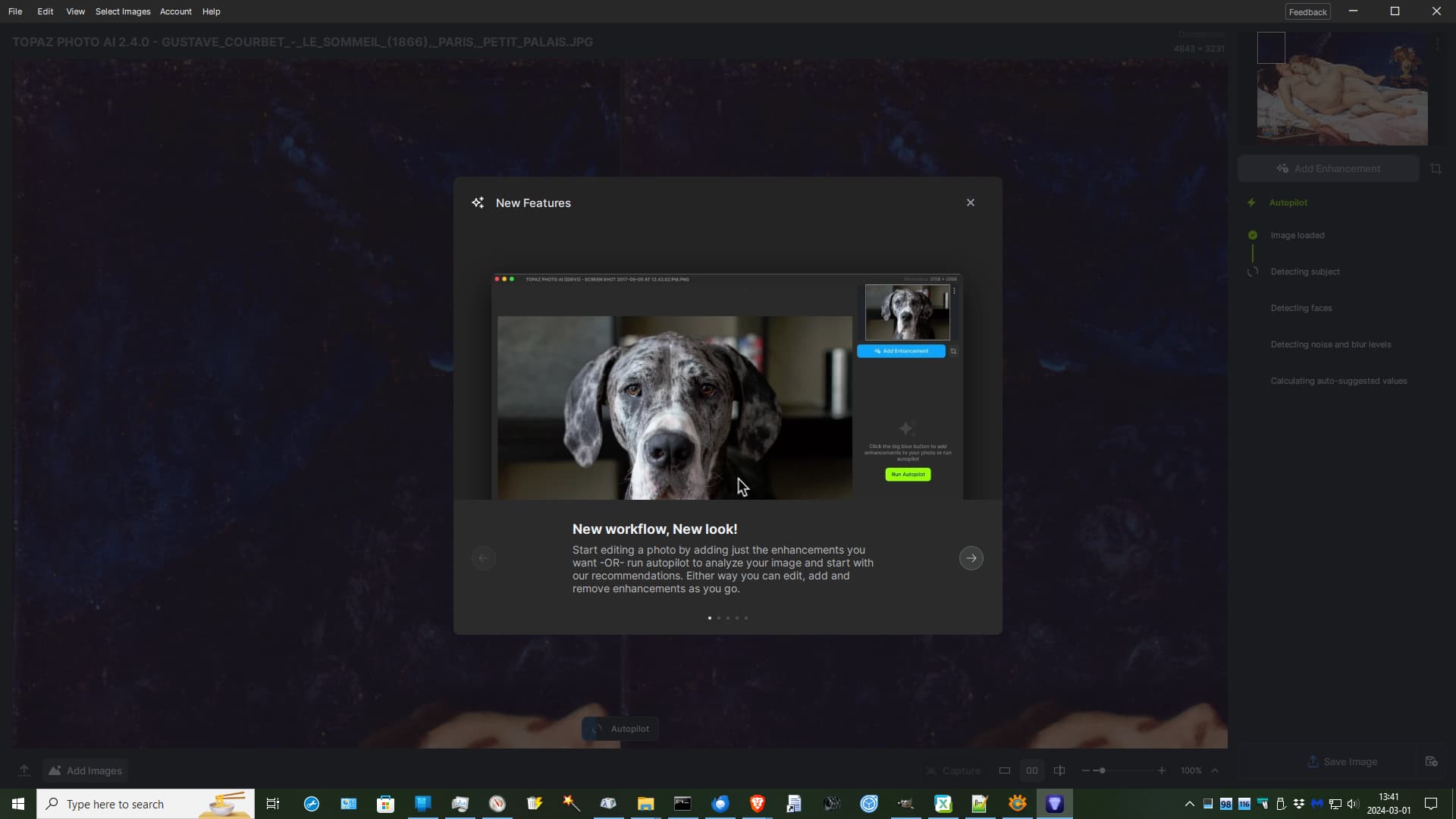
One thing that I absolutely do not ever need or want, ever, when I am trying to use any program, is to have obnoxious, intrusive bullshit like this popping up in my way.
whatever mind-destroying drugs you were using, when this came to your mind and somehow seemed like a good idea, please, just knock it off.
First - Wow, just love what you are doing with Photo AI and these continuing enhancements. I’m really liking the “Remove” feature. The more I experiment with this the better results. That feature is so helpful!
I wanted to add my request with michaelezra above, to have a way to turn on/off (preview on/off) each adjustment as you are stacking them. So, for example if you have removed noise and then sharpened - have the ability to turn only sharpen on/off the preview, while leaving remove noise on, and so forth for each new adjustment you might add.
This new user interface seriously sucks! Seriously, your developers really need to lay off of the mind-destroying drugs. This is what happens, otherwise.
I can’t (& won’t) speak to recreational activities, but what is it specifically about the revised UI you don’t like?
I have an inkling I may be in the same boat wrt layout & “friendliness” (aka, usability) of the new design. But I’m curious.
BTW, are you a photographer & do you use PAI for photography? I am & I do (or, have…).
I use (have used) the products as a Ps plugin.
I’ve gotten emails in the past couple weeks that Nevercenter (CameraBag) processing software will be adding an AI upsizer to its photo processing software imminently.
I can’t really say, objectively, why I hate the new user interface, but I seriously do hate it, compared to the previous interface.
I’m a cranky old man, that tends to be set in my ways. I have to say that when it comes to changing the way anything expects me to interact with it, there is a very, very high bar for me to find the new way to be enough of an improvement over the previous way for me to find it worth the chance.
In this case, if it had gone the other way, if the new user interface was how Photo AI had been working all along, and it suddenly changed to the older interface, I think I can say with a very high degree of confidence that I would find the old user interface to be enough of an improvement over the new user interface that I would easily consider it worth the change. If you are able to understand where I am coming from, then this is a pretty extreme statement about how much I hate the new user interface compared to the older user interface.
For sharpen you could set ‘selection = none’ .
When tuning a specific enhancement it appears to only show the effect of that one; it isnt until you complete that enhancement do you get the stack up effect.
Nevermind, saw your later comment. …Check the mask settings see if subject is selected. Sometimes it does a poor job of detecting the subject and it looks like nothing is happening.
Just want to add my voice although I doubt it will do much. I dislike the new UI system very much for all the reasons some of the others have said above. I’ve gone back to an earlier version and will stay there as long as possible to avoid this new UI. As I’ve said many times on this forum, I wish your company focus was more on core improvements, such as better and more accurate models, higher resolution up scaling, on and on.
There is a company, “Let’s Enhance” that is doing 16X rescales, on line, which on line sucks. Nevertheless, I tried their 16X. Photo AI is currently much better, but the competition is gaining on Topaz, bit by bit.
Please stop rearranging deck chairs and do what matters most, get us across the ocean to the new lands of even higher rez and outstanding photo realistic models instead of the “stringy” V2 ones you have now. (Speaking of landscapes. I don’t use the faces stuff.)
Here’s an analogy for you. When you go out to a restaurant, if the food is wonderful, you can put up with some dirt in the corners and even poor service. You just might go back for the food.
However, if the food is crap, but in this instance, the place is clean with good service, you won’t be back. In the latter example, they forgot the core reason people go to their place of business.
If unlike now, Topaz had mind blowing, photo realistic models and even higher rez upsamples, you could have all the dirt in your UI corners you want, and totally ignore us on the forum, and I would still hand you fists full of dollars.
Yes. You can uninstall updates. And, roll back to a prior version that you prefer. The most recent few versions can be found in the Topaz Photo AI Releases tab in the forum.
Me, I’m probably (even though I don’t particularly like to admit it) one of the old dogs that’s not very fond of changes (if it ain’t broken…)
My two cents - this new UI can be both good and bad at the same time.
Good: With a reliable “auto” that does its thing and the hits that you can just save and forget are an important majority over the misses. In this case I think the new way of adding that little extra is a great improvement.
Bad: If the “auto” leaves a lot to be wanted and you have to go in and fine tune every other photo in a batch. Then the new UI is horrible, and a huge loss of time.
I rarely comment for an update but this is infuriating.
The new interface and process is horrible,
I use face recovery a lot but the abscence of on/off toggle along with the submenu to access the slider make it unusable.
Same with the zoom not being at 100% by default.
The worse it the upscaling being done at the end with not way to change that. It’s impossible du judge the Face recovery setting before the upscale. Or at least keep the upscale applied when changing the other tools.
I think the update is good in principle, the flexibility and stacking have been on my wish list for a long time. It’s obvious that more complex handling also means more complex dialog handling. Perhaps as an improvement also in the sense of the criticisms here, apart from still existing errors:
do not open the settings as a modal dialog, but on the right side directly below the current work step
by default, open the fine settings of the first step of the AutoAI immediately and automatically
allow the deactivation / activation of each step without having to delete it.