
Just a quick “hardcore” test, and it is very fast and amazing
5 Likes
If you get that screen that shows “Releases” for PAI , then click on the blue link for 2.0.7 or 2.0.6 (whichever rel you want to re-install), it brings you back to this 2.1.0 discussion thread?
How fast is fast?
What are your computer specs?
What are the dimensions/file type of that image?
time: 12 sec
system: Windows 11 Pro, AMD Ryzen 7 5800, 32GB Ram
1 Like
That is fast!
yes, that’s correct
Hmmm. Sounds like a link is broken. May need to alert Tech Spt so they can A- Help you, B- Get the link fixed for others.
BTW, I just tried clicking on those links from my tablet to test, and each of the 3 links took me to the correct forum. At the top of which are listed the Apple & Win installers for each of the 2 prior releases and current release. I suggest you get what you want ASAP b/c a new wkly release will (typically) be issued today…
Not the biggest image 3000x2000 jpeg, old from Nikon D70. Main work is to brush precisely to get best results.
1 Like
nice.
I’m sorted now. Got AI 2.0.6 and it works with Affinity Photo as plug-in, as before.
Does that mean I can never update if I want to use it as a plug-in?
I feel I am missing out.
Kind Regards
Gill Grubb
07941 288176
2 Likes
Great result indeed!
Same here. It works with 2.0.6. Let’s hope it’s fixed in the next release!
1 Like
Works fine with Affinity Photo 2. It will not upscale but it does everything else.

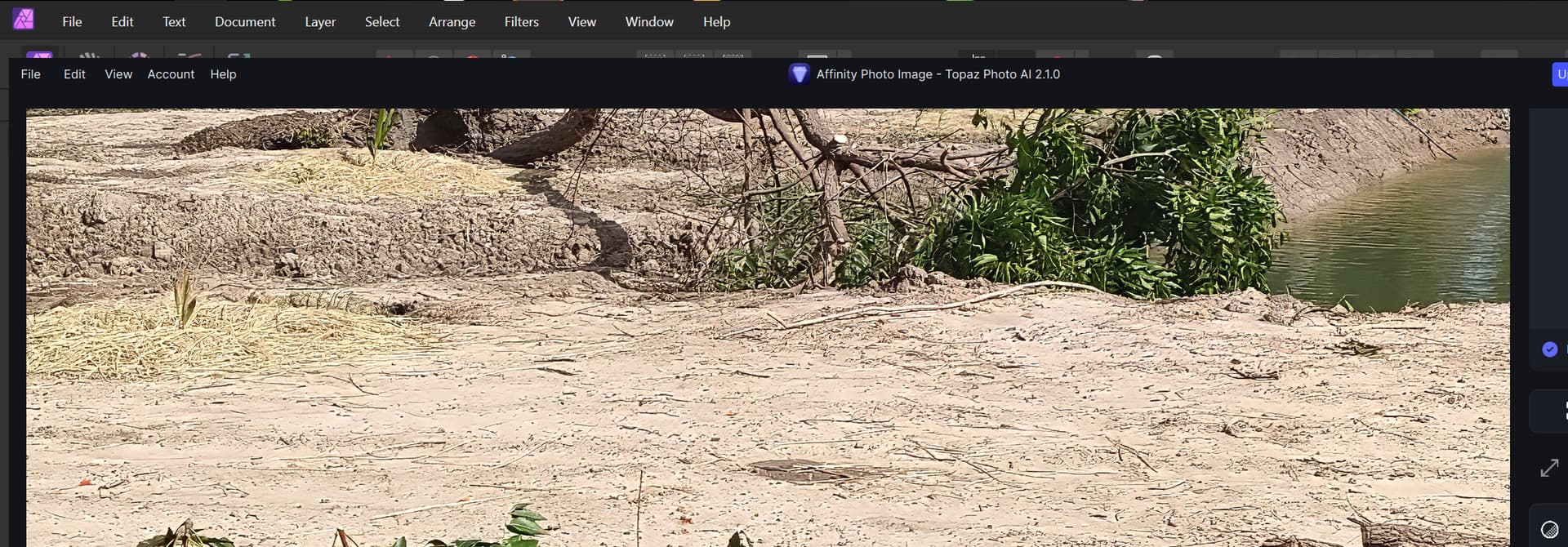
As you can see this is with Photo AI version 2.1.0.
2 Likes
It works fine with Affinity Photo v2.2.1 (Latest Production) as you can see here:
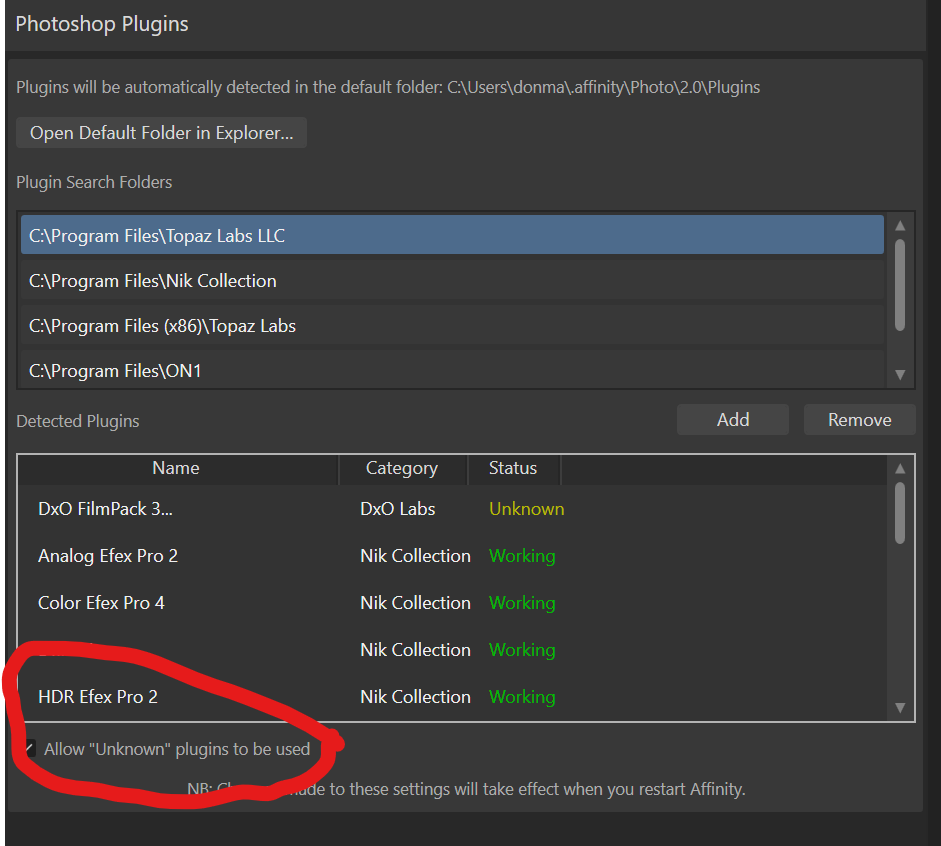
Make sure you select the correct Folder for the Topaz plugins and that you DON’t have different versions of Topaz Photo AI production versions there (except if you are a Beta tester the Beta product can be used). And make sure that Allow “Unknown” plugins to be used is selected.
2 Likes
This topic was automatically closed after 2 hours. New replies are no longer allowed.
