Scusate la domanda semplice ma non ci sono riuscito da solo: Come fissare i parametri uguali Enancing Noise, sharpen, faces ecc TUTTI UGUALI per un gruppo di foto?
Infatti togliendo autopilot bisogna poi fissarli uno ad uno per ciascuna foto.
Grazie
Translation of Rocco’s post immediately above - perhaps someone who does batch processing can answer:
"Sorry for the simple question but I couldn’t do it myself: How to set the Enancing Noise, sharpen, faces etc. parameters ALL THE SAME for a group of photos?
In fact, by removing autopilot you then have to fix them one by one for each photo.
Thank you"
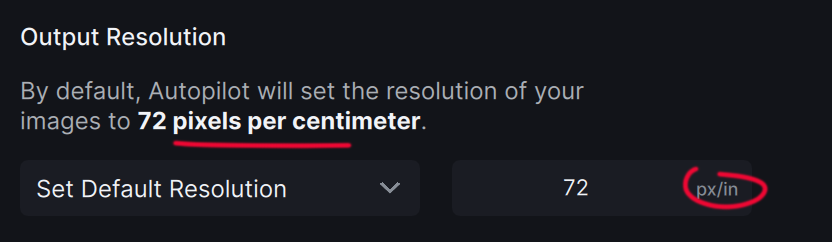
Just to be picky, one is pixels per centimetre, the other pixels per inch. I believe that’s an error.
1 Like
There is no real improvement in color rendition or detail retention. You can see here the Photo AI autopilot settings applied: (f/8, ISO20,000)
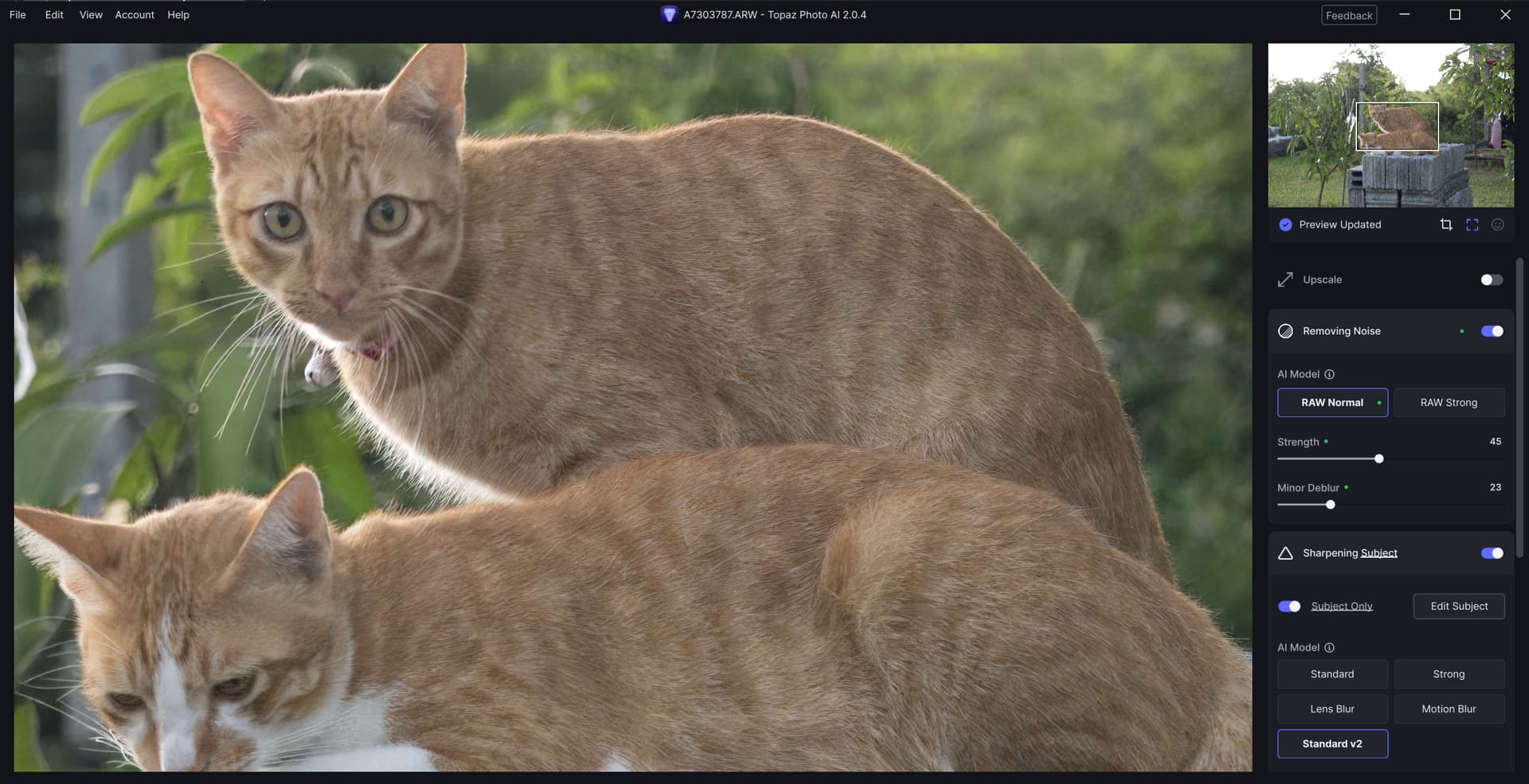
Still with muted colors, and inconsistent sharpening.
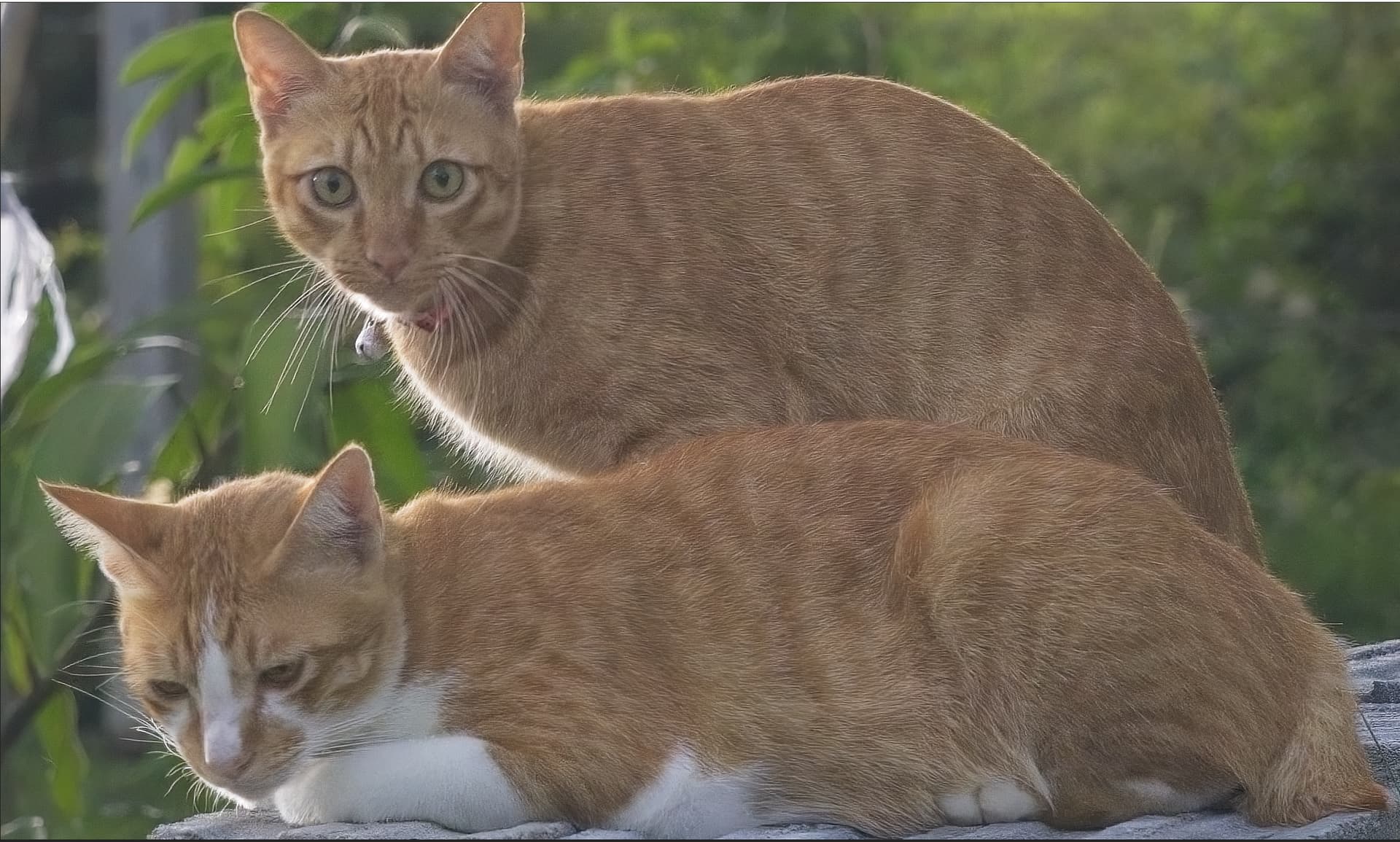
An alternative product with their automatic settings:
I’ve been reporting this for a long time, repeatedly.
I’ve just tested the latest TPAI beta and the Tiling Issue is still there, verified the issue is present at these settings:
- Upscape / High Fidelity
- Denoise/Normal
- Balance Color
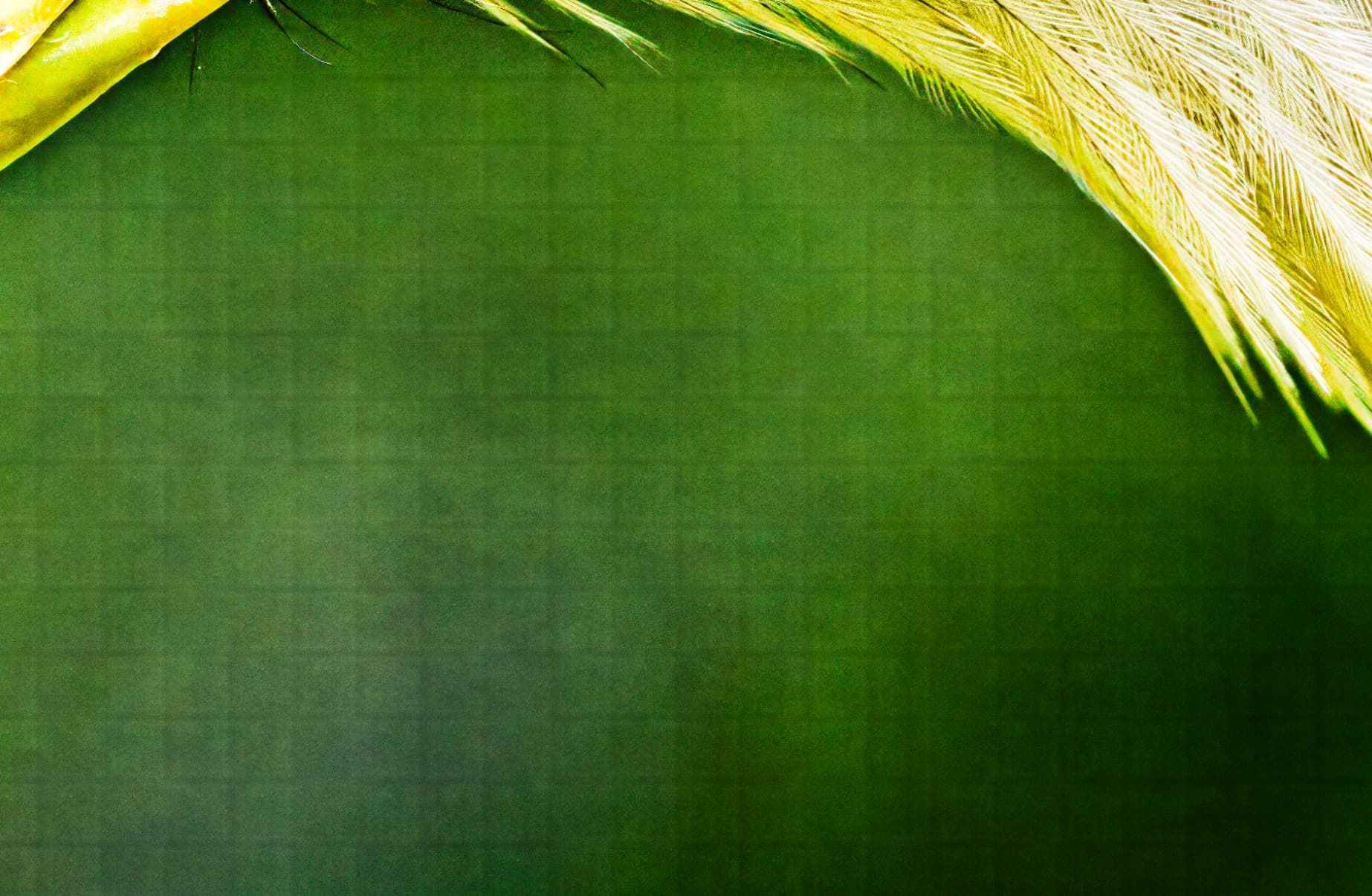
Upscale/Low resolution - no tiling issues.
Please understand that this product is unusable for professional or any reasonable use while tiling issue is not fixed. Please address this as an absolute highest priority.
If testers don’t know how to test, its actually rather simple - take a screenshot from TPAI, paste into photoshop and apply Camera raw filter with boosted Texture, Clarity and super boosted contract.
Re-apply the same Filter for every new screenshot. This makes it easy to visualize the issue.
I would appreciate a response with an outlined plan from the development team -
WHEN WILL THE TILING ISSUE BE FIXED.
5 Likes
Interesting comment.
1 Like
After version 2.0.2 “Adjust Lighting” still doesnt work for me !
My system is Win10 , i7-2700k , GTX 3060 . Please check and fix this !
Same things happen for me quite a lot… it get’s stuck and just keep on “generating preview”, but snaps out of it if I move the image.
Make sure it isn’t a RAW image, they are not yet supported.
A few minor issues related to subject masking.
-
If I use the AI Brush to change the masking, and I move the crosshairs off the edge of the photo and then back , it still works. It will continue to change the mask as long as I keep the mouse button pressed…
But if I use the Regular Brush, then as soon as I move the cross hairs off the photo, then it disables the brush. If I move it back onto the photo then it doesn’t work. I have to release and press the mouse button again.
I would prefer it if both brushes worked the same way.
(I know it is hardly the biggest problem in the world. But it is a bit annoying. I use Photo AI a lot with dance competitions. The automatic subject detection often picks up people in the crowd behind the dancers, and I don’t want them sharpened. ) -
Sometimes when I click the Select Subject button, it doesn’t show the current mask. I have to use the brush (without pressing) to paint over the entire image to show the mask. This only happens occasionally, and doesn’t seem to depend on the photo. It might be related to opening the subject selection while it is still generating a preview?
-
Sometimes the Regular Mask brush is very slow, taking a second or two to register what you have just done. Again this is not all the time, and seems to be more when I start making changes. After a few seconds it gets back to normal again.
-
I don’t use the on-screen buttons to change between Add and Subtract - I use the left mouse button to add and the right mouse button to subtract. With the Regular Brush, the circle defining the edge of the brush is almost invisible when the right mouse button is pressed. Often the only way to see where the edge of the circle is, is to add or remove part of the mask.
-
Why do you have a combo box to change between the Regular brush and the AI Brush? It isn’t like you need to save space on the control panel. All it means is that it takes two mouse clicks to change the mode instead of one. (Unless there is a shortcut key I don’t know about?)
-
Is there a way of changing the brush size using the mouse wheel? I want to keep the default mouse wheel behaviour as zooming in and out, but would be nice to use Ctrl + Mouse Wheel, or Shift + Mouse Wheel to adjust the brush.
Yes, definitely do not rely on screenshots from TPAI to test for problems. Only use lossless output files.
No its not RAW image and seems i am not the only one with this problem
Adjusting lighting freezes since the update 2.0.1 - Topaz Photo AI / Bugs and Issues - Topaz Community (topazlabs.com)
1 Like
Bug - Photo AI 2.0.4
- I have I have finished making my desired changes and topaz finishes processing the changes
- I zoom in or “loupe” in the picture to check the sharpness.
- The ai setting will reprocess the image, reverting the picture
WHY IS THIS HAPPENING???
1 Like
Feature Request - “ideas for version 3?”
For the “adjusting lighting” or “balancing color” it is really lacking a ton of features and customizability.
Topaz needs to have more settings like the “develop” option in Lightroom classic has.
Examples:
- Color and lighting Treatment - Topaz ai needs to be able to apply an automated color preset especially to multiple photos. Ex. Contrast, exposure, highlights, and especially saturation.
- Crop - Automated straightening
- Healing - Fix wrinkles or pimples in peoples faces
- Masking - apply better color treatment. Topaz ai should be able to automatically set masks and then apply desired lighting
- Mass editing - I should be able to give topaz a ton of photos and then get updated.
- Apply community presets
Topaz is really falling behind lightroom. Yes, I know there are moderators that say that “topaz should be used as an accessory not as a main editor”. But that is such a foolish argument and really missing out on topaz true potential. It shouldn’t be that difficult to add in a few of those minor features, bc topaz already has automated masking code.
What is your operation system and gpu?
Installed 2.0.4 yesterday and since then the app will crash at various points when processing images. I’ve not had this problem before. It may happen when processing as few as 5 images but will almost always happen when processing > 10 images. In some cases it will close with:
Topaz Photo AI either failed to start or did not finish successfully. Exit Code 11
In these cases all work is lost and has to be re-done.
Other times it will get to the processing stage but then a number of images
Error: Error running model
or a similar error about failing to save.
In these cases I can “cancel processing” after all images have been processed and those that were finished are fine, any with errors have to be re-done.
In some cases the only way to get a photo to process is to do it by itself.
This has cost me hours having to reprocess and only reprocess in small groups.
Info:
MacOS 12.6.9
2.3 GHz 8 core intel core i9
Memory 64GB 2667 MHz DDR4
AMD Radeaon Pro 5500M 8 GB
Intel UHD Graphis 630 1536 MB
Also - using Lightroom Classic Plug-in…File > PlugIn Extras > Process with Topaz Photo AI
Mac OS Sonoma 14.0 (23A344); Same issue was observed on the previous Mac OS
M1 Max
1 Like
I don’t believe Topaz Photo AI competes in the same space as Lightroom, foolish or not, it would be burdensome to start adding all of your proposed features to TPAI. Topaz should just concentrate on the things that improve the quality of the enhancements. I’m not sure about what most users use, but I have the Adobe Creative Cloud, so I have Lightroom and the Photoshop Beta available to help me with those tasks. And PS Beta’s neural filters are giving TPAI a run for the money on many features enhancements with every iteration of the Beta.
5 Likes
Since installing version 2.0.4 yesterday, I’ve often had image processing freezes, either noticeable in the progress element or after doing “save to Adobe Photoshop”. The system freezes with this version whereas this never happened with previous versions.
Any suggestion to fix the problem ?
Agreed. The space for that type of host software is saturated with well-established competitors - Adobe, ON1, DxO, Affinty, Radiant, even Nevercenter, etc., etc. It would be an uphill, futile battle (& less than marketingly astute) to run headlong into the entrenched large linemen in that field. It’s not entirely clear to me who the target mkt for PAI is, but I concur that the smallish Topaz staff would do best to optimize their differentiated strengths vs. dilute them with too far afield bells & whistles large competitors possess.
7 Likes
