The models finally downloaded. Sorry to say I am still getting the blurriness on out-of-focus textures that I try to sharpen in PAI. Neither the standard nor the strong models achieve much. This is with lens blur set to maximum. I STILL get a better result using SharpenAI!
When using the text preserving feature, it doesn’t take a long time to process the preview, but takes a significantly longer time to send the image back to the editing program. This is not new to this version for me, but I’m wondering if this is experienced by others?
I bought Topaz DeNoise AI because the old Topaz Photo AI did not have Recover Original Detail. Now I bought Topaz Photo AI v1.5.0. Should I use Topaz Photo AI v1.5.0 instead of Topaz DeNoise AI from now on?
Hi, I returned from a vacation an worked on my photos. I had to sharpen just a little one of my images, so I exported from LR to the new Topaz Photo. It works great, but saving and returning to LR seems to take longer. This is my first impression so far.
The msi file located in the “Installer” folder hidden in the “Windows” folder can be deleted. But in this case, you need to keep a copy of the currently installed version for the next update, so that you can import it into the installer for the next version. That’s what I do.
I cannot update Photo AI. Tried re-downloading, but the same thing happens: Installation just fine, then I get the turning beachball, waiting for “Download AI Models” to start - which doesn’t happen, also not after a night keeping it running.
I use an iMac (late 2013) running MacOS 10.15.7
I have finally updated Photo AI after skipping all the updates since version 1.2.3. (I guess most people on this forum have updated in gradual steps, perhaps week by week, and might have forgotten the old versions as comparison to the new. Features like being able to set in Preferences the amount of strength for the face detection auto pilot; the choice to have the image close after saving; the extra manual adjustment sliders in some of the tools; the much faster image processing speed—especially when saving the image—to name a few. These are stark improvements when updating from so far back.)
I think the new ‘Recover Original Detail’ tool in 1.5 is a good idea, however it only applies when the Denoise tool is active. Sometimes detail can be lost merely by upscaling/enhancing an image, even with Denoise off, and so it would be good to have the option to apply the Recover Original Detail tool in this situation as well. Another option would be to add a ‘Film Grain’ tool to superimpose an artificial noise if it happens that the result of enhancing an image creates the overly smooth-air brush look. I have another upscaling application (Photozoom) and it has this Film Grain feature. Actually I tend to use Photozoom in cases where Photo AI overly enhances and creates the air-brush effect when upscaling an image.
As I posted some time ago in another section of this forum, I still think Photo AI needs a Heal tool to quickly and easily fix any anomalies that may occur in the enhance process.
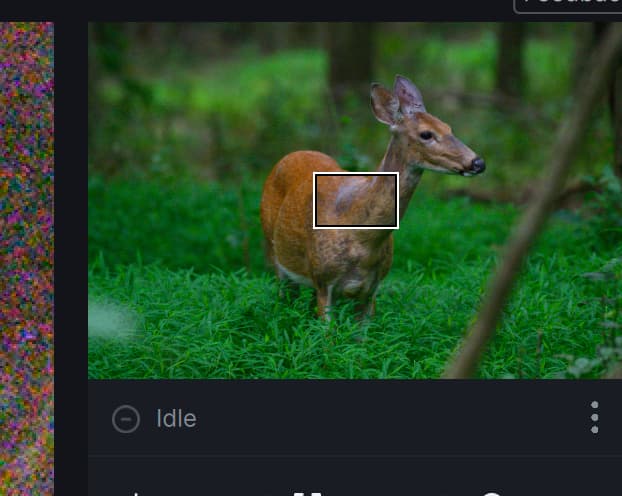
Bug report: at some point, when selecting 1-st or 2-nd image from the loaded thumbnails, the preview stops rendering for that image, status says “idle”: