How do I access GigaPixel from within Photo AI?
Thanks. We’ll see. After I posted, I wondered if it was because I was using it as a Photoshop plug-in.
And it was in the stand-alone version. So it may not be available when Photo AI is used as a Photoshop plug-in.
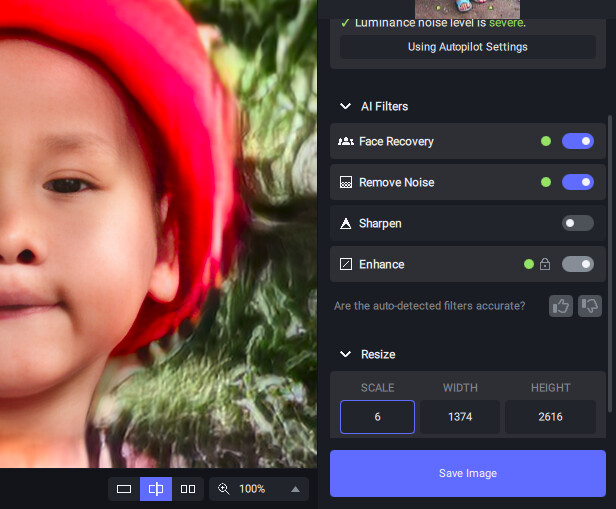
You can access the Resize function from within the standalone, it is not available as a plugin as yet because it will require a Automate option rather than a plugin.
1 Like
Thanks, Don. I tried the standalone version after my post, and it was there. Will it eventually be available within the Photoshop plug-in?
Cheers, Rex
I’m not sure, I guess it is an option that there is a Automate entry only for GigaPixel (Resize) but I don’t know about DeNoise/Sharpen as it would make another step. I’m not privy to the final architecture of Photo AI … we just need to see how this pre-release evolves.
1 Like
Thanks.
here’s the same one processed with just DeNoise AI/clear
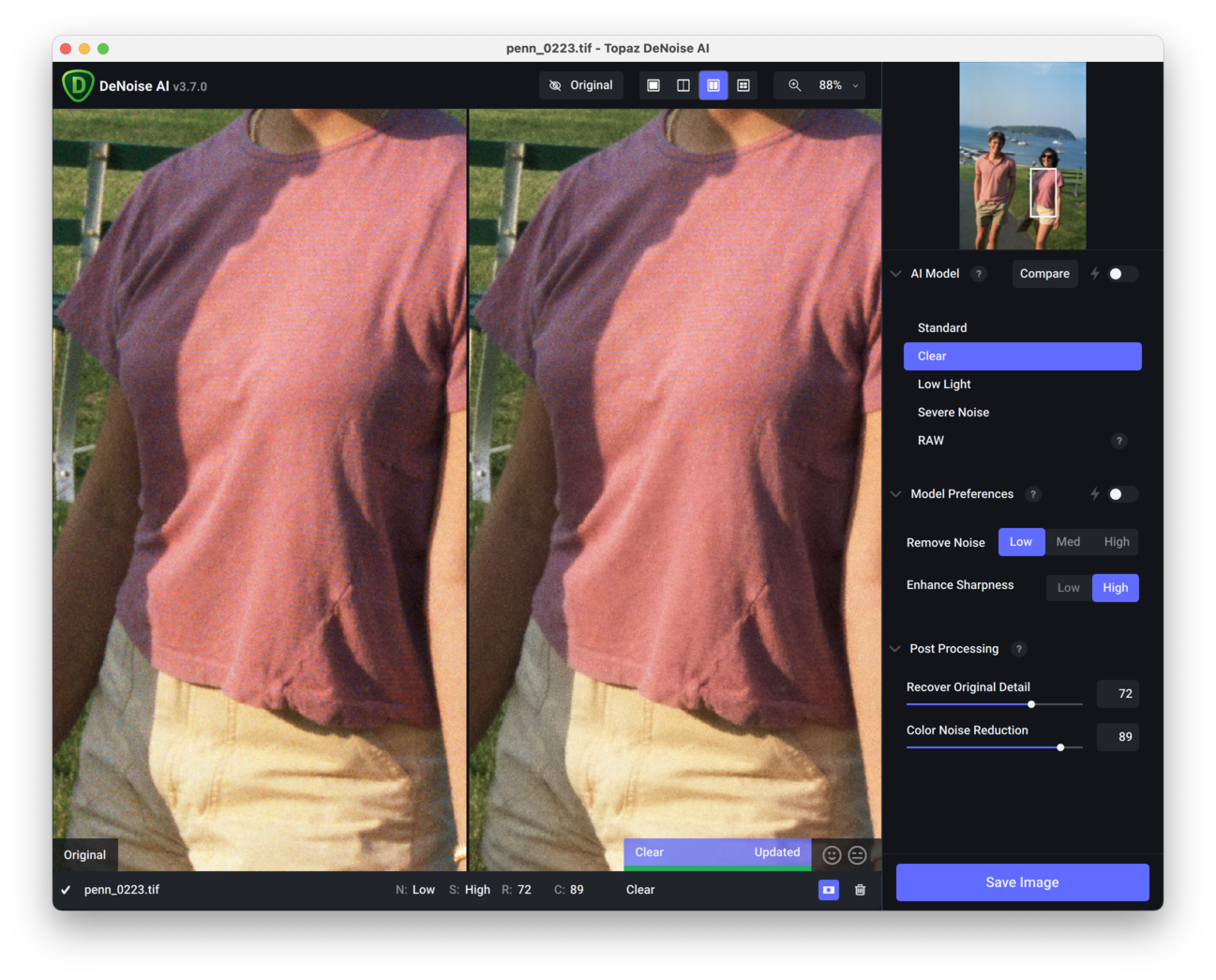
of course, DeNoise/standard leaves the stripe detail intact
1 Like
Did DeNoise select Clear or did you?
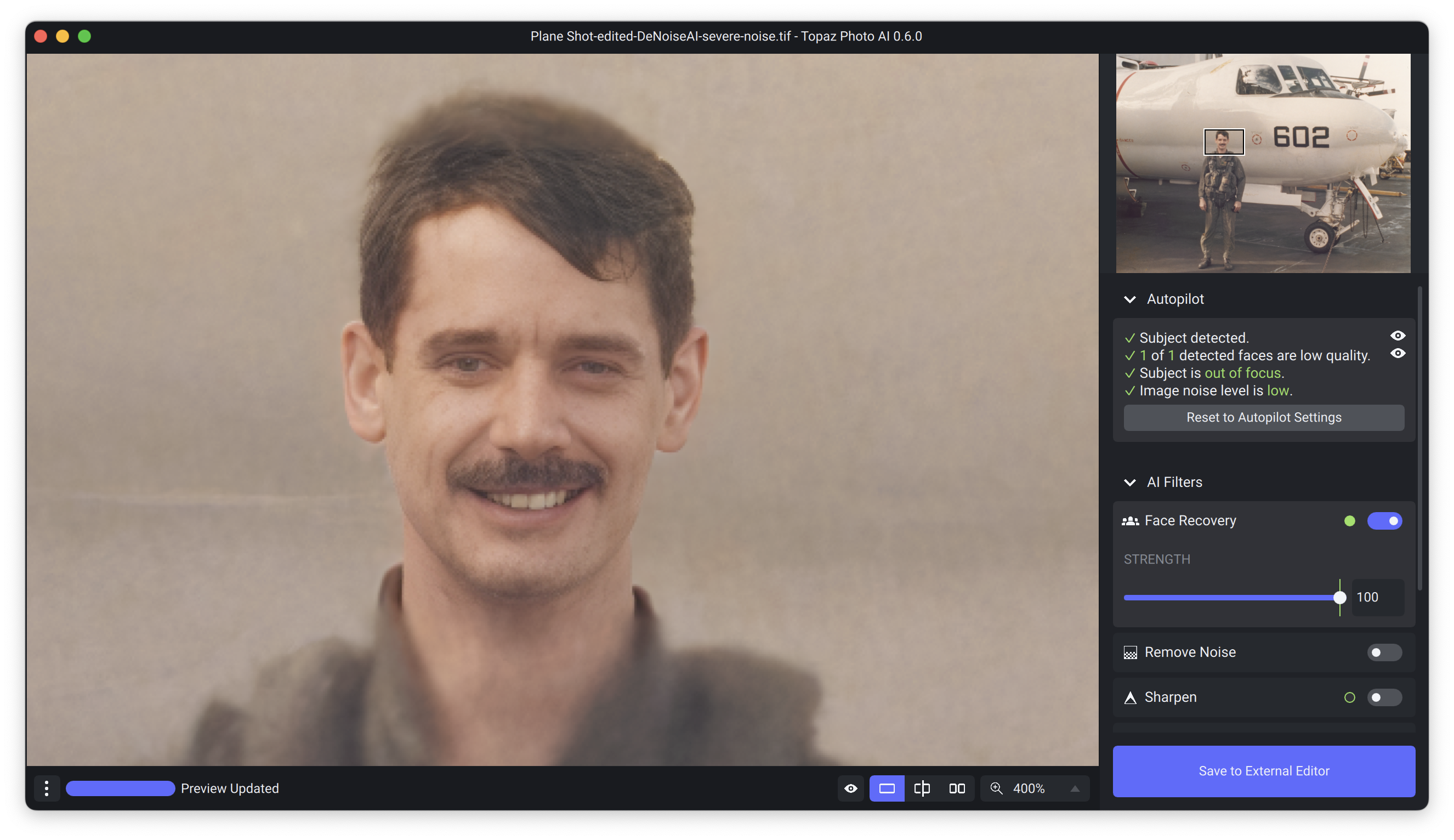
What sort of magic is this? lol! I tried out the face recovery and it was FREAKY. It did get the eye color wrong, so it might be cool to have a color picker that let you choose the correct eye color. Are you using some sort of large database of facial parts that you render from? Because this really does look like the guy, at least enough to be pretty convincing. It does look weird where the effect stops and it’s blurry on his neck, but I did use this, with it slid back down to where the effect wasn’t so uncanny lol.
Original
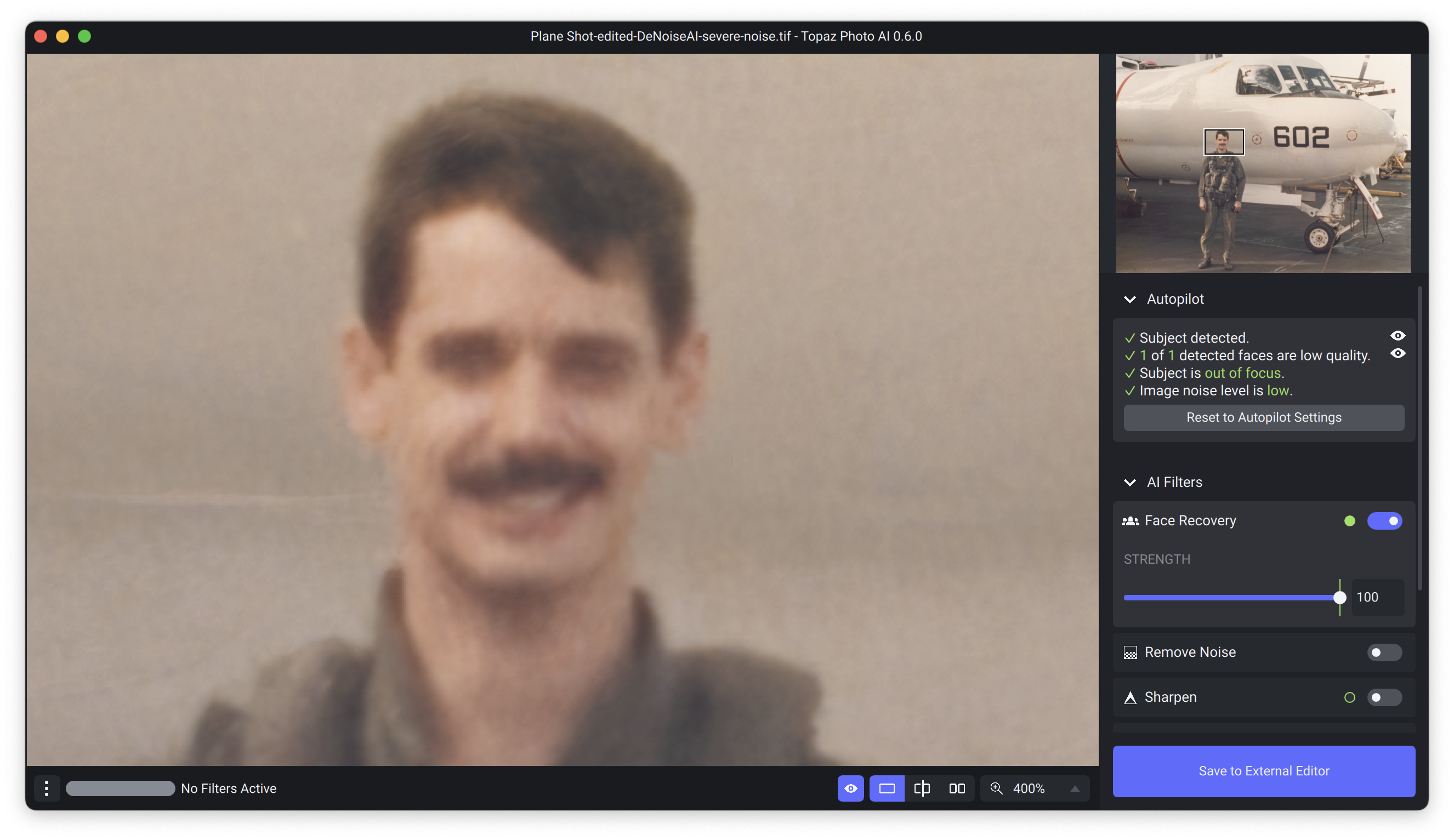
Face Recovery at 100%
7 Likes
i selected clear for DeNoise, but auto mode selects Standard
1 Like
Interesting idea!
Don’t know if you have other post processing software, but that would be a pretty easy fix if so.
The facial recovery in the program is indeed progressing impressively with iterations!!!
First off, a big huge thanks Topaz devs for fantastic work on these modules! 
I use Denoise AI and Sharpen AI heavily, especially for infrared and astrolandscape work. I just pulled a night image into PAI and notice that it renders the image darker than it is. I compared the image to ACR and Nikon NX and these two programs render the image similarly. I pulled the same image into Denoise AI and it didn’t darken it as PAI did. When PAI processed the image (only removing noise) it added artifacts to the stars, making them appear somewhat blurry (oval) when they were actually sharp (round). It did handle the noise very well though!
Metadata - Nikon D850, 14-24mm lens, ISO 8000
The right side of this image ACR. The left, PAI.
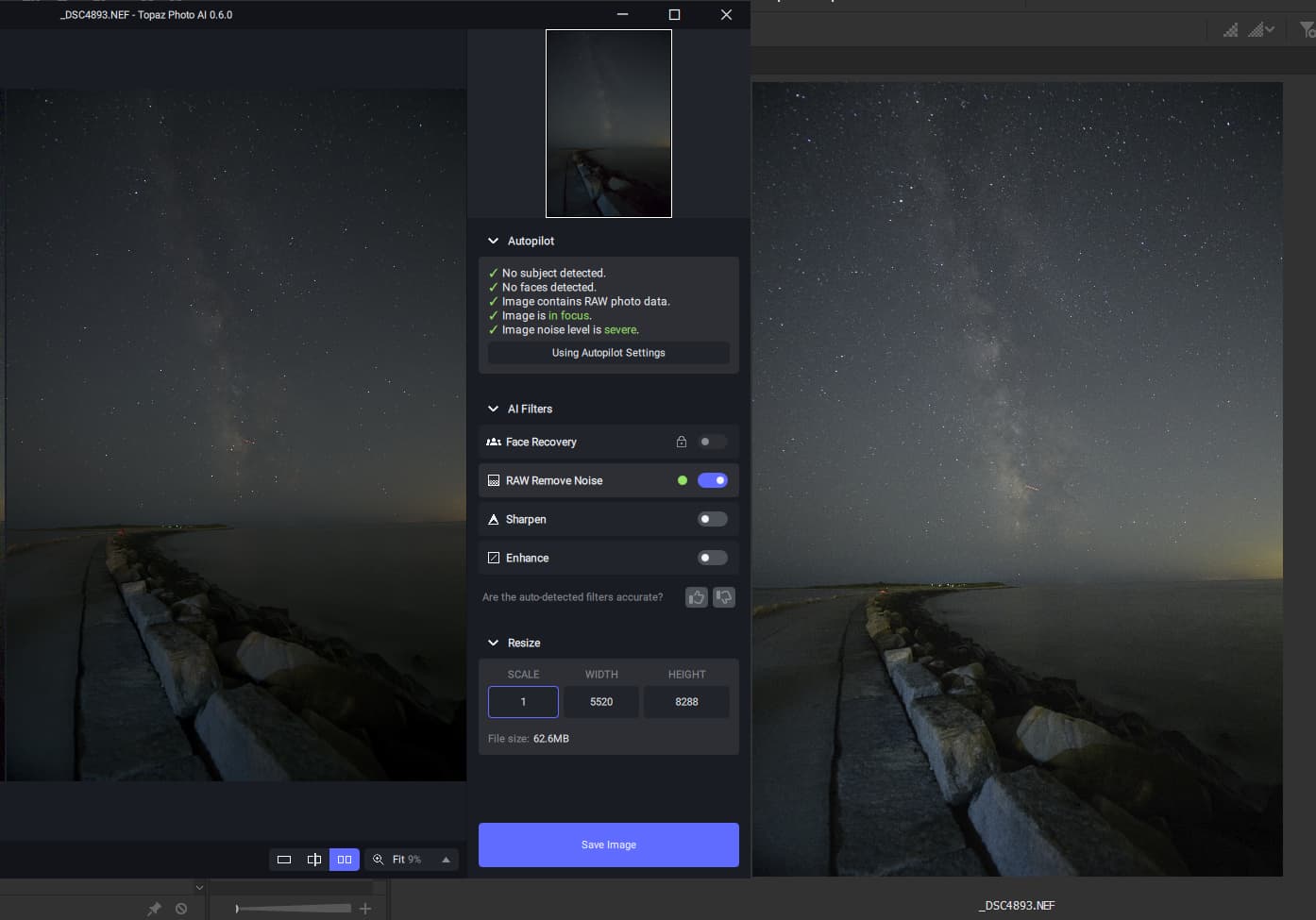
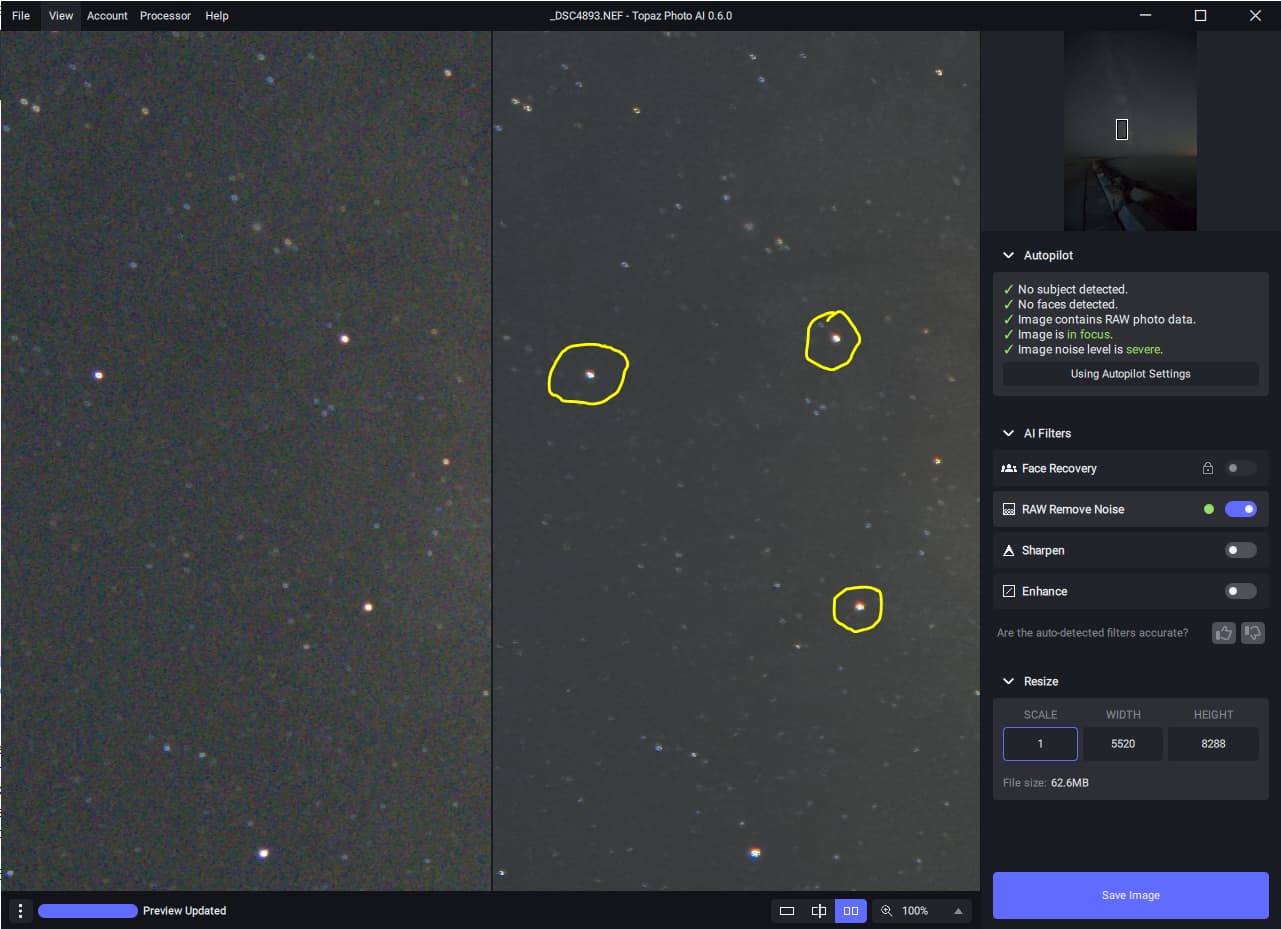
Thanks!
Could we get the program to remember last settings used… as well as the application window size… pretty please with sugar on top! 
1 Like
One thing that is not clear to me. Is Photo AI just a high level interface that uses Denoise AI, Sharpen AI, and Gigapixel AI and therefore requires all 3 of those programs to also be installed or is it a single program that incorporates the functionality of those 3 programs?
The latter. Photo AI incorporates tech from the other individual apps but does not require them to be installed for any technical reasons. Access to Photo AI is currently a “thank you” from Topaz for investing in the existing apps.
2 Likes
Getting random dark squares which move around in the image when I change level of sharpness or return to autopilot.
The image is a worse case low light scenario: EOS R7 20sec f/2.8 ISO 3200 shot of brick wall in the near darkness . Exposure increased 3 stops in Irident Developer (Adobe unusable for taw conversion) then imported as uncompressed 16-bit TIFF ProPhoto RGB.

interesting … then why did they take my money and why could I only use it once before saying I needed to pay to use it?
You might like to explain exactly when and how much you paid for PAI, and to whom, because there is NO charge for owners of the three apps, and there won’t be when it’s released - if you own the three apps then you’ll be able to claim it for no charge when it’s released - and explain what your access issue is.
1 Like
I paid A$118.51 to Topaz via the app link and it now shows an active green on that app up to Aug. 2023 and they wouldn’t let me use it more than one day before paying … now its rubbish not even working as well as my Denoise or Sharpen stand alone!
