Make sure you state your technical environment.
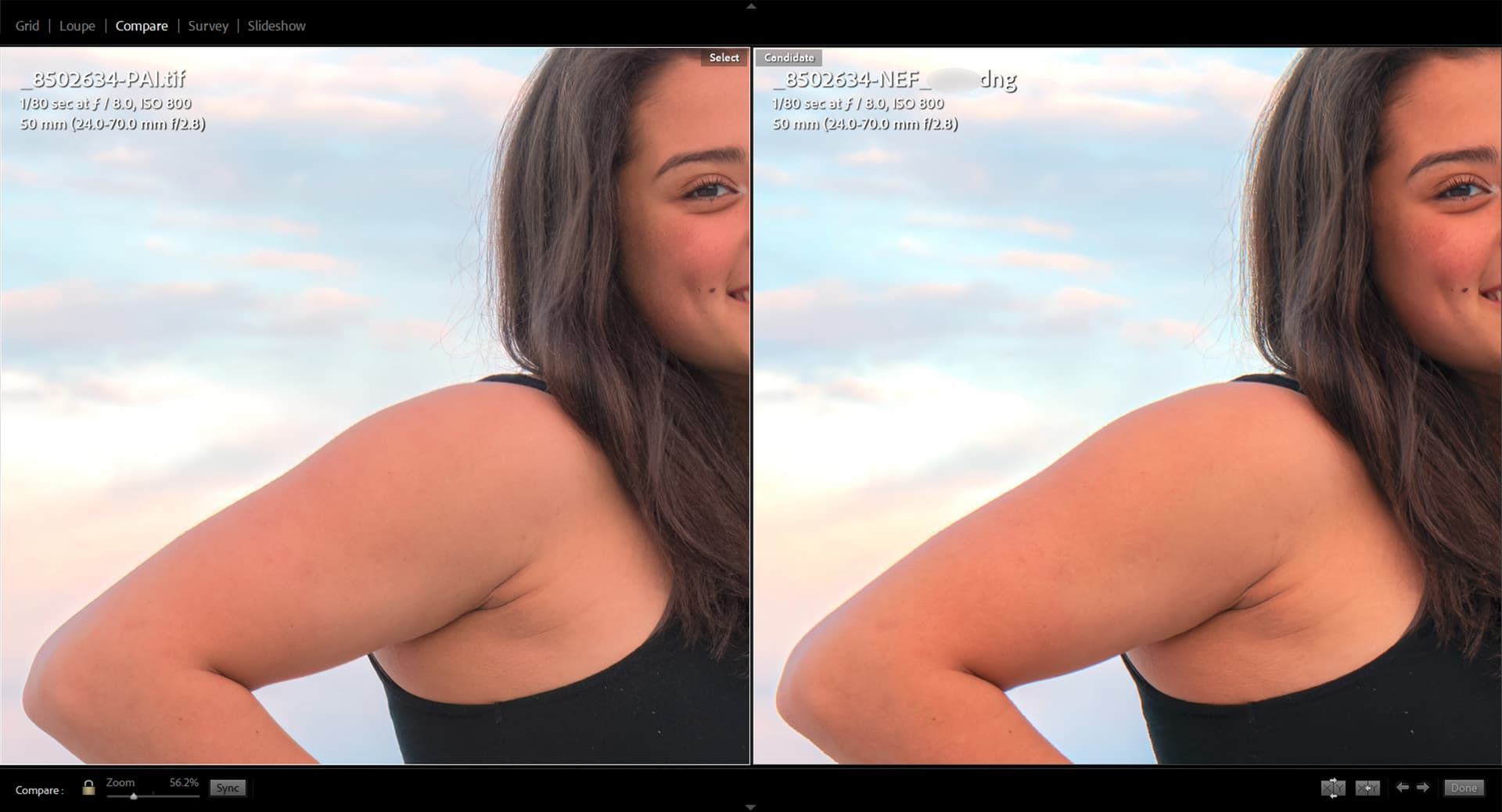
While I have been appearing to be less than supportive of PAI in its capabilities in comparison to another product I use regularly, In this image PAI has functioned well. In this image PAI worked as expected and produced an image with no color shift, and overall good quality where by comparison. The other product introduced a significant color shift and change in contrast, in addition to artifacting along the hair. It also over exaggerated the edge on the arm producing color fringing/halo. This image is at a much lower ISO than images I have previously tested in PAI, but the results are good.
Nikon D850 ISO 800
Run Ons intentionally reduced, but likely not eliminated… 
1 Like
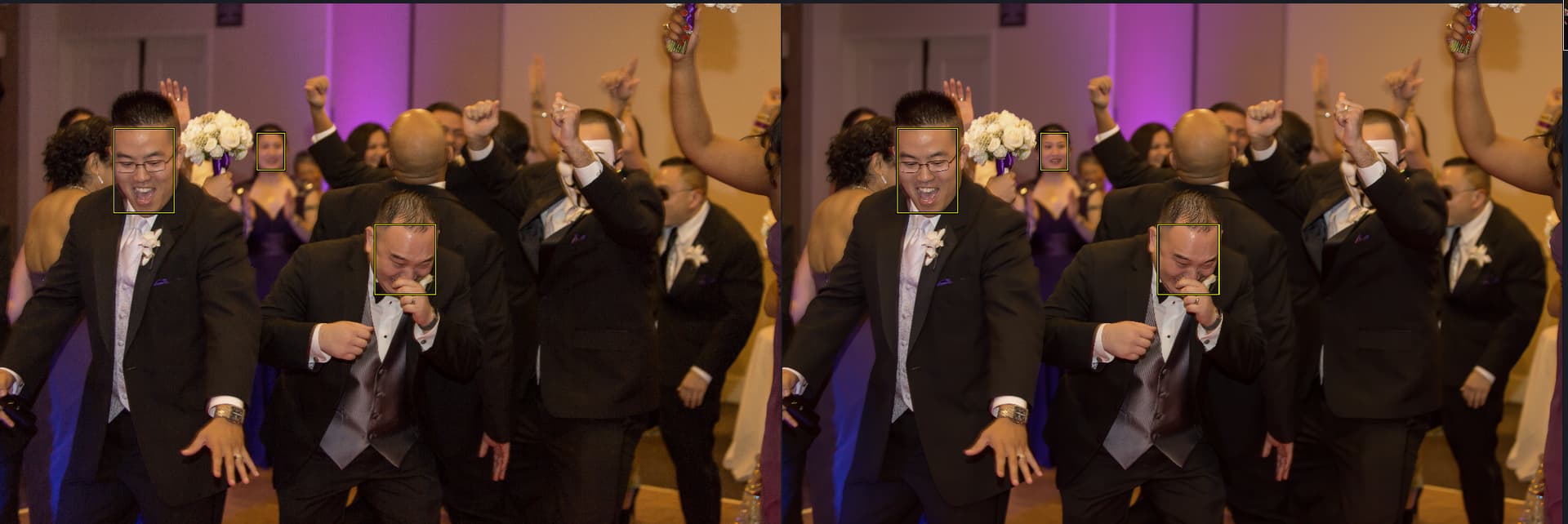
Is there a way for me to select the faces that gets sharpened or recovered? I have event photos where the main subject is mostly in focus I would like to sharpen or recover select faces. Right now autopilot will show 3 of 3 faces detected but it would be nice if the tool will let me deselect the faces that I do not want to sharpen. The face in the background should not be recovered. I should have a way to deselect her. As you can see in the recovered photo she looks like someone panted a face on with a brush. This is even worse where there are multiple out of focus faces in the background. A tool for me to manually select a face the system did not detect will also be nice.
2 Likes
Read the first post in this thread or v0.5, it will explain where to pre-release is at in terms of masking.
1 Like
Later will there be a way to have the masked area have sharpen and denoise, but the non-selected area have only denoise?
Sharpen AI when using a mask will sharpen and denoise the masked area, but the non-masked area does not get denoise. That means I have always found the masking to be useless. I always have to use Photoshop to combine two images: one which has been run through Sharpen AI and one which has been run through Denoise AI. Then in Photoshop I have to create a mask so the Sharpen AI part is combined with the Denoise AI part.
Hi,
I raised a support ticket regarding this, but perhaps someone was experiencing the same. My Photo AI works OK as a plug-in for PS, but it always fails to launch as a standalone app. I started with v 0.5 and persists in 0.6 as well. After ‘Handling image orientation’ it just quits. Any idea? All other Topaz products work fine.
thanks
Greg
The apparent single license issue concerned me too and so I got in touch with Topaz support. Apparently they haven’t yet decided/finalised on the situation, but certainly as it stands, this single seat limitation is in contrast with their current product FAQ that allows people to log on to two different computers at the same time. Hopefully they will be consistent with this approach when the product is released.
NB This was my first post and I find the software used on this forum very confusing, so if I have not responded to another post about the single seat limitation of Photo AI, then that is what I was talking about!
3 Likes
When I try to close without saving on my iMac initially the “close” button is white but when I click on it (i guessed that what I should do) it turns blue with “close” on it. The cancel button is fine.
Hi Fotomaker,
After uninstalling and reinstalling three times it is somewhat working. I have tried all formats (jpg, raw and tiff) and have used both the standalone and plugin (Lightroom) versions. PhotoAi now works with everything but jpg. It opens the file analyzes it and displays the info on the right side (faces detected, noise, etc). But the lower left screen then says no filters applied. Nothing changed on the photo when viewed in split screen and I get the error “could not run the model”.
It now works fine with raw and tiff files. It would be nice for it to work on jpg as these are usually the type I want to upscale in size and remove noise.
Thanks
1 Like
Just installed Topaz Photo AI on my MacBook and went to install on my iMac. According to license terms that is allowed on all the other Topaz products I’ve paid $$$ for, Sharpen AI, DeNoise AI, MaskAI, GigaPixel AI, and Adjust AI (as you can tell I’m heavenly invested in Topaz $$$oftware). It will be a royal PIA to have to transfer the license for Photo AI and can be a problem if traveling (W/O internet at times) and forgot to transfer the license to my laptop!!!
Bob
2 Likes
I’m glad you’ve made progress getting more functionality from your installation of PAI.
Jpg’s should definitely work…
Perhaps you can find & share (with the developers) your most recently-generated logs from a session - immediately after you try to (unsuccessfully) process a jpg image.
I believe there are notes in the thread above that say where to find the logs & instruct to zip them up to send. They will be large files. If you don’t want to zip you can change the file extensions on the 2 complementary log files to .txt to send,
Take care.
I’m new to the program and was wondering if there will be a way to direct or point out faces that the program is missing. I am working with scanned rugby (sport) images mostly in black and white and it seems that it struggles to identify a face that is slightly at an angle or how is it detecting faces?
When clicking edit in LR Classic the app opens but it doesn’t load any picture. Opening the pictures from the folder in windows is not an option for me. That makes the whole app useless in my opinion!
The screen shot I uploaded, The severe color shift it does it with my Nikon Z9 camera, And my Nikon Z7II is fine, Just letting you know.
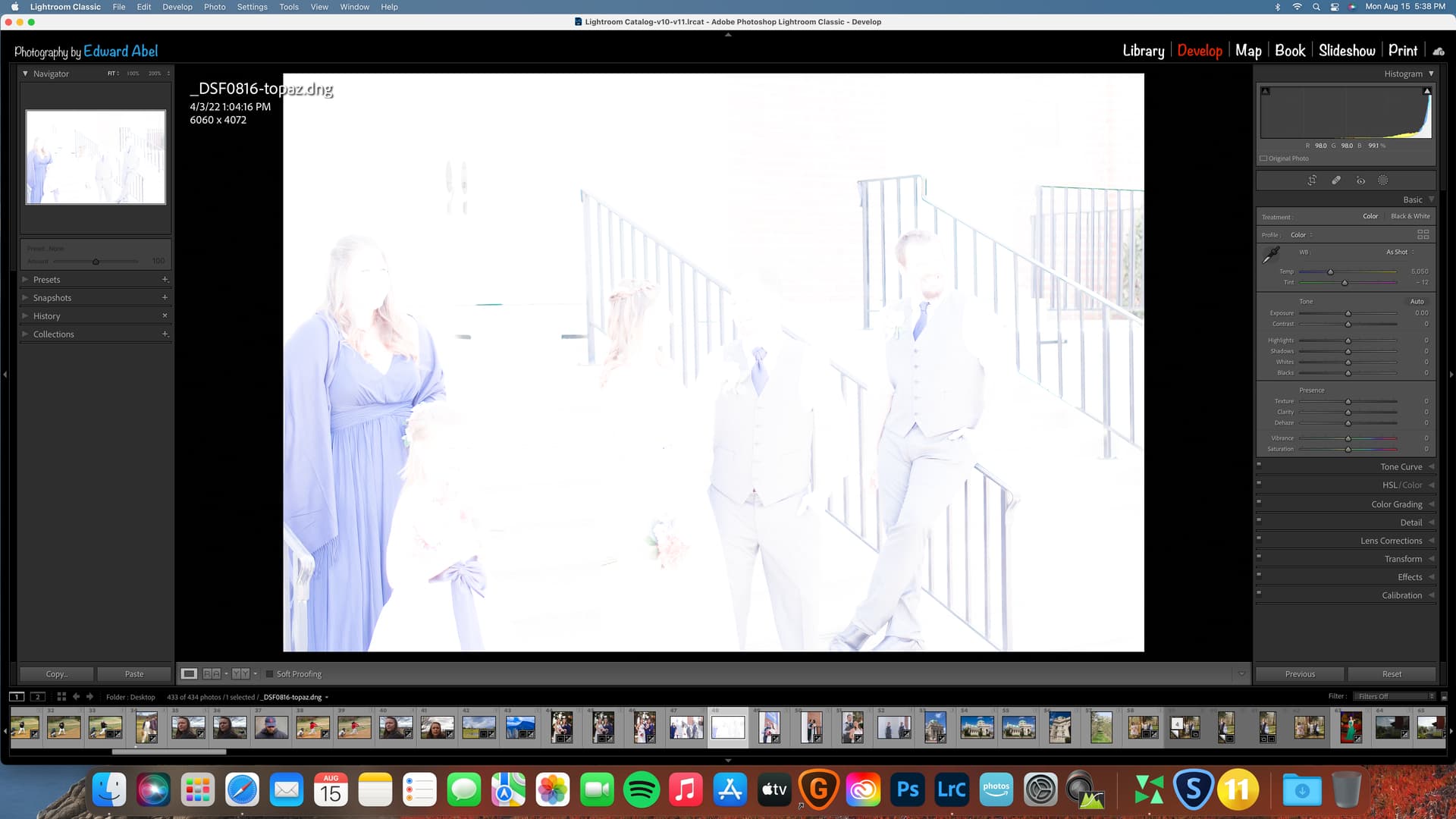
Input into Photo AI is my Fujifilm S5 Pro .raf RAW file. Save as .dng to desktop. All looks good until I import into LR and open in Develop module and it looks like this. I can lower exposure about 3 stops and image looks fine, but Im out of room on the slider tab. This issue applies to my Fujifilm S3/S5 raw files only.
Make sure you are not sending a PSD image as it isn’t supported. Try using a TIFF instead.
Win 11. PAI .6 Ps 2022 Plugin ops. AMD processor. Original image = Sony ARW. Worked with .tiff in Ps.
Original Image shot thru (dirty) car window at highway speeds w/Sony RX100 ii (P&S) - no, I wasn’t driving:
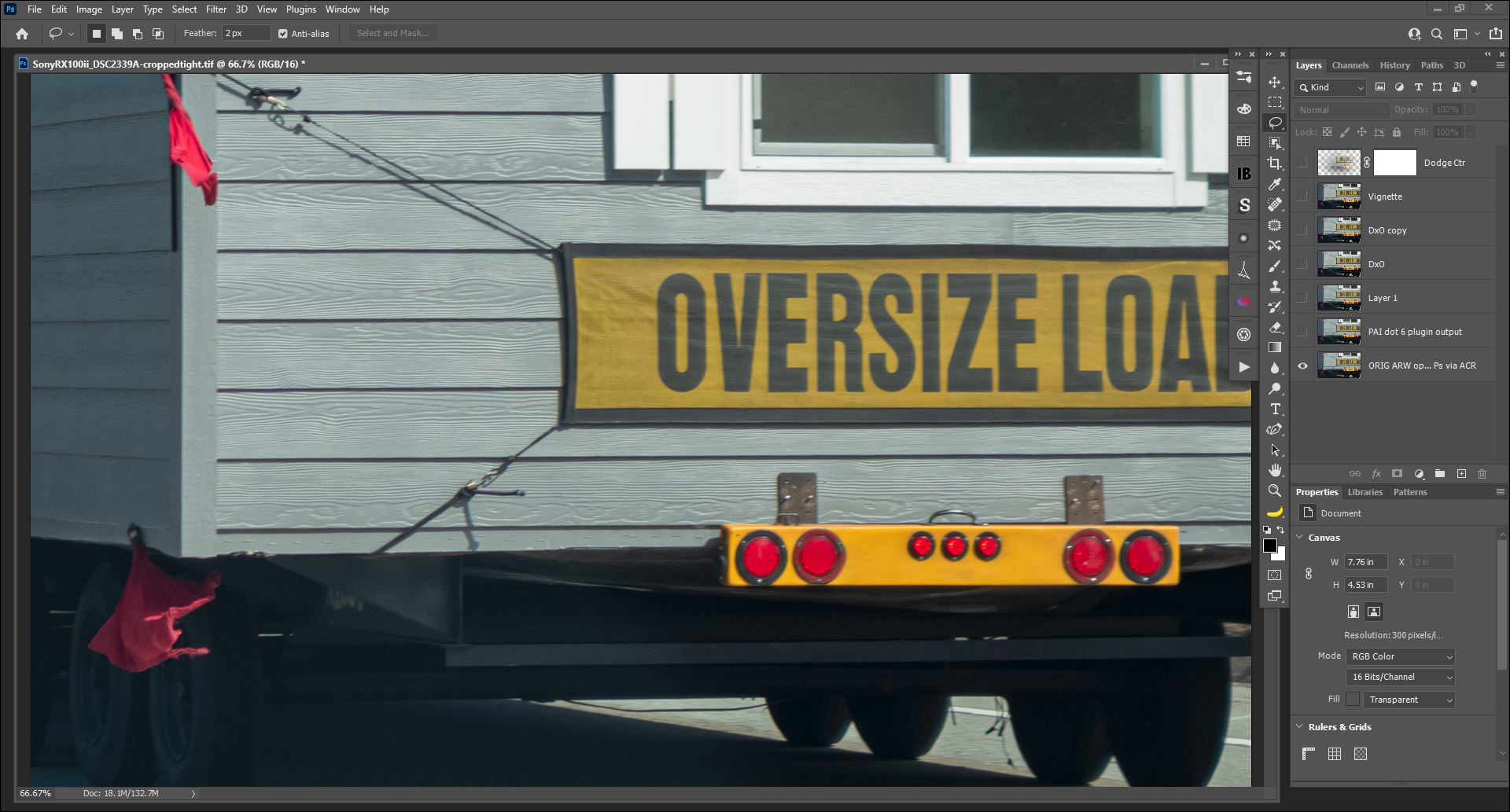
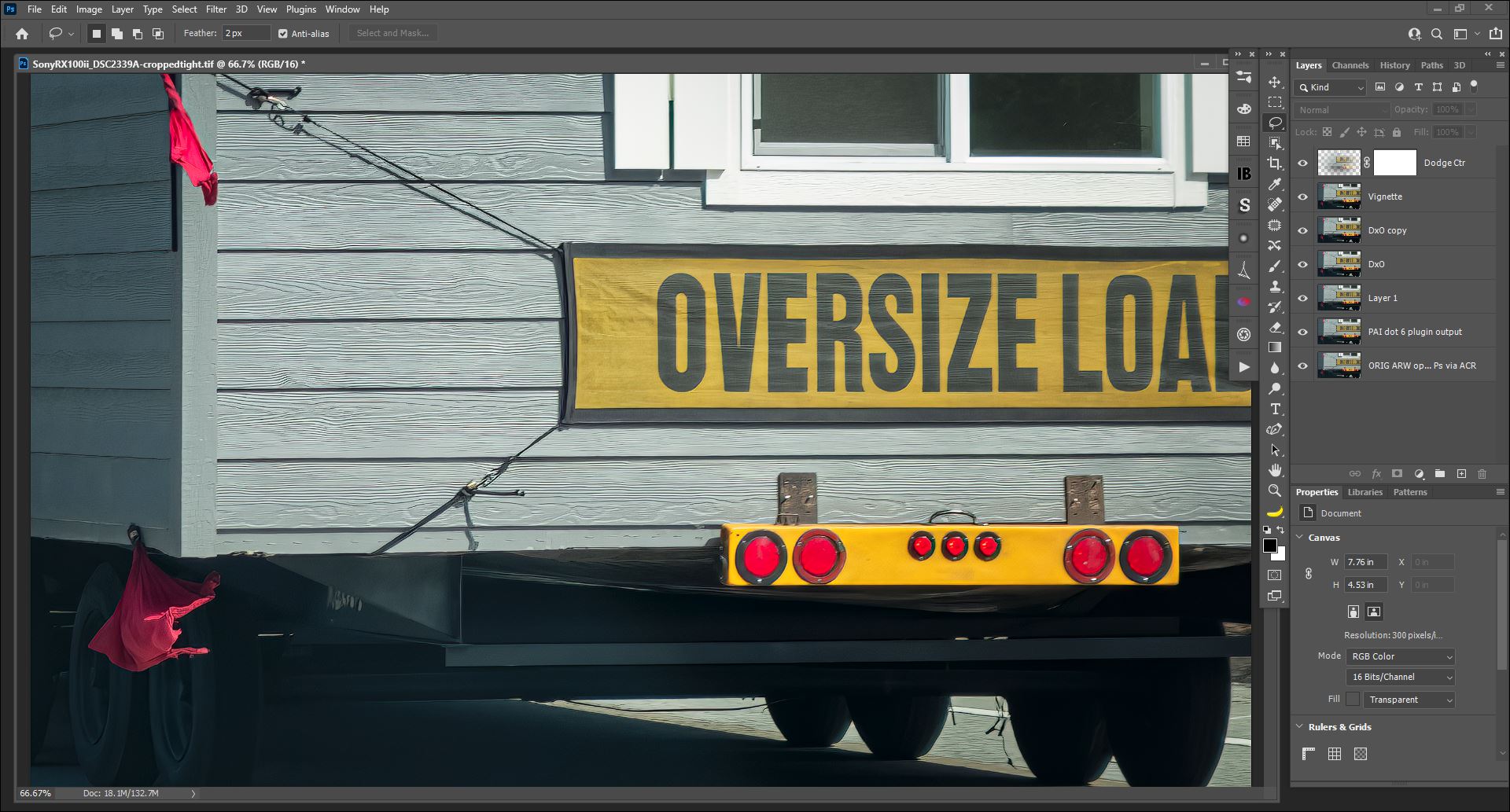
Saved to Ps output layer after Manual denoising (I didn’t see much noise to remove & Autopilot had sharpened the image very noticeably with the denoise only it applied…) & Manual sharpening — PAI .6 maintained the colors of the background layer (orig image) & didn’t create any pixel shifts once saved back to Ps: [I turned Eye Icon off/on to assess]
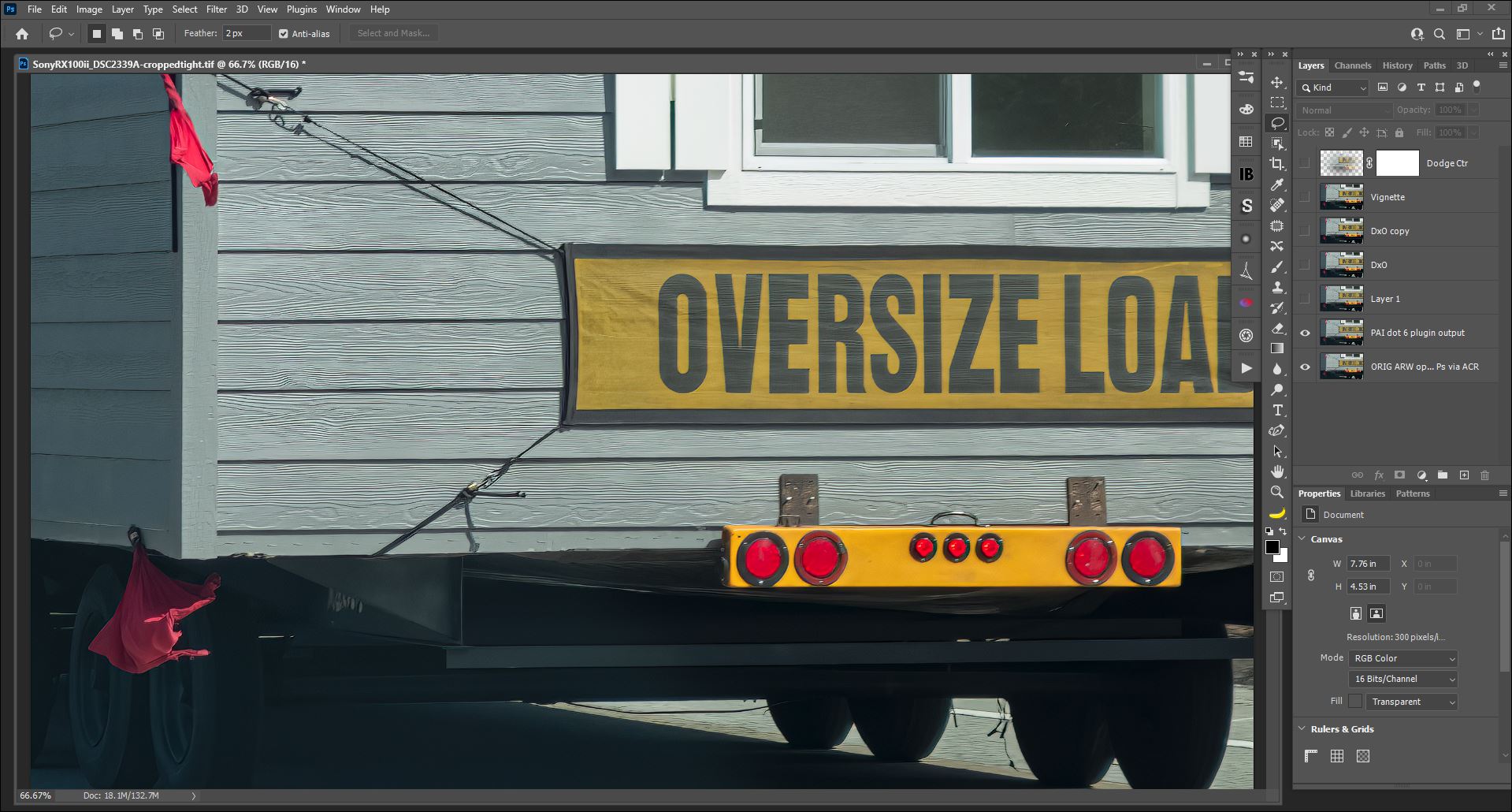
I was able to further manipulate the PAI .6 output layer image using various DxO & Ps intrinsic photo processing tools (e.g., images didn’t become corrupted or unprocessable):
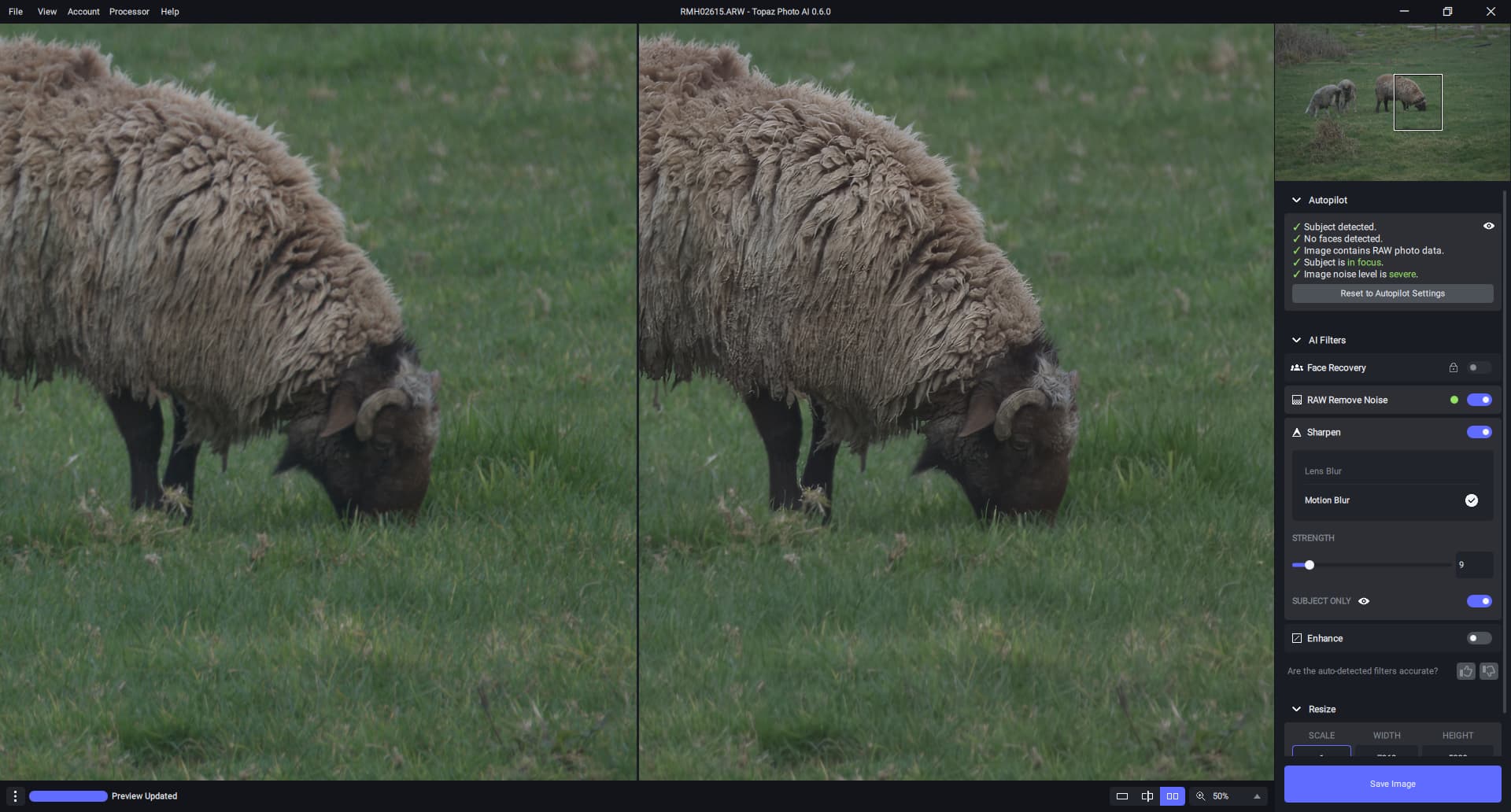
Another RAW image that Autopilot thinks has severe noise but I don’t think it does. ISO 250, 360mm. To me it needed a bit more sharpening than Autopilot wanted to do. Subject selection worked OK. A feathering option would be useful. The result seems useful though.
2 Likes
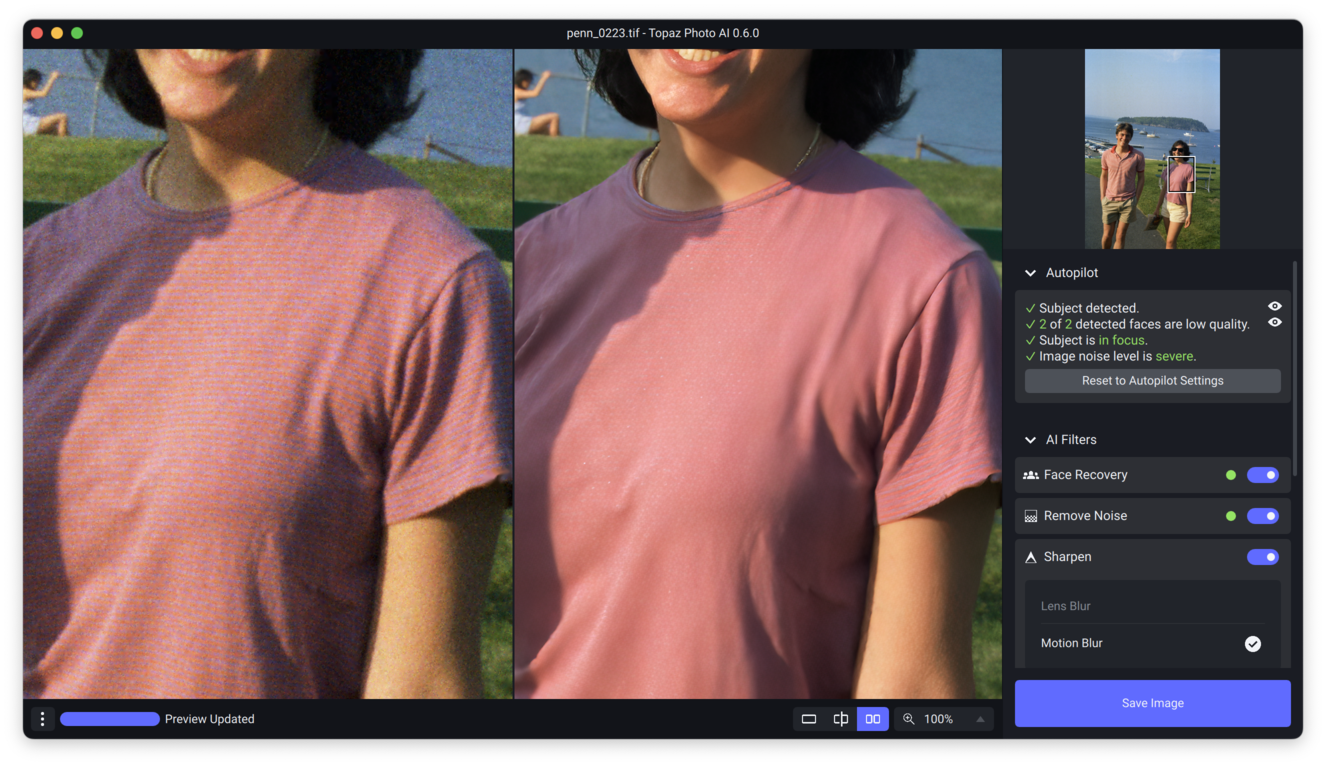
autopilot/denoise seems to be too aggressive.
all the blue striping detail was removed and the pink/blue shirt is purely pink
even at the lowest noise removal setting for the slider.
Wait for the devs to see this it may be that it is because of the severe noise. Have you tried it in just DeNoise to see if there is a difference?
