Hi, Yes I no you can only send tiff to the stand alone versions of Topaz but you can send DNG from L/R 6 to the Topaz Photo AI and it does make the changes it is when it returns the DNG to L/R it does not show those changes. Thankyou.
LrC plugin still not working on 10.1. Image is not loading!
Good morning, everyone.
While reading every day, and many times a day Photo AI thread, Notification Pops up, inviting me to give my feed back on the program.
Due to the time and efforts of all testers and photographers, who trying to help Topaz Lab’s team to improve and speed up their development of new, 3 in 1 Photo Ai, everything is already written in a posts, unless …. I want to pay back my duty to all of you, for privilege to read it.
I need to tell you my story first.
I hope my writing will be, at list for Topaz team, like extra breath of air, or seep of the water before finish line.
Please, take cup of coffee, and hear me out. Many of you, probably, in the same shoes as me.
This year I decided, finally, to take care of my Photo & Video Archive. I waited for Apple to unveil their “ latest & greatest” computer at the March Event. I ordered one, to replaced my, honestly Marvel of Engineering, 2013 fully loaded Mac Pro, and received it in June.
I settled on Mac Studio Ultra with 4TB SSD.
I wanted to start with old video, as a logical choice, 50 hours only vs 35K of photos.
I downloaded Trial version of Topaz Video Enhance AI, played for couple of days with my Sony VX3 Hi8 footage from 1994, and wasn’t impressed much.
Original footage from Hi End camera, at that time, was better than enhanced one.
Finally, after 2 days, I purchased the program with hope, that I can find settings, that can be used to enlarge my video, from SD to HD without adding artifacts.
Next day I decided to try my 1985 VHS video, and while continue reading Topaz website, I came across page with GigaPixel Ai.
I downloaded Trial, and … what I remember, I was sitting and looking at my 49” computer monitor (Sony 4K TV) at least for 5 min, literally, and couldn’t believe what just happened.
I don’t know, why I decided to try that particular picture, that I haven’t seen from time I digitized all my 70 rolls of b&w and colour films, using my great Nikon CoolScan IV ED, 18 years ego.
It was picture of my wife, from our vacation 45-47 years ego. Film was poorly developed, sitting in a roll, in aluminium case for almost 3 decades, before I digitized it.
When I open that 3880 x 2183 TIFF file in GP Ai, and looking at the processing on the screen for around 10 seconds , I saw clear eyes and face of my wife looking at me from huge computer screen, from distant past. I was stunned.
Before it was just old picture, with barely visible eyes, with face cover by bad, decayed, film grain.
That particular picture made great impact on me. .
I own probably all photo editing programs that was on the market for past 20 years, and is very hard to impressed me, so much, as GP Ai did.
I can improve that picture very much, and many professional photographers, who working everyday in photo editing, can improve it even better, but in 10 sec time, and to that extend …
You have to be very skilled Japanese Calligraphy Painter, to recreate skin texture, eyes and eye brows, that computer program can do in no time.
I purchased GP the same day, after DN, 24 months extension, and last SH, to get free PhotoAI
Topaz Lab brought to the market truly amazing technology, that can help all photographers in the world, who working very, very hard, trying to restore their precious memories of parents, grandparents, sons and daughters, and step by step, mm after mm, for hours and hours working to restore, like expensive paintings, their family photos, to preserve our human connection between generations.
Unparalleled ability of Topaz GP Ai, and soon to be Photo Ai, to Restore, Recover Human Faces from photos, or Enhance Faces from digital cameras, Clean and Enlarge them, should be Marketed as Photo Restoration Tool at first place.
Let’s put in a that way. It’s a Diamond in your crown. It’s the greatest math algorithm in a core of your software engine, that not only takes a seconds to do it, but know how to do it properly, and I hope Topaz management aware of that.
What I like, and what I hope for:
1 - Absolutely great idea to combine all 3 programs in One, from business & customers point of view.
It’s a win-win for everyone.
2 - Well design UI, even better than already great other 3, and visually very appealing.
3 - I like number typing window in version 0.6, that I can input multiplication number from 1-6, or please, make missing buttons 3 & 5 to appear.
4 - Please keep enlargement settings unchanged, until user decided to do so, like GP
5 - Please, if possible, make vertical tool bar adjustable to the left, with automatic font enlargement, like C1, to be visible on 4-5K Hi-Res, or large monitors.
6 - In C1 on my Mac, Photo AI shows as plug-in every time. Version 0.6 was the best, almost like final version, but every next version had some issues, and I was able to go back to 0.6 after each update. Recently settled on 0.9, and now 0.10
7 - In C1 0.9 & 0.10 can’t save file back to editor, like GP or 0.6, and I have to sinc my library every time, but it’s ok, I will wait for it.
8 - Processing in Photo AI 0.6 , Jpeg or Tiff files from scanned films, or digital cameras, from Sony & Nikon, I haven’t seen any colour shifting, or other artifacts.
9 - Some images I rejected, due to face processing unsatisfaction, but most of the images were really good. I manually control Face Recovery strength slider to preserve skin texture. In both programs.
Remove Noise I turn off in most cases, as Face Recovery, with Enhance turn ON, produced the best results.
10 - Photo Ai seems to do better job to preserve skin texture, and maybe final version will remove noise from the people’s full length neck, not only below a jaw, and maybe will be able to not emphasize skin freckles, and make them darker.
With all respect to the Topaz Lab’s team, my friendly advise:
Please do what you do the best. Finesse it to the level, that no one can reach.
5 Likes
Processing photos scanned in at 600dpi TIFF using Epson V39 scanner. Converted in Lightroom to DNG. Using Photo AI as a plugin in Lightroom Classic v.11.5 (Edit a copy using Lightroom adjustments). Using in Auto mode with Face Recovery switched on if available.
0.9.0: Very quick processing. Generally excellent results. Back in Lightroom, the processed image’s color matches the original. This is a great tool for sharpening up scanned family photos.
0.10.1: Similar results while in PhotoAI (color looks fine), but back in Lightroom the processed image has dramatically desaturated color. Not usable. I’m going back to using 0.9.0.
1 Like
I use the new Photo AI to enhance faces in pictures, that I previously upscaled with Gigapixel (in times, when Gigapixel had no Facerecovery yet). This works great (i turn all other options then FR off, in PAI) and delivers better results as upscaling the pictures from original in PAI, as GP offers more scaling options then PAI, and is also better then scaling up with the newer GP versions, that include already FR, as PAI detects more faces (threshold?).
However, in the current version of Photo AI (0.10.1 maybe issue was there before, I skipped some updates) pictures originally saved by Gigapixel are not properly opened. PAI only opens a crop of the image. Information is missing.
Getting a VERY prominent color shift when saving back to Lightroom.
1 Like



This happens on both my laptop and desktop.
Lightroom - “Edit in Topaz Photo AI” not cycling the image properly.
Mac OS Monterey 12.5.1; Mac Studio Ultra, 64gb ram.
Steps to reproduce
- Setup up Photo AI as an external editor in LrC - I have the same setup for all 4 programs. The 3 work fine; Photo AI used to work fine (for me prior to 10.1)
- Select the photo in the Grid; Edit in “Topaz Photo AI”. (*) Edit a copy with Lightroom Adjustments. [Edit]
- LrC makes a TIF (I am starting with a HEIC)
- Photo opens in Photo AI; I make adjustments and click [Save Image]
- a window with Queue and Export Settings opens. I click [SAVE], then [Close Window]
- Image remains open in Photo AI. I have to terminate Photo AI manually
- Resultant image is not automatically imported to LrC. The temporary transmission file created by LrC remains (with a suffix of -Edit). The only way to retrieve the resultant image is to right click on the Folder and “Synchronize” - which brings up the Import dialog and the image is imported to LrC.
Alternative method…
- From the Grid in Library, select the image
- From The Grid, using LrC’s menu, File | PlugIn Extras | Process in TOPAZ Photo AI
- From the option to edit a copy or edit the original - choose “Edit A Copy”
- AI processes the image and offers a [Save to Adobe Lightroom Classic] click - click it
- Image this time is returned to LrC and Photo AI Closes - but the resultant image is flagged by LrC with a problem indicating it has problems reading the Photo - so it can’t be further manipulated in LrC.
The option to process in Photo AI is NOT available in the alternate menu sequence Library | PlugIn Extras | …
Also the above method of processing is not preferred as you have to transition back to Library mode to access it - in other words, you can’t get to it from Develop
Not sure if the problem was HEIC file format related, I processed an Olympus ORF RAW. Process in Photo AI returned it as a DNG, much to my surprise, with a hugh exposure shift.
So, something needs work here - because this was working for me much better than today.
jc
I have the same situation running 0.10.1 - M1 MacOS 12.5.1
Downloaded/installed PAI 10.1 over 10.0 - Win 11 Pro desktop PC (2 mins install). Processor = Auto.
Testing Standalone vers. Using Canon CR2 raw image of horse, horse trailer, trainer (mostly turned away from camera).
Autopilot detected horse, trailer wheels (only, not trailer) and the woman trainer as the Subject.
Face detection captured the mostly turned away woman’s face. So sensitivity must have been reduced a lot. It’s missed even 2/3 toward camera faces in some past releases.
Appearance of ORIG CR2 image:

Lots of Color Noise in Orig Image - testing with 800% (since pretty new):
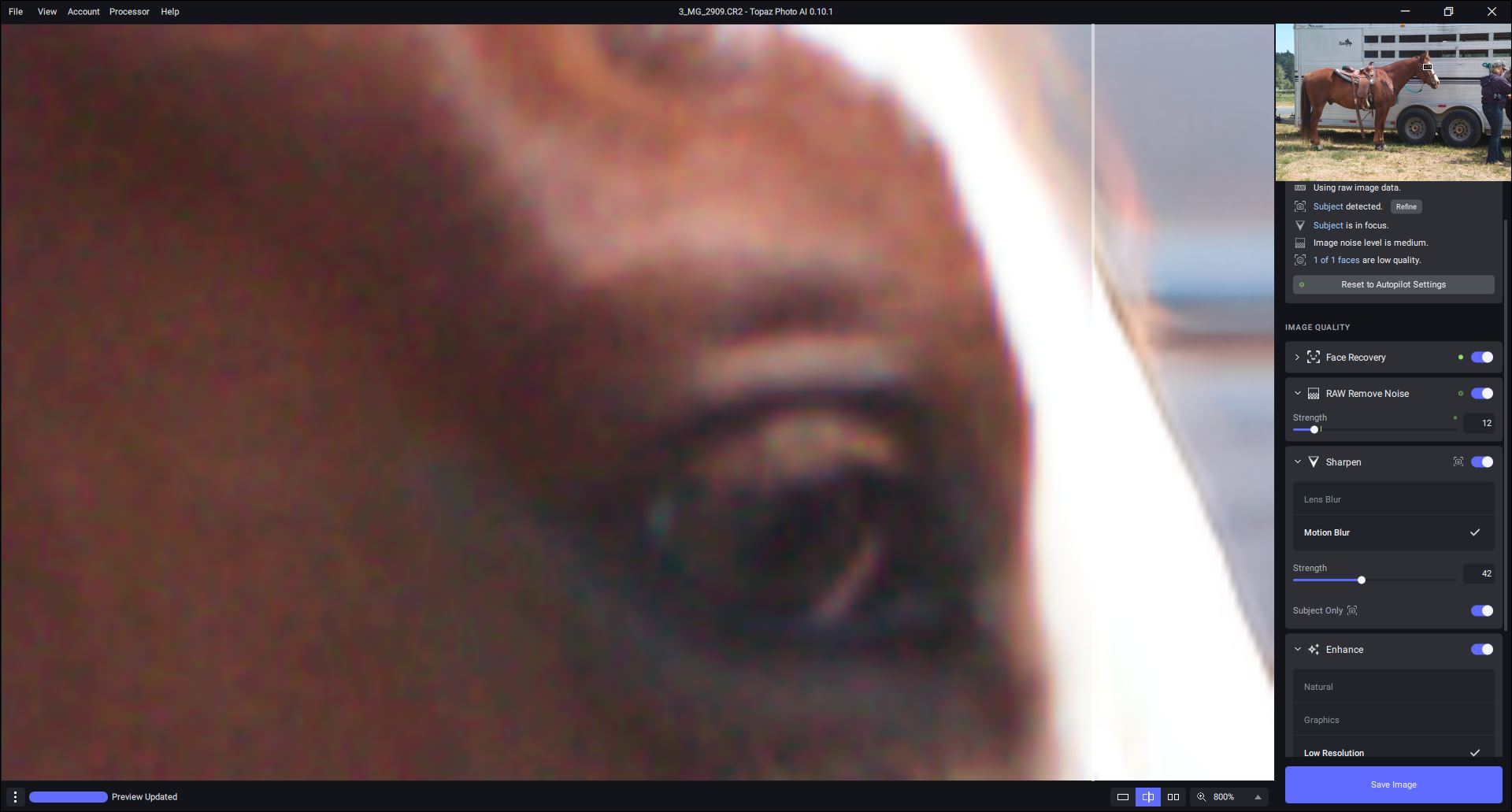
My manual tweaks to Autopilot settings - A.P. cleared up all the raw color w/Denoise. I backed off setting a bit (with slider) with goal to recover bit more detail & less smoothing. Likewise, I boosted the Sharpening (sharpen subj only = On) to try to crisp the horse’s eye. Turned on Enhance even though not sure what it does.
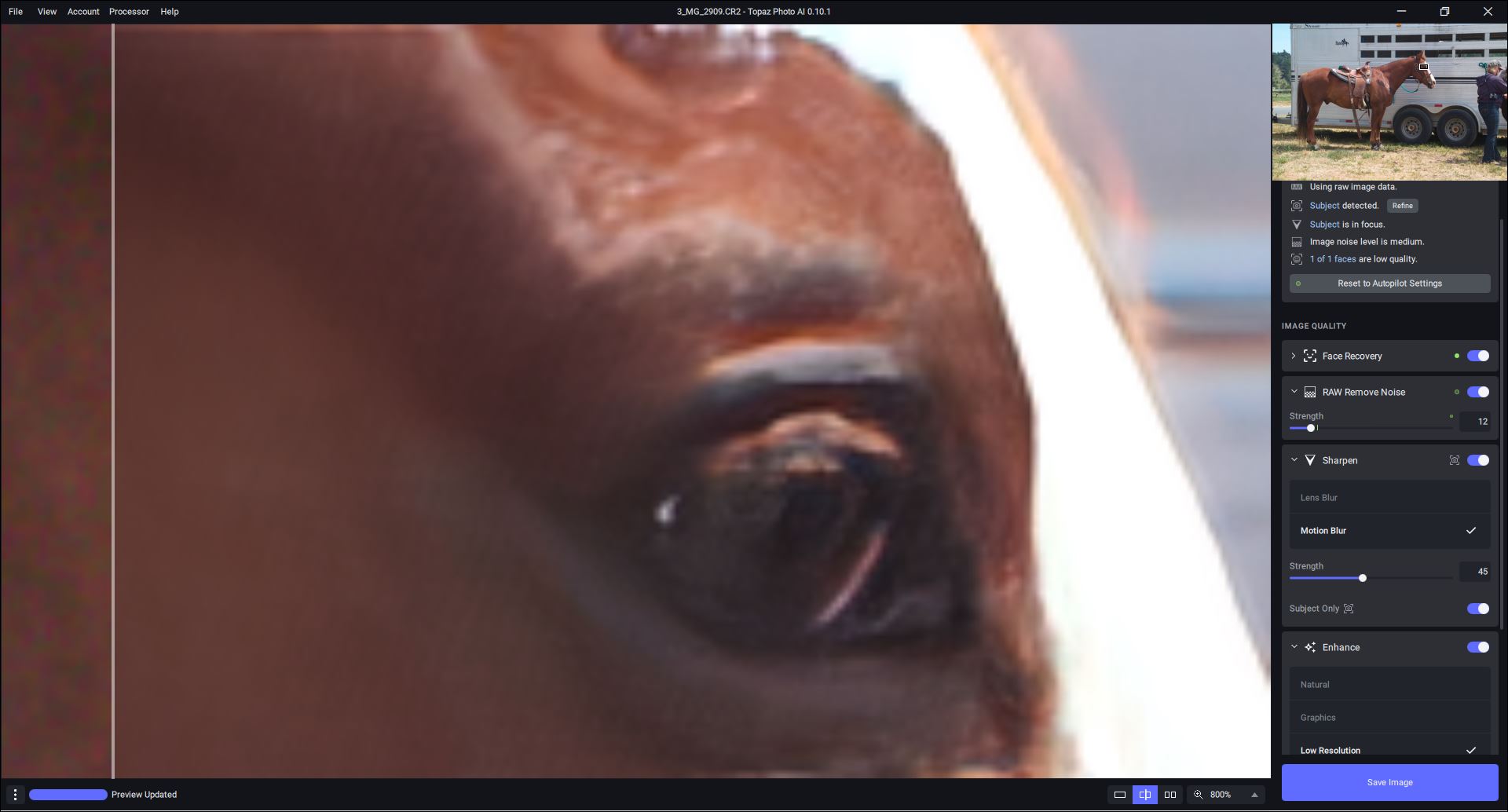
Saved processed image - as Adobe RGB (same as I use for in-camera capture), LZW, TIFF, 8-bit… Saved output, washed out looking in Windows Photo Viewer: [I don’t know the tech, but I’m guessing Win Viewer can’t handle TIFF colors & alters them …]
Appearance of same file in Ps ACR: [No Ps ACR slider adjustments-Just Open With]
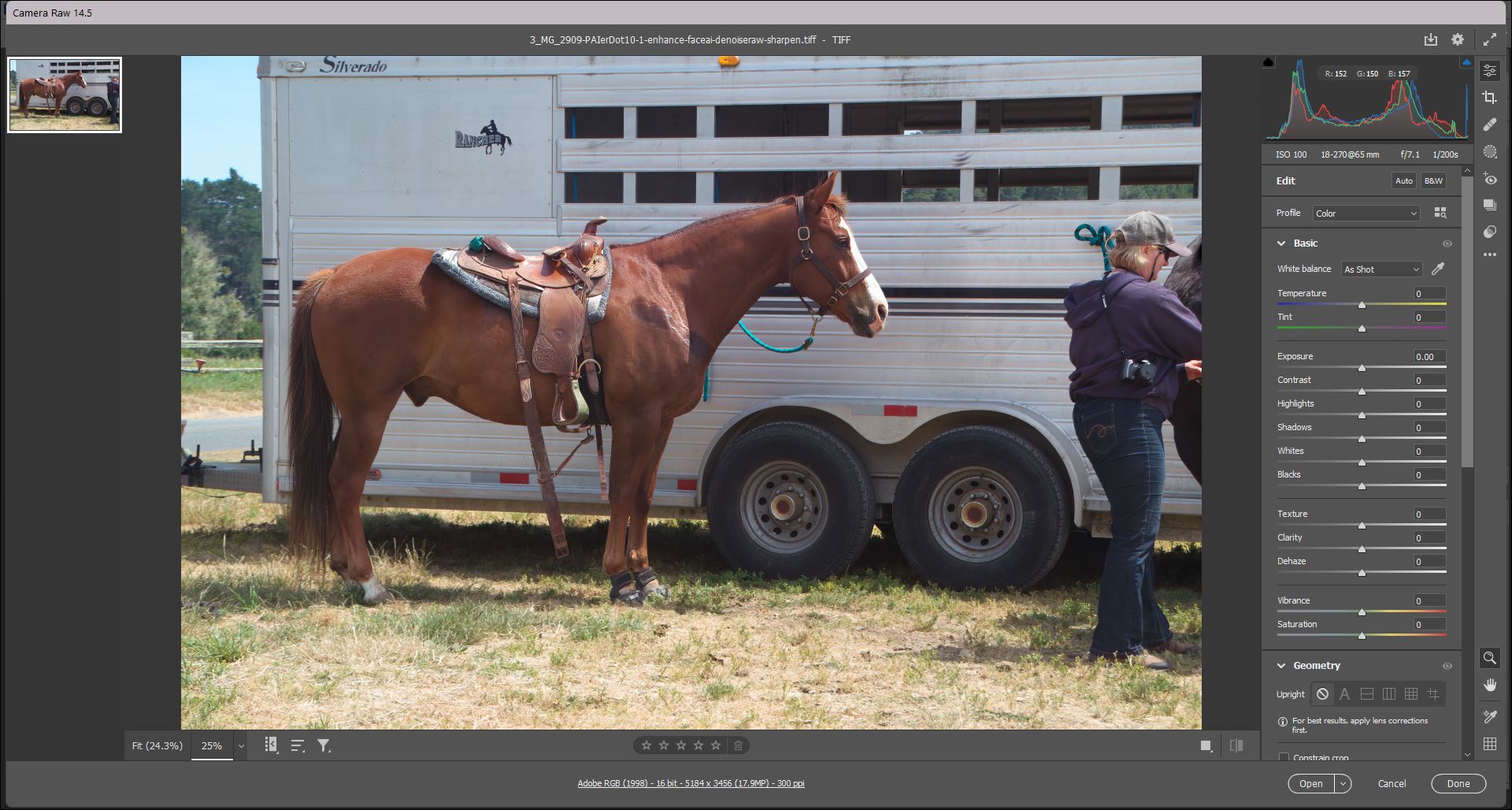
Even with color looking okay (though redder & less golden brown than orig) in ACR, the horse seemed overly smoothed… BUT, with ACR slider/settings changes (incl. Contrast, Texture, Clarity, Shadow, etc.) I was able to get best of both worlds — PAI denoising and some sharpening & ACR recovery of textures & dimension:

Post ACR tweaks to PAI image… Able to Open into Ps 2022 & make a couple quick Layer Adjustment changes:
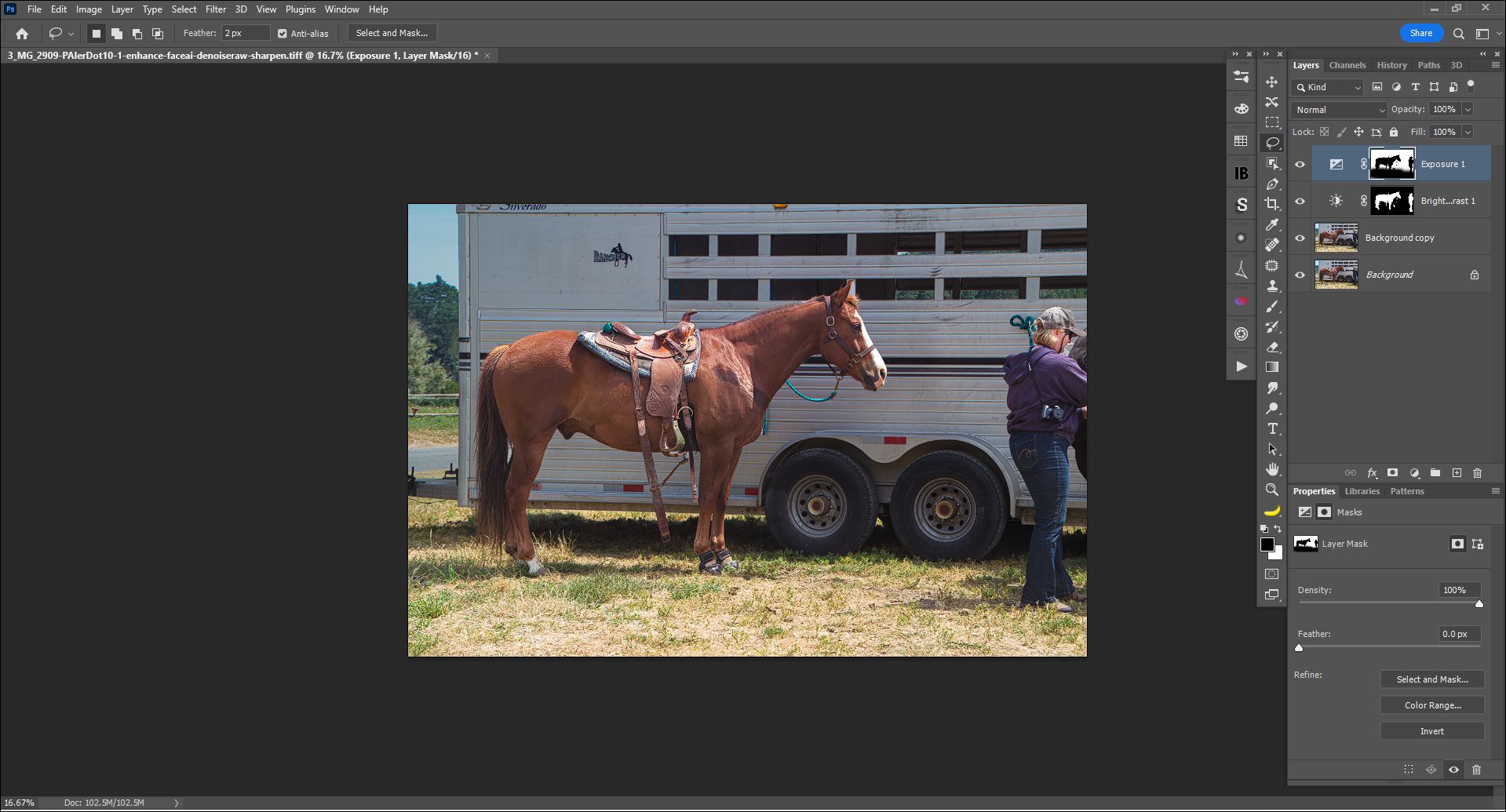
If there was a Crop Tool, I’d work with the “bust” of the horse to enlarge it & see what I could do with that as a ‘portrait’ shot. But I don’t want to spend time upsizing entire image.
Able to open same image in Ps 2022.
Launched PAI 10.1 Ps Plugin okay.
Autopilot detected slightly diff. things as Subject in the plugin - only captured half the trainer’s body (at right in image) vs full body w/the Standalone but still detected her face.
PAI settings changes applied and Saved back to Ps Layer okay.
Turning off visibility of eye icon on Ps Layer - saw no color changes and/or pixel shifts.
No snips from Plugin test of this image.
** I may try ORF and ARW images with the Standalone after some dry runs of a new Ps tutorial video I’m recording for local photo clubs…
PAI 10.1 also won’t load DNG files from Leica Q2 Mono.
This has been a hangup on the installer for the last few versions.
“Verifying integrity of gfm-v1-fp32-512x512-ml.tz
A connection error has been encountered. Please check your connection/firewall settings. Retrying in 5 seconds.”
On Mac Studio OSX 12.5.1 (21G83) - Apple M1 Max
I have tested turning off local firewall etc.
What URLs/IPs need to be whitelisted here?
With immense respect for the Topaz Team…
In response to versions, 10.0 and 10.1:
I miss a feature in earlier versions of PAI that revealed within the right-side slider window the % larger or smaller the resizer will alter the original dimensions. With the current version, one must mouse over the mini preview in the film strip in order to see the percent change. That change makes the info much more cumbersome to access.
Also, in bulk editing, it would be great to have a simple keyboard shortcut to progress along the filmstrip from one image to the next, such as the tab key.
Third, please return from earlier versions the ability to apply custom changes in the current image to other images in the strip. That was a super convenient feature.
I would love to see in future versions…
-
The ability to resize according to the longest or shortest dimension, so I can set the resized dimension for the longest side, for example, once and then have it apply to all the other images in the bulk load regardless of each image’s orientation.
-
the ability to save in jpg, in addition to jpeg.
Many thanks for letting us participate in the beta phase.
1 Like
Just updated to 0.10.0. Now with the plugin in LrC, once control goes back to Lightroom, it says No Photo Selected. The resulting TIF and original raw file are still on my drive but have disappeared from the catalog! I tried re-importing but it then tells me they are already in the catalog. Even after turning off library filters I still don’t see them. This happened with two different photos.
This is on Windows 11 with latest Lightroom Classic.
Edit - after reaching the end of my import list one of the missing raw files appeared at the end and the other appeared in line where it was supposed to be, but no sign of the edited TIF files. The raw files were in a stack labeled 2 of 2 but after expanding the stack, the TIF file was still missing.
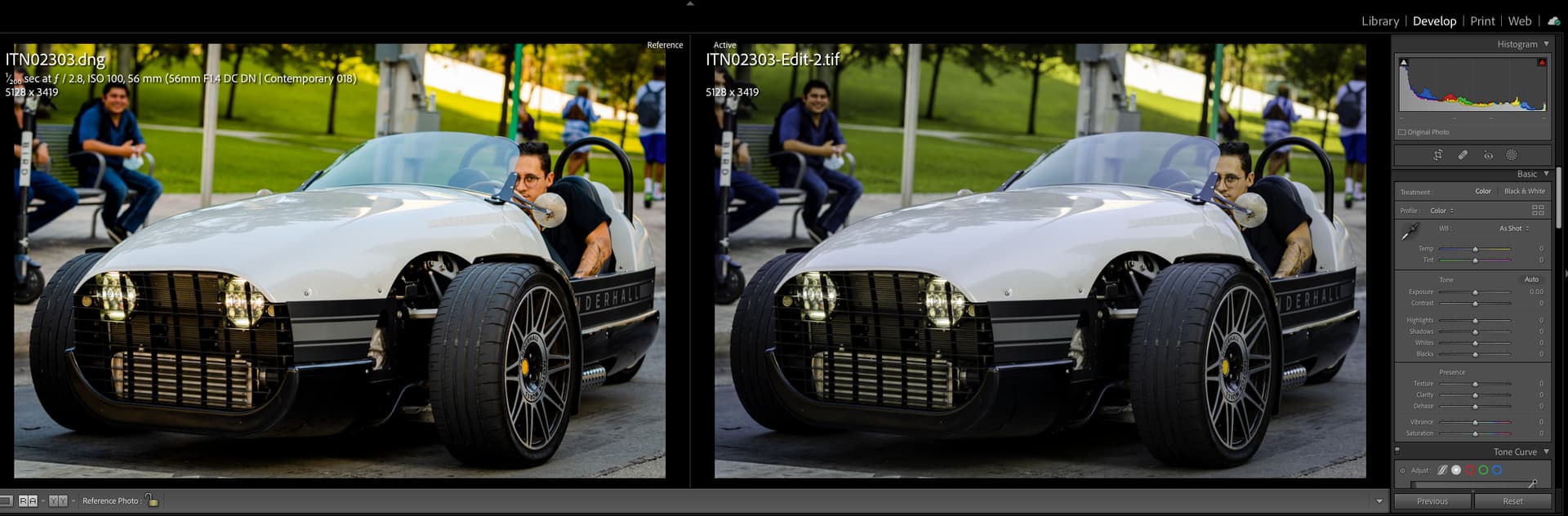
Hello Topaz Team, I am currently testing the 0.10.1 version of Photo AI. In comparison to the previous version (0.10.0) the picture loses its tone and colors when the reworked picture will be transferred back to Lightroom classic. I was testing it with DeNoise AI and no problems at all. In general I am very happy with Photo AI but this behavior isn’t great. If you want I can provide you with examples. Looking forward for the fix.
Marc
2 Likes
After a full uninstall (along with supporting app files) and reinstall, I am still seeing the same behavior.
Here was my original post… Topaz Photo AI v0.10 - #56 by vince.rubiera
MacBook Pro (16-inch, 2019)
2.3 GHz 8-Core Intel Core i9
MacOS Monterey 12.5.1
Lightroom Classic version: 11.5
1 Like
please identify your system fully - make, model, platform, OS level
