I have exactly the same bug, with the same solution for displaying the subject selection.
1 Like
@dakota.wixom Are you planning to update the white balance AI model in Photo AI? Thanks.
@Fotomaker - thanks! @Imo - can you confirm if in Photo AI, Edit > Preferences > Privacy > Anonymous usage tracking is on? Then click Save. then reproduce the issue and see if new logs are created!
1 Like
@Tostanica-fezanamu and @unrelent - yes this is on the development team’s radar, and the development team is looking a fix. It will not affect the output, only the preview and if you reselect another option/come back the preview will come back correctly. I added your contact information on the development team looking into this and we can tag you once a fix found.
2 Likes
@zelenooki87 - Can you give details on which part you were wanting updates? Adjust Lighting was recently updated with more sliders. Can you give details on what you wanted added and I can relay to the development team?
I was thinking of the “Balance color” filter. Ideally, it would perform automatic temperature calculation for each image individually. You should probably add an autowb (auto white balance) sub-model that would calculate the optimal settings. The current filter itself is fine, but I believe you will improve it over time. The opacity slider also helps a lot. Thank you for everything you do and for implementing new features.
1 Like
Hi.
Not sure if Auto white balance would add any value as, more often than not, you’re likely to be using Photo AI as plug-in for Lightroom, Photoshop or similar software.
Therefore, those applications would be far better equipped for the task in hand.
4 Likes
I completely agree. That’s why I wrote it would be good for them to further refine their white balance (color balance) algorithm/model. In Photoshop, the automatic color correction (curves adjustment) does a really great job. 
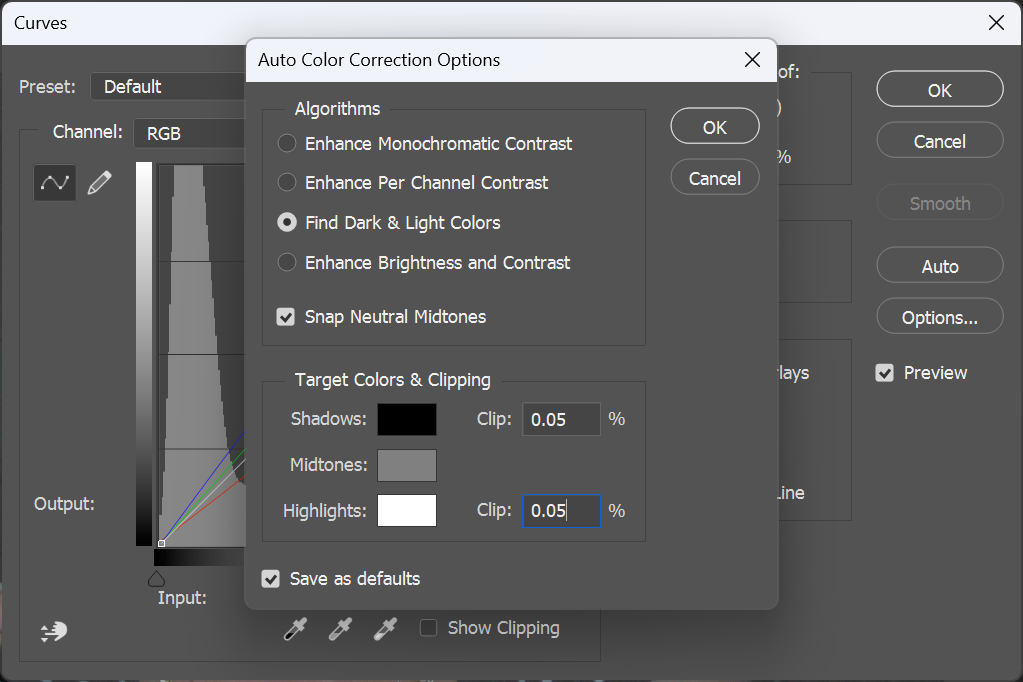
As for the Adjust Lighting v2 model with default values, in my opinion, it’s quite good even for batch processing. At default values, it’s not aggressive.
1 Like
@Imo - thanks! make sure to send this to support@topazlabs.com and we can troubleshoot. Make sure to send in your System Profile as well!
Agree.
Plus, I wouldn’t want a robot determining a creative element like that any more than I’d want it to decide depth of field for me.
May as well just send WALL-E out with a capture device if not going to make personal, artistic decisions re: how a photo should appear or what it should convey… 
1 Like
sent a DM with steps to troubleshoot!
1 Like
Sounds like a memory leak.
1 Like
glad to hear the clock steps i mentionned worked! Let us know if you get more issues
With the information, it could also be peaks in the power management of the CPU.
It could also be that the CPU is now dying a slow death.
Which board are you using?
I had the LCC in mind in particular and CPU Core Voltage Mode.
I know from stories that the 13 series is very aggressively clocked.
I still have a 7820X here that has been running stably for years.
At that time I still had two of them, I experimented with mine at my workstation, while my wife’s then got the stable values.
I can imagine that the CPU has problems with the voltage here and there, overshooting etc. and therefore makes problems.
I know that you have been optimizing for a very long time.
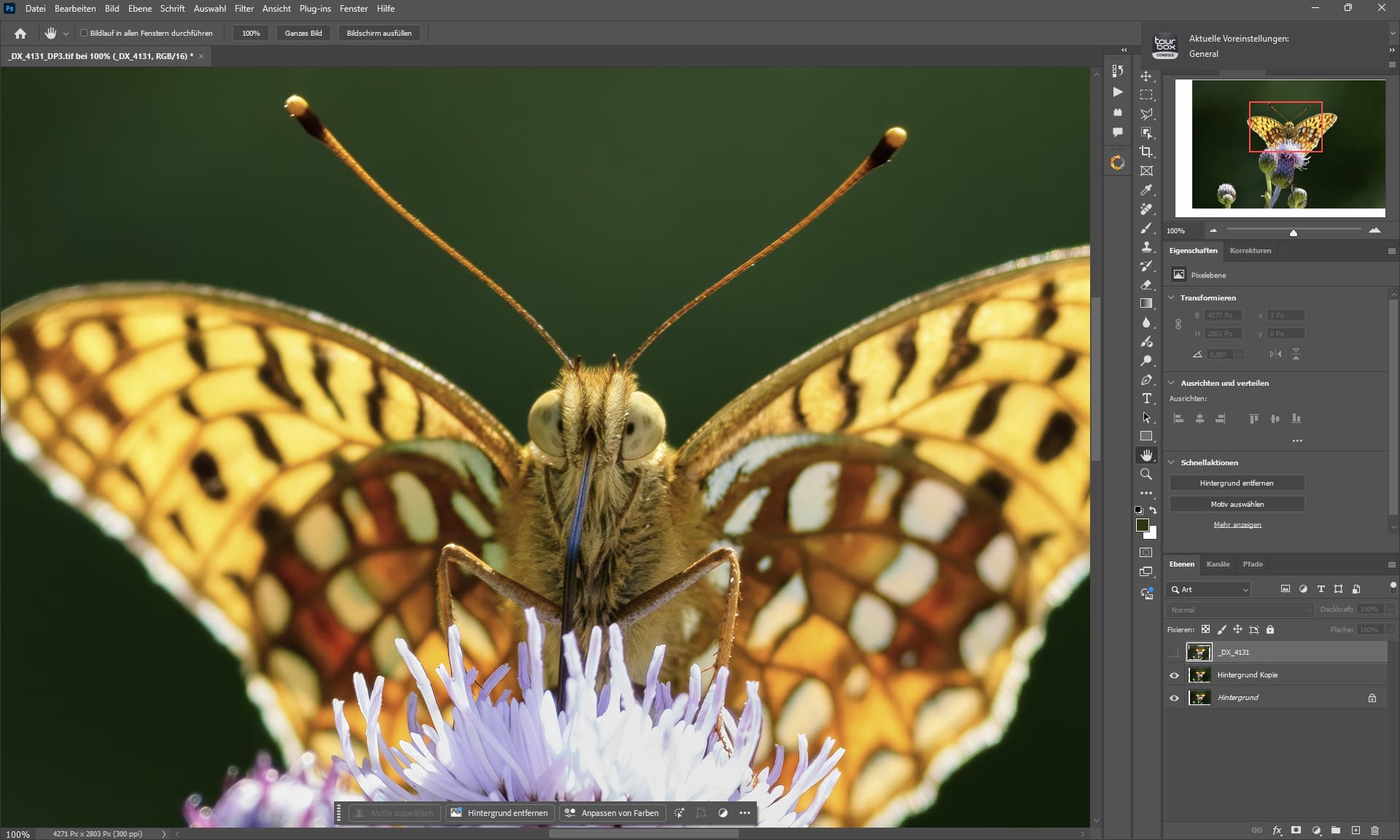
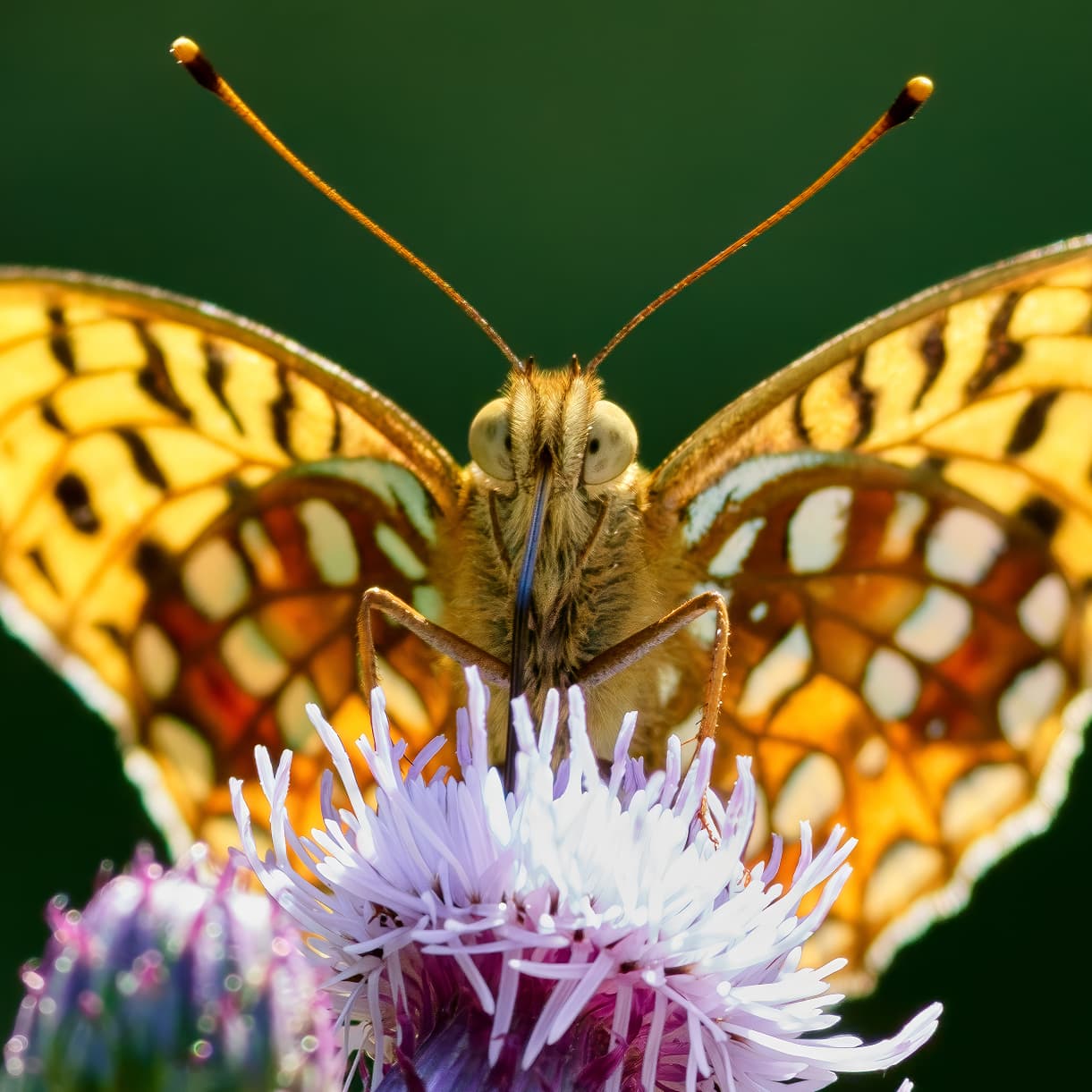
2025 Version - PureRAW 5 + Capture One Beta + Gigapixel Recover (Butterfly only) + Photoshop + PhotoAI HifiV2 (Plugin) + Nik Collection 8 (PreSharpener)
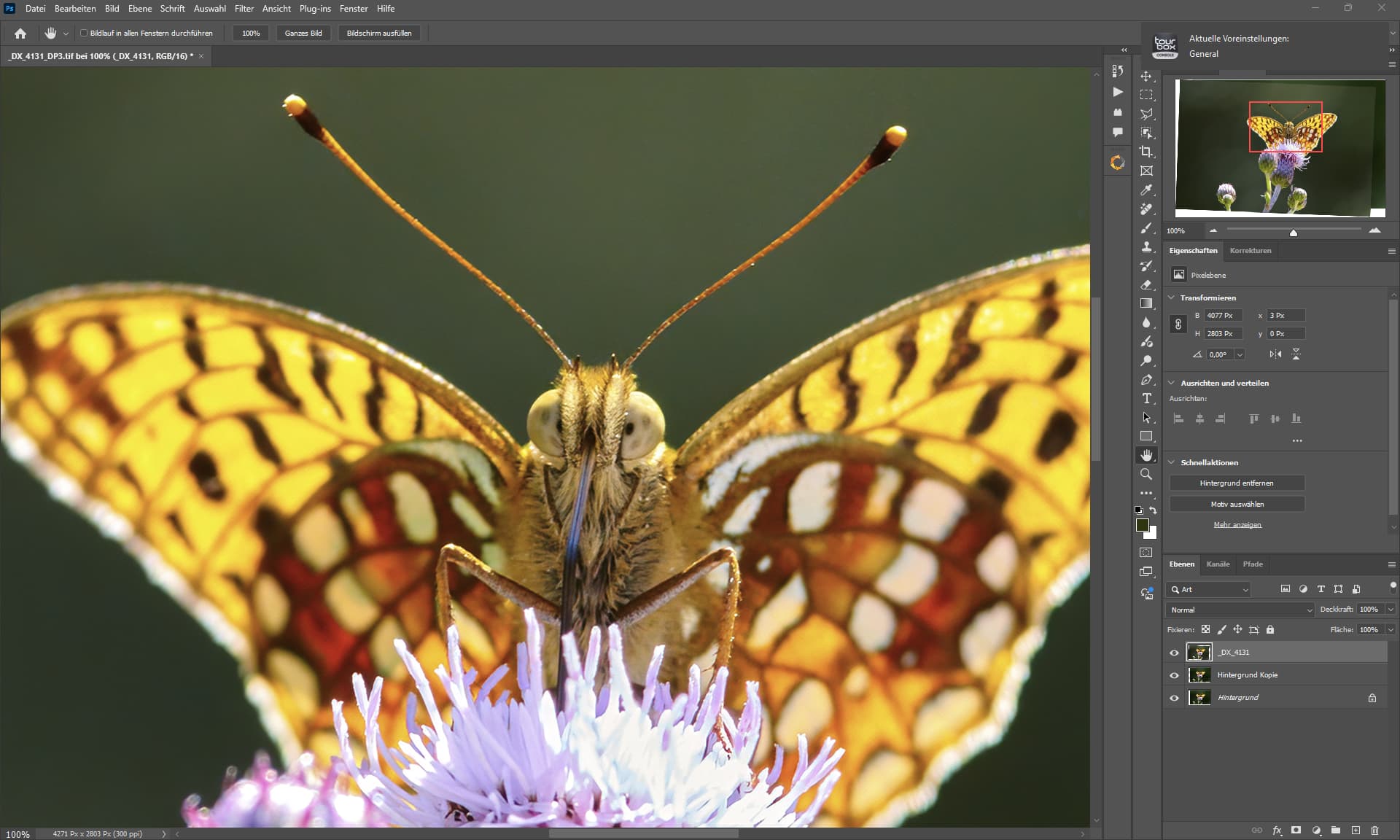
2020 Version - Capture One + Photoshop + Denoise AI.
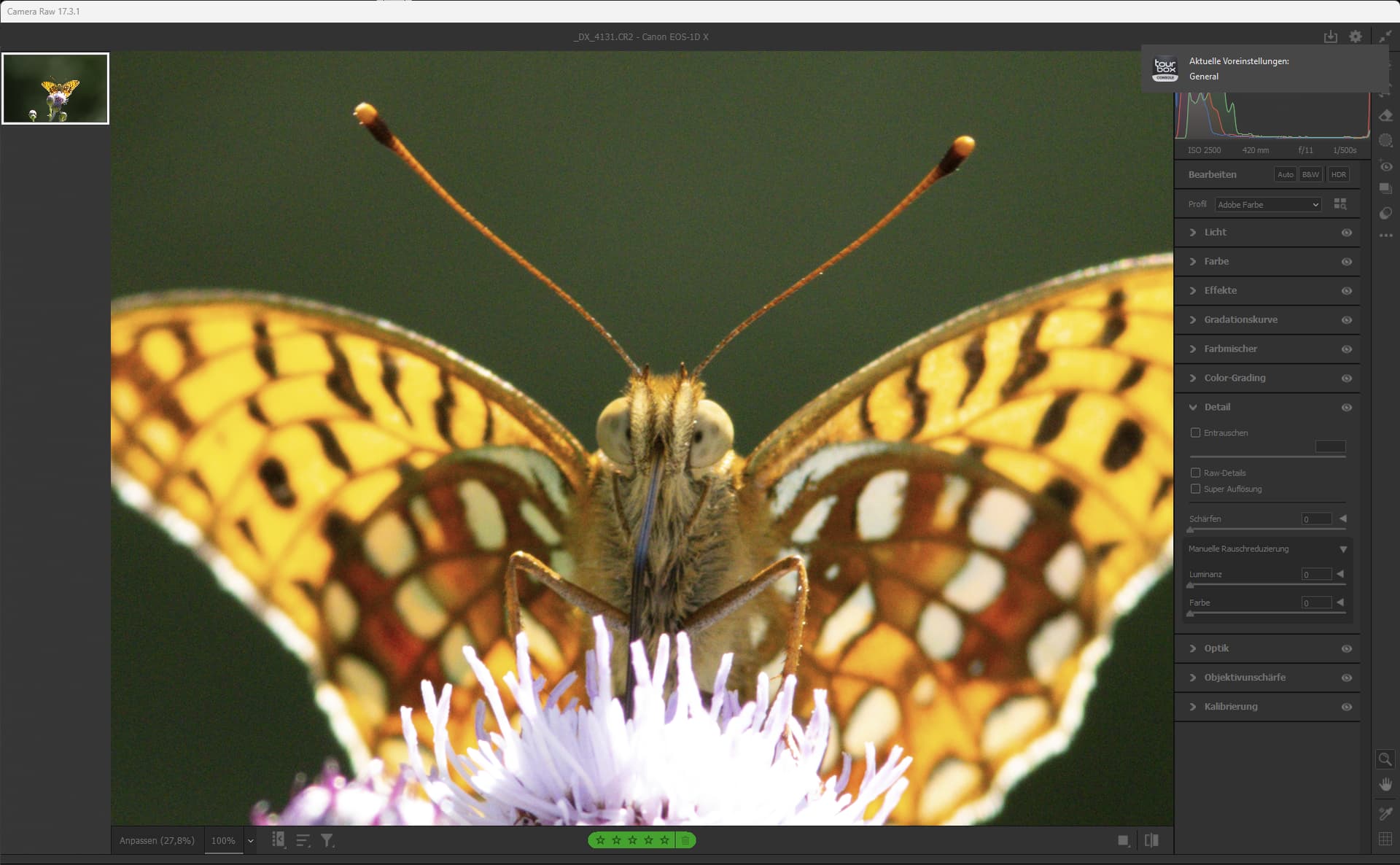
Original File
2 Likes
No halo’ing either even with ambient rim lighting.
Do you ever leave a bit of noise? Does it ever help with enhancing your textures/shadows?
Partly, it depends on the picture.
If the AI processing is too perfect, I like to use noise to breathe life back into the image.
2 Likes
Yes, I’ve set my preferred Auto algorithm for Curves in Ps too. I mostly don’t use Auto. But it’s helpful to see what it offers up. I generally have mine set for “Enhance Brightness & Contrast”.
I don’t have mine clicked to snap to neutral midtones. Do you find you get color shifts by using that?
I think if we click Alt/Opt then click on the Auto button in the properties panel it opens that Auto Correction options box you’ve attached a snip of.
Ange -
Thanks for the reply. No, I do not uninstall between updates. I usually get a message notification; the message says there is an update available to download; then I download it. My experience has been that it seems to download everything and takes upwards of an hour sometimes. I will admit my Internet speeds could be a bit better but they are not that bad! I have never seen an update complete in anything close to 5 minutes.
Rich
