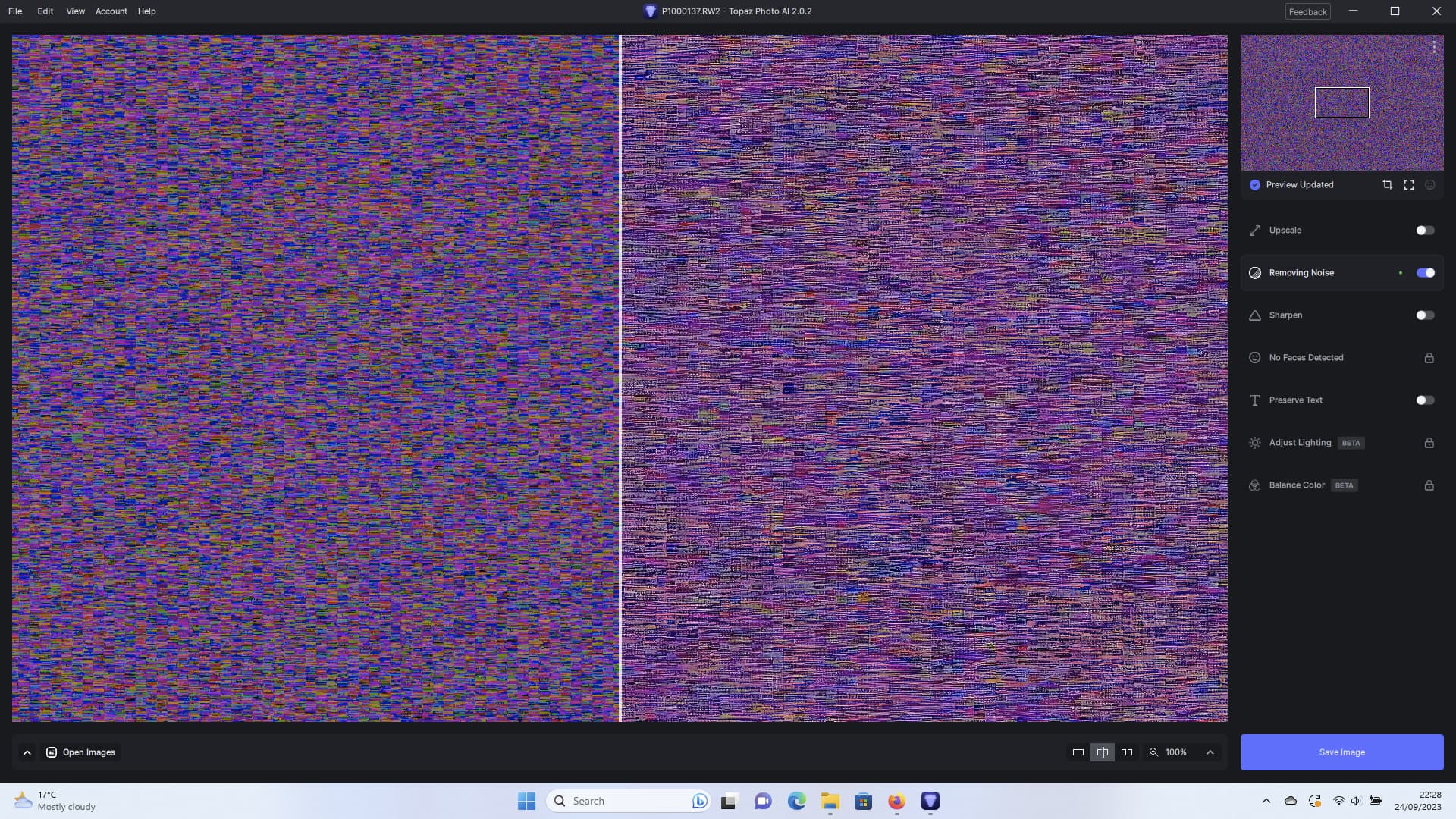
Still no RAW support for Panasonic S5mk2x :((((
1 Like
I love this cat pic so much!
And, I’m a dog person.

It seems that Topaz Autopilot only wants to sharpen the subject of any photo sent to Topaz via Photoshop. I then have to deselect the Sharpening Subject feature and select the Remove Noise option. This is quite different from earlier versions.
She asked for a work around and if someone is using PAI as a plugin then they can replace the sky anyway. Plain skies don’t really add much. In this case the tiling is really not visible under normal viewing. Of course, Topaz should get rid of it if possible.
2 Likes
Dear all, one reads again and again in this forum, that there are performance problems with TPAI. I am also in the process of purchasing new hardware. Currently I am working with a Windows 10 system and an old RTX2060 graphics card. However, I am not fixated on Windows and can also imagine a switch to Mac. Unfortunately, there is no performance comparison of TPAI on Windows vs Mac hardware that could help me decide. Topaz has included an option for users to create benchmarks in TVAI. I would like to see this feature in TPAI as well. Therefore I have posted this idea in the forum and would be happy if you would vote for it.
https://community.topazlabs.com/t/user-benchmarks-in-tpai
Thanks in advance!
Ulrich
4 Likes
I would very much like to see an ability to save an applied setting for use on groups of images. I am not using face detect it these images and they are shot in almost identical situations, a hockey rink shooting minor hockey. The lighting is relatively uniform and I am currently manually setting the values use to not obliterate facial features in the players, which the automatic settings tend to do. If I could save the settings used in one image to apply to the next it would save me some time. When I am going through 1200 images from one game a second here or there multiplies greatly. Perhaps there is already a way to do this?
Thanks.
1 Like
As long as you’re ok with copying your current settings to all loaded photos you can.
Just click the three “dots” on the top right of your thumbnail of the photo you want to copy the settings from.
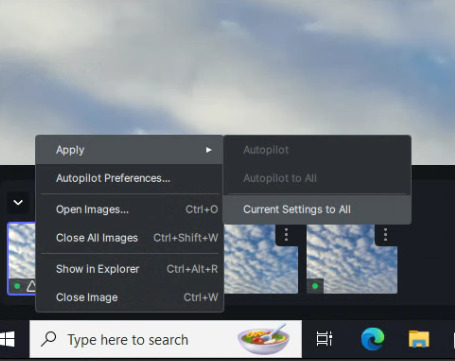
What you can’t do though is selectively paste your settings to for example 10 out of 30 loaded photos.
I wish they would add the ability to apply the “Preserving Text” AI model for all pictures,
Not sure if it was requested, but there are some cases where the “low resolution” model from “Preserving Text” gives the best results, then I go and apply a bit of sharpness.
I do hope not. Let us get core functionality sorted out before adding trivialities like benchmarking. I am sorry but I think your request is a very bad idea,
4 Likes
I can well understand your concerns. Nevertheless, I think that an integrated and thus standardized benchmark is also helpful for the developers. This way, all on a voluntary basis of course, every user can share their benchmarks, whereupon the developers can see if the software runs well on all possible hardware and operating systems and where there is still need for optimization.
In the lab there might be, pure speculation, 10-20 different systems to test, in the user base much more.
With kind regards
1 Like
You do make some interesting points, but maybe they could have a separate little add on program that benches as you are using it. I still would agree that a built in benchmark in TPai would be either necessary, or a worthwhile development. Perhaps we shall have to agree to disagree on this one.
all the best to you.
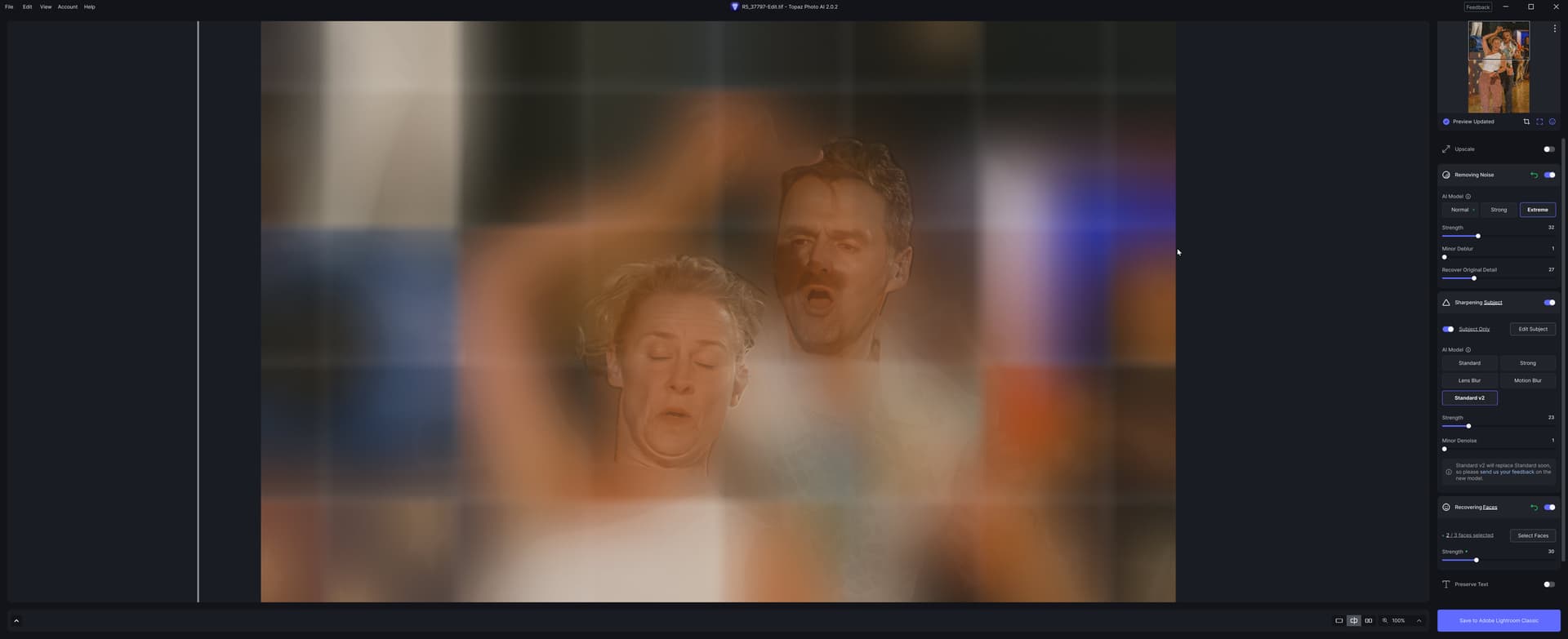
Wow.
That’s a .tif? Is it a layered .tif? Was it a previously processed .tif (which still shouldn’t do that…)?
Just a simple .tif exported from Lightroom, from a Canon CR3 compressed RAW. Very noisy - ISO 12800, and horrible lighting - a mix of daylight and red and purple stage lighting.
I saved the results for fun, and then tried again from Lightroom. It worked without a problem.
I’ve done about 50 or so photos from the same competition, all using pretty much the same settings in Photo AI - Extreme Noise, Standard V2 Sharpen, and Face Recovery. I’ve had just one other problem where it somehow converted the noise to stubble on a dancer’s face. Again rerunning from Lightroom cleared the issue

I should say these are really noisy photos that would be completely unusable without Photo AI. I only bother to take the photos in the first place because I know just how much they can be improved.
2 Likes
Y’know, if I saw the tiled version in an art museum I’d assume it was a purposeful really creative photographic art piece!
1 Like
I have been trying out the new RAW/DNG process and found that my images were much much brighter than the original raw files back in Lightroom. I am using a Sony A7RMk4
Thanks
I made a test with Panasonic RAW 2 fotos and found the following:
- Importing a Panasonic RW2 file from LUMIX G91 (about 23MB) works fine
- Importing a Panasonic RW2 file from LUMIX GH6 (about 40MB) is not working
hope this information will help.
At my computer, a Razer notebook with i7-10875H processor and RTX 2080 graphics card, Photo Ai continuously crashes after 10-20 photos. Batch processing is not possible any more.
I have installed the most recent NVIDIA driver but the software still continues to crash.
All versions 2.0.0, 2.0.1, and 2.0.2 continuously crash.
Windows is the most recent version available, i.e., Windows 11 W22H
1 Like
