Hi everyone!
We’ve just released a small patch that includes a few UI refinements—such as added Recover 3 local rendering support on Mac, update to legacy models, and a cleaner Generative preview experience—along with several important fixes related to cropping accuracy, export behavior, file size estimates, and other issues.
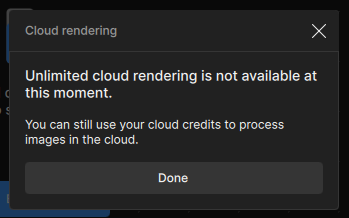
We will be continuing to work and monitor issues related to the Cloud Queue and model quality. Thank you again for your support!
Recover 3 does not work on M1 devices with macOS 26 (Tahoe). We are working with Apple to fix this issue.
With this addition, Recover 1 has been moved to our Legacy models.
To access Recover 1 for local rendering:
Go to the Topaz Gigapixel Main Menu
Select Settings
Find “AI model” and toggle on “Show Legacy Models”
Choose “Recover 1” and click Save.
Updated UI for Generative Models: We’ve removed the preview controls for generative models. The previous preview system did not accurately reflect final output quality, and users reported ongoing inconsistencies between preview images and rendered results. Removing these controls ensures previews better represent the final exported output.
File Size Estimator Removed
The File Size estimator in the right-side panel has been removed due to discrepancies between the estimated size and the final exported file. To reduce confusion and improve accuracy, we’ve removed it from the UI and replaced it with megapixel size.
Changelog:
Allow Recover 3 to run locally on Mac
Moved Recover 1 to legacy models
Added seat management for reclaiming seats
Allow JPG and TIF as new extensions to export
Improved memory usage in logger
Added OAuth failure page for when OAuth doesn’t succeed
Replaced file size estimation with megapixel count
Removed window previews for some generative models
Updated app icons around the app to use SVG versions
Proc error dialog now directs to the Get help dialog
User icon no longer hides when cloud is disabled
Only show overwrite warning when exporting would overwrite
Wonder now shows version number
Updated translations
Fixed some small memory leaks
Fixed cloud outputs not keeping selected PPI settings
Fixed Intel Mac crashing on some scales
Fixed model verification stalling if no models are found
Fixed windows installer permissions for non-Latin locales
Fixed logging out causing a cloud refresh that fails
Fixed cloud hover tip not restricting long prompts
Fixed crop settings not being correct in some cases
I’m going to test this new update. But by removing preview controls for generative models: do you mean that for Redefine we will no longer be able to do small previews to get an idea of the result before rendering the entire image?
— it quite often errs on the side of … hair… on skin coming out of a closed mouth (upscaling the shadow between the closed lips to hair or thread).
And it, of course, perfectly renders error ins an image instead of fixing, say, linear lines in a scan etc.
It’s a bit strange that the Bloom-Version of W2 almost every time gives me different results, which seems to be more aggressively AI’d, less natural.
Apart from that, and the black patches are annoying but solve-able, this upscaler is bizarre and I cannot wait for the local 8X version :-D. I am currently, just for fun and before using it for serious stuff, upscaling old Listall-Pix of Actors/Actresses and these are terrible, terrible originals – and in most cases W2 comes up with such an amazing improvement vs Standard / High / Recover3 that it is just breathtaking. First AI upscaler I really am super impressed with.
Even for Recovery V1. It would have been good if the preview controls had remained, as it’s the only generative model with predictable results regardless of the preview control size. Without them, it’s difficult to see if the model will be suitable for the type of image you want to render and if the quality will be there.
Hello!
We definitely are working to correct the dark tile patches - thanks for catching those too!
Bloom version of Wonder 2 is more catered towards AI-generated input images which is more expected to have different results. We have worked to target results for photo based inputs for Gigapixel and Photo.
We’ve removed the cropped preview option (small/medium/large bounds) across the generative models because it was causing more confusion than value. With diffusion-style generation, changing the input area produces different outcomes, so the cropped preview never matched what you’d get in a full export.
I feel like Redefine is much, much slower than before when I’m scaling up to 2x. It takes a very long time to start, then gets stuck in the same place for quite a while before finally unblocking and moving forward, then it gets stuck again for a while before continuing, and so on. It’s even worse if I don’t first render my image at 300 DPI, since I render at 300 DPI in Gigapixel. If the source image is 72 DPI, it takes a really long time to scale up to 300 DPI, even at 1x. I feel like it’s gotten slower since a few updates.