Thank you @Ange.topazlabs for the quick reply. Having the High Fidelity model available in the cloud would go a long way toward convincing me to keep my annual subscription, especially since I don’t use the other models and it doesn’t look like High Fidelity will see meaningful updates anytime soon.
3 Likes
Hi, is anyone else having the same problem with the Wonder model? It always freezes at that point and stops spinning. And the image isn’t rendered.
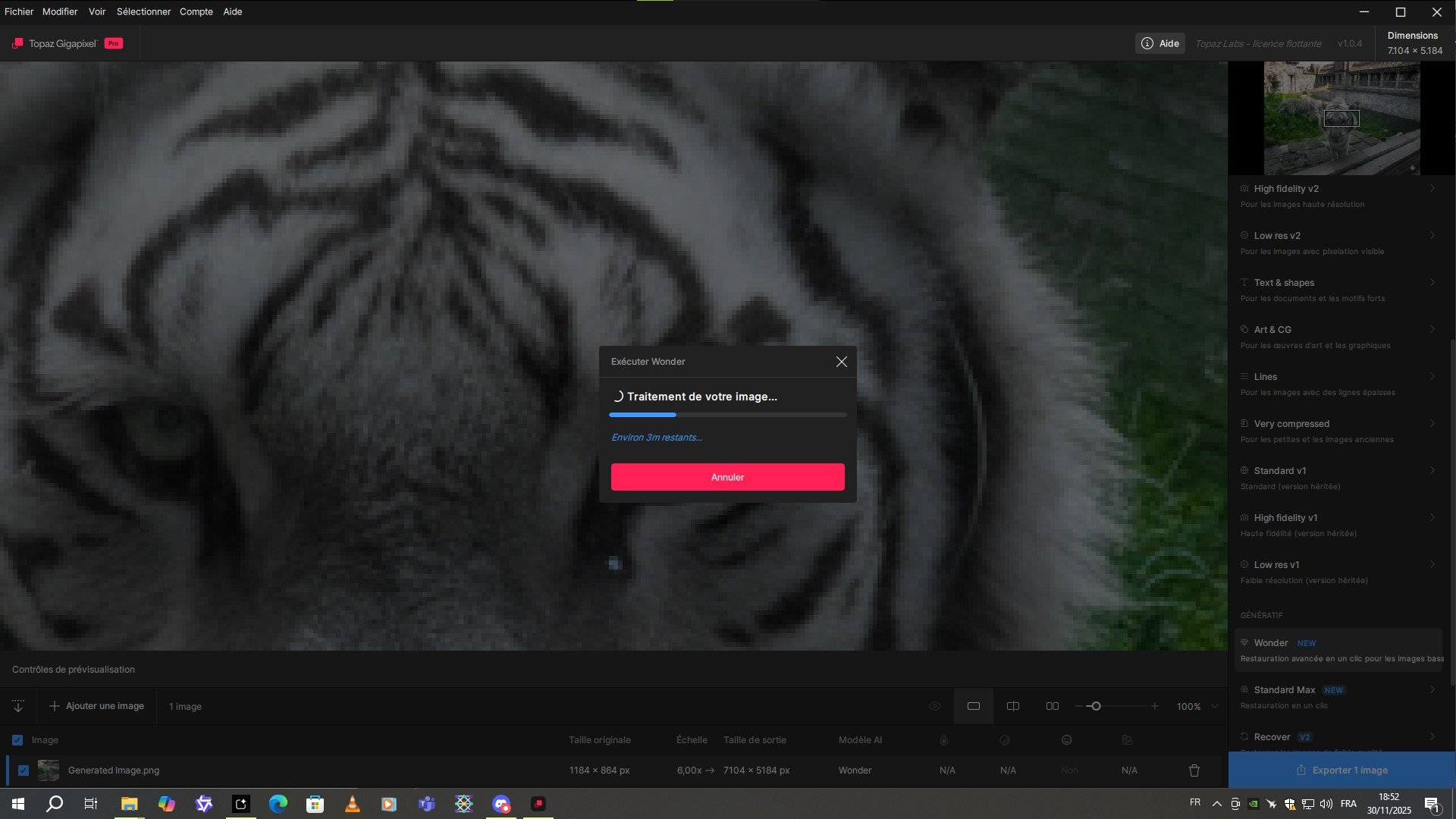
Luckily, it still works on Topaz Photo 1.0.2.
Okay, I restarted my PC and the problem fixed itself. Strange.
1 Like
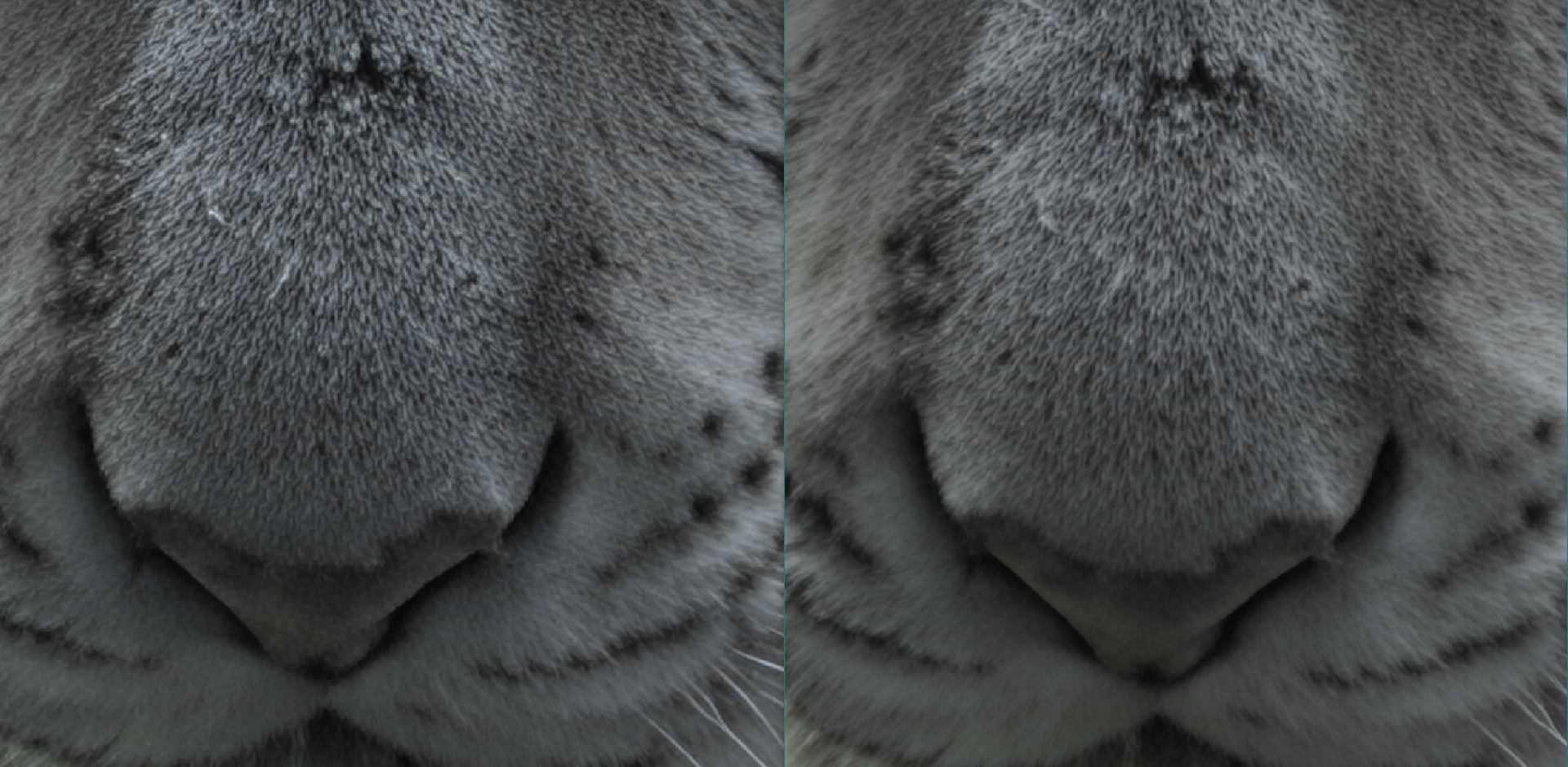
Interestingly, Wonder in Topaz Gigapixel is slightly sharper than in Topaz Photo.
Here’s the image on the left with Gigapixel and on the right with Photo AI.
1 Like
If you send the same image twice to the cloud it will have slightly different results. This model is generative, meaning that it will add details and pixels that didn’t exist before processing. This process as a random factor. This could explain why one seems to be sharper than the other one.
I see. That being said, I rendered it locally. But I imagine the result would have been the same in the cloud.
Why Gigapixel 104 use so small capacity of computer resources? No more than 10% of GPU / CPU and RAM. It is so slow… It takes a lot of time to enlarge picture to MAX
-
(v1.0.5) Fixed crash when downloading models to a file without write permissions
-
(v1.0.5) Fixed Windows installer leaving model files without write permissions if download step is canceled
2 Likes
For those who were having trouble with 1.0.4 no longer running without doing it as an admin, 1.0.5 fixes that issue.
1 Like
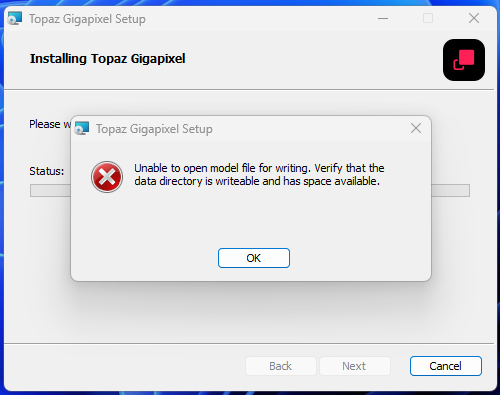
1.0.5 fresh install (first studio version I’ve attempted to install) gives me this. I have 188GB free space on the installation drive.
Not a great first impression!
This is not about space available; it’s probably about where you want the app to save. For example if the Program data has restrictions on being writeable.
This can also be an in-app blocker. Test with the direct link:
Windows: [Download]
Mac: [Download]
Snapdragon: [Download]
Contact us at help@topazlabs.com if you have any remaining issues.
Please write to help@topazlabs.com and we will investigate what’s happening.
Usually, slow behavior would be caused by a computer that doesn’t meet the minimum requirements, or one that doesn’t have a dedicated graphics card.
What was said above is correct. If you don’t have issues with your app, you can ignore this update.
Even locally, the processing will be slightly different everytime.
On Mac, no issue updating in place.
1 Like
I see. Thanks for the answer
1.0.6 mac installer doesn’t download models while install and after install in-app download also don’t work.
When upgrade from 1.0.5 to 1.0.6 it deletes json files from models directory and when open any image it can’t find model files to work. But model files present in models directory with no json files.
With clean install models folder stays empty after install.
If copy json files from 1.0.5 to 1.0.6 then image processing works. Maybe also in-app download will work but I didn’t check that.

Please ignore v1.0.6, there is an issue with the installer and it’s creating issues. We will update here tomorrow with another release.
Thank you for your patience!
2 Likes
Version 1.0.7 was released! Please let us know if you have issues. This should fix those issues:
- The installer permission issues on Windows, and model downloading errors when opening the app on Windows.
- Fixed CMYK JPEG images not loading on Mac and Windows
Thank you
2 Likes
