Have you reinstated the patch previewing (small, medium, large) in this 1.0.4 update?
I am asking the question because it is not listed in the changelog.
Have you reinstated the patch previewing (small, medium, large) in this 1.0.4 update?
I am asking the question because it is not listed in the changelog.
Thanks! I just sent the log files. Hoping to hear back soon. I also made sure to have the app permissions enabled.
Seems like 1.0.4 fixed the bug to the worse: Now there is no preview at all if the user is not running with elevated rights, i.e. as administrator. Didn’t check for the missing S/M/L previews, reverted back to 1.0.2 - I always keep the downloaders until I’m sure the new versions run.
@andreas.werner-6199 - there should not be any administrator rights needed. If you update back to v1.0.4, send us screenshots and logs of the behavior to support@topazlabs.com and we can have a look and relay to the development team!
Thank you for implementing Grain the right way.

Perfomance of Wonder was fixed too.
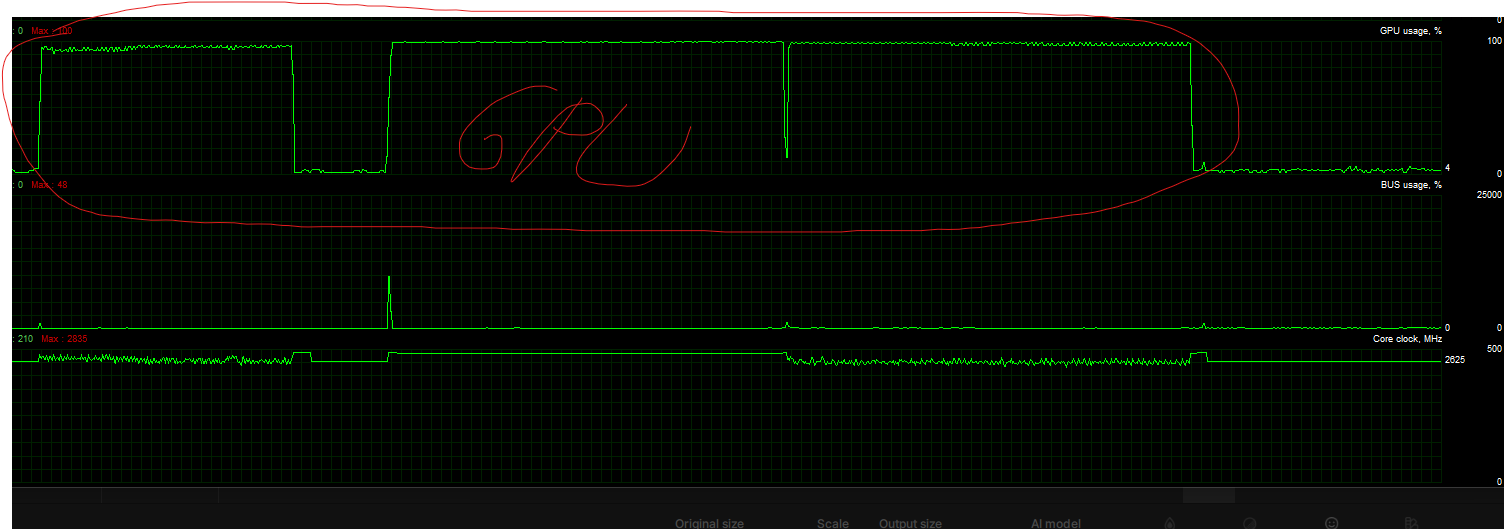
Did run completely on the GPU.
Confirmed with a second image. (Tiff 16 bit)
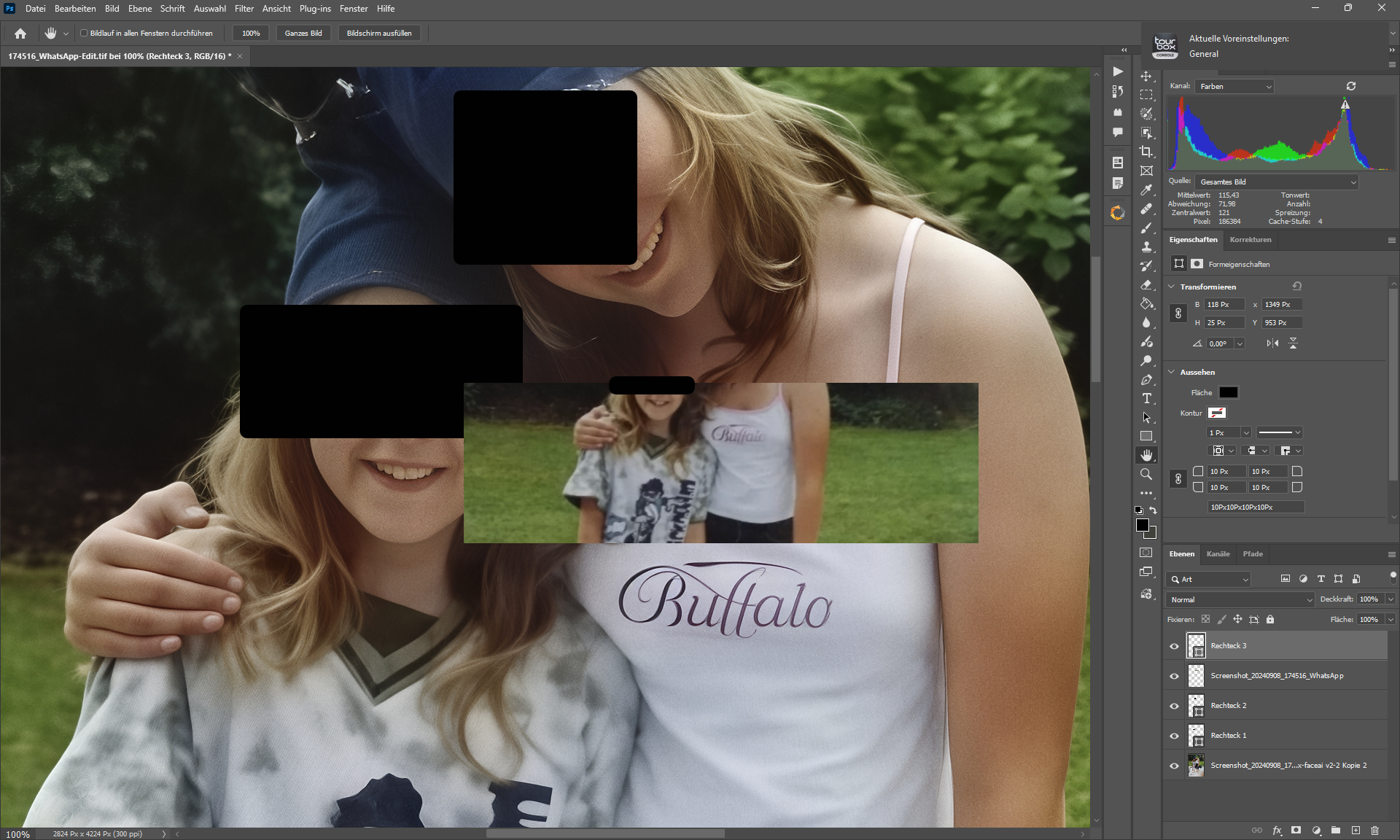
Some Layers of Wonder, Recover V1, Standard MAX, Facerecovery, Grain and Redefine Realistic Subtle.
I particularly like the fact that the image hasn’t changed (in the sense that its artistic style hasn’t changed) and that I can recognize both people.
Yes a Wonder update was done to fix the model to use more GPU, glad you can see the difference.
For the results, great upscale!
Wonder: Just a side note – I can confirm that it now runs fast on my laptop and uses the GPU (NVIDIA GeForce RTX 4070 Laptop GPU, 8GB) in the range of 95-100%.
Great, I just installed 1.0.4 and I finally have preview control again in Recover and Redefine.

Thank you for this quick update.
Are you saying that Redefine in this version would now be as good as, or even better than, in Gigapixel AI 8.44?
I’ve no comparison
Sorry.
Hi Angie,
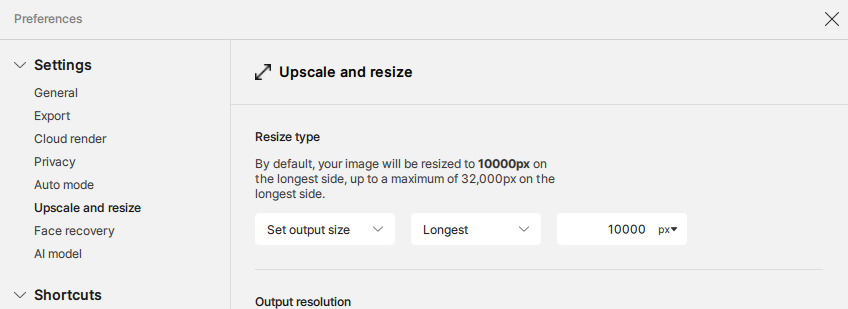
Still something not quite right with the auto scaling upon drag drop of images, I’ve got it set to Longest Edge of 10000px, but it’s not adjust the other edge to the correct ratio, it’s still remembering the previous other edge px size. Could you pass this to the devs to look into.
This was working perfectly since the old v8 version, then worked perfectly until v1.0.2 of latest.
Thanks, Jamie
el modelo wonder no funciona bien en v1.03 y v1.04 solo carga hasta la mitad y luego la pantalla empieza a parpadear y se corta el trabajo uso gráficos integrados AMD Radeon™ 780M (en la v1.02 funciona muy bien)
Hi.
You need to speak to someone from Topaz Support here’s the link to contact Topaz Support directly
Topaz Support
In the meantime either use Cloud Rendering or Rollback to version 1.0.2 here’s the link for both Windows and Mac
Windows
https://downloads.topazlabs.com/deploy/TopazGigapixel/1.0.2/TopazGigapixel-1.0.2.msi
Mac
https://downloads.topazlabs.com/deploy/TopazGigapixel/1.0.2/TopazGigapixel-1.0.2.pkg
Hope this helps
It would also be great to have a preview control for the Standard Max and Wonder models. Especially Wonder. Because it’s quite slow, it’s annoying to have to preview everything to check if the result is good or not. I’ve already had cases (depending on the initial image quality) where the result wasn’t great and I wasted several dozen minutes. Fortunately, so far, I’ve only had very few cases. I’d say 1 or 2 out of 10, give or take. Sometimes the model isn’t ideal for certain images. So yes, it would be good to have the same system as Recover V2 to check before rendering the entire image.
Is there any chance High Fidelity will be offered for cloud rendering? Why restrict cloud rendering to generative models only?
The development team is considering this and we will update your Ideas thread if it becomes available! Right now, only generative models are in the cloud as they are memory-intensive models, and the other non-generative ones are local only, as they are less memory-intensive.
@jamie-6940 - thanks for flagging! I have relayed to the Gigapixel development team. Will circle back when a fix released.
Make sure to send an email to support@topazlabs.com and we can have a look and suggest workarounds, Wonder will need a dedicated GPU to work, its a memory intensive generative model.