If you currently have a License for Gigapixel AI you have permission to use Topaz Gigapixel 1.0.2 until your Licence Expires then you’ll have to revert back to Topaz Gigapixel 8 unless you decide to upgrade to the Auto-Renewal Subscription for the new Topaz Gigapixel
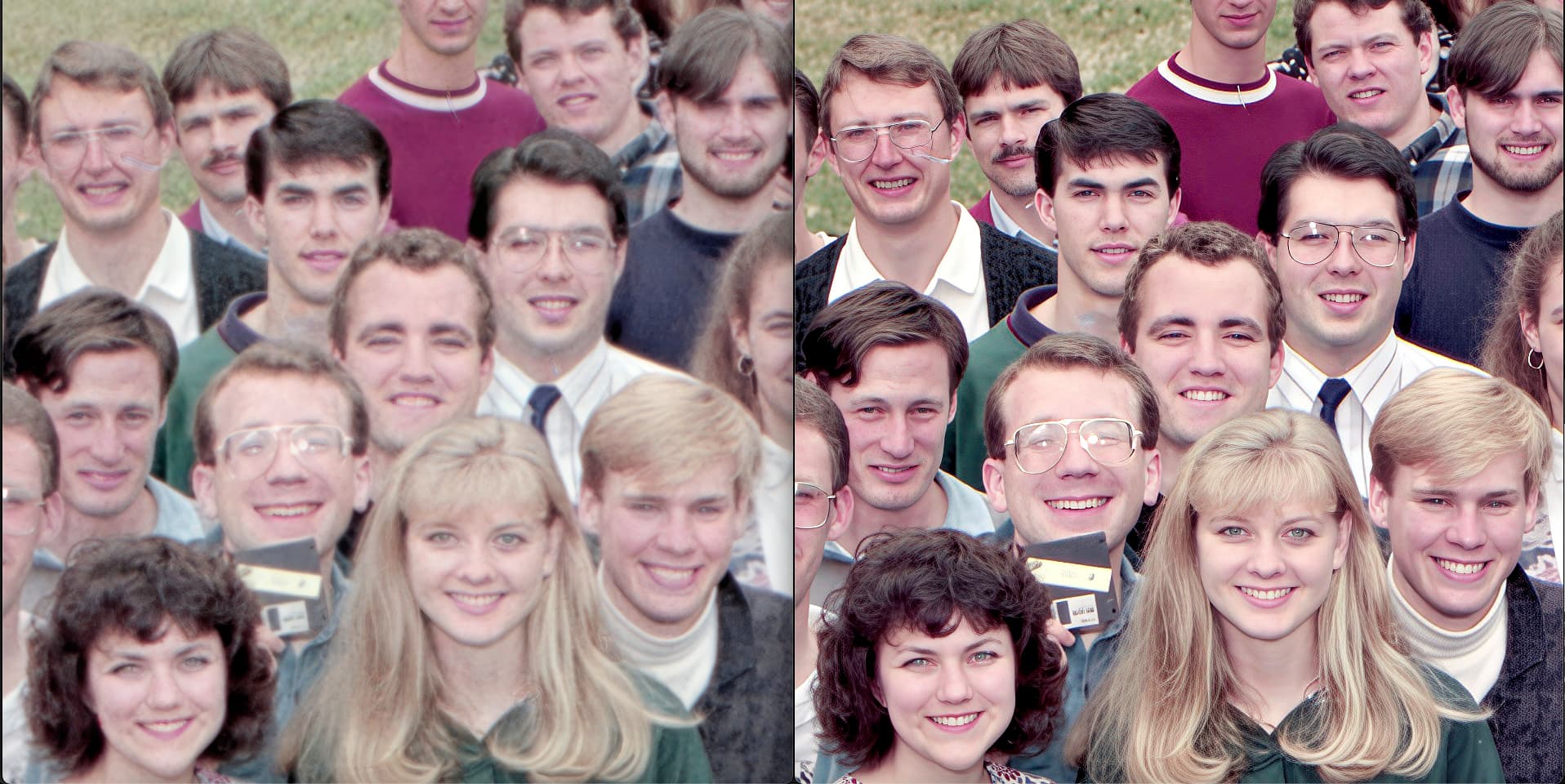
I finished my group photo enhancement project and decided to see how the competition (L) compared…. That result looks like the original scan before any treatment!
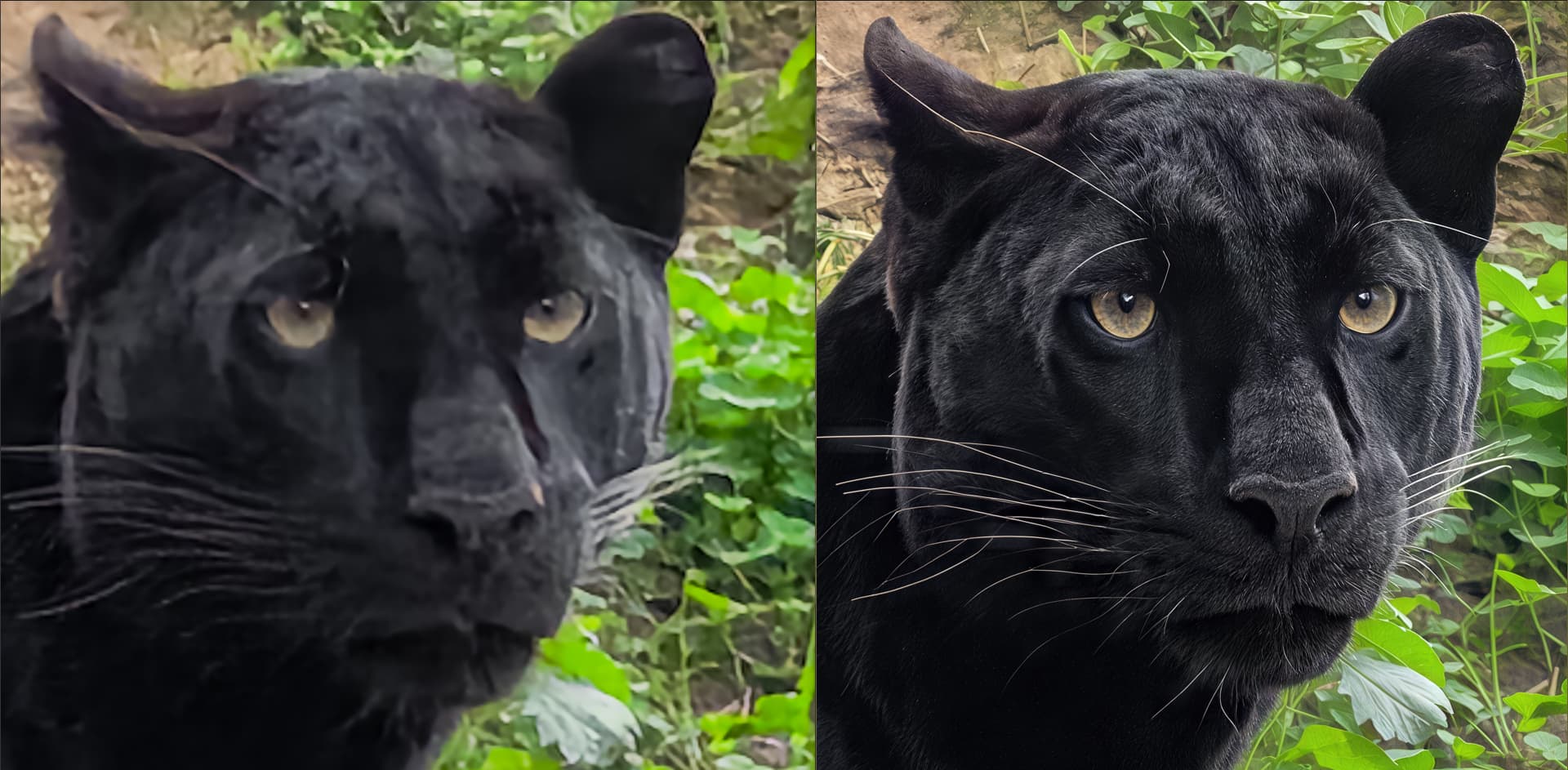
Also, here is my latest smartphone photo enhancement with Hypir Ai, Gigapixel with Recover v2 and Standard Max as well as Wonder and Gemini AI for beak and eye detail recovery + Wonder ironing on the beak and eye area. And final upscaling with Standard Max and a bit of ON1 Resize on some details.
This is for the animal picture lovers that still struggle with the fur texture that GP generates, especially out of small inputs with little fur detail: Make two upscales, one with Redefine realistic (creativity none) and one with Redefine creative (creativity low, texture can be played with). Merge both as layers in an image editor and set transparency to 50/50 (or try 30/70 or 70/30). Unify the layers and save. Doesn’t always work but in many cases the result is much better than with just one of the GenAI models alone!
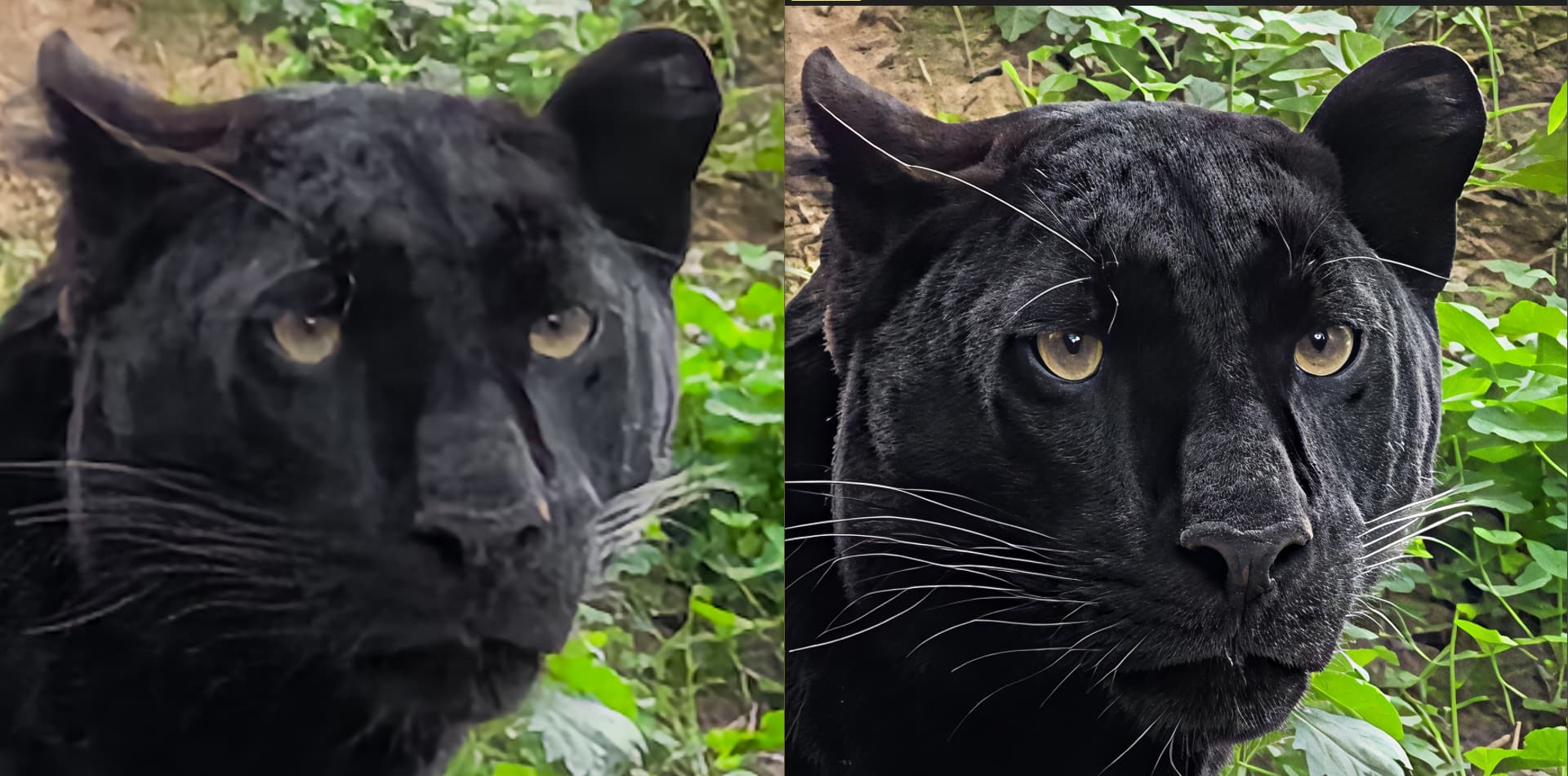
Personally, I have better. First use Hypir AI to refine the details. Depending on the base resolution and or degradation, use the base settings or increase to around 80 or 100. The final details of the resulting image are really great. Then in a second step, use GAI Redefine on top of the image improved by Hypir AI. There, the quality will be really top. As if the photo would be taken by a good reflex.
Example between the original here zooming in on the head with my smartphone (it’s a fairly distant view so digital zoom) and the version with Hypir Ai on the right.
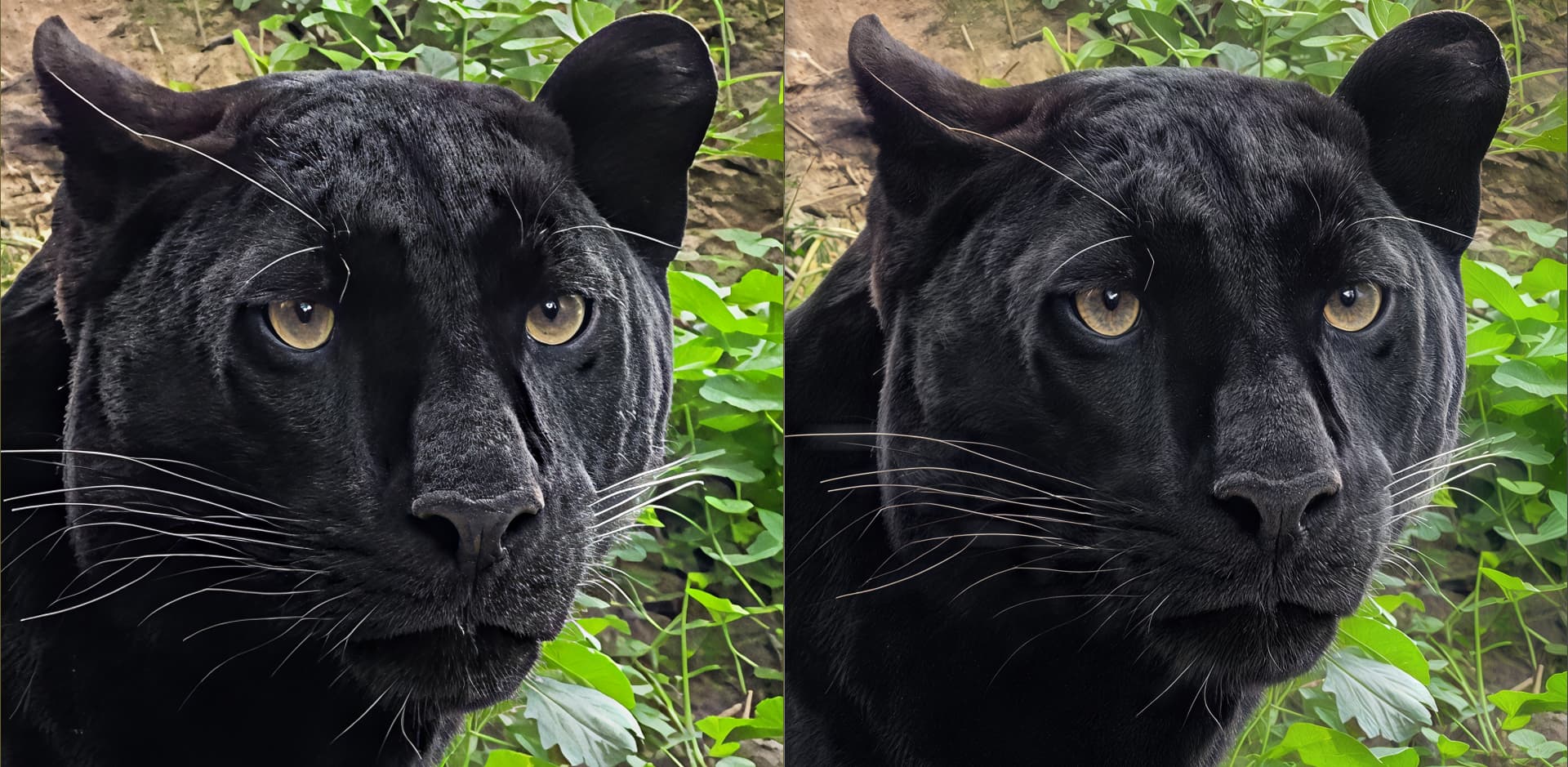
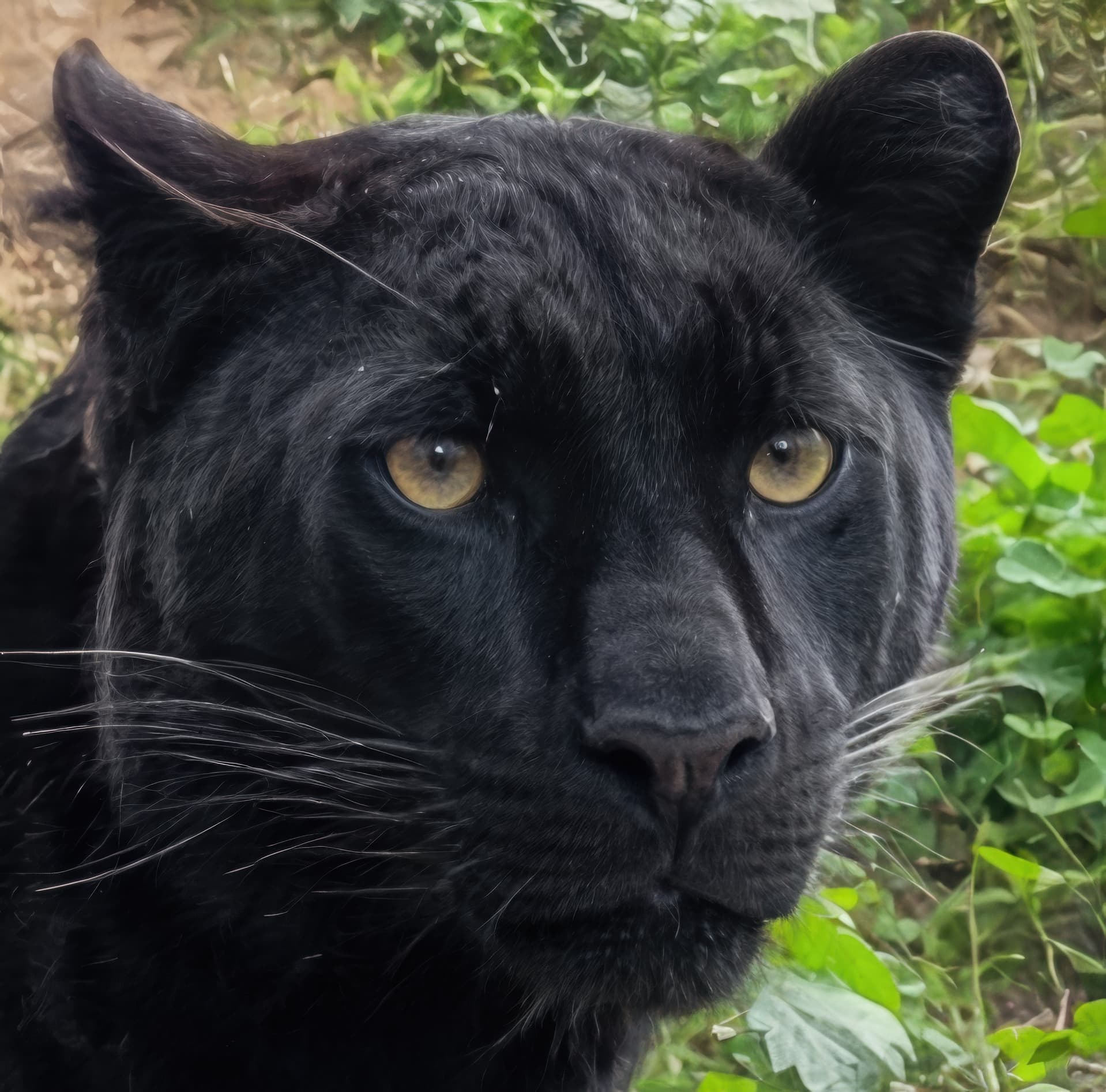
I really like the last picture (Gigapixel with its Redefine). Perfect cat eyes, whiskers and fur. Only that one very long eyebrow – from our perspective on the left – is clearly… how to say it… artifactual.
Here is what came out of my workflow. I took your original picture as in the post and did two passes of Redefine, one set to creative/medium (which I rarely use) prompted “panther” (without this it gets a doggy nose ) and one set to realistic/subtle with no prompt. Merged the pictures with 70 % realistic and 30 % creative share and did a final upscale to 4 MP with High Fidelity 2. While it certainly does not match your result, I regard it as proof of concept for what can be achieved with GP alone and an image editor. BTW, GPAI 8 was used but the results should be identical with GP 1.0.x.
I don’t consider it artificial. He actually has a very long hair on his left eyebrow.
I will show the before and after on the final rendering of 2 photos of the black panther.
Over the rendering of Hypir AI with a prompt like:
“high quality, ultra detailed, sharp focus, photorealistic, a black panther peering around a stone wall, sleek dark fur, intense yellow eyes, long whiskers, detailed claws on paw, textured gray stone wall, lush green hillside with weeds and grass, professional wildlife photography”,
I used x2 Redefine realistic subtle with a solid prompt like:
“A photograph of a black panther (melanistic leopard) peeking from behind a textured, gray stone wall. The panther has sleek, black fur, piercing yellow eyes, and long whiskers. Its front paw with visible claws is resting on the ground. The background is a sloping, earthy hillside covered in lush green grass and various weeds.”
I also used a variant with Wonder in x2 which allowed me to correct certain artifacts caused by Redefine and a variant with Standard max for the background.
I also removed the reflections from the glass using AI reflection removal introduced in Adobe Camera Raw.


 ) and one set to realistic/subtle with no prompt. Merged the pictures with 70 % realistic and 30 % creative share and did a final upscale to 4 MP with High Fidelity 2. While it certainly does not match your result, I regard it as proof of concept for what can be achieved with GP alone and an image editor. BTW, GPAI 8 was used but the results should be identical with GP 1.0.x.
