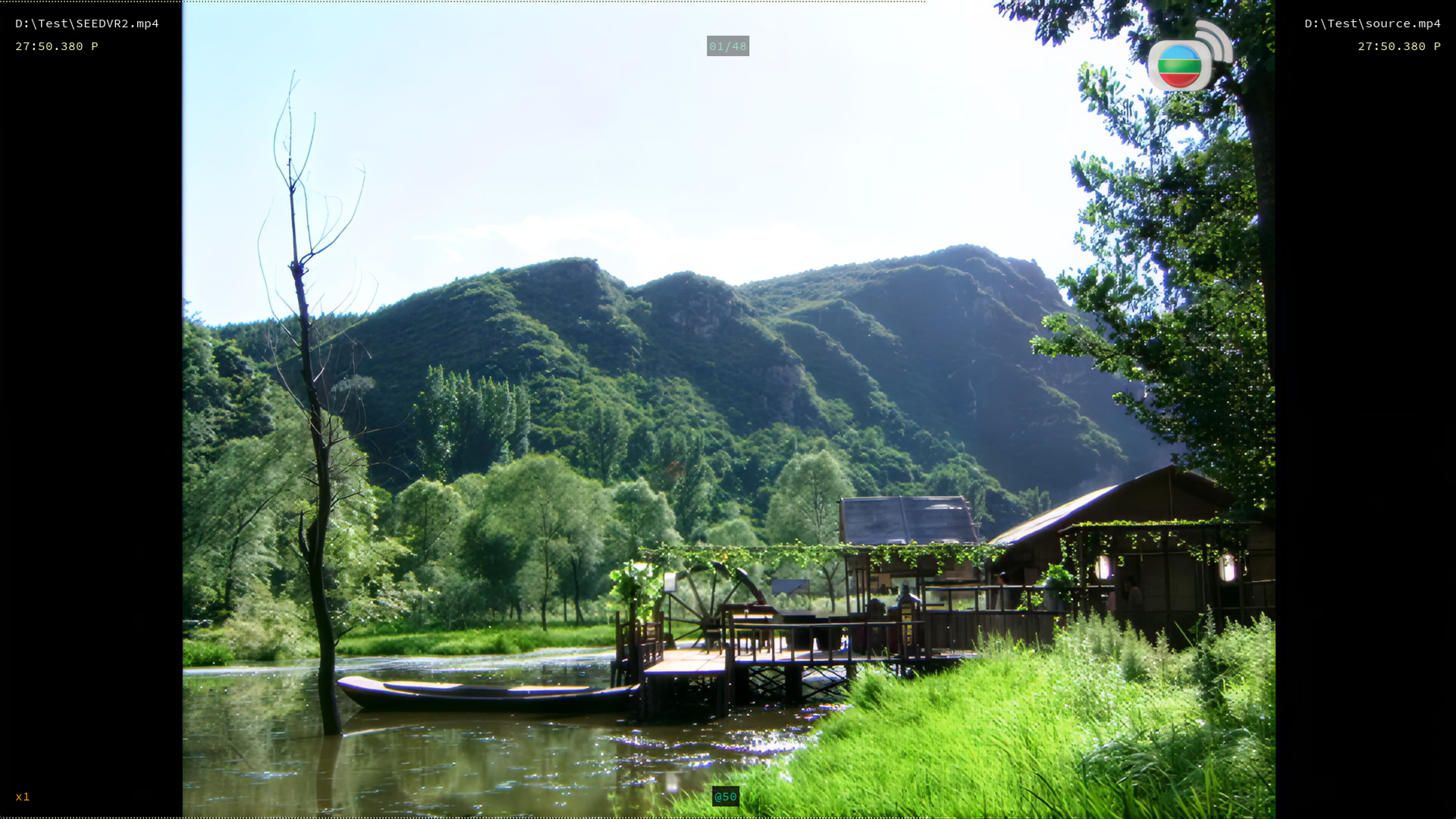
SLP 2.6 Tuner Launcher (Major SPEED BOOST)

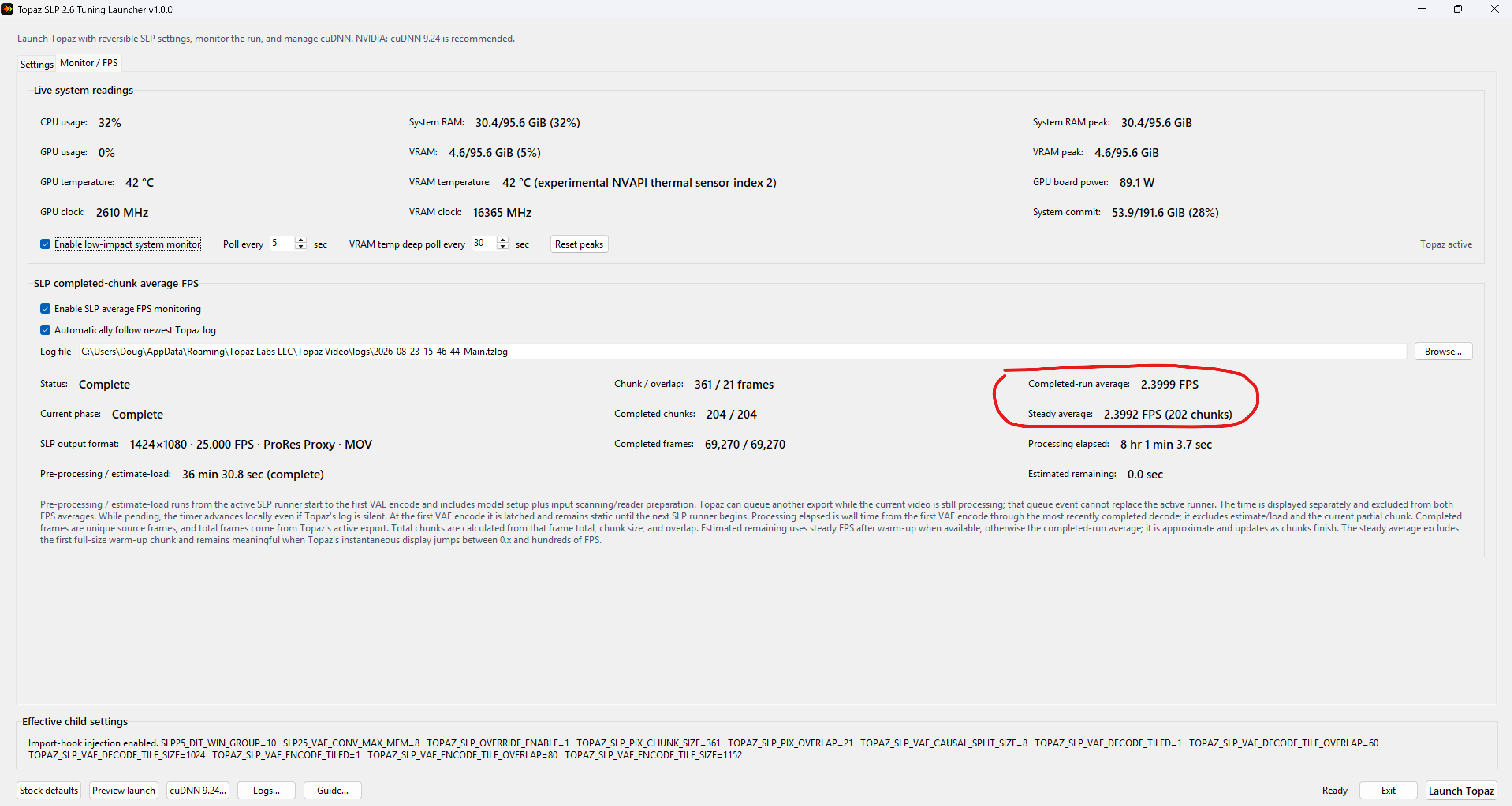
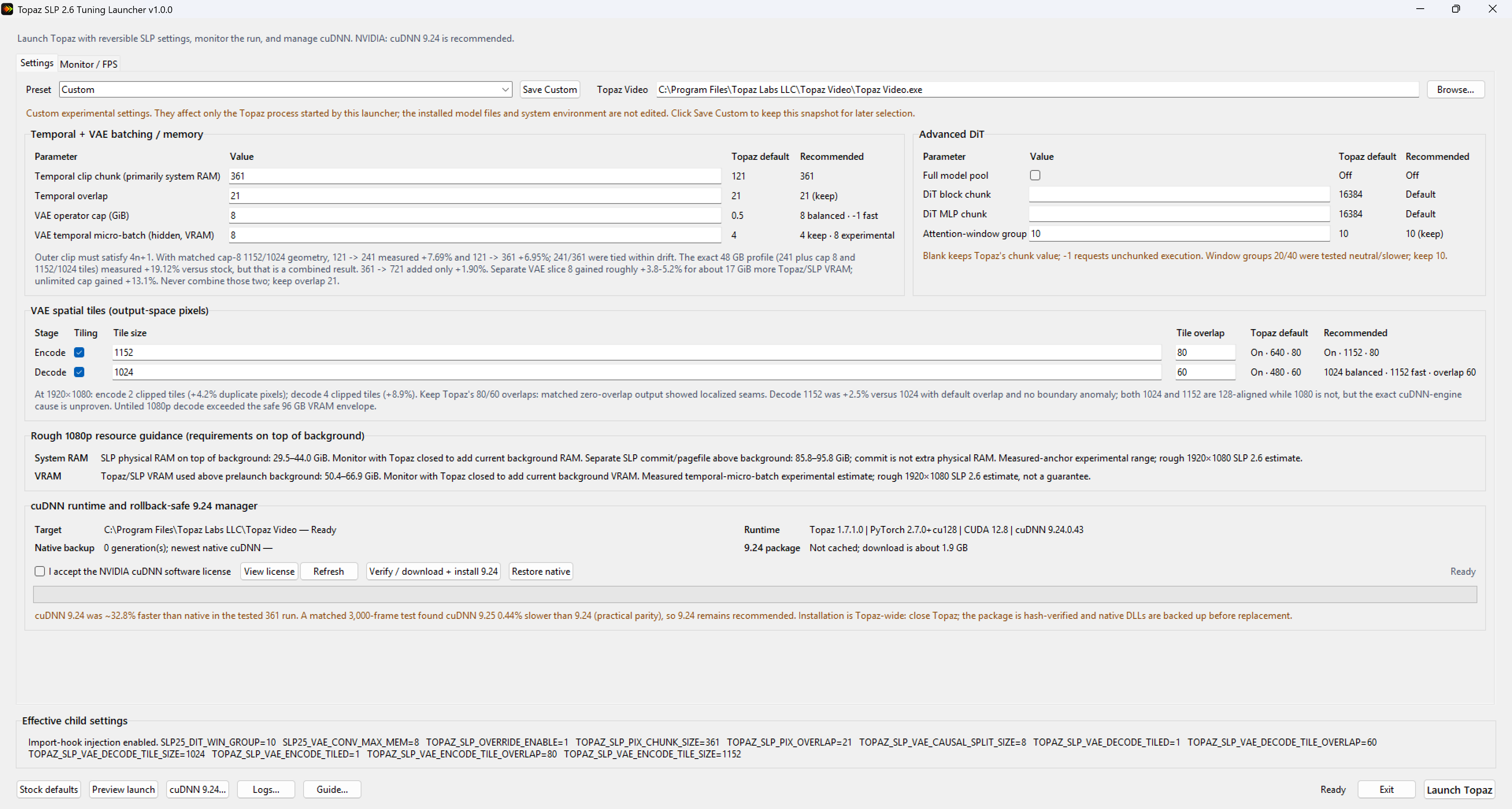
TL;DR: Spent 3 whole days of SLP tuning: 1.06 2.4 fps on 1920×1080 output (2.26×, a 126% increase; +78.9% of that is from the tuning alone, the rest from cropping pillarbox). Free tuning launcher on GitHub binary-only, Windows x64, fully reversible:
RESULTS:

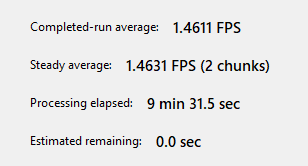
Earlier in this thread I reported 1.06 fps processing 1920×1080p at 1x enhance. After countless parameter tests, I’m now getting 2.4 fps on the same videos. One clarification so I don’t oversell the tuning: I also cropped the black bars off my old 1920x1080 videos. The content is 4:3, not 16:9, so cropping removes about 25% of the pixels (1920 14## wide). With VAE tiling and tile overlap at the seams, the true processing reduction may differ from that. The tuning alone improved the speed by only +78.9%.

One consistent finding: for a given output resolution, the enhance factor (1x/2x/3x) barely affects speed it’s the output resolution that drives speed.

VAE TILING FINDINGS (all at 1080p output on a 96 GB RTX PRO 6000 Blackwell / 96 GB system RAM)

  • Disabling VAE tiles entirely OOM. That’s weird at 1080p on 96 GB; in SEEDVR2 I got a big speedup from disabling tiling and never came close to running out. Has anyone else hit this?
  • Tile size 1920 (whole frame in one tile) no OOM, no speed increase, VRAM spiked.
  • Tested tile sizes: 1024 (4 tiles/frame), 1080 (2), 1152 (2). Results: 1024 was faster than 1080 in some cases, and 1152 was fastest overall: [add fps for each].

This is counterintuitive - fewer, larger tiles should mean less overlap waste - so my working explanations are: (1) cuDNN picks kernels from exact tensor dimensions, strides, dtype, workspace limits, and hardware, not tile count; (2) 1024 and 1152 are both multiples of 128 (8×128, 9×128) while 1080 is not; (3) encode and decode are different operator stages with different tensor shapes, so tile size affects them differently and is nearly impossible to predict without exhaustive testing.

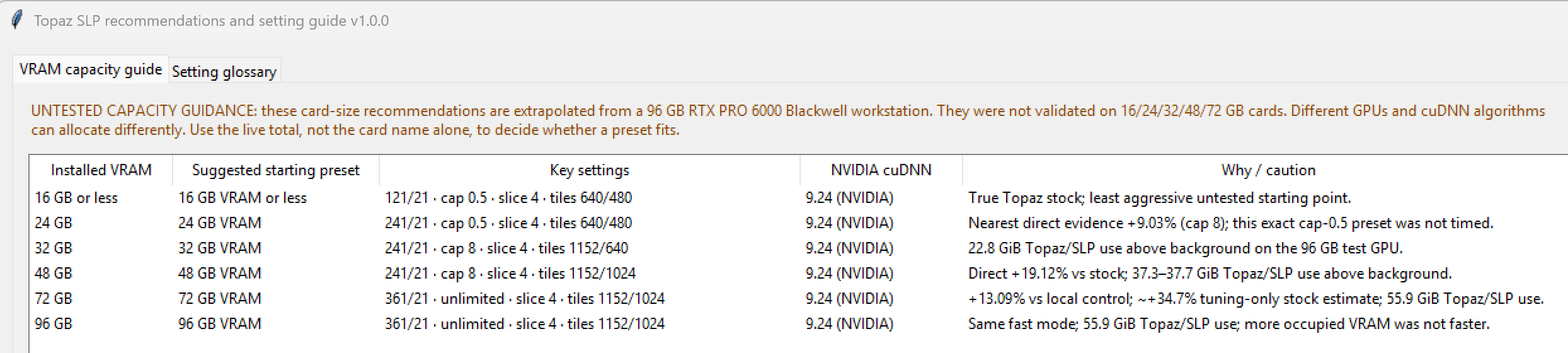
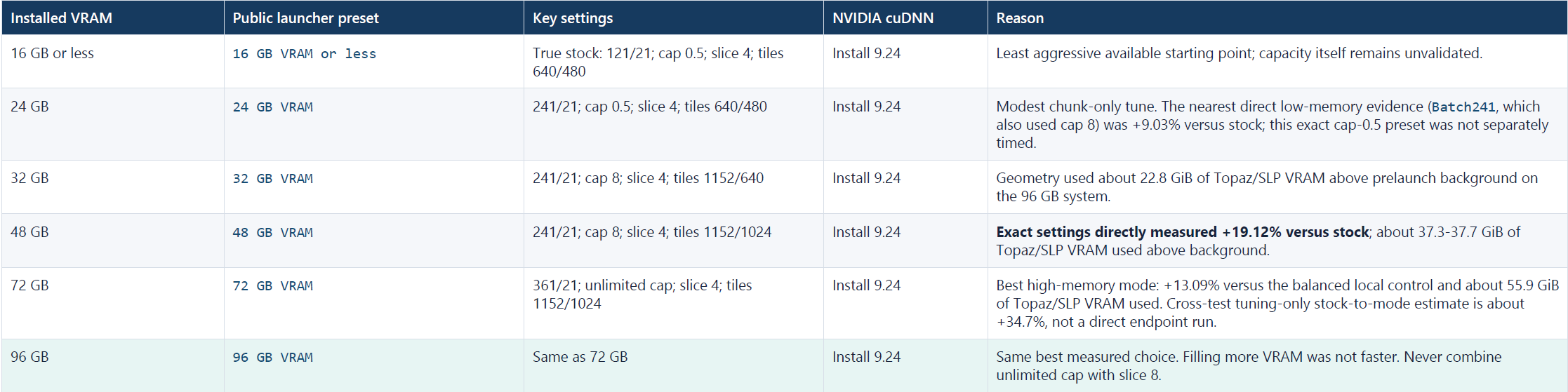
CAPACITY TIERS (a stab in the dark)

These are experimental starting points, not validated hardware recommendations. All of my development and testing was performed on one workstation with:

  • NVIDIA RTX PRO 6000 Blackwell with 96 GB VRAM
  • 96 GB system RAM

I did not directly test the presets on GPUs with 16, 24, 32, 48, or 72 GB of VRAM. Those tiers are conservative extrapolations from the memory behavior observed on my 96 GB system.

Use the launcher’s live memory estimate together with the VRAM and system RAM already consumed by Windows and background applications as a rough peak usage gauge. Aim for at least 4 GB free, 8 GB if you want to keep using the PC. For NVIDIA: cuDNN 9.24 at every tier, inspired by a suggestion from @naxci1 in the SeedVR2 community [9.25.0 is now out @naxci1; but performed 0.44% slower]. Results vary by GPU, driver, Topaz version, and workload. the launcher can restore Topaz’s native cuDNN files.
FUN FINDING: SeedVR2 fingerprints inside the SLP binaries

The Python extension .pyd files in Topaz’s SLP package contain explicit SeedVR2 and ComfyUI-SeedVR2 names, attributions, class names, and source-extraction comments. A case-insensitive string search for “SEEDVR2” and “ComfyUI” turns up numerous hits, e.g.:

  • tcsrmwja1bgh.pyd: “SeedVR2 Video Upscaler - Latent Domain Temporal Chunking
  • _init_.pyd: “ComfyUI-SeedVR2_VideoUpscaler; Official SeedVR2 integration for ComfyUI
  • ub2q3f495bmv.pyd: “SeedVR2VideoUpscaler; SeedVR2 Video Upscaler Node; Execute SeedVR2 video upscaling

There are MANY, MANY more instances. At minimum, this establishes that SeedVR2/ComfyUI-SeedVR2 identifiers remain in the installed runtime. In my opinion, the quantity and specificity of these strings strongly suggest the SLP runtime descends from, embeds, ports, or integrates SeedVR2/ComfyUI-SeedVR2 code, which would explain why SLP behaves and performs so much like SEEDVR2 and so differently from SLM and the other Starlight models.

And that’s a good thing. SEEDVR2 was the best diffusion based, generative video upscaler ever but installing and optimizing it through ComfyUI could be extremely difficult. Memory limits, VAE tiling, chunk sizes, overlap, offloading, and source-dependent behavior produced very different experiences among users. Even with my previous 32 GB RTX 5090, it took weeks of trial and error experimentation before I could run SeedVR2/ComfyUI reliably and obtain the results I wanted. Users with less VRAM or less experience could easily encounter OOM errors, poor settings, slow performance, or disappointing results. That complexity was the reason for the highly polarized sentiments towards SeedVR2 that we even saw in this forum. Some called it the Holy Grail, some called it crap because they either couldn’t get it running or it didn’t produce the polished results they expected.

Now that SEEDVR2 have been abandoned by its original developers, Topaz is effectively its spiritual successor - SLP is the “SEEDVR3” the community kept praying for, just encrypted and closed source. That’s fine for most people: SEEDVR2’s ComfyUI setup was too complicated for most users anyways, not to mention extremely resource intensive. Topaz made it work on as little as 12 GB VRAM and the quality is now clearly above SEEDVR2 in about every way, which is no small feat.

WHERE TOPAZ COULD DO BETTER

Topaz has optimized for the low end and for the uber expensive Topaz Cloud niche, leaving customers with high-end consumer/prosumer cards practically bottlenecked at speeds not much better than those with 16 GB cards. Stock SLP configuration on my 96 GB GPU maxed out at only 15.1 GB of VRAM usage. This launcher fills that gap: faster processing, less wasted energy (energy is expensive these days), and a smaller environmental footprint. That said, without the unencrypted source there’s only so much we can tune from the outside. Topaz’s engineers can optimize things end users like myself can’t even see: the VAE wrapper, tiler, and memory manager; generation phases; pipeline patching/diffing; dtypes and quantization; architecture dimensions; training/fine-tuning/distillation provenance; tile generation/blending; VAE memory limits; clip blending; supported attention backends; frame/spatial batching in the DiT; golden deterministic I/O. Tuning SLP from the outside is, at best, guesswork that requires immense trial-and-error and with restrictions that Topaz engineers would not have.

WHAT’S NEXT

Given how closely SLP tracks SEEDVR2, I already have an idea to speed up DiT and VAE that should be good for another 30–40% speed boost on top of the current gains, but probably only 24+ GB or maybe even 32+ GB VRAM GPUs can take advantage of. I have to get back to real work, so it will probably be awhile before I can find time to work on this next phase.

Update: A troll is flagging this tread so it might get deleted if it is not already censored. You can follow in this reddit link. Next version has automatic tuning and benchmarks and also a fix for SLP’s extremely long load times for some video file types.
reddit dot com/r/TopazLabs/comments/1vygtvi/comment/p70wf6z/
Very interesting

Thanks for the investigation

Thank you for the helpful application.

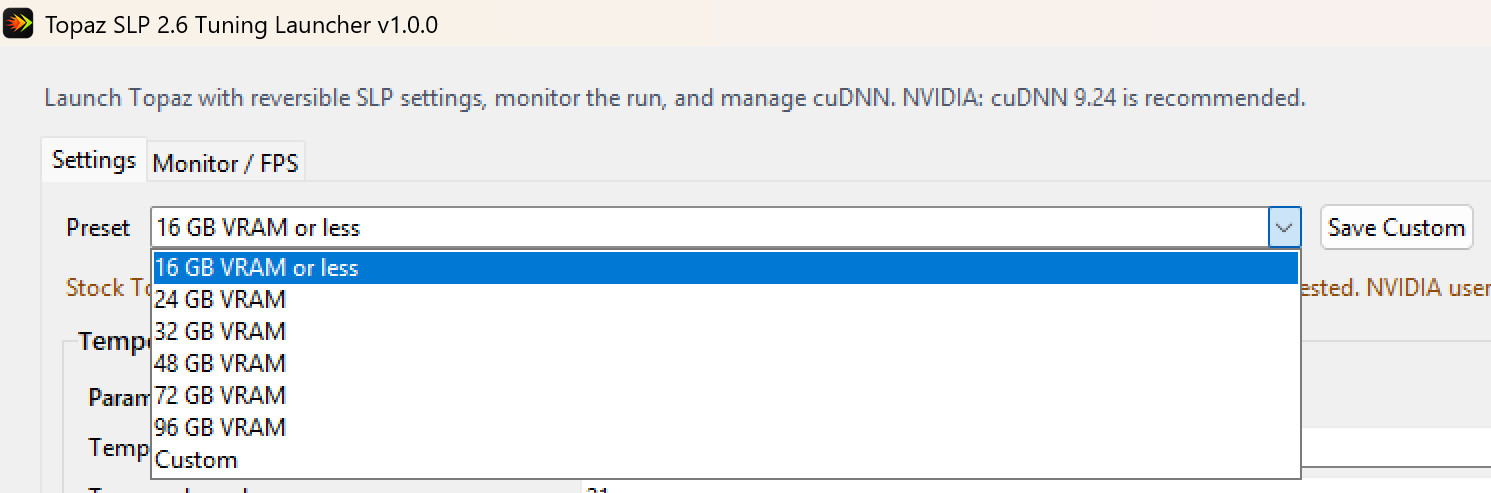
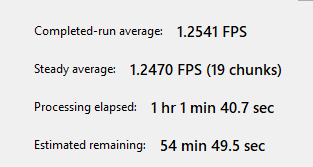
I have 16 GB of VRAM and the speed was the same with the same profile: 0.9 fps. However, I later selected the 24 GB profile and it works well, showing an average speed of 1.25 fps. My advice is to make the 16 GB profile the same as the 24 GB VRAM profile in the new version; it’s working without errors now. Once this is finished, I will try higher profiles as well. The 0.9 fps is now 1.25 fps, which is a 40% speed increase.

Thank you SO MUCH. I’ll be playing with this as I have a custom 48GB 4090, and it’s frustrating to have the default Topaz app not take advantage of this

Wow, this thing actually works! Thanks a ton! I’m seeing about a 40-50% boost in render times with the RTX 5090. If you could do the same for Wonder 3.5 in Gigapixel, that would be awesome! :slight_smile:
Edit:
I’ve been playing around with the settings and I think we can squeeze out another 10-15%. Could you add a batch size option for better temporal consistency? From what I understand, the first option is for chunk length, but I don’t see batch size anywhere. Thanks!

With minor adjustments, I managed to further increase this speed. Actually, all the settings are the same as in SeedVR2.5; I applied those settings here and achieved the best performance. Normally, SLP couldn’t reach speeds above 0.9 fps, but with these fine-tuning adjustments (the same as in SeedVR2.5), it was possible to maximize this speed.

This resulted in a 1.6x or 62% performance increase. This is the maximum speed a 5070Ti 16GB can achieve.

The reason your speed saw no change with the 16gb or less preset is because those were truly stock Topaz Settings. I wanted to stay on the conservative side and I thought Topaz already fully optimized neuroserver for 16gb vram cards but your whopping 62% gain proves otherwise.

Actually I’m shocked you gained 62% for your 5070Ti 16GB because I only achieved about 50% gain on my RTX 6000 Pro 96GB card from tuning the VAE/memory/temporal parameters. I did get 32% gain from using cuDNN 9.24 though so total about 80% gain. Did your 62% boost include the cuDNN 9.24 install or just with the parameters tuning?

Even if you choose the 16GB or less preset, and enable cuDNN 9.24, you should still see 20 to 30+% speed boost as long as you have an NVDIA card.

This is the reason why I need more people to share their results because I’m only one person with one computer that I do work from and I have a full time job and family to attend to. I’m not a Topaz engineer with access to hardware and source codes. Even the initial benchmarks I was doing, I was working on the computer at the same time, so the results are not 100% accurate which is why I didn’t publish my complete bench results. After more production runs, I’m actually seeing faster speeds than what I reported in my original post!!! So if more people can share their results and settings (screenshots help), I can update my app presets. But keep in mind the presets I made are for new users that don’t want to tune the parameters themselves or meant as safe starting points for the adventurous that can tweak further.

Please share your settings.

I’ve shared the settings on another forum, I’ll add them here too.

image

Thank you so much! After some testing I found settings that work for my 5070Ti 16GB. With “default” Topaz I couldn’t run my test video, this time it ran through in under an hour.

I don’t use Wonder 3.5 or Gigapixel so I won’t be working on those. If I have time I will further tweak SLP.

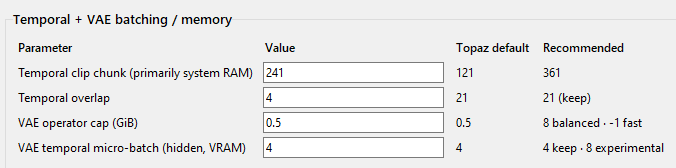
I was not able to find a single active scalar equivalent to SeedVR2’s physical, VRAM-scaling temporal batch_size setting. That was the first thing I was looking for and I thought the single active scalar equivalent to SeedVR2’s physical, VRAM-scaling temporal batch_sizewas the equivalent to SEEDVR2’s batch_size but after running a few test, I realize vram didn’t change and only sys ram does so it is not the temporal batch_size though it also does not behave exactly like SEEDVR2’s chunk size that was hidden in the CLI version only. I found SLP’s VAE operator cap and VAE temporal micro-batch which are the equivalents to SEEDVR2’s “hidden” YAML file settings that are the vae.memory_limit.conv_max_mem and vae.slicing.split_size . SLP’s temporal / batch handling is not exactly identical to SEEDVR2 just like the recent ComfyUI’s native implementation of SEEDVR2 is different than the older SEEDVR2 CLI implementation. The native SEEDVR2 no longer requires chunk_size for long videos. So even if a dormant DiT-only temporal batch_size is hidden somewhere in SLP, it might cause conflicts or introduce additional temporal boundaries and blending so much testing (speed and visual) would be required, and that is time I currently don’t have.

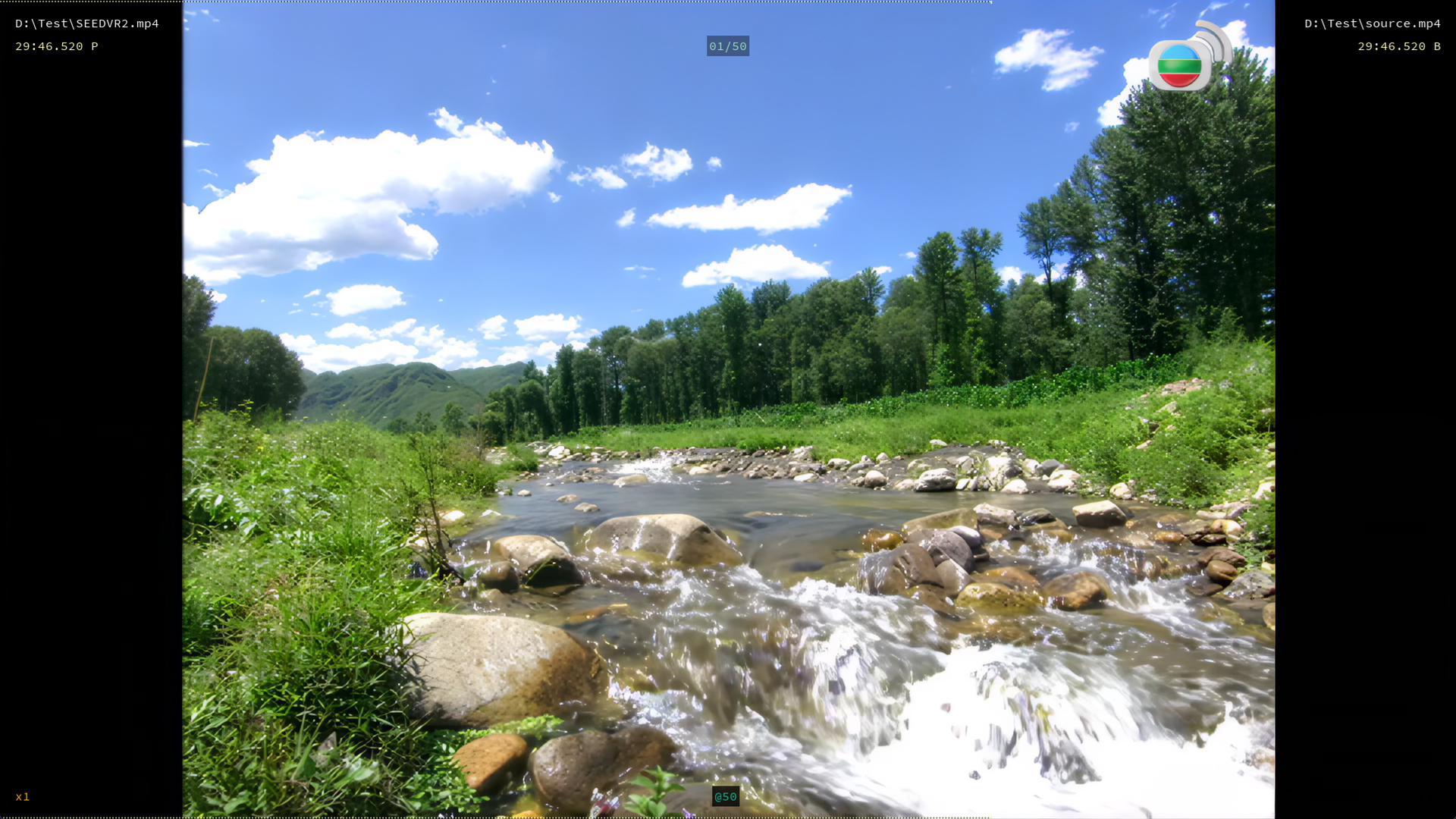
I do have a few other ideas though that should increase the speed by huge amounts and I also foundout that all 6 of the color_correction settings from SEEDVR2 are intact in the SLP package. SLP is currently using color_correction = “wavelet”, which was a setting SEEDVR2 team added because some folks did not like how SEEDVR2 saturates colors by default and wavelet kept the color as close to the source as possible. Personally I love SEEDVR2’s color saturation, which is the best enhancement I’ve seen that I cannot reproduce using Davinci Resolve and Filmora no matter how hard I try as SEEDVR2 seems to be able to differentiate objects such as foliage and sky. It is amazing for natural sceneries and foliage. Adding the ability to restore this default SEEDVR2 color enhancing behavior is top on my priority list for this SLP tuner.

When you say you couldn’t run your test video with “default” Topaz, are you referring to my app’s 16GB VRAM or lower preset or are you saying Topaz without my loader?

Btw guys let me know if you see any issues or speed gains with non SLP models such proteus, Iris, chronos, apollo etc. I haven’t tested any of those yet with my tuner tweaks.

With “default” I meant pure Topaz without your loader. The first chunk of my test video was rendered and then everything stalled forever. Running the loader with the 16 GB preset still stalled after a chunk but then continued after several minutes. I’ve then experimented with some settings and found these to be working for me:

  1. VAE_ENCODE_TILE_SIZE: 768 (overlap: 80)
  2. VAE_DECODE_TILE_SIZE: 480 (overlap: 60)
  3. SLP25_VAE_CONV_MAX_MEM: 4 (4 GiB operator cap)
  4. TOPAZ_SLP_VAE_CAUSAL_SPLIT_SIZE / Temporal Micro-Batch: Forced to 4

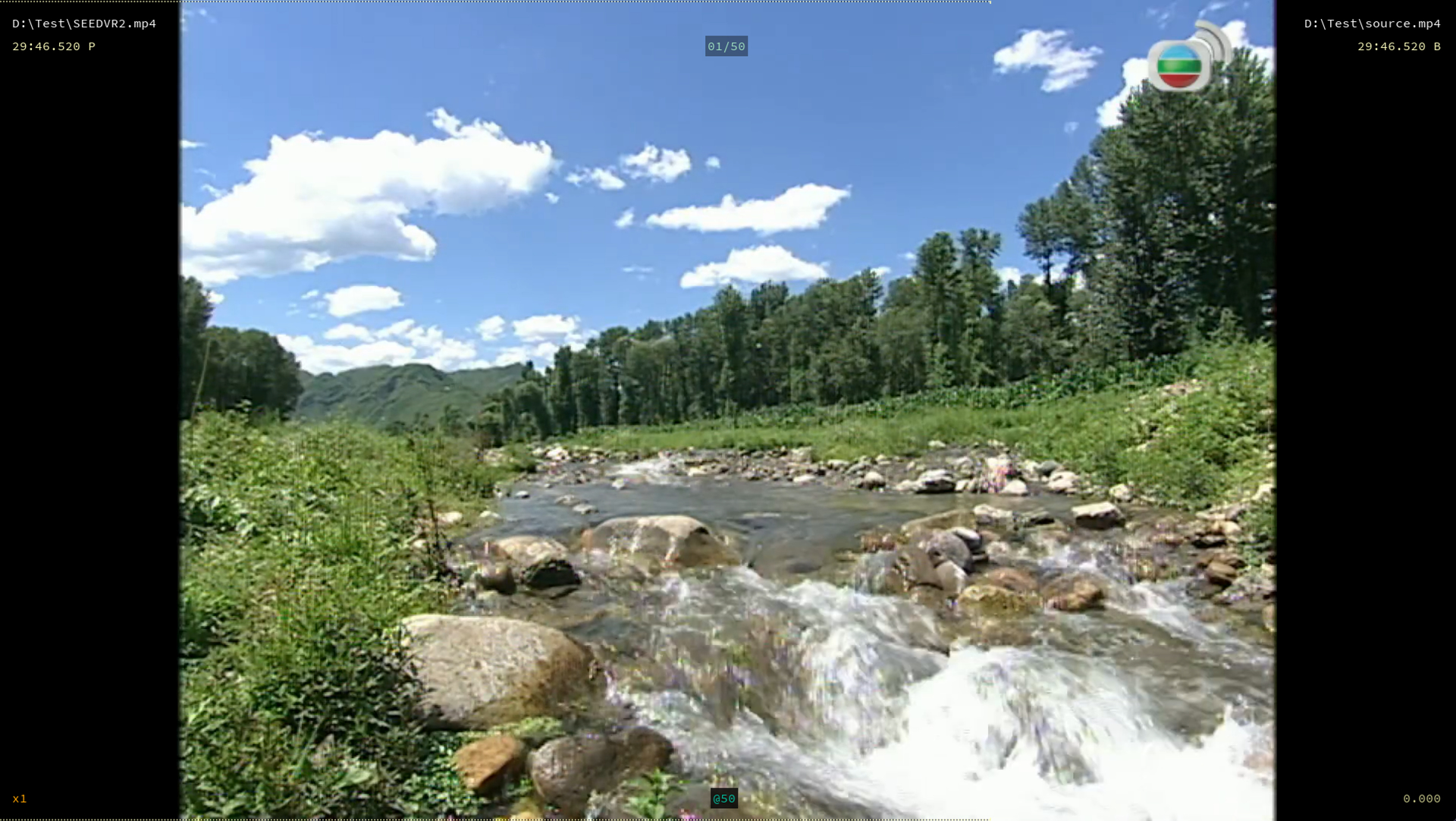
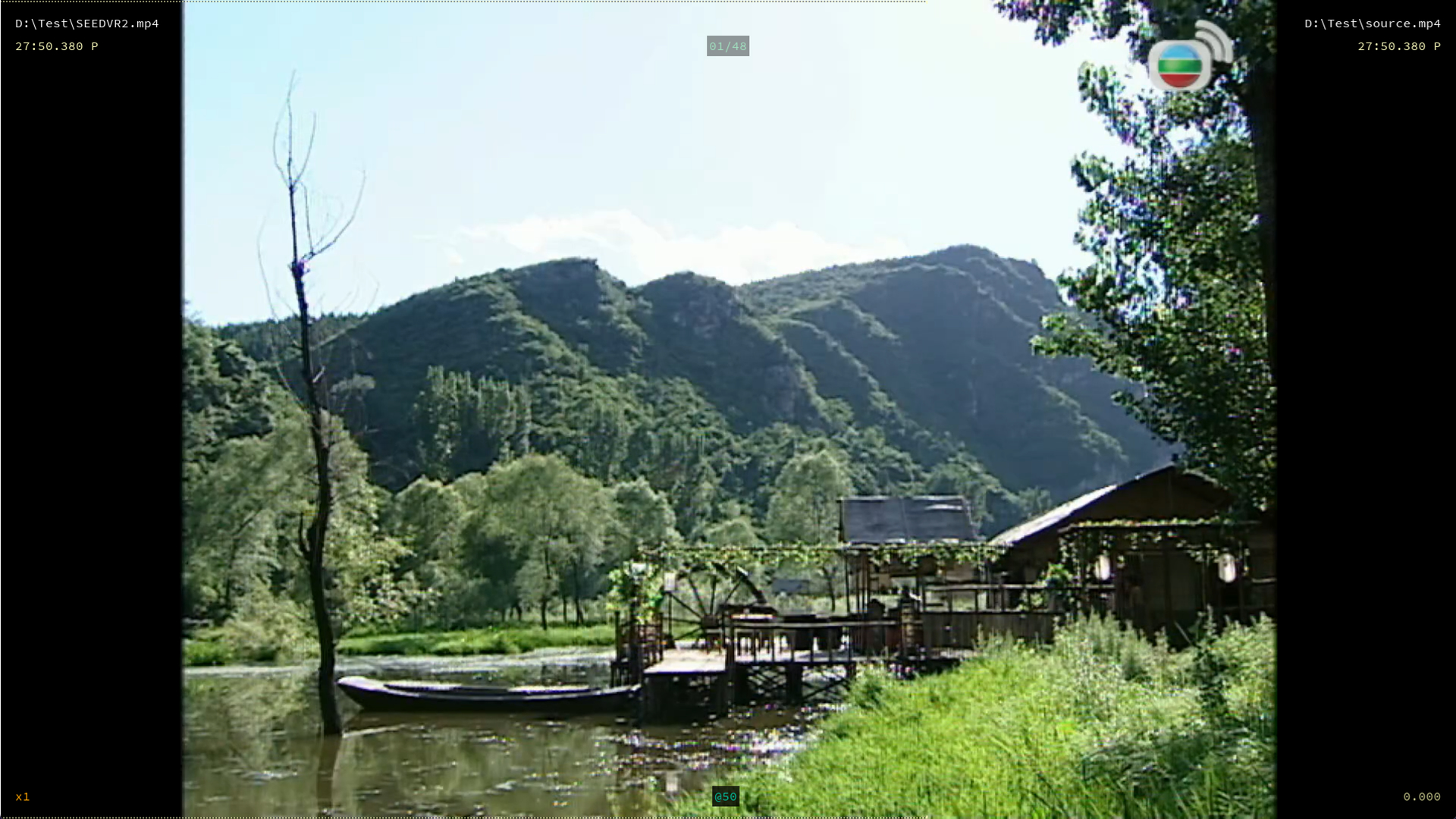
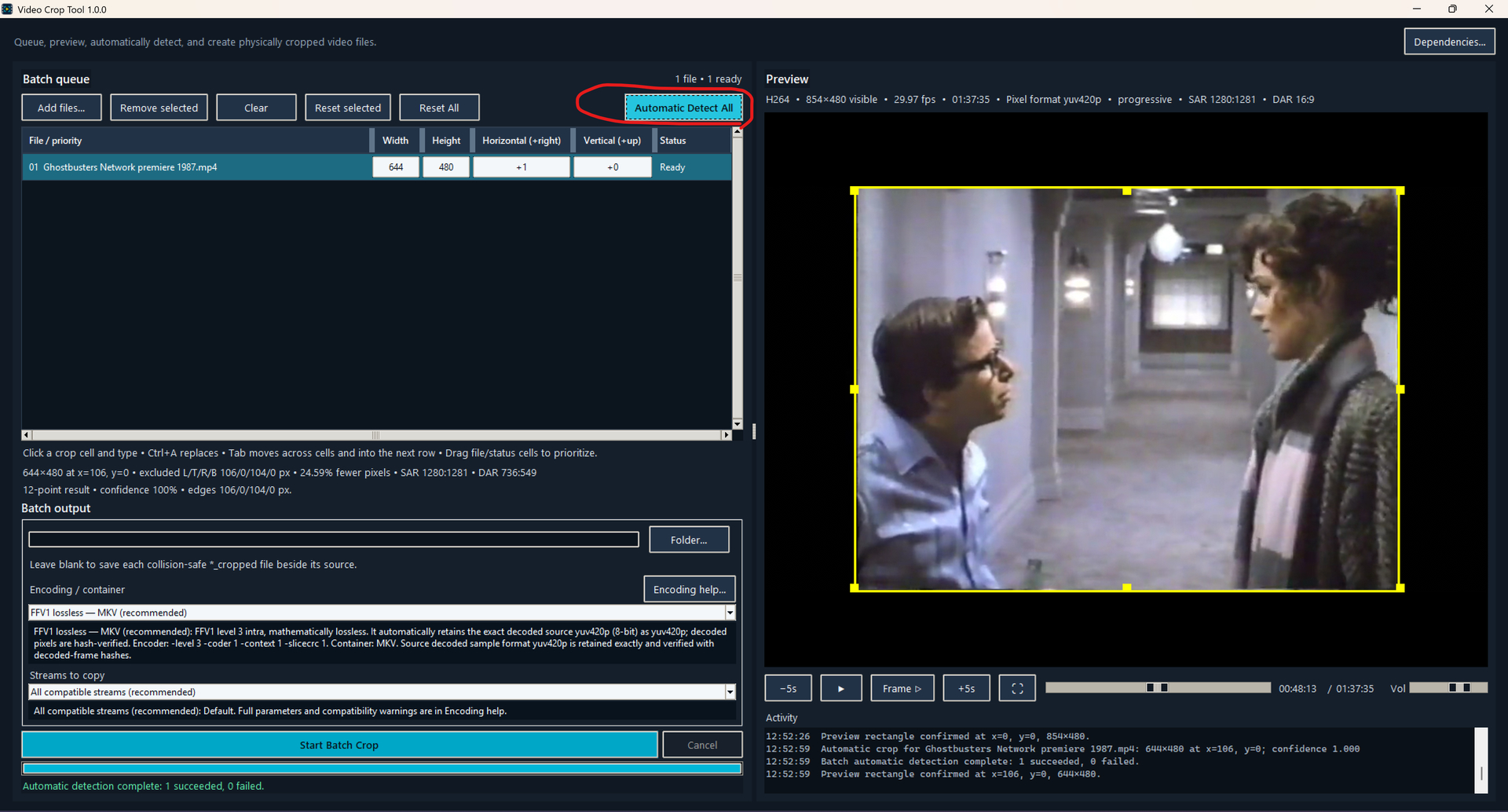
The other major speed boost I got was from cropping the 4:3 format old videos using this Video Crop Tool. There is an Automatic Detect All button that detects the static bars/frames around the moving videos. It scans frames throughout the video and compares to ensure it doesn’t make mistakes. You can also manually set the crop. This supports drag and dropping multiple files for fast batch processing. Because Topaz SLP has some issues with FFV1, which is the only truly mathematically lossless codec, I recommend you choose ProRes for SLP processing. The app will automatically match the bit depth / chroma profiles of the source video as close as possible no matter which codec you choose.

I think Topaz should consider implementing this simple feature in SLP so it autodetects static bars to avoid wasted processing.

Good to hear that SLP is using wavelet.. I’m using this also in SeedVR because LAB-correction gives me somtimes bad colors.. for example some blue color turns to purple and orange to red.. wavelet is way better.. or maybe SeedVR2.5 has someware a bug in the implementaiton. idk.

@skv89 what does Temporal Micro-Batch: Forced to 4 mean?

I’m asking because when I look at the ghosting issue, I notice that by a moving object, every fourth image is in focus and the next 3 are out of focus and it followes a pattern of 4 frames … could this micro-batch possibly be the reason?

It’s also the case that if I remove the first frame from the video clip, the pattern shifts as well for 1 frame.

I haven’t tried disabling tiling for VAE encode only. I tried disabling tiling for both encode and decode and got OOM even at 1080p on my 96gb vram card which makes no sense to me because I could easily do so in SEEDVR2. I will perhaps give that a try when I get a chance.

I don’t have the answer. The only way to find out is to export small clips from your videos to test different values in different options and use video-compare to confirm.

I do have plans to implement a SLP video preview feature into my tuner where you can preview the immediate frame, preview a small segment at the current location with the number of preview frames set by the user, and the ability to set a start and end to export short clips for comparison so comparisons would be much easier to do in the future. There are much on my to-do list.

the app gives me malware warnings on virustotal :frowning:

Ran my first test and using your stock settings for 32gb for my RTX 5090, seeing a 20% increase. Will play with the numbers and see but happy with it so far, able to use sharp3 with no tiles!