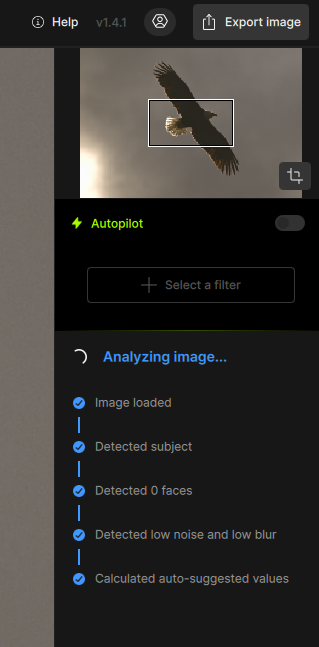
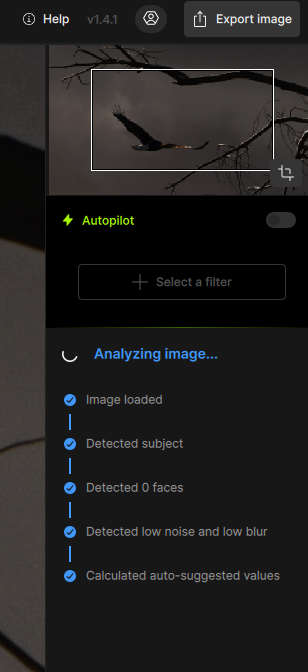
Hello: I have been a long time user of Topaz Photo AI. This evening, I downloaded Topaz Photo latest version but the software is stuck on “Analyzing Image” and is not going any further. I am using MacBook Pro with Apple M2 Pro chip and Ventura 13.5 OS. I downloaded the Apple Intel version. I would appreciate your assistance.
I have the same issue. Everything was fine, I used Topaz Photo earlier today without problem. There was the update and now. I even let it sit while I made dinner and still won’t go on.
I did rerun the installer and do a REPAIR. No joy!
I have not uninstalled and reinstalled. Once I saw that someone else has the same problem I figured I would wait to see the response.
I am using Windows. I even tried a file which I had denoised this morning successfully and it does not like that either.
I have not updated my image software. I am a Nikon Z8 users and I do some adjustments in Nikon Studio NX, then export the image as a TIF and drop those in Topaz. No problem since I started using it in November of 2023.
I had contacted Topaz Lab help line last night and got a response back this morning with a few suggestions. I will try them later tonight and provide my feedback here. Thank you guys for your input.
I load the image, it ddetects the face and noise level but then it goes into analyzing image and everything stops. I’m using windows 11 and just did the most recent update last night. Before the update everything worked fine.
I had this issue this afternoon. I had upgraded 1.4.1 from 1.3.1. I started getting random crashes running through batches and then looked at the forum to see if anyone else was having the issue. It seems that a full uninstall and reinstall was the fix. Full uninstall appeared to work at first, pictures that wouldn’t load now worked. However, as soon as I tried to resume even small batches I was back to crashes on image load/analysis. I started to watch what it was doing on random images and the lock/hang and then app closure was always at detecting faces. I disabled autopilot and set face detection (under Autopilot) to None. This makes it skip that step, I just batched 25 images through Wonder 2 (locally) with no issue - I couldn’t even get single images to analyze prior to that. Hopefully the Topaz dev team can more easily identify what is causing it to occur. I can’t promise this will be a fix for anyone, but I’ve gone through an additional 15 images while typing this (Wonder 2, local, 4080 Super), so I’m feeling pretty good at the moment.
And indeed, it is still there and prevent use Topaz Photo at all.
Started when I upload 1.4.0, now again I uninstall also that one and installed 1.4.1
But still Topaz is just waste of disk space. Analyzing image in forever loop.
On Windows: v1.4.1 => installation process is uncertain, works sometimes but the software crashes when opening a picture and sometimes the installation process fails. I send log files etc to support … hoping for a solution … (so surprised that these items are closed in other conversations)