Recover | Results Tips & Tricks

Hi,
I’ve noticed a very annoying bug in version 1.0.4, and it persists in 1.0.7. This bug occurs with Recover V2 on 12 or 12.5 megapixel photos. If I double the resolution using the “none” setting, I get a really bad result, as if I were using the low, medium, or even high resolution settings for certain types of images. This is the kind of bug I’ve never seen in older versions of Gigapixel, and even less so in the latest version 8.4.4 of GAI. To fix this problem, I have to quadruple the resolution. This results in a really huge image when I only want 50 megapixels from a 12-megapixel photo.

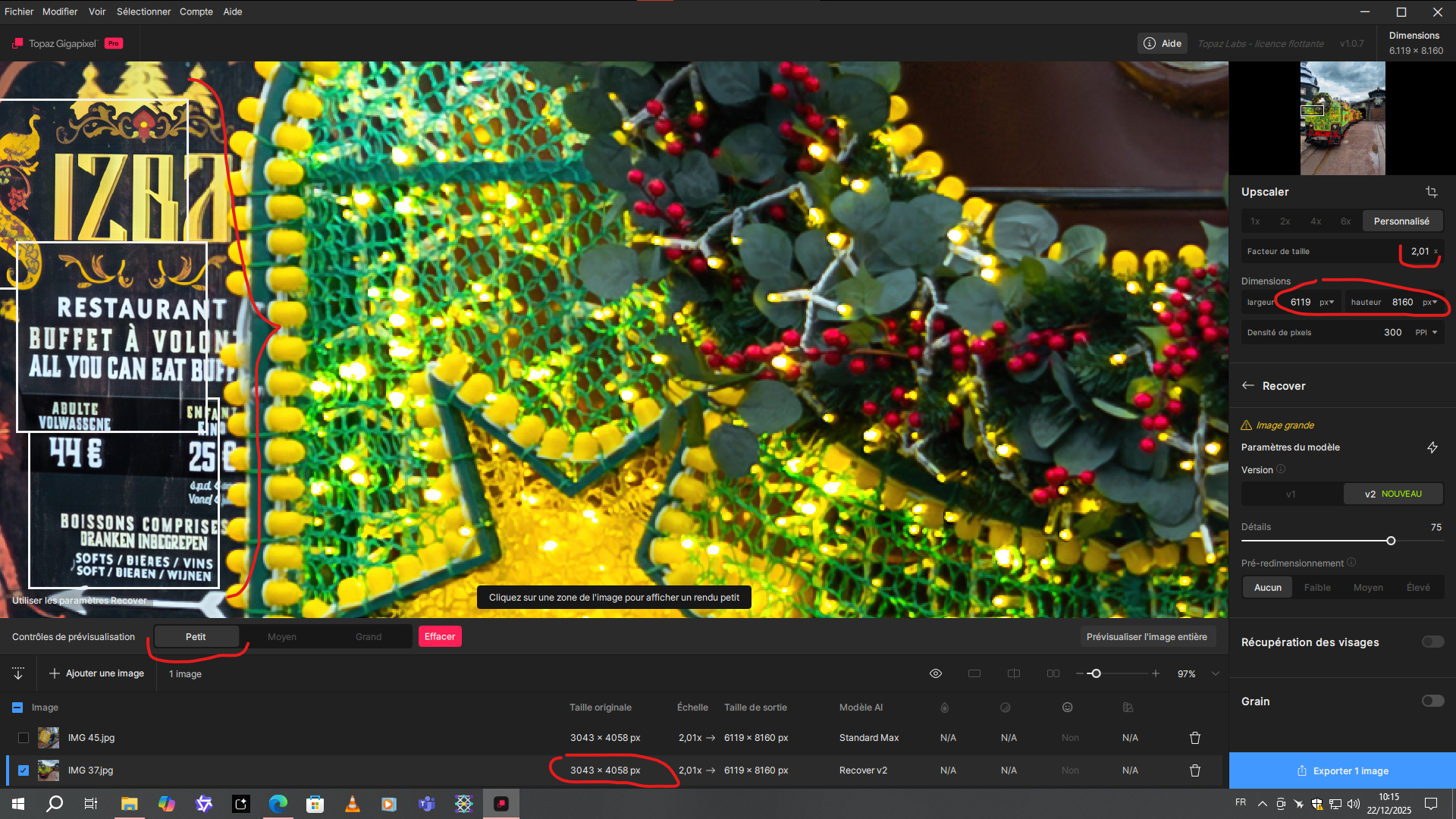
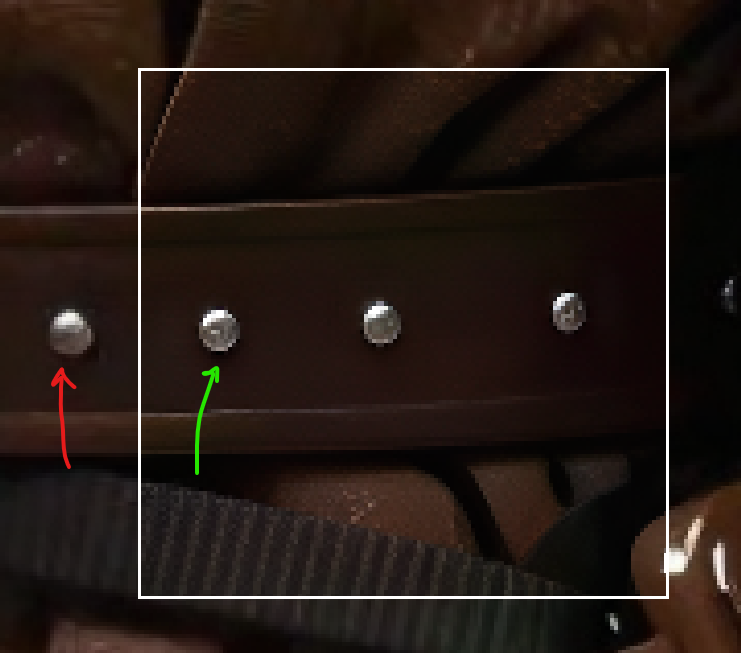
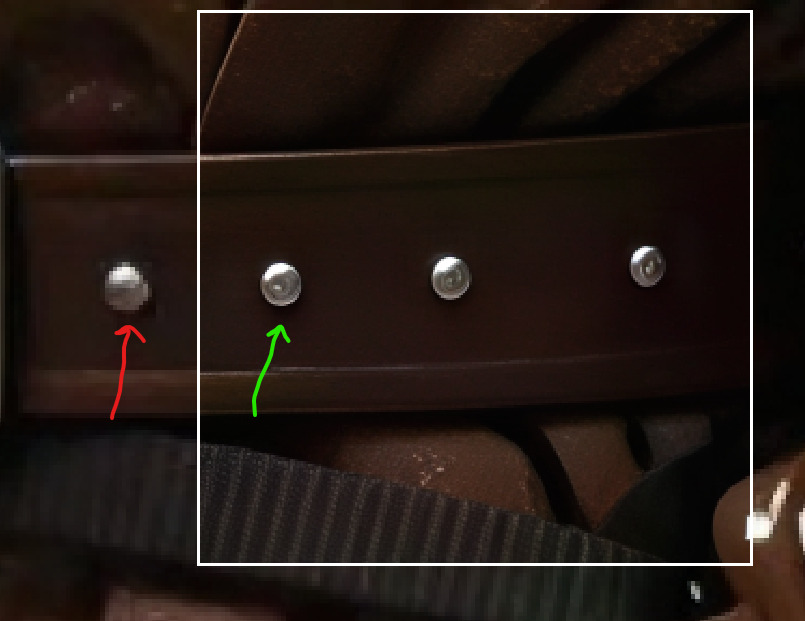
Here is an example for the demonstration

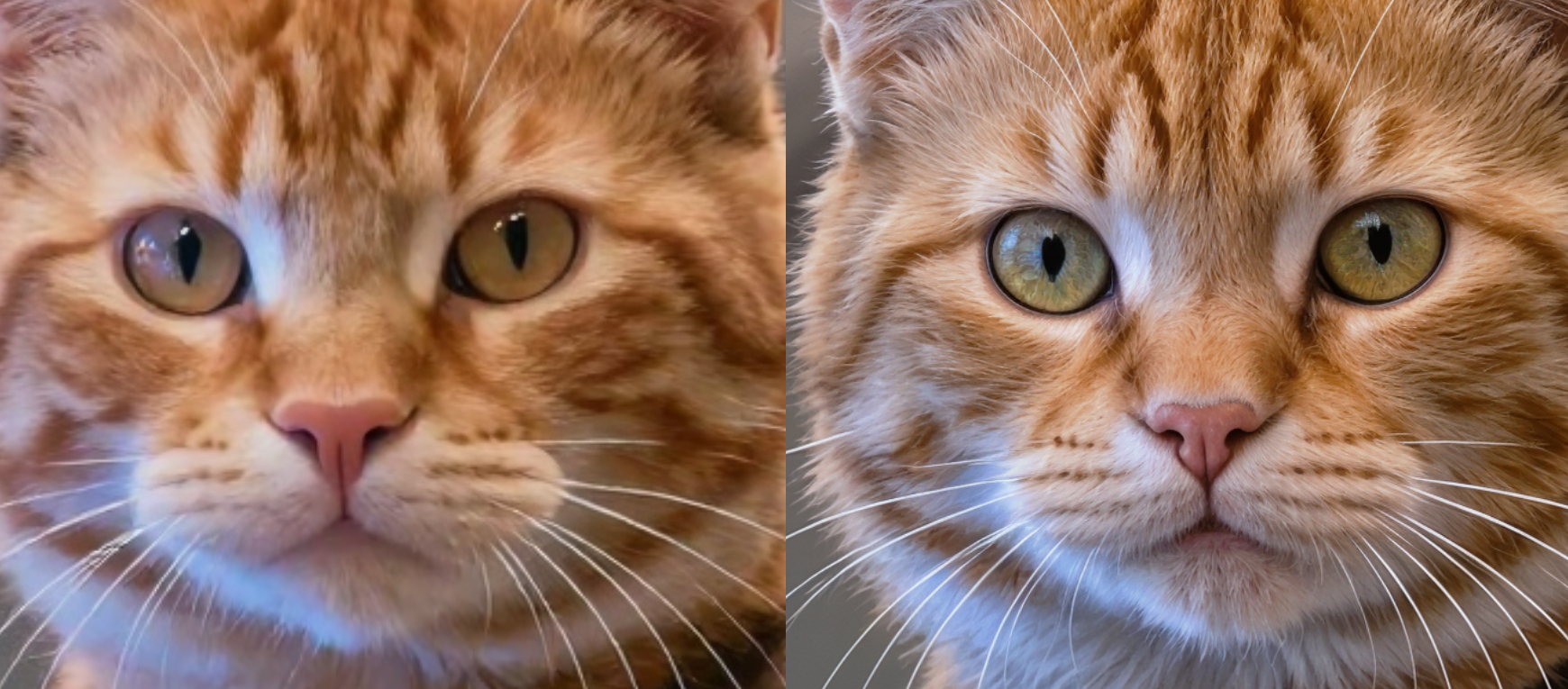
So here’s what happens when I multiply a portion by 2, knowing that I get this result if I multiply the entire image.
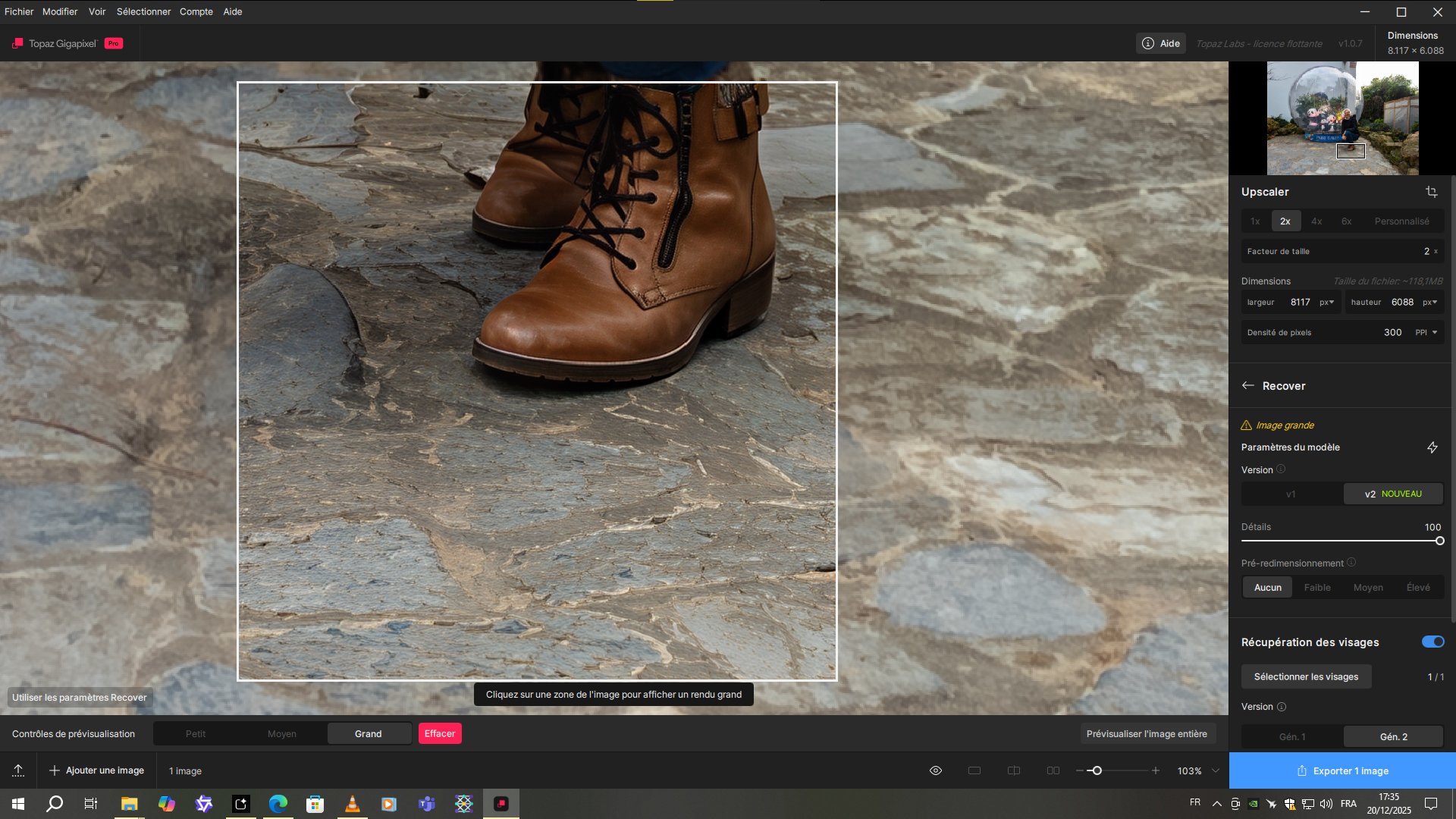
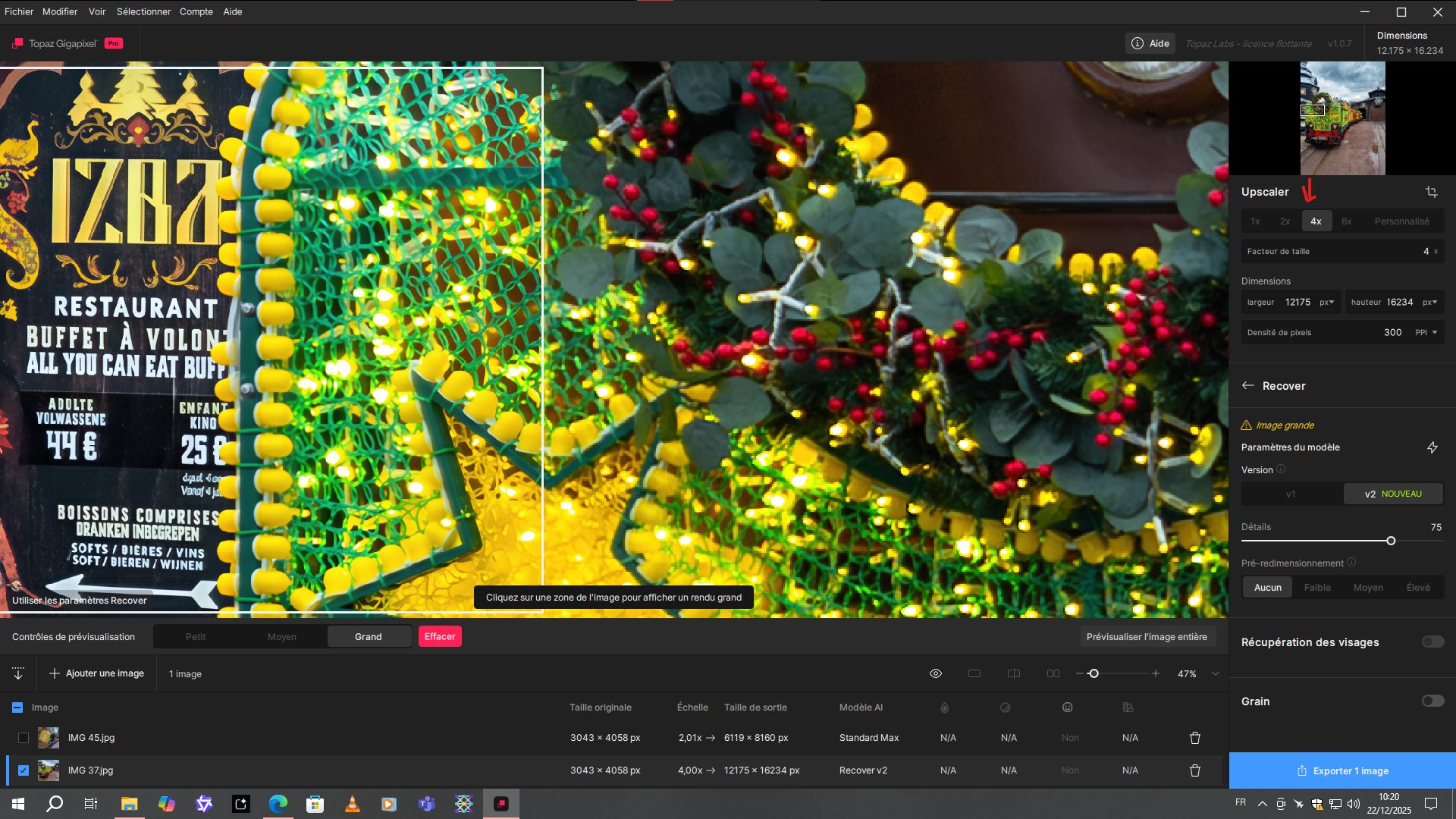
And now, look how much better it is with the x4
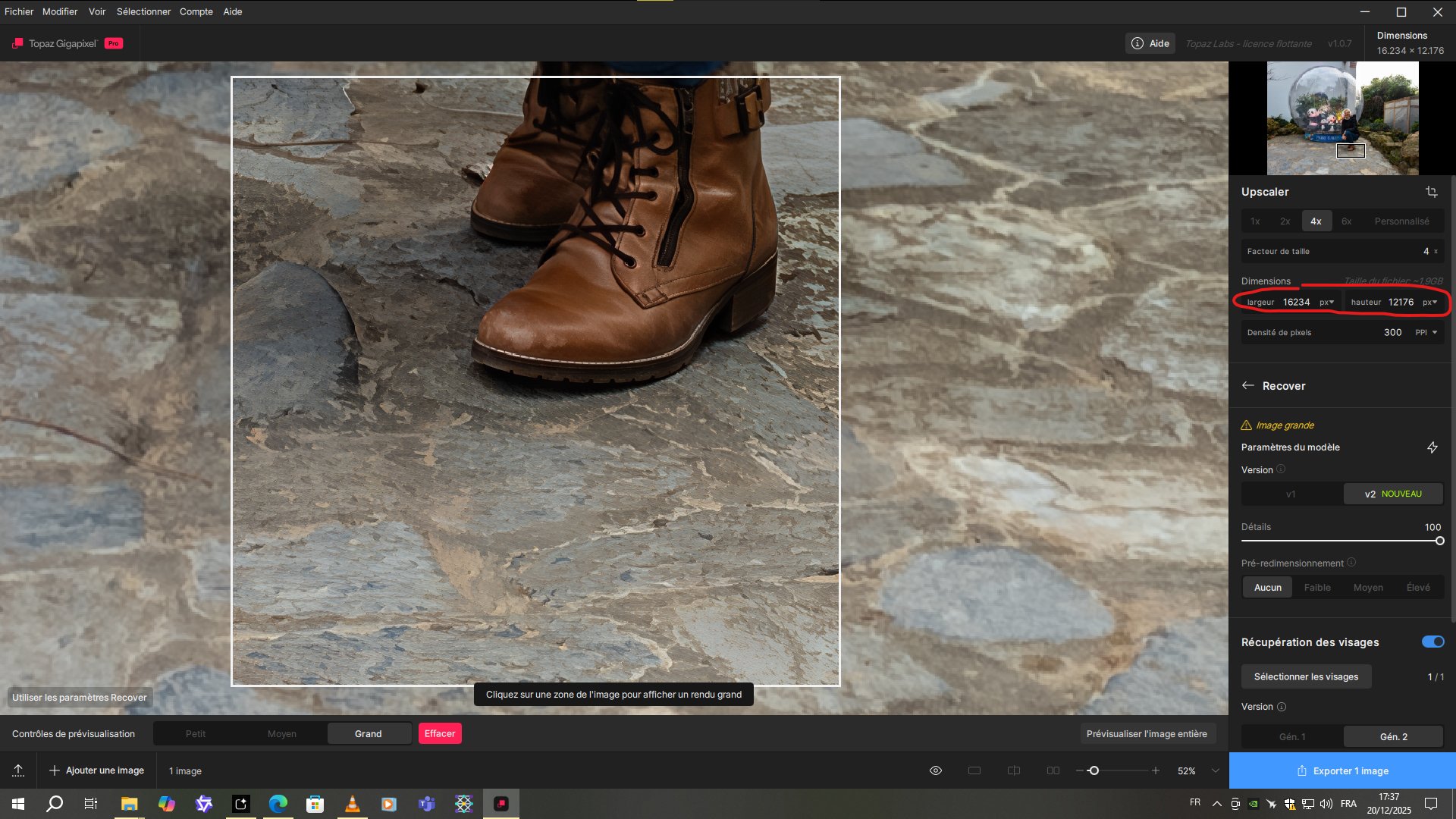
But look at the resolution of the output image I have to deal with for this. I’ve never seen anything like it before.

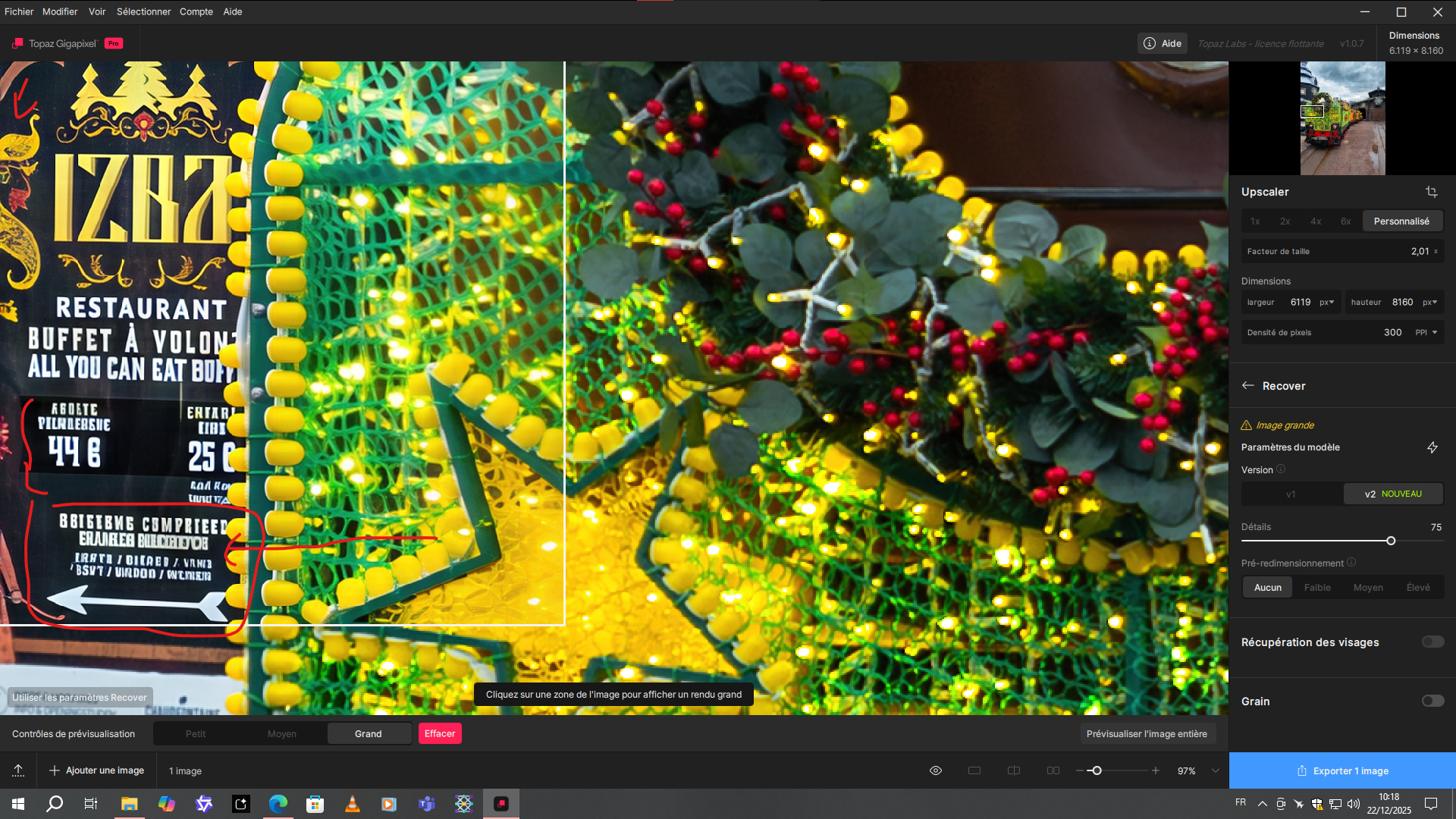
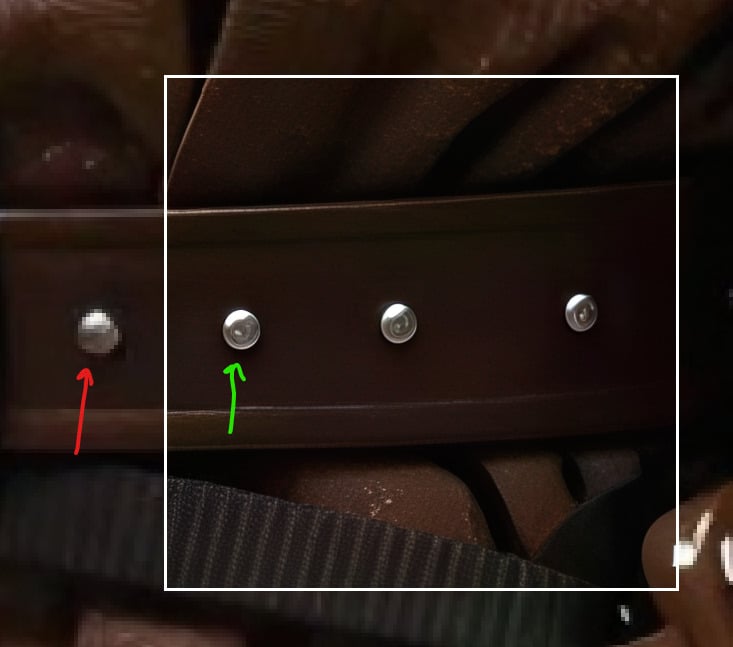
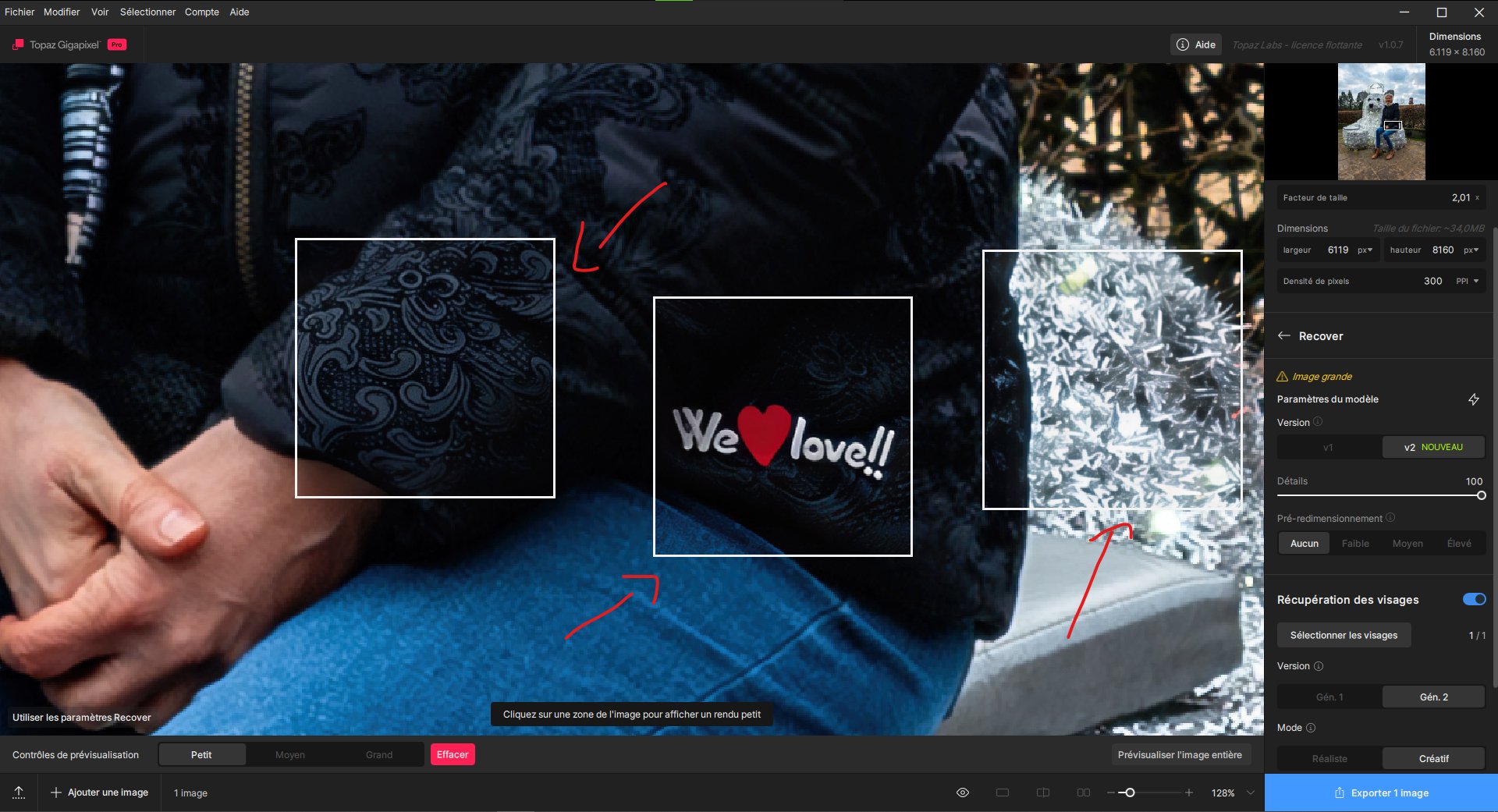
Also, to better observe the problem, here is a test between the result of the preview in small mode and the preview in large mode.

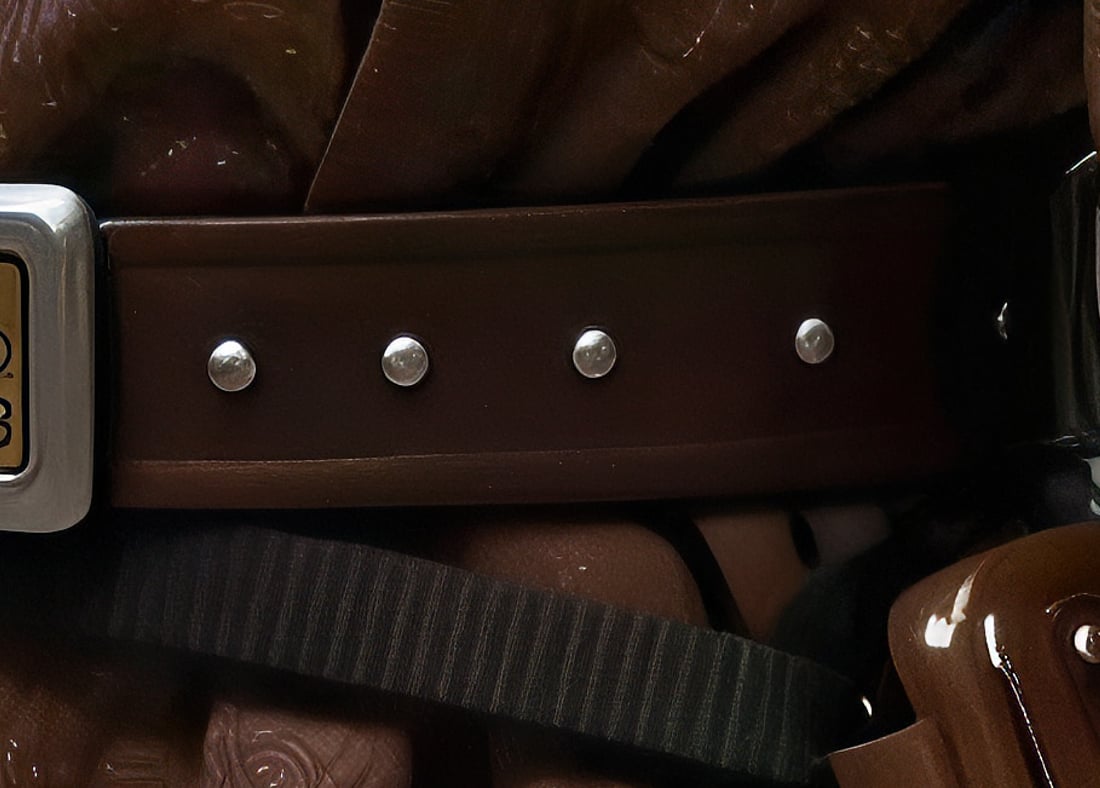
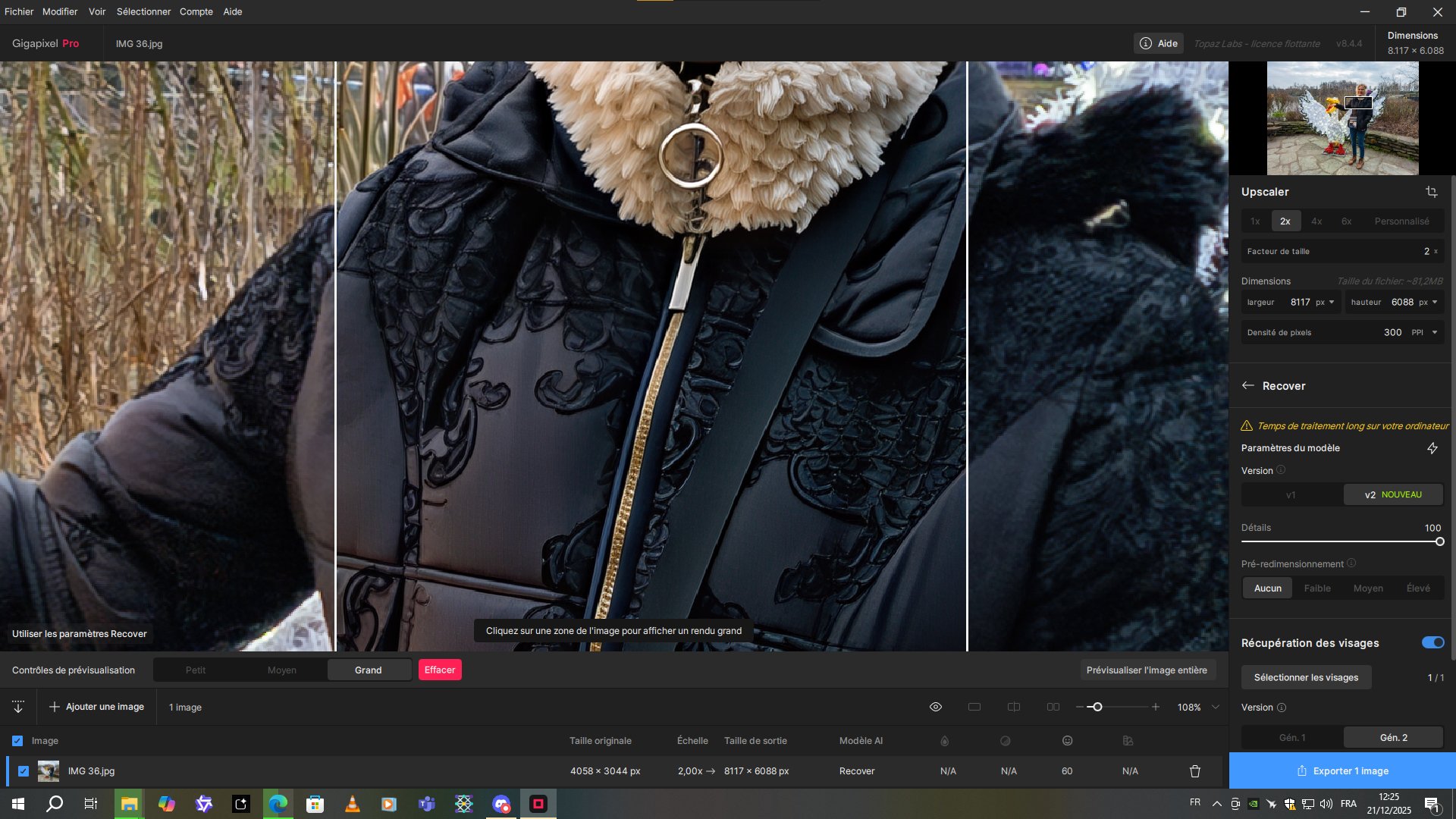
Look how well the details are on the pattern or on the writing or even on the chrome decoration on the right of the photo with the small preview.
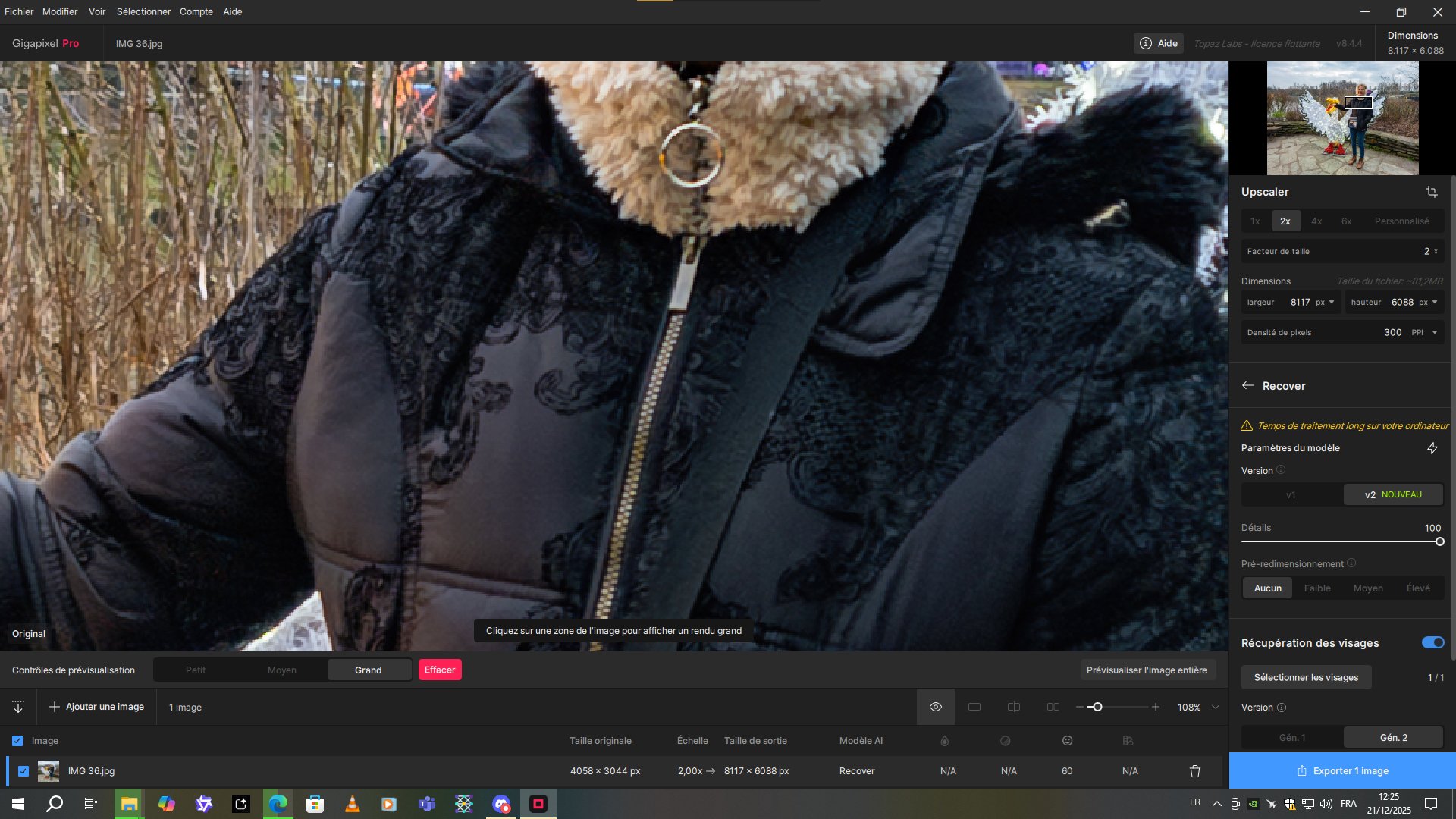
And now look how awful it is with the full preview. (By the way, when I preview the entire image, it’s the same quality as the full preview.)
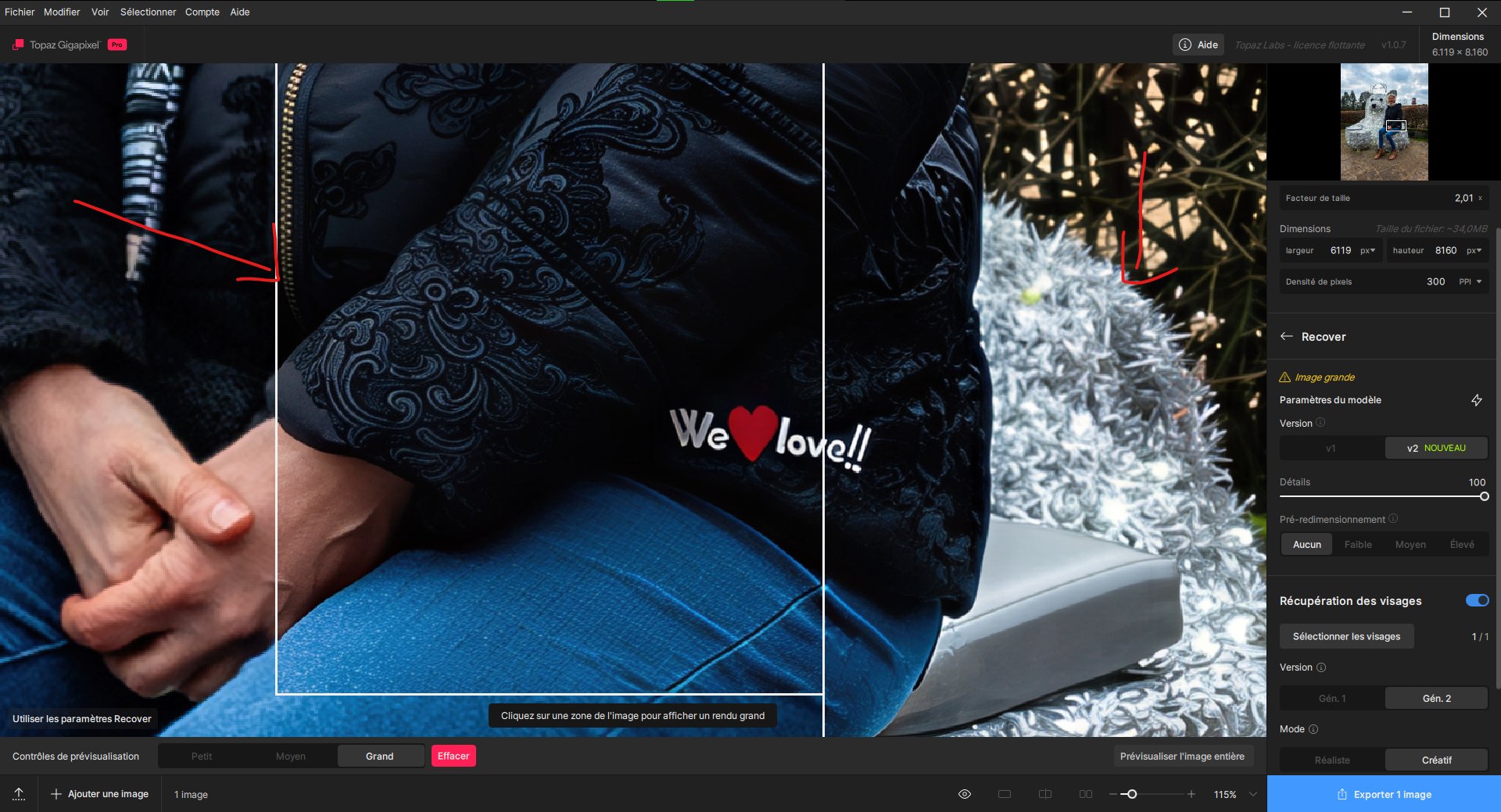
It looks like I used the medium or high settings in Recover v2. The modification on the sleeve of the black coat is just awful. I’ll try again with version 8.4.4. But I’m sure the result will be better with the same settings.

Edit,

I retested with version 8.4.4 and found the same problems. It’s crazy. The small details are ruined. I had to scale the image down by 4x to fix it. But then it takes me twice as long to render. My source files are JPGs. I don’t think the file format is the cause. That would be really strange.

Edit 2,

I tested it out of curiosity with the CPU. The details are even more destroyed with x2.

Before
After
Recover v1 appears to be broken

I’ll see if it still works on version 8.4.4

Edit:

Version 8.4.4 worked very well.

If the results are the same in Gigapixel v8.4.4, this means that either you are not using the right model, or the image in question is lacking details, and this is why you get artifacts. If you want, you can contact us at help@topazlabs.com, and we can help you test this image :slight_smile:

Ok, I’m going to send you one of the same photos. Because in the one I showed with zoomed-in sections, there’s a person I don’t want to share. So the one I’m going to share has the same problem, but at least there’s no one in it.

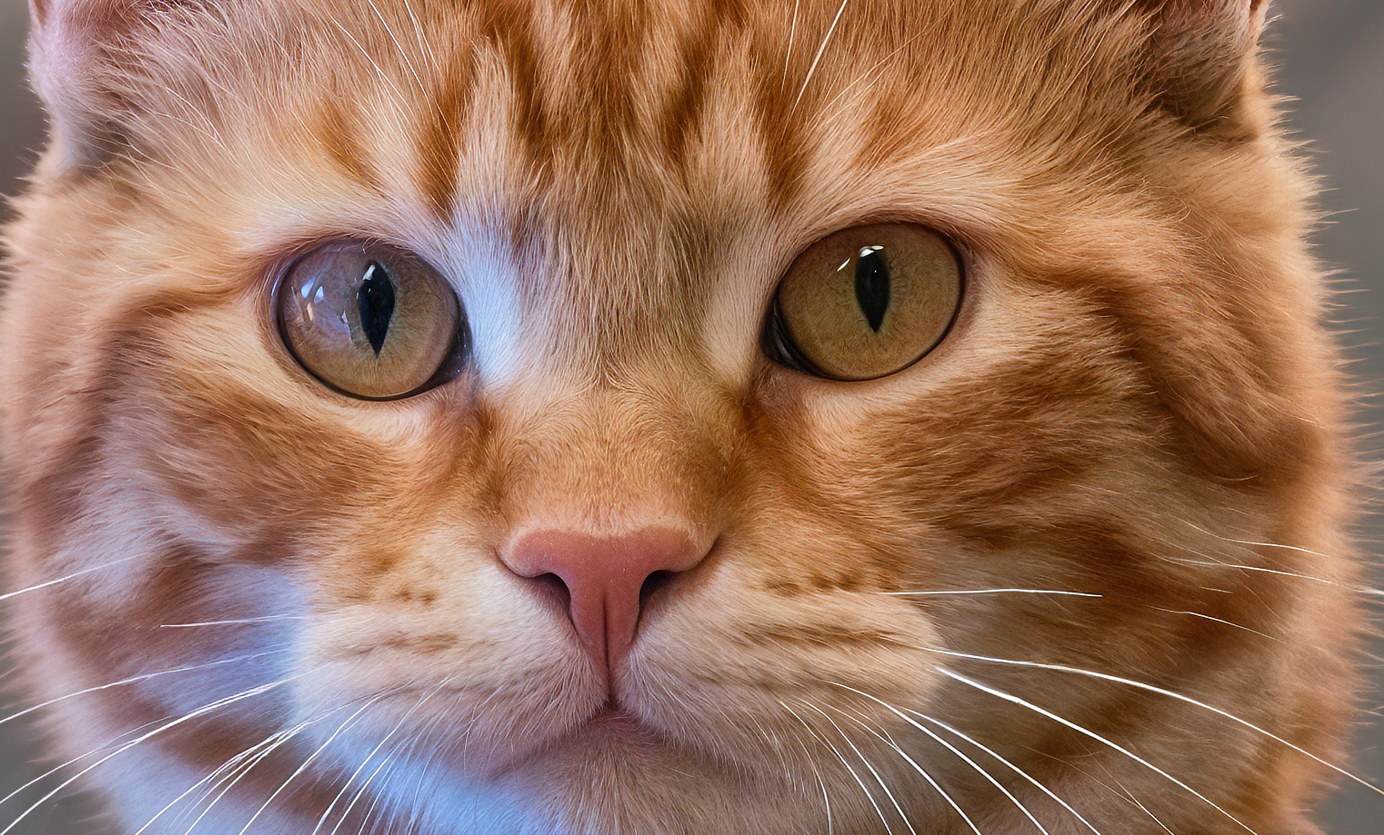
But look here with the small preview. It seems to work. And yet, as soon as I show it with the large preview (which will be the same as the full image), the quality is noticeably worse.

Look here at the large preview; it’s clearly much worse. Very noticeable in the text and small details.

To get something decent, you have to do at least x4. But look at the resolution I have to tackle. It’s just enormous.

Is it just an issue with the preview, or the photo has also issues after processing and exporting?

It’s the same for both the preview and the export. I had to increase the scale by a factor of 4 to get the result I obtained when using the small preview mode.

I’d never noticed this problem before because I usually always used the native camera app on my Galaxy S25 Ultra, which delivers a 50-megapixel image but actually captures a 12-megapixel image upscaled to 50x at the time of capture. For the example above, I used another app that provides a true 12-megapixel image of better quality. And that’s when I noticed the degraded quality issue when I applied a 2x upscaling factor. Also, if you want to test it, I use the external photo application which is “Camera FV-5 Pro”

I also tested it with AI-generated images. And it’s the same problem. If I only scale them up by 2x, the quality is degraded. I have to scale them up by 4x to get a good result. Regardless of the original resolution.

That may not be directly related to your issue but I have also experienced that the quality of the rendering varies significantly with the scale factor (model). For example, when it comes to animal fur, Redefine realistic does the best job at 2x while 1x and 4x are inferior.

It depends. When I use it, I usually do it at 1x with 50-megapixel images because it renders faster. If I have a 12.5-megapixel photo (4080x3060) and I upscale it by 2x with Redefine, it takes longer and the result isn’t much better. But it does improve slightly when you start zooming in to see the details. At least, that’s what I’ve noticed with my photos.

Can you reply to the email thread you had with examples so we can test that? I don’t see any issues on my end for 2x versus 4x. Obviously, 4x is adding a lot more pixels, so the results are different.

1 Like

Here is an example with the following 3 images. The first is the source. The second is a 2x scale and the third a 4x scale. I’m using a zip link to keep the best quality because if I post the images directly here, they will be compressed and the difference won’t necessarily be noticeable.

The link expires in 7 days.

I can’t open the zipped file. Not sure if it’s just me.

Hello,

are you using a macOS computer? I’m on Windows. And I have no problems.

Try it with this zip format then.

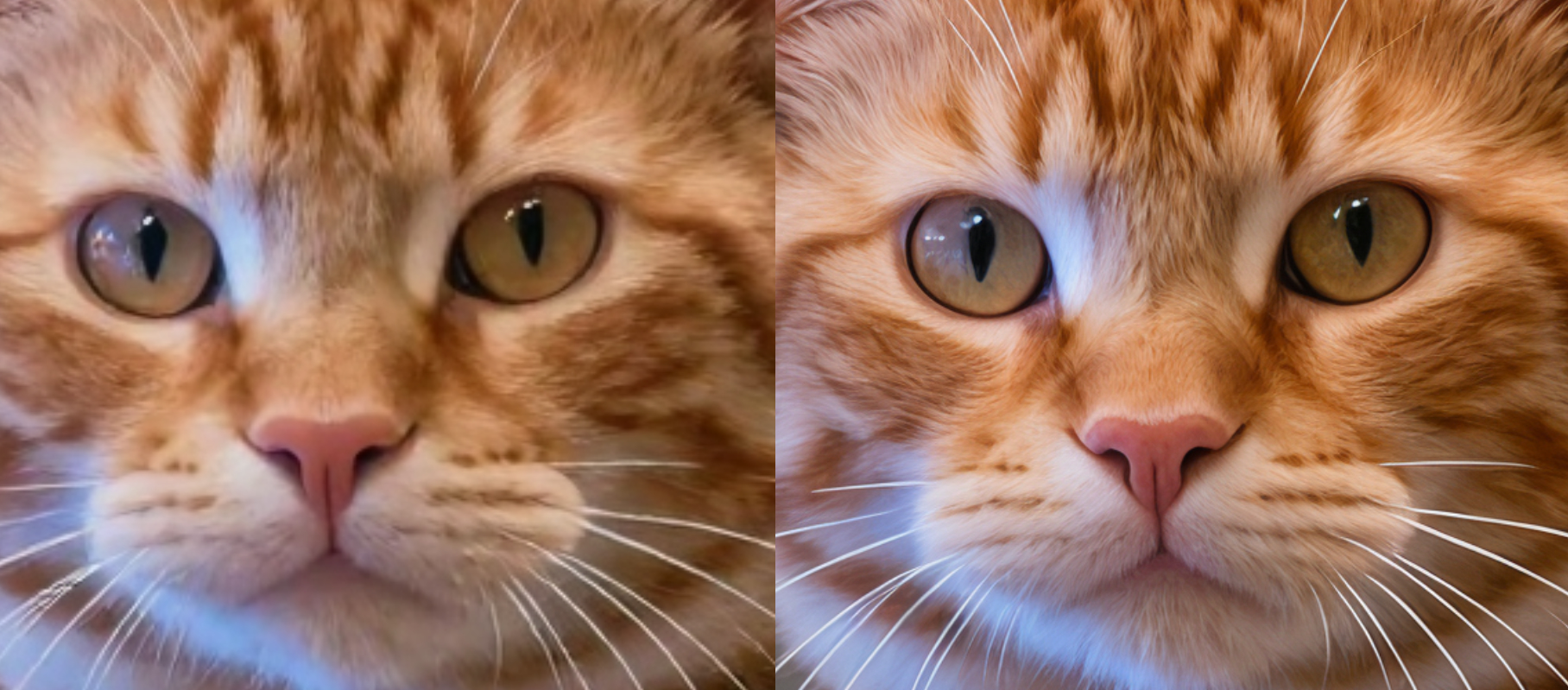
Testing that image, I get better results with 2x than the original. The quality is not degraded for me:

1x

2x

Of course if I choose 4x, it’s even better, as there are more pixels:( However, some artifacts start to appear)

For the fur, I prefer using Redefine with AI images, it gives me better results.

Redefine Realistic, 2x:

Redefine Creative, 2x:

Hello,

It is worth taking a look at our Generative Models document to see if your image is a good use case for Recover.

Gigapixel has generative AI models that produce outstanding results for unique enhancements on small images. If a ! Large image warning appears, you’ll likely need to resample the image into smaller pixel dimension to avoid processing errors. We recommend fitting your image within 1024×1024 when working with generative models.

The section on pre-downscaling can help you to decide when that feature should be used.

An action for pre-downscaling will improve working with larger images that suffer from false resolution. These images tend to be low information dense—where pixel dimensions have increased without a meaningful addition of detail.

High resolution images captured with modern cameras are not ideal use cases for generative models.

:folded_hands:

C’est curieux. Mais dans la preview, utilisez-vous la grande preview ou la petite preview? Car avec moi en utilisant la petite preview, ça fonctionne très bien quelques soit la taille finale de l’image. Mais c’est avec la grande preview que le problème survient avec le x2. Idem avec le rendu complet de l’image et de l’exportation. Est-ce qu’il y aurai un rapport avec le type de carte graphique? J’utilise une RTX 3070 Ventus de 8Go de Vram.

For fur, yeah, I also use Redefine. I noticed in your test that the Redefine Creative mode seems to give a very natural result on the fur. On mine, I used the subtle Realistic Redefine. So with Prompt. It kept the same saturation and contrast as the source image. But I had better eyes, that’s for sure.

My workflow consists of 3 or 4 improvement variations using several models. Depending on certain details, one model will be better than another. Here is my final result, which I completed a week ago.

For the eyes, I improved the sharpness with the TPAI Sharpen Wildlife model. It’s really good for fine-tuning micro-details.

The fur isn’t 100% perfect, but I enlarged it quite significantly to achieve a final resolution of 8160x6120. That’s approximately 50 megapixels.

Hi, will generative models ever be able to work better at resolutions higher than 1K? That would be interesting. A bit like Gemini Nano Banana, which can now work with 2K and 4K.

The key is to think in intended use cases. Generative models were designed with the intended use case of working with small, highly compressed, and old images. Redefine specifically is intended for AI art which usually is generated with pixel dimensions around 512X512 up to 2048X2048.

In many cases, especially with Cloud render, pixel dimensions larger than 1024X1024 can work.

As Alex mentioned in the other thread, the servers for Cloud render have massive amounts of VRAM that most users local systems wouldn’t have, and can sometimes successfully process medium-to-large image sources.

I have experienced success with source images at 2MP, 4MP, & 8MP, applying 1x-4x upscales. But it is a roll of the dice, since the generative models were not designed or intended to be used with larger images.

A car can be driven in reverse on the freeway, and you might reach your destination; but it was not designed or intended to be used that way.

Hope that helps.

A note on cropped previews

Since these are generative, or diffusion-based models, different inputs will always create different results. The small preview will create different results from medium and large and full image renders.

Knowing that this experience caused confusion for users, there are no cropped previews for Wonder & Standard Max.

I recommend never using cropped previews as their results cannot be implemented with the final export and their results do not reflect results you’ll receive with final exports.

1 Like