But Alexandre.topazlabs apparently has a RTX 4500 mobile and that one has tensor cores?
Yes it has. 
Oh 
 . Very strange.
I found something regarding Wonder 2 local with Photo AI.
Could be related to Recovery 3 too.
It could be that it does less matter with GPUs below and with 8 GB, because of the memory system and how the app does work with the models.
1 Like
Hmm, is there a way to reduce /block VRAM, e.g. somewhere hidden in NVIDIAs drivers?
That way we could test this on the same system one time with the full 16GB and then with only 8.
As far as i know there is no switch.
My tests are with Recover V3 too, and it’s great! We can eliminate the model issue here, as many of us don’t have those weird results with the same app, and a similar graphics card.
I’m starting to suspect that the drivers for the graphics card are the issue. I am on an older one from December 2025. Can you let me know what drivers you have for your graphics card?
Many of us have similar setups to the people testing here. I have a computer with a RTX4050 and 6GB VRAM, nothing fancy. I am trying to reproduce but so far it’s not successful. See my note about the drivers for RTX graphics card, we might be onto something there.
1 Like
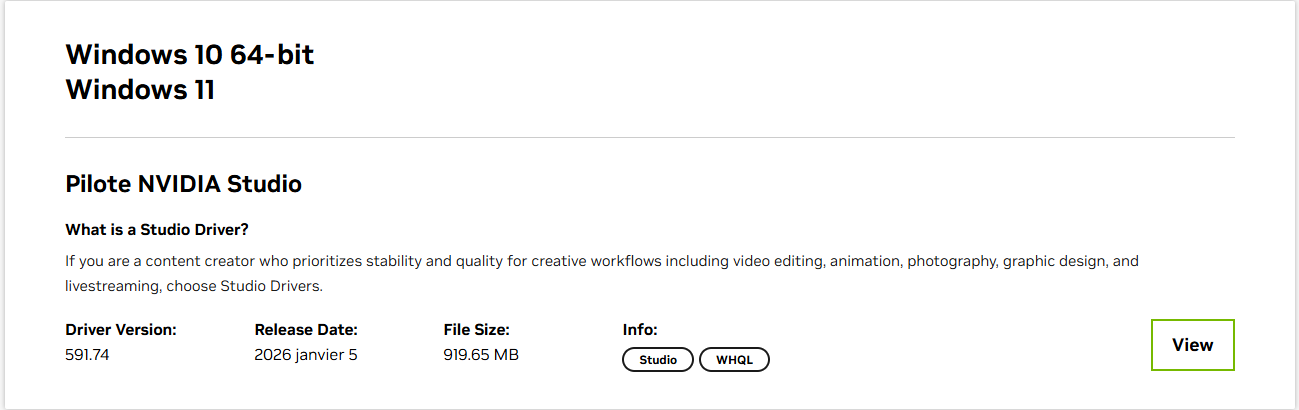
2 Likes
Hmm hmm  , What if you install the latest version of the Studio driver? I’d like to know if you get the same results as me. If so, then I’ll install the previous version of the driver.
Please share the original, and I will test. I don’t have a fancy computer with a powerful graphics card. We will find the cause of that issue. So far, I just can’t replicate. Trust me, it’s a lot easier when I can replicate right away. The development team will be on a fix if we need to, as soon as we have the steps to replicate here.
Fair, I will test that today. I will reply later 
Are you on the Game drivers, or the Studio?
Now don’t tell us you’re the only one doing those tests…
There must be someone in Topaz’ dev team with a more „standard“ (i.e. a mainstream desktop 4060-4090 or 5060-5090) gfx card and also running the latest official NVIDIA drivers and OS.
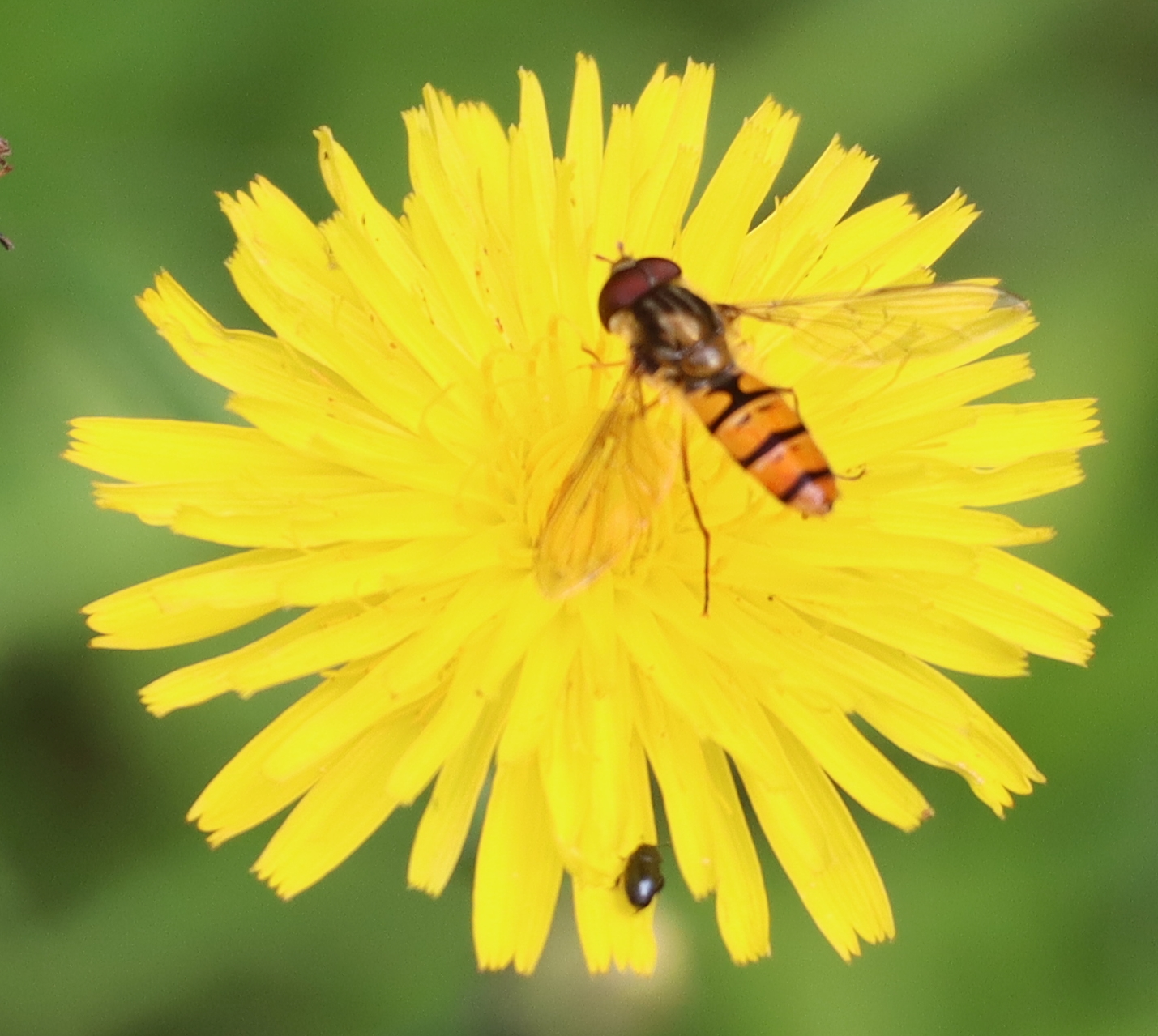
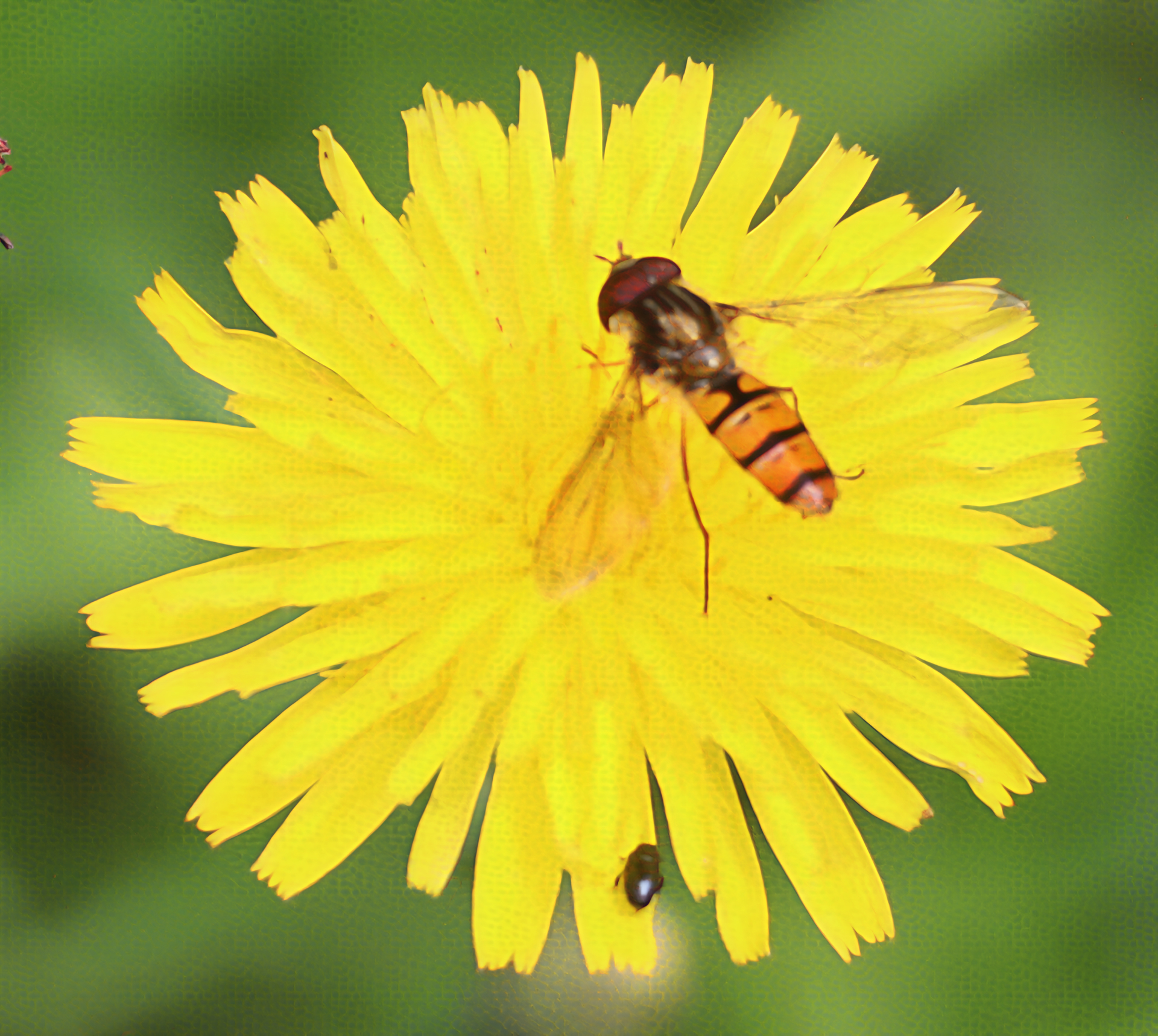
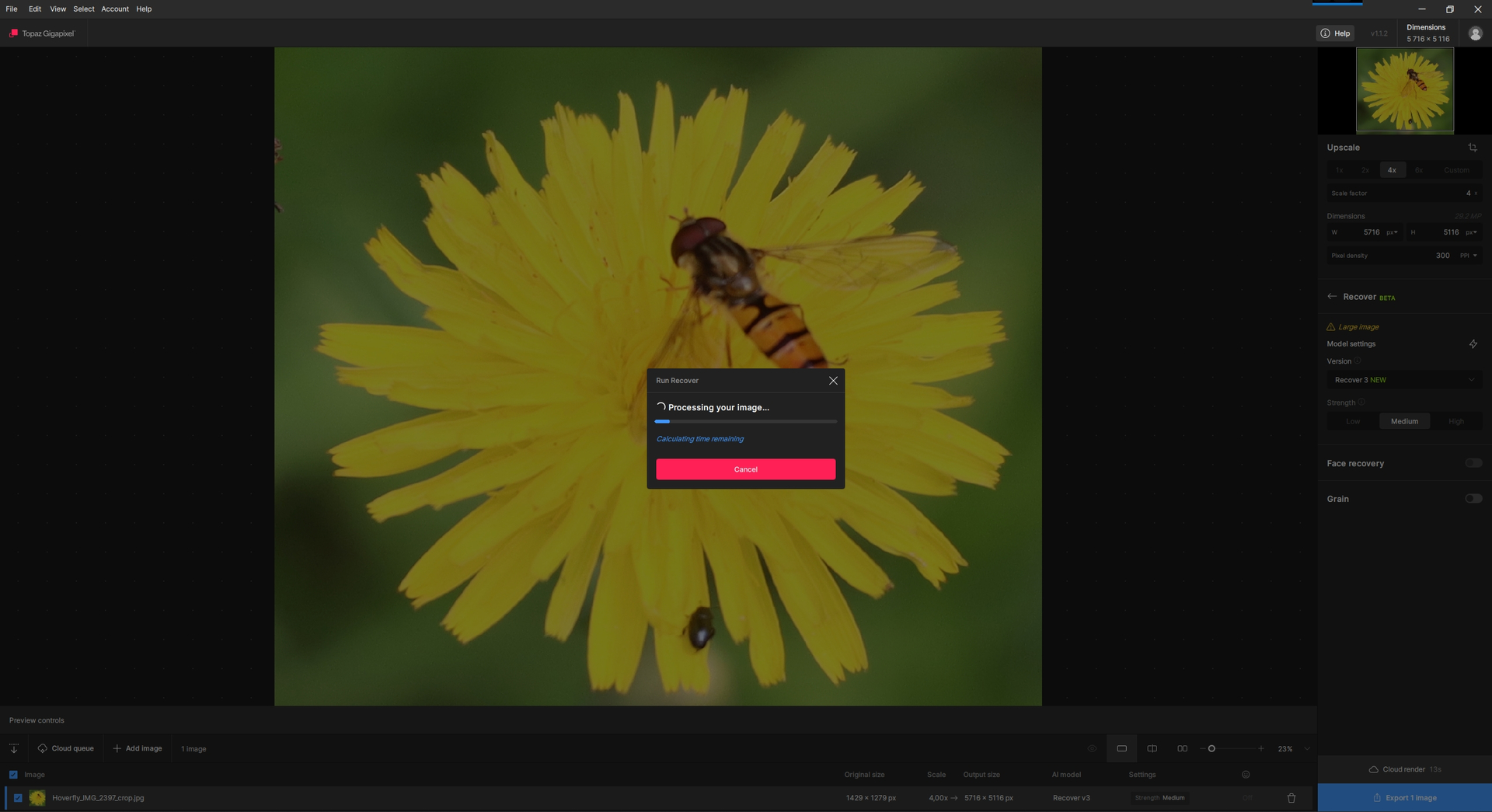
Please see below: 1) the original, 2) the result, 3) a printscreen with the parameters and the processing progress. The honeycomb is visible in the result (especially when enlarged). Is that enough? Thanks for your help.
- Original:
- Result:
- Processing parameters:
I tried the December 2025 Nvidia Studio drivers (of course, after performing a full uninstall with DDU beforehand) and then also did a complete reinstall of Photo AI. Unfortunately, the issue persists. Because of this, I wouldn’t say the problem is driver-related. Both Photo AI and Gigapixel appear to be affected by the same issue.
I’m wondering whether the problem could be caused by CUDA Toolkit, cuDNN, TensorRT, or TensorRT_RTX paths that I also have set in my system’s PATH variables. However, I would assume that Topaz applications pull all the necessary resources from their own directory, since they come bundled with all the required libraries.
What truly puzzles me is that, if I recall correctly, @Fotomaker has it working properly with an RTX 5090, while quite a few of us here are experiencing issues across RTX 3xxx, 4xxx, and 5xxx series GPUs.
1 Like
Hi,
I reported working with TP 1.3.1 with my desktop PC NVIDIA 5090 (my 4090 isn’t out right now - it’s my laptop).
At present I have rel. 1.1.1 of TG installed on my desktop PC (Win 11 Pro). The release notes from Esther for 1.1.2 suggested it was a patch or enhancements for Mac users. Because I’m running Win 11, I did not download or install rel. 1.1.2.
Hope that helps!
As I showed in the screenshot, I am using the studio driver.
1 Like
It’s hard to imagine the testing team wouldn’t have PCs with consumer discrete GPUs, be it AMD, Nvidia or Intel Arc… but if that were the case - who decided on going full “subscribe only/pro/get out, offline users (for the most part)” while not being even able to fully test the models on consumer hardware?
1 Like
Not at all, no one can reproduce this issue for now, and we have a variety of computers with different graphics card
I’m testing on a RTX4050. I will test different drivers too
