Proteus 3 - Dialing it In

One of my gripes with VEAI V3 is it’s attempt to obfuscate what it’s actually doing by using silly terms like “Interlaced Progressive” It’s either interlaced, or it’s not (progressive). If it was de-interlaced poorly and still shows evidence of fields…it’s still progressive, it just looks like crap.

The 59.94FPS thing that you’ve mentioned in a couple of threads is not actually 59.94frames per second, it is 59.94 field per second video. This is an old technique called 2:3 pulldown used to convert 24fps film to interlaced 29.97 NTSC video and still have the timing be right. It just so happens that this was also a reasonable compression method during the DVD days, as was standard 29.97fps interlacing with odd/even fields. Most software cannot/does not differentiate between field per second and frame per second, they just display whatever the next assumed frame is to you in however many times per second (hz). No idea what “MediaInfo” does or why it does it, i only use Windows for VEAI.

Most de-interlacing software screws up 2:3 pulldown, including VEAI until V3 was released. It would throw in a 3rd or 4th frame duplicate that made the video look choppy, you were actually seeing 2 of the same frames in a row at odd intervals. What you’re suggesting using the frame interpolating models like Chronos or Apollo is completely unnecessary if you’re actually using truly interlaced video input. Dione DV and TV models will double the framerate for free just by the de-interlacing method they use. DGBob can do this as well and it is not an “AI” interpolator, it just uses a technique to fill in the missing portions of alternate fields and adding them to the video.

If you like the look of Dione Robust, it fill take that 60 field per second video and output a 60 frame per second video (non interlaced obviously) that is enhanced. Dione DV and TV are frame doubling de-interlacers. If you feed them 30fps interlaced video you will get 60fps video out, de-interlaced and the frame doubling has pretty much the same motion effect you would expect from Chronos so there is never any reason to use that on interlaced video. DV and TV look better than robust so I still use them on 60fps 2:3 pulldown sources and wind up with 120FPS video that I either re-encode to 60 later or not.

The Dione models used to get a bad rap for “doubling the framerate” because people used to use them wrong, which is why V3 is probably laid out like it is. If you use a non-interlaced source and then use DV you just get alternating duplicate frames that don’t look like anything different. I suggest you try taking an interlaced DVD and running the VOB file, or use makeMKV or avidemux to get the video off the DVD without re-encoding/deinterlacing it and running it straight into VEAI with a 2x upscale using Dione DV/TV and no Chronos/Apollo frame interpolation, you will be pleasantly surprised.

Check this out:
Performance Comments on TVAI from 3.0.0.3

Actually, there is Progressive video that is recognized as interlaced. That is because it is Progressive but it really isn’t. That is why the category exists. Its only function is to interpolate the individual frames into one, using Dione Robust or Robust De-Halo.

That doesn’t even make sense. That’s like saying something is hot, but it’s cold. If you shit-ily de-interlace a video you will wind up with frames that all vertical lines are occupied with pixels, but they will be shifted and look interlaced. This is progressive video, it’s just shit. Those 2 models were always called “Dione Interlaced Robust (DTD)” and “Dione Interlaced Robust Dehalo (DTDS)”. They changed the name and put them in a silly catagory but they are the same models, they both work far better on actual interlaced video than they do on shit de-interlaced video which is what V3 is presenting them as. Trust me, I’ve had these models running practically every day for close to 2 years now.

Hi blazini36,

I was trailing older Topaz Version for a while, but decided to give it a miss.
See if things change?

I would question a lot of the material people are inferring is original interlaced material?
My thinking would be that original interlaced material would not be common.
Let’s face it, there’s your holiday clips and just uncountable gigabytes of porn :slight_smile:

You seem to understand the subject of interlace using Topaz.
Can I pick your brain, leaving your needed bits :slight_smile:

Dione Interlaced Robust Dehalo
dtds-1.json
dtds-2.json

Dione Interlaced Robust
dtd-1.json
dtd-3.json
dtd-4.json

The models above are what I am aware of now?
Dione Interlaced Robust must be based on Progressive footage with interlace?

Are these the available versions, and you say dtd-3.json is good?
Anybody else got another experience to share.


What about Artemis, I tried low quality that handled some low quality better then Proteus.
Is the Artemis High Quality better for upscaling HQ. Proteus seems better for MQ. IMO

blazini36,

The TVAI Deinterlace enhancement for originally interlaced video does a 2x job. It takes the odd/even scan images and doubles the output frame rate. What it is in effect doing is allowing a progressive output of two still interlaced images to be displayed progressively. In short, it is Progressive, but it is still actually interlaced. - In many cases, a video editor or conversion application will recognize this ‘pseudo-progressive’ video as still interlaced. And, on many fast monitors playback where there is fast motion will show the alternating stripes…

What the Interlaced Progressive enhancement section does is essentially interpolate the two images into two nearly identical ones. If the input is 60 fps. you can reset the output to 30 fps, which forces inother interpolation of the two frames and presto! You get the same video result in a smaller package.

In some cases, for smoother output, it may be necessary to run the video through Interlaced Progressive and then do a second pass to interpolate it down to the halved frame rate. -This is another example of why it’s important to keep you bit rate as high as possible or losseless while editing.

Don,

I did a post on this subject that might help. *** Here ***

If you still have questions, just message me.

BTW: As for porn, I’m just to old for that now. - When I see some knockout of the opposite sex on the sidewalk, all I feel is nostalgia.

:slightly_smiling_face:

I gotta step away from this convo, too much bad information here

Those json files are probably the configs for the different model resolution scales. VEAI applies a different model to 2x than it does 4x even though they are both dtd or whatever. the 4x model usually kicks in @ ~250%. I don’t know anything about json files specifically, I use VEAI from it’s GUI.

All Dione models are de-interlacers. If you pull a video straight off an interlaced DVD you will see what they do that the other models do not.

DTD/DTDS use the common non-doubling de-interlacing technique and DDV/DTV/DTVS use the frame doubling de-interlacing technique which is still pretty common outside of VEAI. The frame doubler models only have the desired effect if the video actually was interlaced to begin with. You wind up with a 60FPS video that has motion that looks no different or worse than the 30FPS source. If it was interlaced video it will be much smoother with the frame doublers, and the DTD/DTDS models will just de-interlace it at the same framerate for no obvious change, but the Upscaling effect is still there. The models ending in “S” are dehalo models, they apply an unsharpen filter to make dark contrast areas appear smaller, sometimes they are too aggressive.

Many blu-rays are interlaced, higher resolutions/framerates are just harder to tell. Many BD and DVD players have de-interlacers built in so you may not even realize it. You will have a very hard time trying to use Artimus or Protius or Gaia on an interlaced video because they won’t de-interlace it and it will look like crap no matter what.

If it’s something you downloaded and it was originally off a DVD chances are it was de-interlaced previously and may have been done poorly. In this case sometimes DTD/DTDS can help but they are trying to de-interlace something that is already de-interlaced albeit poorly. This I presume is why in V3 they labeled them as “Interlaced Progressive” models, but that is a mistake, they are literally just de-interlacers with AI enhancement that maybe can help with crappy previously de-interlaced video.

I have re-done alot of videos several times over because I found that a different model works better for different types. Artemis LQ I stay away from, it produces very unrealistic looking output, it’s only good for source video that is real garbage…but garbage in garbage out.

Artemis HQ is just less aggressive, if it’s a low bitrate 1080P or 720P video source AHQ can make it look better. I tend to use Gaia HQ for most stuff that is not interlaced, even if it’s low quality source. Sometimes Gaia doesn’t do well, you have to experiment alot.

A lot of older DVD video is available only in interlaced format. Back in the day, the only screen format was 4:3 SD (NTSC and PAL) and all TV sets used interlacing to avoid screen flicker. The old tube and early transistor circuitry bandwidth could barely keep up those framerates.

(During the development of the first color TVs, the development engineers actually tested to see how bad of a picture the public would tolerate in order to determine what they could ‘get away with’ technically to keep the cost of producing a saleable product down.)

Widescreen movies were letterboxed and the number of lines and pixels in those images were miniscule by today’s standards. (I think back and wonder how we actually watched that stuff.)

Anyway, to make a long story short before the advent of HD TV, all DVD video was interlaced and used lossy compression. The feat of getting enough useful information from those old, noisy, frames, interpreting it, adding detail and rescaling it to HD is actually a miracle. We’d never be able to do it without the aid of AI.

Bottom line: There are many years of old pre-HD video out there, and the majority of it is interlaced. And, unless you want an unacceptable 2x “progressive” framerate, you need to merge those 2x frames down to 1x. Otherwise, the conversion output may be progressive, but it really isn’t

That is why we have the Interlaced Progressive section of enhancements. It is also why we have seen the implementation of screen interpolation, which was originally adopted for slow motion. now being used for converting the 2x pseudo-progressive down to fully progressive, potentially at its original frame rate. of 30 or 25 FPS depending on whether it is/was PAL or NTSC.

I suggest you read before you continue posting. It is becoming detrimental to anyone who thinks you might know what you are talking about

I hadn’t been in this section of the forum for a while, but I will mention a couple of things based on this conversation I am seeing.

Whether or not a source is interlaced, is not actually a straightforward thing to tell - even when trying to use tools to tell you whether it is or not. It is almost always recommended to visually inspect the frame or field sequencing to see what it is - though in many DVD cases, it actually changes in the same episode.

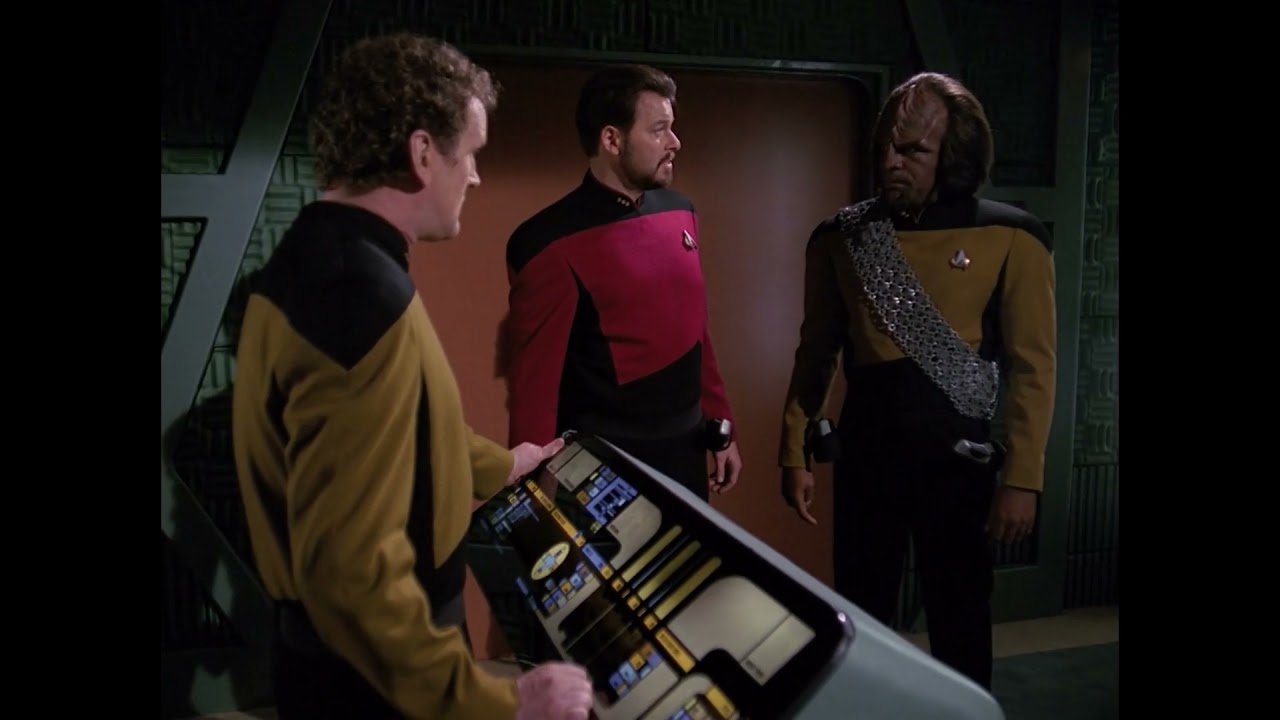
A lot of old Sci Fi DVD’s, things like Star Trek, Babylon 5 etc, will often contain a mixture of content whereby the original framerate of the source has been adjusted to make the output uniform. The best example is using Region 1 DS9 DVD’s.

For those, the live action sequences were filmed in 24fps, but the CGI was often rendered in 30fps, making the resulting vob file showing sections of the footage in CGI with no interlacing appearance at all, whereas the 24 fps sections have been telecined to 30fps so they run at the same as the CGI. Note I am using the shorthand instead of 23.976 and 29.97 for simplicity.

If you attempt to “deinterlace” this footage, all it does is make an absolute mess of the source file and no “basic” deinterlace method should ever be used on these sources. For me, who work almost exclusively with these kind of DVD’s, the de-interlacing options in VEAI have never been a valid choice as it will destroy the footage more than it helps it.

Essentially f you have telescened DVD content, I would not be touching any of the “deinterlacing” options in this program and do it outside of it before importing it. I cannot convey the number of hours and research I spent trying to find the “best way” to deal with this kind of content over the last 2-3 years - and the sad fact is there is no “best way” just the “way you are happiest with”.

If any of you have a source file that needs analysing, I am also happy to check it and tell you what it is - I can even give you options on how to deal with it outside of VEAI before trying to upscale it.

On a separate note, there is very little footage from the old DVD’s that I can get Proteus to match the quality of compared to the older version of the Artemis models. The newer ones are very lackluster, but I have a 100% failure rate on Proteus on all testing since its inception for best output live action. Its very good as a tool, but doesn’t seem to have had the same training or quality to models as the earlier models did yet - not to say it won’t, just I haven’t seen it yet in any version.

Also, progressive and true interlaced content differ very wildly in frames. A file is considered progressive if you have sequential individual frames. If you deinterlace badly, and leave leftover artifacts, you can be left with a Progressive video that has been badly deinterlaced but it is Progressive.

From a technical standpoint, interlaced content is a single frame made up of two fields that are time adjusted and merged. If you separate the fields of an interlaced source, you will get a progressive output with all frames half the size vertically. That won’t happen with progressive footage - its an entirely different concept. This is where some of the misunderstandings seem to be coming into it.

If you try to deinterlace that content, and you do it badly, you can most certainly get a progressive output that is no longer interlated. Whats worse, is if it you do this to a source, and cannot go back to the original easily, you have generally screwed up that output permanently - there is no nice way to fix this. The usual result of this being done badly? Sections of the video with movement showing single frame images with Interlacing, that cannot be separated into two individual frames.

If it helps - the source file contains video metadata as well as the images that make up that stream. With Interlaced content, that meta data and content literally has two separate images making up one frame, that are spliced together into a single frame that shows those familiar interlaced lines.

When badly deinterlaced into progressive, instead of the underlying meta data and 2x fields, you get left with a single frame of one image that is a combined image of the two previous spliced images, thus retaining or “baking in” those same indicative lines. Once you do this and you have progressive output, there is no way to “undo” this - the original fields are not retrievable.

One thing I can say - I have worked on about 30+ DVD’s from Region 1 and not a single one has been Interlaced, so be careful of implying that all old DVD’s are interlaced.

1 Like

Thanks for your post, you’ve clarified some aspects of interlacing that have confused me.

Is there any tool that can report whether a file is interlaced in part or entirely? I use MediaInfo, but don’t know its limitations.

This… is going to be a terrible answer. That question, can be the subject of a whole guide on how to analyse the content of a video, and the short answer is generally no straightforward, click one button and know for certain.

Mostly, its a collection of various tools that can help, some of which can be complicated, and ultimately verifying with your own eyes in some place.

Its also heavily dependent on what source files you are playing with. Region 4 DVD’s will have a lot more true interlacing than Region 1 for example. Sometimes its easier to upload a clip of what you are trying to work out, and having someone look at it.

I will attempt a small guide here, and see how complicated this ends up. Apologies if crash course.

Basically all of this complication comes from changes to TV broadcast formats as well as the whole NTSC vs PAL debate. This is also why knowing what source the clip comes from is the first step as this may answer the question or significantly help in answering straight away.

PAL used a system of 25fps broadcast as 50 fields per second. These fields were interlaced, hence, PAL is essentially 25i. There is a bunch of benefits as to why PAL is this way, as well as technology involved making it 25 - but google PAL vs NTSC if you want to read on lots of history.

NTSC is different. It ran on 30fps broadcast, but at reduced lines compared to PAL and due to a historically interesting issue with colour reproduction on NTSC, had to squash in that data and hence resulted in 29.97 instead. Rather than interlacing the whole sequence, they keep progressive frames for three frames, and then convert the last one into two interlaced frames.

So basically PAL broadcast at 25fps Interlaced and NTSC ran at 30fps (29.97) Telecined.

Where we have fun, is that movie companies, TV Studios all had different ideas about what to shoot on, depending on where they were located and what makes sense. To use the example of standard film, it is shot at 24fps - but to broadcast it for NTSC, they had to Telecine it, hence that last frame being essentially doubled so on playback, it takes on the illusion of 30fps.

However, when converting film to PAL DVD’s, you have to run it through a magic box that converts the input framerate to 25fps and interlace it for broadcast. Because this was so close to the framerate of the original, you will find many PAL DVD’s that are converted NTSC sources will have audio speed up to compensate.

This is an example of it:

But the important part of this, is that if you start with a PAL DVD source, that in itself is a converted NTSC scource, you can end up with a resulting file that is Interlaced AND still retains remnants of the original Telecine baked into the source images due to conversion issues. This is because those magic boxes that convert them often cannot remove the Telecine entirely to do the conversion - particularly on Mixed Frame footage.

A good example of this is if you have Deinterlaced an Interlaced clip properly, and still see residual artefacts in some places. Now throw in old Sci Fi that did CGI generated at 30fps - to match the NTSC framerate - and you have a mish mash of content that can, in the case of a PAL DVD be 24fps, & 30 fps, converted to 25fps, interlaced and have leftover artefacts and just for good measure - often skipped frames on the down conversion of the 30fps sections — AND, wait for it — Sped up audio to match 25 fps!

Yay! :face_vomiting:.

Look at this guide:

And this one:

These are longer guides that go into more detail, suggesting tools and how to visually look as well.

1 Like

Much appreciated!!

I’ve been learning mainly on two DVDs. One is Forbidden Planet, a US NTSC production and apparently 29.97 FPS Telecined. The other is Tinker, Tailor, Soldier, Spy, a BBC PAL production, 25 FPS. Both are interlaced.

After I finish watching the Artemis launch tonight, I’ll start the guides you linked. Thanks again for your help!

blazini36,

Actually, I already know that.

Thank you for your help.

When you find a video that was turned into “Progressive” by Dione 2X is it still interlaced for practical purposes. If you play it back in TVAI or any video player, you will still see the interlace stripes when there is any sudden movement on the screen.

IMO, that means it may really be progressive, but it really isn’t.

The only way I’ve found to remove this problem is doing another pass, using Interlace Progressive - Dione Robust (1x). After doing so, it is genuinely progressive. It is also possible to change the frame rate back to the original 1x frame rate or to 23.976 fps, which is what I normally use for Blu-Ray work.

I generall use MediaInfo to look at a video’s characteristics before I load it into any video utility. I’ve lost count of the number of times I’ve looked at MediaInfo results saying it’s Progressive when the application I loaded it into insists it is interlaced.

As I said above, It really is but it really isn’t. (An old expression I learned back in the military.) :thinking: :rofl:

Good gawd

If you do a 200% upscale and use Dione DV or TV, and you still see “lines”, sorry bud but your video wasn’t interlaced to begin with and that is the point. To add to that, if your video did not get 200% smoother in motion without, using Chronos or Apollo that is double proof it was not interlaced becuase Dione TV will just produce duplicates. Interlaced video is captured a 2x the framerate so you can Always frame double for the same reason you can see interlacing lines in the first place without de-interlacing, fields are by nature slightly out of sync…that’s how it works. Wanna argue further?..Then post the source video and I’ll prove it myself.

Take 2 pieces of similar but not the same paper (the actual thing the camera pointed at) and shred them (the 1st interlacing) then take half of each paper and tape it back together into 1 piece (de-interlacing) then you can photocopy it (encoding in a progressive profile). If you taped it back together like shit then you can tell in your photocopy that it was shredded once, even if it was a perfect tape job, it is 1 piece of paper made from 2 that were not the same. Now regardless of what you think you have, all you have is the photocopy…you can shred the photocopy, but you can never get the original strands of shredded paper back because they are covered in tape…and that is really all there is to it.

If you take an interlaced video, and re-encode it to a progressive profile using a poor quality de-interlacer you will see artifacts of interlacing but it is not interlaced. Just as if you took a picture of a woven piece of fabric you cannot pull the threads out of the picture because they don’t exist anymore, they just appear to.

Here is the point you are missing…Dione Robust actually does de-interlace interlaced video without doubling frames. It also has an AI component that helps blend artifacts in the differences because de-interlacing alone is not perfect. Though it has some success with poorly de-interlaced progressive video, moving it to a different category makes people thing that the only option they have to de-interlace a video is to use a frame doubler…and not everyone wants to do that

There is NO such thing as “interlaced progressive”, It is a photocopy of shredded paper taped back together. If you taped it back together like shit the first time then it can never be as good as the first one.

Where did you get 200%? I’m talking original resolution.

But you are missing the point. There is some interlaced video which Dione Robust (1x) won’t even scratch. It will come out far worse than it went in. The only way I’ve found to get the kinks out of this kind of stuff is to deintelace it using Dione 2x and then (even though MediaInfo says it’s progressive, it still stripes) take the output from that and run it through TVAI Interlace Progressive Dione Robust 1x. After doing that, the resulting video enhances beautifully at can be converted to any reasonable framerate without problems.

Sorry if you don’t believe it.

This is a Mediainfo dump on one of my DVD Vobs:

Video
ID                                       : 224 (0xE0)
Format                                   : MPEG Video
Format version                           : Version 2
Format profile                           : Main@Main
Format settings                          : CustomMatrix / BVOP
Format settings, BVOP                    : Yes
Format settings, Matrix                  : Custom
Format settings, GOP                     : Variable
Duration                                 : 45 min 56 s
Bit rate mode                            : Variable
Bit rate                                 : 4 999 kb/s
Maximum bit rate                         : 9 800 kb/s
Width                                    : 720 pixels
Height                                   : 480 pixels
Display aspect ratio                     : 4:3
Frame rate                               : 23.976 (24000/1001) FPS
Standard                                 : Component
Color space                              : YUV
Chroma subsampling                       : 4:2:0
Bit depth                                : 8 bits
Scan type                                : Progressive
Scan order                               : 2:3 Pulldown
Compression mode                         : Lossy
Bits/(Pixel*Frame)                       : 0.603
Time code of first frame                 : 00:59:58;15
Time code source                         : Group of pictures header
Stream size                              : 1.60 GiB (90%)
Color primaries                          : BT.601 NTSC
Transfer characteristics                 : BT.601
Matrix coefficients                      : BT.601

For reference, this VOB file is a VFR format file that includes both 29.97 and 23.976 footage telecine.

It gets it partially right in that most of the file is a 2:3 Pulldown - but it also says the file is Progressive, which is not entirely accurate. The reason is that what it is telling you is based on header information and not analysis of the - DGIndex requires it to run through the whole file before it will give you a full analysis - and even then if its mixed content, it may not be 100% accurate.

You cannot use Mediainfo on its own to determine the nature of the footage, only to assist in trying to work it out. Someone posted this back 5x years ago about this exact issue with Mediainfo - I will copy paste his quote instead of paraphrasing:

Beware that MediaInfo only tells you if the video is encoded interlaced or progressive . It does not tell you if the frames themselves contain interlaced video. It’s very common for progressive video to be encoded interlaced for PAL TV/DVD, for example. MediaInfo will tell you that video is interlaced but the frames themselves are progressive (a single picture taken at one point in time, not two half-pictures taken at two different points in time). And people sometimes mistakenly encode interlaced video as if it’s progressive. That can be partially fixed by treating the video as interlaced in your editor (the chroma channels of the two fields will still be messed up).

In relation to this:

When you find a video that was turned into “Progressive” by Dione 2X is it still interlaced for practical purposes. If you play it back in TVAI or any video player, you will still see the interlace stripes when there is any sudden movement on the screen.

IMO, that means it may really be progressive, but it really isn’t.

The only way I’ve found to remove this problem is doing another pass, using Interlace Progressive - Dione Robust (1x). After doing so, it is genuinely progressive. It is also possible to change the frame rate back to the original 1x frame rate or to 23.976 fps, which is what I normally use for Blu-Ray work.

This sounds like there has been some confusion happening between the definition of the terms, what they mean in a video and what Topaz calls their models.

My DVD is mixed footage - it quite literally contains sequences that are interlaced, and then it will switch to progressive. However, the interlaced section is not progressive and vice versa, they is the same sequence cannot be both interlaced and progressive at the same time.

Its also why I said earlier on why i never use Topaz for deinterlacing and handle that step outside of Topaz.

The duplicating of the frames in Topaz Deinterlace is because it assumes that each set of frames is interlaced, so treats them that way whether they are or not. When I put the Telecine material through it, it will double all frames - even the progressive ones - because its not looking for Interlacing, it just assumes its all interlaced.

As a result, the output is highly dependant on the input you are feeding it and if you feed it the wrong kind of file, the output won’t work properly and you can have everything from unnecessary duplicate frames, to desync of audio with the video due to frames being where they are not supposed to be as well as cases where if it deinterlaces badly, left over remnants of the interlacing baked in as well. You also have to run the output at double the original framerate.

That last comment you made, where you put through two different models is in effect trying to fix problems caused by not deinterlacing it properly. That is, in a nutshell you use Topaz to break your input and then use it again to fix it.

If it works for you that’s all fine, but there might be better ways to handle it so it doesn’t have to go through Topaz twice - particularly as it is not always fast. Note also that the deinterlace models don’t care if your source is actually interlaced. It does the same process whether interlaced or progressive. Once you run a tru interlaced video through any of the deinterlacing models, the output will be progressive and will not have any interlaced sections at all unless either Topaz model is broken, or the input file is not entirely interlaced and so you broke the model instead.