Humm. The webapp doesn’t support mkv. Maybe that’s what my issues is.
Is there a way to delete the content in our render history?
1 Like
Not at the moment. Render history will roll off after 7 days, and we will soon add a button to clear the list or individual items early.
1 Like
Absolutely interested in the 5 minute “credits” purchases as soon as they are available to us. Fantastic work!
2 Likes
Can you give us an idea of what you mean by “high-end” both Mac and Pc examples?
Thanks!
1 Like
What his name on the left looks…different. Like he’s not himself.
Thanks for that.
I threw a really bad source (VHS rip) at it and with such sources it does really struggle:
Several issues…

Apparently the grid seemed more important to the model than the face so it thought: let’s get rid of it, I’m not that good with faces, anyway…

Overly exaggerating the grid again - simply doesn’t look good.
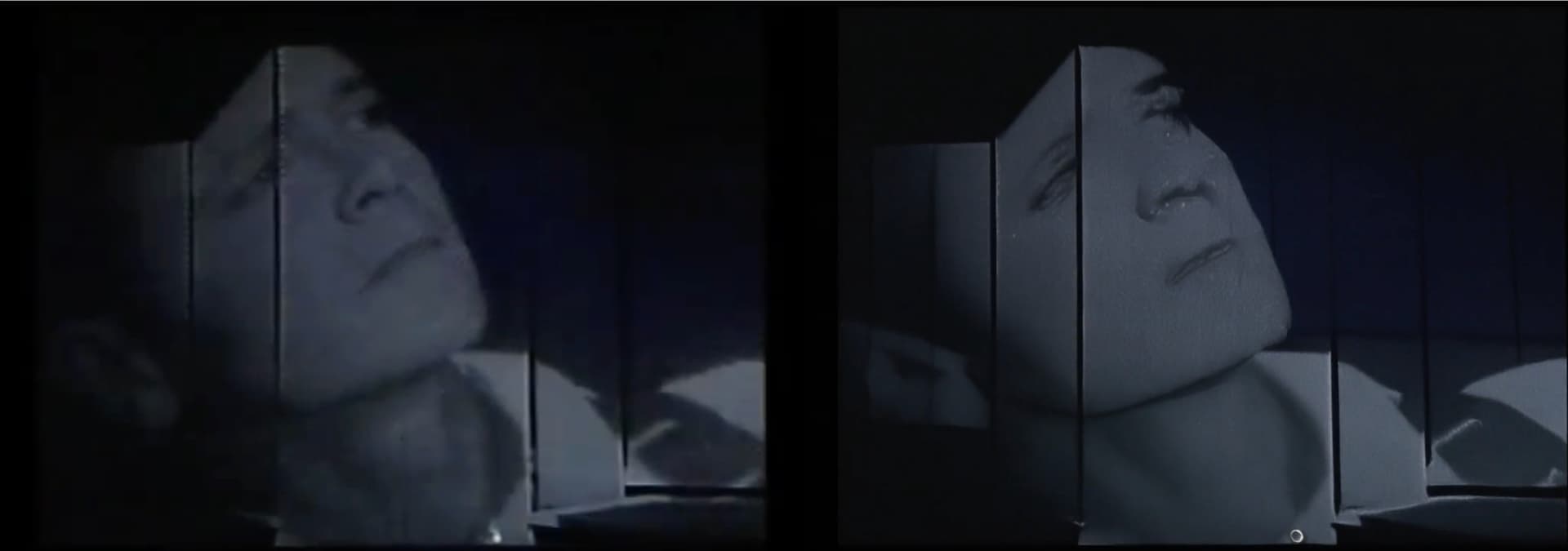
Ouch! Poor Cliff got transformed into a horror movie serial killer with a plastic mask.
I got way better results with this (admittedly tough) stuff using IrisLQ.
2 Likes
Welp. VHS is probably a no-go.
Original (Zoomed to match upscaled.)
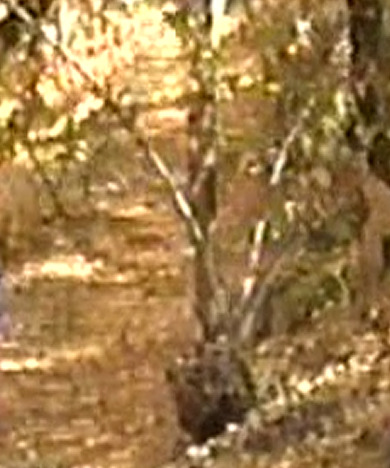
Starlight
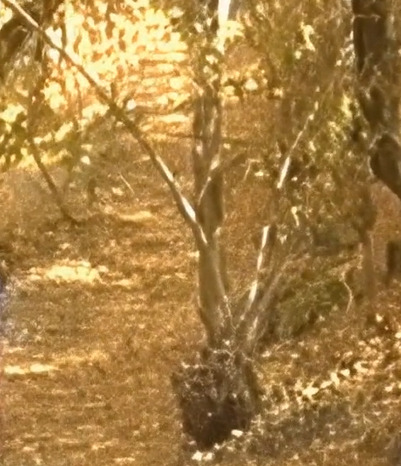
That spot pattern should not be there at all. It doesn’t look like anything that exists in nature.
This is the worst quality of the videos I have that I want to enhance, but it’s also a good example of the kinds of family videos that people will want to use Topaz to enhance.
2 Likes
Could someone from development answer my previous question?
“Is there any expectation of privacy when sending anything to the cloud for processing via Starlight? In other words, is what we send to be processed analyzed and retained for training of the model or are any logs saved of what we process in the cloud?”
2 Likes
- For paid renders through Project Starlight, your content stays private—we won’t train on it or share it without permission.
- For free previews through Project Starlight, your content may be reviewed, retained, and used for training as part of the research process.
1 Like
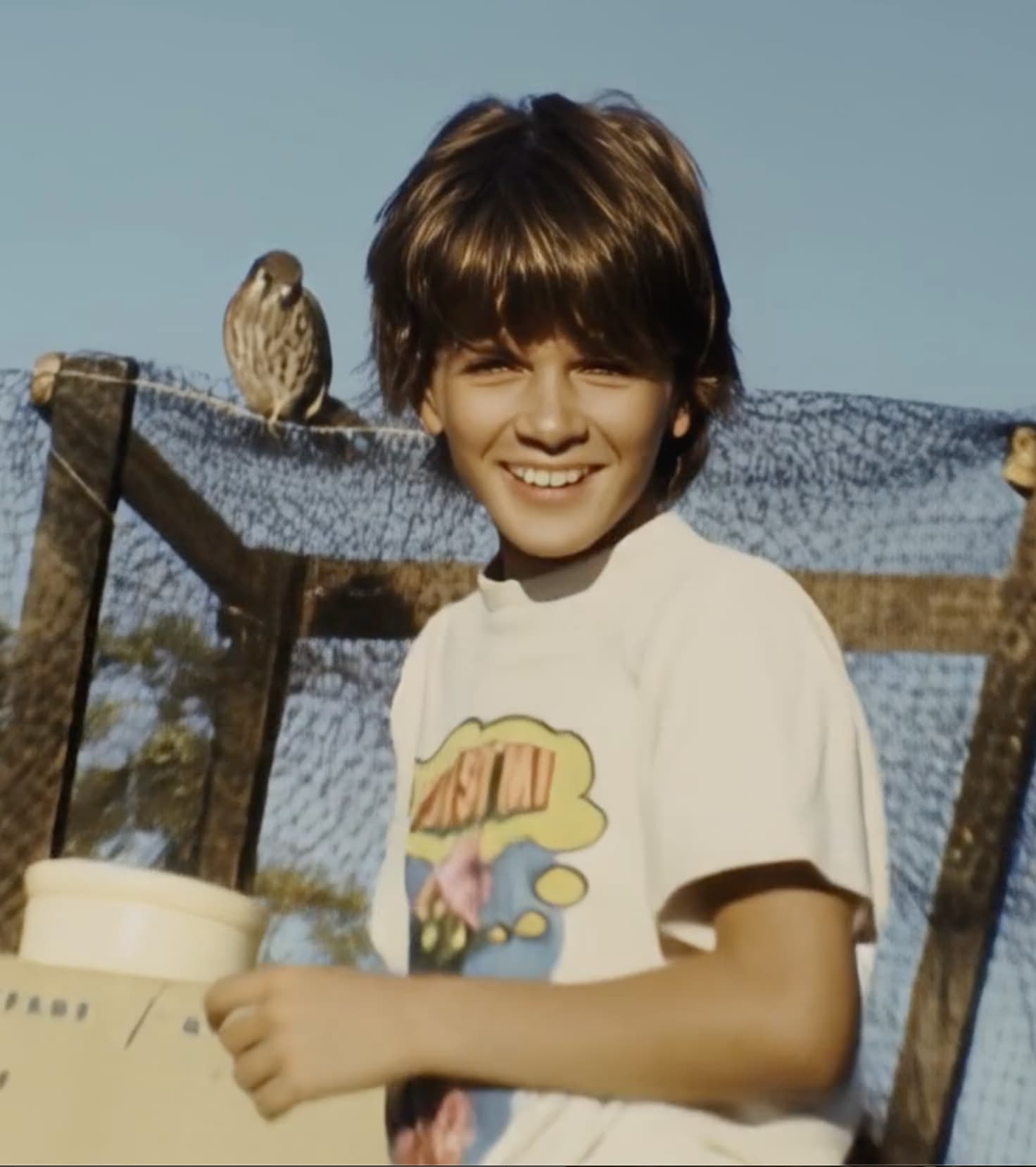
Here is a Starlight screen capture of a Super8 film that I originally used Proteus on the video.
Here is the a screen capture the I original video used Proteus on.

One think I noticed it that Starlight got rid of the little specs that are frequently on a scanned film frame so that was nice.
Any projections on when the private paid renders will become available?
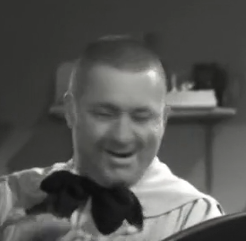
It’s a little heavy on face and even expression changes.
Original:
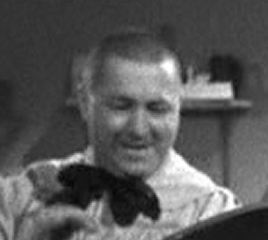
Starlight:
2 Likes
Later today for the beta channel on desktop, and soon after for web app

VHS example. Starlight on the Left and Source on the right.
Source had stabilization and Proteus applied.
Honestly, the expression changes are just weird.
Original
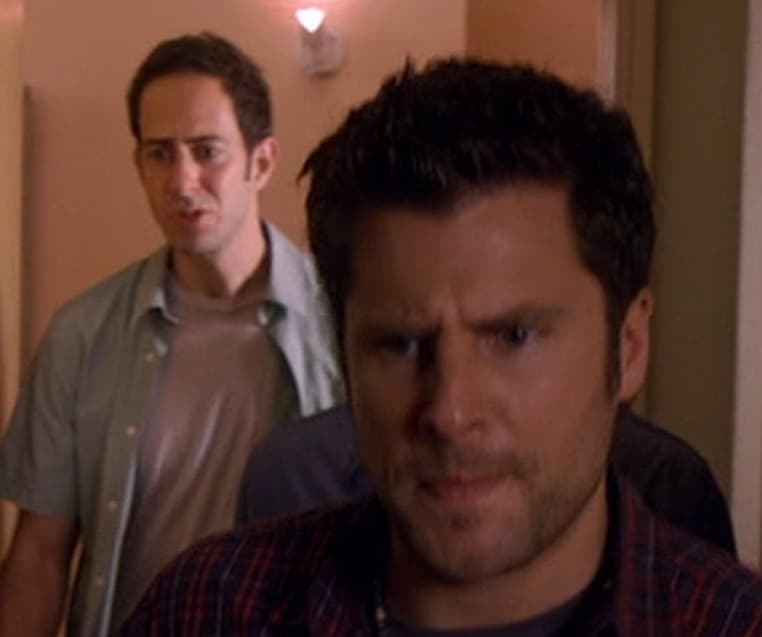
Starlight
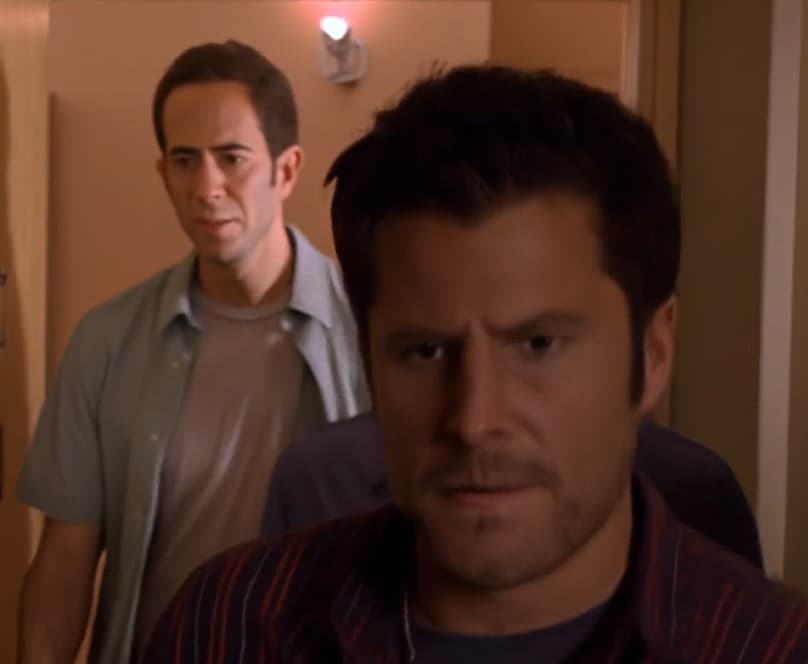
I’ve checked multiple times. This is the same frame.
1 Like
And what if this is copyrighted material?
That would be part of the “review” step of course
2 Likes
If you squint when you look at the frame, the expression really hasn’t been altered much.
Viewers’ brains are conditioned by experience to expect old B&W footage to have visible grain, and without it, you’ll get comments like, “unnatural,” or “plastic looking.” It’s the vintage film equivalent of the uncanny valley.
Eventually, Starlight is going to need the same options for recovering original detail and adding grain that current models have.
