I have now tested the Version 1.0.10 which also works well. So between the updates from 1.0.10 to 1.1.1 and 1.1.2 there seems to be an additon which is crashing the software on Macs for sure.
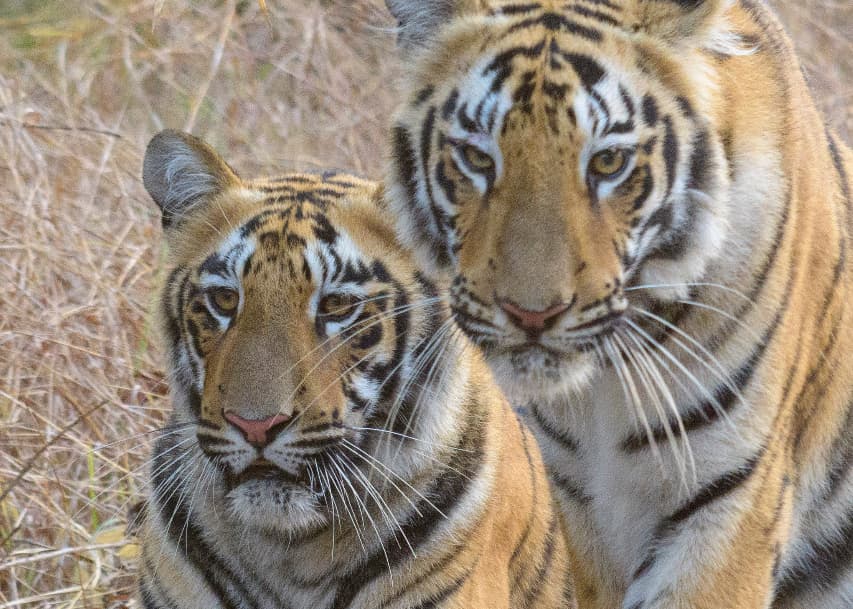
The other thing I have noticed is that when we do a Raw edit directly via the Plug in, it creates artifacts on things like a Tigers whiskers for instance. IF I use the LRC edit option, then this does not occur. Attached screenshots show the difference between original NEF, DNG and Tif files.
Hi. Respect for your work and progress. I would suggest two features I’m really missing:
it would be very helpful to have the possibility to keep the lens/camera-data in the exif-data of a raw-file. Photo AI returns a really RAW-pic - means: the internal lens-correction is lost (you see the “real” quality of the lens like vignetting and distortion) and I have to “rebuild” it.
it would be great to have the option to add grain on top of it. Sometimes the denoising is too good for the human eye and some grain will give the picture a more natural look.
I’ve noticed improvement over the Standalone Gigapixel in recent tests. However there are some features that are missing from Photo AI, that must be added before Gigapixel can be retired:
Batch editing using the same settings. (As you can on Gigapixel. Currently you have to set them for every single image manually)
Yes you essentially are restrict, because sure you can enter manual resolution, but you are expected to know the exact dimension values of your image in 2.5x 3x 5x. That’s a joke.
They need to port over how Gigapixel has it.
If you haven’t done so already, can you pls click the “heart” button (Like) below my post above about Masking Brush feature requests?
I’m thinking if there are a lot of “likes” for what’s noted there, the dev team will figure it’s worth their while to devote attn to making those things happen. We’ll see…
Something I do in your situation is edit the image in Lightroom first. Then, if it makes the final cut, process the image with the Plugin Extra option and choose to make a copy of the raw file. Then, when the final image from PAI is back in Lightroom, I will just sync the edits to it from the original raw file.
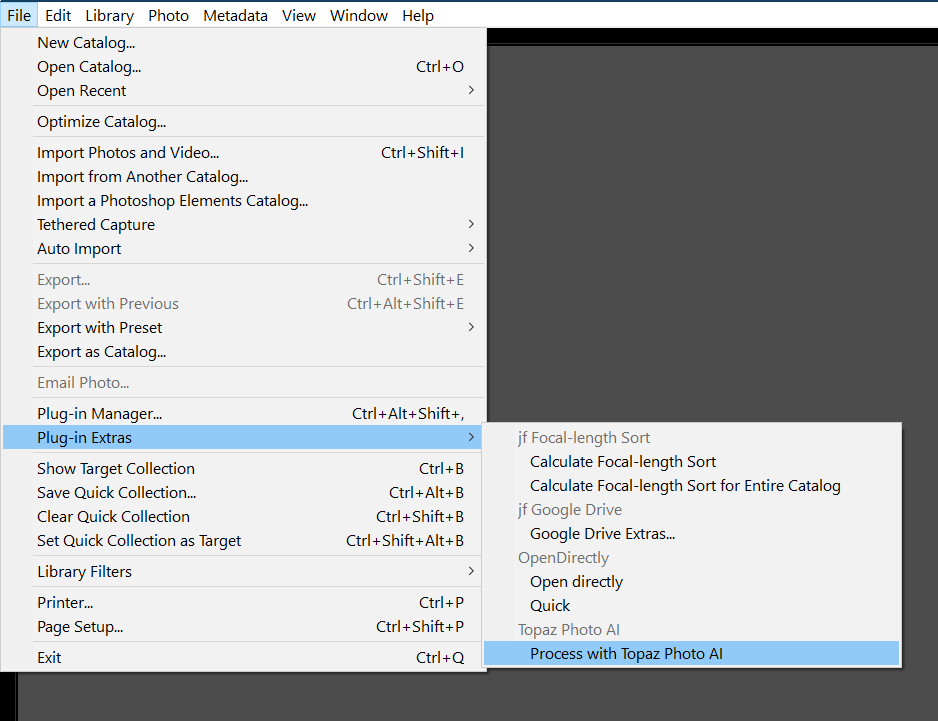
By the way, right clicking and using “edit in” will not send a raw file to PAI. Lightroom only allows processed files to be sent from this dialog. The only way to do this, outside of an expensive Lightroom plugin or opening the file in the system’s file explorer and then dragging it into PAI, is to use PAI’s option under Plugin Extras.
That said, the returned DNG is linearized, meaning that it has been demosaiced, had a color profile and tone curve applied to it but still contains the full color and tonal information. So this dng is much larger than the original raw file. My 16mb orfs produce >75mb dngs through any of Topaz’s software.
Thank you very much, Paul. Your recommendation is EXCELLENT. It never occurred to be that I could sync the DNG with my original RAW to avoid having to re-do my edits. I still have a few things to work out, I think, but this goes a long way.
What I want to do is get down to best 50-75 or so pics from a shoot during culling. Then, based on the results of the LR edits, get down to maybe 25-ish. Then run them through Topaz in a batch process and be done. With what you suggest, the going through the batch process is a terrific improvement. I would still have to individually sync the 25-ish pics with the RAW, but I think that is still an improvement.
I guess I have to do some testing to see how much my .ARW files grow as Topaz applies its algorithm and then generates a DNG. It seems your Olympus files can grow as much as 5x! If my Sony files grow by that same factor, then my thought that processing the RAW file through Topaz instead of a TIFF would save me from huge file sizes may not be valid.
Thanks again, Paul. I appreciate having another approach to pursue.
For future can you also add scratch removal. I’m scanning a lot of old pictures and trying to enhance them-and this tool is great it’s missing scratch remover.
Thanks for considering it.
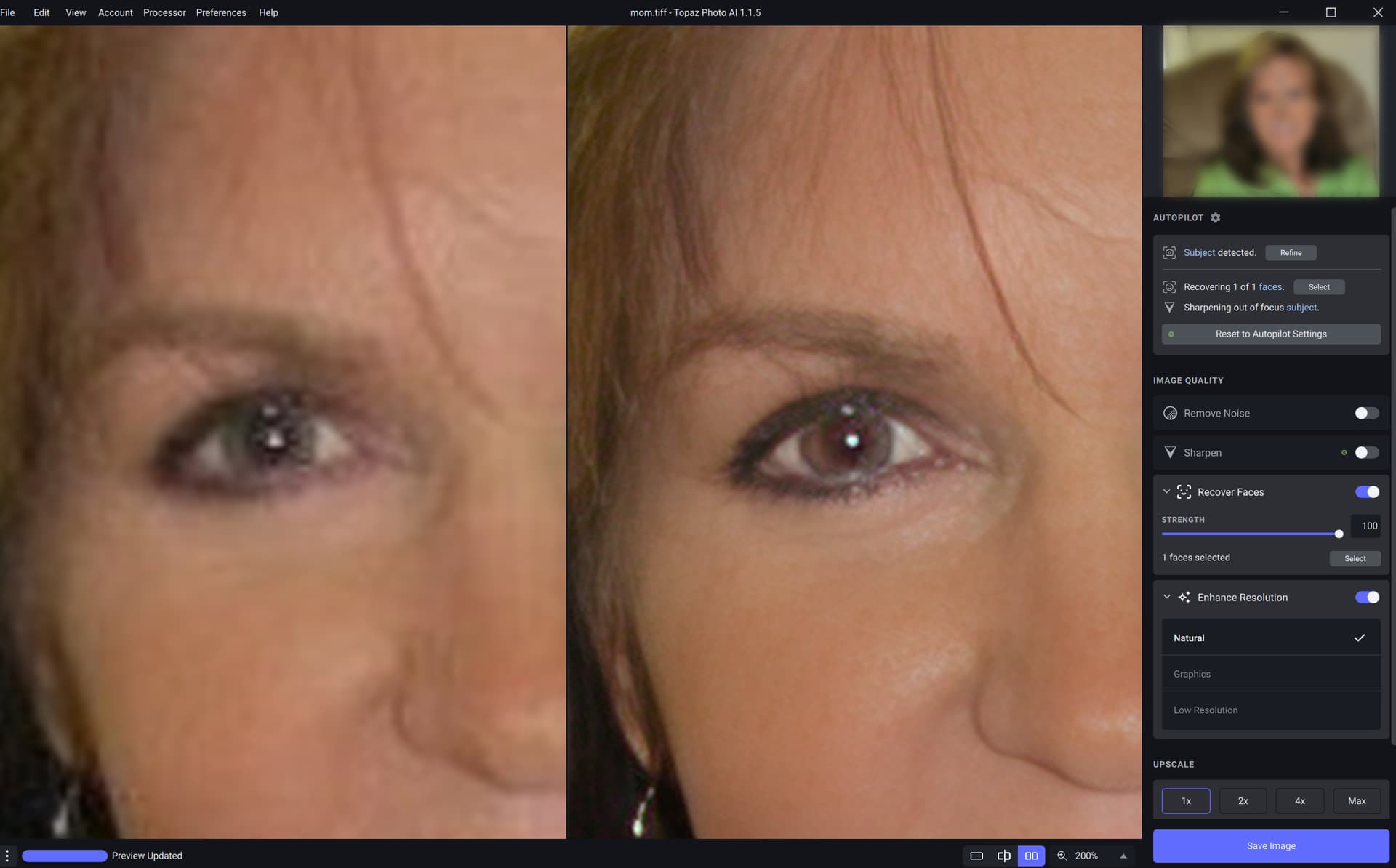
With PhotoAI, I’m finding that eye color is frequently being changed in low quality images when “Recover Faces” is used. Could there be an option to adjust eye color and intensity with a toggle/slider (whatever is determined to be best solution). Thanks!