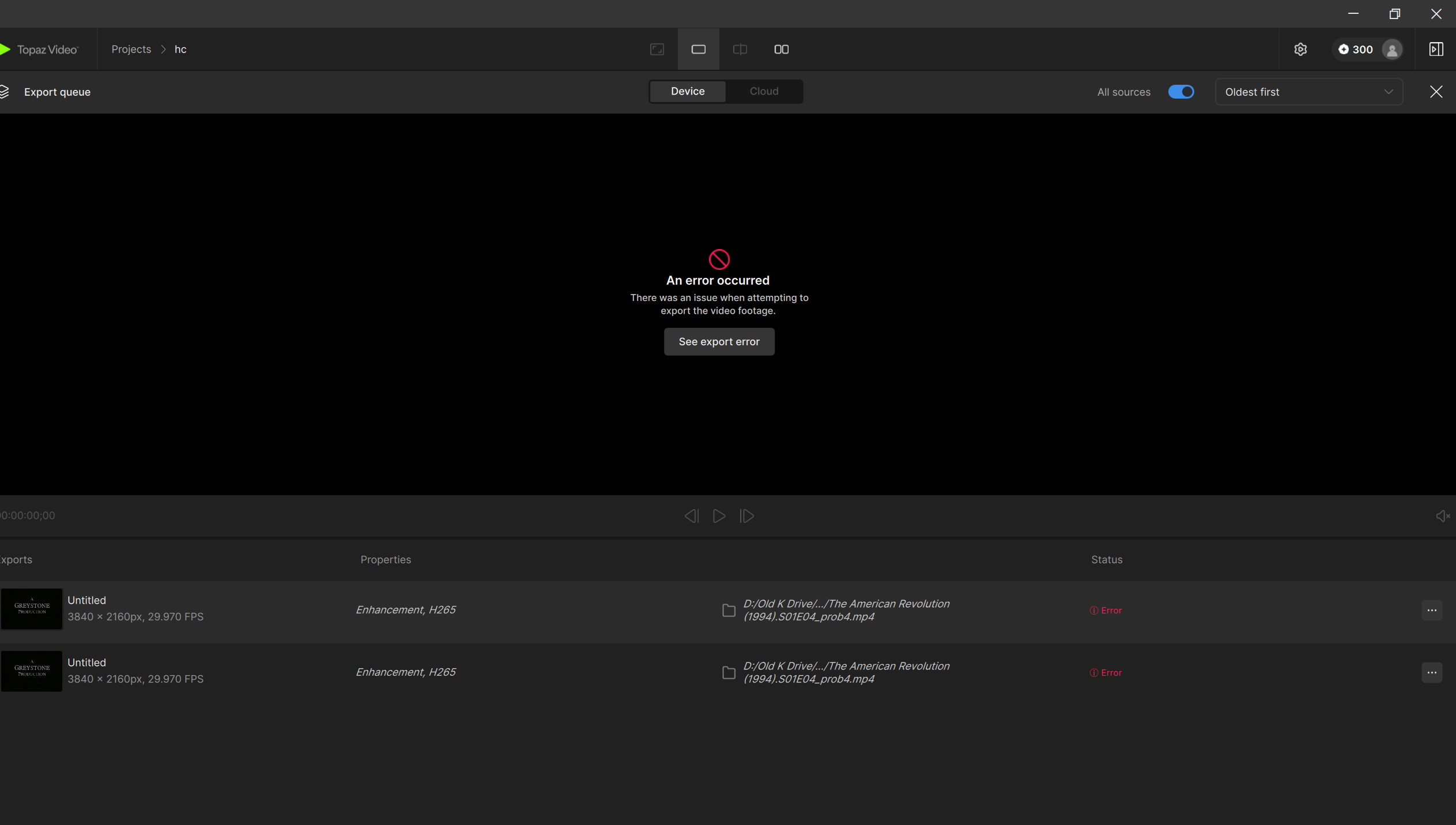
Some exports in Topaz Video fail with a generic “Error” message and no output file is created.
This occurs with videos that use non-square pixels, which is common with some DVD and older footage.
Workaround
Try switching the Pixel Type setting and exporting again:
If set to Square Pixels, switch to Original Pixel
If set to Original Pixel, switch to Square Pixels
Or, convert your input using Handbrake which will convert to square pixels and then try importing the converted version back into the app for processing.
Steps for Handbrake:
Drag and drop your video to import it
I recommend going to the “dimensions” tab and under “resolution limit” > none
I also recommend going to the “video” tab and under “framerate (FPS)” > Same as source
Then click “start”
This will ensure that it retains the original resolution and frame rate with the converted file.
Status
Our team is aware of the issue and is working on a fix. This post will be updated when more information is available.
I am attempting to upscale some old/out of print DVDs to 4K (proteus, square pixel, 4k, manual adjustments) so that I can watch them on my Plex server. I know this process works, because I have done it with prior DVDs from this boxed set. Sometimes the process works, sometimes it fails. Very frustrating.
System profile:
Windows 11
Core i7 ultra
64 GB RAM
NVIDIA 5080 GPU with 12 GB RAM
I keep getting a generic “an error occurred” message.
I tried changing some of the output settings (e.g., H265 vs H264, Main vs Main10, export file location, etc.) and the error still persists.
Screen shot of the problem, system config, and error logs are attached. Any help would be much appreciated.
The issue is due to the pixel type and the PAR and DAR metadata on the original video source causing an issue when trying to be upscaled.
Are you seeing the option to choose square or original pixel type when setting the upscale amount? If so, swap that to the other option and then try the process again.
If that does not work, please grab the updated logs and send directly to the support team at help@topazlabs.com, this way we can investigate a bit quicker as there is a backlog on the forums right now we are trying work through and some posts have fallen through the cracks since they were not tagged.
Hi dude. I seem to have found a workaround. I choose the 4k default option and render a brief test clip. After that, I manually change the model parameters, change the in/out points, and render the whole video. That seems to work for now at least. Thanks.
This might be related to a recent bug affecting inputs with non-square pixels. Our team is looking into resolving this.
Can you try switching the pixel type to “original pixel” type if you selected “square pixels”? If you had “original pixel” type, try selecting “square pixels” instead:
I am running Topaz Video 1.0.1. I am using Starlight Mini locally on my pc to process older videos with 4:3 aspect ratio. I de-interlace first, then run locally using the Starlight option. The output looks terrific, but for about half the videos the aspect ratio is very slightly changed. Specifically, the output is slightly wider, which distorts (stretches) the content in comparison to the original. My understanding is that the original aspect ratio was designed to be preserved in Starlight mini. Interestingly, on occasion, using Starlight Sharp preserves the aspect ratio, but usually not. Since running Starlight Mini locally on my pc does not allow tinkering with any specific settings, I guess I am wondering what might explain this issue of changing aspect ratios?
Same source material in SL Mini with the previous VAI app was fine, but now running through the new SL Sharp model outputs the wonky aspect ratio. Tried a few different settings, but always results in a messed up aspect ratio.
Also 4:3 DV interlaced, first de-interlaced then into SL Sharp.
Really hope I can get this sorted, as the results are amazing otherwise! This new model nearly eliminates some weird face ghosting I was seeing in very low light/very poor quality sections. Two steps forward, one step back.
Hi, same issue here. Upsizing 720x576 via Starlight_mini to 2880x2304px. But the final width is different, as Topaz multiplies it with AR (for PAL AR 1,0667 I got 3072x2304 or sometimes - dunno why - 3144x2304). Not only the image is wider, comparing to the source some pixels are horizontally SHIFTED - looks like some source pixels may be doubled (as nearest neighbor) by AR multiplication, before upsizing.
Current workaround is to export 720x576 “false” marked as squared pixels, then fix image ratio in HiRes.
Can you share a test file where this happens and the app’s logs?
You can securely submit your file(s) to our Dropbox using the link below. Please be sure to send me a note to let me know you sent something and include the file name. Submit File to Dropbox
To gather logs, please open Topaz Video and select Help > Logging > Get Logs for Support