[If you are posting a new bug, please include the following]
- Import 4 files;
- File > Preferences > Processing > Max processing > 2;
- For each files, set it as > Output resolution: UHD/4K; AI model: Proteus; Frame interpolation: enabled; Frame rate: 60 fps; AI model: Chronos; Scene detection: enabled;
- Export each files.
You will notice insane ETA like in this screenshot:
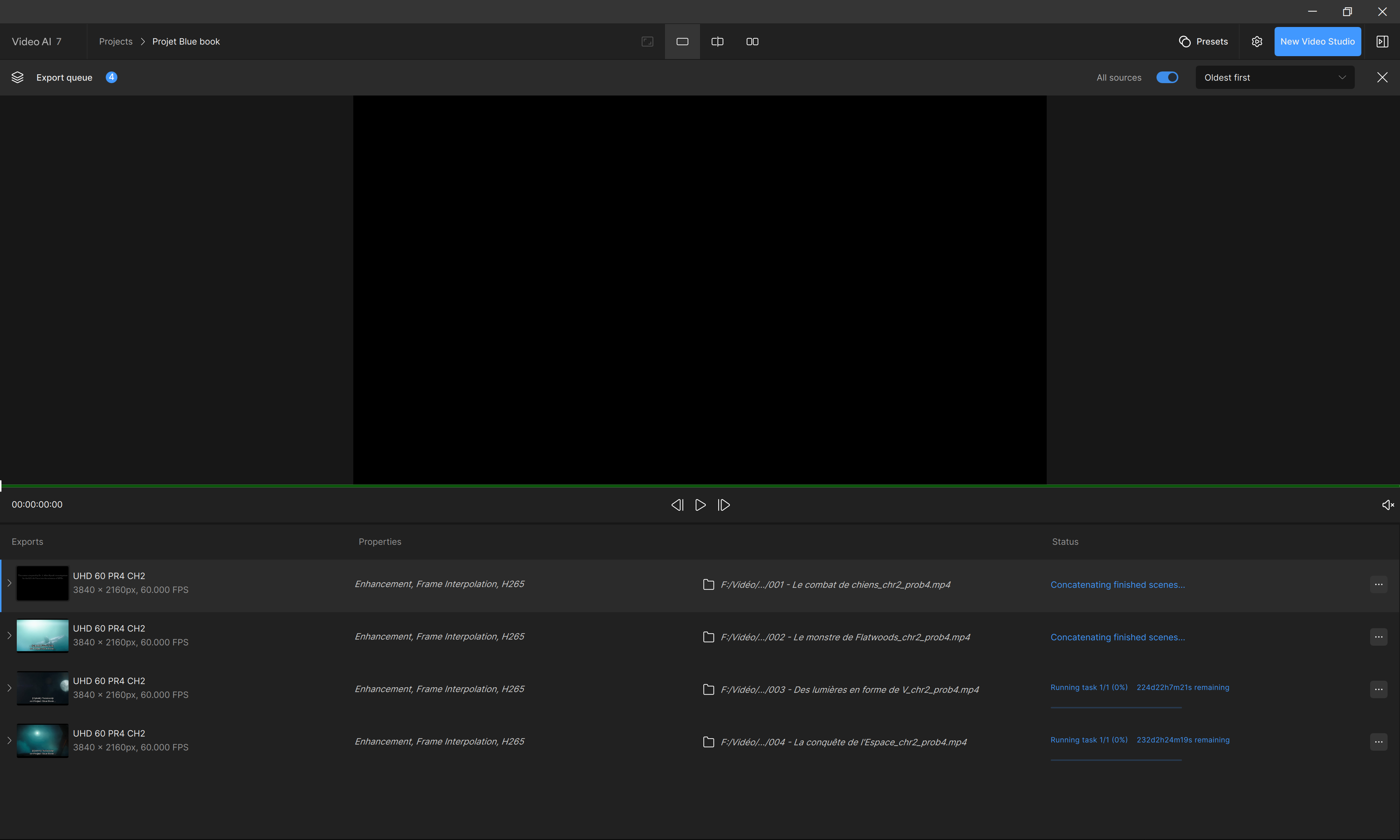
In fact the true elapsed rendering time is 11 h 10m 36s for the first item for instance.
Impossible to organize night computations based on ETA.
Can you grab the logs from the app and send to the support team to review? help@topazlabs.com
To gather logs, please select Help > Logging > Get Logs for Support and attach the zip file to your reply.
1 Like
logsForSupport.zip (17.9 MB)
Hi Topaz Labs,
You will find attached my logs zip file found in the roaming folder.
Be aware that they were Proteus + Chronos FHD 24fps to UHD 60 fps renderings.
Please, let me know if you need more explanations.
Best regards.
Vincent.
Some of the issues in the logs and what you are seeing are most likely being caused by having the scene detection feature turned on.
Have you tried running the files without this enabled? This feature is still being developed and there are some known issues with it at this time.