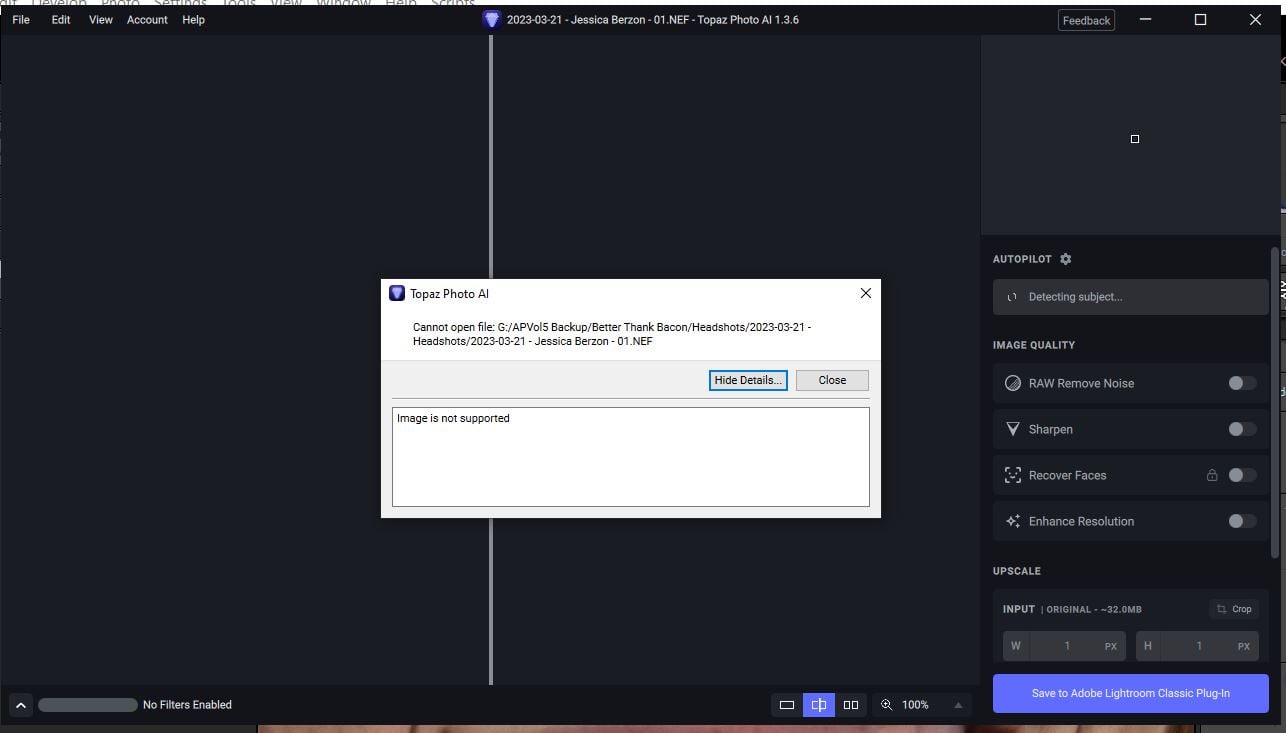
While in Lightroom, I performed the following for this image file and received an error message that stated “Image is not supported.” It has been happening for a couple of weeks. I just updated Photo AI to the latest version and it still responded with the same error message.
1 - FIle > Plug-inExtras > Process with Photo AI
2 - Received error message shown in the screenshot below.
Where should I upload the file? The files have .NEF extensions. It is not just one file.
Stay well and change your lens when needed!
Thank you.
Gary Altoonian
610.931.9506 (cell)
“Life is like a camera…focus on what’s important
…capture the good times
…develop from the negatives
…and if things don’t work out, take another shot.”
“Life is like a camera…focus on what’s important
…capture the good times
…develop from the negatives
…and if things don’t work out, take another shot.”
I am recovering from surgery and plan to get something to you by the end of the week.
Stay well and change your lens when needed!
Thank you.
Gary Altoonian
610.931.9506 (cell)
“Life is like a camera…focus on what’s important
…capture the good times
…develop from the negatives
…and if things don’t work out, take another shot.”
I just sent a reply with the file. It may be a different file from what I noted previously. I get the same response regardless of which file I am using.
It looks like this is from a camera model that is currently unsupported. We’re working on supporting NEF files from more camera models this and next quarter.
Thanks Tim. The camera I am using is a Nikon Z9. I will do as you suggest until the fix is complete.
Stay well and change your lens when needed!
Thank you.
Gary Altoonian
610.931.9506 (cell)
“Life is like a camera…focus on what’s important
…capture the good times
…develop from the negatives
…and if things don’t work out, take another shot.”