I just upgraded my MacBook to latest Mac OS and Recover V2 stopped working.
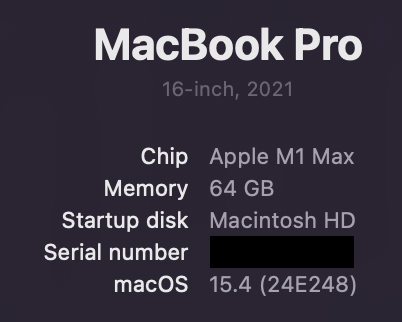
I just upgraded my MacBook to latest Mac OS and Recover V2 stopped working.
Same issue on M3 Macbook Air. Been trying every new update but keep needing to revert back to 8.0.2 (which was from November 2024). I think they mentioned a fix that needed more testing but haven’t seen any other comments since. Pretty crazy that customers paying for a year of updates have had 4 months of broken releases.
What MacOS version did you have before the update?
can’t say exactly, whatever the previous latest was
Thank you. Agreed on the coloration. Just wanted the basics with
Gigapixel but wanted to mention the dust and scratches.
Jay
Howdy,
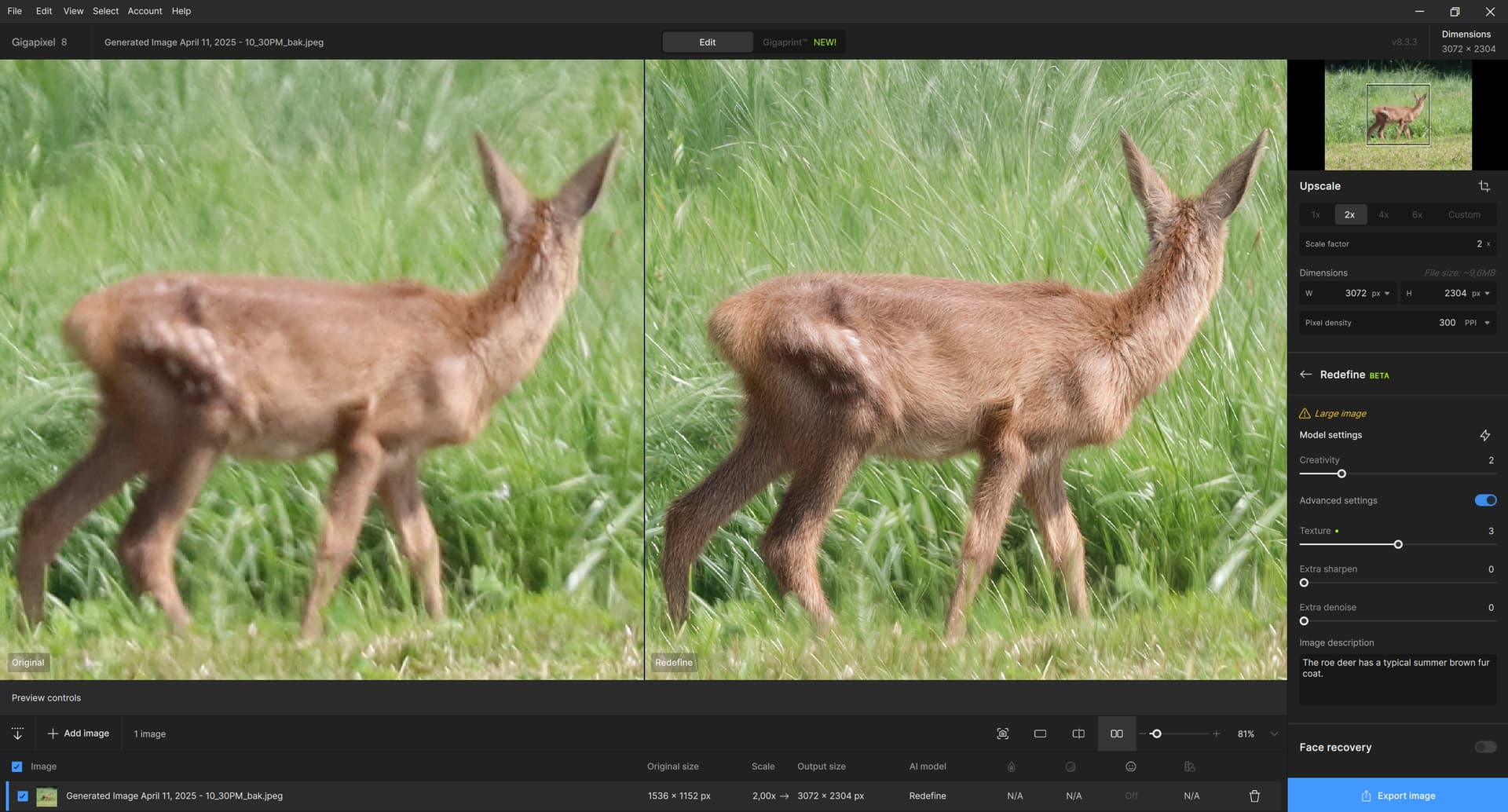
I’d like to get a bit beyond the usual try and error thing: How do you “Redefine” animal fur?
I have been playing around with a couple of variants to get realistic looking animal pictures. I have many of them that are about 1 megapixel in size, some from old scanned photo prints, some even stills out of video material. I have fiddled with many combinations of Redefine, creativity usually in the 1 to 3 range, texture between 1 and 5. After all, i have settled to a workflow that seems to yield results that are at least acceptable. I have to stress that I strive for results that need no additional photoshopping or similar. I want GPAI to provide me with the final result. So, here we go:
After trying out with quite a couple of pictures, using Redefine to go straight to the desired final size (which for me is about 9 megapixels) didn’t work out as I have repeatedly run into anatomy issues even if I prompted the animal correctly.
I Use Redefine with a resizing of 1x for pictures above about 500 kilopixels, 2x for smaller ones. I usually start with creativity 2, texture 2 for input that has good detail in it, and creativity 3, texture 3 or higher for pictures with poor fur detail such as video stills. That approach seems to preserve anatomy better than redefining straight to the final resolution.
Redefine renders fur quite aggressively, making it sometimes look (too) shaggy. In this case, creativity 3 seems to do better than 2, especially when cranking up texture to 3 or above. In general, the texture setting seems to impact the result much less with animal fur than, for example, human skin.
I have used creativity 1 on stuff such as snake or lizard skin, as everything above seems to get a bit too “creative” on that. Because creativity 1 uses no prompt, it can result in anatomy issues because GPAI doesn’t know what it is “redefining”.
There may be cases in which this first pass fails, for example, if the animal is in part obfuscated by brush or similar. I usually don’t invest a lot of time to find a solution. If the picture is very important to me, I sometimes try generative AI such as Stable Diffusion ro rework the parts that GPAI has trouble with.
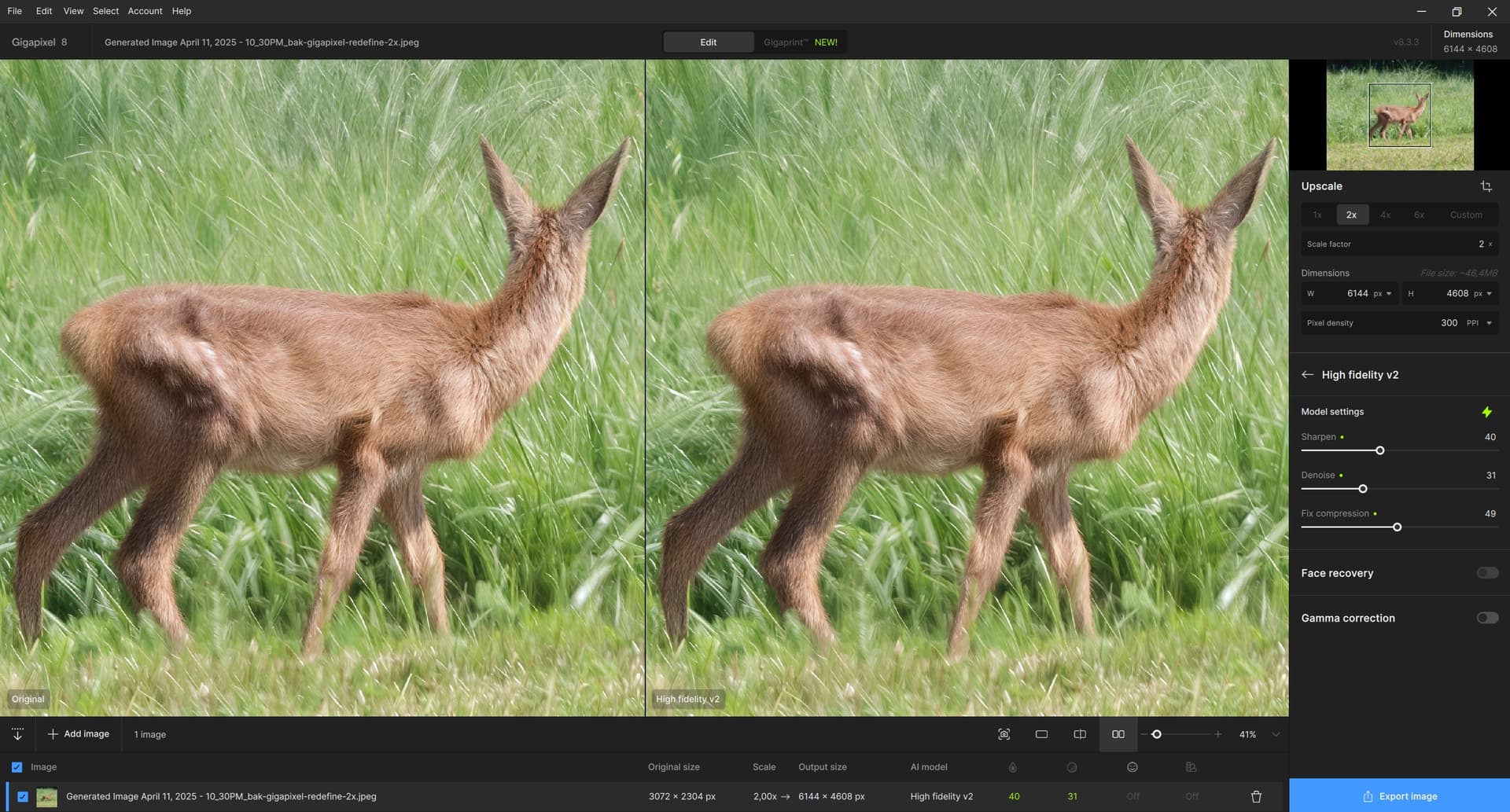
If Redefine comes up with a satisfactory result, I hand it over to High Fidelty 2 and let it do the final upscale. The auto selection of the parameters of HF2 is usually pretty much on the mark, so I usually accept them, sometimes with small changes.
I’d love to learn how other GPAI users tackle the subject of animal pictures. Feel free to try out my approach, and please do share yours if you have one. 
maybe some otehr upscale models you can check out
i think for low-res you use swinIR or very similar
for satandart-res or high-res you can try
4xRealWebPhoto_v4_dat2
or
classicalSR_DF2K_s64w8_SwinIR-M_x2
(both much more detail not that smeared out)
you can google
About the fur coats: I typically use a very similar procedure to what you mention. Sometimes it is useful to do the first step with C=1 (it will improve the crop from a photo taken from a distance a little), but sometimes it has no effect. In the vast majority of cases, C=2 and 2<=T<=4 (usually T=3), Upscale=2 (or 4) are enough for me. Finally, High Fidelity v. 2 and again U=2 (or none). Or even U>2 for a small cutout. HF2 will gently finish the details.
I am attaching my favorite doe for an example (for variety in a different position, so as not to bore you so much here  ). It should be added that the photo is from July 2024, so the doe has summer fur. It is different with winter fur, but I do not have a direct photo comparison. I only have a comparison with my cat, so one has to try it there – thick winter fur can come out very rough, so usually T<3.
It is not easy with doe and the like, they simply do not want to wait in a nice position. Sometimes they graze and you can slowly approach (then the photo is better), but as soon as one of them raises its head and looks at me, I only have the last microsecond to press the shutter button of the camera, otherwise the doe will disappear at supersonic speed. The cat, on the other hand – if he sees me trying to take a picture of him, he immediately runs towards me (at supersonic speed, too). His reason is known: he wants to catch the strap on which the camera is hung and enthusiastically pull and claw to it.
It is better to photograph rocks or mountains (somewhere where there is no danger of earthquakes, of course). The Redefine step:
.
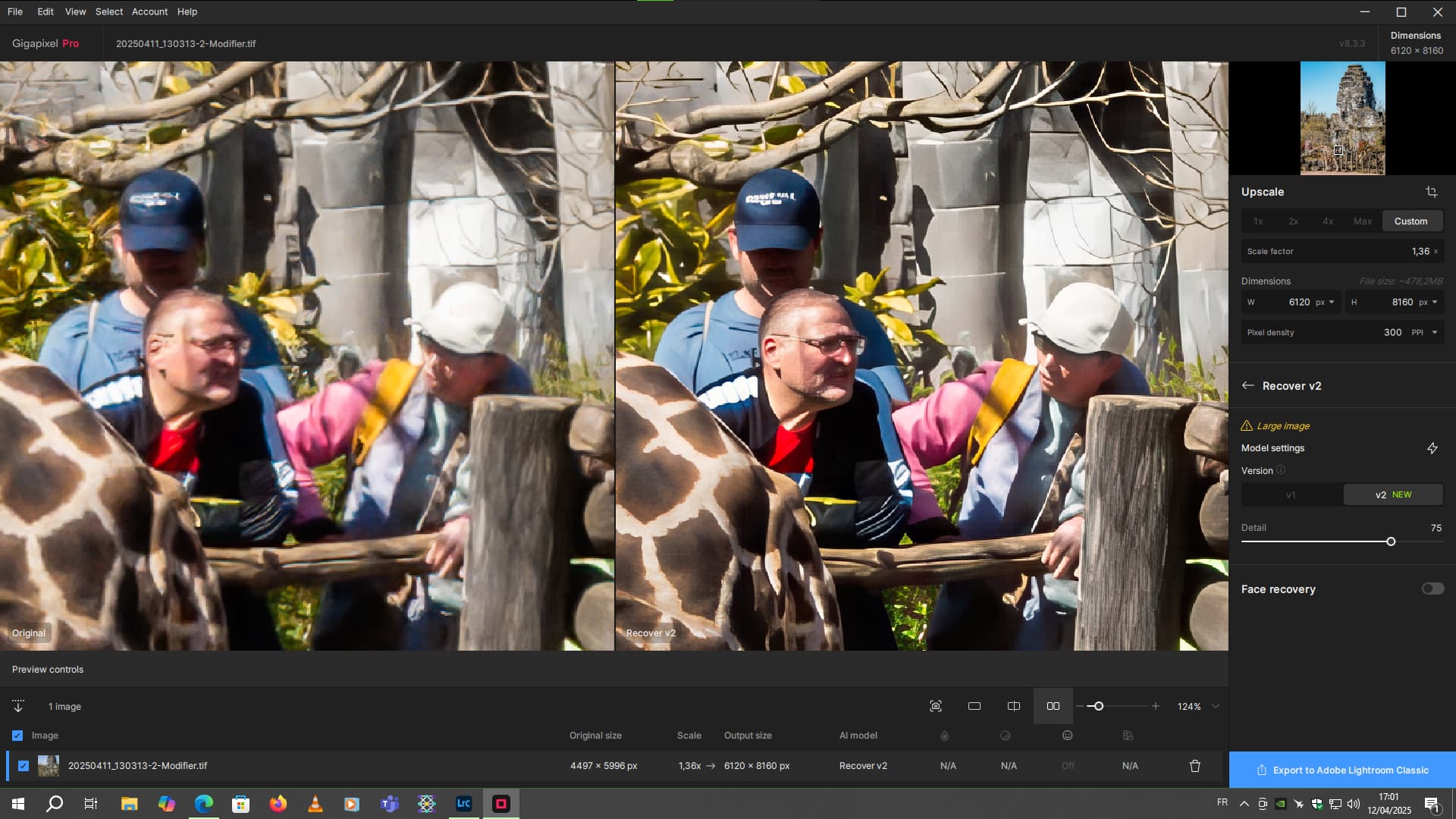
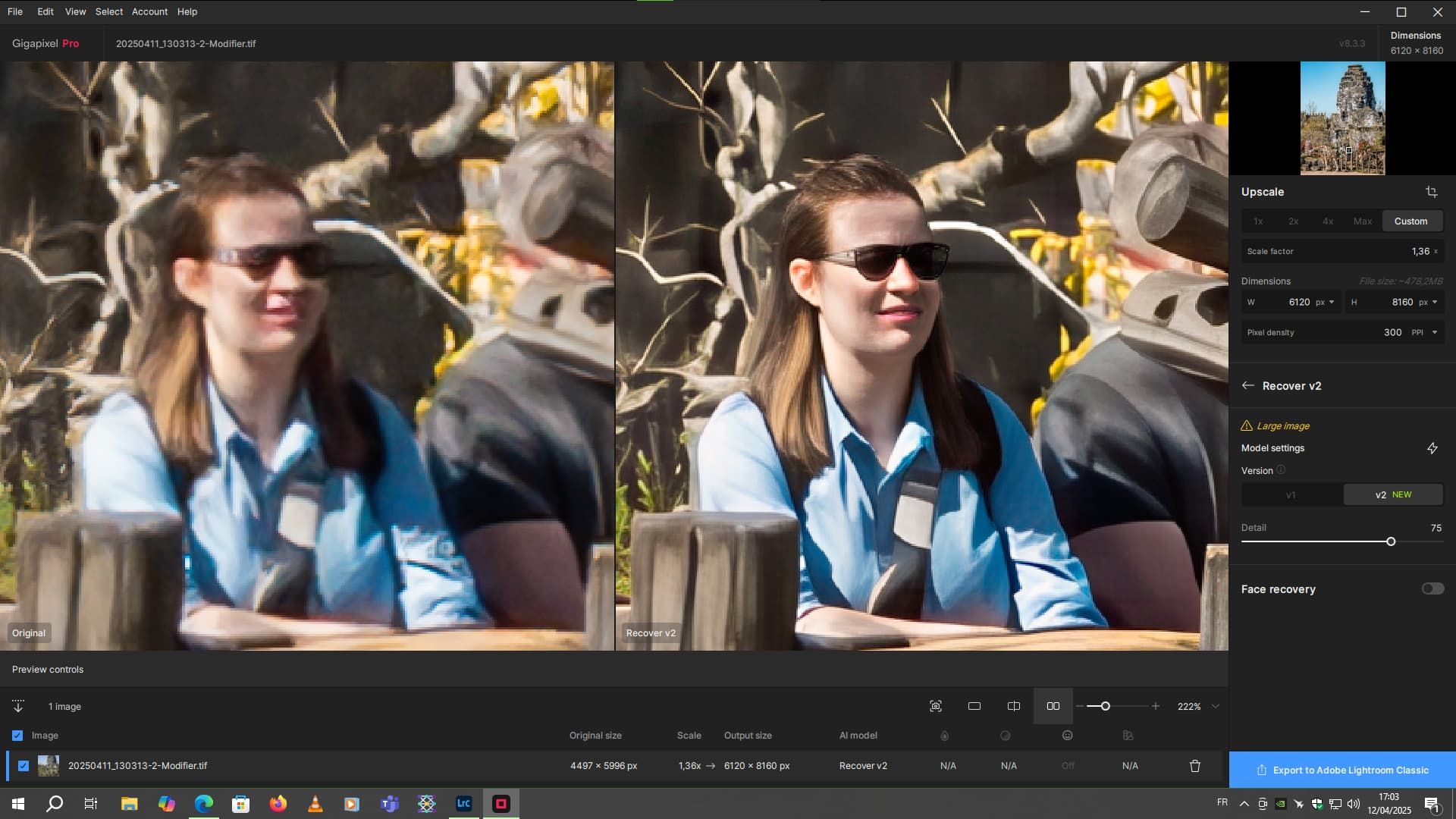
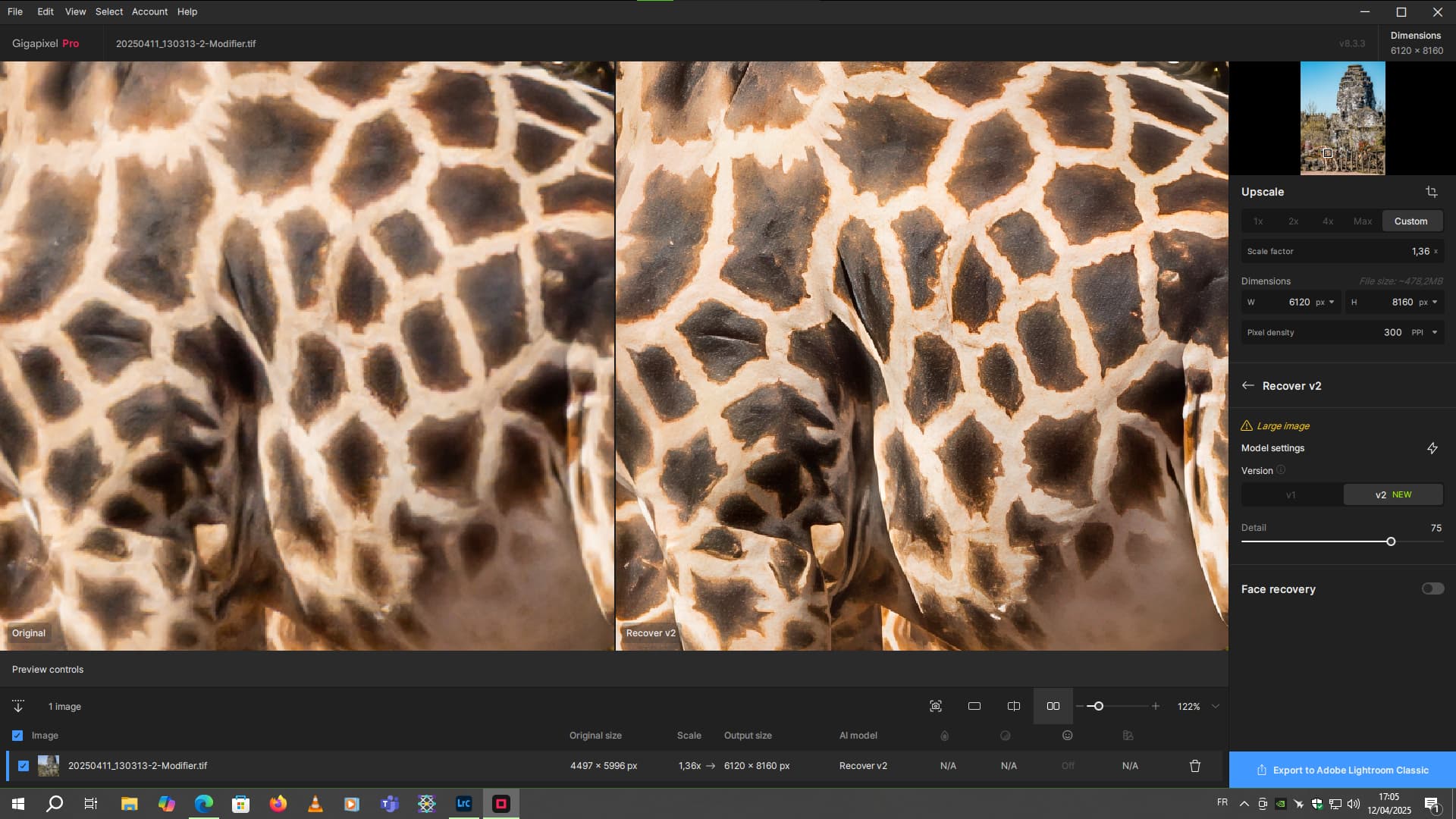
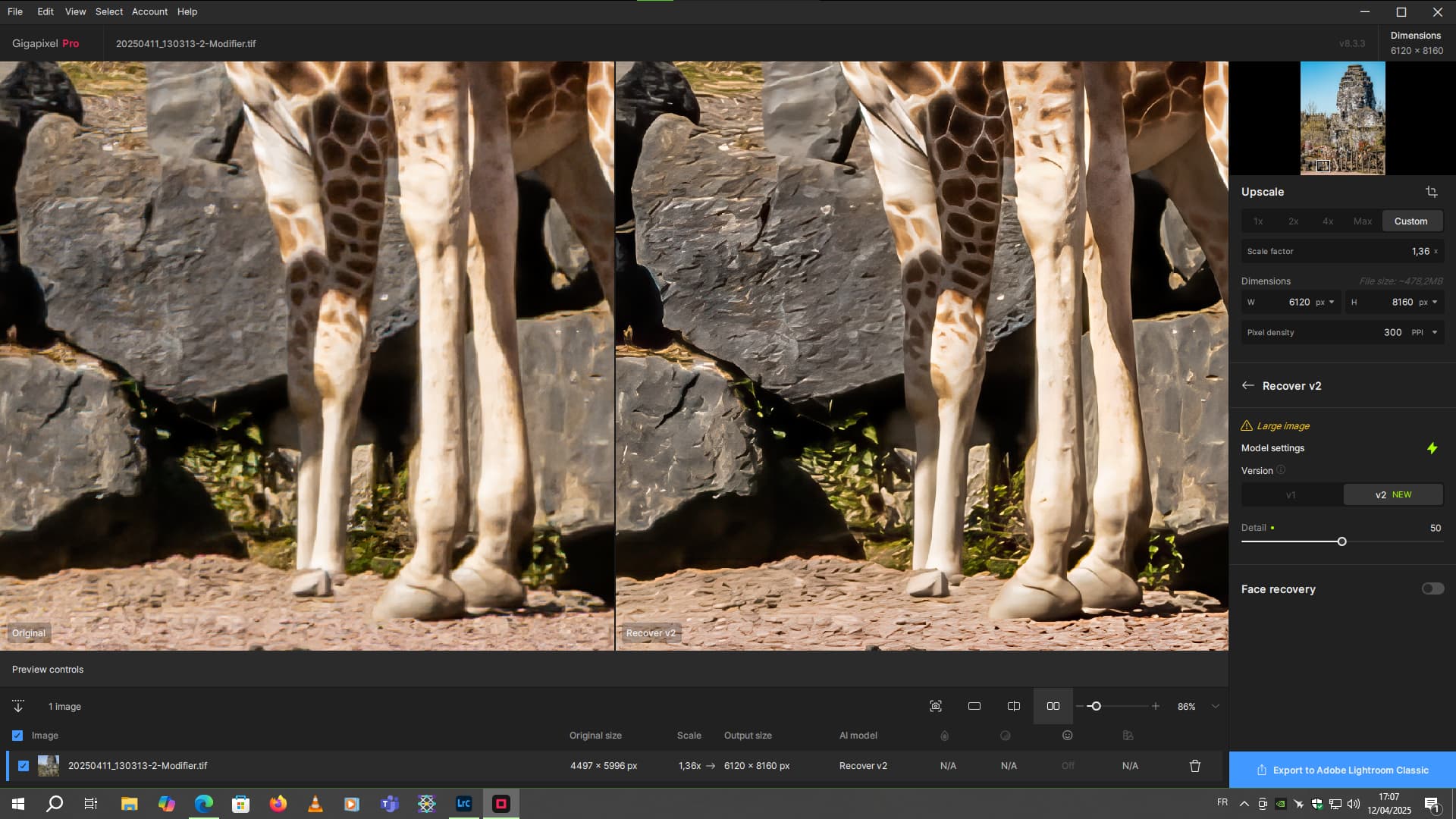
Very good recovery here with Recover V2.
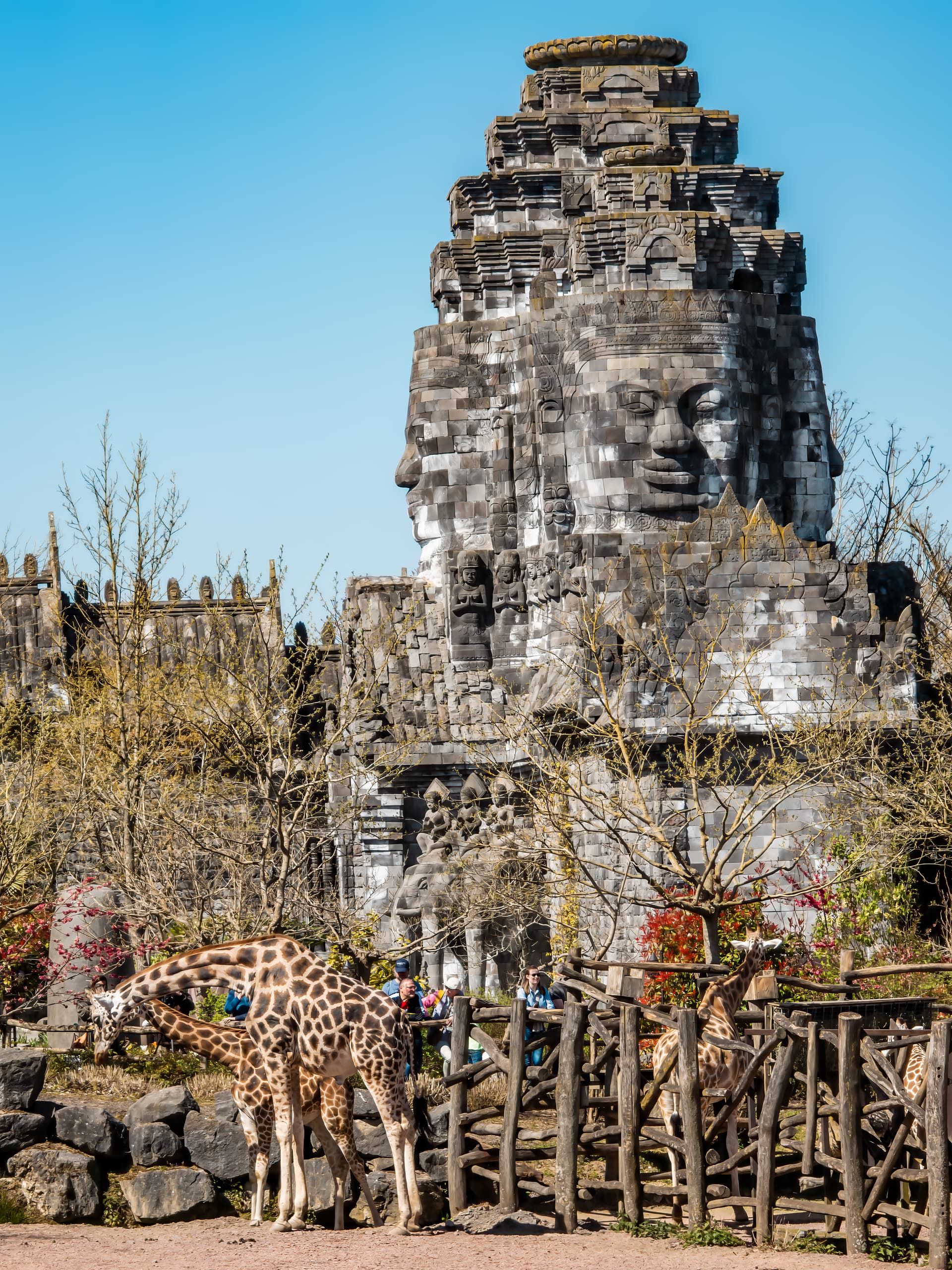
Here, the photo was a 50-megapixel shot then partially cropped to have only the giraffes and the large sculpture on the right in the frame.
The texture details of the giraffe skin are not bad.
Given the zoom distance, I think this quality is already good. Considering that here, I’m zooming almost all the way into the image.
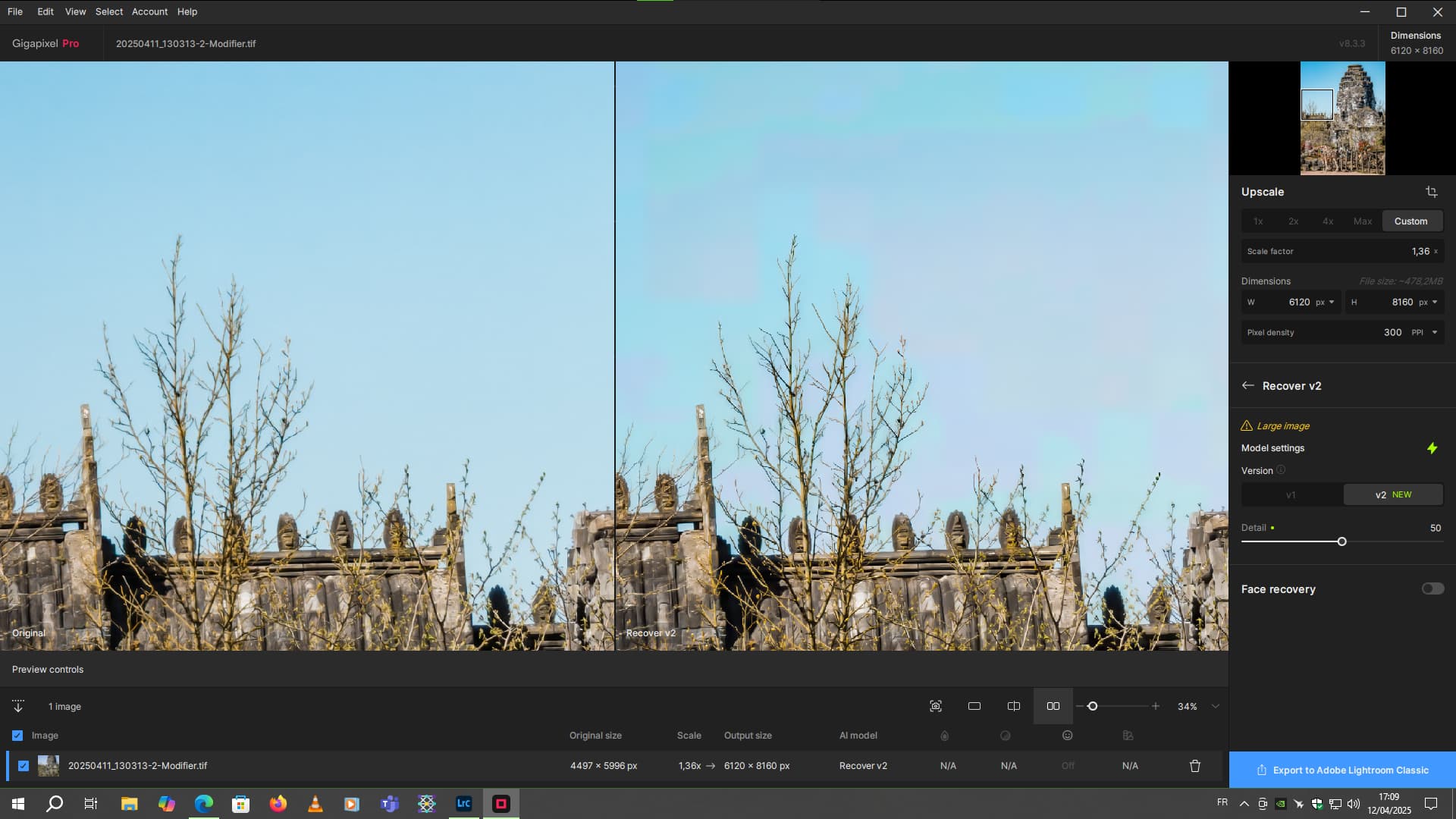
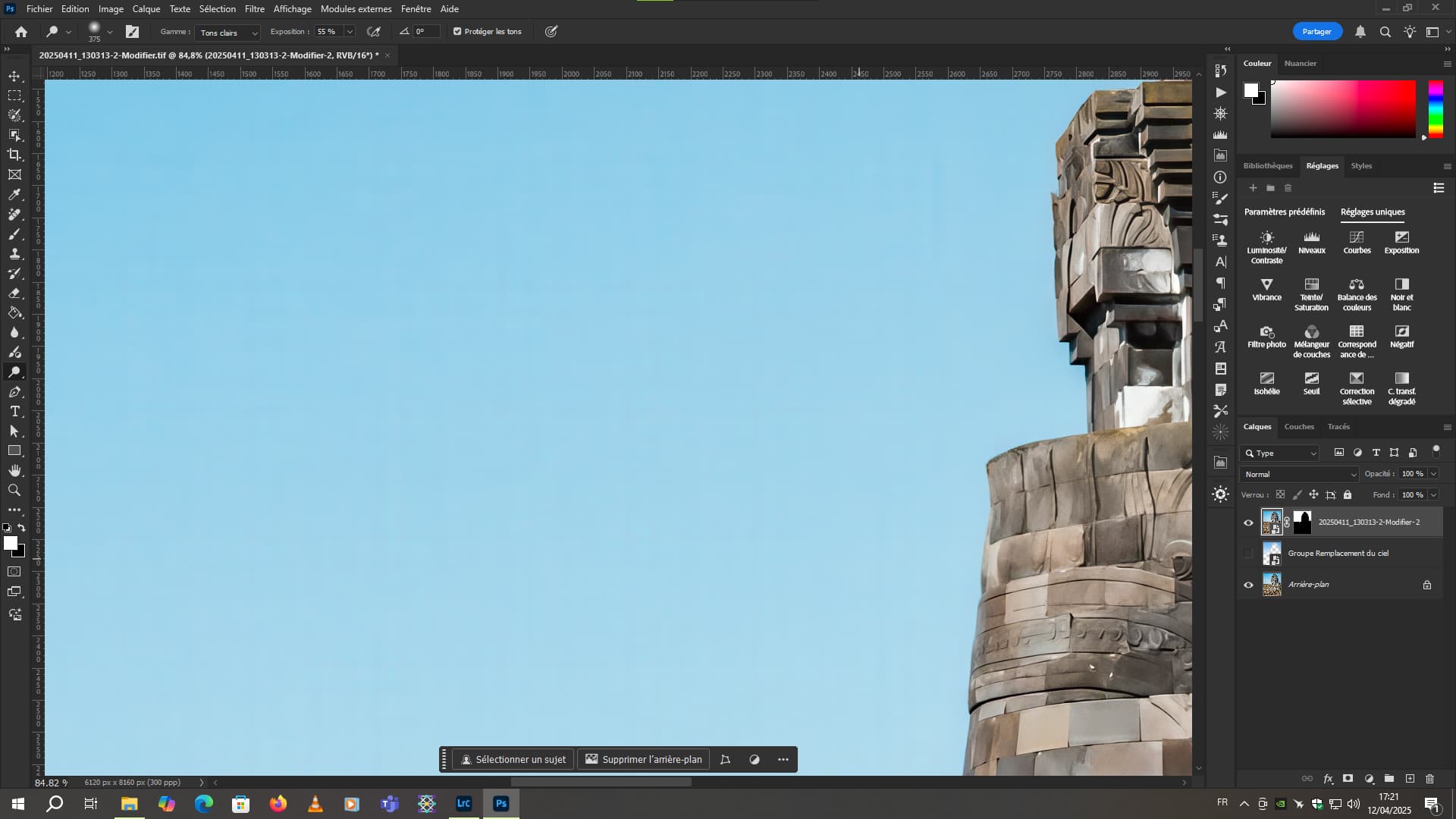
The sky, on the other hand  . He made it unusable for me.
.Thanks for the feedback - it is always helpful to see others tackling the same problems and coming up with a similar path to a solution. OTOH, it would be interesting to know if there is a completely different approach for that special type of pictures - i meanwhile doubt there is. BTW, the upscalers mentioned by oneh, of which at least one is incorporated into A1111 (Stable Diffusion frontend) do upscale but not “redefine”. In fact, for AI generated content, some of them such as R-ESRGAN are better than GPAI but they need clean and crisp input. For real pictures with slight faults they are quite useless. They may be used for the second stage as a HF2 replacement but that makes no sense because you’d have to open Stable Diffusion each time for that stage 2 and close afterwards - using the same GPU resources, SD and GPAI do not cooperate well.
Simply put, plain upscalers, as good as they may be, are useless if the texture of the subject is off the mark or completely missing, such as in low res video stills. Redefine can do a miracle on many, not all, of them, and I am very curious what further improvement of this model by the devs will bring to us.
The giraffes would be just in the predatory scheme of Redefine. Have you tried that as well?
In this type of photo, knowing the basic resolution, Redefine would have taken a lot of computing time. And Redefine would only be used if I’d wanted to frame the slaps very tightly.
Here’s the photo in its entirety once fully corrected.
A lot of smoothing of the processed side (right) images.
They become great flat graphic illustrations.
Interesting effect.
I have very similar problems with bird feathers as I do with animal fur. It’s actually worse because birds are much further away (and higher). For example, a young doe will let me get closer to 150-200 meters (an adult will flee earlier), but a bird is usually further away and higher (the visual diagonal of the observation rectangle is very long).
So the real appearance of feathers or fur is unknown, it has to be generated by AI additionally (but that doesn’t matter, it just has to look real). So I hope that Redefine will continue to be improved. I had to give up the standard software zoom and focus, my type of photos (they are created randomly, depending on where I encounter what in ordinary nature) need something else – and a super-camera (big and heavy) is not for me (even financially), not to mention a massive tripod.
Using text prompts with Redefine is very hit and miss.
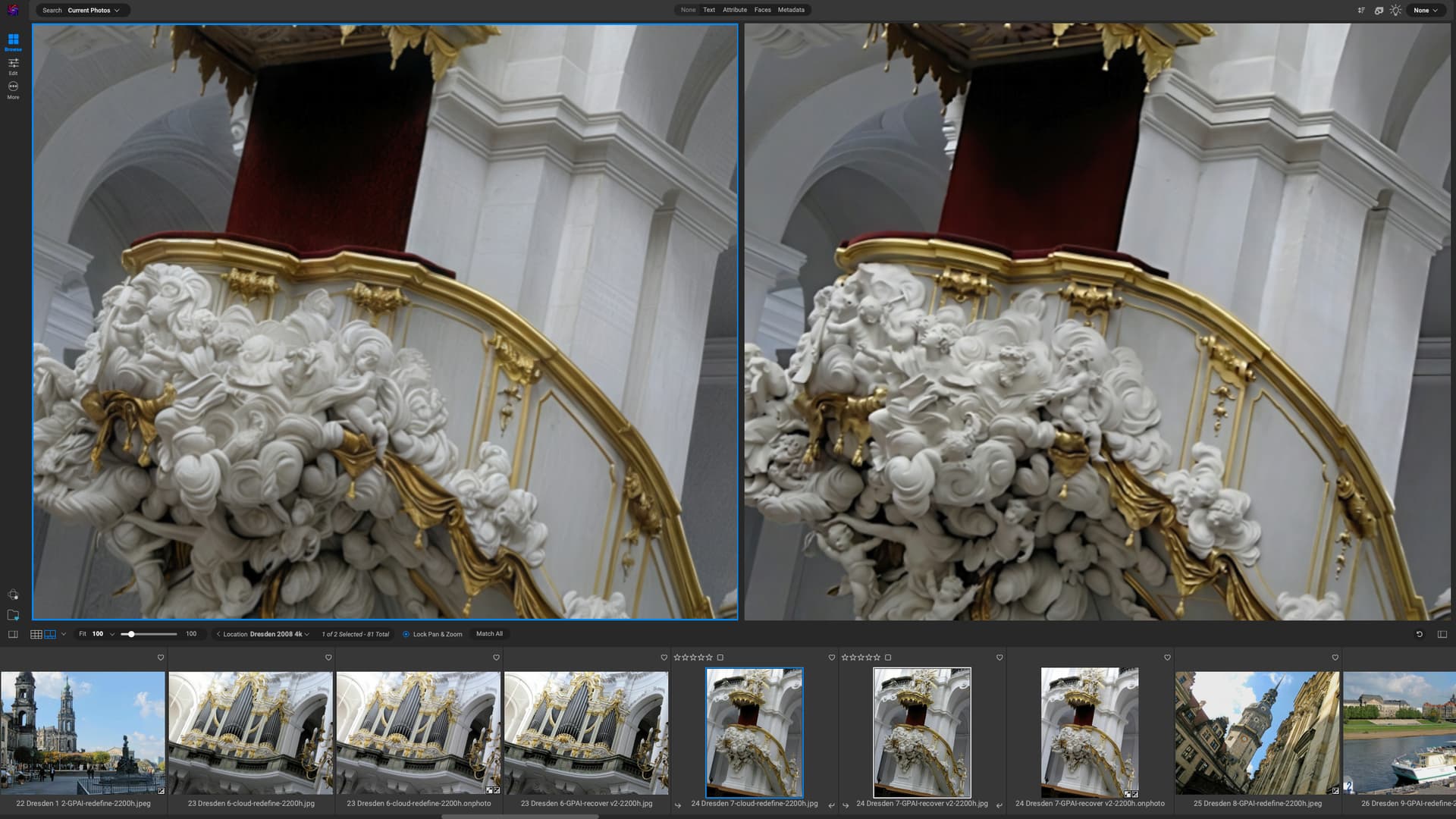
ChatGPT correctly identified the specific church in Dresden where this photo was taken. I pasted the entire entry into the image description box but, whilst the overall texture in Redefine is good, it turned all the cherubs and angels into mush. Recovery2 retained the details.
snake or lizard skin is just as bad, everything above creativity 1 tends to introduce artefacts that makes it look unreal - in this case, a “plain” upscaler may yield better results than the AI driven things. OTOH, it might be worth trying to correct the wrong feather texture selectively with a genuine AI image generator such as Stable diffusion or Flux. That can also be useful when, as it sometimes occurs, Redefine used on a very small input picture mangles up anatomic features such as muzzles and hooves. If that is the case and the picture is worth saving, I feed the Redefine input into a generative AI model, and in many cases the result is much better than the GPAI output itself - not every of them but the process is pretty fast and allows an arbitrary number of results being generated, each slightly different because the initial random seed is varied with each generation (by the way, a feature that would be nice to have in GPAI).
After that, the focus was on giraffes. As you can see, they’re sharper, with more texture  .
.
If you want birds, there’s the Pairi Daiza wildlife park. It’s the biggest park in Belgium. But soon it will become the biggest park in the world. These days, it’s not even possible to see everything in one day. It’s best to have a season ticket for those who don’t live far away. But for those coming from other countries, there are hotels all over the park. The hotels are located in areas very close to the animals, so you can see them at close quarters, even from your bedroom window.
Yeah, it’s always best to combine different variations to take the best parts of each. That’s the workflow I use all the time.
OMG go to discord and share your images ^^