Gigapixel v8.3.2

Hi.

Gigapixel versions 7 & 8 are built on a different updated AI engine then, previous versions therefore, the recommended strategy is to uninstall one before installing the other.

Your Asked

If you Download and Install Gigapixel 8 it will indeed overwrite version 6 and Gigapixel 6.0.0 will be deleted. If you want it back you’ll have to Download the application form the Topaz Community Release page and Reinstall it again however, as I’ve already said it’s recommended to remove one before installing the other.

Here’s the links to download and Gigapixel 6.0.0 for both Windows and Mac

Windows
https://downloads.topazlabs.com/deploy/TopazGigapixelAI/6.0.0/TopazGigapixelAI-6.0.0-windows-x64-Full-Installer.exe

Mac
https://downloads.topazlabs.com/deploy/TopazGigapixelAI/6.0.0/TopazGigapixelAI-6.0.0-osx-Full-Installer.dmg

NO. You can’t have two versions of Gigapixel AI on one computer at the same time unless, you own Photo AI which has Gigapixel functionality built-in.

As I have already mentioned you have to uninstall version 6 first then install version 8.

Here’s the Topaz Trial Mode information for your convenience

Trial Mode

Explore the potential enhancements that you can make with Gigapixel through a free trial.

The free trial mode allows you to use all the features of Gigapixel with the exception of saving your enhanced image.

You must purchase a license in order to save your images. Please review license pricing here.
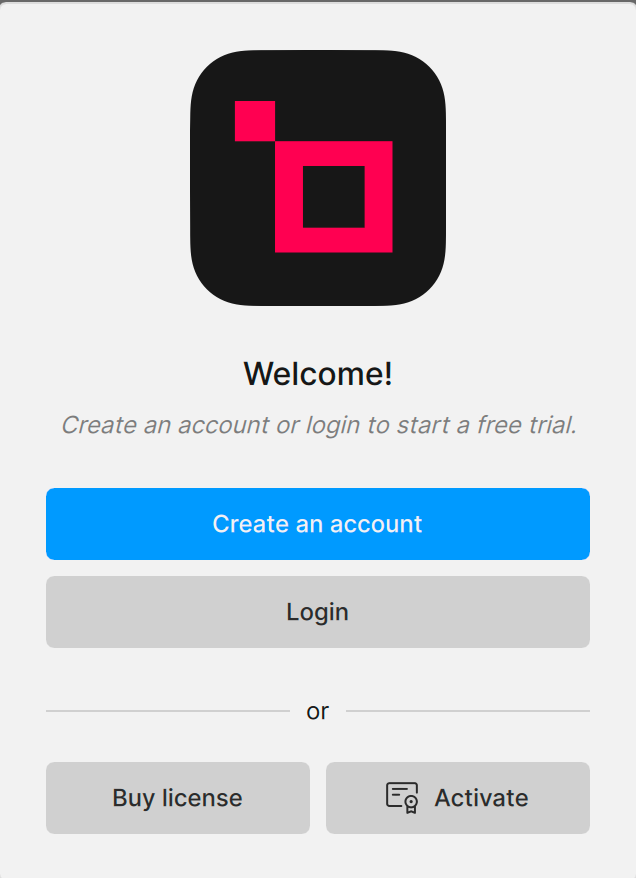
image
Learn how to use the trial mode for Gigapixel using these steps:

  1. Click Create an account

  2. Type an email and click Register.

  3. Once registration is complete, proceed to your email and locate your Registration confirmation email.

This is a time-sensitive update so be sure to register as soon as you receive the email.

Click the link to Choose your password.

  1. Follow the prompt to set up your password. Type in your password and then click Save Password. (You have the option to Login and review your Topaz Labs account using the Topaz Labs Account dashboard.)

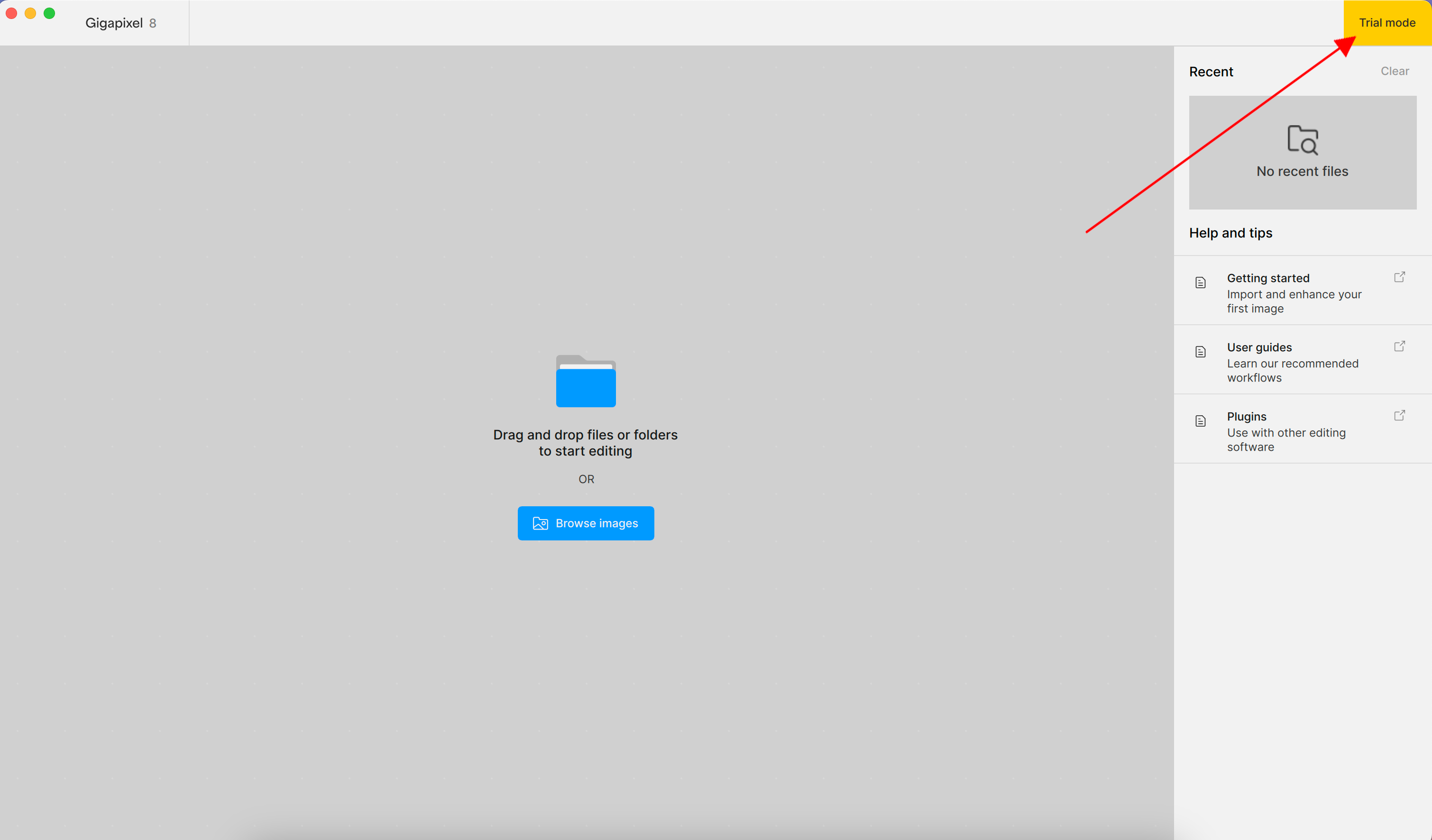
  2. Return back to Gigapixel and click Login. The Gigapixel application is now available for use. “Trial mode” in the top right corner indicates that you’ve started your free trial correctly.
image
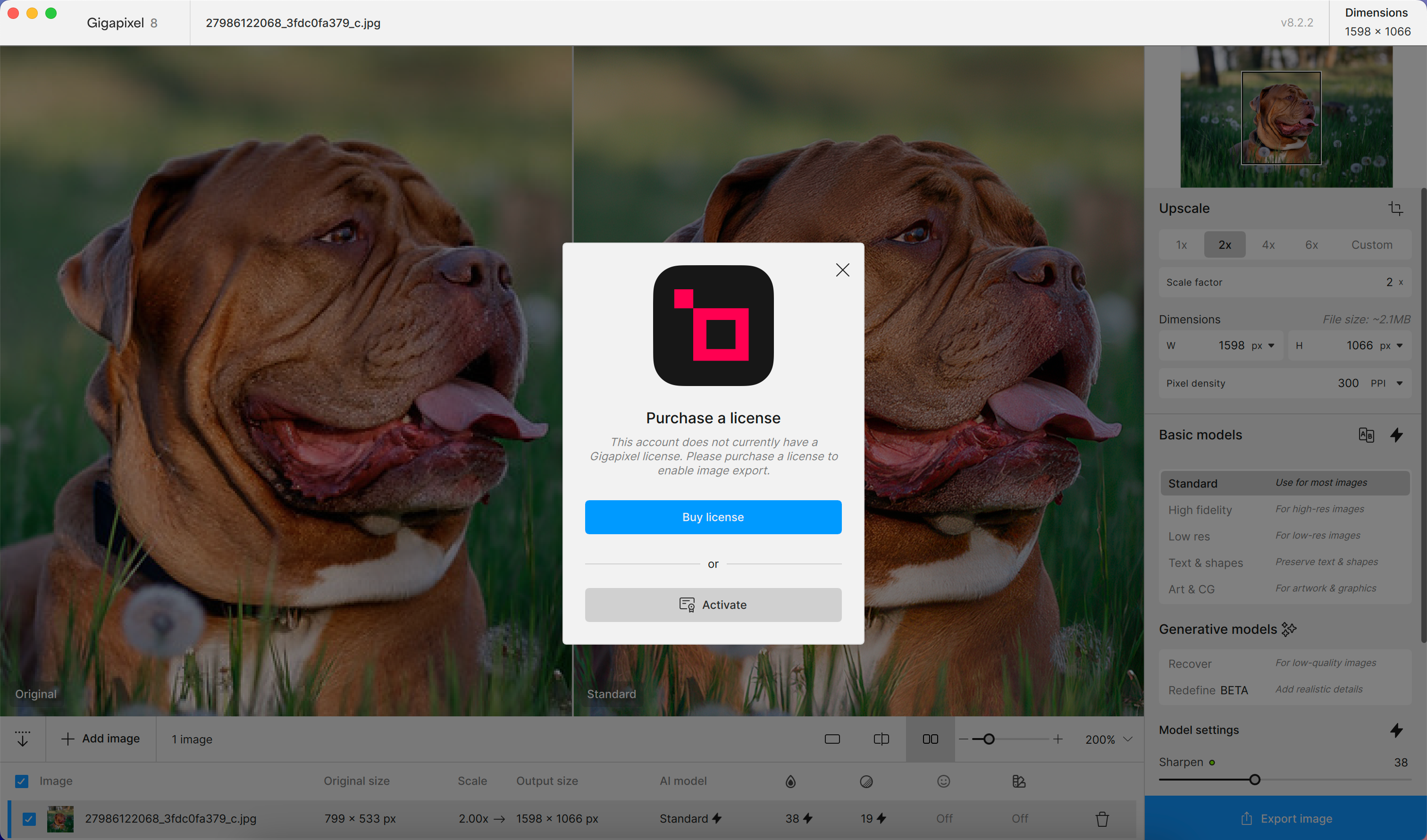
Clicking “Export image” during trial mode, prompts you to purchase a license.
image

To continue using Trial mode, click the “X” button in the top right corner of the “Purchase a license pop up” message.

Once you have tried the trial version you need to decide if you prefer version 8 over version 6. If you want version 8 then, pay for the upgrade within the application or from your Account page on the Topaz website.

If on the other hand, you decide you want to continue using version 6 then, you’ll need to uninstall version 8 and reinstall version 6 again.

Here’s the links to download Gigapixel 6.0.0 for both Windows and Mac

Windows
https://downloads.topazlabs.com/deploy/TopazGigapixelAI/6.0.0/TopazGigapixelAI-6.0.0-windows-x64-Full-Installer.exe

Mac
https://downloads.topazlabs.com/deploy/TopazGigapixelAI/6.0.0/TopazGigapixelAI-6.0.0-osx-Full-Installer.dmg

Having said that, there are ways and means of having more than one version of Gigapixel AI on your computer but, how you go about that is entirely up to you to discover.

You can’t really expect to ask an employee working for Topaz to explain to you how to change, manipulate or reconfigure the software in such a way that will allow others to have more than instance of the same application on one computer at the same time it wouldn’t be ethical.

Hope this helps

It is frustrating, to say the least, to address issues such as the too “eager” processing of animal fur by the redefine model and not even to be considered worthy of a reply by Topaz. Many posts in this thread, at least I hope so, serve as valuable contributions for GPAI improvement. That is why I think a post that brings up a legit issue, which I think mine did, should at least be replied by Topaz staff to even if the issue is not considered important enough to justify a change in the software. Otherwise, one keeps waiting on and on for an answer. Just a statement: “We think the behaviour if GPAI is correct in that respect and we do not consider it worthy of an update” would help a lot, if only for the purpose of us, the customers, not having to check again and again if the issue in question is (or ever will be) dealt with.

2 Likes

Thank you for that info. I have downloaded the 6.0.0 installers for Mac and Windows. I will try the current version to try out in order to decide if I want to purchase another year.

1 Like

I’m glad my similar info provided earlier was helpful too.

1 Like

For anyone still experiencing issues with crashing - please upgrade to version 8.3.3 or higher

The latest fix we pushed seemed to have resolved a number of those problems! :slight_smile:

I tried uninstalling 8.3.2 and installing 8.3.1 instead and get the same result. It crashes every time I try to load an image.

Topaz support told me that it is unknown when this current $64 upgrade sale will end. But in this new video by Topaz affiliate Dave Kelly he says it ends on April 9th:

TOPAZ GIGAPIXEL: FIRST LOOK at Recover Version 2

youtu.be/GcCkOarnuQM?si=kwIN5cCDT0lKlNN5&t=94

Is he wrong?

No that’s correct expires on the 9th

Does anyone from Topaz ever actually look in this forum?

Just installed 8.3.3 which came out a few minutes ago. Problem solved.

No the problem didn’t resolved for my case, I got the same constantly crash as 8.3.2

My point! Those panels popping up on the left are annoying, they’re not there for a while, and then suddenly someone forces them back in.

1 Like

Hi, i’m on windows 10, 4060ti 16GB. In general i’m very impressed with the Topaz abilities. However i’ve got a couple of things i’d like to draw to youre attention for this particular update

2 things:

  1. where is the “image description” box in the new update for the redefine models? This was very useful and added quite a bit of creative control and guidance for the creative aspect of the model.

  2. (i’m working with fairly compressed digital images, which are often what needs to be recovered)
    The new “recover v2” is way too creative. It’s mangling obvious letters and numbers, adding snake skin textures to skin, completely deleting some details which are obviously present in the image. making hair look like a painting or digital artwork.

I know we can’t expect it to be as good as V1 if it takes only a fraction of the time to process but it is very aggressively “AI looking” compared to v1 results which is obviously a model designed to “recover” information, with impressive results in the right scenarios.

What v2 seems to be achieving is more like a low quality version of what i’d get when using “redefine” on the lower creativity settings and useing the texture and text prompt to tune realistic details to be imagined by the AI.

I’ve done some direct comparisons between the models which clearly show all the weird AI creations/ommisions/morphs in the image. If this would be helpful to see, let me know and i’ll upload them.

thanks for taking the time to read and respond.

Keep up the great work!

1 Like

I’ve managed to recover another 3 magnificent photos using the combination of Recover v2 and Redefine with Creativity at 3 and 4.

First, here’s the original of the first:


And here’s the result:

Then, here’s the 2nd photo. First with the original:


And here’s the final:

And finally the 3rd with the original:


And here’s the final result:

1 Like

Recover v2 seems to have an issue with hair texture, among other things. Here’s a close-up from an image generated with v1:

It looks perfectly natural to my eyes. However, v2 generates this:

All the fine detail has been lost and it now looks wiry and unrealistic.

Both examples processed without Face Recovery.

Also, as others have noted, v2 has a tendency to introduce a weird texture to random areas of skin, like this:

5 Likes

Recover v2 is similarly destructive with fabric textures. Here’s (part of) an image processed with v1:

and here’s what v2 does:

Differences throughout but the upper section in particular has been completely ruined by v2. I fear this is a model that’s going to need a lot more training before it becomes usable.

2 Likes

When using Redefine, the ‘Image description’ box doesn’t appear when Creativity is set to 1. Not sure if this is an intended behavior.

Original

V1 detail @ 35:

V2 detail @ 35:

Check out the numbers on the wrist band

Examples of weirdness, guesses, morphs, snake textures, deletions.
All Images are: ORIGINAL | RecoverV1 - details35 | Recover V2 - details35

Snake skin neck, plastic digital art feel.

Check out the glitter. The hair. ESPECIALLY the beam in the sunglasses… dots all deleted.

Double wire simplified to single. Snake skin creeping in on arm

Text completely deleted. Details of ear bud deleted.

Pieces of sax deleted. Mechanisms mangled.

Snake skin sax? engravings removed. Button on side of clip on mic deleted.

5 Likes

Yeah i don’t like this change. It was very helpful to guide the AI to know what type of textures to should consider. Low creativity but higher texture with text direction can be a very effective tool for some images.

1 Like