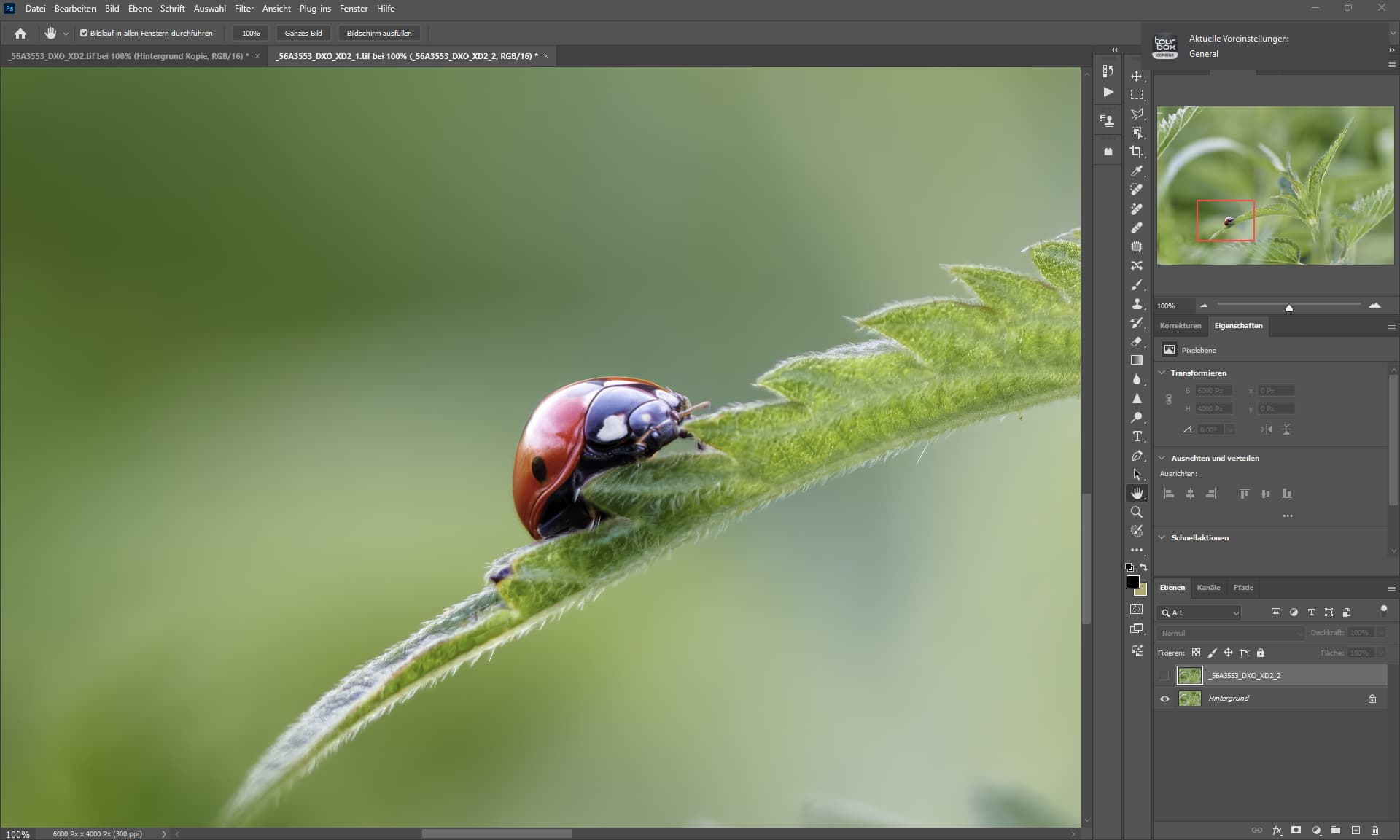
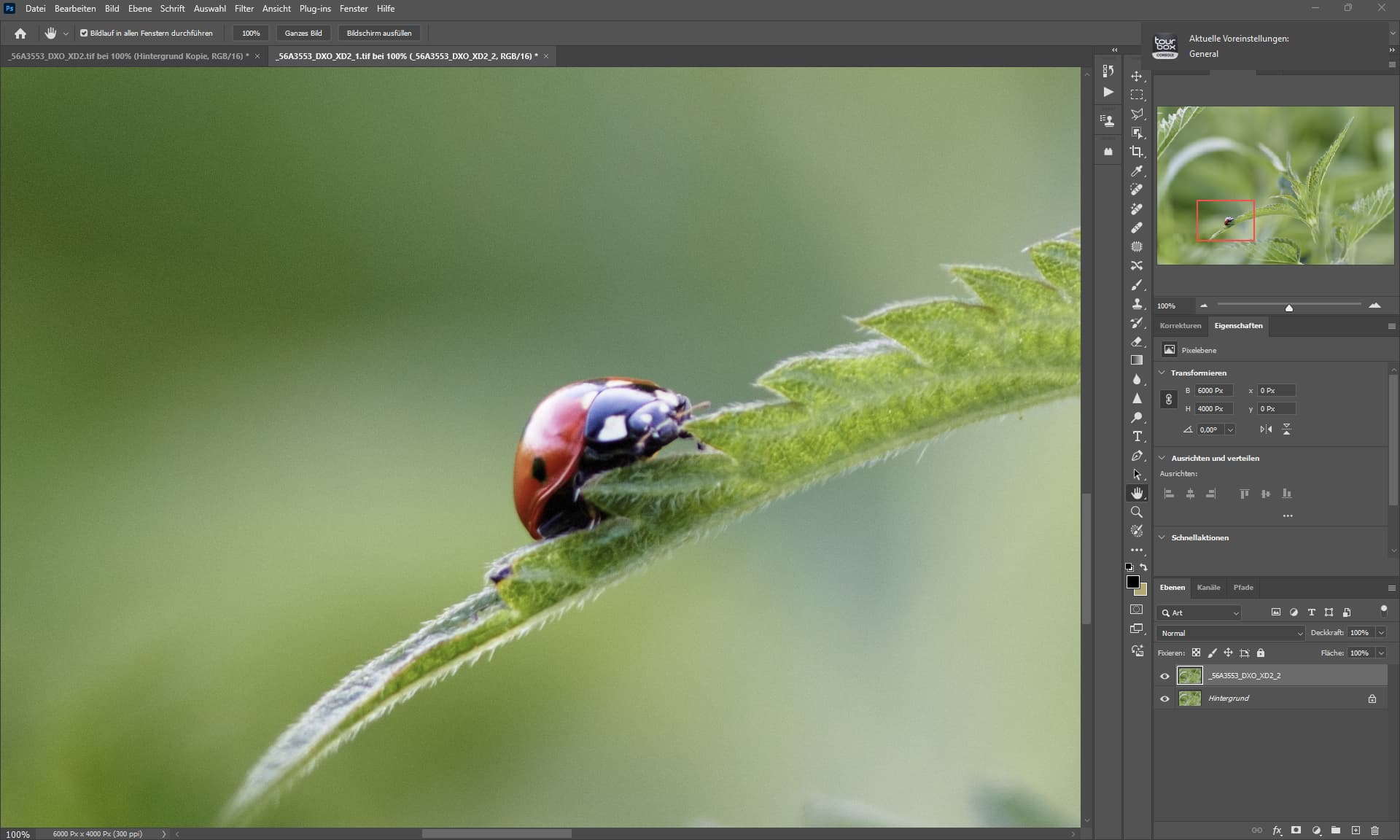
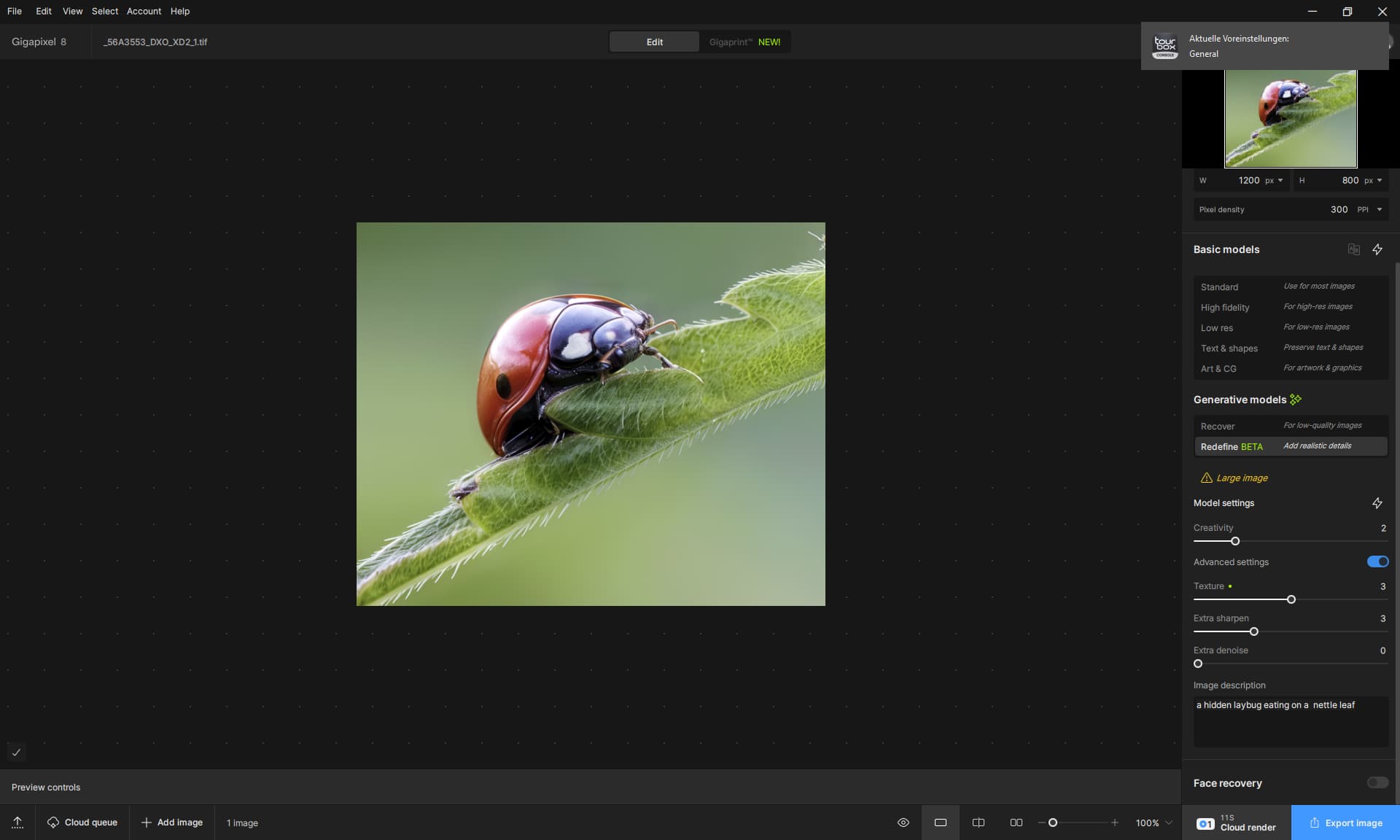
As long as the images are very small the preview does fit the output.
As soon as you export a big image, the preview does not fit anymore to the output.
As long as the images are very small the preview does fit the output.
As soon as you export a big image, the preview does not fit anymore to the output.
Apple M4 chip
10-core CPU with 4 performance cores and 6 efficiency cores
10-core GPU
Hardware accelerated ray tracing
16-core neural engine <----
120 GB/s memory bandwidth <----
Apple M4 Pro chip
12-core CPU with 8 performance cores and 4 efficiency cores
16-core GPU
Hardware accelerated ray tracing
16-core Neural Engine <---
273 GB/s memory bandwidth <---
To me it seems like a hard time to optimise anything to this low memory bandwidth.
Our Windows systems have low memory bandwidth to CPU (83 GB/s) and GPU (94 GB/s PCI-E) but as soon the GPU is able to work from its cache (vram, 896 GB/s RTX 5070ti ) the performance will be superior.
And if you say a GPU has cores, a RTX 5070TI has 70 cores (Shader Modules) or 280 Tensor Cores.
A RTX 4090 has 128 Shader Modules, or how Apple would say “cores”.
The NPU of Apple has 35 TOPS Performance (every M4 Chip no matter how expensive), so the only precision i did see that is related to TOPS begins at int8 precision.
A RTX 2080ti, from 2018, has 227.7 TOPS already in int8 precision.
The RTX 4090, from 2022, has 660 TOPS @ int8.

 OMG
OMG
That’s way above my pay grade I’m afraid! (and you are not going to persuade me to switch to Windoze after almost 40 years on a Mac!)
I will check that out. Thx!
The drivers for my AMD RX6800 XT are up-to-date. I check them every 2 weeks when I calibrate my monitor.
I also have an Intel i9 12th gen in my system.
Yes, I had no issues that I’m experiencing now prior to Sept. 2024 for the Logs generation situation (used to get a log with every run when I had it turned on for testing) and for releases of GAI prior to 8.2.0 (including the Redefine models - the only issue in the prior gen to that was the slowness of local rendering on my PC; no prior issues with Previews instigating error msgs b4 8.2.0).
Then you will have to wait until Apple is of the opinion that the NPU or the GPU need to be bigger.
With its current design decision in terms of performance, Apple covers the main market, but AI is more of a niche in the consumer segment.
It sounds like you & I are having very similar usage experiences even though we are on different OS’…
I suspect that it got stuck somewhere during a driver installation / uninstall, that can happen.
I recently had a similar problem, but with a computer game that kept crashing, I then had to use DDU (similar to the AMD tool I linked to but harder to use), after using DDU and reinstalling the driver the game worked again as it should.
If you were not successful with the driver uninstall and the problem persists, uninstall GPAI and then delete the GPAI folders in the “Appdata” (local and roaming) and “Program Data” folders.
The GPAI folders are in the Topazlabs LCC folders in all three locations (the GPAI folder may be missing here and there but these are the exact locations).
You need to type in a promt to guide the model and tell it what it does see.
Think as if you would guide a blind person.
Maybe then you will have more luck. <— see second reply.
I already tried that. But not the driver uninstall part.
Joshua in Spt very helpfully sent me a GAI Support Tool to run. I followed his instructions.
I 1st uninstalled GAI via my Control Panel, then as Step 2 ran his Spt Tool (I watched it as it ran and removed Program Files, Program Data & Registry info).
After those processes completed, it prompted me to accept a variety of actions (he’d coached me to accept them all, so I did - one was greyed out & he’d mentioned in advance that something might be).
After that all finished it took me to a Topaz “My Downloads” page. Rather than reinstall the Win installer I already had previously downloaded onto my PC (in case it was somehow corrupted) I downloaded that ‘fresh’ installer and ran it. Then restarted the Win 11 Pro PC. The same issues were still occurring as before that cleansing process. Sigh.
Interestingly, the no Logs situation started the last time I deleted old logs at end of August. A number of us testers from over the many years used to ‘talk’ about doing that because they consume space. I’d done that kind of housecleaning of Logs regularly both to minimize memory consumption & not confuse the most current logs when reporting usage experiences. Never had any negative impact b4 that time, so I continued the practice…

Uninstall GPAI - erase the GPAI folders.
Then uninstall the GPU driver via the tool (in windows safemode).
Install the driver i linked.
Then do this:
And then install GPAI.
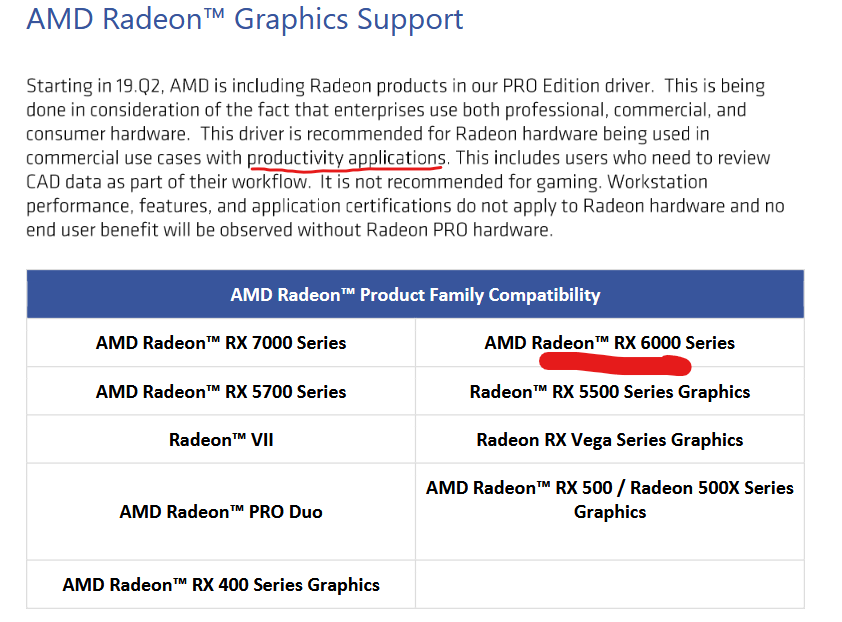
I did check if the pro driver will install with your RX 6800 GPU.
Basically it is the same driver but it has been tested longer and should be free of errors, the PRO drivers are usually half a year behind in terms of development.
On the gravatar thing - just checked that it’s for the avatar. It’s a standard service lots of places use and allows people to set an avatar in one place and have it show up across various applications and websites.
I will look into this.
It is odd that when I sent my system info to Joshua he replied that that system gibberish that is meaningless & uninterptable to me suggested a driver (wasn’t clear which one) wasn’t up-to-date. Even though I’d updated (directly from AMD) several weeks prior. I ran another AMD driver check after his note and it still indicated my system is up-to-date from whatever they assess.
I’ll check out what you’ve mentioned.

BTW, Thomas, you underlined “commercial” above wrt AMD systems. I’m not commercial. I’m just me running my humble system, not an IT dept like PnP.
You need to type in a promt to guide the model and tell it what it does see.
Think as if you would guide a blind person.
Maybe then you will have more luck.


It’s about stability, not what you do or what special functions the driver has.
I want to prevent errors in the drivers and you never know with gaming drivers.
I think you will not game the newest games with your GPU, as far as i know.
WHAT’S THE POINT OF REDEFINE?
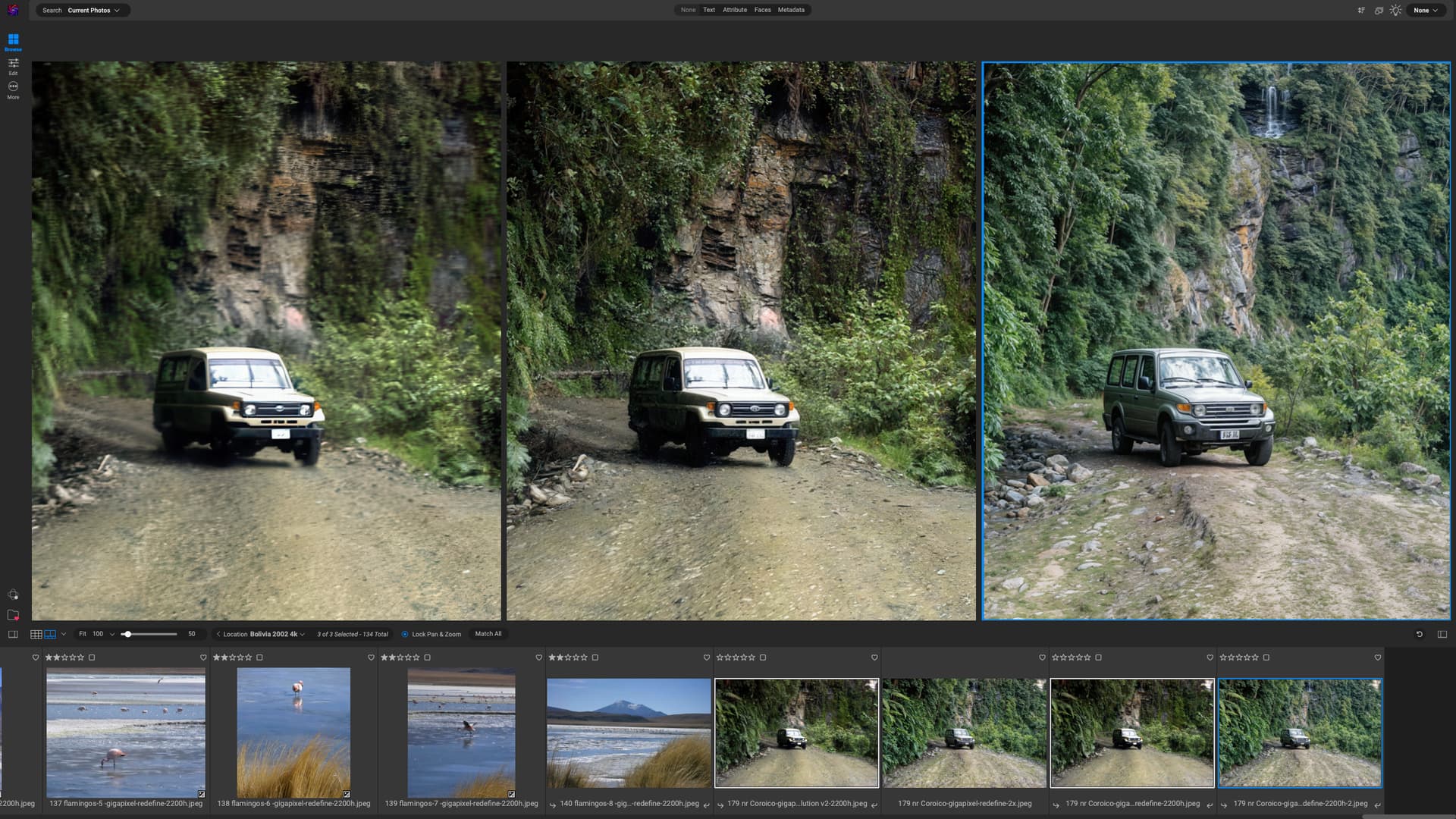
Actually, with what I am doing at present, I rarely need to put in any text prompts. I am upscaling to 4k low-res JPGs taken on an early 2000s digital camera—so that’s almost x4.
On the left, is upscaling using the Low Res model; centre is Redefine with Creativity set to 2 and texture to 3 (this is my go-to); on the right Creativity was set to 5, producing a totally unnatural result and with a different model of Jeep along with its numberplate. However, I do rather like the waterfall, which I think was what was in the original photo. So I might put that in my final image via layers.
BTW, the photo was taken during a bus journey on “the world’s most dangerous road” in Bolivia in 2002.
According to this your reasoning the AppleSilicon Ultra chips should really shine in TVAI - but they don’t. At least on the Mac TVAI doesn’t really seem to get a benefit of the RAM bandwidth, nor the amount of VRAM.
E.g. my M2 Ultra has a massive 800GB/s to the whole of the 64GB of RAM (so thanks to the unified approach a massive amount of available VRAM, also) and my M1 Pro „only“ 200GB/s and only 16GB. And the M2 Ultra has 3.75 times the amount of GPU cores (even slightly faster ones) but still I get only about 2.5x the speed in TVAI, sometimes less.
So again: we do know that the Apple silicon chips cannot compete with your RTX 4080/4090 cards but we also do know that the performance numbers we get don’t match the possible performance that very likely could be achieved, especially for the higher end chips.
Have the issues with blurry render or static noise on Apple Silicon using Redefine after 8.0.2 been fixed yet?
I don’t do any gaming on my PC. Only Crossy Road on my tablet… 
I do, however, use Adobe Substance apps for creating 3D objects to composite into 2D photos. The 3D processing is highly demanding of systems including mine. Minimum spec is 16GB VRAM (which is why Santa got me the separate Win 11 4090 laptop for Xmas…). I can do some Substance processing on my AMD desktop PC (which also has 16GB VRAM).
And, I work with Boris FX features - including Particles and various ‘time’-driven Fx. Not for videos (like many movie & broadcast companies do), but also in the context of still image processing effects.
Which reminds me, I just was notified Design Cuts is going out of biz. I’d better be sure I have my asset downloads from them.