Are you saying this is good?
…no, as it flattens both tone and detail, reduces separation between the subject and the background. Just compare with Krea (use the same image) which increases detail information in the in-focus subject, yet lets the more out of focus parts, stay out of focus. Analysis of local contrast needs to be made, to reduce detail adding in areas of low local contrast (i.e. out of focus).
1 Like
Moin, Manni,
vielleicht eine blöde Frage: Platte voll? Die Modelle für GPAI sind im GB-Bereich, da läuft eine Platte schon mal über.
Gigapixel is 12.25 GB, the AI models are hungry.
Is it possible to switch off preview face detection?
I do almost exclusively animal pictures, making this feature useless in most cases. However, I haven’t yet found a switch or a preference to turn this off. It takes some seconds on a 4K picture and this is annoying when it is not needed.
Hallo,
vielen Dank für deine Info, ich habe gerade einmal nachgeschaut,
der restliche Speicherplatz beträgt 414 GB, müsste also reichen…
Grüße Manni
Hi,
Do you have the switch for Face Recovery set to Off in the righthand Settings panel?
If yes, are your animals’ faces still being ID’d"
See my attached snip. I have Face Recovery turned off (lower right area of Settings panel) and neither of these people were ID’d with a box around their heads/necks.

Yes, that switch is off in my installation. Additionally, there are no boxes around anything, which is to be expected because my pictures usually do not contain human faces. But when I drag a picture to GPAI, there is a bar “loading” at the lower left of the preview window which, after the picture is loaded, changes to a “detecting faces” progress bar that needs a couple of seconds to finish. I’d love to get rid of that but it doesn’t go away inrespective of face recovery having been switched off.
1 Like
Got it! Thanks for the add’l. explanation.
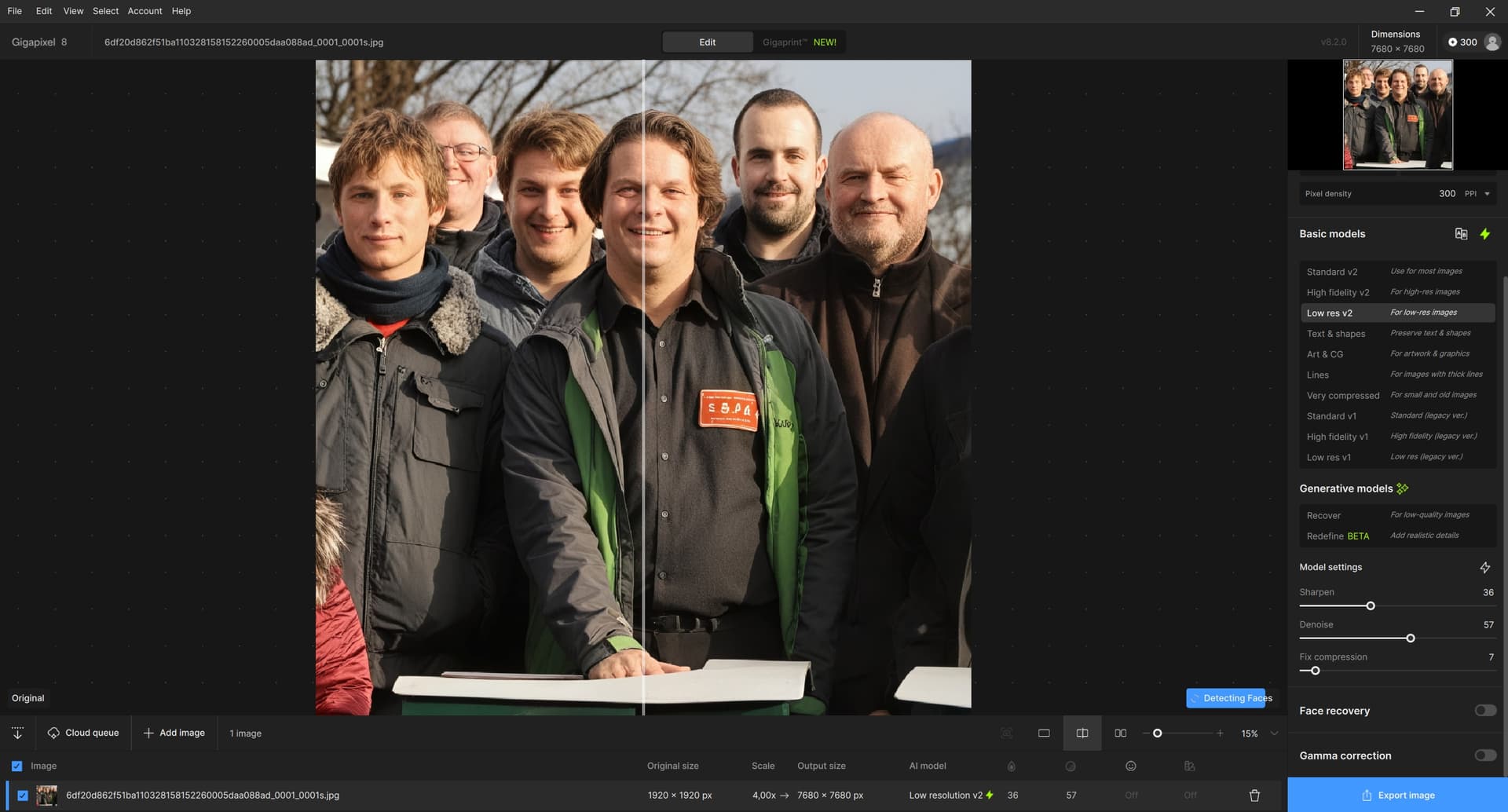
So, for me, the Detecting Faces message appears in the bottom right corner for a moment after uploading a photo, even if I have Face recovery turned off, regardless of whether there are any faces there or not (see attached image). But it only lasts for a second or two, then it disappears, I don’t mind it (I guess my pictures aren’t that big). I have Windows 11 Home, Gigapixel 8.2.0.
1 Like
That msg flashes so fast for me I didn’t see it on my PC. Guess that’s why I didn’t notice it… All functions seem to show as running very linearly & repeatedly with each image change. I don’t know if that ‘notice’ of what’s happening is part of the ‘pilot’ reading off his control panel checklist. Altimeter - check, fuel pump - check, trim settings - check, etc.
To be honest, it only flashes for a moment for me too, so I didn’t know about it until now, when I read your discussion with @10061996. Apparently it’s more (or longer) noticeable in larger images. I’d agree with @10061996 that Gigapixel wouldn’t have to stubbornly stick to finding faces (after all, it has its Redefine with Creativity 6 and Texture 5 supported by prompt for that; Topaz Girl is always revealed everywhere in the end!  ). I just checked on an abandoned castle ruin – there’s no face anywhere (not even a statue) but Gigapixel is diligently looking for one. And if you want it, you can eventually find anything anywhere!
1 Like
It would be nice if the Redefine results of the cloud rendering and the local models would be the same quality…
1 Like
A good free open-source program for batch renaming is “XnViewMP”. Also available for MacOS.
1 Like
Personally, every time I take photos or AI images. I rename them as soon as I’ve finished enhancing them. And I classify them directly. In this way, all my photos are always well-ordered by volume and date. And also by type. Ex: (I have a folder for lightbox photos, a folder for AI images with lots of subfolders depending on what’s in the image and which AI is used. I also have a photo folder with lots of subfolders arranged by Tome, plus the name of the theme for each series of photos).
loooooool  . It’s well found
1 Like
I think it’s a bug. It’s been happening for quite a few updates now, when the button is off. I never said anything about it because it didn’t really bother me.
1 Like
I have already learned to save photos in a hierarchical (tree) structure (e.g. Birds, divided below into, for example, Waterfowl, Predators, then Ducks, Storks, and so on). And if possible, immediately when I finish taking photos for a given day. In the folders, it is then organized by date, or name, or size (I use the file manager Total Commander). I do not rename individual photos – only exceptionally. Sometimes I find it useful to create an overview image of icons from photo thumbnails (I use the XnViewMP you mentioned for this). Sometimes it would be useful to have the trees connected (something like a network), but that would require a database, so I am satisfied with inserting a link instead of duplicating the photo. But it is not always possible to strictly separate the photos in terms of content. And sometimes the same photo in different resolutions for different purposes… and I’m also not diligent enough for that type of work…
Then I have a lot of photos from older years, before I realized that dumping all the photos into one pile is not the happiest solution. At first it seems easy, but after a few years it’s a nightmare: who is supposed to sequentially search for the necessary photo in those thousands? That’s where some automatic sorting, searching for identical or similar images comes in handy. I guess it’s not just my problem, as various, more or less suitable software tools have been created. I bought Cisdem Duplicate Finder, an affordable price and it can put a group of similar photos found into a selected folder (not flawlessly, but quite well). So, everyone according to their needs and possibilities.
Hopefully soon we will see an AI tool that can read from our heads which photos we will really never need again and can delete them (why do I actually need those thousands of photos for?). Although… I’d rather not! 
The thing, for me, is that every time I move an image or minorly tweak an image in the UIs (GAI or PAI) I watch the program serially & relatively slowly (certainly not instantaneously or real-time) run through what I call it’s pilot’s checklist (afterall there is an Auto Pilot whether I use it or not…); that checklist details all the “enhancements” as they are assessed or run.
Seeing that checklist run - whether upfront as an assessment or during pre/actual processing - makes the processing perceptually seem even longer, to me, b/c it seems so repetitive vs being just an exception run of the last action performed. It also makes people (not just me…) wonder, “Why must I sit through that?!”
If the program just said “assessing” or “processing” vs running through the full litany of enhancemt features so often, I suspect people wouldn’t be wondering why unnecessary things were slowing the whole shebang down. Processing would still not be superfast, but there wouldn’t be as much perception that that time was being ‘wasted’ when not relevant. Maybe.
