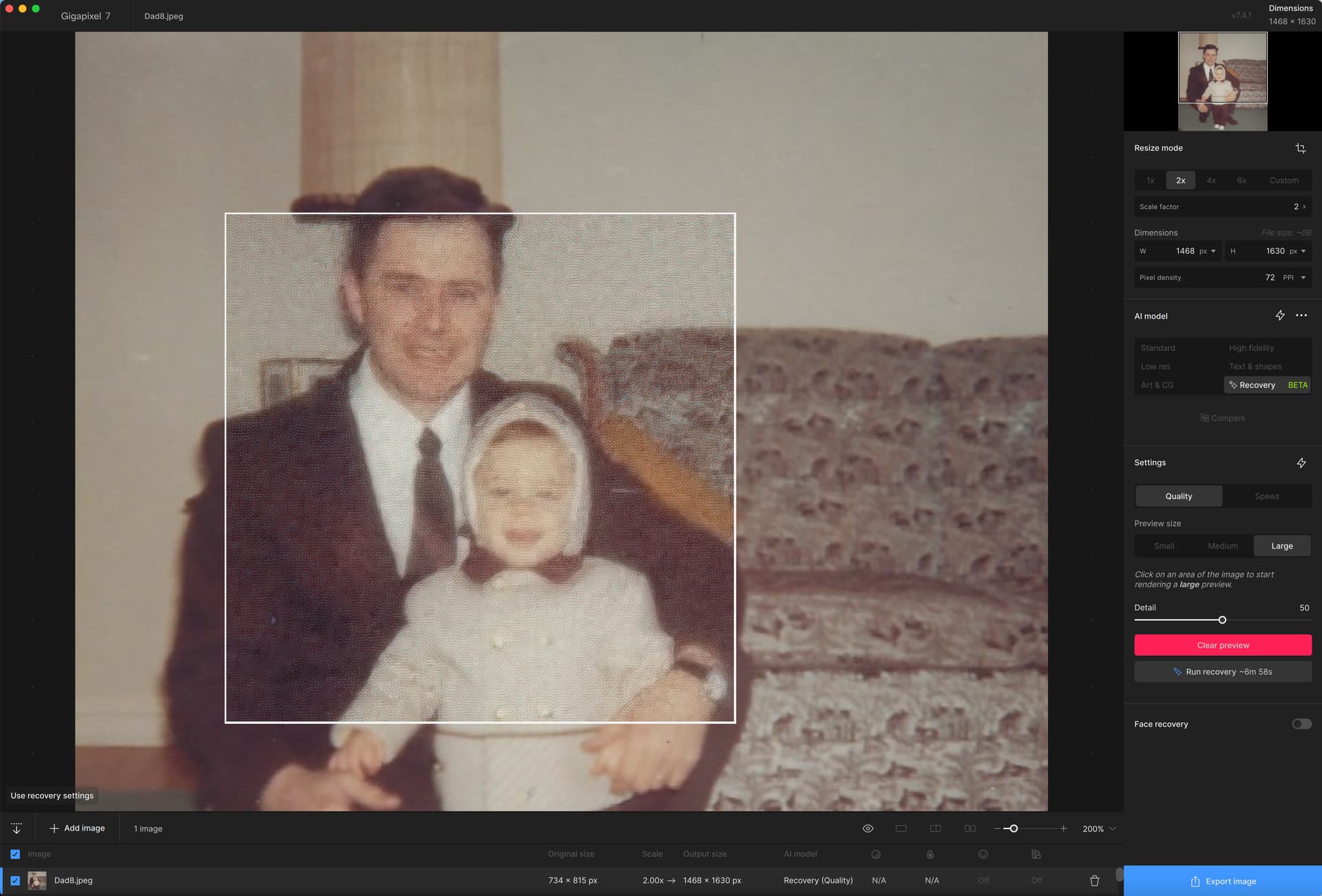
Problem with Recovery Beta upscale model. It has never worked for me, so I finally got around to uploading the files for Topaz to check out.
Attached are the the logs and the original image in a zip file.
Logs and image.zip (3.6 MB)
Problem with Recovery Beta upscale model. It has never worked for me, so I finally got around to uploading the files for Topaz to check out.
Attached are the the logs and the original image in a zip file.
Logs and image.zip (3.6 MB)
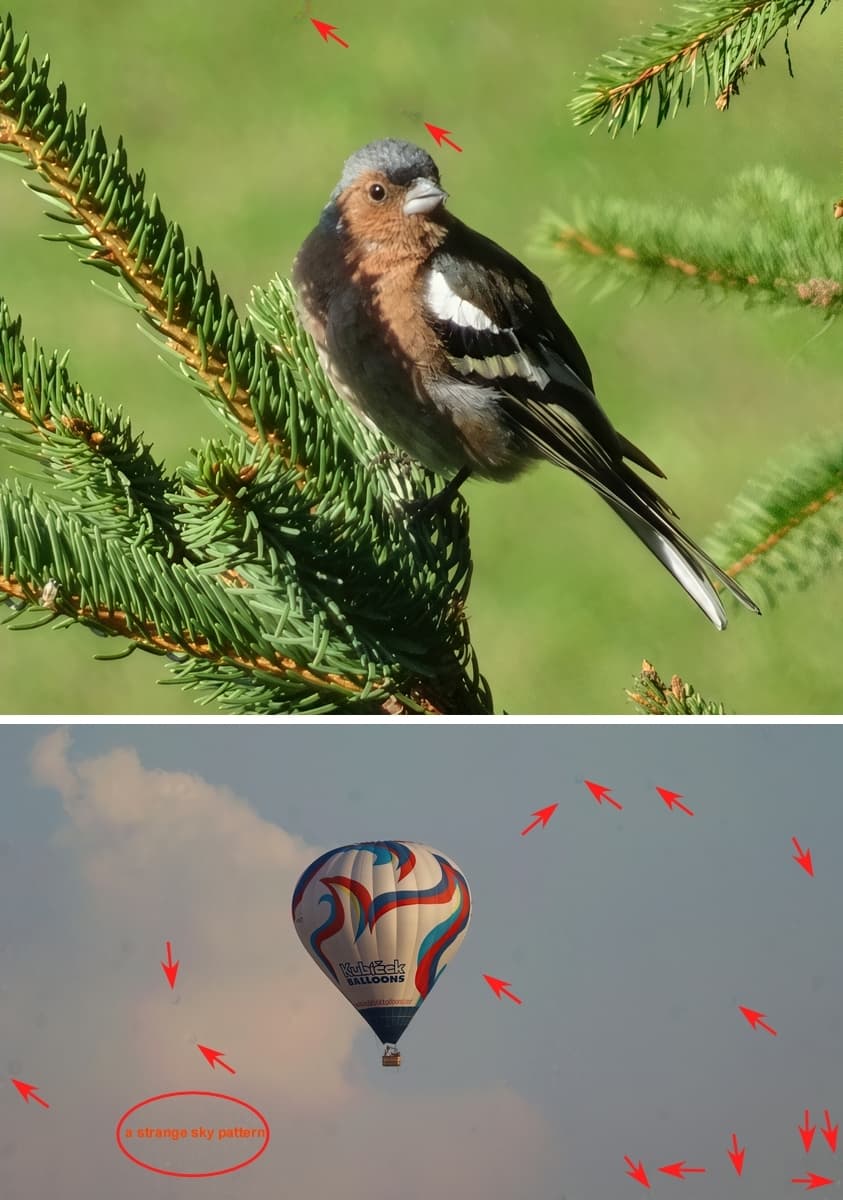
Sorry for bothering again with my favorite artifacts even in 7.4.0/7.4.1. Recovery Beta is very consistently active in producing artifacts on my birds and balloons. And Ms. Finch looks displeased in the picture. It would not be bad to improve it somehow, although it is probably not an easy task.
Strange spots, sometimes mysterious texture of clouds and sky.
The problem is that even my ordinary inkjet printer can print those artifacts beautifully, there is no need to order the Gigapixel Print service. But I’d rather do without the artifacts. And Ms. Finch too. Will I ever see any improvement? I shamefully have to use a rival “upscale” function, which does not have such good Recovery (Beta) in principle, but does not impose itself with such artifacts.
The picture is not embellished for the exhibition, I am only attaching it for illustration. So only Recovery (Beta) was used, otherwise no other modifications.
I have Topaz Photo AI v3.2.0. Will I get anything extra if I buy Gigapixel? I also have Adobe Photoshop 2024.
No problem updating in place (bypassing 7.4.0, straight to 7.4.1).
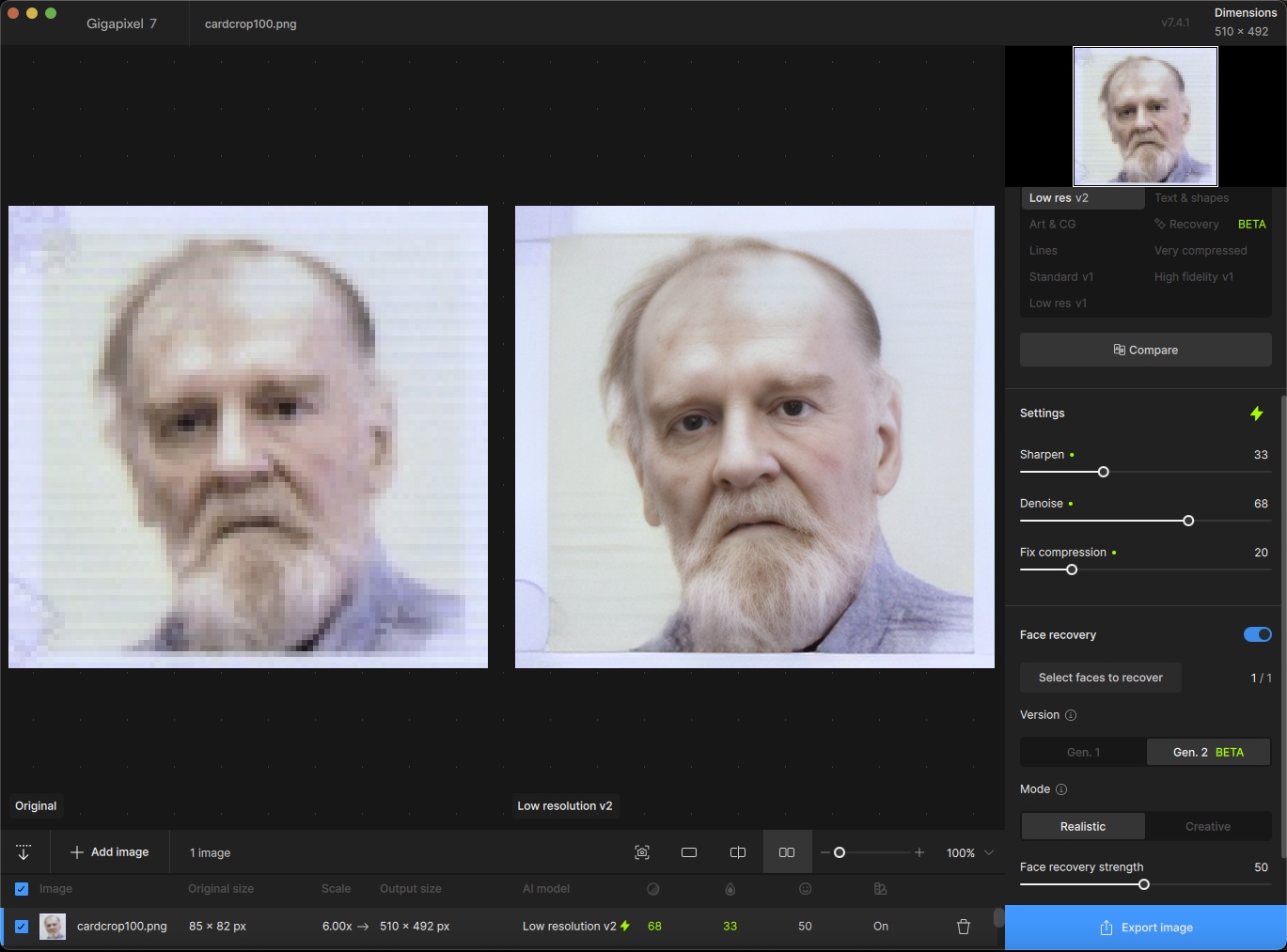
This is pretty impressive! Small headshot on an ID card, actual size:
Upscaled 6X with Gen. 2 BETA, default settings:
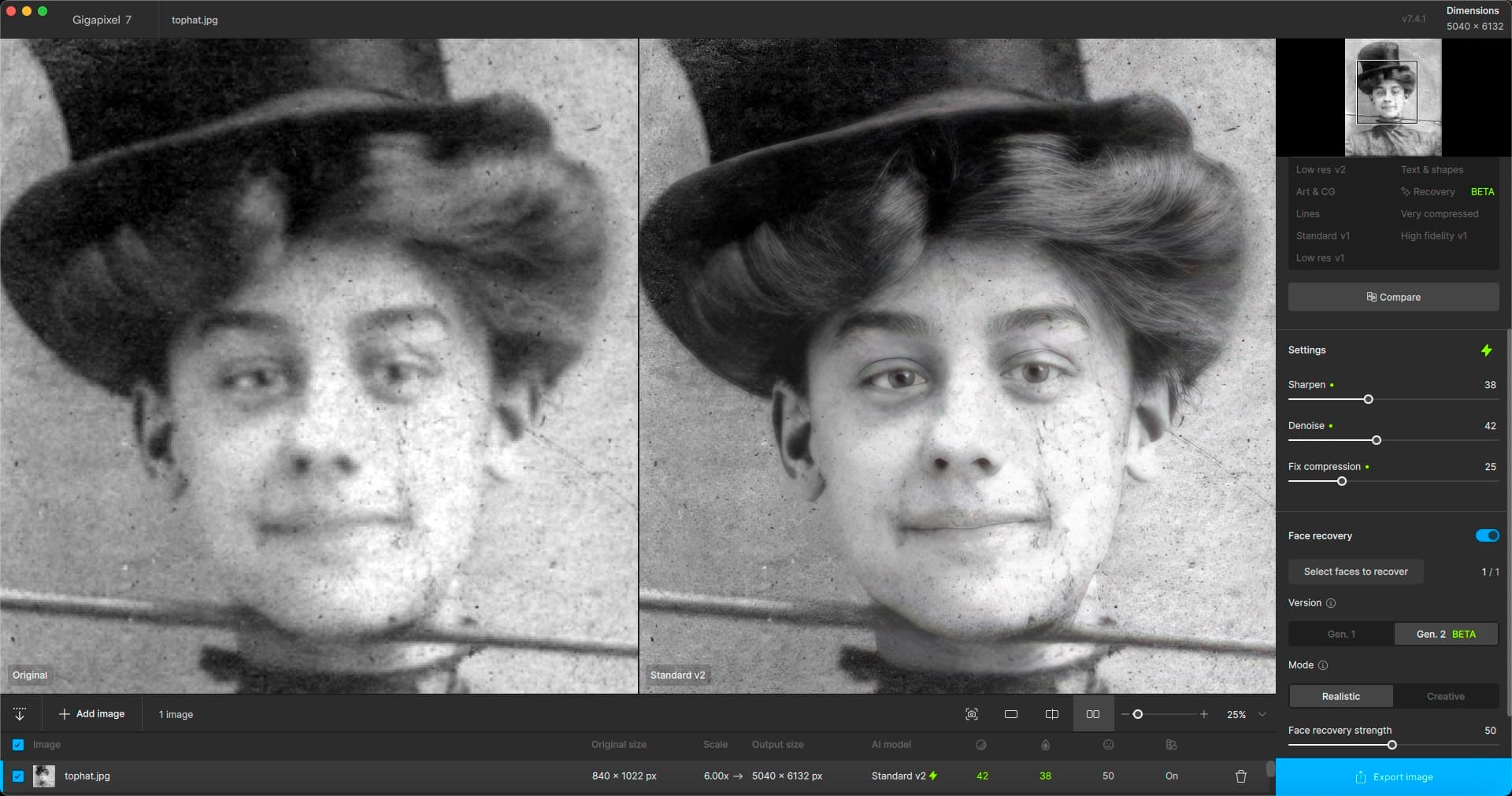
Also, this man’s grandmother from about 1902 with 25% enhancement:
Right now you’ll get the powerful Recovery model, Face Recovery v2, Gigaprint (if you’re in the US), Low Res v2, Text & Shapes model, Compare mode, and more.
These are awesome results plugs! Thanks for sharing.
Wait till you see what else we have in store for ya … 
Thanks for sharing unrelent.
We are looking at ways to improve the Recovery model which should increase quality, speed, and reduce artifacts. For now - I have noticed that denoising images prior to running them through the Recovery model may reduce the chance of artifacts.
For this image johnny, try downscaling the image first before upscaling it with Recovery. I bet you will get far superior results.
The image looks like it may not contain much pixel-level info here. Sometimes in scenarios like this, downscaling first helps a ton. Try it out and let me know.
Yes, Dakota, you are right with that denoising. I have the same experience. Also, applying “Very compressed” (moved now into legacy models) after Recovery to the result erases sometimes some artifacts. Probably because of that denoising, too. However, denoising has sometimes also certain negative features… I have bad luck with my photos of birds but I believe you will get finally to victory! I am still your fan.
I’m afraid not. It just overlays that weave pattern over the image, no enhancement of any kind. I’ve tried it with all sorts of images, always the same result. Can you analyze the log file I had included? I suspect it’s because I’m on an Intel Mac with AMD GPU, and your version of generative AI doesn’t seem to like it. For example, the Remove tool in PAI doesn’t work either, it also produces a distorted result.
Surprisingly, I use generative AI in other applications such as Stable Diffusion (locally on my computer) with no problems.
That’s great, keep it coming!
Thanks for the advice, it’s as you write, as I tried. Topaz should be more careful with the constant patch fixes. Weird bug. I’m not sitting at home ceaselessly connected to a fiber optic cable to keep uninstalling, installing, and reinstalling patch fixes. I have to go outside for my bird photos and I can’t download gigabytes of data all the time (because of the data limit).
I have the same problem, export and save in ydrop
I have the same problem. Unable to export or save.
I have installed 7.4.1 but cannot Export any image and the preview pane never finishes rendering the preview
While I’m quite glad with the recovery model, the new face recovery gen2 is a letdown for me. It has the same problem as the first iteration, which is the lack of detail and sharpness. Even in the creative setting the result is blurry/fuzzy in my opinion. Now I’m sure it works fantastic on badly damaged, extremely low-res pictures of your great-great-grandmother from 1887, but I’m not sure that is the use case for most of us out here. I just wish there was a face recovery model that could take MQ/HQ medium-resolution input and help upscale the pictures to high resolution with good results for faces, as that is where all the upscalers including the recovery model really struggle.
Hey Aaron - any chance you can share your logs with us? Thanks.
Hey Pete - any chance you can share your logs with us? Thanks.
Hey Echo - any chance you can share your logs with us? Thanks.