No difference to the problem at hand.
Giga pixel 5.3.1only writing 16 bit PNGS .
That is the basic PNG v2 max bit depth of 16 bit, if you want a different bit depth data structure open a Product Feature Request.
Is there a bit depth less than 16?
Yes there are 2 options, 24-bit (8 bits per channel) and 48- bit (16 bits per channel).
The issue with PNGs is that the compression algorithm used is DEFLATE which can produce large file sizes for complex images because of the lossless compression. PNGs should only be used for display on websites.
I only see a quality slider in giga pixel for png.Like JPEG:)
I believe that’s compression and nothing to do with bit depth. Note that not all PNGs get smaller when compressed. There should be plenty of info on the internet on PNGs.
It would be great if you could enlarge portrait orientation and landscape orientation images at the same time, that would save time and effort.
I never work with batches of images, but I thought ppl who do had commented they could establish settings for individual images in a batch then run a process on that batch (which kinda surprised me…). If that’s so, why couldn’t you set up height/width parameters for indivs in a batch too?
Ever loaded 1000 photos individually and set their width and height?
We are working on improving all photos with gigapixel, using downsampling and denoising.
Today we order our 2nd GPU, for Dual Compute.
When the dual GPU support comes and you can, hopefully, start the software twice, it will work at a decent speed.
Today you only get a speedup if you do parallel computing.
I did a lot of testing last month, it cost a lot, but it was worth it.
We even plan our next camera purchase based on this.
1 Like
When you fix dowsampling in GPAI ? IrfanView has better quality downsampling.
Yikes! That would be impossible… I never need to process enough images from the same capture time (lighting, location, etc.) to justify batch processing. So I’ve purposely skipped providing input on batch features b/c it would be purely manufactured testing. I figured that would be less than helpful to people who do real batch processing. So I’ve abstained.
I gather for that quantity of images you’re running you use the same slider settings for all of them. Is that a fair assumption?
Just out of curiosity, how are you generating that many images to process? And, how long does it take for the program to process that quantity?
I’m experiencing roughly 20-30 minutes for 1 image with GAI as a Ps 2021 plugin to process (depending on image size - such as medium-ish 3500 x 5300 upscaled 2x).
Santa just upgraded me (he stopped here on the way to his shop at the North Pole) from 16GB RAM to 64GB RAM. That clearly had zero impact on GAI processing spd. I’d been hoping it would do it vs changing processor too…
Which camera?
Your best bet is to upgrade your GPU card if you can do it. Using my Radeon Sapphire RX5600XT, I upscaled a 16 Mpx RAW file (4928 x 3280) by 2X in 1 min 28 sec. This is a slightly smaller picture than yours but much faster.
1 Like
From Wedding Report Photography.
1000 to 1600 images from 14 hr wedding.
58 sec to 1:15 min. RTX 5000. (Its a RTX 2080S with Special Features).
Hopefully next updates will bring this down to 1/3 and then with two gpus we could get 70% or 100% higher speed.
I really need to start the software twice to get double the speed.
Paralell Pricessing gives the most speedup.
EOS R1. (September/October 2021)
Instead of R5 ← did make a lot of Problems, but is very good at focusing.
1 Like
Ah ha! Yes, that would do it.
Thx for the other info too. That cam has gotten really good reviews.
Thx! Yes, I was hoping I wouldn’t have to b/c I’ve been having a hard time finding avail inventory on the processors some of you recommended that sounded good when I looked into them more. Sigh. That tight inventory has driven up some pricing by about 2x! Sigh again. But, yes, I’m clearly going to have to upgrade my processor ASAP. I’m not getting any younger and the images are taking (figurative) years to process now…
As an experiment, I sorted a folder by width, then loaded the portraits into the program, followed by loading all of the landscape. Selected all of the portrait and set width/height, then selected all of the landscape and set their width height. Finally selected all and ran the batch. Is there something about that which wouldn’t work for you?
2 Likes
Hmmmm, i didn’t think about that, i’ll give it a try.
Thx.
This pretty nice Cyberpunk 2077 art PNG file (credits: istomin_denis; istomin_denis - pixiv) crashes GAI instantly it finishes upscaling - I think it’s again the color profile data issue.
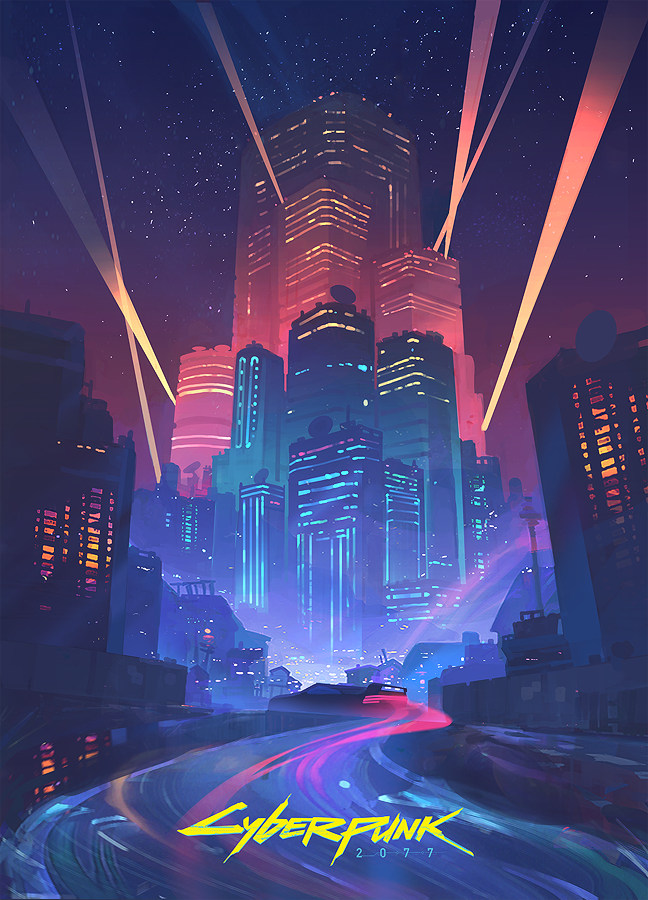
Simply re-saving it with XnviewMP alleviates the issue, but that changes/modifies the color profile of the original file I think.
