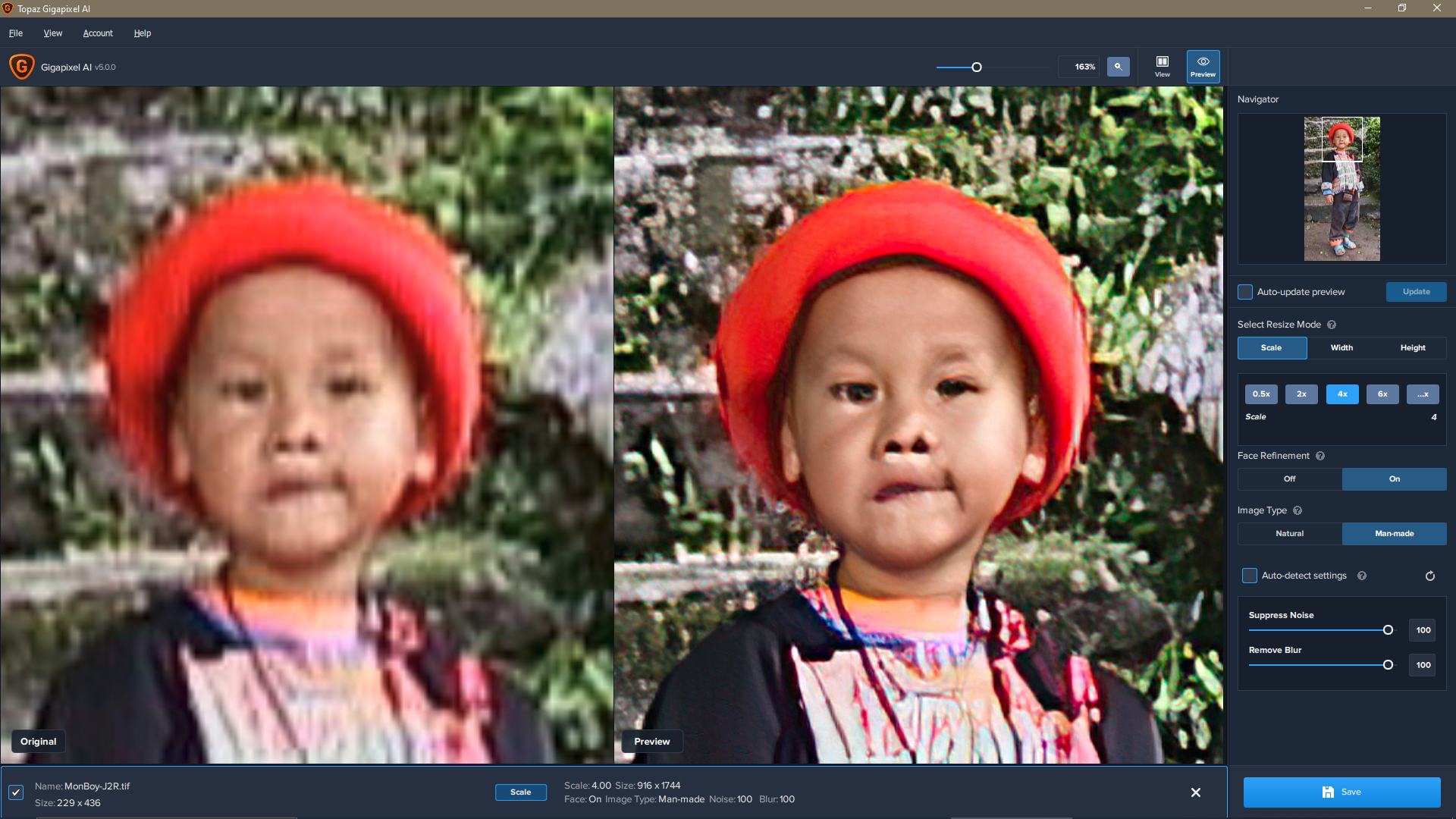
But there can be a happy ending to my story as this is the result after processing the image through JPEGtoRAW,JPEG Artifacts and Reduce Blur were set to maximum and saving the output as TIF then taking it into GigaPixelAI where a 4x result is this:
Note that I consider this acceptable with a little work to replace the eyeball on the right of the image and remove the highlights under the nose and a little compression artifacts also remain.
Amazing considering the original is a highly compressed 229 x 436 still image taken on a Sony camcorder in 1999. Being a cheap charlie I kept it as I paid the boy the equivalent of 50 cents to pose.
Note also that the Natural Mode simply does not work in this case, I had to use Man Made. The moral of this story is this:
Rubbish in will generally give rubbish out.
Extremely low quality JPEGs benefit by taking them through JPEGtoRAW to remove compression artifacts.
Vary the process settings to get the result you want, the Auto settings are good for 100% resolution images, i.e. with NO compression.
There is always a struggle with blown out shadows and highlights, where there is no information nothing can be retrieved except manually.
Finally … the preview will invariably be a little better than the output.
Excuse me? No, I’m not your secretary and I’ve wasted enough time on this already. And as I’ve made my position perfectly clear, I’m finished with this discussion.
But there can be a happy ending to my story as this is the result after processing the image through JPEGtoRAW,JPEG Artifacts and Reduce Blur were set to maximum and saving the output as TIF…
Too bad that JPEGtoRAW only (arbitrarily) accepts JPEG images as source. If your source image is of any other kind (usually lossless PNG when exported from a PDF) then it adds another step of work and possible compression artifacts.
Coming back to GP. I just tried to upscale a low resolution image full of kids from my son’s elementary school class. Face refinement improved the mostly distorted faces, but the result was rather creepy, especially when adult face-features and make-up were put in by GP.
You may want to try JPEGtoRAW first, especially because of the faces as it seems to help … saves the creepy with distorted faces from low res using TIF output. If you do then upscale not more than 4x at a time on any low res input.
J2R completely changed the color-profile resulting in overall desaturation and color-shifts (blue to purple, cyan to blue). It also introduced extra color-noise at aliasing edges that was not originally present (GPU more than CPU).
The “creepy” part is not the distorted faces, though, as this is somewhat expected. The creepy part is where different faces are put on familiar ones, especially with the adult features and make-up (on elementary school kids usually not wearing that).
That seems unusual as in my example I asked for the profile to be changed to ProPhotoRGB and there are no issues. Are you using TIF and not DNG output?
The issue turned out to be Faststone Image Viewer and XNView only being able to handle 8-bit files and the (missing) “conversion” from 16-bit TIFF to 8-bit caused the desaturation and color shift. Photoshop does not suffer from this.
The additional color-noise holds still true, though, and there is lots of it. So no improvement for this particular picture.
I’ve did write with a Fineart Photographer last week about Gigapixel and Denoise and he said he would never use it because both does make very ugly artifacts.
I understand him on a “fineart” point, if you photograph classical and have the highest end Camera and glass (@100% its also as muddy as with Full Frame, but at 100 or 150 MP you have still the resolution and 16bit color dept).
But at my point as a part day Pro helping out in a Studio is the stuff that Topaz does produce a gamechanger, that set us apart from the others and let us photograph at situations that would be possible before yea, but not with this high quality output.
I also don’t had the problem that the output from any of the Topaz AI stuff did differ from preview and i use them since they came out.
But i use Pro GPUs since 2014, before these i did use gaming stuff and had some problems that were very weird.