TVAI version: 3.2.3
OS: Windows 11
System specifications: NA
Steps to reproduce the bug:
- Import a video into the app.
- In the top right set the “output resolution” to one of these options:
- Select Width
- Select Height
- Select Width and Height
- Select Scale
- Increase the resolution of the video.
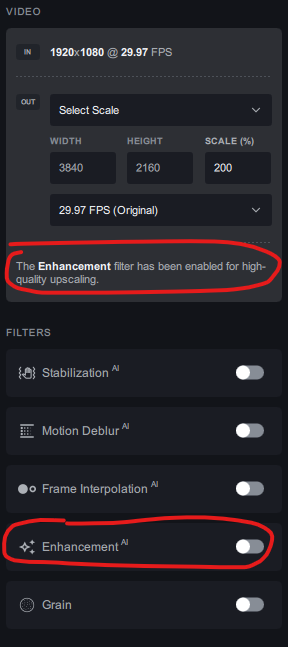
- The UI says "The Enhancement Filter has been enabled for high-quality upscaling. But if you look at the active filters, the Ehnacement filter is off. This is the bug.
Note: The Proteus AI enhancement filter is actually applied to the footage. So everything is working on that side. It’s simply the GUI that has issues.