Would be a good Q for @bin.sun 
@Fujinmu, thank you for your feedback. I can definitely see the chromatic aberration in the images you shared. We have taken note of this issue and are actively investigating a solution. Regarding the detail and realism, we do have a few potential approaches, but we need a bit more time to thoroughly validate their effectiveness.
4 Likes
Thanks for pushing the envelope!
Mit freundlichen Grüßen,
Julien K/Bidi
1 Like
Maybe 20% of the time, when I run 4 on cloud, it gives me an error running model message in the background and locks up, but the only way to proceed requires cancelling. This makes the error message go away, so I can’t see what it’s trying to say.
I think Wonder 4 alters the images too much and makes them look too artificial.
Sure, “denoise max” isn’t meant for these images, and it’s not perfect, but it makes them look more realistic.
What is a un AI layer?
An inverted high-pass filter that largely reverses the effect of the high-pass filter in DN MAX or Wonder 4.
Presumably, a reduction step in Wonder 4 is too large - maybe because of this the model does eat too much detail and does generate too much fake.
Bdw. i could try another solution by downscaling the image first and upscale it to native again.
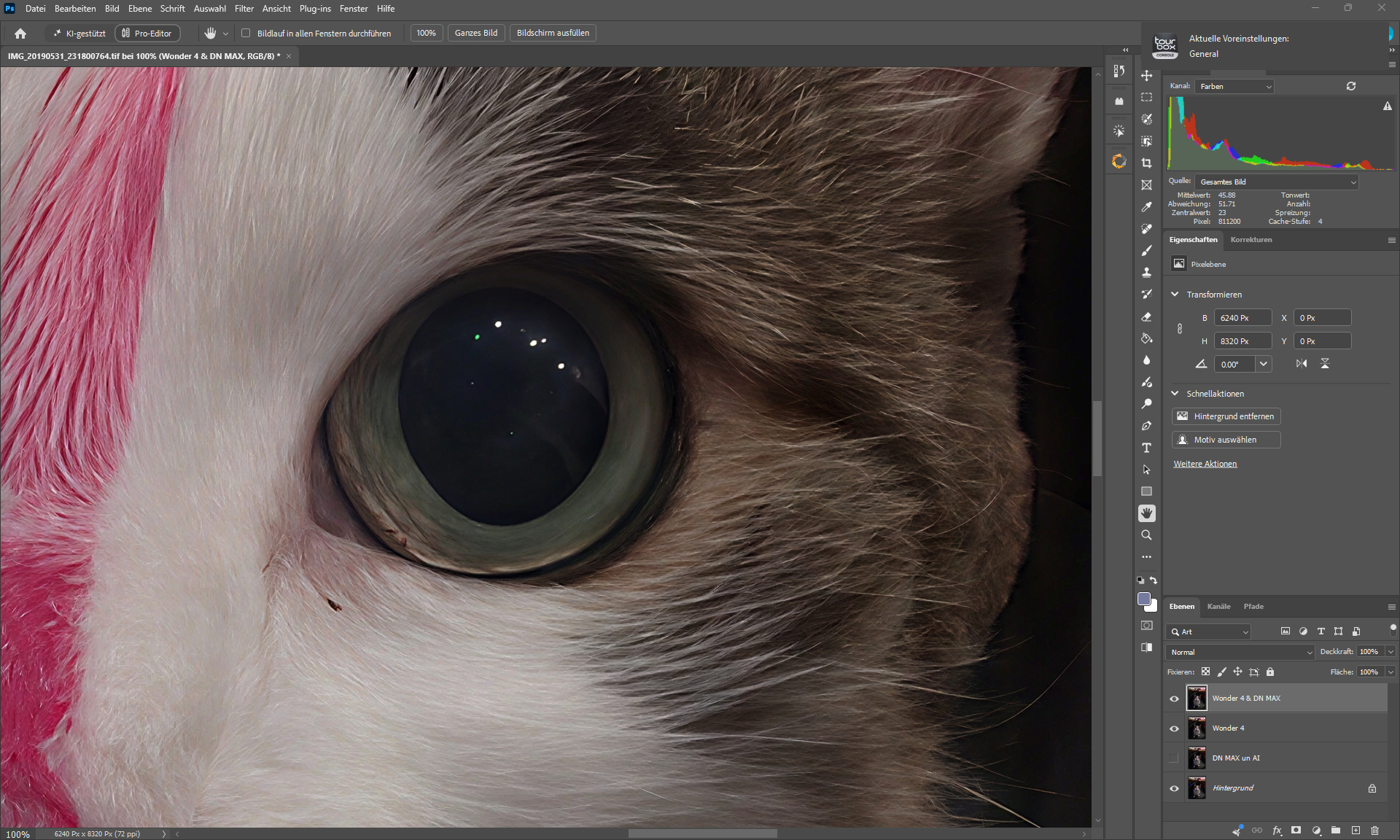
Wonder 4 Cloud GP + DN MAX
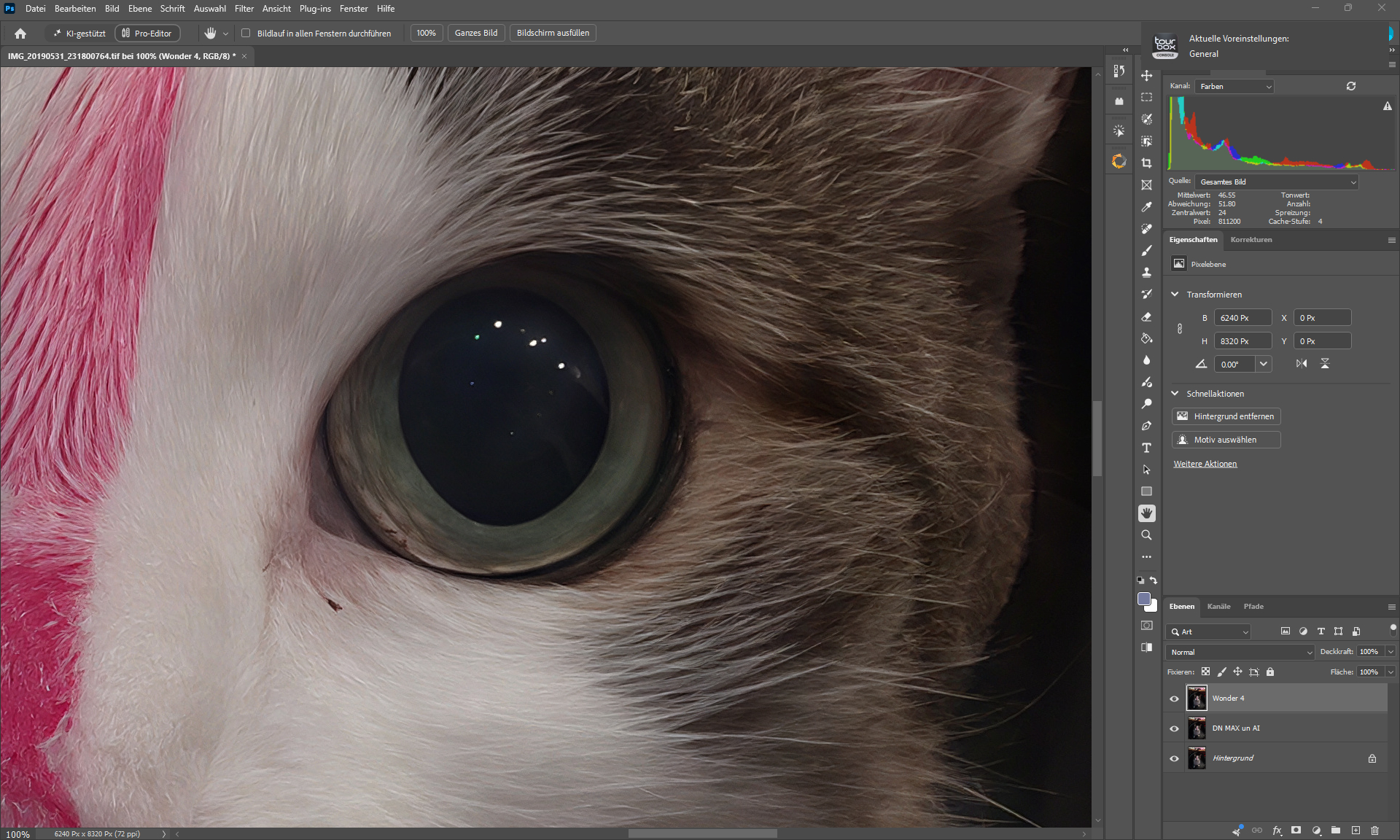
Wonder 4 Cloud GP
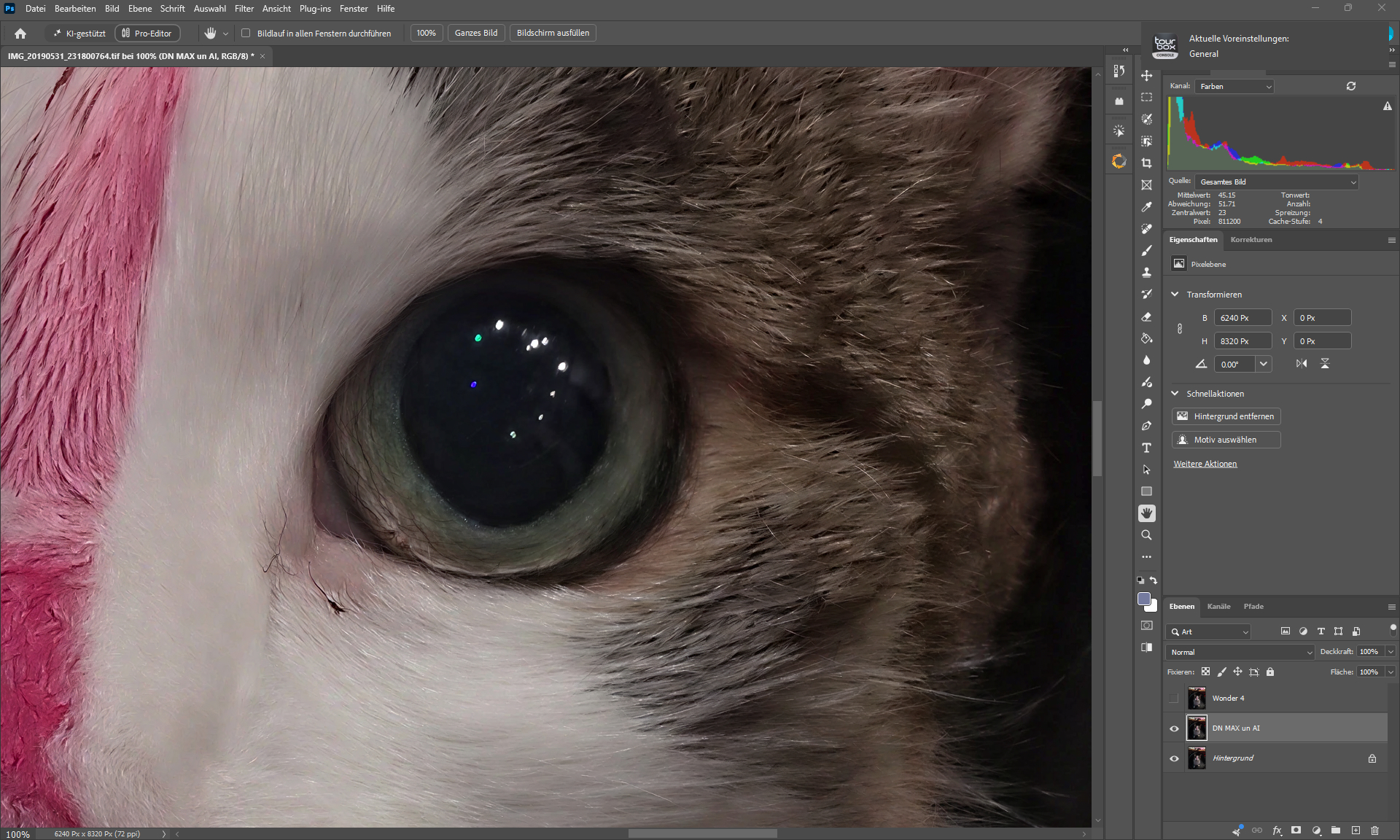
2 Times Denoise MAX + un AI Layer

Input 2x scaled bilinear (input for DN MAX)
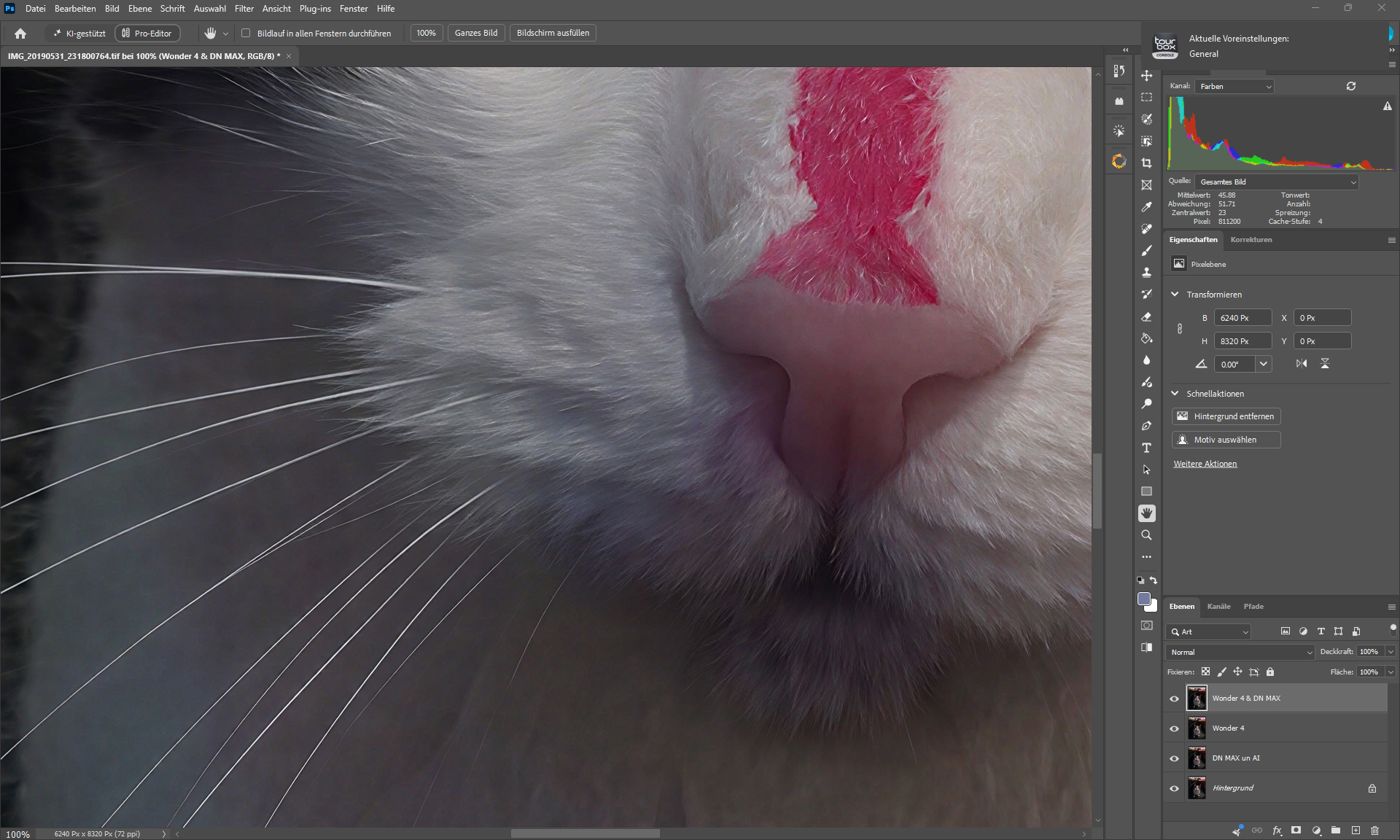
Wonder 4 Cloud GP + DN MAX
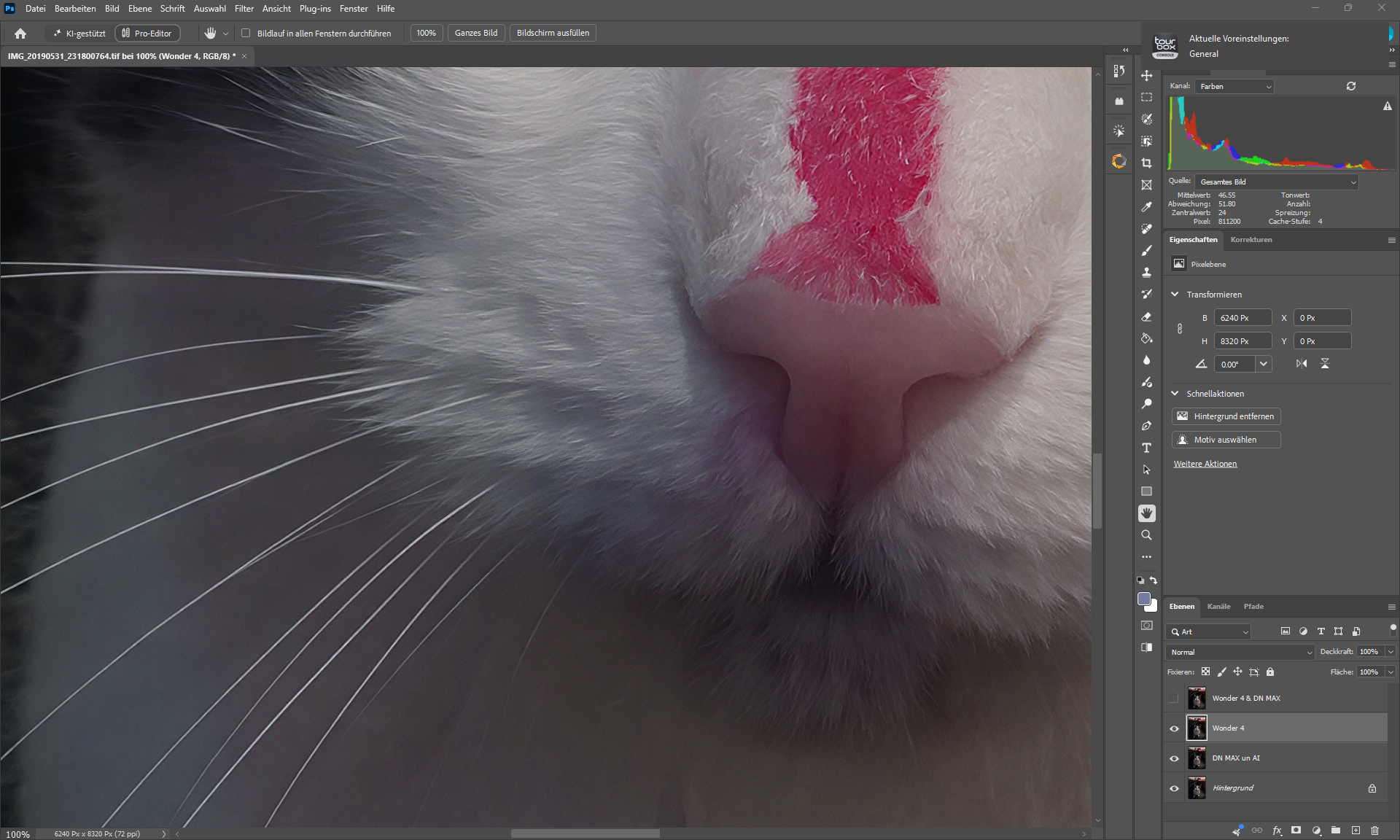
Wonder 4 Cloud GP
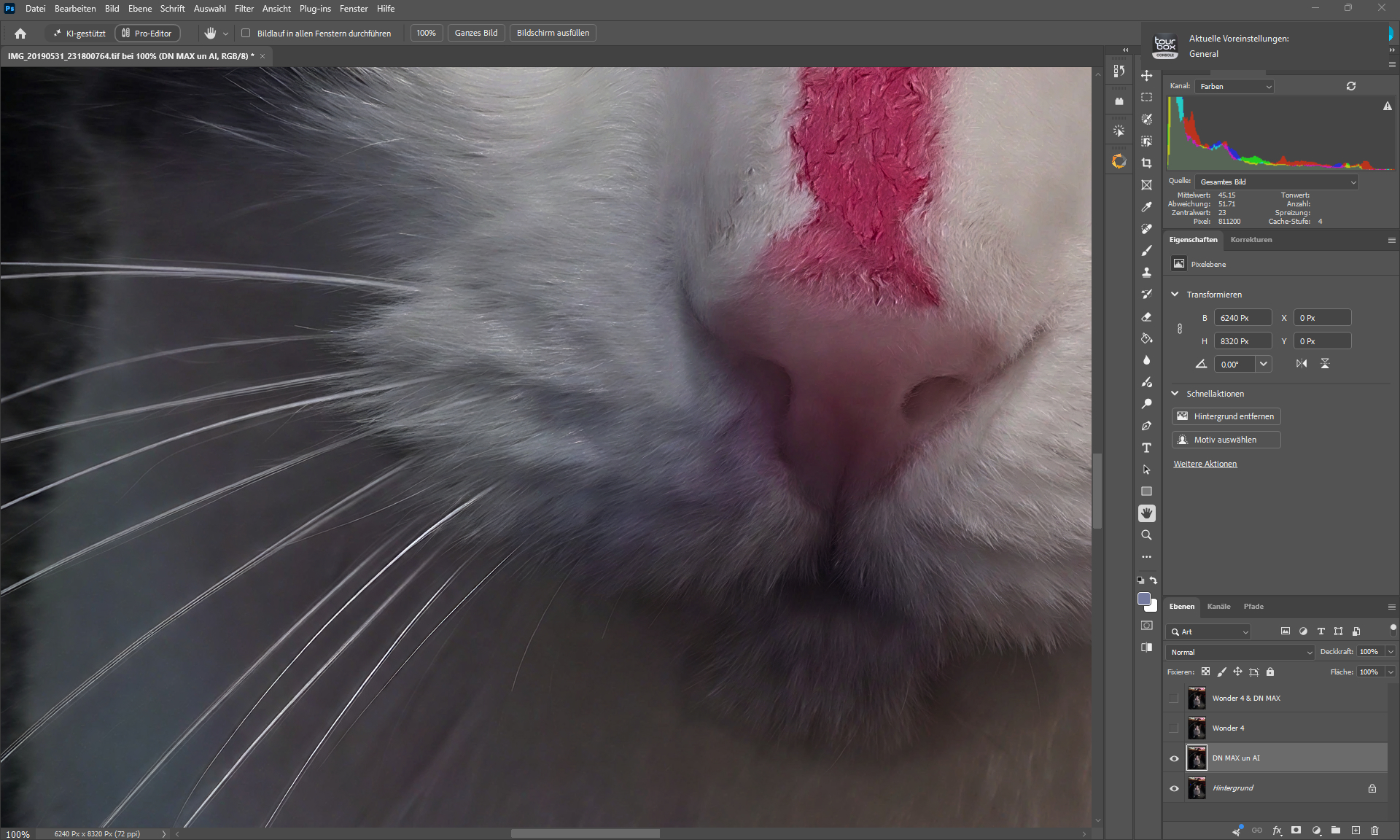
2 Times Denoise MAX + un AI Layer
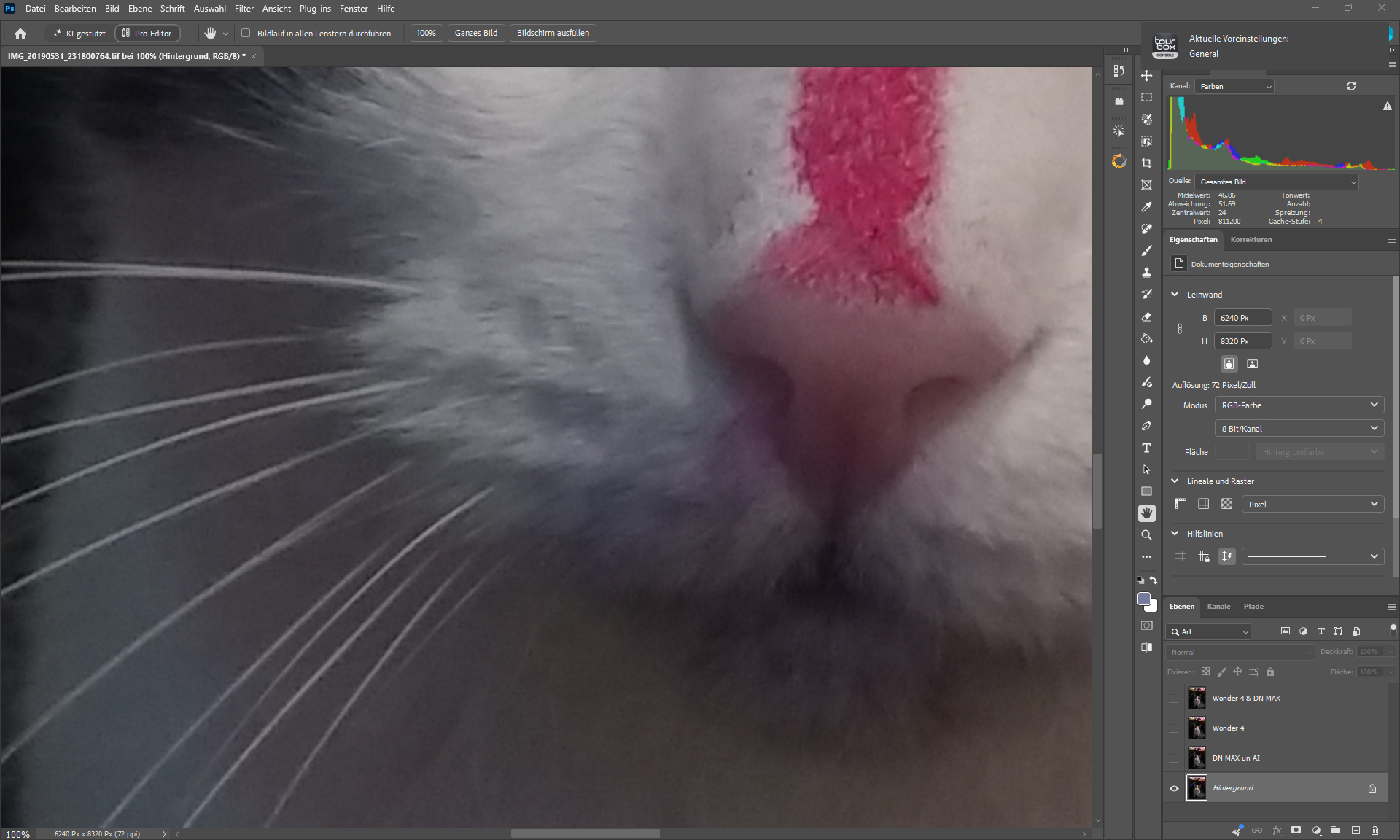
Input 2x scaled bilinear (input for DN MAX)
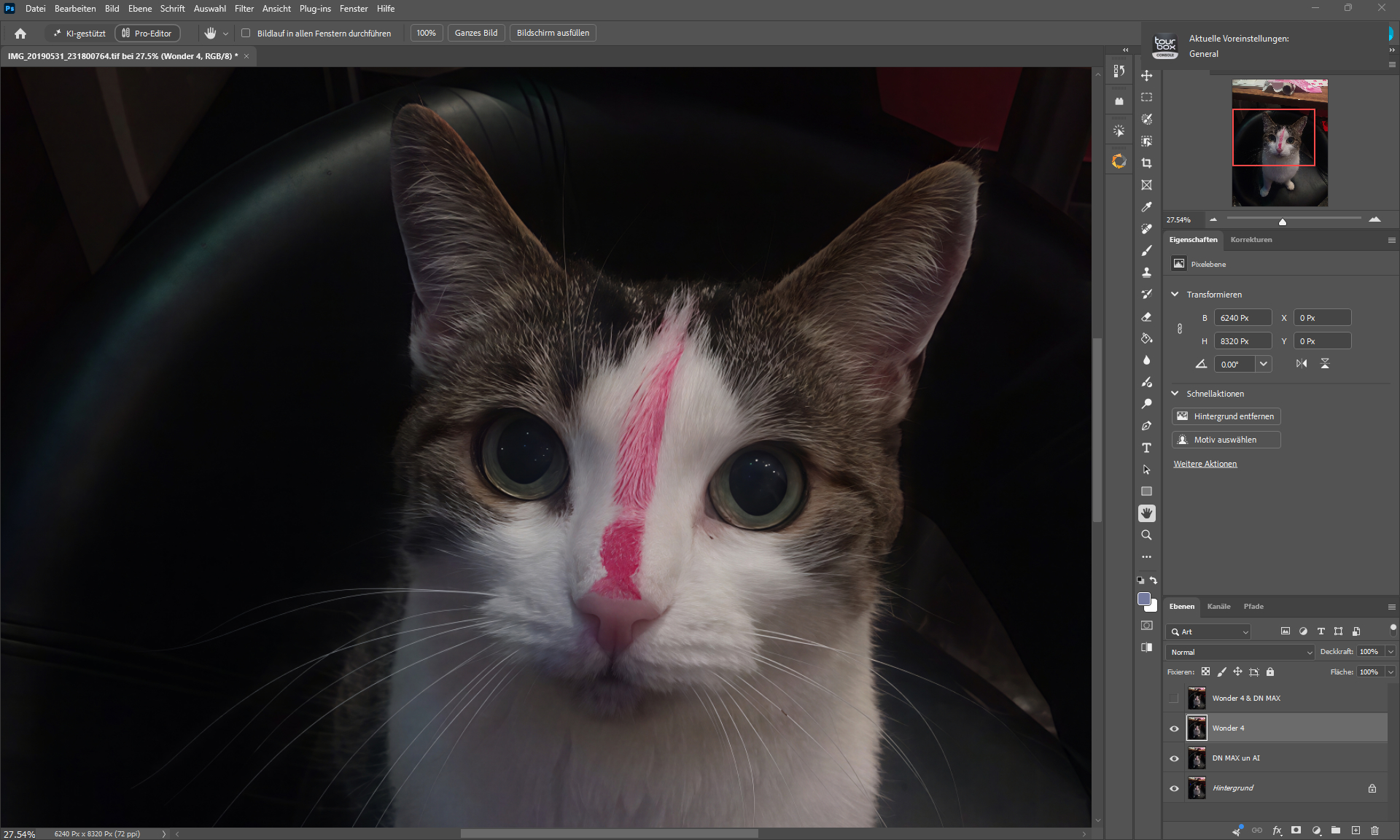
Wonder 4 Cloud GP
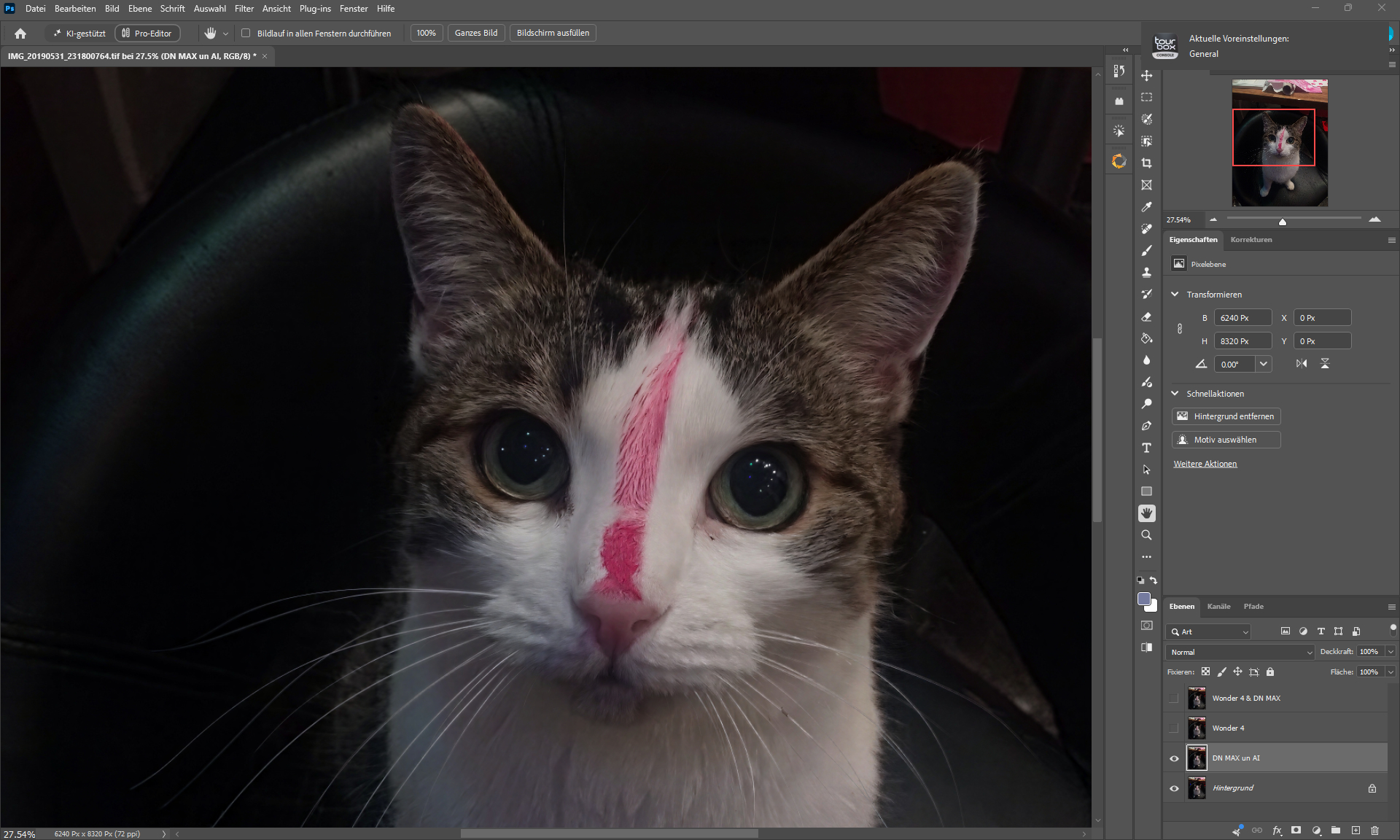
2 Times Denoise MAX + un AI Layer
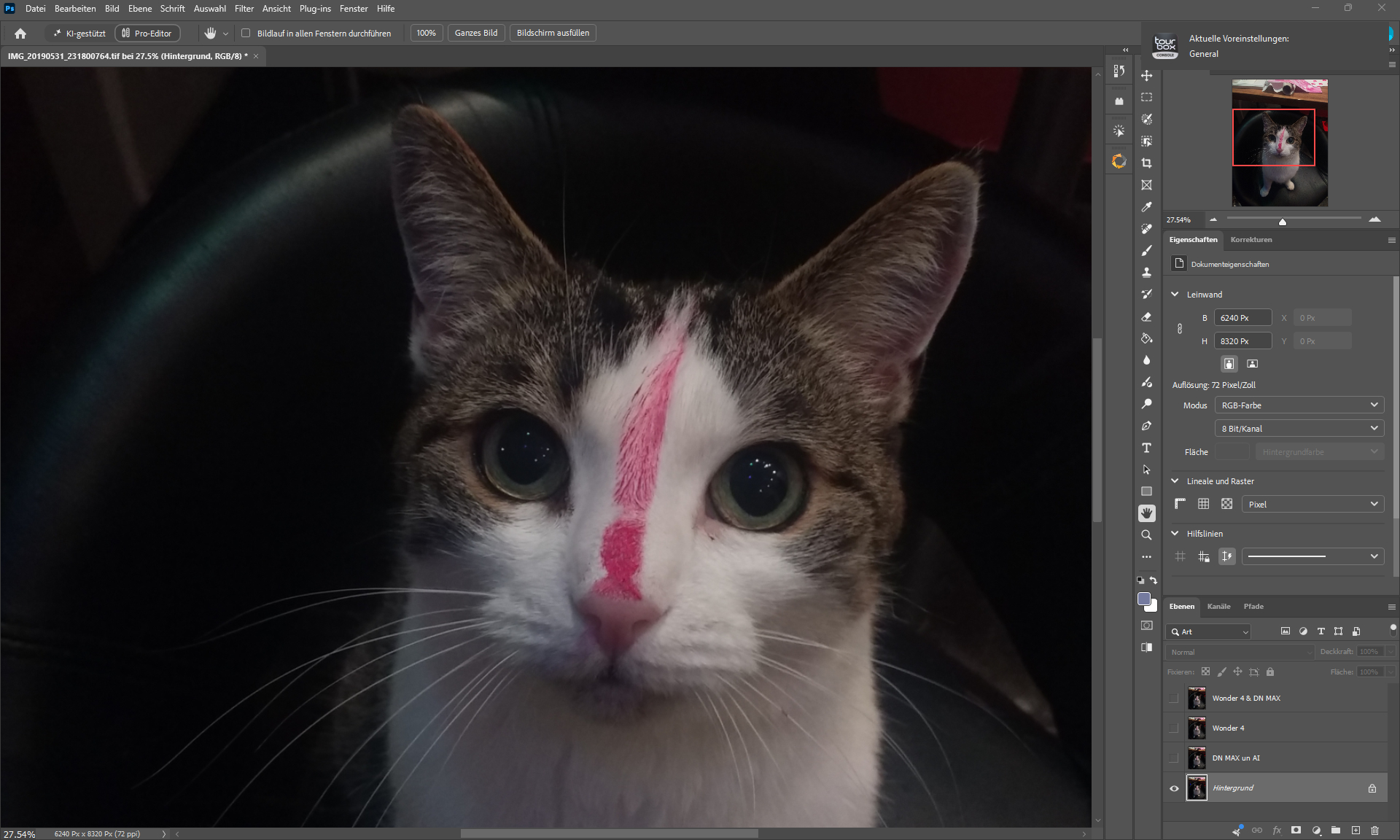
Input 2x scaled bilinear (input for DN MAX)
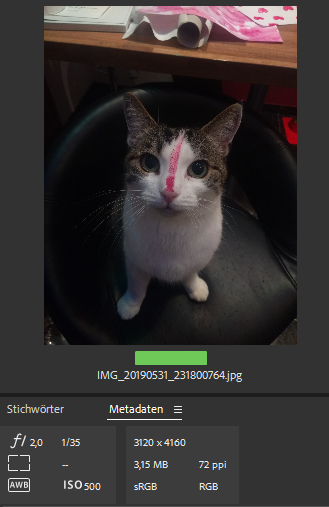
Input is a Smartphone image
Yes, the cat enjoyed having its picture taken with that line on her face.
6 Likes
Does not change it for the better.
I realize the background isn’t great for Denoise Max, but it’s all about the details and how natural it looks.
Image is taken from the Photo release Thread.
Do you see all those breaks/streaks in her hair with Wonder 4?
The ring on her Finger with Denoise Max?
That said, the ring with Denoise Max probably has the wrong shape, but it looks more plausible because of its three-dimensionality.
Wonder 4 probably has the right shape for the ring, assuming that was Julia Roberts’ actual real engagement ring, that can be found on the web.
In terms of plausibility—based on the visible crochet patterns at the sleeve cuffs—the sweater looks better in Wonder 4 than in Denoise Max, but it’s less convincing in terms of the natural appearance of the fibers.
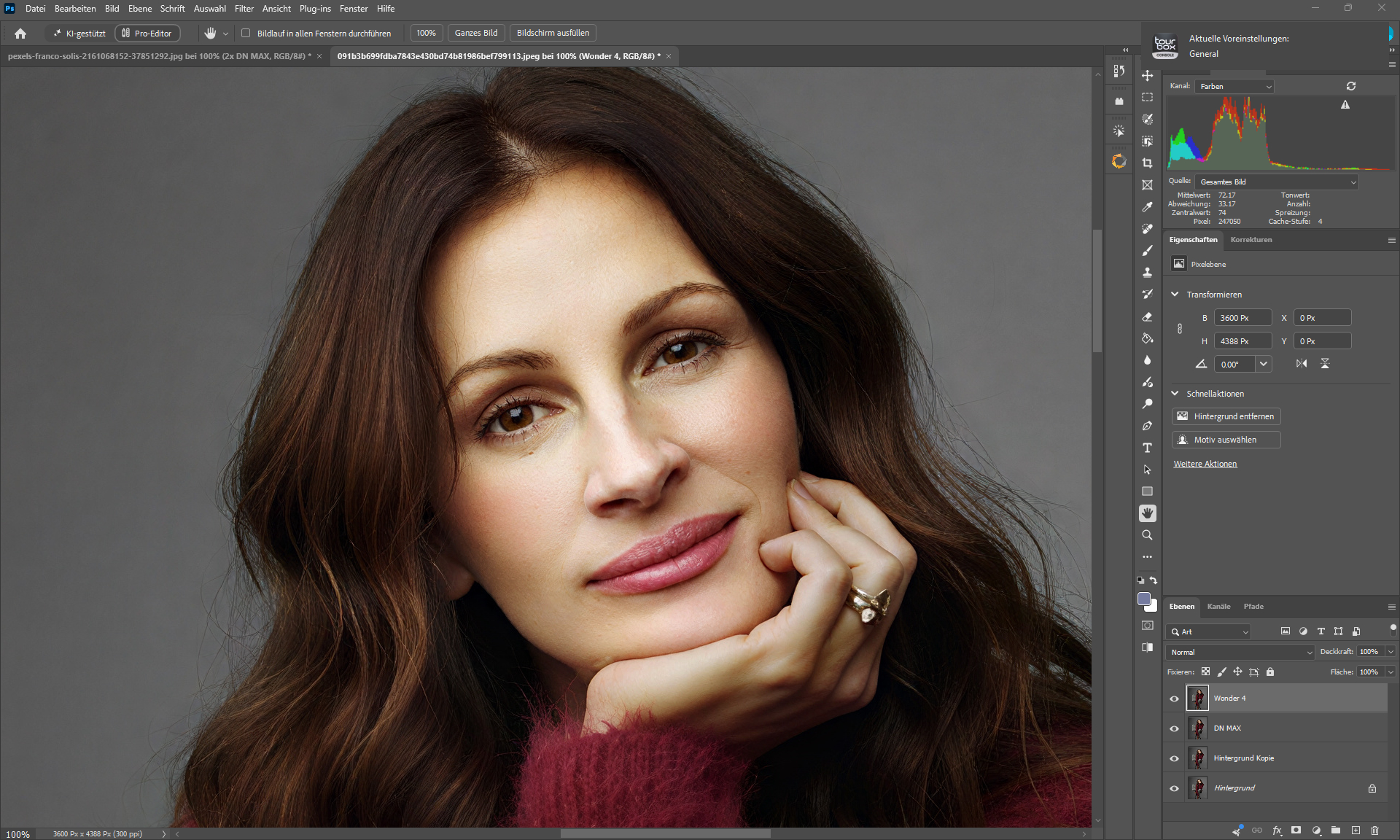
Wonder 4 - 4x

Denoise MAX
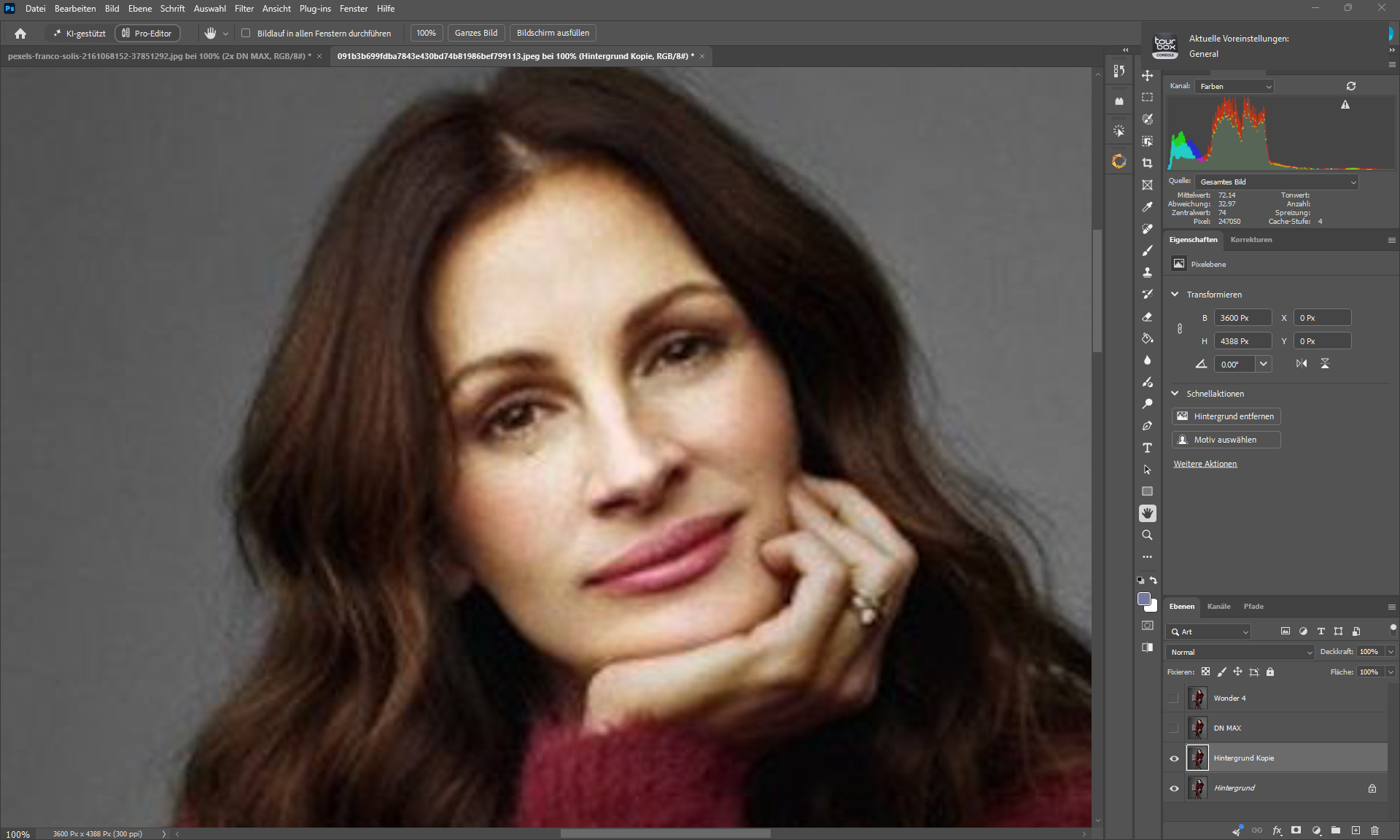
Input for Denoise Max = Original size 4x upscale via Bilinear
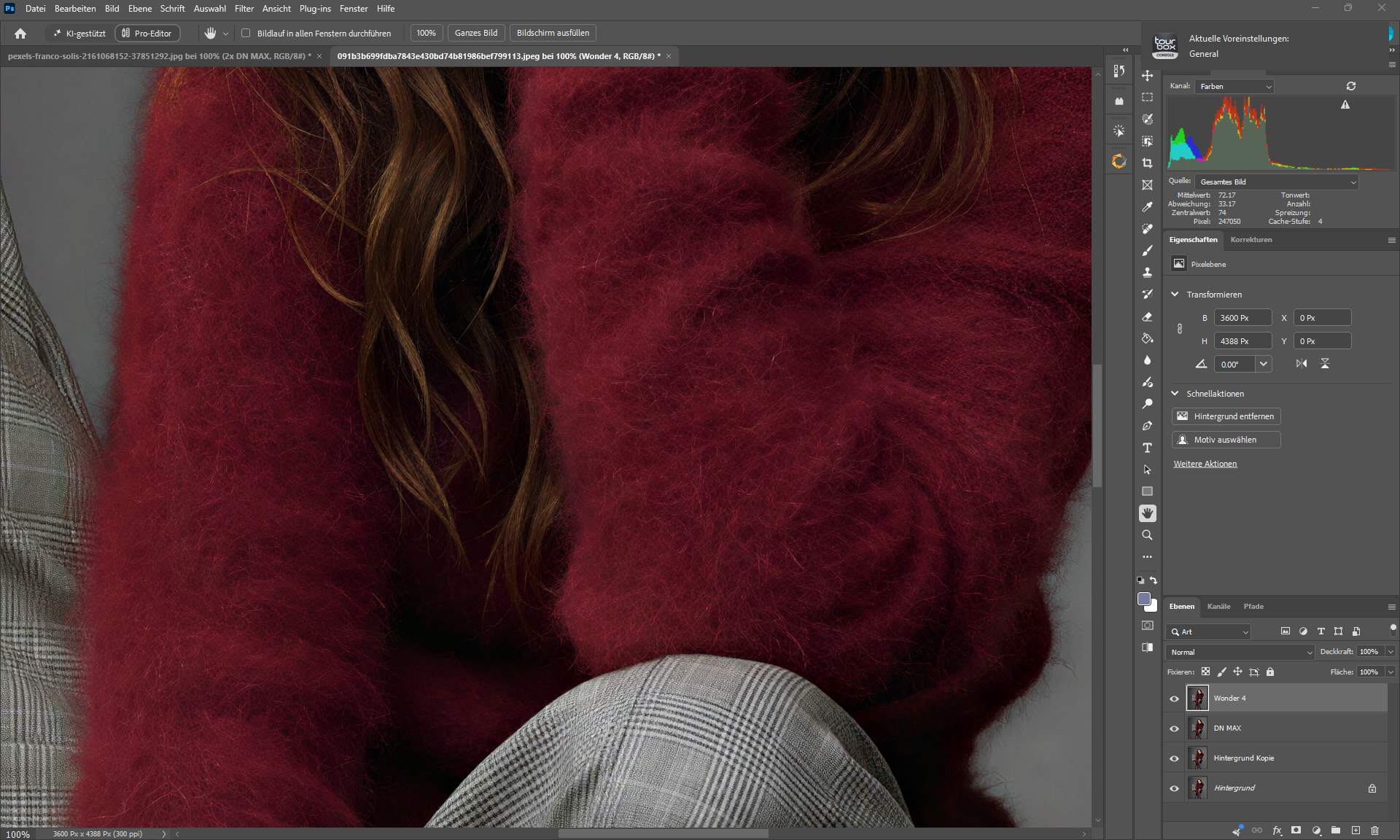
Wonder 4 - 4x
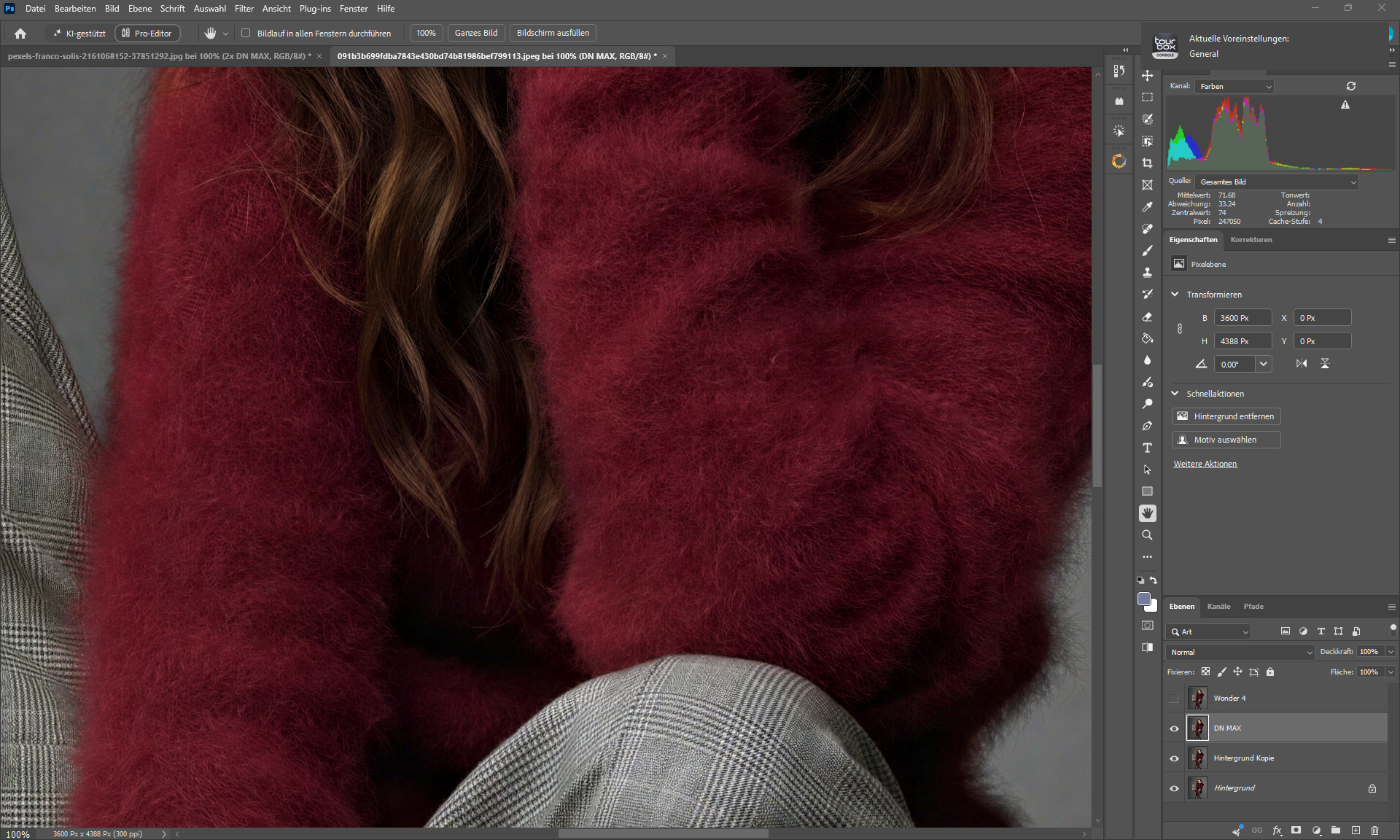
Denoise MAX
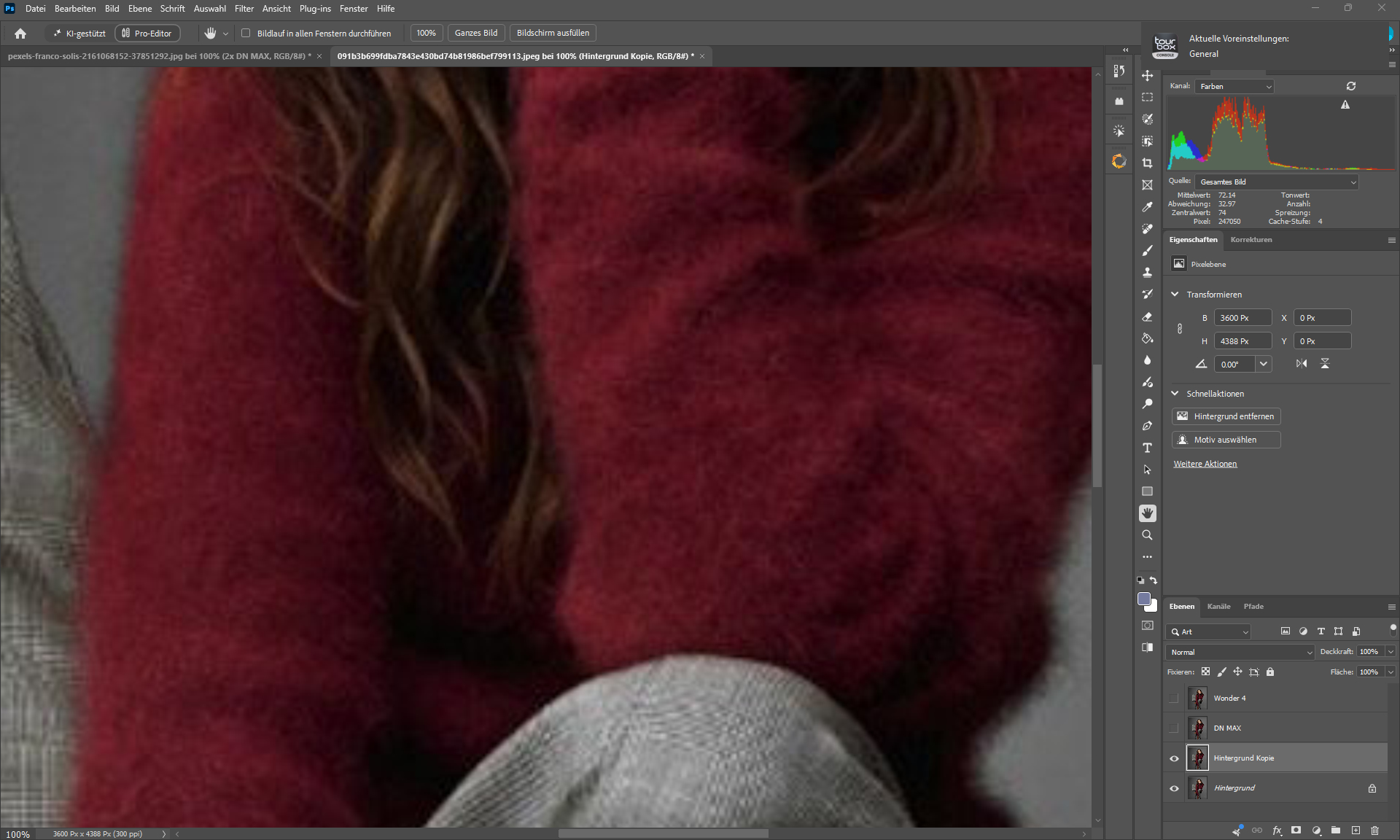
Input for Denoise Max = Original size 4x upscale via Bilinear
3 Likes
Interesting comparisons of work processes. The kitty looks quite happy. That make-up: does she do it herself in the morning? 
1 Like
Its from 2019 - she did sit close to me, i was painting something - I then used my index finger to draw the line on her - I thought it was so funny that I had to take a picture of it - she seemed to really enjoy the attention.
Yesterday - while I was preparing the image for the comparison, she watched with interest.
4 Likes
You need to write to support@topazlabs.com for technical issues like this, and we can investigate 
1 Like
It’s really too bad not to get any feedback from the devs.
Like, “We see what you mean” or “Thanks for bringing that to our attention.”
Yeah, I know I can be a pain, but the issues are very important to me.
And i think to others too.
Did chat with gemini what i did see about.
Maybe you find it useful.
Here is the complete technical write-up, rewritten and tailored specifically for Topaz Labs’ Wonder architecture (generative image restoration, detail synthesis, and super-resolution):
Mitigating Periodic Texture Hallucination, Compression-as-Detail Bias, and Gradient Banding in Generative Restoration (Wonder Architecture)
In generative restoration and super-resolution pipelines like Wonder, the core challenge is fundamentally different from unconstrained text-to-image generation: the model is conditioned on an existing degraded image and must balance signal fidelity against generative texture synthesis.
When that balance breaks down, three distinct but structurally linked artifacts emerge:
- Rhythmic / fractal-like micro-pattern repetition (over-synthesis in uncertain regions),
- Compression and sharpening artifacts treated as “detail” (degradation-pipeline mismatch),
- Tonal banding in smooth gradients (quantization, VAE bottlenecks, and removal of natural noise dithering).*
Below is a breakdown of the underlying mechanisms and concrete architectural/training levers to address them.
- Interrupting Rhythmic Micro-Pattern Repetition (Texture Prior Overfitting)
When an input image suffers from heavy compression, motion blur, or low resolution, true high-frequency data is missing. A generative restoration model fills this void using its learned texture prior. If that prior dominates over weak local conditioning, the model collapses into self-similar, periodic micro-patterns (e.g., repeating leaf clusters, artificial skin pores, fractal-like fur, or procedural fabric weaves).
A. Separating Optical Defocus (Bokeh) from Image Degradation
- The problem: Restoration models frequently fail to distinguish between lens defocus (which should remain optically smooth) and resolution/compression loss (which requires detail reconstruction). As a result, out-of-focus backgrounds get hallucinated into unnatural, repetitive micro-textures.
- Dev lever: Explicitly model spatially varying optical blur / depth-of-field in the training dataset and degradation pipeline so the model learns to preserve smooth out-of-focus falloff rather than injecting high-frequency priors into bokeh.
B. Conditioning Strength & Fidelity-Synthesis Scheduling
- The problem: Overly aggressive generative guidance in late denoising/refinement steps causes the model to hallucinate repetitive high-frequency structures onto surfaces that should remain organically irregular or calm.
- Dev lever: Decouple low-frequency structural conditioning from high-frequency texture synthesis across the sampling schedule. Anchor macro-structure and edge geometry early, and damp generative high-frequency amplification in late refinement steps—especially in low-variance or low-confidence regions.
C. Multi-Scale Feature Routing & Tile-Level Coherence
- The problem: High-resolution restoration relies on patch/tile processing and multi-scale feature hierarchies. If local attention or high-resolution skip/residual paths lock onto local self-similarity without broader contextual grounding, repeating micro-patterns propagate across patches.
- Dev lever: Regularize attention entropy in fine-scale blocks to discourage patch-level repetition, and ensure global/regional context guides fine texture synthesis across tile boundaries.
D. Ground-Truth Curation Against “Hyper-Textured” Bias
- The problem: If high-resolution training targets over-represent heavily sharpened, hyper-textured, or synthetic imagery, the model equates “sharpness” with dense, high-contrast micro-oscillations.
- Dev lever: Curate pristine, unsharpened optical ground-truth data (raw-derived, clean demosaiced plates) containing natural material transitions, negative space, mist, and soft tonal roll-off.
- Why Compression Is Perceived as “Detail” (Degradation Mismatch)
A restoration model learns what constitutes “signal” versus “artifact” almost entirely through its HQ Ground Truth vs. LQ Degradation Pipeline.
A. Contaminated High-Quality (HQ) Targets
- The problem: If the “clean” target dataset contains subtle JPEG/WebP compression, prior sharpening halos, or aggressive demosaic artifacts, the model learns to reconstruct those exact compression signatures as target detail.
- Dev lever: Strictly audit HQ training plates using spectral and blockiness metrics (DCT boundary energy, ringing detectors) so compressed or pre-sharpened images never enter the ground-truth target pool.
B. Unmodeled Input Compression & False Edge Anchoring
- The problem: When a user input contains compression profiles (e.g., chroma subsampling, macroblocking, mosquito noise) not accurately represented in the synthetic degradation pipeline, the model misinterprets block boundaries and ringing as true structural edges—and builds generative micro-detail on top of them.
- Dev lever: Expand the synthetic degradation pipeline to cover diverse real-world codec artifacts, chroma subsampling, and multi-generation re-compression, paired with spectral/frequency-aware losses that penalize periodic block/ringing energy in the output.
- Why Smooth Gradients Simultaneously Exhibit Tonal Banding
Photographers feeding high-bit-depth files (e.g., 16-bit TIFF/DNG) into generative restoration models immediately notice tonal banding in skies, studio backdrops, shadows, and atmospheric falloff.
A. Denoising Strips Away Natural Sensor Dithering
- The problem: Real camera sensors exhibit photon shot noise and read noise, which act as natural dithering across shallow tonal gradients. When a restoration model aggressively denoises an image, it strips away that protective noise floor—exposing underlying 8-bit quantization steps or pre-existing compression banding.
- Dev lever: Couple denoising with controlled, physically plausible re-graining / micro-dithering calibrated to local luminance and ISO/noise characteristics, rather than outputting sterile, zero-variance gradients.
B. VAE Bottlenecks & 8-Bit Training Bias
- The problem: Latent restoration architectures compress spatial and tonal information through a VAE bottleneck, typically trained on 8-bit sRGB datasets in bf16/fp16 precision. Shallow, low-frequency gradients (\Delta I / \Delta x \approx 0) quantize into visible steps during encoding/decoding.
- Dev lever:
- Train and fine-tune the VAE on 16-bit linear/log-encoded high-dynamic-range data with dedicated gradient-smoothness and banding-sensitivity losses in low-variance regions.
- Validate VAE decoder precision (fp32 accumulation / precision-sensitive layers) to prevent bf16 mantissa truncation from stepping shallow gradients.
- Ensure tile blending in high-resolution inference operates with high-precision overlap weighting so low-frequency luminance offsets do not create visible tonal steps.
Summary for the Engineering & Research Team
Both the “fractal over-detailing” and “gradient banding” issues stem from imbalanced frequency and bit-depth calibration:
- High frequencies are over-driven by texture priors and compression-contaminated training signals.
- Low frequencies are under-resolved by 8-bit training biases, VAE quantization, and the removal of natural noise dithering without replacement.
Addressing both requires tightening HQ ground-truth hygiene, separating optical defocus from degradation, enforcing gradient monotonicity and high-bit-depth precision in the VAE, and pairing restoration with adaptive, organic micro-dithering.
3 Likes

Just a quick note for those following my posts here:
Following a few recent incidents around feedback and roles here, I’ll be pausing my deep dives and detailed testing sessions for now.
Best of luck with your projects.
