Yet another example of an incredible remastering of my roes deer photos. This time, instead of using Supir AI, I used its newer counterpart, Hypir AI. Then, as usual, I used Gigapixel, ON1 Resize 2026, and Photoshop.
3 Roes - Imgsli
I took the opportunity to redo a depth of field in Adobe Camera RAW in order to focus more on the 3 roes and less on the background.
2 Likes
Great - best composition of them all for me  - very good !!!
Thanks  It really makes me happy.
I have other similar ones that will arrive gradually.
So that’s a sensational picture! Very successful shot. Well, the subsequent processing of the imperfect original made a really beautiful picture of the roe family. I think the blurry background helped the photo, it looks more “spatial”.
As for that Hypir AI - I do not know what one is exactly paying for. For example, the Basic Hypir AI, does it mean up to 50 photos per month (1 credit = 1 photo)? Or just a marketing trick like “however, one photo can sometimes take several credits, depending on …”. (Sorry for my stupid question, but the language of lawyers is absolutely incomprehensible to me.)
Thanks .For Hypir AI, you can use it in ComfyUI. I haven’t seen it anywhere else yet.
The graph looks like this
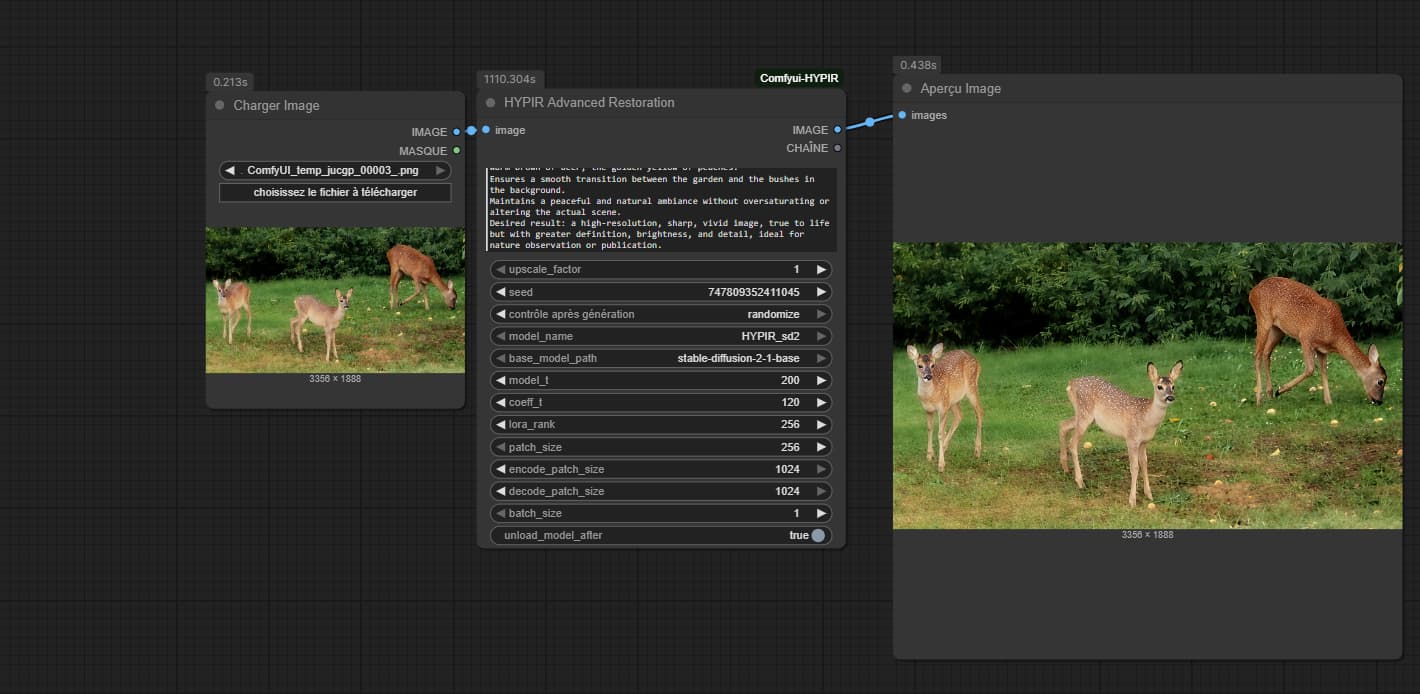
You can make a prompt that describes the image or a prompt that will do more to make a lot of improvements by directing the model more precisely. Scaling can be done up to x8. The settings to adjust to achieve a stronger or weaker restoration are “model_t” and “coeff_t”. By default, they are 200 and 120. Higher values will result in a stronger restoration. But if it’s too high, it may slightly deteriorate the original appearance of the image. So you have to adjust it carefully.
2 Likes
By combining several Hypir variants and combining with a 2nd pass from Hypir to Hypir, and assembling everything in Photoshop, we can already obtain this great result.
3 Roes - Imgsli
Of course, this isn’t the final result. There was just a 2x increase in the original.
Honestly, for the photo above using the following prompt generated from Qwen chat, it really works wonders in Gigapixel.
The prompt:
"Improves the quality of this natural image depicting three young roes deer in a private garden at dusk. The background is composed of dense green bushes. The ground is a green lawn dotted with peaches fallen from the neighboring peach tree, recognizable by their yellow-orange color.
Cleans up blurred areas and improves overall sharpness, especially around the roe deer’s edges.
Enhances details in the animals’ fur, including the young roe deer’s white spots and the brown tones of their bodies.
Corrects the soft light of dusk to better reveal the textures of grass, leaves, and fruit.
Reduces digital noise while preserving fine details (ears, eyes, legs).
Improves depth of field to accentuate the central deer looking toward the camera, while the other two are slightly in the background. Restores natural colors: the bright green of grass, the warm brown of roes deer, the golden yellow of peaches.
Ensures a smooth transition between the garden and the bushes in the background.
Maintains a peaceful and natural ambiance without oversaturating or altering the actual scene.
Desired result: a high-resolution, sharp, vivid image, true to life but with greater definition, brightness, and detail, ideal for nature observation or publication."
Comparison here
3 Roes - Imgsli
So of course, I’m now going to stitch the 2 photos together in Photoshop by taking the best sections of both. Afterwards, I will do a higher scaling with ON1 and GAI.
1 Like
I like the GPAI version a little better (but that doesn’t mean anything). I admire what can be done with a photo. It could easily serve as an illustration for a fairy tale where roe are the main characters  .
.
Well, GPAI with Redefine is the additional step to refine the realism  .
.
 When the weak creative mode makes you HDR. Weird, weird.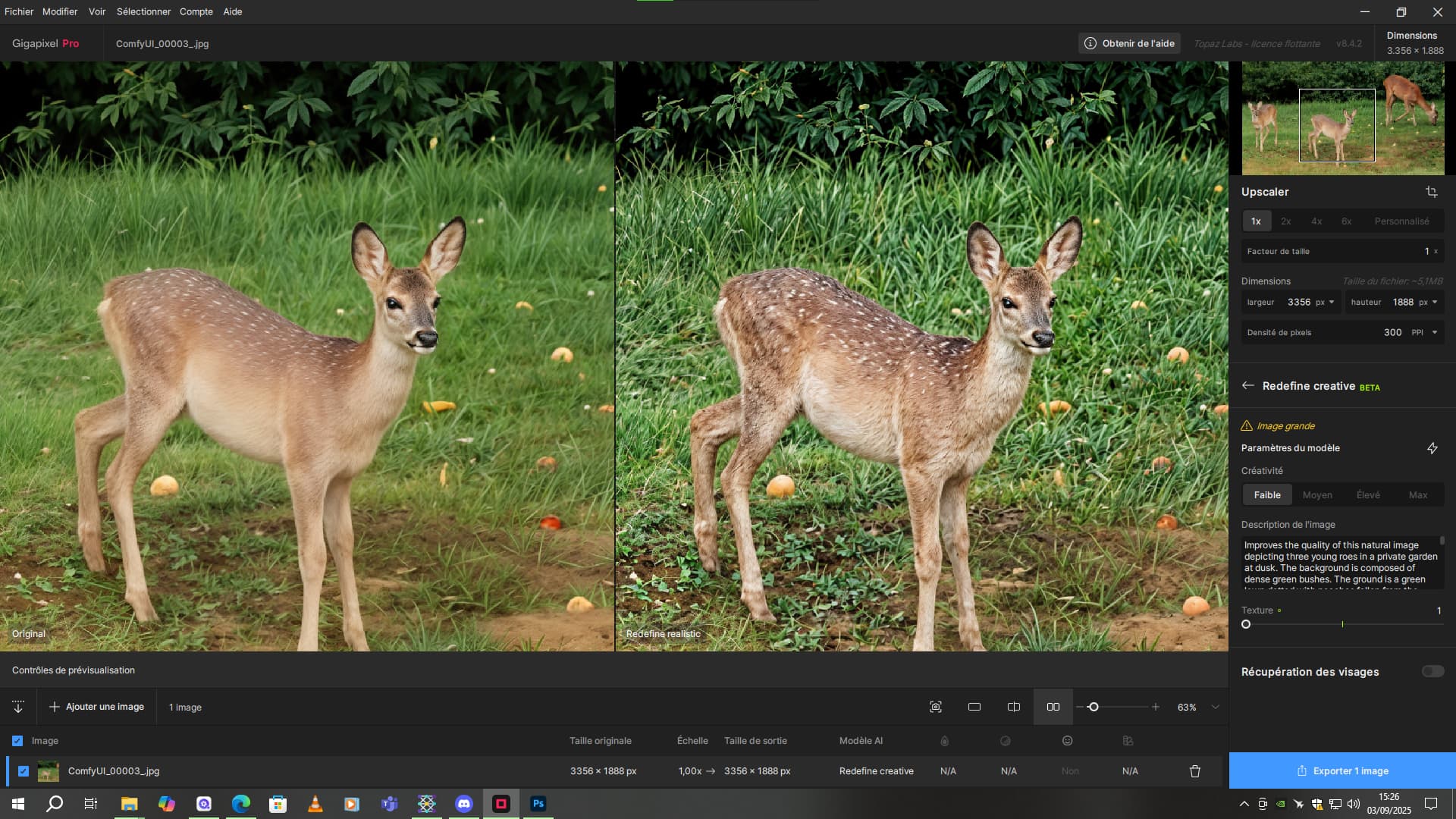
By combining the HDR effect with a few brush strokes at 20% opacity, I refined the most important details of the image.
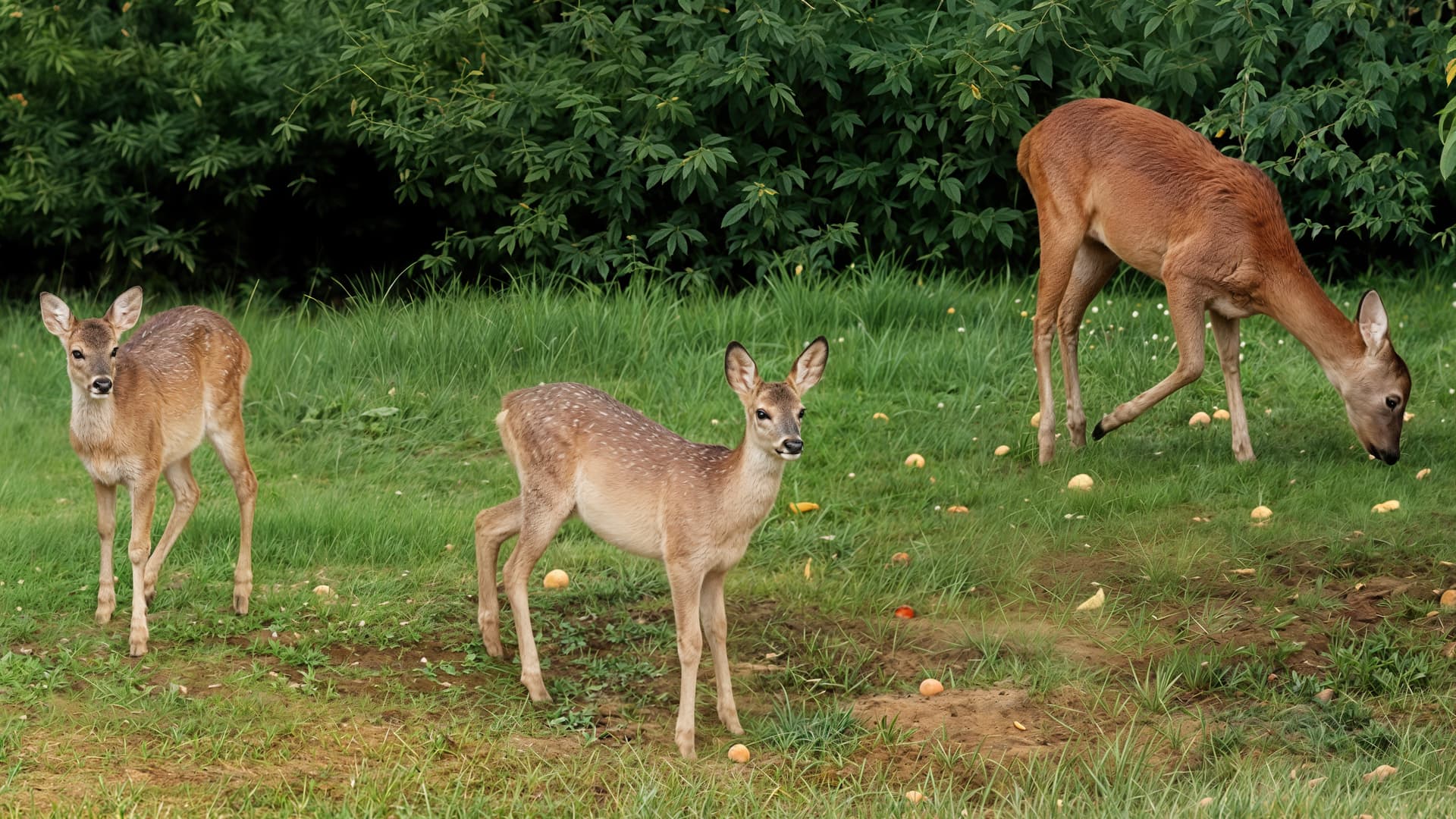
The details are pretty clean.
1 Like
Voice with upscale to 10879X6120 with GAI and the standard model in combination with ON1 Resize 2026.
3 Roes - Imgsli
Meanwhile, I also do some upscaling with Realistic Redefine to add in combination with the mix of the previous image.
Also, the recovery of details in the foliage is just impressive.
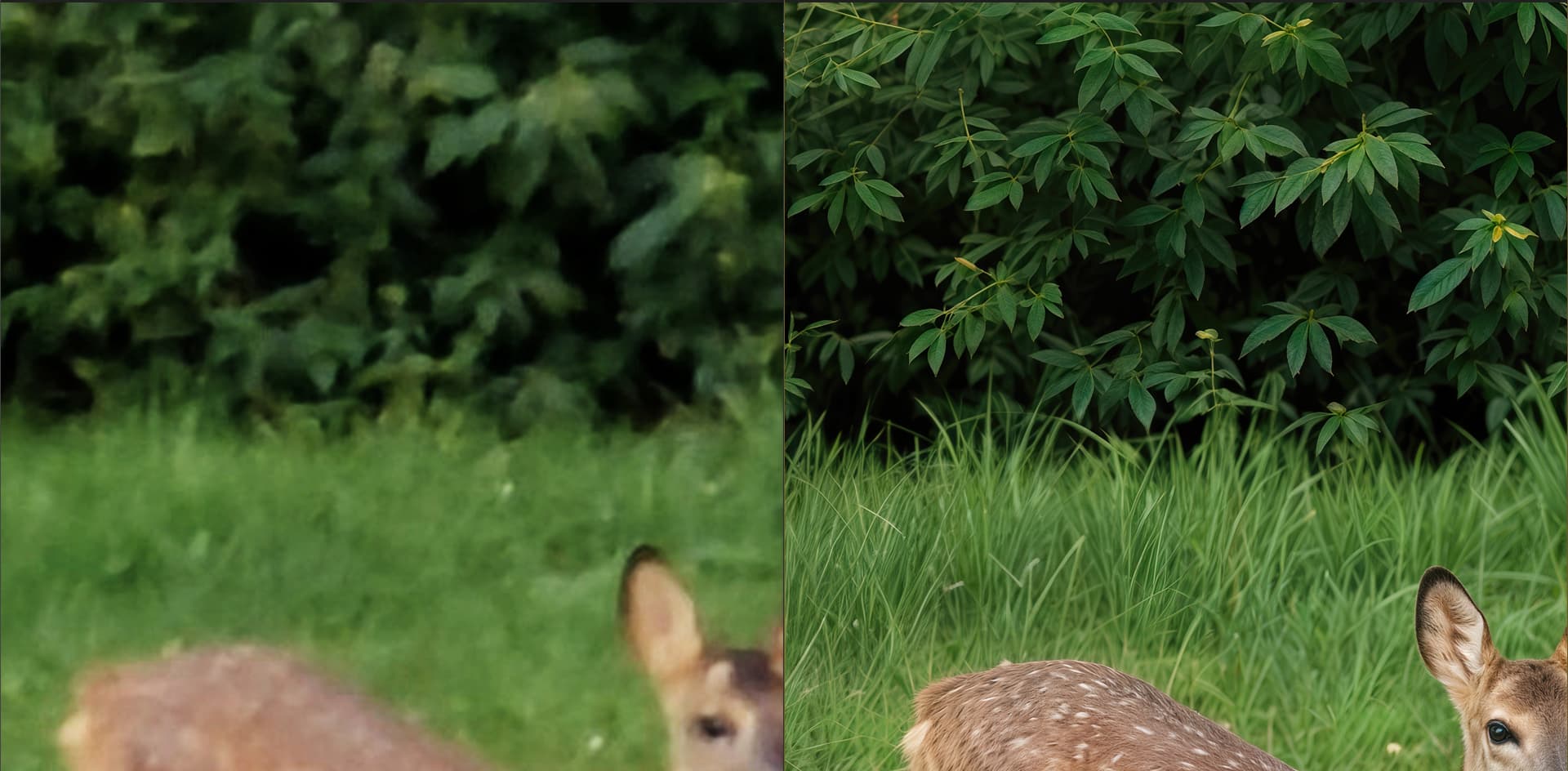
But either way, it will be blurred by the depth of field simulation.
Here is the final result with comparison to the original.
3 Roes - Imgsli
Please feel free to like and comment  .
.
1 Like
As you wish: You really managed to renovate their legs and hooves (how to say it, artiodactyls?). And the leaves in the background came out nicely, they are not just green spots, but well-blurred real leaves. 
Very impressive - terrific work - well done !
I feel inspired to have a go with ComfiUI+ in my current obsession with old litho prints and postcard upscaling. Golf course is closed due to wet season flooding so I have some spare time 
Thanks 
Thanks
Next photo: Here is a side by side before and after with several passes for different variations with Hypir Ai and a pass of the whole set completed with Redefine realistic.
3 roes - Imgsli
The craziest thing, I think, is the restoration of the foliage. It’s just incredible.
Afterwards, I did a x2 pass with ON1 Resize 2026. The quality of the foliage increased again, making them even more natural, and the details in the rest of the photo are really not bad.
3 roes - Imgsli
