Since installing the new DeNoise version on my iMac, AI Clear and low light work great but something is really off with DeNoise AI with the colours all washed out. Any suggestions?
You did put the color denoise slider too high.
…wenn ich meine Fotos nach der Topaz Denoise Bearbeitung in meinen Ordner abspeichere,werden die Fotos dunkler wiedergegeben,hat jemand anderer auch dieses Problem:))
Dank und liebe Grüße Güni:))
Google translation:
… if I save my photos in my folder after the Topaz Denoise processing, the photos are rendered darker, does someone else have this problem too? :))
Thanks and best regards Güni :))
@ Gunter
If I process a RAW file in Denoise and save a a Jpg it does appear darker. However, if I process a Jpg file and save as a Jpg file it does not change. I 'm using version 2.4.0
Trying to install Denoise AI 2.4.1, but I keep getting this message: Windows cannot find ‘\REGISTRY\USER\S-1-5-21-24693127-3967988068-1292289435-1001’ Make sure you typed the name correctly, and then try again.
Suggestions?
Thanks
Try downloading the full installer and right-click selecting run as administrator.
Ich danke dir für dein Feedback Artisan-West,ich habe die Fotos nach dem Bearbeiten in Jpg in meinen Ordner gespeichert und hole sie mir aus dem Ordner in Jpg in Topaz Denoise rein,ich habe jetzt mal die alte Version 2.3.6 installiert,da funktioniert es, in der Version 2.4.1 werden die Fotos jetzt dunkler exportiert:))Lg Güni;))
Gunter’s reply translated:
Thank you for your feedback Artisan-West, I saved the photos in Jpg in my folder after editing them and got them from the Jpg folder in Topaz Denoise, I have now installed the old version 2.3.6, there it works, in version 2.4.1 the photos are now exported darker :)) Lg Güni;))
Hi,
tried to install v 2.4.2 from the auto-updater inside the app and was successful. But it still shows v2.4.0.
And the silence is deafening.
Do you now have it installed in 2 locations as the online installer had an issue i experienced where even though i has installed on my d: Drive it placed the install on the c: drive … If that is so let me know and i can give you instructions to remedy it.
I think you need to read the thread and decide for yourself. Some have had problems but they are in the minority.
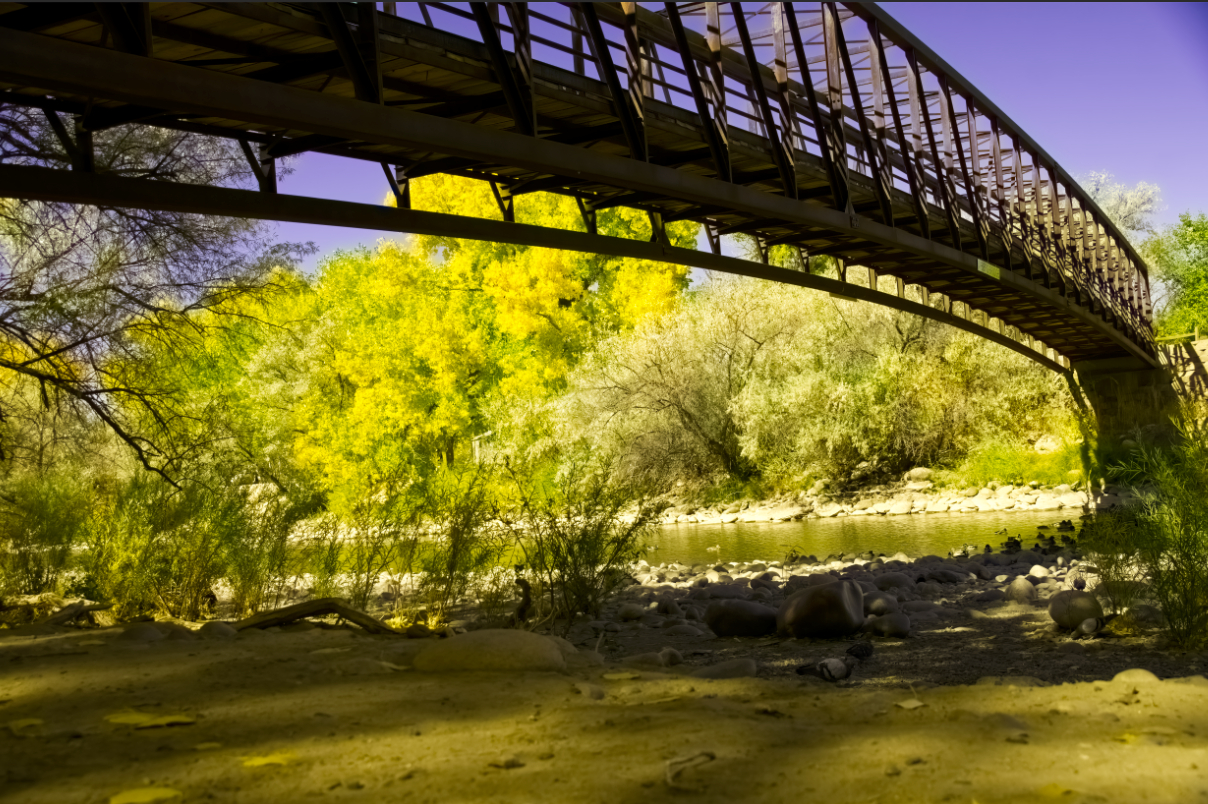
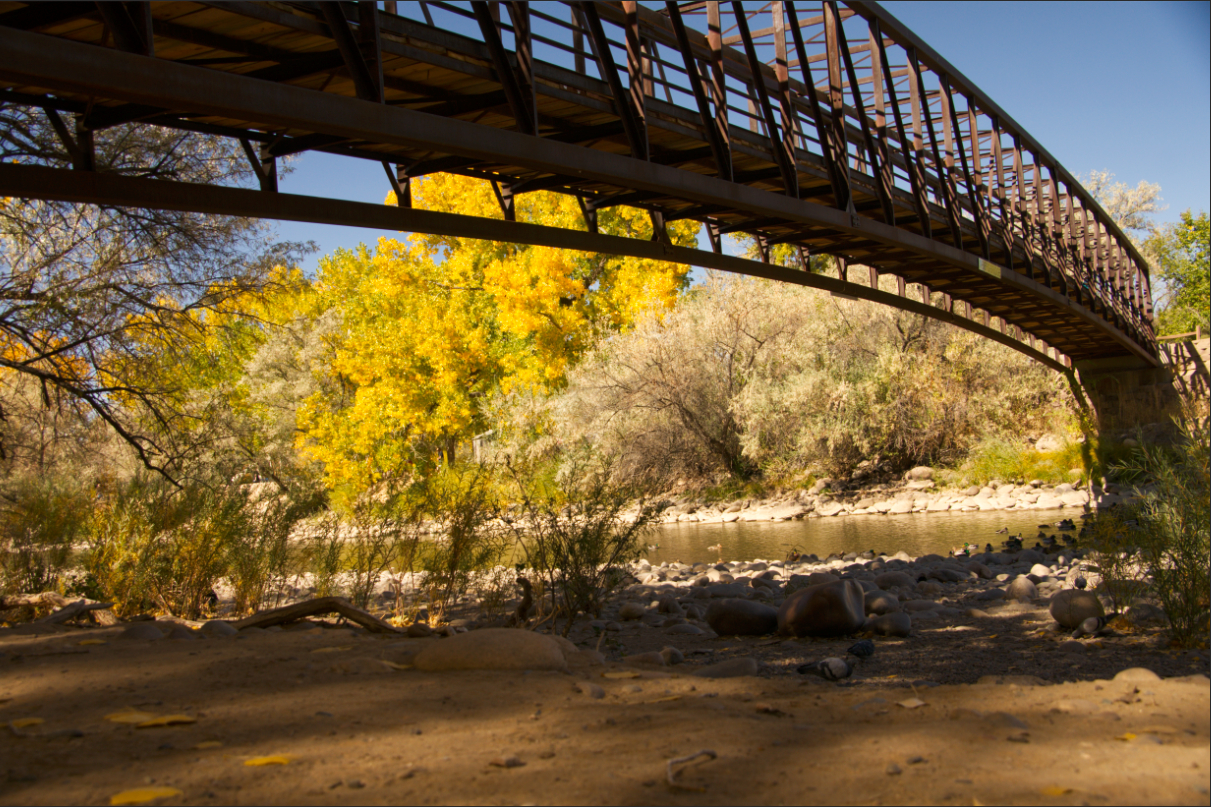
I don’t usually process my RAW files in Denoise first but when I tried it with the 2.4.2 version and saved as a DNG file then brought it into Affinity Photo (V1.9.0) the colors were wrong. Below is the DNG saved from Denoise and the Sony ARW file which is correct both developed in Affinity.
DNG:
Sony RAW file:
That’s horrible. Hope they can fix this.
Thanks, Don. That did the trick.
I see Canon R5 CR3 RAW is finally supported (motivated me to buy)… however when I installed it… the RAW files all come out toned heavily green? any idea how to fix? is it something cached? I have fairly up to date nvidia drivers and don’t see this through any other software.
R5 files are not yet supported, supported cameras can be found here, only R & RP are currently supported in the R series.
oh… weird, someone on forum indicated that it’d be supported in next libraw snapshot (10 days ago)… and your change log since then shows support for CR3 and LIBRAW shows as of Jan it supports Canon R5… part of why I bought.
hopefully soon? or is it something I can do by downloading something from libraw?
https://www.libraw.org/news/libraw-202101-snapshot
sorry on their main page they indicate
Camera support
Apple iPhone 12 Max, iPhone 12 Max Pro
Canon EOS R5, EOS R6, EOS 850D, EOS-1D X Mark III (lossy compressed files)
FujiFilm X-S10
Hasselblad CFV II 50C
but maybe there is an error there.
The 201201 snapshot is just a beta version, the stable version is: LibRaw 0.20.0
The current version is the link given above and I don’t remember anyone saying R5/R6 support is available here on this forum.
And support for CR3, or indeed any other format, is dependent on the Camera as demosacing is also based on the sensor.
