Color banding introduced from models?

I notice the motion models cause a slight loss of detail/mild color banding in certain scenes in movies that have no grain and were shot digitally. I don’t mind the slight denoising effect on movies with grain since it doesn’t cause color banding. But not on the digitally shot ones.

And Lower bit rate movies are especially prone. Even if they don’t have color banding to begin with. It’s like they’re right on the edge and will get pushed over by topaz and color banding will show. Videos with Variable bit rate under 9mbs 1080p .264 and have no grain are especially prone.

Anyway to avoid this color banding? I’ve tried using huge bit rates, but it’s not bit rate dependent. I’ve tried all codecs.

Any ideas? Not interested in adding grain to hide something that wasn’t there to begin with.

Is this just the nature of the model?

I absolutely love apollo motion interpolation. It’s essentially perfect at 4x FPS. This is the only issue I notice.

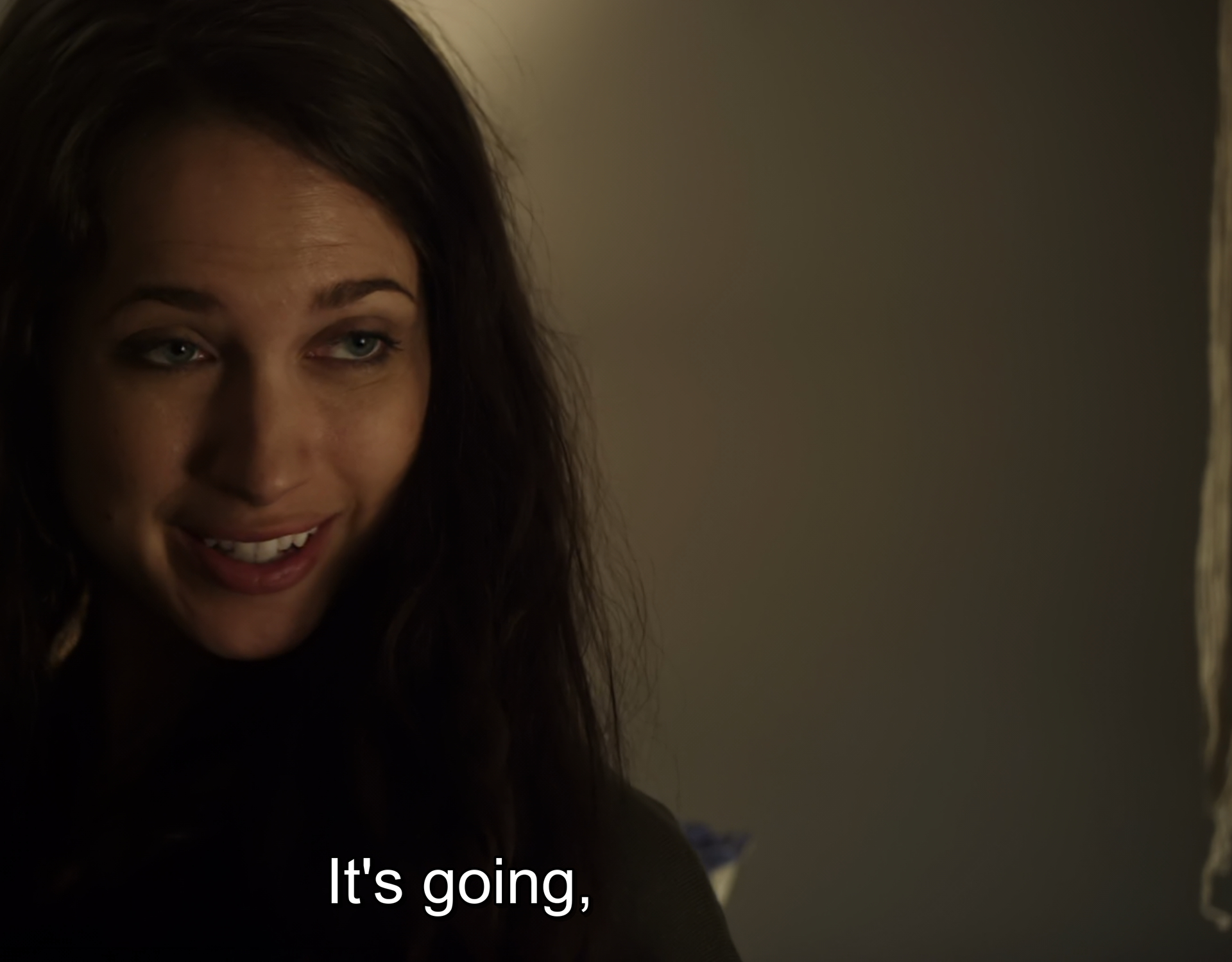
Perhaps show some images that demonstrate the issue?

If the model is the cause, then that implies interpolated frames are affected, but non-interpolated frames (carried over from the source) are not.

here

1 Like

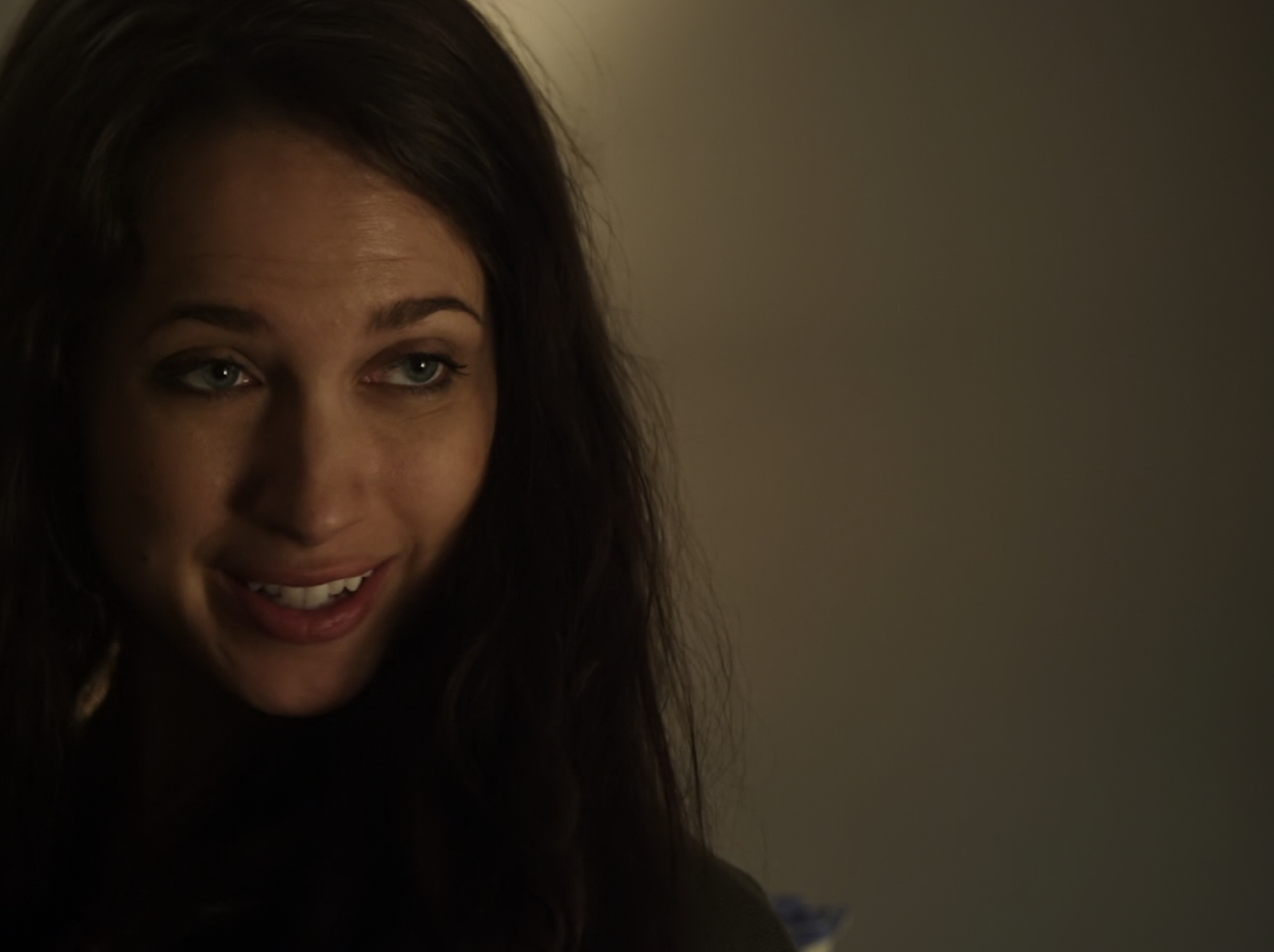
How about the nearest frame from the source too?

No banding original

In films that have grain, it actually improves things by acting as a great denoiser and not even having to run a secondary enhancement on it. All the mosquito noise on actors faces are gone and it doesn’t turn people plastic either. Kind of perfect actually.

BUT, if the film is digitally shot then it removes detail and you get color banding in certain scenes especially when bit rate is below 9mbs .264 1080p. Many movies and tv shows have no grain.

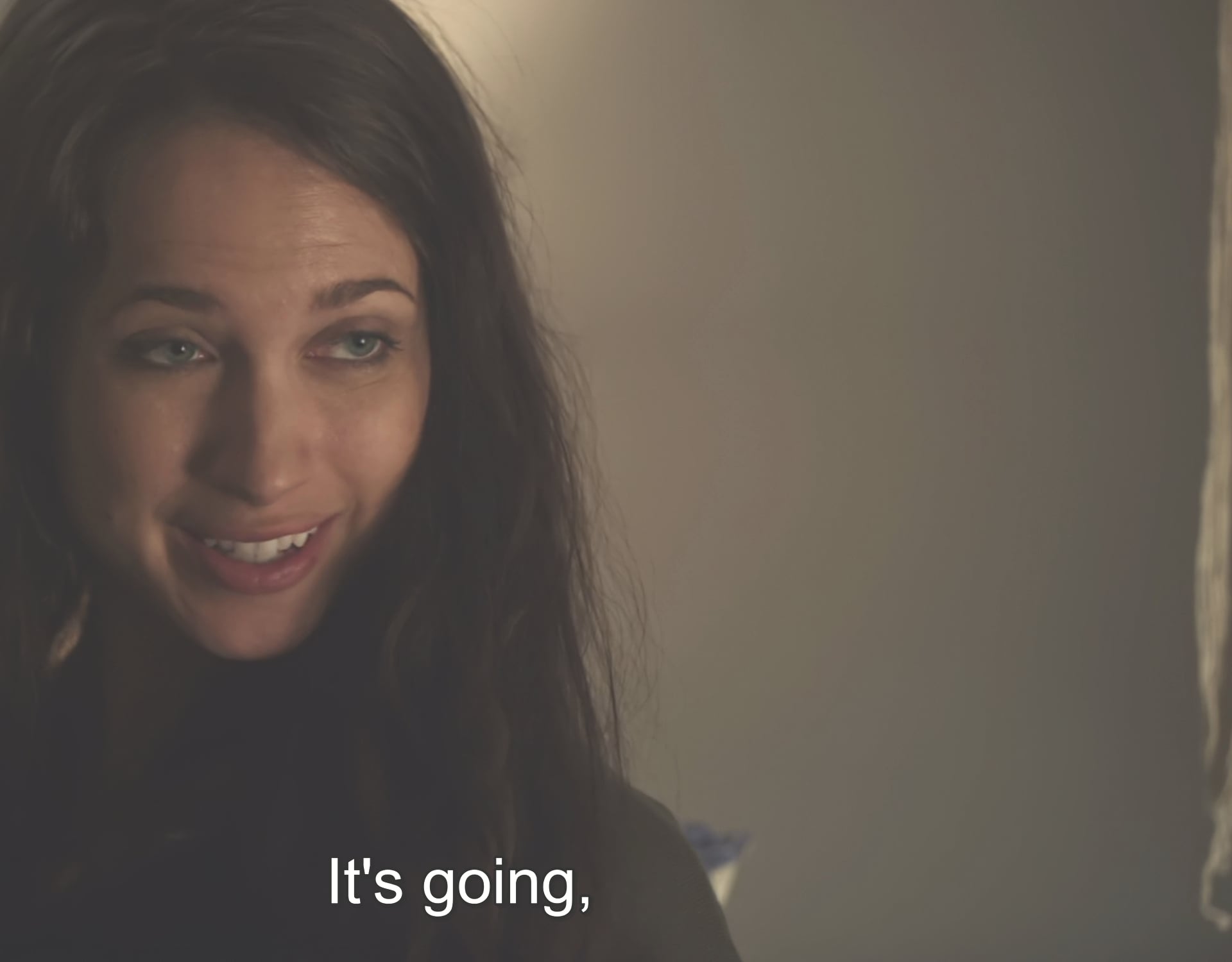
Do you still see banding in this version of your image with a linear brightness adjustment (don’t rely on viewing in the browser)?

Yes and the image is blown out.

I think most of the banding you’re seeing is related to the limits of viewing video with subtle 8-bit gradients (especially if also viewed on an 8-bit display). The original is probably less affected (but it still is) because of mild noise/dither patterning. It’s on a visual knife-edge.

I know you said you’re not interested in using grain to fix an issue like this, but I don’t think you have many options when working with 8-bit sources. You could try Proteus with tweaked settings to reduce the effects of compression. But you would have to use a 10-bit or better codec for the output, and this wouldn’t be much help when viewing on an 8-bit display.

1 Like

That makes sense. Visual knife edge is definitely how I’d describe it.

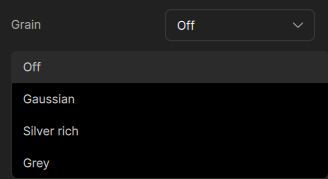
Adding a slight grain with the new grain tool gives some better options and variance that can be tried to help with the lower bit sources and viewing. Understand the desire to not apply it but as Alan mentioned it might be the best option here within the current workflow you are running.

Hi,

Banding has two causes:

1. Insufficient quantization depth, i.e., 8 bits is much more susceptible than 10 bits.
Most people cite this quantization depth alone as the cause, which I believe to be incorrect.

2. Insufficient data rate, which primarily results in too little DCT information being transmitted:

While vector motion information only requires small amounts of data, as it only shifts parts of the image (simplified), “painting” the image naturally requires color, gradients, etc.

This can only be achieved by the DCT information already known from JPEG, which is therefore also a necessary component of MPEG and requires a large amount of data.

Sure, compression algorithms are getting better and better, but they are usually hopelessly overestimated and overused by users.

Example:
Here in the thread, it is said that this occurs mainly at data rates of 9 Mbit/sec or less in full-hd and mp4-264.

And yes, it has to occur there, because this is precisely what happens when a video codec is overused.

An uncompressed 1080 (Full HD) with 24 or 25p in 4:2:2 (YUV) probably has around 800 Mbit/sec.

And mp4-264 is known to perform well up to a compression factor of 1:50.

That means (for low frame rate stuff → otherwise more) 16 Mbit/sec…

I think the only ones who ever adhered to this in practice were MTV Germany 10 years ago, and even then only this one channel out of the hundreds of MTV channels.
… and only while they were on Sky (about half a year) … today they are also long since dead compressed …

HEVC is now specified by the industry as 1:100, which may be accurate for some content, but based on my experience, I would say 1:75 is more accurate for really good quality.

This means you could try values between 10 and 12 Mbit/sec for HEVC - Full HD - 24/25 fps content.

Higher frame rates, unsurprisingly, require higher data rates.
One more reason for those stuck in the past to dislike this, because it costs money.

Of course, this is not linear, as images that are close together in time are very similar and MPEG can work very well here.

So, for example, I estimate that:
To go from 24 fps to 60 fps, if everything else remains the same, you need about 1.8 or 2.0 times the data rate.

PS - And don’t forget:

If it makes sense to use 10-bit quantization, then you should also note that, all other things being equal, this will increase the data rate by 25%.
Ignoring this, as most people do, is just self-deception… :slight_smile:

So to go from 24 to 60 fps, from 8 to 10 bits, and from full HD to 4K at the same time, you have a factor of 10. :slight_smile:

Best regards

1 Like

Yes, adding film grain is probably a practical and effective way to conceal banding.

@Topaz.labs:

Do all video AI models work internally with 10 bits or 8 bits?
Or do some work with one and others with the other?

Kind regards

1 Like

The models are designed to work with higher than 8/10 bit depth videos by training. Just checked with the devs on that for confirmation.

1 Like

Ok thanks, I’ll just live with the mild color banding. It’s only a few scenes anyway. Prefer that minor occasional color banding to having grain all over a otherwise pristine digitally shot image.

Thanks for the detailed reply.

Also, I didn’t find that the 10 bit setting on topaz for an 8 bit video reduced color banding at all. So I’m just going to use the .265 8 bit setting.

If the original video is 5gb at .264 25fps, what would an equivalent .265 100fps size be to not lose quality? I’ve been using cqp at 22 in videoencoder.json. Should I just use 25?(the default medium setting) cqp of 22 creates a file of around 3.5 times the original .264 file, but the output new video is .265!

BTW. These varirable bit rate compression algorithms 265 and 264 really underestimate dark scenes.

Also, I just realized that if I set my tv to 1080p instead of 4k smooth gradation is available at 100hz! That’s fantastic. I’m watching 1080p movies so I don’t need 4k output anyway. This gets rid of most of the banding without losing much detail.

With or without image enhancement (Iris, Reha, etc.)?

→ Image enhancement creates a much more complex image, which often requires 1.5 or even 2 times the amount of data…

I would estimate that converting 25 fps 264 to 100 fps 265 without image enhancement would result in:

  • 4 times fps → 3 times data rate
  • 264 to 265 → 2/3 of the data rate
    –>> 5GB to around 10GB

->>> with enhancement may bee 15 or 20 GB?

Note: I am not familiar with this video encoder, nor do I have any experience with 100 fps …

… I only work with ProResLT between Topaz and DaVinci – ProRes always has 10-bit quantization…

… … for the final output of DaVinci, I use 4K HEVC 35 Mbit/s for 50 fps and 40 Mbit/sec for 60 fps … (8 bit)
(mind you - consumer/prosumer material, which probably has more like 2.5K - at best 3K in real terms …)

… 50 or 60 fps is enough for me on TV or PC monitors; I think you only need more for VR glasses … but tastes vary … :slight_smile:

kind regards

Well, the dark scenes are precisely those where the compression applied earlier and the 8-bit quantization are most noticeable… :slightly_smiling_face:

1 Like

Ok thanks. No image enhancement is being used in majority of them. Just apollo motion interpolation to 100fps.

100fps in action scenes is immediately noticeable. Just like 60 fps to 120fps is immedately noticeable in gaming. Obviously 24 fps to 50 or 60 is MASSIVELY better/smoother already. But at 100fps the action scenes in movies like spiderman/venom are breathtaking. The clarity is unmatched. And the encode time with apollo is the same at 50fps or 100fps so it’s a no brainer, just more hdd space is only negative.

I think using 265 is better obviously than sticking with .264(original) to save space. So that’s the only reason I’m converting to .265 when using apollo to 100fps. A 5 or 6gb 264 movie was turned into 20GB at 265 with 22 cqp. That’s overkill and wasted space I think So I’m going to try 23 cqp next.

1 Like